
See you next week what what will probably be an extra large installment!
Category: Usability & Productivity
No TWiK this week
We’ll be back next week!
November Plasma 6 update
Well, I skipped October, oops. So it’s been two months since my last Plasma 6 update, but you can find all kinds of other good stuff about Plasma 6 on https://planet.kde.org, including this post from Kai.
Probably the big news is that we released the Plasma 6 Alpha today! What does that mean? Well, go read this blog post by David Edmundson to find out! In a nutshell, you should try out the Plasma 6 Alpha out using one of these distros (or by building it yourself using kdesrc-build) if you’re an adventurous person who has a backup and wants to help make the final release better by reporting bugs or even fixing them. It really does help!
So what else happened over the past two months? Tons and tons:
The end of the big porting tasks
Yep, we finally finished* the porting and maintenance work.
This included the extremely large task of porting everything (Plasma, frameworks, and apps) away from Kirigami.AbstractListItem and Kirigami.BasicListItem. The former has been replaced with plain old upstream QtQuick.ItemDelegate, and the latter has been replaced with either one of the new Kirigami delegates or or a custom content item that uses one of them (or just totally custom content). It’s a bit of a loss in the consistency department since now we have more custom content items, but the loss isn’t that big since we did before as well, and the consistency promise of BasicListItem was never realized anyway. The work was done by Marco Martin, Arjen Hiemstra, me: Nate Graham, Carl Schwan, Ivan Tkachenko, Nicolas Fella, and others.
Speaking of Nicolas Fella, he also ported, like, everything in sight to better newer versions. Seriously, he did so much I can barely believe it. Plasma 6 and Frameworks 6 will have much nicer, more modern, more maintainable code.
*Okay, I lied. We still have one outstanding task to port widget config pages to use more standard components. But hopefully that won’t be too hard.
A huge number of user facing changes
There are almost too many to list, but here are a few:
- Wayland session is now the default (Neal Gompa)
- Color management on Wayland (Xaver Hugl)
- Removed the nested frames from KDE’s QtWidgets apps and adopted the more modern Kirigami style (Carl Schwan)
- Rectangular region screen recording in Spectacle (Noah Davis)
- The return of the Desktop Cube effect (Vlad Zahorodnii)
- Overhauled and modernized Plasma Panel configuration UI (Niccolò Venerandi)
- Overview effect now incorporates the Desktop Grid and can smoothly switch to it and back, all with better and more natural touchpad gestures (Niccolò Venerandi)
- Overhauled QML Printers page in System Settings with a better UI and lots of previously-hidden features migrated from the obscure QtWidgets apps (Mike Noe)
- Overhauled QML Energy Saving page in System Settings with a better, more comprehensible UI (Jakob Petsovits)
- A completely new QML Game Controllers page in System Settings to replace the old obsolete Joysticks page (Joshua Goins and Jeremy Whiting)
- A huge amount of UI polish for Discover, including better search results and status reporting, more relevant reviews, a new screenshot carousel, and more (Marco Martin, Alessandro Astone, and Ivan Tkachenko)
- Re-organized sidebar in System Settings (me: Nate Graham)
- Colorblindness correction filters (Fushan Wen)
- Simultaneous password-or-fingerprint/smartcard authentication on the lock screen (Janet Blackquill)
- A camera usage monitor on Wayland (Fushan Wen)
- Support for HDR in compatible games (Xaver Hugl)
- Floating panel by default (Niccolò Venerandi)
- The first page in Welcome Center can be customized by distros (me: Nate Graham)
It’s, like, kind of a lot of stuff! And those are only the headliner features; there are loads more UI improvements and bugfixes. Plasma 6 is gonna be big!
What’s next
We have two weeks before the “soft feature freeze” and three weeks before the hard one. Expect people to madly race to finish their work-in-progress features before them. There are still quite a few, and you can see some of them mentioned on the Plasma 6 wiki page. During this time, I expect the perceived level of bugginess and number of open bug reports to rise.
After that, we’ll have a solid 3 months of bug fixing, with regular beta and RC releases. This is a lot longer than we typically do for normal Plasma releases–3 times as long! So despite the large number of changes so far, expect the number of bug reports to fall very significantly during those 3 months, and I predict that Plasma 6.0 ends up being pretty darn stable, all things considered.
This is where I once again urge people to test out Plasma 6 and report bugs. The more good quality bug reports we get, the better the final release will be! Seriously.
But does that sound kinda scary? Another good way to contribute is to donate to KDE e.V. by becoming a supporting member via our fundraiser. We set a very ambitious goal of 500 supporting members (starting from 52–yes, really) and believe it or not, we’re more than halfway there! So it looks like we might actually be able to attain this goal. And you can help! If you haven’t already sign up to become a member today!
No TWiK this week
See you next week, folks!
Bug fixes are a good thing, not a bad thing
Occasionally I see online comments saying things like, “more bugfixes week after week; KDE must be a real train wreck!” or “15 years of Wayland and it’s still needing bug fixes; it’ll never be ready!”
It can be a bit funny to see people interpret normal code maintenance as evidence of critical bugginess. But this does make some sense; most objects and systems you’re familiar with around your house and in your life don’t require constant fixing to avoid collapsing, right? They have a bounded problem space; the scope of what they’re expected to do is fixed. Your coffee maker just needs to make coffee! Tomorrow you aren’t going to ask it to make juice, and the electrical outlet it plugs into isn’t going to morph overnight into something physically incompatible with the plug. So the people who built that coffee maker just have to make sure it brews coffee correctly and reliably given the current arrangement of the world around it. Its problem space is bounded.
By contrast, the world around a piece of software is constantly changing in ways that it needs to adapt to; it has an unbounded problem space. For example, one of the libraries that the app delegates some of its work to may change in behavior and cause broken features or crashes in the app. A new CPU architecture, display server, or containerization format may be invented and deployed in an exciting new operating system that people are starting to use, so that the app needs to adapt or else not be able to run on the new OS. A new and previously unusual file format may become popular and users will start expecting the app to work with it. And often user expectations themselves change over time, such that if your app doesn’t evolve in its visuals or interaction paradigm, it will feel clunky and obsolete even if it didn’t feel that way when it was first released.
Because of this, constant maintenance is required to prevent software from becoming obsolete and unusable.
There are methods of development that acknowledge this chaos. You can minimize externally-induced bugginess by intentionally limiting the scope of the software, coding defensively, avoiding programming paradigms that impose lot of mental overhead, and not depending on 3rd-party libraries known to be unstable. But even so, the need for maintenance and bug-fixing is eternal. There’s just no real way out of it.
So the fact that we’re making regular fixes to code that was buggy or has become buggy due to external changes is a good thing, not a bad thing. The alternative isn’t “software so good that it requires no bug fixes” but rather “software that bit-rots and stops working over time due to lack of maintenance.”
No TWiK post this week
No time; Akademy 2023 has eaten up everyone’s schedule! It promises to be an enjoyable and useful conference, so I’m sure there will be lots to talk about next week. See you then!
Did you know you can Meta+Ctrl+Scroll to zoom on Wayland?
I didn’t! I just discovered it today while working on fixing a bug. And boy is it awesome! Just hold down the Meta (aka “Super” or “Windows) and Ctrl keys, then scroll. Boom! Note that this only works in a Plasma Wayland session.
We don’t expose this shortcut in the UI right now, so it’s quite hidden and explains why I and probably many others didn’t know about it. We’ll work on improving this.
Highlights from 2022
2022 is over, and it’s time to recap! Like in previous years, this isn’t in any way, shape, or form a list of everything that happened in KDE; it’s just an overview of the big things I noticed or was involved with. More is always available at https://planet.kde.org!
Roadmap items
Many but not all of the items I was hoping for from my 2022 roadmap are finished now.
While we didn’t get a new style for Breeze icons or inertial scrolling everywhere, we did get the merged “Formats and Languages” KCM and a major overhaul for multi-monitor support to make it all finally work properly. “The Wayland session can completely replace the X11 session” is a bit fuzzier, but I can tell you that it’s done so for me! I only ever use the X11 session for occasionally testing merge requests. This doesn’t mean it’s there for everyone, of course. But it got ever closer in 2022. And finally, the 15-minute bug initiative was a big success! We didn’t fix every one of the 142 bugs classified as “15-minute bugs” in 2022, but we did fix 95 of them! That’s a pretty good rate. We’ll keep up the focus on these quality-of-life issues in 2023, too.
Hardware Partnerships
Linux hardware vendor Tuxedo Computers started shipping Plasma by default on all of their machines, a huge win for everyone!
KFocus, makers of Kubuntu-based hardware, added some new machines to their line-up–all shipping KDE Plasma and apps by default, of course!
Slimbook released a new version of their KDE Slimbook laptop, the best yet!
Finally, the Steam Deck became a smash hit, selling over a million devices worldwide and introducing so many people to the world of KDE!
So overall it was a pretty good year for getting KDE software into more people’s hands through hardware. But there is still so much more to do. We need to get more big names here, like Dell, Lenovo, and HP!
Akademy
For the first time in a few years, we had a real, in-person Akademy. Hallelujah! It was so wonderful to reconnect with KDE folks in person. You can see videos of the sessions and talks here. And here’s my talk.
In addition, I ran for a seat on the KDE e.V. board of directors and was elected!
Professionalizing KDE
KDE has done incredibly well over its 26-year history as primarily a volunteer organization. But there was always a dirty little secret: some of the most prominent contributors along the way have been sponsored to work on KDE in a quiet way. In the same way that Red Hat quietly funds the work of a lot of GNOME people, a lot of KDE people over the years have been sponsored by Nokia, KDAB, the city of Munich, Blue Systems, Valve, and other institutions in KDE’s orbit.
And this is great! It’s a very good sign when outside companies that derive value from KDE software pay to make it even better. But it also means they’ve been paying to make it better for their use cases, their pet projects, their areas of interest.
What’s always been missing was a cadre of paid professionals to work on KDE from a big picture perspective–people who are from the KDE community, and paid by the KDE community; people who can make a living as professionals working on KDE software from a community perspective.
Well, no longer! KDE e.V. has started hiring engineers for technical positions this year, beginning with a packaging engineer. We’re working through the process of hiring a software engineer at the moment, and we have an open position for an integration engineer too.
This is big stuff! Paid professionals in the employ of KDE e.V. can counterbalance and augment the work paid for by 3rd-parties, ensuring a healthy mix, so that KDE’s future and direction can remain in the hands of KDE. It can help to ensure a certain amount of continuity of technical knowledge, so that more people get to stay in KDE once their life circumstances change to reflect a different balance of free time and monetary needs. And of course, none of this in any way diminishes the volunteer efforts the remain the backbone of KDE! On the contrary, volunteers–who by nature come and go as life circumstances and interests dictate–can really benefit from a stable core of paid professionals to interact with.
This isn’t cheap, though. If you want to help the initiative succeed and expand, please make a donation–preferably a recurring one! 🙂 If you already have, tell your buddies, your family members, your boss, anyone you know who uses and enjoys KDE software!
New Goals
This year, KDE did a third round of goal-picking, cementing this process as a key part of KDE’s culture. The three goals chosen were “KDE For All” (accessibility), “Sustainable Software”, and “Automate And Systematize Internal Processes”–three very important goals! You can see more here.
Infrastructure
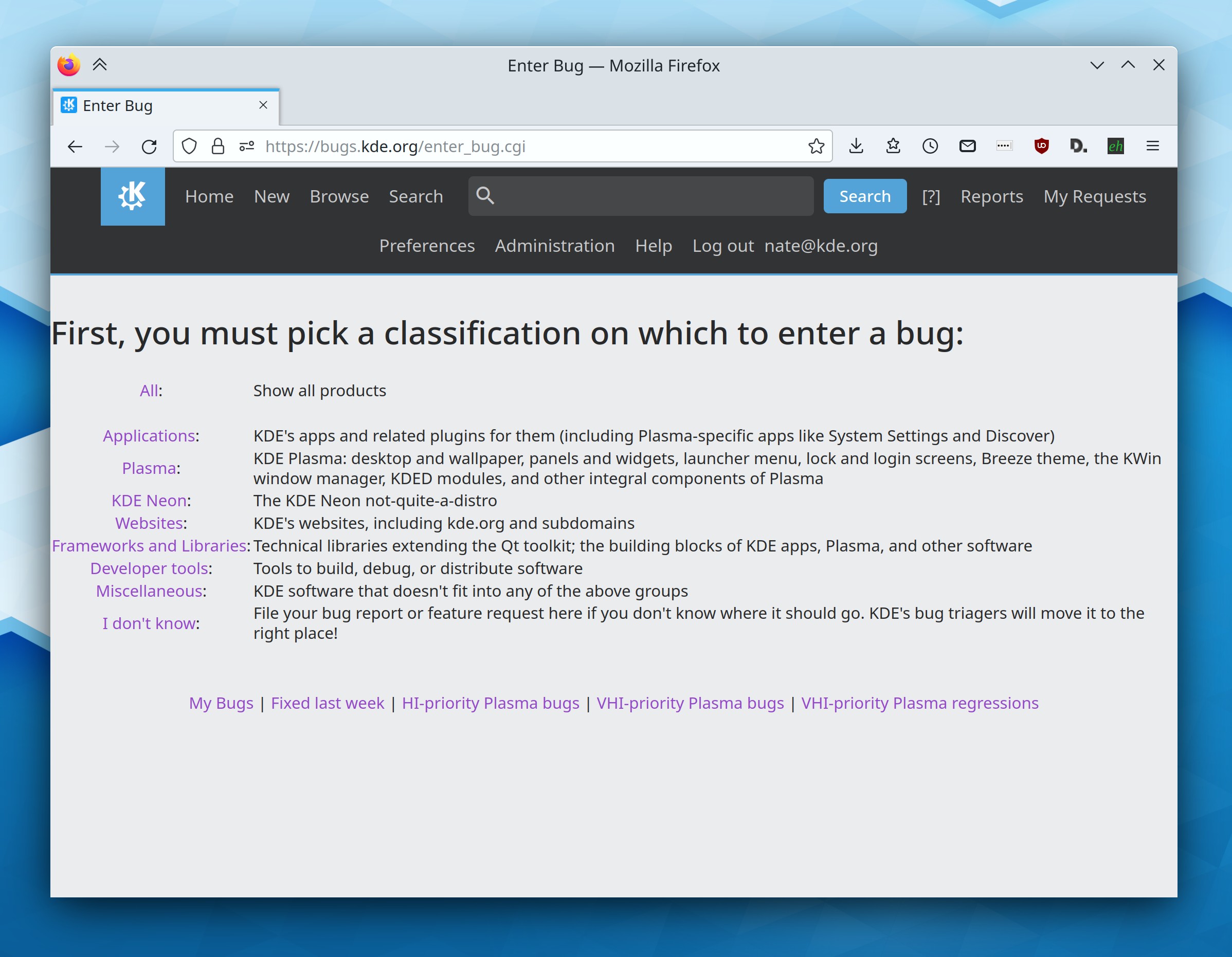
This year, Bugzilla got a re-organization to make it easier for normal people to figure out where to submit a bug report:
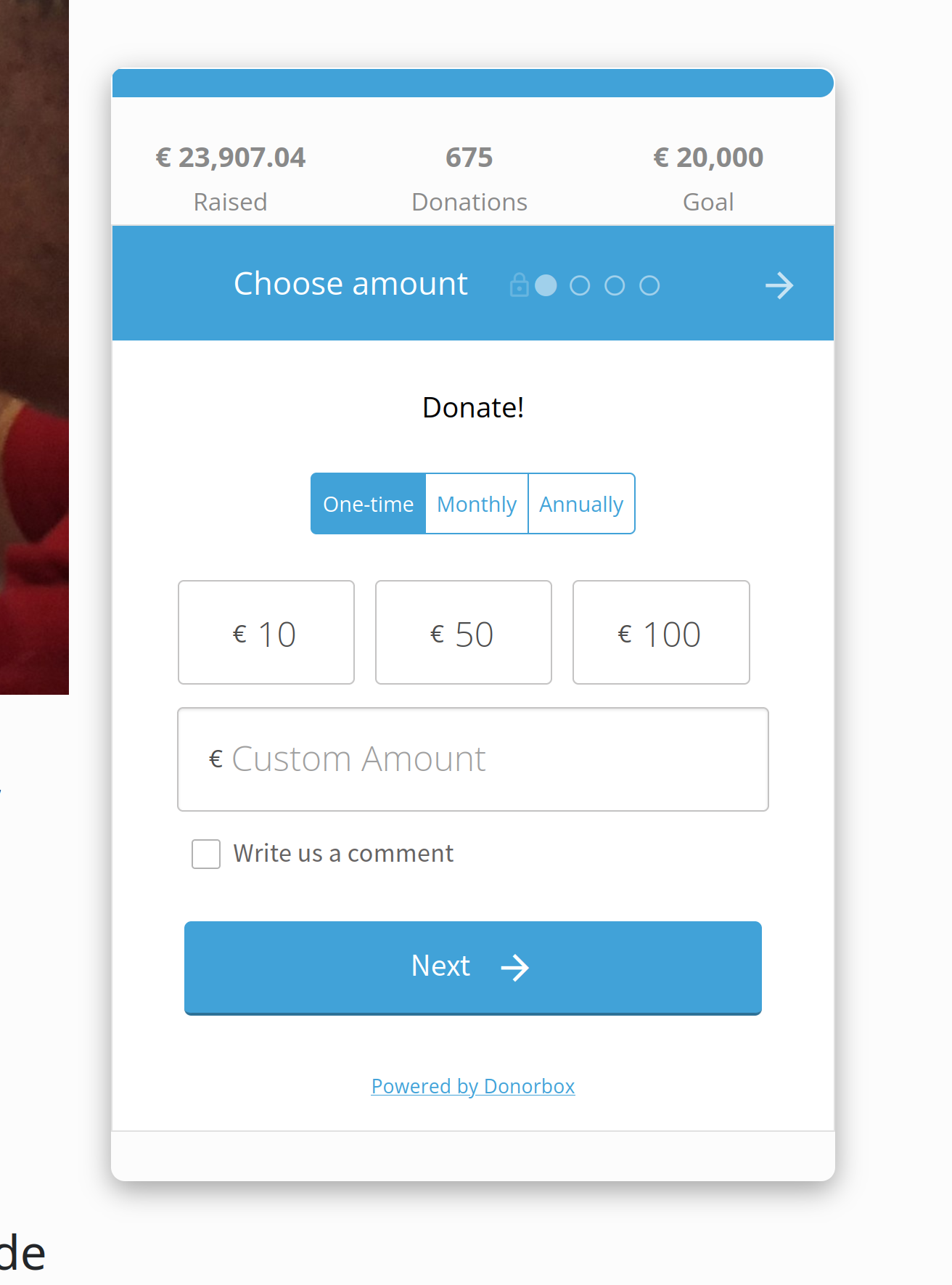
KDE also got a better donation and fundraising platform, powered by Donorbox. This makes it much simpler for people to donate to KDE e.V.:
Finally–and this is quite new–there’s a new forum powered by Discourse in the works, currently being beta-tested and rolled out at https://discuss.kde.org. Exciting times!
Qt 6
This year KDE contributors spent an enormous amount of time porting KDE software to Qt 6, the latest version of the Qt toolkit. This is unsexy work, so I didn’t blog about it. But it’s critically important, so thanks to everyone involved! And the work is now more than half done, with most common software and nearly all of Plasma already done; you can see the progress here.
Wayland
The Wayland session made enormous progress. Slimbook started shipping their new KDE Slimbook laptops with Wayland by default, following Fedora KDE 34 doing the same in late 2021. Our list of showstoppers continues to shrink, and new issues added to it are or notably less bad then the ones they replace. There are discussions about defaulting to Wayland in Plasma 6 next year, either for the inaugural release or one of the ones soon after it. The future really is here! And if you’re tempted to grumble, “well, Wayland still doesn’t work for me for $REASON,” please do it in a bug report so developers can fix it!
Plasma
It was a big year for Plasma! Among many other changes, we got custom window tiling layouts; massive stability improvements for multi-monitor workflows; Wayland fractional scaling; non-blurry scaled XWayland apps; a UI overhaul for Discover; many KRunner UX improvements; mouse button re-binding; resizable Panel popups; finger-following touchpad gestures on Wayland; support for alternate calendars such as the Chinese lunar calendar and Islamic civil calendar; picking-and-choosing what you want to apply from Global Themes; accent color generated from wallpaper’s dominant color; and full-window tinting with the accent color.
Plus a lot more, of course! You can see everything in the Plasma release announcements, found at https://kde.org/announcements.
Apps
KDE has so many apps that I really can’t possibly do them justice here! Nevertheless, here’s an extremely small assortment:
Dolphin got a new Selection Mode, a new (optional) list view selection style, the ability to browse iOS devices using their native afc:// protocol, an eject button in the sidebar list items of ejectable/unmountable volumes.
Okular got a welcome screen, a new Breeze icon that better matches the original, a UI overhaul for its sidebar.
Gwenview gained features to annotate images and edit their brightness, contrast, and gamma.
Kate and KWrite got welcome screens, KHamburgerMenu support, searchable settings windows, keyboard macro support, and even more massive UX and feature improvements of all kinds due to an influx of new contributors and a higher tempo of regular development work.
Konsole got Sixel support, adopted KHamburgerMenu, added a plugin to save and restore text snippets, and moved its tab bar to the top of the view by default.
Spectacle was ported to Kirigami and now lets you annotate in Rectangular Region mode.
Filelight was ported to Kirigami and gained a sidebar.
Ark got a welcome screen, KHamburgerMenu support, and overhauled toolbar contents.
Elisa gained support for displaying auto-scrolling lyrics from songs using embedded LRC lyrics, .pls playlists, a real Full Screen mode, and improved presentation in Artists view, touchscreen UX improvements and overhauled playlist styling
NeoChat got encrypted chat support and a boatload of features and UI improvements!
Many QtWidgets apps adopted KHamburgerMenu for a streamlined presentation
Well that’s all for now, folks. Happy new year and let’s do awesome things in 2023!
Status of the 15-Minute Bug Initiative
It’s been almost a year since I announced the 15-Minute Bug Initiative for Plasma. In a nutshell, this initiative proposed to identify and prioritize fixing bugs you can find “within the first 15-minutes of using the system” that make Plasma look bad and feel fundamentally unstable and broken.
This initiative has been a huge success so far! We started out with 100 bugs, and 11 months later we’re down to 47! But it’s even better than that; more bugs were added to the list over time as new issues were discovered (or created as a result of regressions), so the fact that we’re at 47 today means that a lot more than 53 bugs have been fixed. How many more? Well, the total list of 15-minute bugs fixed stands at 95 today!
This means that in total, there have been 142 15-minute bugs, and we’ve fixed 95 of them, for a fix rate of 67%. That’s not too shabby!
There’s more to do, of course. The remaining 47 bugs are some of the more challenging ones, and many are quite egregiously bad. I expect the fix rate to slow as the list is reduced mostly to issues beyond the capabilities or time budgets of volunteers. That’s one of the reasons why the KDE e.V. is looking to hire a Software Platform Engineer; in addition to other responsibilities, the person we select will be working on some of these bugs. Hiring someone technically skilled enough to consistently fix these complex bugs won’t be cheap, and if you’d like to help KDE sustainably afford that cost, please consider donating to our end-of-year fundraiser! It really does help. Thanks for being awesome!
Help KDE hire more people!
KDE’s 2022 year-end fundraiser is now live! Please go donate if you can. 🙂
It’s been several years since we did a fundraiser at the end of the year, and we’re going to be more on the ball about this going forward, given how much the KDE e.V. is expanding hiring. This year’s fundraiser sets the fairly modest goal of 20k €, which will help offset the cost of some of that hiring.
But of course… there’s no reason not to exceed the goal! The more money raised, the more contributors the KDE e.V. can hire directly, effecting the kind of professionalization needed to take KDE to the next level! We have big plans and we can’t do it without your help!
I know I’ve asked for a lot of donations recently, so if you’re feeling tapped out, this is a good time to go nudge your friends and family members who you’ve converted to KDE over the years! 😉 Help KDE challenge the big dogs and win!

 Adventures in Linux and KDE