
Recently Michael Tunnell interviewed Aleix and I on the subject of KDE’s 30th birthday, Wayland, LTS software, the new Union theming engine, and more! If you’re interested, you can check it out here. Note: if you work at Microsoft, please don’t watch and get any big ideas! 😆
Category: The KDE Community
Submit a KDE goal!
KDE has now started its fifth round of “goal-setting” — a process that began in 2017.
These goals are big, high-level goals. Think “focus on large strategic topic X” more so than “fix my pet bugs A, B, and C”.
And it’s up to the KDE community to choose the goals! Up to you, up to me, up to all of us. They will then be voted on, with the top three informing KDE’s overall direction for the next two years.
KDE needs you! Your fresh ideas, your contributions, your budding leadership talent. But not your imposter-syndrome-driven fear of coming out of your shell. 🙂 Overcome that!
I’ve now been the champion for two goals: “Usability & Productivity” and “Automate & Systematize Internal Processes“. I’d count the first as pretty successful; the second, less so. So at this point I feel like I have a pretty good idea of what works and what doesn’t, and I’d like to use that knowledge to help others submit their own high-quality actionable goals.
Here’s what works, in my experience:
- Articulate an immediately obvious large problem or aspiration. If you’ve spent any time in KDE or using KDE software, you’ll have encountered stuff that could be better. Big stuff. That’s the topic to write a goal around! Not “Discover is too slow to refresh when I launch it” but rather “First-class software delivery UX” (you can steal that).
- Have a technical lead and a communications lead. They can be different people, but you need both. Only have a tech lead? Not enough communication, people forget about it, don’t join, and the tech lead burns out. Only have a comms lead? Not enough work happens and the goal limps embarrassingly towards the finish line.
- If you propose a goal, be the tech lead. You can be the comms lead too. But you should be prepared to be the tech lead. It’s much easier to recruit people to do other things than it is to recruit a tech lead to do a ton of work on your behalf that you can’t to yourself.
- Don’t bite off more than you can chew. If you can’t be the tech lead on your idea, scale it back or change its scope so that you can be the tech lead. This doesn’t mean you have to know how to do everything. It just means you can do a big chunk of the technical work, and at least understand the concepts of the things you can’t personally do.
It’s really fun, and you end up having a huge impact on how awesome KDE is.
I’ve submitted a goal proposal about improving KDE’s documentation. Credible choices make voting useful, but right now we have as many submissions as goal slots, and that’s no fun. So get yours in too!
Highlights from 2025
It’s been a few years since I did an end-of-year “highlights in KDE” post, but hopefully better late than never! 2025 was a big year for KDE — bigger than me or any of us individually.
My focus these days tends to be on Plasma, so that’s mostly what I’ll be mentioning on the technical side. And as such, everything here is just what I personally noticed, got involved with, or got excited about. Much more was always happening! Additional KDE news is available at https://planet.kde.org.
The Wayland transition nears completion
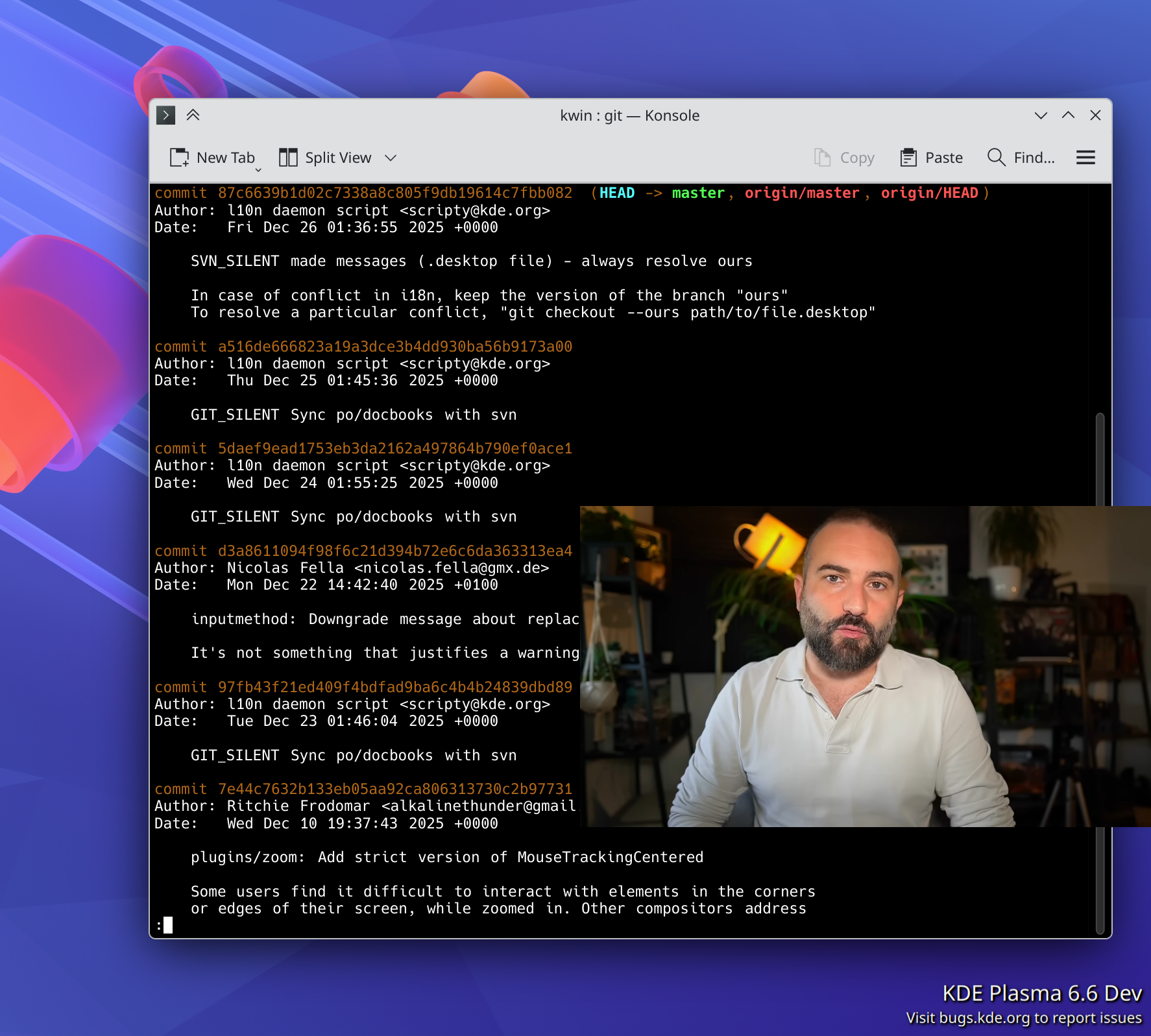
For several years, Plasma has been transitioning to the newer Wayland display server protocol, and away from the older X11 one. 2025 is when it got real: we announced a formal end to Plasma’s X11 session in early 2027.
To make this transition as seamless as possible for as many people as possible, the people involved with the Plasma shell and especially KWin did a herculean amount of work on improving Wayland support on topics as varied as the following:
- Accessibility
- Drawing tablets
- HDR
- Color management
- P010 video color
- Overlay planes
- XRandr emulation
- Screen mirroring
- Custom screen modes
- Implemented support for a large number of protocols, including
xdg-toplevel-tag,xdg_toplevel_icon,ext_idle_notifier,color_representation,fifo,xx_pip,pointer_warp, andsingle_pixel_buffer - Pre-authorization for portal-based permissions
- Clipboard and USB portals
Thanks to this and earlier work, most FOSS operating systems (also known as “distributions” or “distros”) that ship Plasma are defaulting to the its Wayland session these days — including big ones like Arch Linux, Debian, and Fedora KDE. Kubuntu is planning to for the next LTS as well. As a result, our (opt-in) telemetry numbers show that 79% of Plasma 6 users are already on Wayland. I expect this number to increase once SteamOS and the next Kubuntu LTS version default to Wayland. So you see, it really is driven by distros!
Now, Plasma’s Wayland support isn’t perfect yet (any more than its X11 support was perfect). In particular, the two remaining major sources of complaints are window position restoring and headless RDP. We’re aware and working on solutions! I can’t make any promises about outcomes, but I can promise effort on these topics.
This admittedly somewhat messy and plodding transition has taken years, and consumed a lot of resources in the process. I’m looking forward to having it in the rearview mirror, and 2026 promises to be the year that enables this to happen! Expect a lot of Wayland work in 2026 to make us ready for the end of the Plasma X11 session in 2027.
Plasma continues to mature and improve
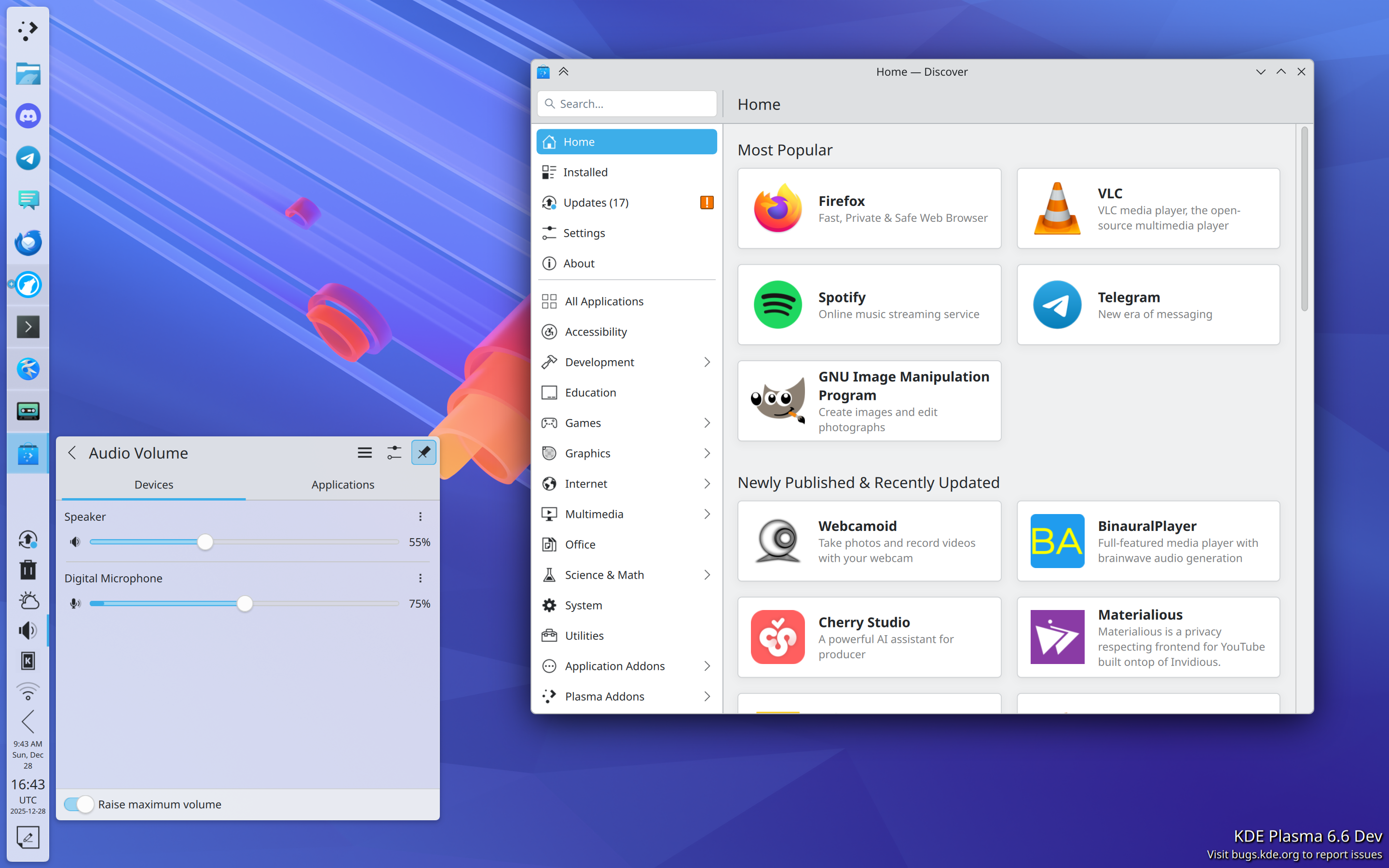
In addition to what I mentioned in the Wayland section, Plasma gained a whole ton of user-facing features and improvements! Among them are:
- Rounded bottom window corners
- Day/night global theme and wallpaper switching
- Saved clipboard items
- Speed graph in file transfer notifications
- Panel cloning
- Per-virtual-desktop custom tiling layouts
- “You missed X notifications while in Do Not Disturb mode” feature, and auto DND mode enabling while in a fullscreen app or video
- Install hardware drivers in Discover (on supported distros)
- New app highlighting in Kickoff
- UI overhaul for KMenuEdit and Info Center’s energy page
- Playback rate selector in the Media Player widget
- Three-finger pinch to zoom
- UX and video quality and file size improvements in Spectacle
- GPU usage monitoring in System Monitor
- Use existing user accounts for RDP/remote desktop
- Printer ink level monitoring
- Inline print queue viewing in the Printers widget
- Only show the screen locker and logout screen UI on one screen, not all of them
- OCR in Spectacle (coming in Plasma 6.6)
- Monochrome colorblindness filter (coming in Plasma 6.6)
- Option for automatic screen brightness on supported hardware (coming in Plasma 6.6)
- Option for virtual desktops to only be on the primary screen (coming in Plasma 6.6)
Phew, that’s a lot! And Plasma is getting rave reviews, too. Here are a few:
- https://www.xda-developers.com/after-decades-of-windows-linux-kde-spoiling-me-rotten/
- https://www.pcworld.com/article/2803571/dont-toss-your-windows-10-pc-try-switching-to-kde-plasma-instead.html
- https://www.theregister.com/2025/06/18/kde_plasma_64_released/
- https://txtechnician.com/blog/adventures-in-linux-3/kde-plasma-the-ultimate-configurable-linux-desktop-19
- https://www.youtube.com/watch?v=2hf7TtqHVA0
A decade ago or so, it used to be that Plasma wasn’t seen much as the default option for distros, but that’s changing.
Today Plasma is the default desktop environment in a bunch of the hottest new gaming-focused distros, including Bazzite, CachyOS, Garuda, Nobara, and of course SteamOS on Valve’s gaming devices. Fedora’s Plasma edition was also promoted to co-equal status with the GNOME edition, and Asahi Linux — the single practical option for Linux on newer Macs — only supports KDE Plasma. Parrot Linux recently switched to Plasma by default, too. And Plasma remains the default on old standbys like EndeavourOS, Manjaro, NixOS, OpenMandriva, Slackware and TuxedoOS — which ships on all devices sold by Tuxedo Computers! And looking at the DIY distro space, Plasma is by far Arch users’ preferred desktop environment:
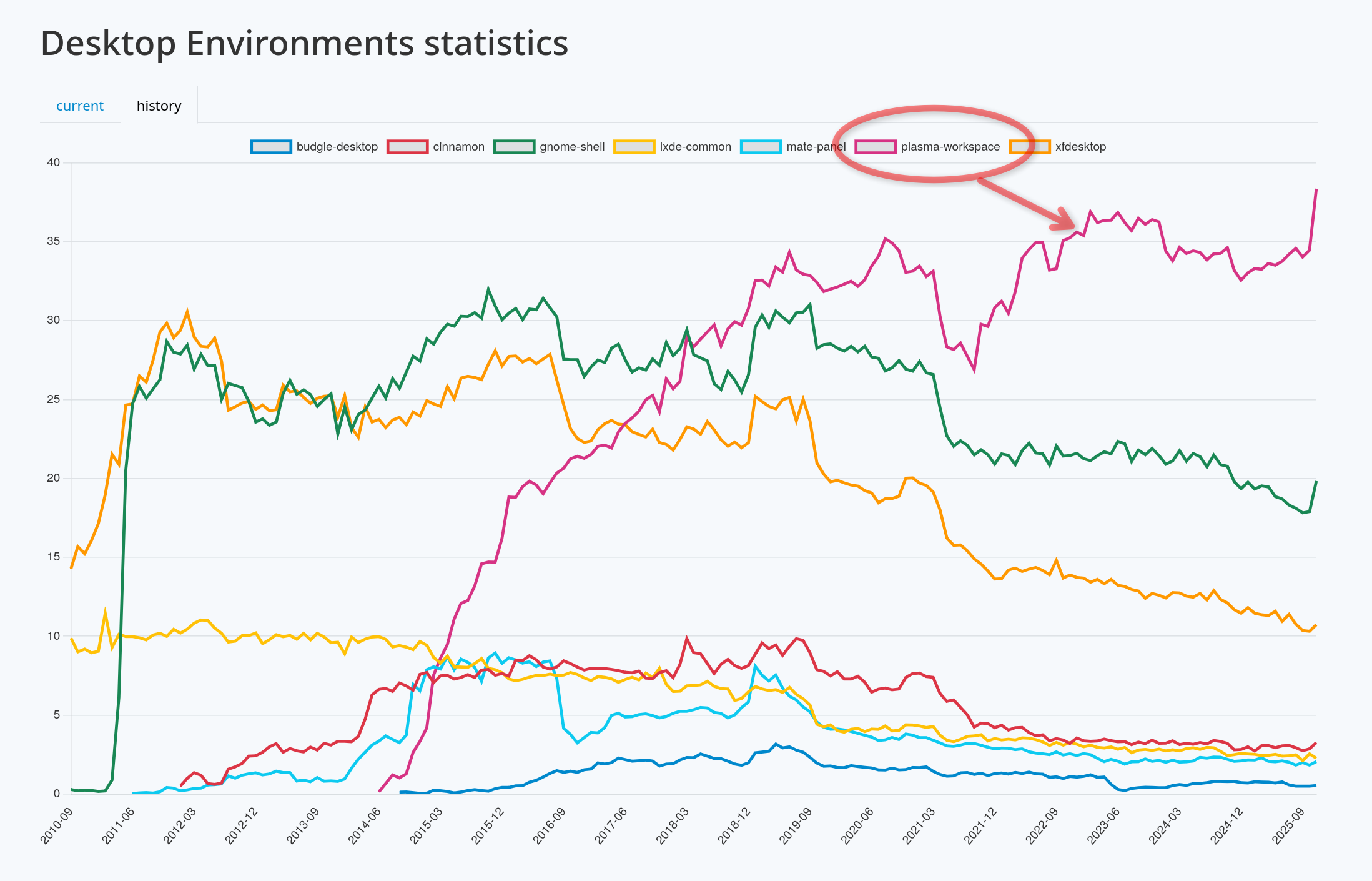
It’s a quiet revolution in how Linux users interact with their computers, and my sense is that it’s gone largely unnoticed. But it happened, so let’s feel good about it!
In fact, if we exclude the distros that showcase their developers’ custom DEs (e.g. COSMIC, ElementaryOS, and Linux Mint), at this point the only significant distros missing here are the enterprise-oriented ones: Debian, RHEL, SLE, Ubuntu, and the like. It’s something for us to work on in 2026, but clearly the current state is already great for a lot of people, including gamers, artists, developers, and general users.
KDE Linux grows
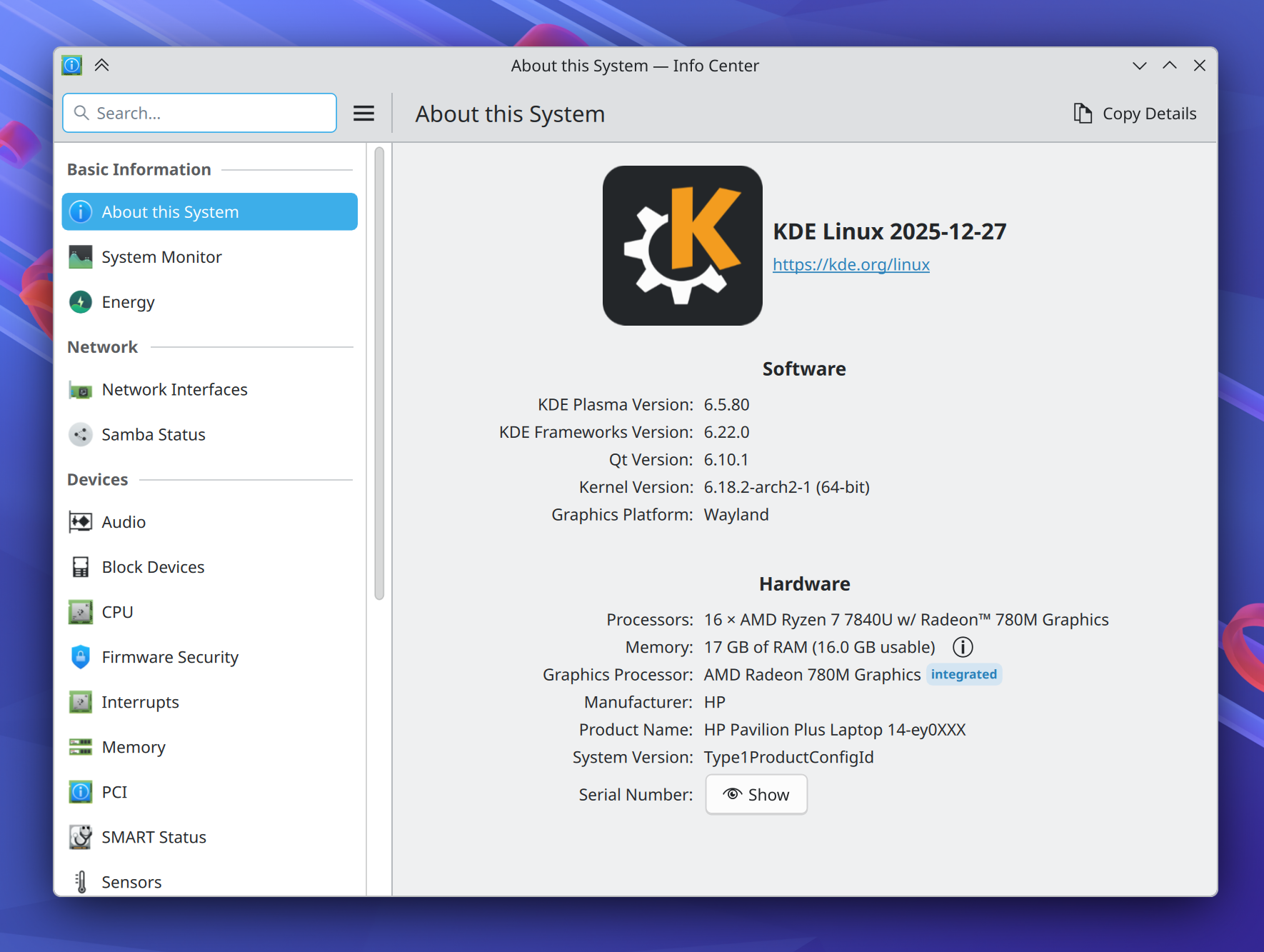
On the subject of operating systems, at Akademy 2024, Harald Sitter revealed the KDE Linux operating system project to the world. But in 2025, it spread its wings and began to soar.
Despite technically still being an Alpha release, I’m using this in-house KDE OS in production on multiple computers (including my daily driver laptop), and a growing number of KDE developers and users are as well. Thanks to its QA and bulletproof rollback functionality, you can update fearlessly and it doesn’t feel like an alpha-quality product. You don’t have to take my word for it; ask Hackaday and DistroWatch!
This project has been very special to me because I believe that KDE needs to take the reins of OS distribution in order to offer a cohesive product. The earlier KDE neon project already broke the ground necessary to make this kind of thing socially possible; now KDE Linux is poised to continue that legacy with a more stable and modern foundation.
To be very clear, none of this is an attempt to kill off other distros. Far from it! In fact, an explicit goal is to showcase what a well-integrated KDE-based OS looks like, so others can take notes and improve their offerings. And there’s still lots and lots of room for specialized distros with different foci, and DIY distros that let people build their own preferred experiences.
I’m really excited to see where this project goes in 2026. You can learn more on the project’s documentation wiki: https://community.kde.org/KDE_Linux
Fundraising performance is completely bonkers
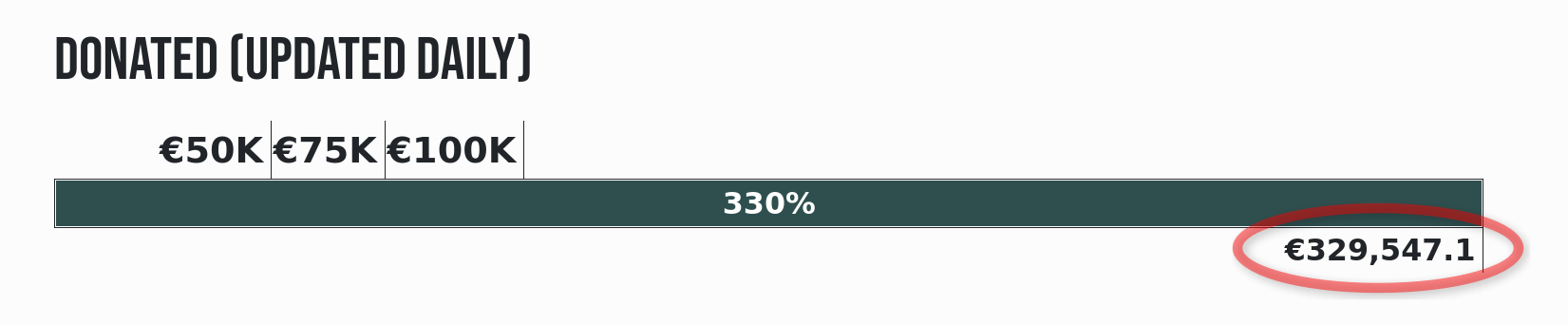
This is the second year that Plasma users have seen a donation request pop-up in December. And it marks the second year where this not only didn’t kill KDE, but resulted in an outpouring of positivity and a massive number of donations! Last year I wondered if it was repeatable. It’s repeatable.
That plus an even more ambitious and well-organized end-of-year fundraiser propelled KDE to its best ever Q4 fundraising sum: nearly €330,000 as of the time of writing! KDE e.V. (the non-profit organization behind KDE) is going to end up with a 2025 income that’s a significant fraction of a million Euros, and mostly crowdsourced, too.
I say this a lot, but sums like this truly help keep KDE independent over the long haul. But how, specifically?
First, by being mostly funded by small donors, KDE retains its independence from any powerful and opinionated companies or individuals that happen to be patrons or donors.
Second, with such a large income in absolute terms, KDE e.V. now has resources to rival the private companies in KDE’s orbit that contribute commercially-funded development to KDE (like mine), and that’s a good thing! It means a healthy diversity of funding sources and career opportunities for KDE developers. It’s systemic resilience.
And finally, with money like this, KDE e.V. is able to fund projects of strategic interest to KDE itself, and fund them well. Historically KDE’s software has been developed by volunteers working on what’s fun, companies funding what supports their income, and some public institutions funding their specific use cases. And that’s great! But it leaves out anything that’s not fun, doesn’t make money, and isn’t directly relevant for governments. These are the kinds of large projects or maintenance efforts that KDE e.V. is now able to fund if necessary.
It’s a big deal, folks! This kind of fundraising performance puts KDE on the map, permanently. And it’s mostly thanks to people like you, dear readers! The average donation is something like €26. KDE is truly powered by the people.
If you can make a donation please do so, because it matters, and goes far!
KDE’s overall trajectory
It’s positive. Really positive.
But when I joined KDE in 2017, the community was a bit dejected. After giving my very first public conference talk at Akademy 2018, multiple people came up to me and said some variant of “thank you for this optimistic vision; I didn’t think I could feel positive about KDE again.”
These reactions were really surprising to me; without the benefit of history, I had no idea what the mood was or how things had been in the recent past. But some statistics about contributor and commit numbers bear out the idea that 2013-2017 was a bit of a low period in KDE’s history, for various reasons.
But since then, KDE has come roaring back, and you see it in positive trends like adoption by hardware vendors and distros, great fundraising performance, good reviews, positive user feedback, and new contributors.
Everything isn’t perfect, of course; there are challenges ahead. Bugs to fix and stability problems to overcome. The Wayland transition and a new theming system to complete. Features to add that unlock Plasma for more users. More effort to put into getting Plasma-powered operating systems and devices into the mainstream.
But the KDE community is up for it. KDE is a mature institution that’s resisting enshittification, and making the world a better place in ways both big and small. My work on KDE represents by far the most meaningful part of my career, and I hope everyone else involved can feel the same way. What we do matters, so let’s go out there and do it even better in 2026!
Notes from the Graz Plasma sprint
A few days ago I returned home from a wonderful Plasma sprint in Graz, Austria. Between COVID-19 and there being no Plasma sprint last year in favor of the Goals mega-sprint, this was actually only my my third in-person Plasma sprint! So I was very excited to attend. There’s much to talk about!

Sprints are often said to come in two flavors: “talking” sprints, which are mostly about discussing big topics; and “working” sprints, where folks write lots of code. This one was a bit of both — a good mix, I think.
For my part, I wanted to talk about some big topics and see if we could get them unblocked. And talk about them we did! There were many more discussions besides these, but here’s a summary of the ones I led:
Plasma LTS
It’s no secret that our Plasma LTS (“Long-Term Support”) product isn’t great. It really only means we backport bug-fixes for longer than usual — usually without even testing them, since no Plasma developers enjoy living on or testing old branches. And there’s no corresponding LTS product for Frameworks or Gear apps, leaving a lot of holes in the LTS umbrella. Then there’s the fact that “LTS” means different things to different people; many have an expansive definition of the term that gives them expectations of stability that are impossible to meet.
Our conclusion was that the fairly limited nature of the product isn’t meeting anyone’s expectations, so we decided to not continue it. Instead, we’ll lengthen the effective support period of normal Plasma releases a bit by adding on an extra bug-fix release, taking us from five to six.
We also revisited the topic of reducing from three to two Plasma feature releases per year, with a much longer bug-fix release schedule. It would effectively make every Plasma version a sort of mini-LTS, and we’d also try to align them with the twice-yearly release schedules of Kubuntu and Fedora.
For some background, last Akademy we decided to postpone making this schedule change until all the KDE items on the “Wayland known significant issues” wiki page are addressed. During the sprint, we took another look and found the list much shorter than it was last year, with most remaining items in progress or nearing completion! So we agreed to revisit the topic again around this year’s Akademy in about 4 months (reminder to submit a talk!).
I hope that by then we’ve either got everything done, or can consider it close enough that we can pull the trigger on the new schedule anyway — the latter outcome being what we did for the Wayland-by-default rollout.
However, the concept of “Long-Term Support” doesn’t go away just because we’re not giving that label to any of our software releases anymore. Really, it was always a label applied by distros anyway — the distros doing the hard work of building an LTS final product out of myriad software components that were never themselves declared LTS by their own developers. It’s a lot of work.
So we decided to strengthen our messaging that users of KDE software on LTS distros should be reporting issues to their distro, and not to KDE. An LTS software stack is complex and requires a lot of engineering effort to stabilize; the most appropriate people to triage issues on LTS distros are the engineers putting them together. This will free up time among KDE’s bug triagers and developers to focus on current issues they can reproduce and fix, rather than wasting time on issues that can’t be reproduced due to a hugely different software stack, or that were fixed months or years ago yet reported to us anyway due to many users’ unfamiliarity with software release schedules and bug reporting.
3rd-party content and theming
We’ve had some difficulty with the UX for how users get 3rd-party content, and what it does to their system once they’ve gotten it. Many folks will remember the issue last year when a defective 3rd-party Global Theme caused user data loss. It was Very Bad™.
The issue here is that QML-based theming is just inherently dangerous because QML is code; there’s not really a way to make QML theming safe, so we’re working on moving away from it. David Edmundson wrote about this recently, too.
So far we’ve already removed QML-themability from the lock screen (a component that’s very sensitive to stability and security needs!), and during this sprint, we hit the OSDs too. We also made plans to remove QML-themability from splash screens and login screen themes, and instead you’ll simply be able to choose custom images.
However, some things will always have to contain QML code, like 3rd-party widgets and wallpaper plugins. For these, we devised a plan to sandbox them so they can’t blow up the world if they misbehave. This will also make Global Themes safe, since Global Themes can include them. I wasn’t able to follow all the details of the proposed sandboxing system, so others will have to fill in the blanks with their own blog posts!
Finally, we talked about the distribution channel of https://store.kde.org, exposed via the “Get new [thing]” dialogs sprinkled throughout System Settings and KDE apps. What some might not know is that this distribution channel is not actually owned by KDE; it’s simply a themed front-end to https://pling.com. And that’s one of the issues: people think this is owned by KDE, and it’s not! Some other concerns included the lack of approval-required moderation for new content with stability or security implications; lack of automatic linting for content to make sure it’s valid; inability to specify a minimum Plasma version for QML-based content; and the place being sadly flooded with low-effort AI-created junk. We also talked about some UX issues in these dialogs and in Discover, and how we can address them.
We brainstormed what our ideal 3rd-party content distribution mechanism would look like if we were creating one from scratch, and the degree to which our current UX does and doesn’t approach it. I’ll be reaching out to the folks behind Pling to see if we can work on any improvements there so we can make reality converge more with our desires!
Activities
Activities has been in a weird place for a long time now. It’s a feature that’s somewhat difficult to explain in an elevator pitch, and with a more limited scope than you might expect. We all pretty much agreed that it’s not ideal, and not as useful as it could be.
So we brainstormed many alternatives, taking into account feedback and experiences from people at the sprint who currently do use Activities, or would like to if it met their needs.
Something that came up over and over again was the desire to use certain apps differently in different Activities. For example in your “Home” Activity, you could have your email client set up to only show your home email accounts, whereas in your “Work” activity, you could have the same app set up with only the work email accounts, or with both. But it would be the same email client app in each Activity, just configured differently!
This functionality right now needs to be provided by each app implementing its own “profiles” or “sessions” feature — and of course, most don’t. So an idea that stuck was for us to make this into a system service that can basically bolt the functionality of multiple profiles/sessions onto any app! This would be easiest for containerized apps that already have their own separate location for configuration data, so this is where we’ll start. But it’s possible we’ll also be able to open it up to un-containerized traditionally-packaged apps too, using Firejail or another similar technology.
We thought this feature would be useful even outside of Activities, so our conclusion thus far has been to build it first! After it’s in production and the kinks have been worked out, it would then become the basis for the Activities system’s new scope: “configure and use your apps and virtual desktops differently in each Activity.”
There are no timelines for any of this yet; it’s still in the “turn a discussion into a plan” phase.
Telemetry
There was broad agreement that the status quo is not ideal: we collect very little data from people who have opted in (because it’s off by default), and we don’t have a path towards changing what data we collect in response to newly-discovered questions we’d like answered.
For example, let’s say we want to remove a very niche KWin effect that we think probably nobody’s using. Right now, we have no way of knowing how many people have it turned on, and of them, how many people are actually using it — let alone reaching out to ask them why! So we have to just go by gut feelings when we make that decision, or get spooked and not do it at all.
So we decided to change the way we collect telemetry to be more like the common and successful Steam Hardware Survey. Our telemetry UX will be the same: people will see a dialog window asking them to participate in the survey, and in there, they’ll see what data will be collected. They’ll have the opportunity to say yes, say no, or turn it off forever. And for each survey, we can tailor the data collected to what we actually want to know! So we could have it collect information about that KWin effect, and it could even prompt the people using it to write a little bit of text explaining why.
We also discussed how the current place to view collected data is not ideal. Right now there’s a GUI app which is slightly broken, and a web page you have to type raw SQL queries into to see anything besides the default visualizations. Not ideal! We brainstormed a better web UX so we can make better use of the data we do currently collect. We also agreed that we want to make the aggregated data public, just like Valve does with the results of the Steam Hardware Survey.
And more

In addition, I got in a lot of hacking time between discussion sessions, which felt useful. Being able to sit down with other people unblocked some work, both mine and theirs, as a result of some productive face-to-face conversations! And I got to see a lot of old friends again, and meet a few in person for the first time. The city of Graz was lovely too — such a sensible and humane-feeling place.
Thank you to TU Graz for hosting us for this sprint, to Techpaladin Software for sponsoring my travel and lodging costs, and to Harald Sitter for organizing everything!
Akademy 2024: broadening, professionalizing, and being awesome
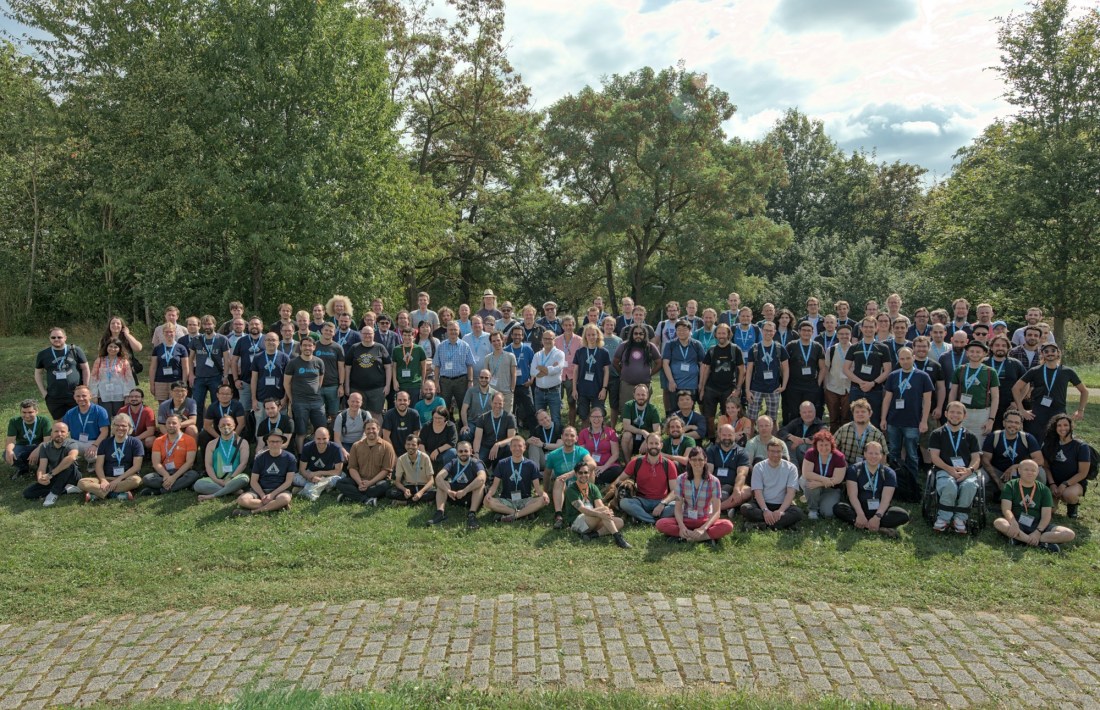
Akademy 2024 is a wrap, and others have already begun to write about the conference in beautiful Würzburg, Germany, with some posts already visible on https://planet.kde.org. This year’s Akademy was fantastic, probably the best one I’ve ever attended. Other than the A/V situation (which we’ll be addressing next year, pinkie-promise), it was well-organized and smoothly run.
But more substantively, the talks and sessions were incredible, and really wove together a coherent narrative: KDE has mature and effective leaders who are pushing forward strategic projects that combine to become more than the sum of their parts. Among them:
Design
Andy Betts introduced us to the concept of the design system and how he and other VDG designers are building one to help unify layout and style across KDE software. …then Arjen Hiemstra introduced us to Union, a new styling system intended to be a single tool to style everything, and it can be informed by the design system’s semantics as well.
Apps
Nicolas Fella explained how our app development platform is lacking, inhibiting the growth of a more vibrant KDE-centric app ecosystem. This is also the topic of one of KDE’s newest high-level goals (full disclosure: I’m a co-champion of this goal along with Nicolas as primary champion). Carl Schwan laid out his “App Initiative” which is directly related, and David Edmundson talked about how we can improve the ability of our software to work in sandboxed environments.
Distribution
Harald Sitter introduced us to “KDE Linux” (tentative name), a new technologically advanced OS that will offer a radically high level of stability, security, and polish for those wishing to get KDE software directly from the source. David Edmundson’s talk about sandboxing is also heavily related here as well.
Recruitment
But how are we going to do all of this? Paul Brown, Aniqa Khokhar, and Johnny Jazeix introduced us to the “KDE Needs You 🫵” goal, aiming to reach more people to broaden the pool of potential contributors so KDE is sustainable for years to come.
Eco
And finally, some perspective on a different sustainability issue: this was the hottest year on record, breaking records set just a few years prior. Our planet’s capacity to sustain human life in certain regions is starting to be impacted, and we need to consider both how our work exacerbates it, and how we can do our part to help make it better. Accordingly, we heard from Joanna Murzyn, Cornelius Schumacher, and Joseph P. De Veaugh-Geiss about KDE’s efforts to prolong the lifespan of old hardware so it doesn’t become e-waste. And Nicole Teale gave us some concrete hope by informing us about a program to introduce German schoolkids to the idea of upcycling old computers by installing Kubuntu on them, very similar to a similar program here in the USA that I was tangentially involved with!
Hopefully the themes and synergies here are clear. KDE is becoming more professional, more comprehensive in scope, will take more initiative for the distribution of its own software, will evolve that software’s design in a way that’s supported by modern design tools and professional designers, and contributes to solving the world’s biggest problems. I find this to be super exciting, and I hope you do too!
My personal role in Akademy was a bit more behind-the-scenes this year. I did take part in two presentations: the former goal wrap-up and the KDE e.V. Board of Directors report.


In these, I described the successes and challenges of my now-concluded Automation & Systematization goal, and helped to inform the community about KDE e.V.’s activities since last Akademy.
I also participated in Many birds-of-a-feather (BoF) sessions about various topics, including:
- A tech discussion about KDE Linux — install it today and help make it great!
- Plasma planning and roadmap — Plasma is in a great state, and we’re going to resume Monday meetings, this time in video form. I’ve got five specific features, UI changes, or bug-fixes I want to add to 6.3, and others have even more ideas.
- Design team decision-making process — super useful; we came up with one to enable us to make important decisions again.
Beyond the BoFs, I found myself constantly talking to people between sessions, during lunch, and in what seemed like every spare moment! Including:
- Björn Balazs about his work to create https://privact.org, a foundation building a next-generation method to gather metrics from users with zero risk to their privacy.
- Jos van den Oever about KDE developers applying for sponsorship from https://nlnet.nl to work on important KDE and KDE-relevent projects. Seriously, go do it!
- Eike Hein about KDE’s history and the 100% drama-free Trinity Desktop Environment.
- Neal Gompa about the challenges involved in shipping an immutable-base-system OS outside of single-purpose appliances (i.e. as a desktop OS for regular people, enthusiasts, and developers).
- Xaver Hugl live-debugged an issue on my laptop that he was able to speedily conclude was a Libinput bug.
- …and many more I didn’t have the remaining brain capacity to remember!
All of this was completely exhausting, and I had to excuse myself from a few group events and dinners to rest and process the day’s events. But Würzburg being a ridiculously beautiful city certainly helped!


Döner kebab count: 3
This has been my favorite Akademy so far, and thank you so much to everyone who helped to make it possible — David Redondo, Kieryn Darkwater, Victoria Fierce, Lydia Pintscher, and the rest of the Akademy team! Job’s a good ‘un, and I’ll see you around the internet!
Akademy 2023
As you may have seen from other posts on https://planet.kde.org, KDE’s annual Akademy conference is over and people are starting to blog about their thoughts on it!
This is my fifth Akademy, and my third one attending in person. As always, it was great to meet up with colleagues and old friends in real life! A kind of magic happens when a bunch of technically adept people with strong social relationships gather together in a room. There was a lot of it on display this year, even despite the punishing heat and spotty Wi-Fi performance!
The talks this year were quite good (as always), and I hope that at least one of mine could be counted among them. I gave a talk about my KDE Goal, “Automation and Systematization“, and a short lighting talk about Welcome Center, in addition to helping to present the KDE e.V. Board report. I particularly enjoyed the lightning talk by Kai Uwe Broulik about his custom solar PV array monitoring system using System Monitor, which I would love to get running for my own system!
But my favorite part of Akademy is always what comes afterwards: the “Birds of a Feather” (or BoF) brainstorming sessions. My favorites were the ones on Tuesday organized by Joseph De Veaugh-Geiss on the subject of internal communication. These were very productive and resulted in multiple actionable tasks as well as an impromptu hacking session/sprint on Thursday to update old wiki pages, consolidate information, and use the default Wikimedia theme! Unfortunately I wasn’t able to attend, but this is a subject I’m really excited about as I think documentation and internal communications are critically important topics, so it was wonderful to see so many other people excited about it too. If you’d like to help, please update any stale information or whole pages you find at https://community.kde.org. If you find a stale page but don’t feel comfortable making any such changes yourself, just edit it and add the text {{Outdated}} to the top, and someone else will handle it.
Overall, it was a useful productive and great time! After so many trips to Europe over the past 6 months, I’m now looking forward to some nice, uninterrupted stretches of normalcy where I can sit down and do some much-needed hacking and KDE e.V. work that’s been piling up, and actually implement some of the ideas and changes that we’ve all been discussing!
Presentation at University of Macedonia: Making a Difference
Today I had the honor of delivering a virtual presentation with fellow KDE contributor Neofytos Kolokotronis at the University of Macedonia, the site of KDE’s 2023 Akademy conference. The subject was “Making a Difference: How to contribute and jump start your career in Free Software with the KDE Community”, making it especially relevant for those who have been looking to get started contributing to KDE and don’t yet know how. But even if you’re a seasoned KDE contributor, I bet you’ll learn a thing or two about KDE’s storied history or ambitious plans!
Check it out:
On hiring, and fundraising to make it more biggerer
This year at Akademy, I took the plunge and decided to run for a seat on the KDE e.V.’s board of directors.
What is the KDE e.V.? It’s the nonprofit organization that represents the KDE community in legal and financial matters. It has several paid employees who work on KDE stuff, most notably promotion & marketing, project management, and event planning. You can see more at https://ev.kde.org/corporate/staffcontractors.
By the way, in case you were wondering (as I did at one point), “e.V.” is short for “eingetragener Verein” which is German for “registered association”–basically a type of nonprofit entity.
For several years, I’ve believed and publicly suggested that the KDE e.V. needs to have more technical positions. We need to directly hire KDE community members so they don’t have to seek employment with a 3rd-party company, or even drift away from the community when they have less free time and age into positions of greater financial need. In fact the KDE e.V. has already been moving in this direction, but slowly, because the available budget is pretty small compared to the vastness of the KDE community and the scope of more ambitious hiring. You can get an idea by looking at the report of the Financial Working Group in the 2021 annual report.
So I ran on a platform of hugely increasing both fundraising and technical hiring. And I’m honored to report that I won the election and am now a member of the board!
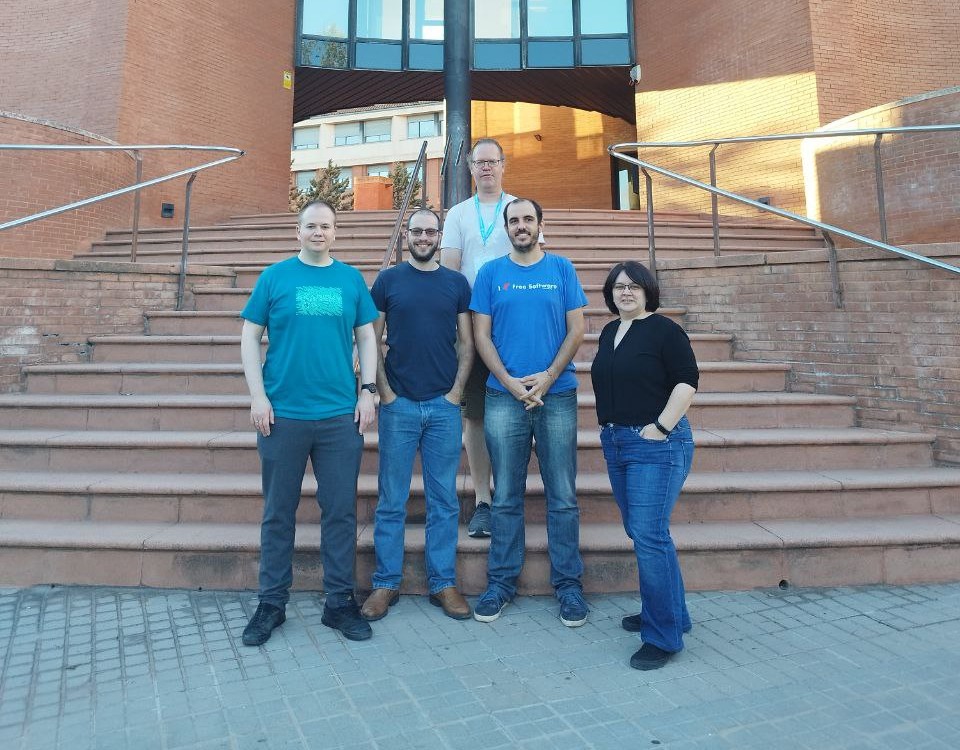
To those of you who voted for me, thank you so much for your support. For those of you who didn’t, I hope I can represent you well anyway, and if you get ticked off with anything I’m doing… please tell me! I welcome feedback. This position is all about being a good representative, and that’s what I want to be.
So what does this mean?
It means that a majority of the KDE e.V. membership approves of these goals, so when it gets more money, the KDE e.V. has a mandate to do more hiring–especially for impactful technical positions. It means we will eventually be able to have the big names in KDE paid by KDE, so they can stay in KDE over the long haul! And it also means we need a lot more money to make this happen.
There are a lot of steps to this, including figuring out the legal technicalities of full-time hiring, and increasing the budget so we can make sure we’re always offering market wages. We’ll be investigating potential ways to boost fundraising: hiring a professional fundraising director; applying for a lot more grants; having more explicit fundraising campaigns; gamifying fundraising; sending out nudgey newsletters to people who have donated in the past; making it easier to donate on a recurring basis; and more.
But for now, if you want to see us do more hiring, the best way is to make a donation to the KDE e.V. at https://kde.org/community/donations. It helps. It really does! This money is going to transform KDE into a professional powerhouse with its own internally-employed cadre of world-class superstars. We’re going to take on the Big Tech dogs and win, and we’re going to let our heavy-hitters make a living within KDE while doing it. But it can’t happen without your help, so please consider making a donation today!
Interview in Destination Linux
I was recently interviewed for episode 261 of Destination Linux, and it was a blast! Check it out there, or here:
For the folks commenting on my background, yes indeed, all KDE bugs are bed bugs.
Speaking of which… go squish some!!!
Reddit AMA right now
Aleix Pol Gonzalez (KDE president), Lydia Pintscher (KDE vice president), and myself are doing an AMA on Reddit right now for the next hour and a half. Check it out if you want to ask us anything!

