Howdy folks! This has been a bit of a light week for KDE’s Usability and Productivity initiative, probably because everyone’s basking in the warm glow of a well-received release: KDE Plasma 5.13 came out on Tuesday and is getting great reviews!
Don’t worry, we’ve got lots of great stuff queued up though.
Bugfixes
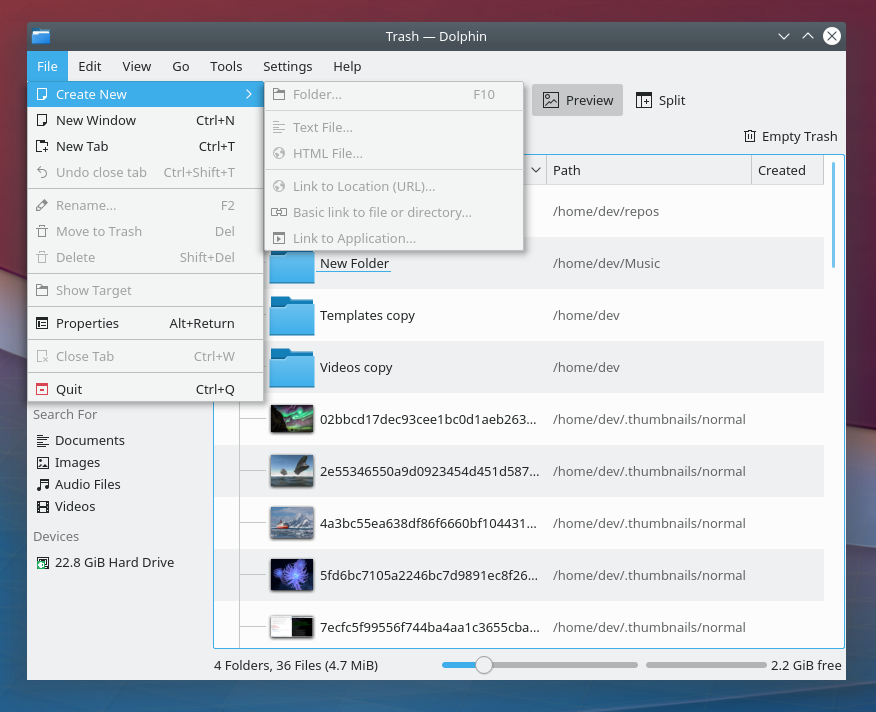
- The context menu for desktop icons now correctly toggles between Move to Trash and Delete when the Shift key is pressed (Eike Hein, KDE Plasma 5.12.6)
- Any toolbar buttons in Kate and KWrite (and other apps using the KTextEditor frameworks) that display a drop-down menu when you click on them now display the menu properly when you click on them normally, instead of requiring a click-and-hold (me: Nate Graham, KDE Frameworks 5.48)
UI Polish & Improvement
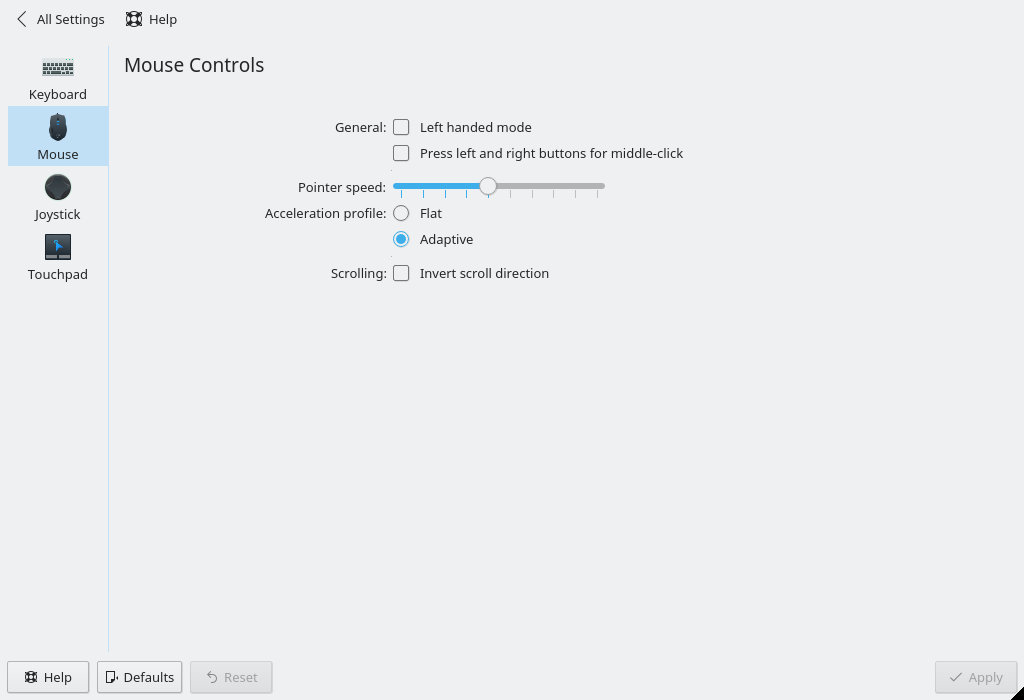
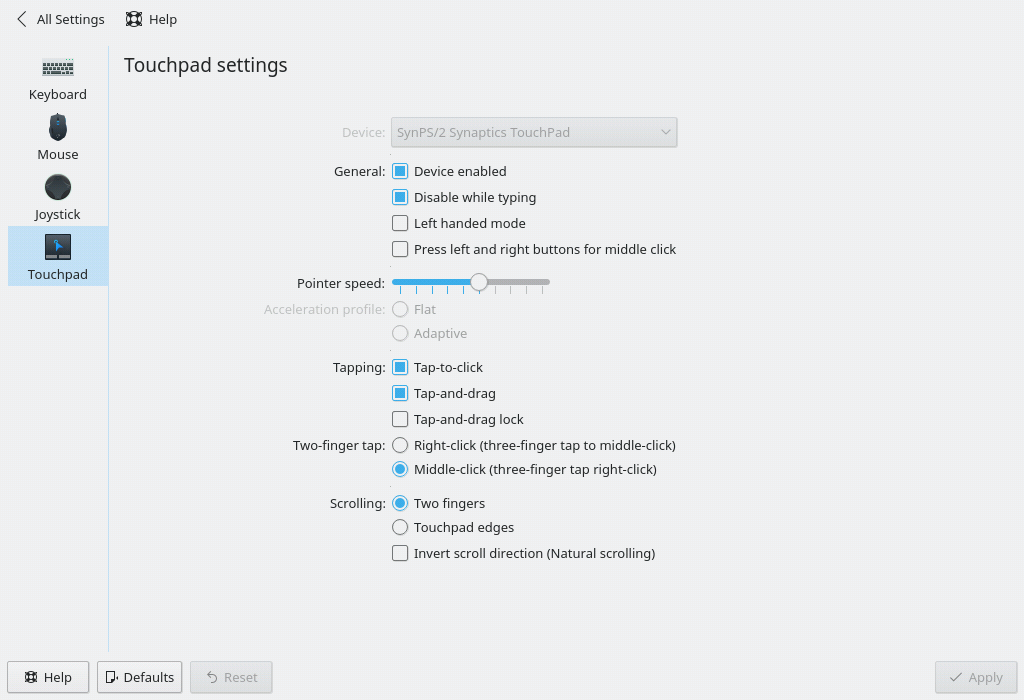
- The Libinput-backend Mouse and Touchpad System Settings pages received a visual and usability overhaul (Furkan Tokac, KDE Plasma 5.14):
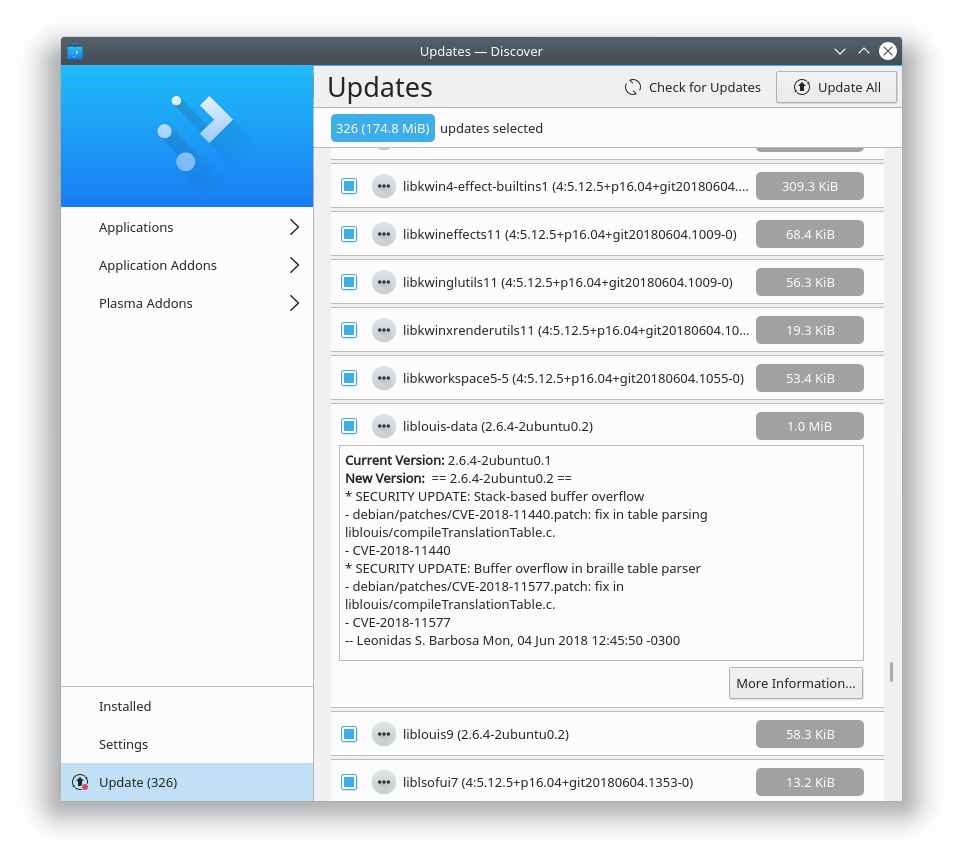
- Discover’s Updates page is now clearer about what version is being upgraded (me: Nate Graham, KDE Plasma 5.14):
- Scrollbars in Konsole are now overlay style and disappear entirely when the view isn’t scrollable, e.g. with a full-screen CLI program like top (Tomaz Canabrava and Alex Nemeth, KDE Applications 18.08.0)
See all the names of people who worked hard to make the computing world a better place? That could be you next week! Getting involved isn’t all that tough, and there’s lots of support available. Give it a try today! It’s easy and fun and important.
If my efforts to perform, guide, and document this work seem useful and you’d like to see more of them, then consider becoming a patron on Patreon, LiberaPay, or PayPal.