
I’ve been writing a lot of documentation recently — including almost all of KDE Linux’s docs, as well as the KDE human interface guidelines.
And I’m at Akademy 2026 right now where the cat is out of the bag — one of KDE’s three latest goals is about documentation! Thiago, Joseph, and I will be tackling this:
Ahh documentation… everyone’s favorite topic. We all just love reading it — and even more, writing it, right?!
Yeah, I didn’t think so. Like a vacuum cleaner or a dental X-ray, documentation may be sometimes necessary, but you want to interact with it as little and as quickly as possible, then forget about it.
So this goal is not really about writing more documentation, but rather better documentation.
To that effect, I’d like to share some guidelines I try to follow and that I’d like to guide our work when writing software documentation:
1. Don’t
The best documentation is no documentation.
There’s a famous XKCD comic about it:
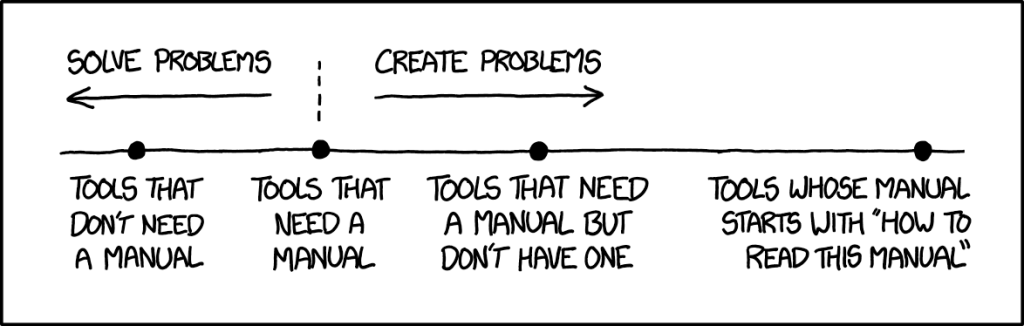
The software’s usage should be blindingly obvious, or at least generally self-explanatory. Aim for this platonic ideal in the software itself.
You’ll fail, of course. But the effort will improve your software and let you get away with writing much less. Anything you have to document how to do is clearly something that could be more obvious or more automated!
2. Make it easy to find
Documentation in the software itself is better than on some website. Make heavy use of descriptive labels, subtitles, and help buttons. Put explanatory comments in config files.
For web documentation, link to it everywhere. Don’t assume the user will find it easily!
3. Keep it actionable
People only read documentation after exhausting all other options. By the time they arrive, they’re tired and cranky.
Front-load the answer they’re looking for, and get to the point fast. Quick tutorials are better than manuals, lectures, or history lessons. Don’t just explain what every button does — this should be obvious (see #1).
Add copious amounts of copy-paste-able sample code, especially in API documentation.
4. Keep it short
Endeavor to minimize the unnecessary wordiness of the text that the reader will be reading, in order to maximize the likelihood that they will succeed in locating an example of the specific information that they were seeking.
See how horrible this is? Your readers will want to beat you in the neck with a cactus.
Keep sentences short. Use “the”, “a/an”, and “that” as little as possible. Don’t repeat yourself.
Use lots of line breaks to avoid exhausting walls of text.
Don’t over-document; obvious things don’t need to be explained. You only need to cover topics that readers keep having trouble with — and that reveals flaws in the software; see #1.
5. Phrase it readably
Use the imperative mood and the active voice. Tell the reader what to do! It’s why they’re reading. Write naturally, and don’t be too formal.
Use bold text to help readers skim by highlighting the most important parts of longer paragraphs or bulleted list items — especially their opening sentence or clause.
6. Organize it simply
Use a linear flow, not a branching flow. Nobody can get lost going linearly from start to finish. Aim for one level of organization with no nested sub-pages.
Organize each page’s text into sections with descriptive headings so the reader can skim to the exact part they’re looking for.
When multiple options for how to do something are available, choose one to be the official recommendation. Only mention alternatives later, in a de-emphasized manner.
Provide a table of contents; Ctrl+F on that page should be useful.
This is a surface-level treatment, of course. Even if the final product should be small and focused, the way to get there is a vast topic. So consider it a sneak peak of one of the thrusts of the goal, and thank you to everyone who voted for it!

