
A few months ago, I blogged about Photos, a potential replacement for Gwenview.
The initial feedback (collected here) was a bit rough. But that’s okay; collecting areas for improvement is what feedback is for!
Accordingly, the upcoming 26.12.0 release next month focuses on addressing feedback and adding missing features. There’s more to do, of course, but a number of contributors made a lot of requested changes.
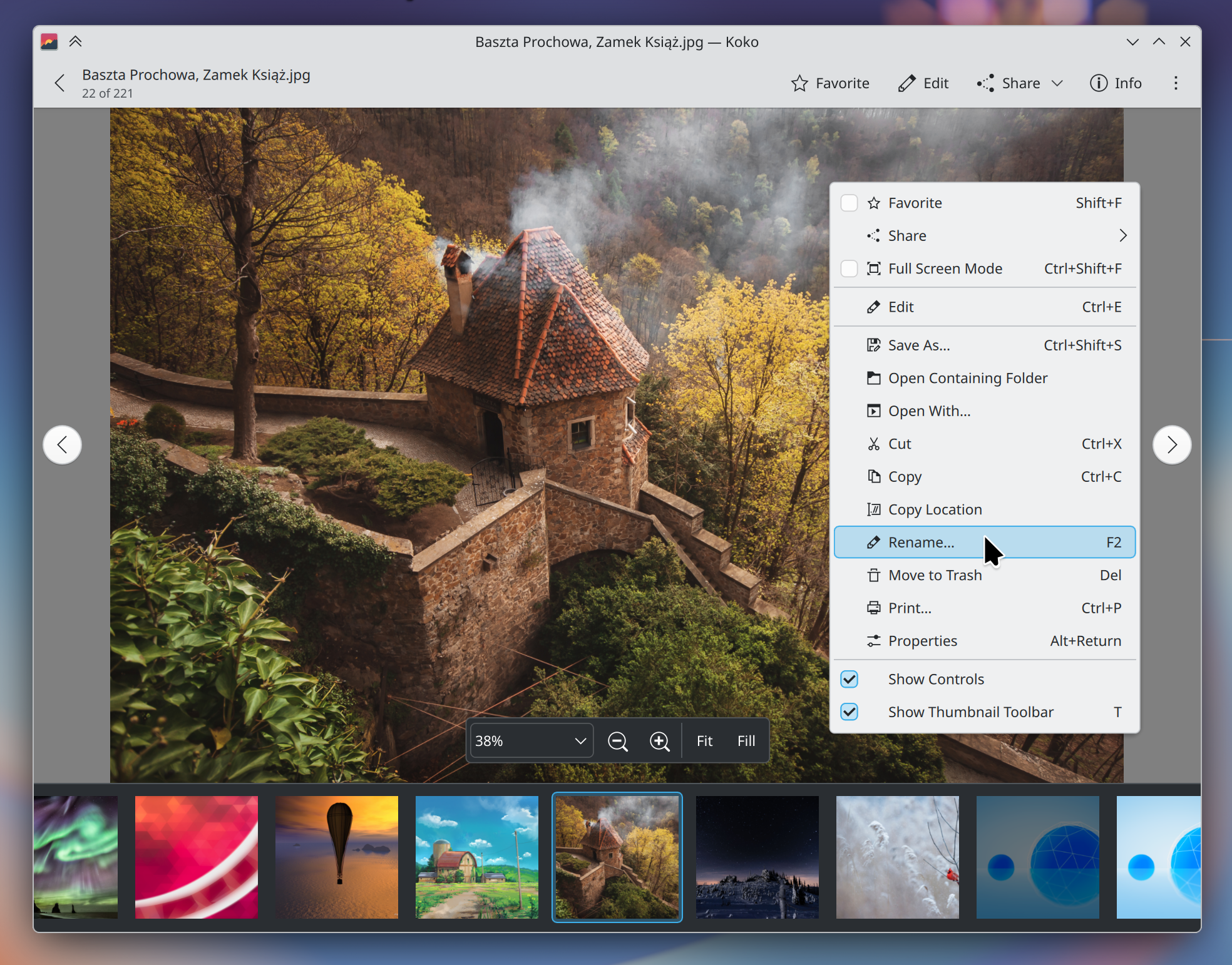
First of all, we’ve changed the name back to “Koko”. We heard y’all loud and clear that the generic name didn’t work!
But there’s more:
New features
- “All Photos” view (Jan Miksa)
- Rename items (Oliver Beard)
- Show standard “properties” window (Oliver Beard)
- Cut & paste (Oliver Beard)
- Drag & drop (Oliver Beard)
- “Fit” and “Fill” zoom modes (Ramil Nurmanov)
- Adjustable brightness, contrast, and gamma for images (Noah Davis)
- Option for a neutral gray background (Jan Rathmann)
- Option for an app-specific color scheme (Jan Rathmann)
- Open more than one instance of the app (Oliver Beard)
Significant UI improvements
- Pressing
spaceplays and pauses videos (Jan Miksa) - Pressing
Escexits from the editing view (Gustavo Mitamura) - Pressing
F11andCtrl+Shift+Falso enter and exit full screen mode, in addition to the existingFkey binding. (Gustavo Mitamura) - Pressing the
Deletekey trashes an image, with a visible option to undo it (Oliver Beard and Jan Miksa) - Shortcuts for all actions in the editing view (Jan Miksa)
- You can get to the settings from the menu on the viewer page (Gustavo Mitamura)
- Images smaller than the viewport are scaled up fit within it by default (Nate Graham)
- You can independently scroll the thumbnail strip (Ramil Nurmanov)
- The previous visibility state of the controls is now remembered when entering and exiting full screen (Anders Lund)
- More natural text in the sharing notification (Nate Graham)
- Fewer separator lines in toolbars (Nate Graham)
Significant bug fixes
- Can no longer open multiple overlapping image editing views by pressing
Ctrl+Erepeatedly (Gustavo Mitamura) - Thumbnails refresh when the source image is updated elsewhere (Ramil Nurmanov)
- Editing images with square brackets in their names now works (Noah Davis)
- Cropping is now accessible on mobile and with small window sizes (Gustavo Mitamura)
All of these changes should also be listed in the app’s release notes that appear in Discover, too — if the source you get Koko from supports it! Flathub, Fedora, openSUSE Tumbleweed, Kbuntu, and some other distros pass these release notes to Discover; Arch and Arch-based distros do not.
More is also on the way for the 27.04 release next year, with a number of promising changes that weren’t quite finished in time for the 26.12 release. The codebase is easy to work on, so contributions are eagerly welcomed. 🙂


It has no menu bar, No ability to map things for accessibility in a way that they can understand. I get you guys want to do change, but everything has been a step back for Users with very particular use cases. Yes, I know there are only a few of them and it’s easier to make for the majority, but at the same time, it’s just a really bad trend in software development and UX’s. It’s basically developers, or at least UI designers, saying people with disabilities do not matter. But at the same time, the world is saying you have to use a computer for every facet of your life even if you are not able to use it yourself.
Even though I personally have stopped using KDE this year because of transitions like this, I still like to fund the development when it’s actually something worth funding. But it’s been increasingly more difficult to find anything worth funding in the project.
LikeLike
I’m only able to test the 26.08 version currently, but could there be an option to hide *just* the zoom/navigation controls? Toggling “Show Controls” hides both those and the toolbar, but I want the latter to still be visible. It would nice too if I could still see the zoom percentage being changed when the zoom control is hidden, and the navigation controls re-appearing when hovering the left/right borders. Also, the “bird’s eye” in the bottom-right corner could fade-out after a few seconds, like in Gwenview.
LikeLike