This week in Usability & Productivity, part 9

KDE contributors continue to polish up KDE software! In addition to our recent work on Discover, KDE Plasma and other apps got a lot of love too, especially Konsole. See for yourself!

New features

  • Spectacle now exposes a token that can be used to add the window title to the file name of the saved screenshot (KDE bug 378463, implemented in KDE Applications 18.04.0, authored by Roman Inflianskas)
  • Konsole tabs can now be marked as “read-only”, blocking all input (KDE bug 126930, implemented in KDE Applications 18.04.0, authored by Joshua Noack)

Bugfixes

  • Fixed a bug causing Spectacle to incorrectly screenshot individual windows when compositing is off and they’re touching or going beyond the edge of the screen (KDE bug 390652, Fixed in KDE Applications 18.04 authored by Alex Nemeth and Henrik Fehlauer)
  • Fixed a bug that could cause the SDDM login screen to not display properly for certain HiDPI systems (SDDM bug 894, fixed in SDDM 0.18, authored by Fabian Vogt)
  • Fixed a bug causing certain files to not show up under “Recent Documents” when right-clicking on an app in the Task Manager or Launcher menu (KDE Phabricator revision D10890, fixed in KDE Plasma 5.11.4, authored by Алексей Шилин (Aleksei Shilin))
  • Fixed bug causing Konsole to recall shell history instead of moving the view when scrolling with a mouse wheel or touchpad (KDE bug 355106, fixed in Konsole 18.04.0, authored by Ahmad Samir)

UI Improvements and polish

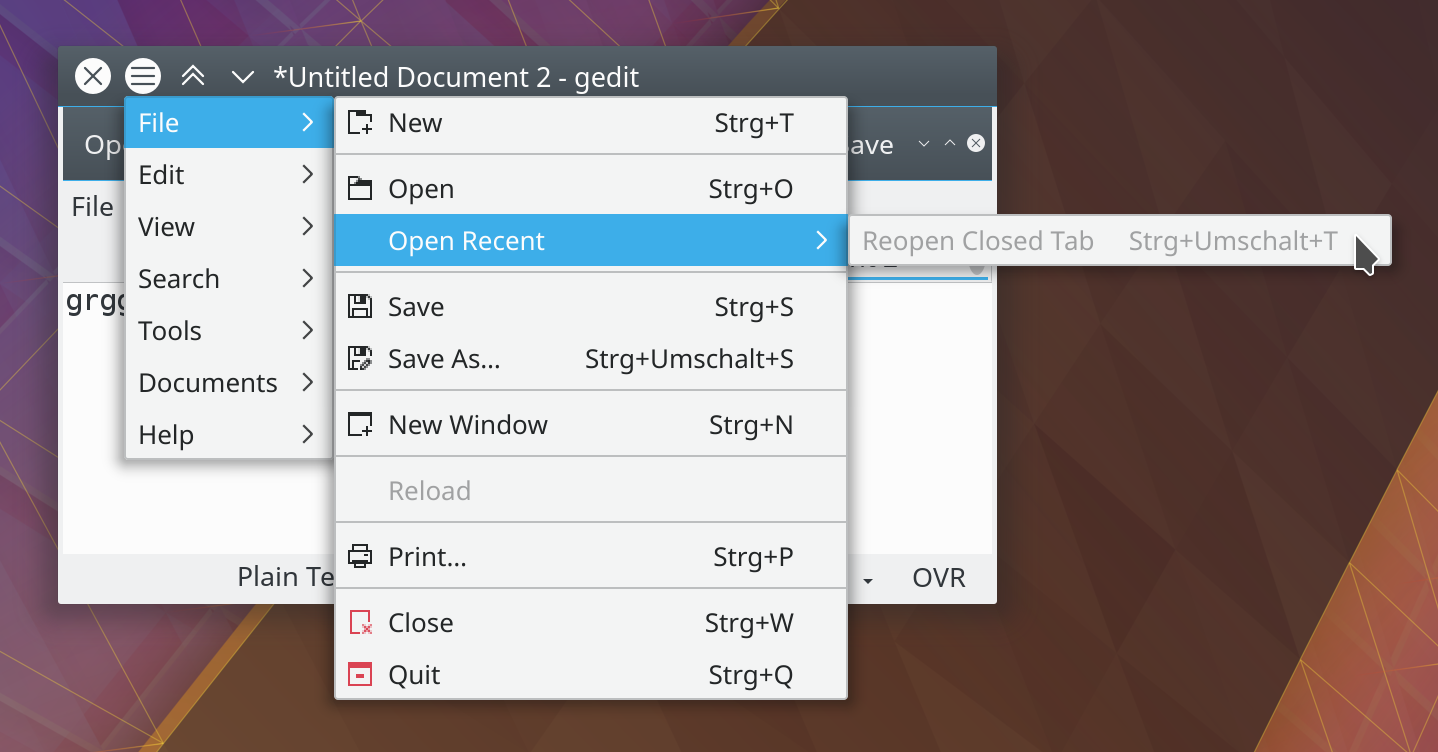
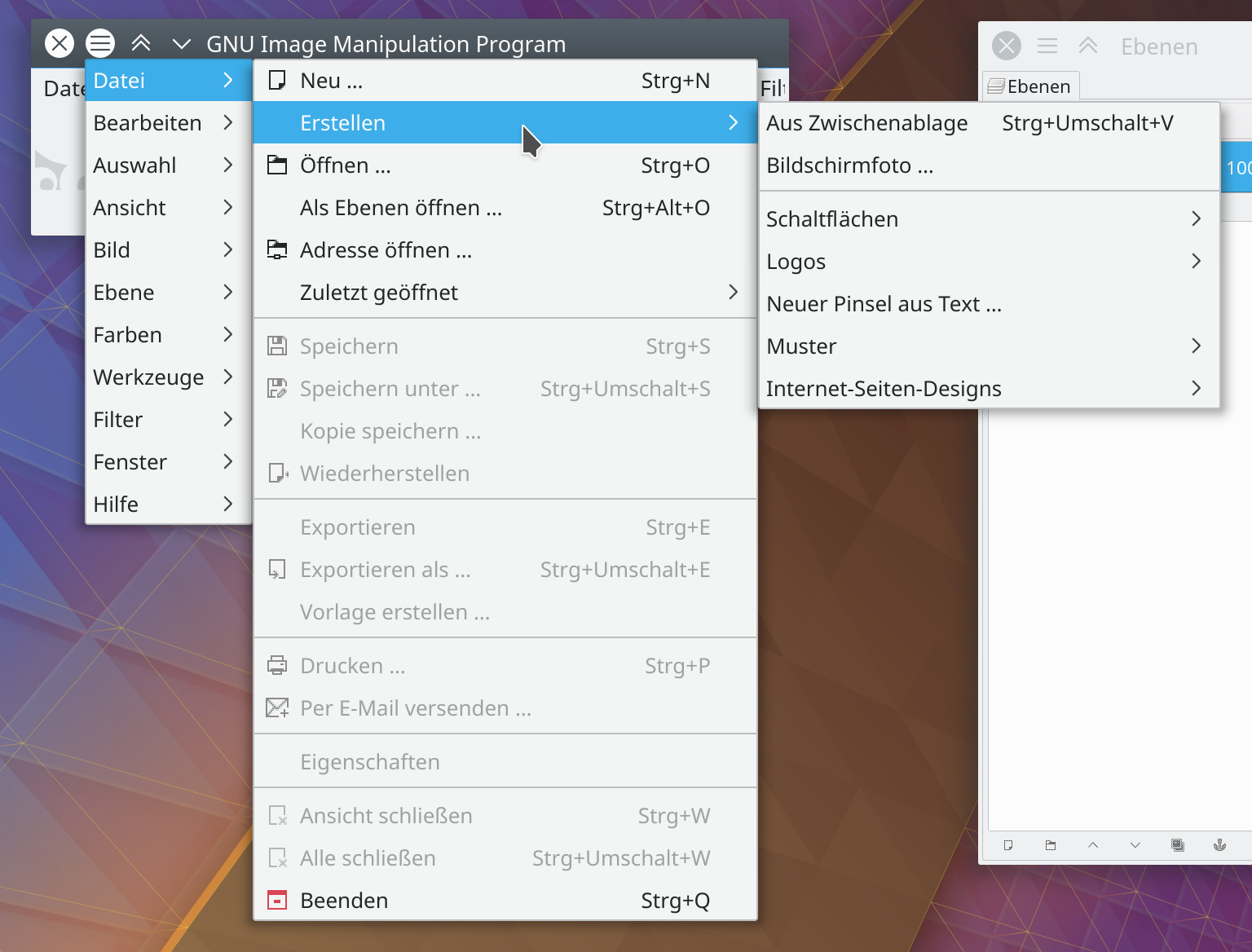
  • Plasma’s support for showing app menus globally or in a titlebar button now supports virtually all GTK-based programs (KDE bug 375976, fixed in KDE Plasma 5.13.0, authored by Kai Uwe Broulik; read more about it here!):


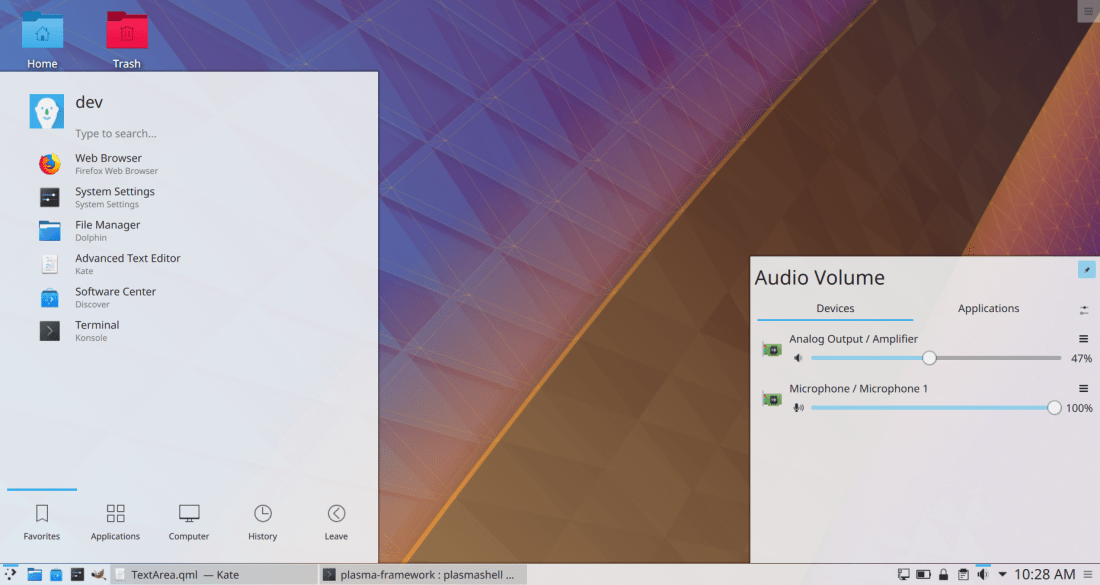
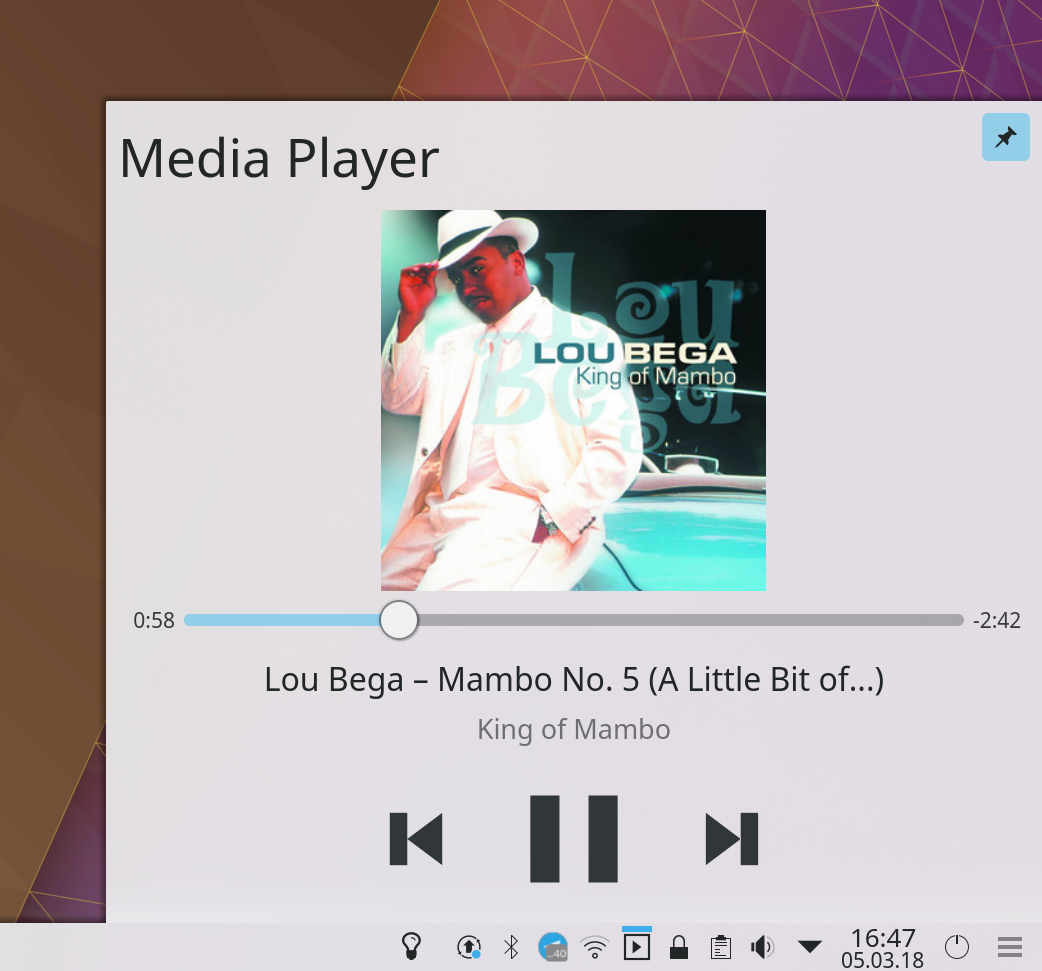
  • The Media Player widget now uses better and more appropriately-sized icons (KDE bug 390280, fixed in KDE Plasma 5.13.0, authored by Roman Gilg):
  • Konsole now uses KMessageWidgets to display status indicators, which are prettier and more usable than the old UI was(KDE Phabricator revision D10935, fixed in KDE Applications 18.04.0, authored by Joshua Noack):
  • Konsole’s scrollbar now blends in with the terminal’s background color to avoid distracting you (KDE Phabricator revision D11184, fixed in KDE Applications 18.04.0, authored by Marco Martin)
  • Desktop icon behavior and consistency has been much improved for multi-monitor setups (KDE bugs 390676 and 389745; KDE Phabricator revision D10729; fixed in KDE Plasma 5.13.0)
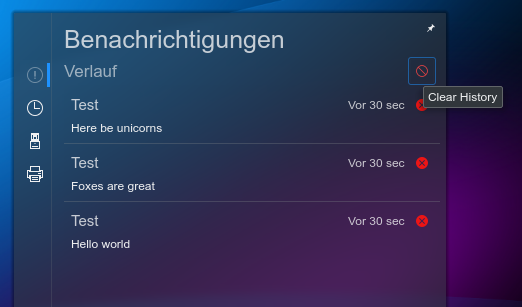
  • Buttons inside text fields (e.g. an inline “clear” button) show the pressed state correctly (fixed in Qt 5.12, authored by Kai Uwe Broulik):
  • Fixed a bug causing System Monitor to open in a partially or fully off-screen location for people with multiple displays (KDE bugs 368158 and 356706, fixed in KDE Plasma 5.13, authored by Valeriy Malov)

We need your help! KDE is committed to polishing our software to a mirror sheen and focusing in the kind of usability that our community is clamoring for, but we need the community’s help to make it happen as fast as everyone wants! Consider becoming a KDE contributor, particularly in development, and help make KDE Plasma and KDE apps total no-brainer choices in the Linux world, and then eventually the whole world…

If my efforts to do, guide, and document this work seem useful and you’d like to see more of them, then consider becoming a patron on Patreon, LiberaPay, or PayPal.

Become a patron Donate using Liberapay donate with PayPal

This week in Discover, part 9

We did a lot of polish work on Discover this week, and also implemented a much-requested feature:

New features

  • Discover now lets you change the sort order of app lists and search results (KDE bug 383518, implemented in KDE Plasma 5.13.0, authored by Aleix Pol)

    We are still working on refining and polishing the UI here, but this much-requested feature is now implemented!

UI Improvements and polish

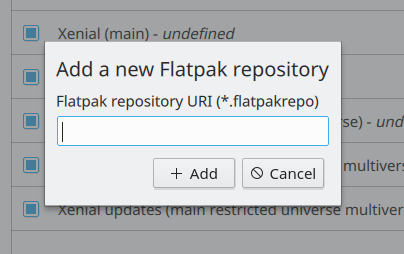
  • When you’re adding a new repo, Discover now won’t let you enter an invalid URL (KDE bug 390148, fixed in KDE Plasma 5.12.3, authored by Aleix Pol):
  • Improved the usability of the “confirm package removal” dialog (KDE Phabricator revision D10992, fixed in KDE Plasma 5.12, authored by me, Nate Graham):

    As you can see, there’s more work to be done: alphabetize the package list, remove the red close button in the corner, reduce whitespace. Further improvements coming soon!
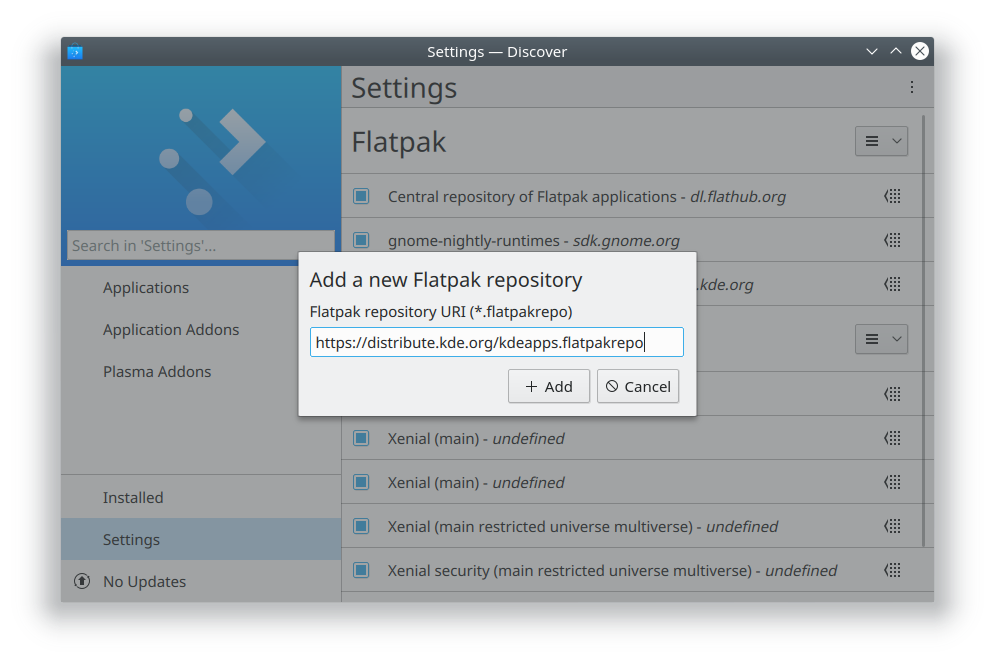
  • Improved the usability of the “Add Source dialog” (KDE Phabricator revision D11003, fixed in KDE Plasma 5.13.0, authored by me, Nate Graham)
  • Transient notifications in Discover and all other Kirigami apps now last longer, so you have enough time to read them (KDE Phabricator revision D11009, fixed in KDE Frameworks 5.44, authored by me, Nate Graham)

We need your help! Consider becoming a KDE contributor, and help make Discover the best Linux app store in existence!

If my efforts seem useful and you’d like to see more of them, consider becoming a patron on Patreon, LiberaPay, or PayPal.

Become a patron Donate using Liberapay donate with PayPal

This week in Usability & Productivity, part 8

The wheels of the Usability & Productivity initiative chug along, knocking out issue after issue! Check out how the KDE universe improved this week:

New features

  • Konsole color schemes can now be downloaded using the Get Hot New Stuff system (KDE Phabricator revision D10766, implemented in KDE Applications 18.04.0, authored by Harald Sitter)
  • The “new screen connected” interface is now displayed when a laptop’s Display key is pressed (KDE bug 390096, implemented in KDE Plasma 5.13.0, authored by Sebastian Kügler)
  • Okular now has a “print and then quit” command-line option (KDE bug 318998, implemented in KDE Applications 18.04.0, authored by Dileep Sankhla)

Bugfixes

  • Fixed a bug that could cause the user switcher to only work on the second click (KDE bug 391007, fixed in KDE Plasma 5.12.3, authored by Fabian Vogt)
  • Fixed a bug in Gwenview causing renamed images to show the wrong filename in Full Screen mode (KDE bug 390332, fixed in KDE Applications 17.12.3, authored by Silas Lenz)
  • Fixed a bug in Kate that could cause folders containing umlauts to not be shown in the Project plugin’s tree view (KDE bug 389415, fixed in KDE Applications 18.04.0, authored by Dominik Haumann)
  • Chromium’s titlebar buttons now look okay again when the window is maximized (KDE Phabricator revision D9773, fixed in KDE Plasma 5.13, authored by Tom Anderson)
  • Recent Documents that happen to be executable are now always opened, never executed (KDE Phabricator revision D10835, fixed in KDE Plasma 5.13.0, Authored by Алексей Шилин (Alexei Shilin))

UI improvements & polish

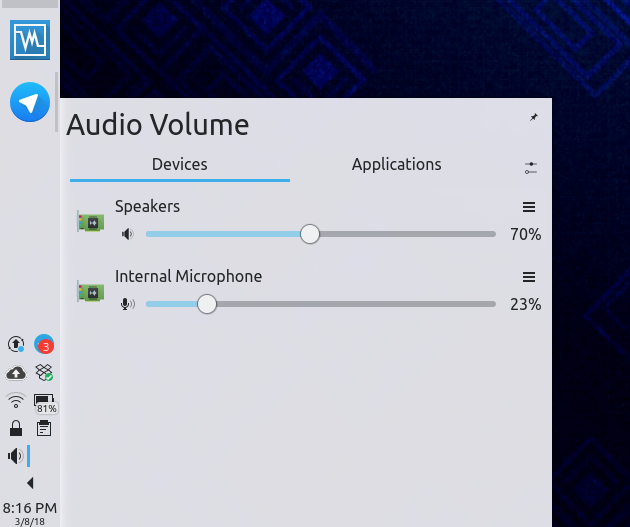
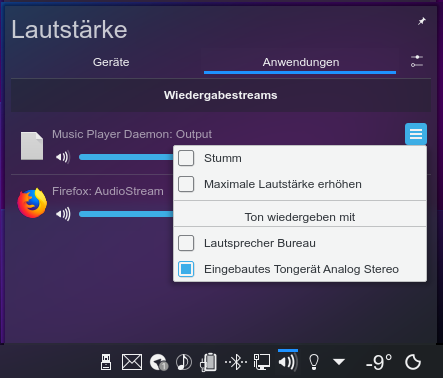
  • Plasma’s Volume widget now allows you to transfer audio streams to different hardware devices using the context menu (KDE bug 384292, implemented in KDE Plasma 5.13, authored by Christian Fuchs):
  • Title and header text in Plasma is now 100% opaque and matches the actual color set in your text theme (KDE Phabricator revisions D10899 and D10902, fixed in KDE Frameworks 5.44, authored by me, Nate Graham):
  • Text field placeholder text is now lighter and less visible so it doesn’t compete with nearby content(KDE Phabricator revision D10922, fixed in KDE Frameworks 5.44, authored by me, Nate Graham):
  • When a device is plugged in and the notification pop-up appears, it stays visible while no user activity is detected to make sure you don’t miss it when you come back to your computer (KDE Phabricator revision D10921, fixed in KDE Plasma 5.13.0, quthored by Marco Martin)
  • Dolphin’s Filter bar can now be involed with the backslash (/) key, just like in modern web browsers (KDE bug 156381, implemented in KDE Applications 18.04.0, authored by Roman Inflianskas)
  • Dolphin now exposes an option allowing you to choose whether or not to warn before emptying the trash (KDE bug 340572, implemented in KDE Applications 18.04.0, authored by Roman Inflianskas)

I also want to make an exciting announcement: we’ve heard the prodigious amount of user feedback about the state of store.kde.org/Get Hot New Stuff, and we’ve started an initiative to clean it up. We’re also working to improve Discover’s display of store.kde.org resources. This initiative is in the early stages so it hasn’t borne fruit yet, but we believe it will provide a significant improvement in the experience of using 3rd-party plugins!

Like what you see? Consider becoming a part of this titanic and so far successful effort to produce the finest free software the world has ever known. Developers and bug triagers are in particular demand right now! It’s a great time to get involved.

If my efforts seem useful and you’d like to see more of them, consider becoming a patron on Patreon, LiberaPay, or PayPal.

Become a patron Donate using Liberapay donate with PayPal

This week in Discover, part 8

This was a week of polish and preparation for Discover. We’ve got some nice new features in the pipeline but we’re not quite ready to announce them just yet. One is implemented but needs more polish, and another is under construction. I think you’ll like ’em once they’re ready! But in the meantime, here are some bugfixes and polish work:

Bugfixes

  • Fixed a bug causing Discover to emit scary “unmet dependency” warnings while browsing apps on certain systems (KDE bug 391142, fixed in KDE Plasma 5.12.3, authored by Aleix Pol)
  • Fixed a bug causing the back and forward arrow to appear in the screenshot pop-up before the screenshot was loaded (KDE bug 391130, fixed in KDE Plasma 5.12.3, authored by Aleix pol)
  • Fixed a bug causing apps from Flathub to not appear when clicking on the Flathub repo on Discover’s Settings page (KDE bug 391126, 5.12.3, authored by Aleix Pol)
  • Fixed a bug causing review headers for addons to appear malformed (KDE bug 391189, fixed in Plasma 5.12.3, authored by Aleix Pol)

UI Improvements and polish

  • Discover and other Kirigami apps now correctly use radio buttons for mutually exclusive actions (KDE bug 391144, fixed in KDE Plasma 5.13 and KDE Frameworks 5.44, authored by Aleix Pol)

Want to see faster progress on Discover? Help us out! KDE has great software and a strong focus on usability, productivity, and user satisfaction. But we’re short in the manpower department. There are lots of other ways to contribute, too!

Polishing Gwenview

Gwenview is a core KDE app, and an important tentpole of the Usability & Productivity initiative.

However, a few months ago Gwenview had no maintainer and few contributions. It was still a jewel, but was starting to bit-rot. Fast-forward to today: a lively crew of interested contributors are improving it daily, fixing bugs and resolving UI papercuts. Check out the Gwenview Phabricator project; it’s a hotbed of activity!

Gwenview highlights the value of joining a community over going your own way. Apps developed by a single person are vulnerable to dying when that person leaves the project, but apps with many developers can outlive the loss of any individual contributor.

Before starting a new project all by yourself, please consider joining an existing project whose design vision you can live with–it will be far more likely to outlive your interest in it. KDE offers a rich assortment of mature and popular cross-platform software already in use by people all over the world, so there are a lot of great options here!

Anyway, the new Gwenview team has been hard at work knocking out polish and fit-and-finish papercuts and adding new features. Here’s an assortment of what they’ve been up to recently:

New Features

  • Gwenview now has a “Fill” feature that will make the image always fill the entire viewport (KDE bug 195579, implemented in KDE Applications 18.04.0, authored by Silas Lenz)

Bugfixes

  • Fixed a bug where the upper selection handles could become inaccessible iun full screen mode (KDE Phabricator revision D10876, fixed in KDE Applications 17.12.3, authored by Henrik Fehlauer)
  • Fixed a bug that caused SVG images to not be scaled up when “Enlarge smaller images” is set in Gwenview’s Configure window (KDE bug 364822, fixed in KDE Applications 17.12.3, authored by Henrik Fehlauer):


UI improvements & polish

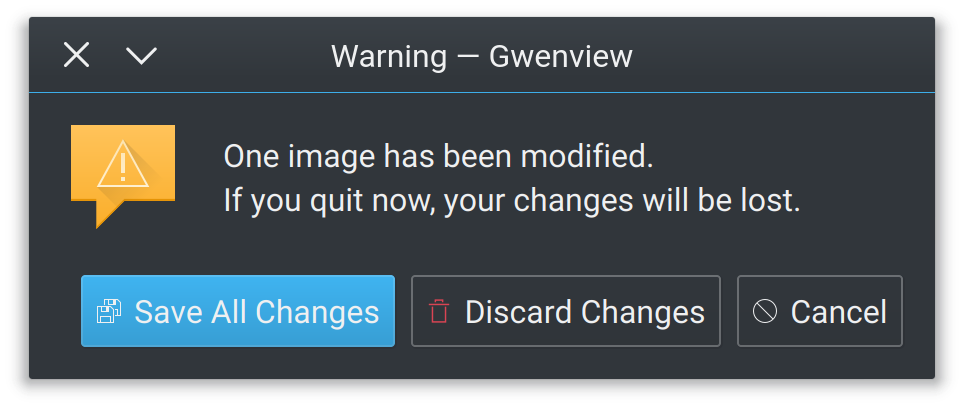
  • Back and forward icons are now more appropriate, and all the buttons in the Save confirmation window now have icons (KDE Phabricator revision D10847, fixed in KDE Applications 18.04.0, authored by Andrew Crouthamel):

  • Replaced a few uses of -symbolic icons with regular ones, for better compatibility with non-Breeze icon themes (KDE Phabricator revision D10843, fixed in KDE Applications 17.12.3, authored by Andrew Crouthamel)
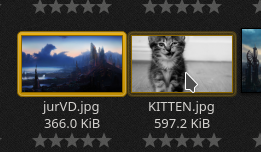
  • Selection and accent colors in full screen mode now match the system color scheme (KDE Phabricator revision D10649, fixed in KDE Applications 18.04.0, authored by Huon Imberger):
  • The Crop and Red Eye Removal toolbars now look right in full screen mode (KDE Phabricator revision D10763, fixed in KDE Applications 17.12.3, authored by Huon Imberger):
  • The thumbnail bar now remembers whether it was shown or hidden while in full screen mode (KDE Phabricator revision D10785, fixed in KDE Applications 17.12.3, authored by Huon Imberger)
  • Gwenview now starts in full screen mode if it was in full screen when last quit, like other KDE apps do (KDE bug 383093, fixed in KDE Applications 18.04.0, authored by Peter Mühlenpfordt)
  • The URL navigator now has consistent and appropriate margins in full screen mode (KDE Phabricator revision D10881 fixed in KDE Applications 17.12.3, authored by Huon Imberger)

There’s more on the way, too. One of the core KDE apps, Gwenview’s future is bright and getting brighter. Come check out the Phabricator project and join the Gwenview team!

This week in Usability & Productivity, part 7

Another busy week in Usability & Productivity. As has been observed, we’re fixing issues at Warp 9 speed! KDE contributors racked up some pretty significant wins this week, and we’ve already got some great stuff in the pipeline that I hope to be able to announce next week! But for now, take a look at this week’s haul!

New Features

  • Plasma now shows an on-screen-display that allows you to choose what happens the first time you connect in an unknown new screen (KDE Phabricator Revision D9414, implemented in KDE Plasma 5.13):
  • KRunner can now be limited to searching for archives, presentations, and spreadsheets; search for e.g. “Type:Archive [search term]” (KDE Phabricator revision D10624, implemented in KDE Plasma 5.13.0)
  • KRunner now shows a downward-pointing arrow you can click to bring up its search history (KDE bug 375207, implemented in KDE Plasma 5.13.0)
  • Okular gained improved support for calculations in PDF forms that use Javascript (KDE Phabricator Task T7805, implemented in KDE Applications 18.04.0) – See more information here!
  • Okular now renders content within code tags in FictionBook files (KDE bug 387426, implemented in KDE Applications 17.12.3)
  • Kate/KDevelop syntax highlighting is now compatible with SELinux config files and work better with AppArmor config files (KDE Phabricator revisions D10174 and D10220, implemented in KDE Applications 18.04.0)

Bugfixes

  • Fixed a bug that broke certain global keyboard shortcuts for mute, sleep, and brightness control for some users upgrading to Plasma 5.12 (KDE bug 389991, fixed in KDE Plasma 5.12.2)
  • Fixed a bug that broke auto-mounting certain disks for many users who upgraded to KDE Frameworks 5.43 (KDE bug 389479, fixed in KDE Frameworks 5.44).
  • Fixed a bug that caused KRunner’s bookmarks runner to crash all the time and not display favicons from Firefox (KDE bug 363136 fixed in KDE Plasma 5.12.2)
  • Fixed a bug where Spectacle would capture an inappropriately large area for certain windows (such as Spectacle’s own window!) when using “Window Under Cursor” mode (KDE bug 376350, fixed in KDE Applications 18.04.0)
  • Fixed a bug where dragging a maximized window’s titlebar down using a touchscreen on Wayland did not de-maximize the window (KDE bug 390113, fixed in KDE Plasma 5.12.3)
  • Fixed a bug that could cause entries in Dolphin’s breadcrumb menu to be accidentally activated when the menu was very tall and Dolphin’s window was close to the bottom of the screen (KDE bug 380287, fixed in KDE Frameworks 5.44)

UI improvements and polish

  • Headers in System Settings’ sidebar are now actually visible (KDE bug 384638, fixed in KDE Plasma 5.12.2)
  • The Desktop Toolbox (That little square button in the corner of the desktop) now defaults to always living in the screen corner on the opposite side of the where the desktop icons appear by default, which based on whether you’re using a left-to-right or right-to-left language (KDE bug 390038, fixed in KDE Plasma 5.13.0)
  • Task Manager status icon badges are now readable when using the Breeze Dark theme (KDE Phabricator revision D10697, fixed in KDE Plasma 5.12.2):
  • Hidden files in Dolphin and file pickers can additionally be shown and hidden again with the Ctrl+H keyboard shortcut, matching other Linux file browsers (KDE Bug 390527, fixed in KDE Applications 18.04.0 and KDE Frameworks 5.44)
  • Places that have been hidden in Dolphin’s Places panel no longer appear in dropdown menus that show Places items, and categorys now get their own sub-menus for greater usability (KDE bug 389635, fixed in KDE Frameworks 5.44):
  • The Media Frame widget’s “image fill mode” dropdown menu now correctly displays all text (KDE bug 390571, fixed in KDE Plasma 5.13.0)
  • Clicking on Gwenview’s “show image full screen” hover button now actually shows the image in full screen mode (KDE Phabricator revision D10651, fixed in KDE Applications 18.04.0)
  • In Gwenview’s browse mode, tooltips for long image names no longer lag badly when you move the cursor very quickly between thumbnails (KDE bug 245091, fixed in KDE Applications 17.12.3)
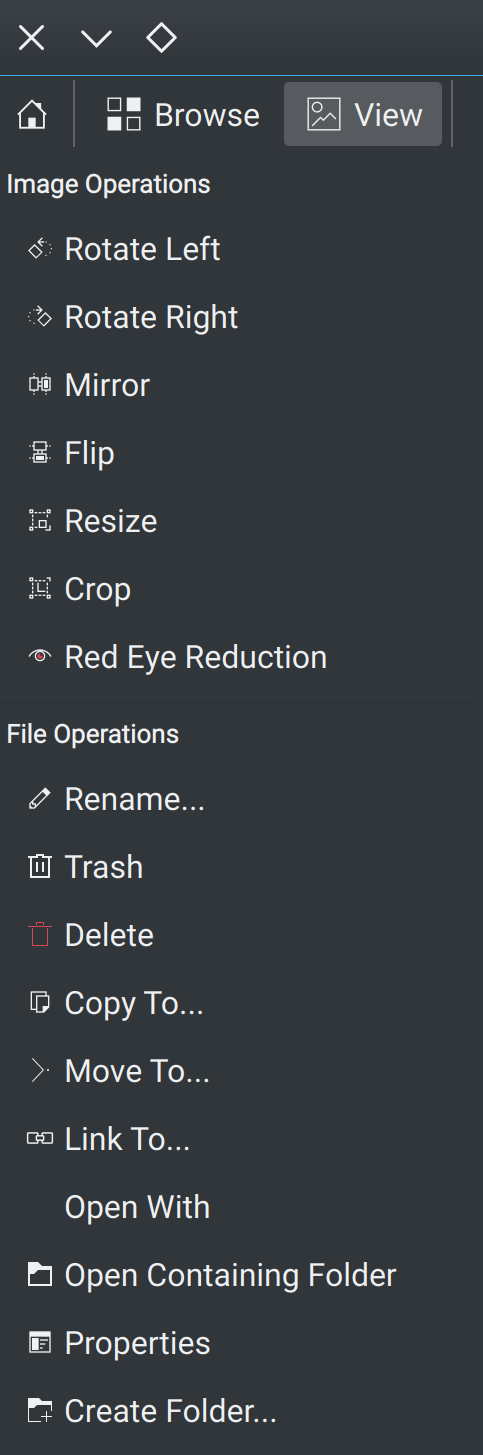
  • Most of Gwenview’s toolbars and menus that lacked icons now have them, and the icons are more appropriate in HiDPI mode (KDE Phabricator Revision D10726, Fixed in KDE Applications 17.12.3):

  • KTorrent now looks good in HiDPI mode (KDE bug 390605, Fixed in KDE Applications 18.04.0):
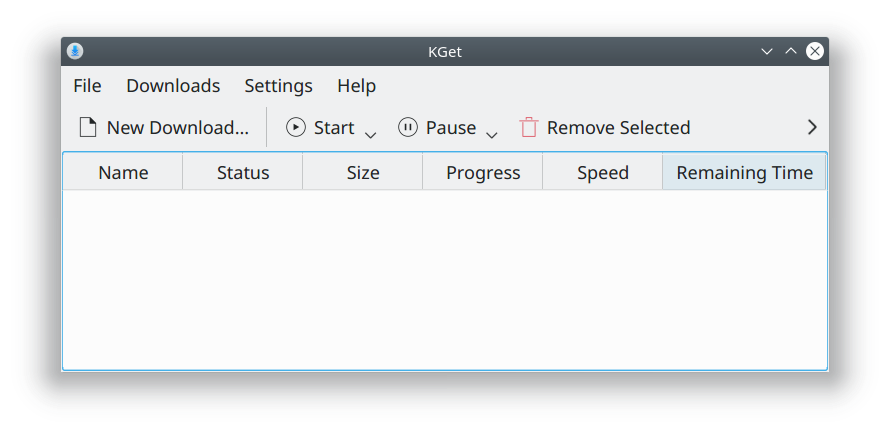
  • KGet now looks good in HiDPI mode (KDE bug 390903), fixed in KDE Applications 17.12.3):
  • The Plasma Network Manager’s Add New Connection scrollbar now looks right when you use Breeze dark for your panel, but Breeze light for your windows (KDE bug 390846, fixed in KDE Plasma 5.12.3)

Someone on Reddit recently mused, “It’s like a year’s worth of improvement every week”. KDE’s momentum is intense, and it’s an amazing time to join the team as a contributor! In these tumultuous times, you can be part of a project that’s producing enduring value. KDE’s impact is truly global, and grows all the time. You can help us provide humanity with the finest free software ever written.

If my efforts seem useful and you’d like to see more of them, consider becoming a patron on Patreon, LiberaPay, or PayPal.

Kubuntu: how to fix pixellated app icons in Discover

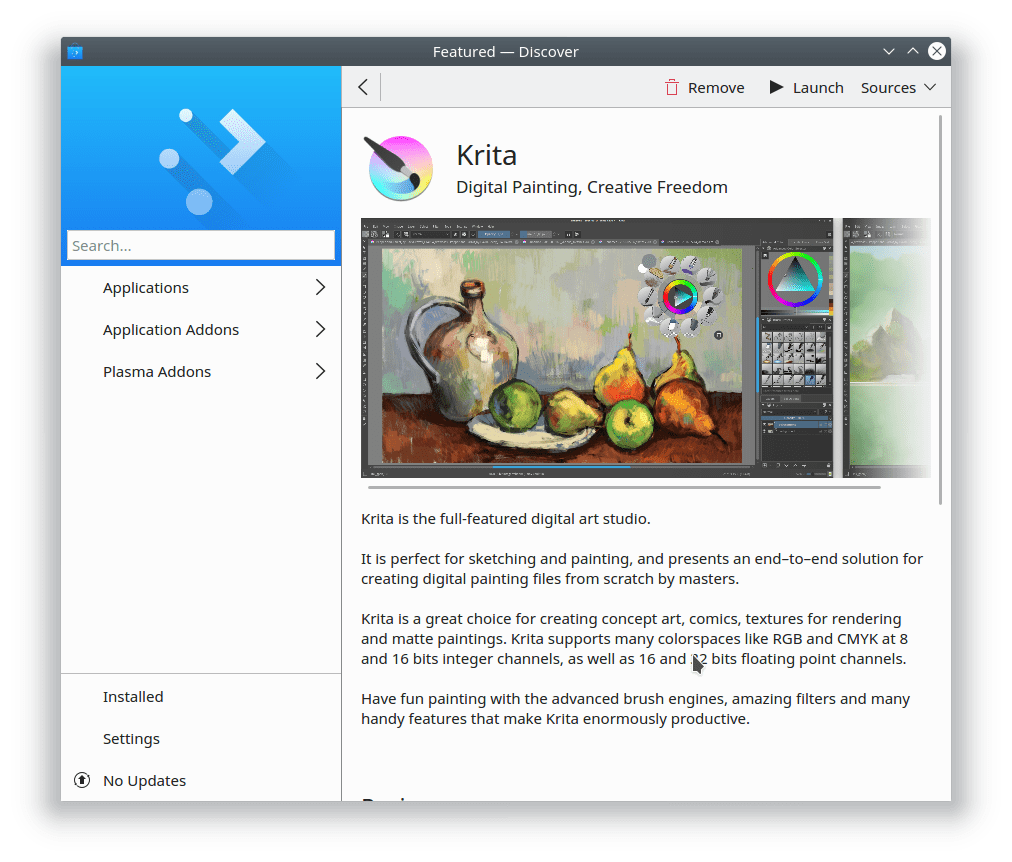
Do your app icons in Discover look ugly and pixellated? If so, you’re probably a Kubuntu user. Every user of a recent Kubuntu version unfortunately sees horrid low-resolution icons in Discover. It’s very unpleasant.

Today I helped drive an investigation and resolution for this issue. Here’s the good news: it’ll be fixed in the upcoming Kubuntu 18.04, and you can fix it for yourself, today! Here’s how.

  • Run the following terminal commands:
    sudo sed -i "s/hidpi/large/" /etc/apt/apt.conf.d/60plasma-discover
    sudo apt update
    sudo appstreamcli refresh-cache --force
  • Restart Discover, if it’s running

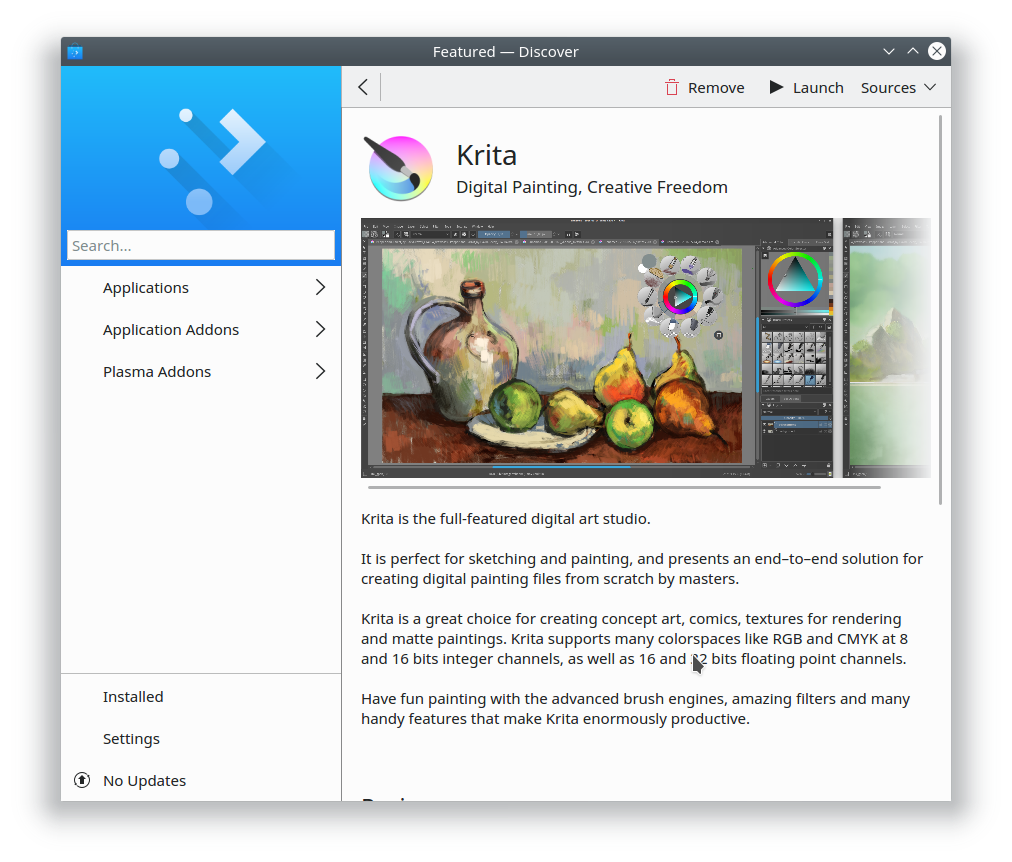
Ta-daa! Pretty, high-resolution icons:

This turned out to be a bug in how Discover was packaged in Debian. Ubuntu was re-using the Debian Appstream configuration packaging, and that packaging was erroneously downloading HiDPi versions of small icons instead of large icons. This illustrates an eternal principle in software: the price of 3rd-party and upstream dependencies is eternal communication. When every layer of software is built on top of another layer provided by someone else, communication is mandatory; when the people responsible for each layer don’t talk to one another regularly, bugs creep in. Once all parties were talking to one another in the same (virtual) room, a fix materialized literally within minutes.

Thankfully, this bug has been squashed, and Kubuntu users will once again see pretty app icons.

If my efforts seem useful and you’d like to see more of them, consider becoming a patron on Patreon, LiberaPay, or PayPal.

This week in Discover, part 7

The quest to make Discover the most-loved Linux app store continues at Warp 9 speed! You may laugh, but it’s happening! Mark my words, in a year Discover will be a beloved crown jewel of the KDE experience. Here’s what this past week yielded for Discover:

New Features

Bugfixes

  • Fixed a bug where searching didn’t work when the main window is narrow and shows an app page (KDE bug 390191, fixed in KDE Plasma 5.12.3)
  • Fixed a bug that caused the app list to inappropriately re-order itself after clearing a search (KDE bug 390909, fixed in KDE Plasma 5.12.3)
  • Fixed a bug that could cause Discover to get stuck in the “Checking for Updates” state (KDE bug 389072, fixed in KDE Plasma 5.12.3)
  • Fixed a bug that could cause a crash when trying to remove a Flatpak app under certain circumstances (KDE bug 390805, fixed in KDE Plasma 5.13.3)
  • Fixed a bug that prevented Discover’s App page from being scrolled vertically when the cursor was positioned over the screenshots (KDE bug 389974, fixed in KDE Plasma 5.12.1)
  • Fixed a bug where Discover could only launch one version of an app when multiple Flatpak versions were installed (KDE bug 389079, fixed in KDE Plasma 5.12.3)
  • Fixed a bug that could cause Discover to crash while opening a .flatpakref file under certain circumstances (KDE bug 390907, fixed in KDE Plasma 5.12)
  • Fixed a bug that could cause certain Snap apps to appear to be installed when they weren’t actually installed (KDE bug 390482, fixed in KD Plasma 5.12.3)

UI improvements and polish

  • Discover’s sidebar is now has a more appropriate width (KDE bug 385992, fixed in KDE Plasma 5.12.3):
  • “Application Addons” section now only has application addons, and “Plasma Addons” category now only has Plasma addons (KDE bug 390594, fixed in KDE Plasma 5.12.2):
  • Discover’s Multimedia category now has sub-categories (KDE bug 388933, fixed in KDE Plasma 5.12.2):

    These categories are still a little rough and will display some things that shouldn’t be there, but we’re going to refine them over time.
  • The horizontal shadow in the screenshots view on Discover’s app page now looks good when using the Breeze Dark theme (KDE Phabricator revision D10701, fixed in KDE Plasma 5.12.3):
  • Discover no longer confusingly points users to non-existent documentation (KDE bug 390401, Fixed in KDE Plasma 5.12.3)
  • Discover’s Install and Remove buttons now have the same icon colors in Desktop view as they do in Mobile view (KDE bug 389481, fixed in KDE Plasma 5.13)
  • Discover’s “Check for Updates” button is now on the Updates page where it belongs (KDE bug 390347, fixed in KDE Plasma 5.13)

Like what you see? Be a part of it! Becoming a KDE contributor is easy as pie, and we’re working to streamline the process every day. Help us build something of enduring value during these tumultuous times.

If my efforts seem useful and you’d like to see more of them, consider becoming a patron on Patreon, LiberaPay, or PayPal.

It’s now much easier to be a bug triager

We’ve just rolled out a significant and welcome policy change to KDE’s Bugzilla bug tracker: Everyone with an account may now edit any bug without prior permission. This means that every KDE Bugzilla user can now be a bug triager anytime they want!

So get out there and triage some bugs! Our documentation can be found here. This is one of the easiest and most impactful ways to contribute to KDE, and it doesn’t require a significant time commitment. Most bugs can be triaged in a minute or two, and boring downtime is a perfect opportunity for some bug triaging! It’s also a great way to ease into development; bug triagers will become familiar with KDE’s codebase and encounter small easy-to-fix issues that are the perfect entry points for submitting patches.

If my efforts seem useful and you’d like to see more of them, consider supporting me on Patreon, LiberaPay, or PayPal.

This week in Usability & Productivity, part 6

It’s been another big week in Usability & Productivity! We’ve got usability improvements, performance improvements, and bugfixes galore! Have a look:

  • Plasma is now a full second faster to start (KDE Phabricator revision D10536, Improved in Plasma 5.13)
  • Fixed a severe freeze in Discover 5.12 (KDE bug 390123, available in KDE Plasma 5.12.1)
  • Apps whose desktop files contain spaces can once again be pinned and stay where they’re supposed to be on the panel (KDE bug 385942, fixed in KDE Plasma 5.13)
  • Creating a new file using Dolphin is now instantaneous (KDE bug 388887, fixed in KDE Applications 18.04)
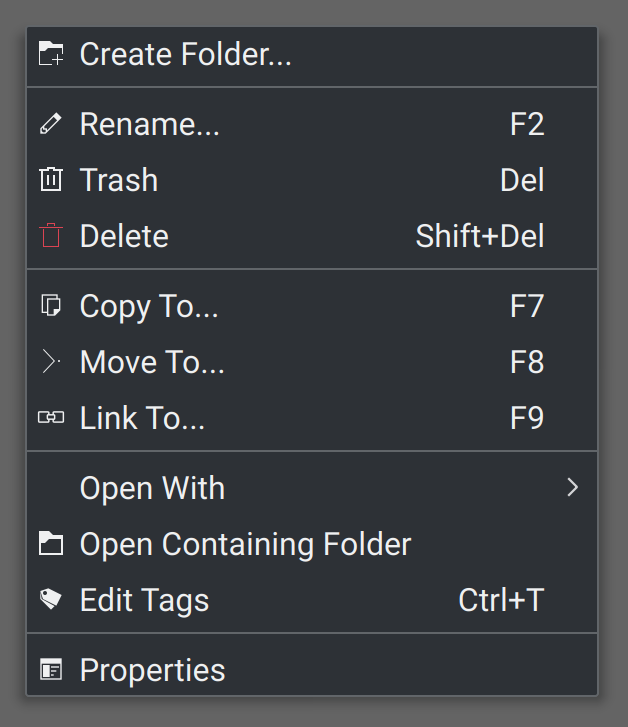
  • The Open With panel received a UI redesign that yields significant usability and productivity boosts, in addition to fixing some bugs (KDE bug 359233, implemented in KDE Frameworks 5.44):
  • Fixed Drag-and-drop from Spectacle to Chromium (KDE bug 369404, available in KDE Applications 18.04)
  • Dolphin’s Edit menu now has menu icons for Select All and Invert Selection, making it a 100% icon-complete menu (KDE Phabricator revision D10503, implemented in KDE Applications 17.12.3):
  • All KDE Apps using the Deselect and Replace KStandardActions now get menu icons for them (KDE Phabricator revision D10508, implemented in KDE Frameworks 5.44):
  • Apps on the touchscreen-friendly Application Dashboard can now actually be launched with touchscreen taps (KDE bug 366527, fixed in KDE Plasma 5.12.2)
  • Gwenview can now be configured to not show the image action buttons that appear over thumbnails when you hover over them with the mouse (KDE bug 164847, implemented in KDE Applications 18.04)

  • The Web Browser Widget has been overhauled and now works much better, regaining the features it lost in the KDE4 -> Plasma 5 transition (KDE bugs 361939 and 371023)
  • Icons in Dolphin’s Information Panel now look good in HiDPI (KDE Phabricator revision D10532, fixed in KDE Applications 18.04)
  • The Toggle Touchpad shortcut actually toggles the touchpad now (KDE bug 370588, fixed in KDE Plasma 5.12.1)

I’ve noticed a significant influx of new contributors recently, so what we’re doing seems to be resonating with the community. It’s a great time to get involved. Our documentation and new contributor pipeline are getting better all the time. You don’t need to be a programmer to start submitting patches! Most of my first patches were simple one-liners and string changes. Once you’ve got your development environment set up, submitting trivial patches like these is as easy as pie, and will familiarize you with the codebase so you feel comfortable tackling slightly larger challenges.

If my efforts seem useful and you’d like to see more of them, consider supporting me on Patreon, LiberaPay, or PayPal.