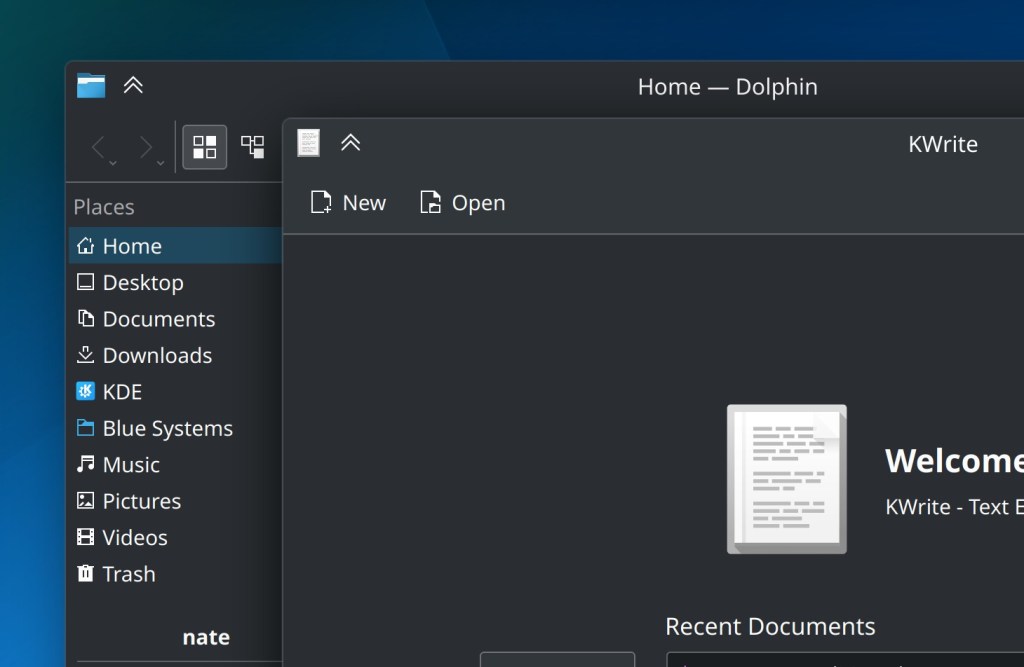
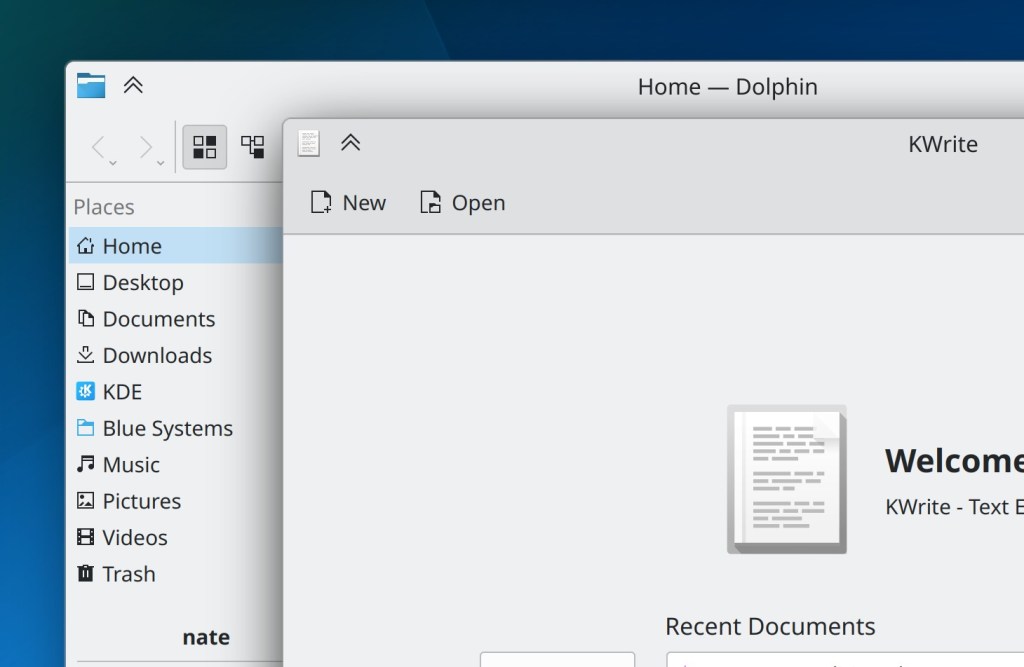
This week in KDE: Tons of UI improvements and bugfixes

This week we made great progress on a lot of UI issues and bugs, and I bet you’ll find at least one issue that was annoying you fixed among these!

15-Minute Bugs Resolved

Current number of bugs: 51, down from 52. 1 added and 2 resolved:

Discover no longer sometimes fails to fetch reviews for apps, especially right after being launched (Aleix Pol Gonzalez, Plasma 5.24.6)

The Overview effect’s keyboard shortcut should no longer sometimes randomly get broken (Marco Martin, Plasma 5.26)

Current list of bugs

New Features

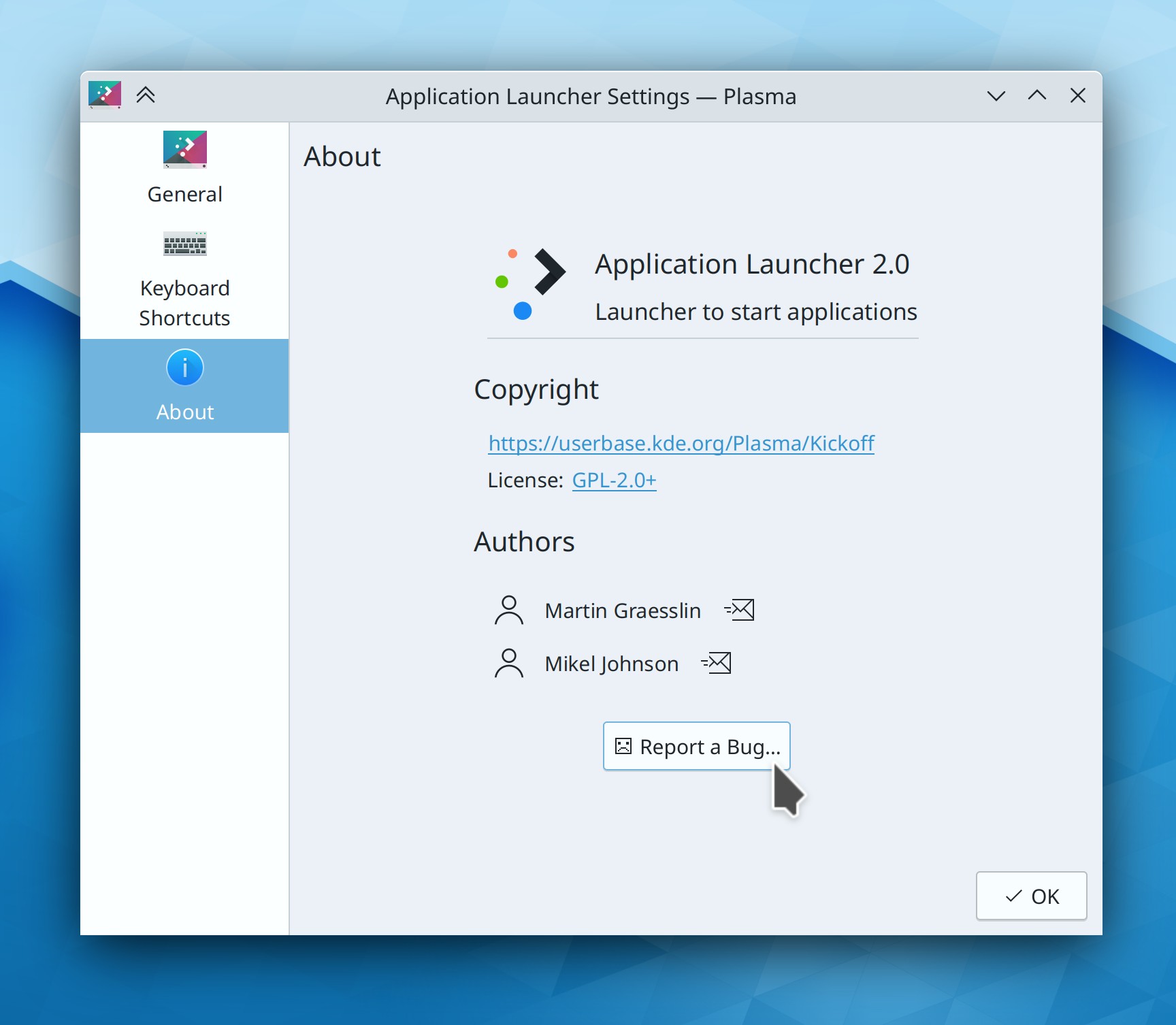
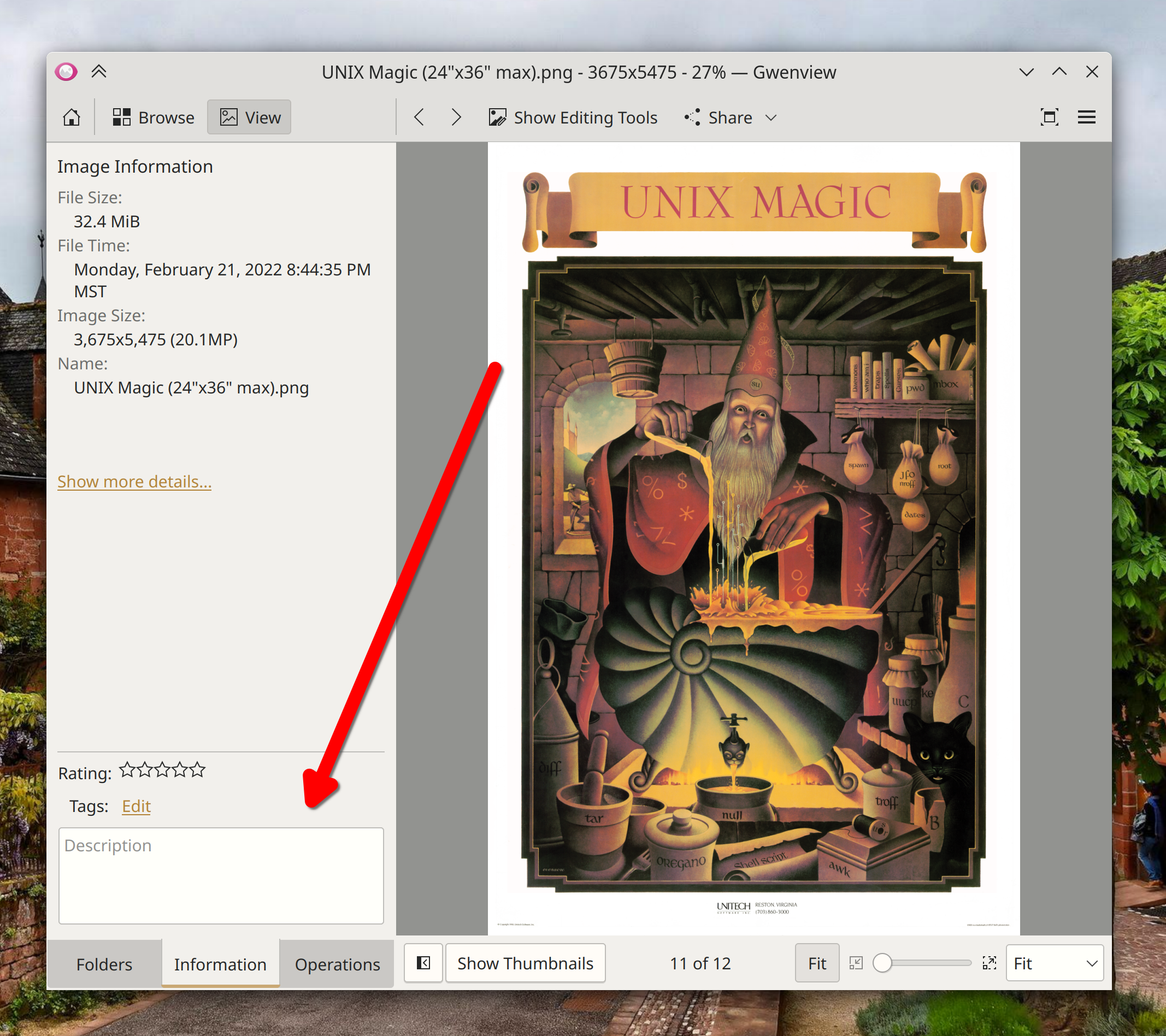
Non-EXIF textual metadata stored inside PNG images is now extracted and displayed in the Properties dialog (Kai Uwe Broulik, Frameworks 5.97):

User Interface Improvements

Discover no longer misleadingly shows you error notifications about offline updates that succeeded but for some off reason resulted in the underlying PackageKit backend producing a weird “[thing] is already installed” message (Aleix Pol Gonzalez, Plasma 5.24.6)

The “Add Rule” sheet on System Settings’ Firewall page is now fully readable and looks better (me: Nate Graham, Plasma 5.25.4)

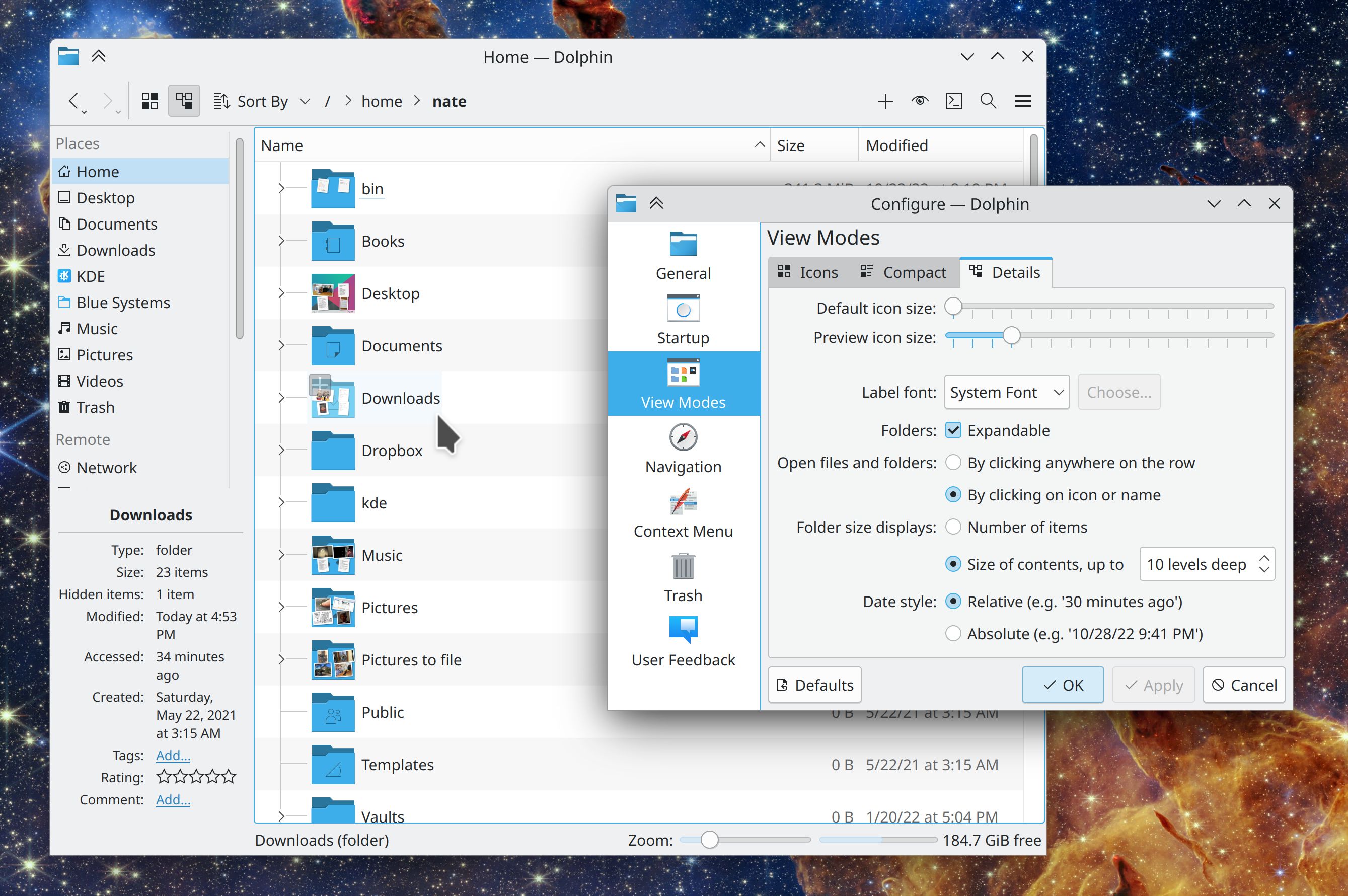
The highlight effect for hovered windows in the new Present Windows and Desktop Grid effects is now larger, making it easier to see (me: Nate Graham, Plasma 5.26):

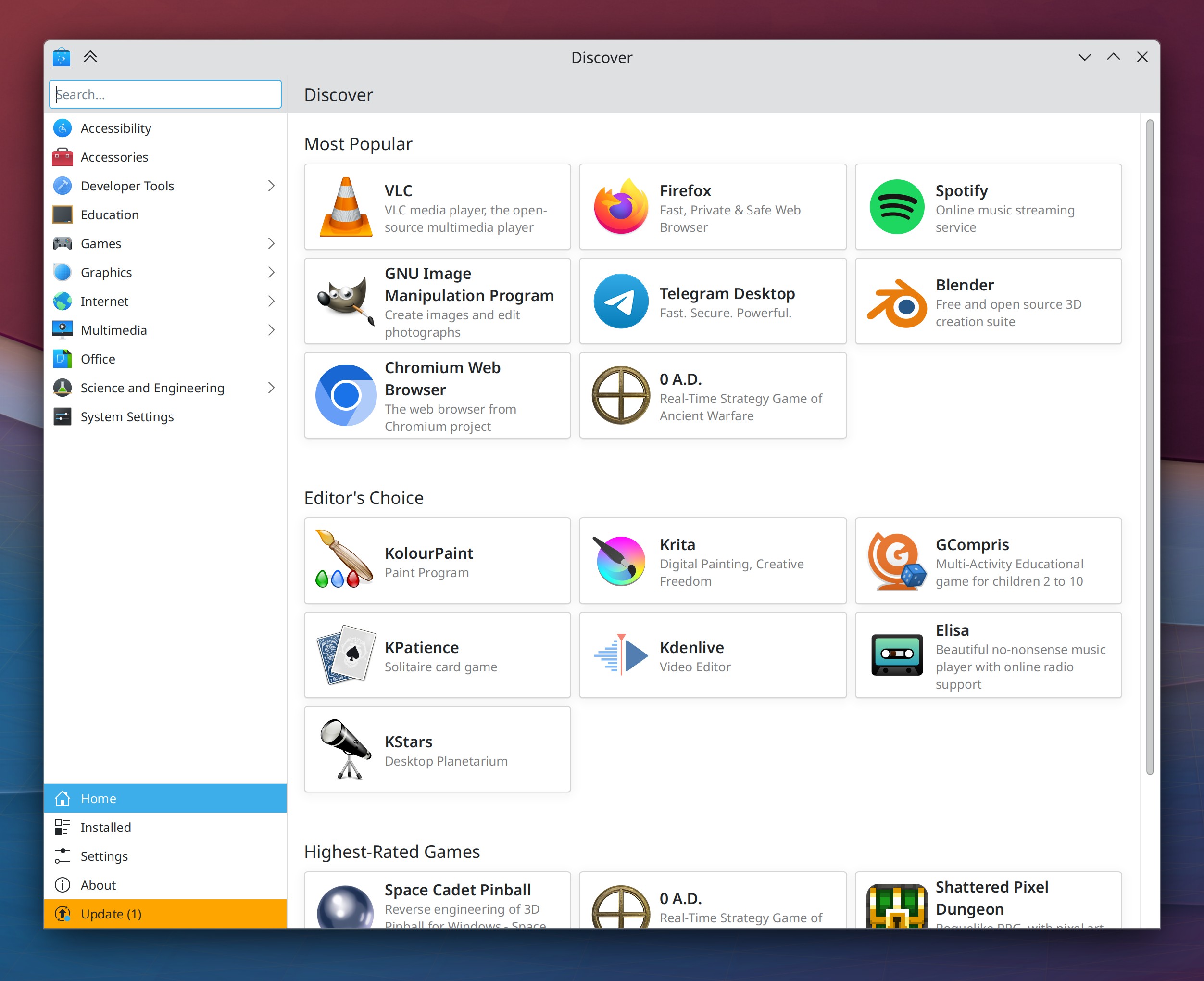
Discover now shows you a “Loading…” placeholder while it’s still loading the reviews for an app (Aleix Pol Gonzalez and me: Nate Graham, Plasma 5.26):

On the Panel Edit Mode toolbar, those little draggable handles now display tooltips when hovered so that you can figure out what they do, and you can also double-click on them to reset them to their original states (Ivan Tkachenko, Plasma 5.26):

In the screen chooser dialog for sandboxed apps that want to record the screen (such as OBS when run from Snap or Flatpak), the list items in the view now behave more rationally if you double-click on them (Aleix Pol Gonzalez, Plasma 5.26)

When a sandboxed app is recording the screen and the System Tray shows an icon to forcibly stop the recording, clicking on it now displays a context menu with “Stop Recording” in it rather than just stopping the recording immediately before you’ve had a chance to figure out what it does (Harald Sitter, Plasma 5.26)

In the Comic Strip widget, the context menu item that previously said “Run associated application” now says “Open in [default web browser]” (Nicolas Fella, Plasma 5.26)

Visual transitions in the Pager widget (e.g. when you move, maximize, or tile a window) are now animated (Ivan Tkachenko, Plasma 5.26):

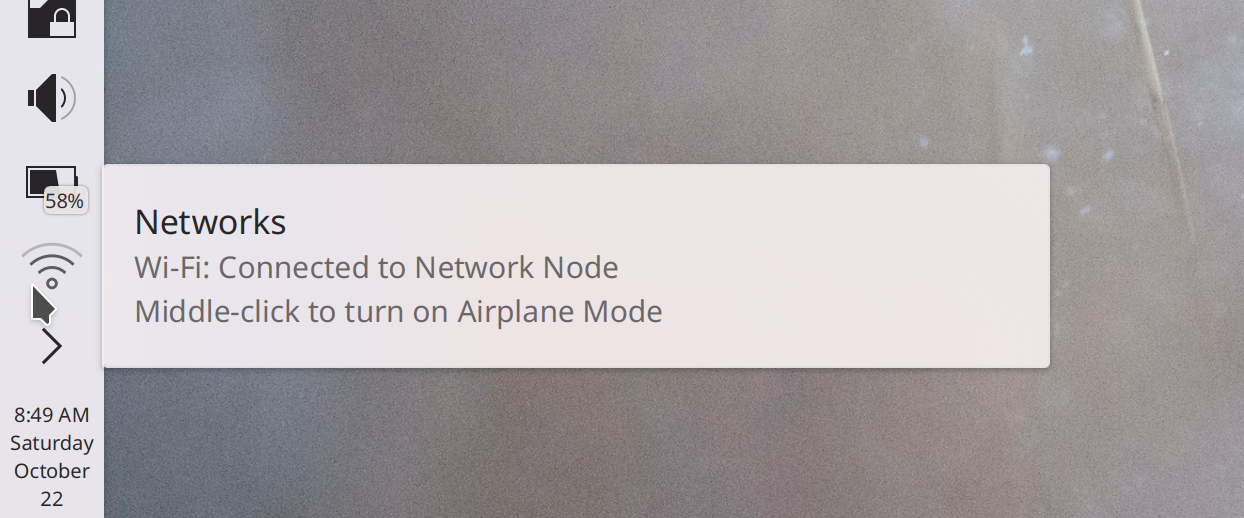
In the properties dialog, when a file has GPS coordinates in the metadata, this information is now displayed as a clickable link (Kai Uwe Broulik, Frameworks 5.97):

The “Help Center” app’s icon is now always colorful when using the Breeze icon theme, just like other app icons are (me: Nate Graham, Frameworks 5.97)

Bugfixes & Performance Improvements

Context menu items of the Comic Strip widget that don’t work when then you’re offline or before the current strip has loaded now disable themselves rather than letting you click on them and then making Plasma crash (Nicolas Fella, Plasma 5.24.7)

In the Plasma X11 session, the Color Picker widget is once again able to pick screen colors (Ivan Tkachenko, Plasma 5.24.7)

Submitting usefulness for reviews in Discover once again works (Aleix Pol Gonzalez, Plasma 5.24.7)

In the Plasma Wayland session, fixed a way that KWin could crash when you press physical buttons on a connected drawing tablet (Aleix Pol Gonzalez, Plasma 5.25.4)

You can once again navigate between windows and desktops using the keyboard in the Desktop Grid effect (Vlad Zahorodnii, Plasma 5.25.4)

In the Plasma X11 session, the “Window shade” feature once again works (Vlad Zahorodnii, Plasma 5.25.4)

In the Plasma Wayland session, the cursor launch feedback animation played when launching an XWayland app now stops playing once the app has launched (Aleix Pol Gonzalez, Plasma 5.25.4)

Fixed the final way that menu titles could get cut off when a long menu title is paired with short menu items (Kai Uwe Broulik, Plasma 5.25.4)

On System Settings’ Colors page, the color scheme previews are now 100% accurate and actually reflect their colors (Jan Blackquill, Plasma 5.25.4)

In the Plasma Wayland session, sub-menus in the Kicker Application Menu can now be fully navigated with the keyboard (Someone awesome, Plasma 5.26)

Plasma is now faster to load (Xuetian Weng, Plasma 5.26)

When saving files in a sandboxed app in a folder that has a lot of stuff in it already, you will no longer sometimes randomly see pointless notifications that say “Examining: failed” (Harald Sitter, Plasma 5.26)

In-window menubars in QtQuick apps now display the correct background color when using a color scheme with Header colors, such as Breeze Light and Breeze Dark (Kartikey Subramanium, Frameworks 5.97)

Spectacle and other apps now correctly detect the installation status for OBS Studio, Vokoscreen, and other 3rd-party apps in their “install other apps” menu (Nicolas Fella, Frameworks 5.97)

…And everything else

This blog only covers the tip of the iceberg! Tons of KDE apps whose development I don’t have time to follow aren’t represented here, and I also don’t mention backend refactoring, improved test coverage, and other changes that are generally not user-facing. If you’re hungry for more, check out https://planet.kde.org, where you can find more news from other KDE contributors.

How You Can Help

If you’re a developer, check out our 15-Minute Bug Initiative. Working on these issues makes a big difference quickly!

Otherwise, have a look at https://community.kde.org/Get_Involved to discover ways to be part of a project that really matters. Each contributor makes a huge difference in KDE; you are not a number or a cog in a machine! You don’t have to already be a programmer, either. I wasn’t when I got started. Try it, you’ll like it! We don’t bite!

Finally, consider making a tax-deductible donation to the KDE e.V. foundation.
This week in KDE: some nice improvements!

15-Minute Bugs Resolved

Current number of bugs: 52, down from 53. 0 added and 1 resolved:

Plasma no longer very commonly always randomly crashes on login or logout (David Edmundson, Frameworks 5.97)

Current list of bugs

New Features

Dolphin, Gwenview, and Spectacle now use the XDG Portals interface for dragged-and-dropped files, which allows them to successfully drop files into sandboxed apps without punching a hole in the sandbox by giving it access to your entire home folder or the system’s temp folder (Harald Sitter, version 22.08 of these apps)

It’s now possible to set the default paper size when printing (Akseli Lahtinen, Plasma 5.26):

The “About This System” page now supports showing data from a wider range of hardware and firmware, including Apple M1 silicon (James Calligeros, Plasma 5.26):

User Interface Improvements

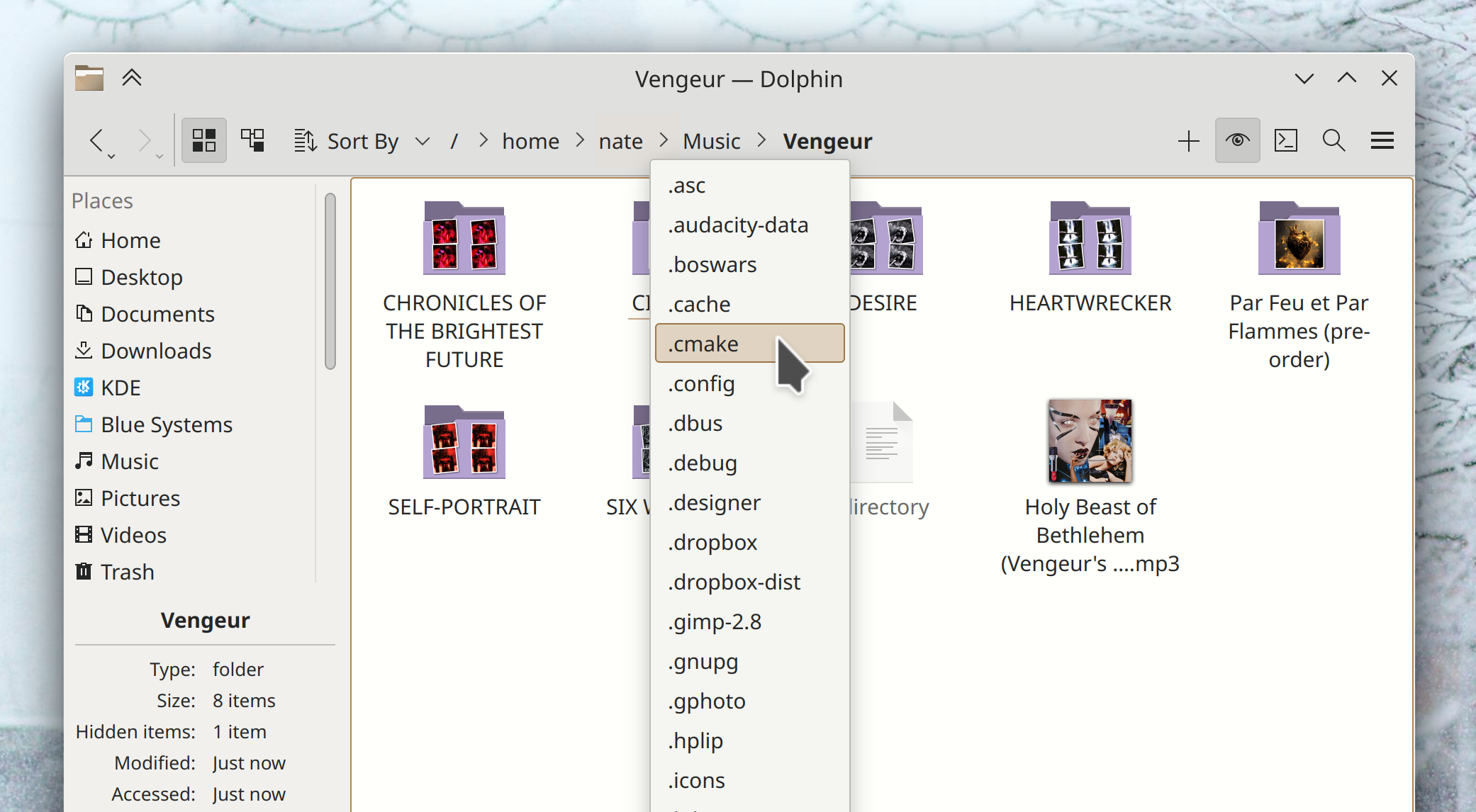
Dolphin’s “Show Statusbar” action now additionally lives in the Settings menu, where these kinds of view-specific preferences can typically be found in QtWidgets-based KDE apps (Kai Uwe Broulik, Dolphin 22.08):

Quite a lot of Plasma widgets have gained improved accessibility characteristics, after using them with a screen reader (Fushan Wen, Plasma 5.25.4 and 5.26)

You can now find System Monitor when searching for various related search terms like “task,” “manager,” “cpu,” and “memory” (Tom Knuf, Plasma 5.26)

The wallpaper chooser view now tries to extract and display metadata from the images, when it’s available (Fushan Wen, Plasma 5.26):

Navigating between virtual desktops no longer wraps around when reaching the end by default–though of course you can change this if you’d like (Someone going by the pseudonym “Awed Potato”, Plasma 5.26)

The “Show Desktop” widget and shortcut have been renamed “Peek at Desktop” to make clearer what they’ll actually do, and to provide more contrast with the alternative “Minimize all Windows” action (me: Nate Graham, Plasma 5.26):

System Settings’ Bluetooth page now uses a more standard and less visually glitchy popup to ask you to confirm removing a paired device (me: Nate Graham, Plasma 5.26):

If you’re about to comment “I hate this style, it looks terrible!” then at least you might be happy to learn that we can change it in a central place, since this UI is data-driven with the presentation being separate.

Bugfixes & Performance Improvements

The Dictionary widget no longer has a visually broken icon (Ivan Tkachenko, Plasma 5.24.6)

Switching between launcher widgets (e.g. Kickoff and Kicker) no longer causes your list of favorite apps to become re-populated with the set of default favorites, if you had removed any of them (Fushan Wen, Plasma 5.24.6)

The Pager widget now always switches to the actual desktop you’re hovering over when you drag an app icon to it, its visualization of windows is now smoother, and its config window no longer displays groups of radio buttons with none of the buttons selected (Ivan Tkachenko, Plasma 5.24.6)

In the Plasma Wayland session, fixed an issue that could cause an external USB-C monitor that had been turned off and back on again to stop displaying an image until the computer was rebooted. And this also fixes a total session freeze when turning on a TV screen plugged into your computer when there is a VR headset plugged in too (Xaver Hugl, Plasma 5.25.3)

In the Plasma Wayland session, fixed an issue that could cause the system to not wake up for users of NVIDIA GPUs (Xaver Hugl, Plasma 5.25.3)

Plasma no longer crashes when you delete a panel that has any Panel Spacer widgets on it (Aleix Pol Gonzalez, Plasma 5.25.3)

System Settings no longer sometimes crashes when switching between cursor themes (David Edmundson, Plasma 5.25.3)

Middle-clicking on System Tray icons for apps once again works (Chris Holland, Plasma 5.25.3)

In the Plasma Wayland session, the cursor no longer sometimes turns invisible when using certain very broken legacy graphics drivers (Xaver Hugl, Plasma 5.25.4)

In the Plasma Wayland session, window decorations with visible borders no longer get cut off on the right side when using a systemwide scale factor greater than 100% (David Edmundson, Plasma 5.26)

In the Plasma Wayland session, turning on an external monitor no longer immediately crashes apps that are currently display a notification with job progress (Michael Pyne, Frameworks 5.97)

Plasma no longer sometimes crashes when dragging something from Firefox to the Desktop (David Edmundson, Frameworks 5.97)

Fixed a common cause of freezes in Kirigami-using apps with scrollable pages (Marco Martin, Frameworks 5.97)

.rw2 RAW image files once again display preview thumbnails (Alexander Lohnau, Frameworks 5.97)

…And everything else

This blog only covers the tip of the iceberg! Tons of KDE apps whose development I don’t have time to follow aren’t represented here, and I also don’t mention backend refactoring, improved test coverage, and other changes that are generally not user-facing. If you’re hungry for more, check out https://planet.kde.org, where you can find more news from other KDE contributors.

How You Can Help

If you’re a developer, check out our 15-Minute Bug Initiative. Working on these issues makes a big difference quickly!

Otherwise, have a look at https://community.kde.org/Get_Involved to discover ways to be part of a project that really matters. Each contributor makes a huge difference in KDE; you are not a number or a cog in a machine! You don’t have to already be a programmer, either. I wasn’t when I got started. Try it, you’ll like it! We don’t bite!

Finally, consider making a tax-deductible donation to the KDE e.V. foundation.

This week in KDE: big things

Several big things happened this week, so let’s just jump in:

Ilya Pominov has added a feature to Gwenview 22.08 that lets you mark up and annotate images using the same annotation UI that’s in Spectacle!

For Plasma 5.26, Han Young has merged System Settings’ “Formats” and “Languages” pages together, which clarifies the relationship between the systemwide language and its default formats and fixes most of the bugs affecting both of the two old pages!

For Frameworks 5.97, Slava Aseev has implemented support in KWallet for the org.freedesktop.secrets standard, which allows KDE apps to be more compatible with 3rd-party credential storage methods. In terms of real-world impacts, the Minecraft launcher should no longer ask you to log in every single time you open it!

Finally on our list of big changes, for Plasma 5.26 Harald Sitter has added support in KDE’s crash reporter for sending crash information to a self-hosted instance of Sentry a server-side crash tracing service that will eventually be capable of injecting debug symbols automatically. It may sound technical and boring, but over time it should lead to crash reports becoming more actionable, wasting less of everyone’s time.

Beyond those, we have a pretty good assortment of other changes to present as well!

15-Minute Bugs Resolved

Current number of bugs: 53, down from 57. 0 added, 2 found to already be fixed by something else, and 2 fixed as a part of the merged Region & Language page! Thanks, awesome people.

Current list of bugs

Other User Interface Improvements

When you cancel loading a slow folder in Dolphin, the placeholder message in the middle of the window now says “Loading canceled” rather than “Folder is empty” (Kai Uwe Broulik, Dolphin 22.08)

Clicking on a Konsole notification about a particular session now takes you to that session in Konsole (Kasper Laudrup, Martin Tobias Holmedahl Sandsmark, and Luis Javier Merino, Konsole 22.08)

Dragging a file to a notification now activates and raises the relevant window from the sending application so you can drag the file into it (Kai Uwe Broulik, Plasma 5.26)

System Settings’ Display & Monitor page now displays the explanatory help text for the two Wayland-specific systemwide scaling methods in a tooltip, rather than inline (me: Nate Graham, Plasma 5.26):

The common “Get new [thing]” dialog no longer has a redundant close button in its footer and now tells you to try again later for transient network and server errors (Felipe Kinoshita and me: Nate Graham, Frameworks 5.97)

Text changes made in the “Name” field of file open/save dialogs is now undoable and redoable (Ahmad Samir, Frameworks 5.97)

Message dialogs with “Yes” and “No” buttons are changing their text to be more descriptive in multiple pieces of KDE software (Friedrich W. H. Kossebau, the next versions of a bunch of things)

Bugfixes & Performance Improvements

Fixed one way that a file in Okular could be corrupted and rendered un-save-able when saved (Albert Astals Cid, Okular 22.04.3)

Sidebar entries in Elisa no longer become mis-sorted after changing what’s embedded in the sidebar (Yerrey Dev, Elisa 22.08)

The new “accent color from wallpaper” feature now updates the titlebar’s color as expected when the wallpaper changes automatically (for example when using a slideshow for the wallpaper) and also correctly applies manually-chosen accent colors to window titlebars when using a color scheme that doesn’t use header colors, such as Breeze Classic (Eugene Popov, Plasma 5.25.3)

The Slide effect no longer flickers disturbingly when using a multi-screen setup (David Edmundson, Plasma 5.25.3)

The Cover Flip and Flip Switch effect are now smoother with fewer frame drops when using the default “Show selected window” option in the System Settings Task Switcher page (Ismael Asensio, Plasma 5.25.3)

In the Plasma Wayland session, using a global keyboard shortcut to launch an application with startup animation turned off now inhibits the startup animation as expected (Aleix Pol Gonzalez, Plasma 5.25.3)

Right-clicking on an item in the Kickoff application launcher’s right panel no longer causes its highlight effect to disappear while the context menu is open (me: Nate Graham, Plasma 5.25.3)

In Discover, the tooltips shown when hovering the cursor over the big new buttons on the Application page no longer sometimes disappear immediately after appearing (me: Nate Graham, Plasma 5.25.3)

Removing the leftmost screen of a multi-screen arrangement no longer sometimes causes windows on the remaining screens to no longer be movable (Vlad Zahorodnii, Plasma 5.26)

Using a global keyboard shortcut to launch an application with the “Launch in terminal” option enabled now actually launches it in a terminal window as expected (Jin Liu, Frameworks 5.96)

…And everything else

This blog only covers the tip of the iceberg! Tons of KDE apps whose development I don’t have time to follow aren’t represented here, and I also don’t mention backend refactoring, improved test coverage, and other changes that are generally not user-facing. If you’re hungry for more, check out https://planet.kde.org, where you can find more news from other KDE contributors.

How You Can Help

If you’re a developer, check out our 15-Minute Bug Initiative. Working on these issues makes a big difference quickly!

Otherwise, have a look at https://community.kde.org/Get_Involved to discover ways to be part of a project that really matters. Each contributor makes a huge difference in KDE; you are not a number or a cog in a machine! You don’t have to already be a programmer, either. I wasn’t when I got started. Try it, you’ll like it! We don’t bite!

Finally, consider making a tax-deductible donation to the KDE e.V. foundation.
This week in KDE: And now time for some UI polishing

This week we’ve mixed in a lot of user interface polishing with our usual assortment of bugfixes!

15-Minute Bugs Resolved

Current number of bugs: 57, down from 59. 0 added, 1 found to already be fixed, and 1 resolved:

When using screen scaling with the on-by-default Systemd startup in Plasma, the wrong scale factor is no longer sometimes used immediately upon login, which would cause Plasma to be blurry (on Wayland) or everything to be displayed at the wrong size (on X11) (David Edmundson, Plasma 5.25.2)

Current list of bugs

User Interface Improvements

Spectacle now displays the global shortcuts used to open it with various capture modes right there in the combobox used to select a capture mode! (Felix Ernst, Spectacle 22.08):

While annotating a screenshot in Spectacle, the window now resizes itself to accommodate the screenshot at its full size, so you don’t have to pan and zoom to see the whole thing (Antonio Prcela, Spectacle 22.08)

Webcams no longer inappropriately appear in Skanpage’s list of scanners (Alexander Stippich, Skanpage 22.08)

In System Settings’ Colors page, the last custom accent color you chose is now remembered after you switch to a wallpaper- or color-scheme-based accent color and then back to a custom one (Tanbir Jishan, Plasma 5.26)

Middle-click now closes windows in the Desktop Grid effect, just like in the Overview and Present Windows effects; now they are all consistent (Felipe Kinoshita, Plasma 5.26)

The wording for the desktop icon arrangement setting has been tweaked to be clearer and more comprehensible (Jan Blackquill, Plasma 5.26):

Improved the ordering of KRunner search results by giving lower weight to exact matches for extremely short search terms (Alexander Lohnau, Plasma 5.26)

System Settings’ Autostart page now warns you if you try to add a login or logout script that is not executable, and it even gives you a big friendly button you can click on to fix it (Nicolas Fella, Plasma 5.26):

When you add a new network connection, it is now connected automatically after you close the dialog to enter its details (Arjen Hiemstra, Plasma 5.26)

The full-screen QR code view that the Networks widget can show can now be closed using the keyboard, and also has a visible close button in the corner (Fushan Wen and me: Nate Graham, Plasma 5.26)

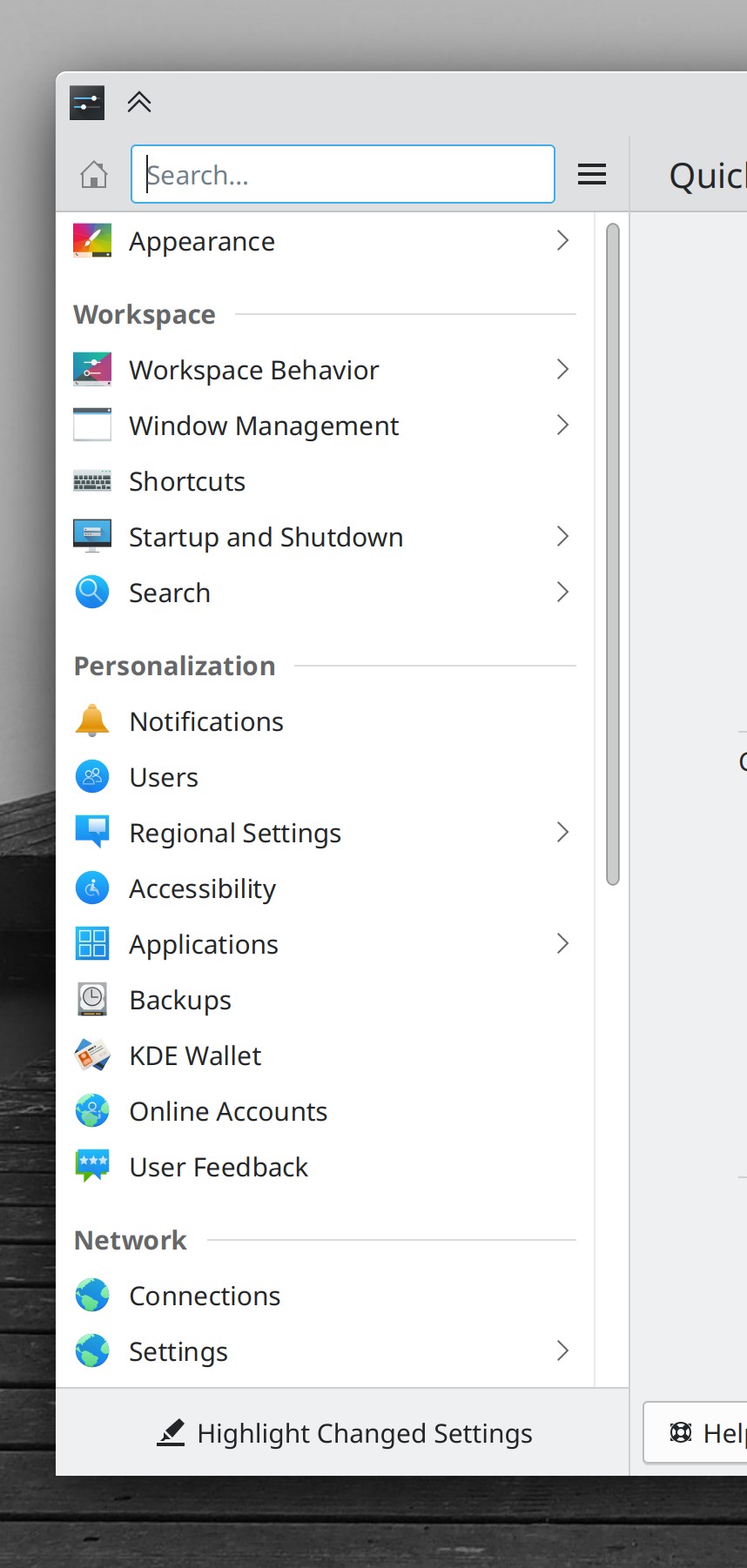
The search field in Kicker is no longer slightly and irritatingly misaligned (me: Nate Graham, Plasma 5.26)

The current cursor and scroll positions in the Notes widget are now remembered after you restart the computer (or just Plasma) (Ivan Tkachenko, Plasma 5.26)

You can now configure Task Manager widgets to not automatically consume all available space on their panel, which lets them be placed immediately to the left of something else, like a Global Menu widget (Yaroslav Bolyukin, Plasma 5.26)

The Window List widget’s text display is now optional (but remains on by default) on a horizontal panel, allowing people to go back to the old style from Plasma 5.24 and earlier if they preferred it (me: Nate Graham, Plasma 5.26)

Bugfixes & Performance Improvements

Elisa’s sidebar should no longer sometimes take you to the wrong page when you click on various items in it under certain circumstances (Yerrey Dev, Elisa 22.04.3)

In the Plasma Wayland session, System Settings’ Tablet Mode page no longer crashes the second time you open it (Nicolas Fella, Plasma 5.24.6)

Fixed one of the apparently many ways that a panel on an external screen could disappear when that external screen is disconnected and reconnected (Fushan Wen, Plasma 5.24.6)

Grid items in the Kickoff Application Launcher now show relevant tooltips on hover, as originally intended (Noah Davis, Plasma 5.24.6)

Fixed one of the ways Plasma could crash right after login on a laptop with an external HDMI screen connected (David Edmundson, Plasma 5.25.2)

In the Networks widget, the “Show QR Code” button no longer inappropriately appears for networks that don’t support QR code discovery, like wired networks and VPNs (Nicolas Fella, Plasma 5.25.2)

In the Plasma Wayland session, changing the screen resolution to something not officially supported by the screen no longer sometimes causes System Settings to crash (Xaver Hugl, Plasma 5.25.3)

In the Plasma Wayland session, activating windows using a touchscreen in the Overview, Present Windows, and Desktop Grid effects once again works (Marco Martin, Plasma 5.25.3)

The password field in the lock and login screens is once again cleared and focused when you enter the wrong password (Derek Christ, Plasma 5.25.3)

When using Plasma, KWin effects no longer play at the wrong animation speed if in the past you ever adjusted the speed of animations in the System Settings Compositing page outside of Plasma (David Edmundson, Plasma 5.23.3)

It’s once again possible to manually open more than one instance of kcmshell (Alexander Lohnau, Plasma 5.25.3)

Fixed a variety of UI glitches in various non-default Task Switcher visualizations (Ismael Asensio, Plasma 5.25.3)

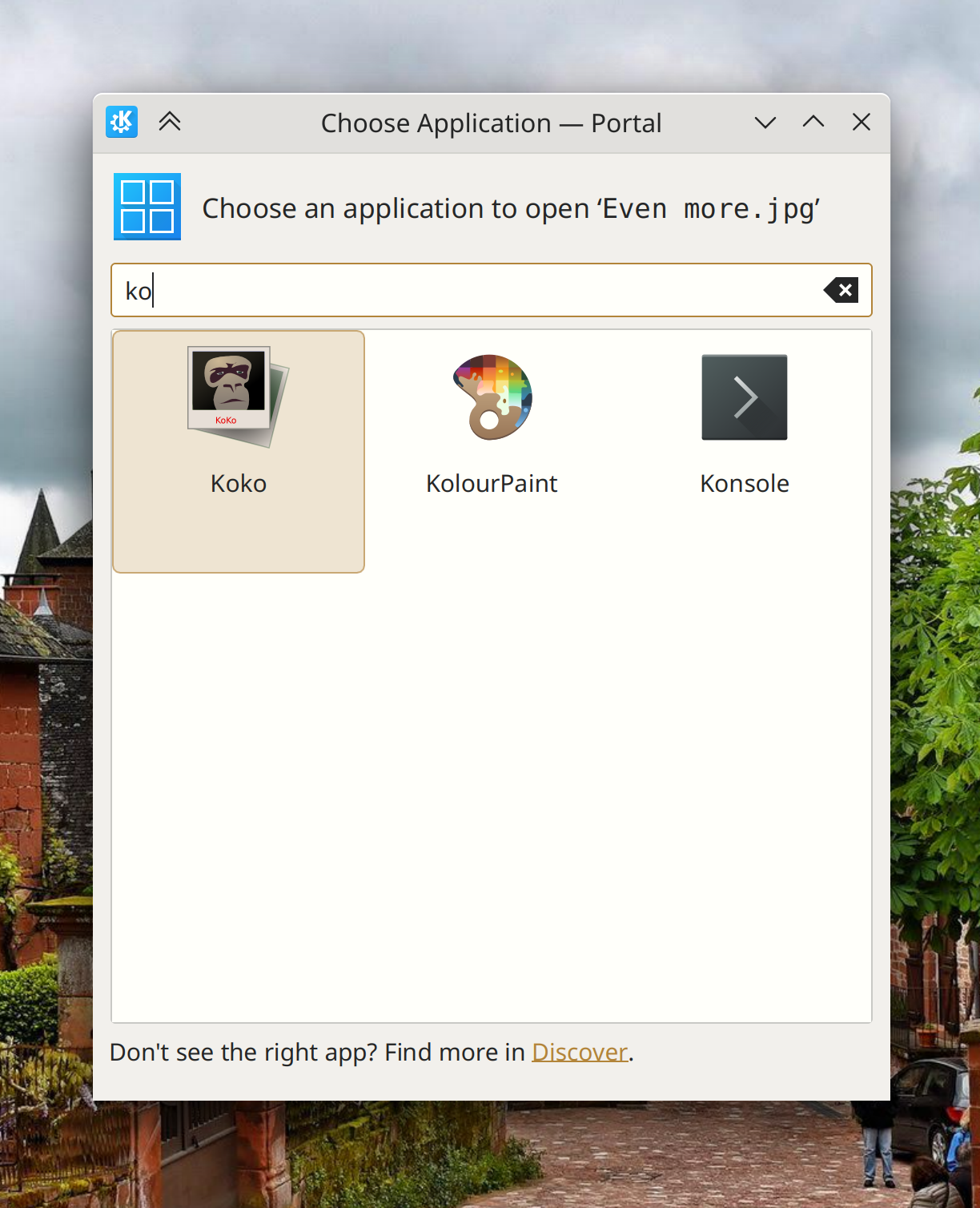
Okular now appears as expected in the “Open With…” dialog shown by sandboxed apps (Harald Sitter, Plasma 5.26 with Okular 22.08)

The list of recent documents in the GTK file dialog is no longer inappropriately cleared after using certain KDE apps (Méven Car, Frameworks 5.96)

When creating a new file using the common “create new file” menu items, any custom file extension you use in the filename is no longer replaced with the default one (Nicolas Fella, Frameworks 5.96)

Changes not in KDE that affect KDE

When you enable or disable one screen in a multi-screen arrangement, the desktops for the new arrangement now have the correct wallpaper (Fushan Wen, Qt 6.3.2, but it has been backported in the KDE Qt patch collection)

…And everything else

This blog only covers the tip of the iceberg! Tons of KDE apps whose development I don’t have time to follow aren’t represented here, and I also don’t mention backend refactoring, improved test coverage, and other changes that are generally not user-facing. If you’re hungry for more, check out https://planet.kde.org, where you can find more news from other KDE contributors.

How You Can Help

If you’re a developer, check out our 15-Minute Bug Initiative. Working on these issues makes a big difference quickly!

Otherwise, have a look at https://community.kde.org/Get_Involved to discover ways to be part of a project that really matters. Each contributor makes a huge difference in KDE; you are not a number or a cog in a machine! You don’t have to already be a programmer, either. I wasn’t when I got started. Try it, you’ll like it! We don’t bite!

Finally, consider making a tax-deductible donation to the KDE e.V. foundation.
This week in KDE: a mad bugfixing spree

Plasma 5.25’s first bugfix release came out a few days ago, and the next one is due early next week. Hopefully most of the bugs you folks found will have been fixed! And among those are few 15-minute bugs too.


Occasionally people ask, “Jeez, it feels like you guys are fixing bugs all the time… shouldn’t they all be fixed by now? Why is your software so buggy?” Thing is, that’s the nature of software. There are always more bugs to fix, no matter how long you work at it. And the more people who use it, the more bugs they’ll find. This is universal, for every piece of software. The best metric is not really “number of bugs fixed,” but rather “egregiousness of bugs fixed.” You want to see that the bugs we fix get weirder and more esoteric over time, which indicates that the basics are becoming more reliable. We’re not all the way there yet, but I believe we are making progress!

15-Minute Bugs Resolved

Current number of bugs: 59, down from 65. 0 added, 2 found to be upstream issues, and 4 resolved:

Session-restored windows no longer restore themselves to the wrong virtual desktops when using the now on-by-default Systemd boot feature (David Edmundson, Plasma 5.25.2)

In the Plasma X11 session, buttons in the Present Windows and Overview effects no longer only work every other time you click them (Marco Martin, Plasma 5.25.2)

Switching between Plasma widgets using the “Alternatives” panel now saves their settings, so if you switch back to an old widget you were using before, its settings are remembered (Fushan Wen, Plasma 5.26)

In the Plasma X11 session, the search icon displayed inside search fields throughout Plasma widgets and KWin effects is no longer comically large (me: Nate Graham, Frameworks 5.96)

Current list of bugs

New Features

In the Plasma Wayland session, it’s now possible to disable middle-click paste (Méven Car, Plasma 5.26):

User Interface Improvements

Tooltip visibility for pages in System Settings now respect the global setting to disable tooltips (Anthony Hung, Plasma 5.24.9)

The Edit Mode toolbar now splits itself into multiple rows when the screen isn’t wide enough to accommodate it (Fushan Wen, Plasma 5.25.2)

Discover now determines the priority of your Flatpak repos (when you have more than one configured) from the command-line flatpak tool, and changes the priority there too if you change it in Discover, so the two always remain in sync (Aleix Pol Gonzalez, Plasma 5.25.2)

The Pager, Minimize All and Show Desktop widgets now handle Panel keyboard focus properly (Ivan Tkachenko, Plasma 5.26)

Entering or exiting the letter grid in Kickoff now plays a nice little animation (Tanbir Jishan, Plasma 5.26):

When the wallpaper changes from one to another, it no longer becomes slightly darker during the animated transition (Fushan Wen, Plasma 5.26)

The clipboard widget now uses a more appropriate and less visually busy character to represent tabs (Felipe Kinoshita, Plasma 5.26)

Kirigami-based apps with sidebars in desktop mode no longer secretly show an invisible close button in the sidebar’s bottom-right corner that you can accidentally click on to confusingly close the sidebar with no way to get it back (Frameworks 5.96)

When app icons change on disk, Plasma now notices this and displays the new icon within 1 seconds, down from 10 seconds (David Redondo, Frameworks 5.96)

The “Battery and Brightness” widget now shows you the battery level for connected wireless touchpads (Vlad Zahorodnii, Frameworks 5.96)

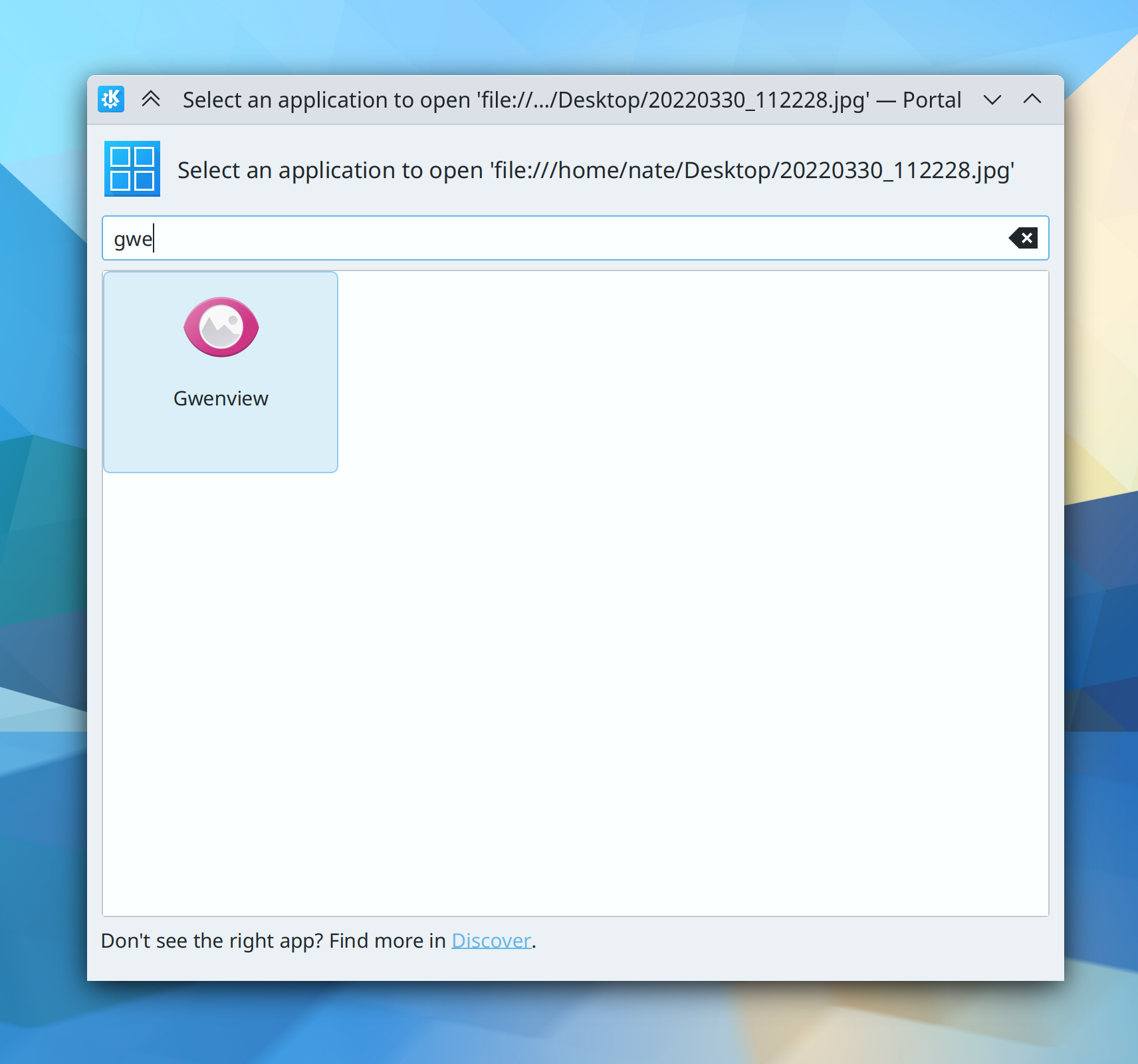
The “Open With…” dialog that you’ll see in non-sandboxed apps now has a “Get more Apps in Discover…” button, just like the different-looking dialog seen in sandboxed apps (Jakob Rech, Frameworks 5.96):

And yes, before you ask, it’s silly that we have two different “Open With…”dialogs with different appearances and codebases. Unifying them is an active area of work!

Bugfixes & Performance Improvements

Elisa’s playback slider once again works properly when the current track is longer than about 3 minutes long (Bart De Vries, Elisa 22.04.3)

The remote desktop dialog for sandboxed apps now appears when expected (Jonas Eymann, Plasma 5.24.6)

When run from a Flatpak, the Pitivi app no longer crashes on launch when using the Breeze cursor theme (Mazhar Hussain, Plasma 5.24.6)

In the Present Windows effect, it’s once again possible to activate windows that are on a different screen from the one used to type text into the filter (Marco Martin, Plasma 5.25.2)

External USB-C displays once again work properly (Xaver Hugl, Plasma 5.25.1)

Fixed a very wide variety of keyboard searching, focus, and navigation issues with the new Present Windows effect, bringing it back up to its keyboard usability in Plasma 5.24 (Niklas Stephanblom, Plasma 5.25.2)

It’s once again possible to select desktops with the keyboard in the Desktop Grid effect (Vlad Zahorodnii, Plasma 5.25.1)

In the Plasma X11 session, tiling windows to the left or right no longer sometimes cause an odd flicker (Vlad Zahorodnii, Plasma 5.25.1)

The screen locker no longer crashes if you’ve manually installed support for the Howdy facial recognition system (David Edmundson, Plasma 5.25.2)

Square highlights once again appear on hover in the Application Dashboard (Ivan Tkachenko, Plasma 5.25.2)

Using the new “Tint all colors with accent color” now tints the titlebar too, without you having to also check the checkbox that explicitly applies accent colors to the titlebar (Eugene Popov, Plasma 5.25.2)

Setting advanced firewall rules once again works (Daniel Vrátil, Plasma 5.25.2)

When using a traditional Task Manager, open tasks no longer spontaneously re-arrange themselves when a pinned app is moved with the “Keep launchers separate” option unchecked (Fushan Wen, Plasma 5.26

Inline buttons in NeoChat’s Accounts list are once again visible (Jan Blackquill, Frameworks 5.96)

Overlay sheets no longer sometimes have excessive bottom margins in desktop mode (Ismael Asensio, Frameworks 5.96)

…And everything else

This blog only covers the tip of the iceberg! Tons of KDE apps whose development I don’t have time to follow aren’t represented here, and I also don’t mention backend refactoring, improved test coverage, and other changes that are generally not user-facing. If you’re hungry for more, check out https://planet.kde.org, where you can find more news from other KDE contributors.

How You Can Help

If you’re a developer, check out our 15-Minute Bug Initiative. Working on these issues makes a big difference quickly!

Otherwise, have a look at https://community.kde.org/Get_Involved to discover ways to be part of a project that really matters. Each contributor makes a huge difference in KDE; you are not a number or a cog in a machine! You don’t have to already be a programmer, either. I wasn’t when I got started. Try it, you’ll like it! We don’t bite!

Finally, consider making a tax-deductible donation to the KDE e.V. foundation.

This week in KDE: non-blurry XWayland apps!

Plasma 5.26 will resolve a major pain point for users of the Wayland session with high DPI screens: you’ll now be able to choose how you want your XWayland-using apps to be scaled:

  • By the compositor–ensuring uniform scaling, but blurriness (this is the status quo)
  • By the apps themselves–allowing them to use their pre-existing X11 high DPI capabilities, if they have them, but leaving apps without such capabilities at the wrong scale

So if all the XWayland apps you use support high DPI scaling properly on X11, you can use this new setting to make them look nice and crisp at your chosen scale factor:

This setting is currently off by default in Plasma 5.26, but we’re considering turning it on by default after more testing. Big thanks to David Edmundson and Aleix Pol Gonzales for this work!

Beyond that, the focus was on fixing bugs discovered in Plasma 5.25, and you’ll see quite a few mentioned here.

15-Minute Bugs Resolved

Current number of bugs: 65, up from 64. 1 added and 0 resolved.

Current list of bugs

New Features

You can now optionally configure minimized tasks in your Task Switcher to be sorted last, after all unminimized tasks, which is the way things work in the MATE desktop environment (Rachel Mant, Plasma 5.26)

Animated images can now be used as wallpapers, either standalone, or even as a part of a slideshow (Fushan Wen, Plasma 5.26)

User Interface Improvements

When you drag-and-drop something onto an empty part of a Dolphin window that is showing Details view, the drop is once again interpreted as a drop into the visible view rather than the sub-folder on the row under the cursor (Felix Ernst, Dolphin 22.08)

When you open a PDF document externally in a sandboxed app, Okular now appears in the list of preferred apps that can open PDF files as expected (Harald Sitter, Okular 22.08)

It’s no longer possible to try (and fail) to remove distro-installed SDDM login screen themes on System Settings’ “Login Screen (SDDM)” page; now you can only remove SDDM themes there that you’ve downloaded yourself, same as on other similar pages (Alexander Lohnau, Plasma 5.25.1)

The “Cover Flip” and “Flip Switch” Task Switcher effects now use the same background appearance as the Overview and new Present Windows effects, which looks better and makes them all more consistent in visual styling (Ismael Asensio, Plasma 5.26):

In the Plasma X11 session, on System Settings’ “Display and Monitor” page, the message telling you that you need to restart the machine to make scaling changes take effect now includes a “Restart” button you can click to do it immediately (Fushan Wen, Plasma 5.26)

Okular’s Breeze theme icon now better matches its original icon (Carl Schwan, Frameworks 5.96):

Bugfixes & Performance Improvements

Fixed one way that Dolphin could crash when you use it to search for files (Ahmad Samir, Dolphin 22.04.3)

External screens once again work properly with multi-GPU setups (Xaver Hugl, Plasma 5.25.1)

Screen brightness is no longer stuck at 30% for people with laptop screens that declare a maximum brightness value high enough to cause an integer overflow when multiplied using 32-bit integers (Ivan Ratijas, Plasma 5.25.1)

Fixed a common way that KWin could crash when the screen setup changes (Vlad Zahorodnii, Plasma 5.25.1)

System Settings no longer crashes when you try to install a cursor theme from a local theme file, rather than the downloader window (Alexander Lohnau, Plasma 5.25.1)

Switching desktops no longer sometimes leaves windows visible as ghosts in rare circumstances (Vlad Zahorodnii, Plasma 5.25.1)

You can once again drag individual windows from one desktop to another in the Desktop Grid effect (Marco Martin, Plasma 5.25.1)

Fixed a memory leak in Klipper, the Plasma clipboard service (Jonathan Marten, Plasma 5.25.1)

Breeze-themed sliders no longer exhibit visual glitches when using a right-to-left language (Ivan Tkachenko, Plasma 5.25.1)

Activating the Overview, Present Windows, and Desktop Grid effects with a touchpad gesture should now be smoother, not jittery or stuttery (Vlad Zahorodnii, Plasma 5.25.1)

Tinting your titlebars with the active accent color no longer applies the wrong color for inactive window titlebars (Jan Blackquill, Plasma 5.25.1)

System Tray icons no longer scale strangely when your panel height is set to certain odd (as in non-even) numbers (Anthony Hung, Plasma 5.25.1)

While a fullscreen window is focused, KWin’s “edge highlight” effect is no longer shown when you move your cursor near a screen edge with an auto-hidden panel that wouldn’t appear anyway because showing auto-hidden panels is disabled while a fullscreen window has focus (Vlad Zahorodnii, Plasma 5.25.1)

In the Plasma Wayland session, videos viewed in the latest version of the MPV app will no longer appear with a small transparent border around them (Vlad Zahorodnii, Plasma 5.25.1)

Using the properties dialog or KMenuEdit to edit an application’s .desktop file that happens to be a symlink now works as expected (Ahmad Samir, Frameworks 5.96)

…And everything else

This blog only covers the tip of the iceberg! Tons of KDE apps whose development I don’t have time to follow aren’t represented here, and I also don’t mention backend refactoring, improved test coverage, and other changes that are generally not user-facing. If you’re hungry for more, check out https://planet.kde.org, where you can find more news from other KDE contributors.

How You Can Help

If you’re a developer, check out our 15-Minute Bug Initiative. Working on these issues makes a big difference quickly!

Otherwise, have a look at https://community.kde.org/Get_Involved to discover ways to be part of a project that really matters. Each contributor makes a huge difference in KDE; you are not a number or a cog in a machine! You don’t have to already be a programmer, either. I wasn’t when I got started. Try it, you’ll like it! We don’t bite!

Finally, consider making a tax-deductible donation to the KDE e.V. foundation.

This week in KDE: the Analog Clock changes color

Because that’s clearly the most important thing this week, right!?

Anyway, Plasma 5.25 is going to be released in a few days, and it’ll be huge! Accordingly, feature work for 5.26 is starting to land alongside bugfixing for 5.25.

15-Minute Bugs Resolved

Current number of bugs: 64, down from 65. 2 found to already be fixed (thanks to whoever fixed them!) and 1 added.

Current list of bugs

New Features

Plasma now supports wallpapers with different images displayed when using a light color scheme vs a dark color scheme! Expect future Plasma releases to ship both light and dark versions of our wallpapers (Fushan Wen, Plasma 5.26):

User Interface Improvements

Ark now checks to make sure that there will be sufficient free space in the place when you’re trying to un-archive something before it starts (Tomaz Canabrava, Ark 22.08)

When you search in KRunner, Kickoff, Overview, or any other KRunner-powered search field, any System Settings pages that match are no longer displayed so far down in the list (Alexander Lohnau, Plasma 5.25):

You can now drag windows between screens in the Overview and Present Windows effects (Marco Martin, Plasma 5.25)

Scrolling over the Media Controller widget’s icon now changes the volume of the app playing media in steps of 5%, not 3%, so now it matches the default step size when changing the whole system volume. Also like the system volume, the step size is configurable! (Oliver Beard, Plasma 5.26)

Breeze-styled buttons no longer have a gradient on them when not being hovered by the cursor, which effectively makes them look a little bit lighter and stand out more from the page background (Someone who wishes to remain anonymous, Plasma 5.26):

The common “Keyboard Shortcuts” dialog you’ll see in many apps and System Settings no longer shows you empty “Global Shortcuts” columns when the app doesn’t set any global shortcuts, or empty “Local shortcuts” columns when it only sets global shortcuts (Ahmad Samir, Frameworks 5.95):

The tickmarks and digits on the Analog Clock now respect your accent color (Ismael Asensio, Frameworks 5.95):

…And in addition, the entire Analog Clock’s face also respects your color scheme too! (Ismael Asensio, Frameworks 5.96):

The animated transition when the wallpaper changes from one image to another now respects the global animation duration setting (Fushan Wen, Plasma 5.26)

Throughout QtQuick-based software, views where one thing transition into another thing now respect the global animation duration setting (Fushan Wen, Frameworks 5.96)

Bugfixes & Performance Improvements

Thumbnail previews for a folder’s contents are once again generated as expected, rather than only after you have navigated to the folder (Martin T. H. Sandsmark, Dolphin 22.08)

Automount is once again disabled by default as expected (Ismael Asensio, Plasma 5.25)

SDDM login screen themes downloaded using the “Get New [thing]” downloader window now appear in the System Settings Login Screen page immediately, rather than only after it is closed and re-opened (Alexander Lohnau, Plasma 5.24.6)

Automatic Touch Mode detection now ignores fake input devices, so it can no longer become blocked when an app that creates any such fake input devices is running (Alexander Volkov, Plasma 5.24.6)

Repeatedly mounting and unmounting a disk no longer sometimes causes its list of actions in the “Disks & Devices” widget to become ever longer and accumulate blank entries (Ivan Tkachenko, Plasma 5.25)

It’s no longer possible to undo deleting text in Plasma’s Password input fields, which increases security a bit (Derek Christ, Frameworks 5.95 and Plasma 5.26)

When you use the “Go Up” action in Dolphin, the folder you just came from is once again highlighted (Jan Blackquill, Frameworks 5.95)

The shortcut dialog once again shows you accurate information about shortcut conflicts (Ahmad Samir, Frameworks 5.96)

…And everything else

This blog only covers the tip of the iceberg! Tons of KDE apps whose development I don’t have time to follow aren’t represented here, and I also don’t mention backend refactoring, improved test coverage, and other changes that are generally not user-facing. If you’re hungry for more, check out https://planet.kde.org, where you can find more news from other KDE contributors.

How You Can Help

If you’re a developer, check out our 15-Minute Bug Initiative. Working on these issues makes a big difference quickly!

Otherwise, have a look at https://community.kde.org/Get_Involved to discover ways to be part of a project that really matters. Each contributor makes a huge difference in KDE; you are not a number or a cog in a machine! You don’t have to already be a programmer, either. I wasn’t when I got started. Try it, you’ll like it! We don’t bite!

Finally, consider making a tax-deductible donation to the KDE e.V. foundation.

This week in KDE: Fixing bugs, and let’s fix more

This week we did a lot of work to fix bugs and make UI improvements, but we still need help to knock out the remaining issues found during the Plasma 5.25 beta. If you are an experienced developer, please consider fixing one or two of these bugs within the week! Plasma 5.25 is a big release, but let’s not let it get a reputation for big bugs too. 🙂

15-Minute Bugs Resolved

Current number of bugs: 65, up from 64. 1 re-opened and 0 resolved.

This is the second week in a row that the number has risen. The reason is because Plasma’s core developers are all very busy with other projects. So if you want this number to go down, it’s going to take more contributions from volunteers. What are you waiting for!? 🙂

Current list of bugs

New Features

You can now remove individual items from the “Recent Files” and “Recent Locations” lists in Dolphin, the file dialogs, and other places (Méven Car, Dolphin 22.08):

It’s now easier to preview wallpapers: just click on them and the desktop will change to show you what the wallpaper would look like. The preview will only be applied if you click on either the “OK” or “Apply” button, of course (Fushan Wen, Plasma 5.26)

File open/save dialogs now let you sort hidden files last, just like you can do in Dolphin. And when you do show hidden files, they’re lightened–again, just like in Dolphin (Eugene Popov, Frameworks 5.95)

Bugfixes & Performance Improvements

Sorting by access time in Dolphin now works properly (Méven Car, Dolphin 22.04.2)

Spectacle’s global shortcut for “take screenshot of window under cursor” (Meta+Ctrl+Print screen) now works properly and doesn’t cause the app to launch incorrectly and get stuck in memory when you close it (Paul Worral, Spectacle 22.04.2)

Konsole is now more reliable about parsing URLs that include things like port numbers or are IPV6 addresses (Ahmad Samir, Konsole 22.08)

Elisa’s “Files” view is now rooted at / rather than your home folder, so you can now use it to access music that isn’t in your home folder (Roman Lebedev, Elisa 22.08)

The kded daemon no longer leaks XCB client connections when the screen configuration is changed, so it no longer eventually causes you to be unable to open new apps (Stefan Becker, Plasma 5.24.6)

3rd-party cursor themes can once again be applied and deleted (Alexander Lohnau, Plasma 5.24.6)

KRunner no longer freezes when it tries to display a search result with text that would consume more than three lines (Ismael Asensio, Plasma 5.24.6)

KWin’s lowest latency setting now actually works (Malte Dronskowski, Plasma 5.24.6)

When you sync your Plasma settings to the SDDM login screen while using a color scheme other than Breeze Light, the user interface elements in SDDM now respect the new color scheme without you having to manually clear the Plasma cache first (me: Nate Graham, Plasma 5.24.6)

Changing the delimiter character from a space to a colon (or vice versa) in KRunner’s web shortcuts now works without you needing to restart KRunner first (Alexander Lohnau, Plasma 5.24.6)

In the wallpaper chooser window, wallpapers now appear in the aspect ratio of the screen they will be applied to, not the aspect ratio of the screen that the window is currently located on (Fushan Wen, Plasma 5.24.6)

Discover now finds apps from their AppStream URLs when the trailing .desktop suffix is omitted, which in particular makes it able to handle all the links at https://apps.kde.org (Antonio Rojas, Plasma 5.25)

Widget resize handles on the desktop now uses the correct cursor shapes when Plasma is running in reversed/RTL language mode (Ivan Tkachenko, Plasma 5.25)

Sliders are now drawn correctly with when Plasma is running in reversed/RTL language mode (Jan Blackquill, Plasma 5.25)

The “Astronomical Events” calendar plugin no longer shows an event for the intermediate moon phases (e.g. “waxing gibbous”) every single day (Volker Krause, Plasma 5.25)

It’s now possible to use wallpapers with ampersands in their filenames (Fushan Wen, Plasma 5.26)

Previews for various types of RAW image files are once again generated as expected (Alexander Lohnau, Frameworks 5.95)

Fixed a significant memory leak in the Plasma Wayland session (Méven Car, Frameworks 5.95)

Dolphin’s “All Tags” view now shows the correct name for all tags (Méven Car, Frameworks 5.95)

Fixed an issue in the common Kirigami Scrollview that could cause Kirigami-based apps–especially Discover–to freeze (Marco Martin, Frameworks 5.95)

Progress bars and sliders in QtQuick-based apps now have smoother animations (Ivan Tkachenko, Frameworks 5.95):

User Interface Improvements

In Elisa, you can now sort the Tracks view by “Date Modified”, which can be useful to find things you’ve recently added or changed (Shantanu Tushar, Elisa 22.08)

Tapping a song in Elisa’s playlist using a touchscreen now plays it immediately rather than simply selecting it. In addition, playlist items become taller and more finger-friendly when the app is interacted with using a touchscreen (me: Nate Graham, Elisa 22.08):

When you stretch Partition Manager’s window vertically, text in the information panel no longer awkwardly stretches as well (Ivan Tkachenko, Partition Manager 22.08)

Partition Manager now shows human-readable text for the amount of time that a disk has been powered on (Ivan Tkachenko, Partition Manager 22.08)

Global keyboard shortcuts in Plasma that currently don’t use the Meta key now do; here are the new keyboard shortcuts:

Note that this change will only take effect for new installations; no shortcuts will be changed for existing users (me: Nate Graham, Plasma 5.25)

You can now click on a letter header in Kickoff’s “All Applications” view to be taken to a view where you can choose a letter and be zoomed right to the apps that start with that letter (Fushan Wen, Plasma 5.26):

Clicking the “Cancel” button in the desktop configuration dialog now shows a warning about unsaved changes, if you have unsaved changes (Fushan Wen, Plasma 5.26)

…And everything else

This blog only covers the tip of the iceberg! Tons of KDE apps whose development I don’t have time to follow aren’t represented here, and I also don’t mention backend refactoring, improved test coverage, and other changes that are generally not user-facing. If you’re hungry for more, check out https://planet.kde.org, where you can find more news from other KDE contributors.

How You Can Help

If you’re a developer, check out our 15-Minute Bug Initiative. Working on these issues makes a big difference quickly!

Otherwise, have a look at https://community.kde.org/Get_Involved to discover ways to be part of a project that really matters. Each contributor makes a huge difference in KDE; you are not a number or a cog in a machine! You don’t have to already be a programmer, either. I wasn’t when I got started. Try it, you’ll like it! We don’t bite!

Finally, consider making a tax-deductible donation to the KDE e.V. foundation.

This week in KDE: Resizable Plasma panel pop-ups

We are busy working on the bug reports folks are filing about the Plasma 5.25 beta, and as of right now, we’re down to 15. Working on these is a great way to make a difference quickly!

In addition, features that didn’t make it into Plasma 5.25 are starting to land in 5.26. There’s some very cool stuff this week, so let’s jump in:

15-Minute Bugs Resolved

Current number of bugs: 64, up from 63. 3 added and 2 resolved:

In the Plasma X11 session, Plasma notifications, OSDs, and widget pop-ups are no longer inappropriately minimizable, maximizable, and tilable (Luca Carlon, Plasma 5.26)

Fixed another way that KWin could crash when plugging in or unplugging an HDMI monitor (Xaver Hugl, Plasma 5.24.6)

Current list of bugs

New Features

You can now change the color scheme used by Okular independently of the system color scheme (George Florea Bănuș, Okular 22.08):

Elisa now allows you to disable the automatic music scan on startup, and only do it manually (Jerome Guidon, Elisa 22.08):

The pop-ups of Plasma widgets in the panel are now resizable from their edges and corners just like normal windows, and they remember the sizes you set, too! (Luca Carlon, Plasma 5.26):

The Dictionary widget can now be configured to show results from more than one dictionary at once, but not necessarily all of them (Fushan Wen, Plasma 5.26):

Bugfixes & Performance Improvements

Uninstalling service menu items from Dolphin now works for services menus that have any symlinks in their sets of installed files (Christian Hartmann, Dolphin 22.08)

In the Plasma Wayland session, Plasma no longer immediately crashes right after login when you have an external screen connected in “switch to external screen” mode (someone amazing but probably Vlad, Xaver, or Marco; Plasma 5.25)

The System Tray popup no longer sometimes fails to open after you click on the Notifications icon in the hidden view (Kai Uwe Broulik, Plasma 5.25)

KWin’s “Zoom” effect now works while you’re in the Overview effect and no longer causes glitches when you zoom into a part of the screen that contains a Plasma widget with a blurred background (Vlad Zahorodnii, Plasma 5.25)

Closing the password prompt without entering a password on System Settings’ “Login Screen (SDDM)” page no longer shows a blank error message (Someone going by the pseudonym “oioi 555”, Plasma 5.25)

Multi-line inline messages throughout QtQuick-based software no longer fail to display their text properly under certain circumstances (Ismael Asensio, Frameworks 5.95)

When viewing files in the trash, the process of generating previews for the ones that don’t already have previews no longer results in the files being copied to /tmp (Méven Car, Frameworks 5.95)

In Konsole, the “Get new Color Schemes” window once again works properly (David Edmundson and Alexander Lohnau, Frameworks 5.95, but distros should be backporting it sooner)

User Interface Improvements

In Dolphin’s Details view, when you right-click on an empty part of the view, the row under the cursor will visibly become unselected and pasting files will now paste into the currently visible view, rather than the folder for the row that was right-clicked (Felix Ernst, Dolphin 22.04.2)

The “Eject” button next to mounted disks in Dolphin’s Places panel no longer appears for internal disks and those manually added to your /etc/fstab file (Kai Uwe Broulik, Dolphin 22.08)

When you use Spectacle to copy an image to the clipboard, the notification it sends no longer confusingly talks about saving things (Felipe Kinoshita, Spectacle 22.08)

When Okteta (a KDE hex editor app) is installed, previewing files with Ark no longer previews them using an embedded hex editing view from Okteta (Nicolas Fella, Ark 22.08)

Discover now displays a more actionable and relevant error message when you launch it without any app backends available, including a special message tailored specifically for Arch Linux (me: Nate Graham, Plasma 5.25):

The “None” entry in System Settings’ Splash Screen page is now always listed last (Alexander Lohnau, Plasma 5.25)

You can now close Discover while software is being installed, removed, or updated, and it will turn into a system progress notification (Aleix Pol Gonzalez, Plasma 5.26)

Description text in the “Get new [thing]” windows is now selectable and copyable (Fushan Wen, Frameworks 5.95)

You can now convert from teaspoons and tablespoons if you only need to know the equivalent of a single one, and also to and from “sq m”, “sq km” and other common abbreviations (Ahmad Samir, and me: Nate Graham Frameworks 5.95)

…And everything else

This blog only covers the tip of the iceberg! Tons of KDE apps whose development I don’t have time to follow aren’t represented here, and I also don’t mention backend refactoring, improved test coverage, and other changes that are generally not user-facing. If you’re hungry for more, check out https://planet.kde.org, where you can find more news from other KDE contributors.

How You Can Help

If you’re a developer, check out our 15-Minute Bug Initiative. Working on these issues makes a big difference quickly! Also, check out the list of Plasma 5.25 beta bugs; those are also important.

Otherwise, have a look at https://community.kde.org/Get_Involved to discover ways to be part of a project that really matters. Each contributor makes a huge difference in KDE; you are not a number or a cog in a machine! You don’t have to already be a programmer, either. I wasn’t when I got started. Try it, you’ll like it! We don’t bite!

Finally, consider making a tax-deductible donation to the KDE e.V. foundation.
This week in KDE: We don’t like bugs very much

With the Plasma 5.25 beta released, this was a very bug-squishy week. We managed to land a new feature and some UI improvements, but the focus was on fixing bugs, as you can see below!

Go install the beta release and file bug reports! Find all the issues we missed so we can fix more bugs!

15-Minute Bugs Resolved

Current number of bugs: 63, down from 68. 0 added and 5 resolved:

The screen locker no longer shows its interactive UI elements under certain circumstances (David Edmundson, Plasma 5.25)

The screen locker can now be unlocked if your user account doesn’t have a password set (David Edmundson, Plasma 5.25)

With an auto-hide Panel, right-clicking on a Widget and clicking “Show Alternatives…” now works (Niccolò Venerandi, Plasma 5.25)

All System Settings and Info Center modules are once again right-clickable in Kickoff (Alexander Lohnau, Plasma 5.25)

The 3rd-party “WeatherWidget2” widget once again works when you also have any 1st-party System Monitor widgets in use (Arjen Hiemstra, Frameworks 5.95)

Current list of bugs

New Features

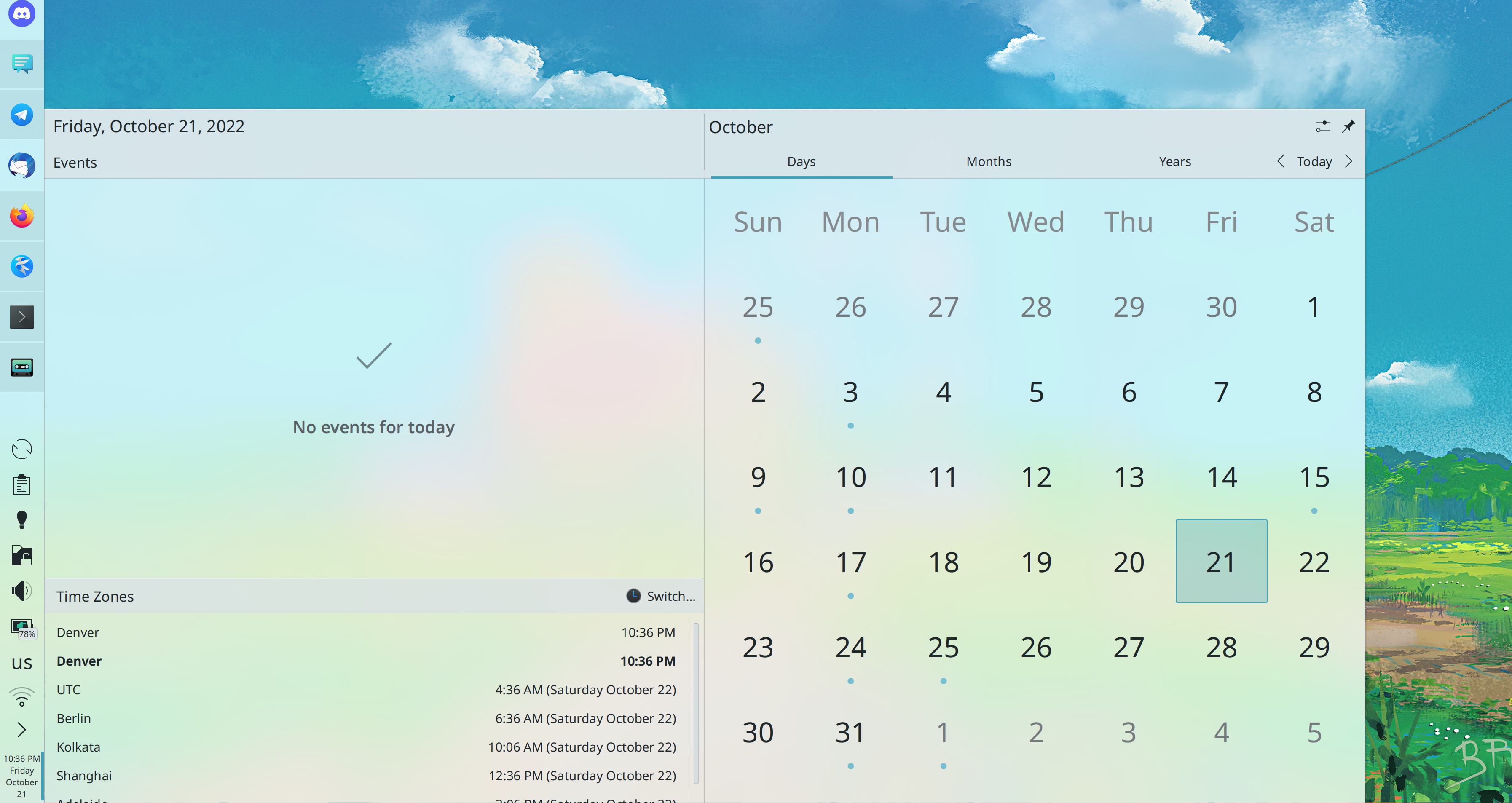
You can now set an alternate calendar that will be displayed inside the main calendar, so you can keep track of dates in both calendars at once! (Fushan Wen, Plasma 5.26):

Bugfixes & Performance Improvements

Dolphin is now more reliably able to download and install new context menu services (Alexander Lohnau, Dolphin 22.04.2)

Elisa’s playlist sidebar is once again keyboard-navigable, and now it works even better than ever before and you can fully reach and trigger all controls for each item in it (Tranter Madi, Elisa 22.08)

System Settings’ Plasma Styles page once again shows your installed Plasma styles (Fushan Wen, Plasma 5.24.6, and I have asked distros to backport it to Plasma 5.24.5 as well)

The “Shut Down” and “Restart” Buttons are once again visible in the fullscreen Application Dashboard launcher (Amy Rose, Plasma 5.24.6)

In the Plasma Wayland session, System Settings’ Drawing Tablet page now correctly remembers what you configured for its “Target Display” setting (David Redondo Plasma 5.42.6)

When shutting down the system, the kded background process now quits properly rather than being abruptly terminated, allowing it to correctly perform cleanup operations which should fix a variety of subtle bugs all over the place (Eugene Popov, Plasma 5.25)

In the Plasma Wayland session, the cursor no longer flickers when dragging something while using the default Breeze cursor theme (Vlad Zahorodnii, Plasma 5.25)

In the Plasma Wayland session, when you have rotated any of your monitors, connecting a new one no longer un-rotates the rotated ones (Aleix Pol Gonzalez, Plasma 5.25)

CSD-using dialog windows in GTK apps using the Breeze GTK theme now have close buttons that match the styling of other windows (Artem Grinev, Plasma 5.25)

Fixed various slightly incorrect colors in GTK apps using the Breeze GTK theme (Artem Grinev, Plasma 5.25)

When you open the Desktop configuration window, the “Wallpaper” item in the sidebar is now correctly highlighted when the rest of the window is showing the Wallpaper page (Fushan Wen, Plasma 5.25)

In the Plasma Wayland session, a wide variety of single-window KDE apps now have their existing windows brought to the front when re-launched from Kickoff, KRunner, etc (Nicolas Fella, Plasma 5.25, KDE apps version 22.08, and various other KDE apps too, I’m sure)

In the Plasma Wayland session, drag-and-drop onto XWayland-using apps now works better (David Edmundson, Plasma 5.25)

In the Plasma Wayland session, when you drag something, the cursor now generally always changes to the correct “you can drop it here” cursor when moving over an area that can accept the dragged thing (David Redondo, Plasma 5.25)

In the Plasma Wayland session, when you hit Meta+V to show the clipboard history menu, an entry for it no longer appears in the Task Manager or Task Switcher (David Redondo, Plasma 5.25)

The Task Manager no longer takes up slightly too much space when not showing anything (Victor Pavan, Plasma 5.25)

When using System Settings’ icon view, hovering over an icon on the homepage no longer shows two tooltips (Ismael Asensio, Plasma 5.25)

In the Plasma Wayland session, when you launch a single-instance app that’s already running using either a global shortcut or the Overview Effect’s KRunner-powered search field, its window is now raised as you would expect (Aleix Pol Gonzales, Plasma 5.25 with Frameworks 5.95)

Column views in Kirigami no longer leak memory when you navigate back and forth in them (David Edmundson, Frameworks 5.95)

User Interface Improvements

When you hover over the free space bar at the bottom of a Dolphin window, its tooltip now tells you the disk capacity too (Shubham, Dolphin 22.08):

When using your system in Chinese, Japanese, or Korean, the alphabetical ordering of apps in Kickoff now groups apps by the romanization of their names, not their first characters–which it may surprise you to learn is something considered generally desirable by speakers of those languages (Xuetian Weng, Plasma 5.25):

CSD-using GTK apps using the Breeze GTK theme now better match the styling of other apps: their corner radius is now equal, there’s a subtle light highlight on top, and menu shadows look like the shadows for Qt/KDE menu shadows (Artem Grinev, Plasma 5.25):

“Level bars” in apps using the Breeze GTK theme now have a nice Breezey appearance (Artem Grinev, Plasma 5.25)

System Settings’ Search page now has a simpler UI to include or exclude a folder from indexing: each action just has a button on the bottom of the page to let you do it (Áron Kovács, Plasma 5.25):

System Settings’ Touch Screen Edges page is now only visible in the Plasma Wayland session, since the feature only really works properly on Wayland (me: Nate Graham, Plasma 5.25)

On the login and lock screens, the little battery indicator icon in the corner now has a more aesthetically pleasing size and scale (Ivan Tkachenko, Plasma 5.25)

The User Switcher widget now displays a prettier round representation of your user picture (Ivan Tkachenko, Plasma 5.25):

Text for app descriptions in Discover and image metadata in the Picture of the Day wallpaper settings page is now selectable and copyable (Fushan Wen, Plasma 5.26)

Scrolling over the calendar view in various Plasma widgets now does what you would expect (Kai Uwe Broulik, Frameworks 5.95)

Collapsed Kirigami sidebars’ “Open Sidebar” buttons now have a tooltip so you can tell what it is (me: Nate Graham, Frameworks 5.95)

…And everything else

This blog only covers the tip of the iceberg! Tons of KDE apps whose development I don’t have time to follow aren’t represented here, and I also don’t mention backend refactoring, improved test coverage, and other changes that are generally not user-facing. If you’re hungry for more, check out https://planet.kde.org, where you can find more news from other KDE contributors.

How You Can Help

If you’re a developer, check out our 15-Minute Bug Initiative. Working on these issues makes a big difference quickly!

Otherwise, have a look at https://community.kde.org/Get_Involved to discover ways to be part of a project that really matters. Each contributor makes a huge difference in KDE; you are not a number or a cog in a machine! You don’t have to already be a programmer, either. I wasn’t when I got started. Try it, you’ll like it! We don’t bite!

Finally, consider making a tax-deductible donation to the KDE e.V. foundation.