A better fundraising platform

KDE is getting a much more user-friendly fundraising platform, and it’s a big deal!


Currently our small-donor donation page is https://kde.org/community/donations, which lets you make a single one-time donation. To make a recurring donation, you have to visit https://relate.kde.org, which is less user-friendly, and it’s always struck me as odd to have these split up in two locations.

Well, KDE is getting a much better donation system powered by Donorbox, which I hope will turbocharge our fundraising! It’s very user-friendly and allows you to easily make recurring donations, which is important. We already set this up for the Kdenlive fundraiser, and it was a smash hit, raising 100% of the funds in the first month of the 3-month campaign. That fundraiser has since moved into stretch goals!

We’ve now done it again, rolling out a Donorbox-powered donation UI on https://kde.org/bluefriday, our tongue-in-cheek anti-black-friday fundraiser, which will become a general end-of-year campaign. This work was done by members of KDE’s promo team and fundraising working group, principally Lays Rodrigues, Carl Schwan, and Paul Brown. And so far the response has been huge! The fundraiser opened yesterday, and at the time of publication, it’s already collected 530€ from 28 generous donors! And after the new year, the current plan is to continue to use the Donorbox-powered UI for all small donations.

This really goes to show how important user-friendliness is. When you make it easy for people to give you money… they give you more money! Thank you so much, everyone.

Why is all this money stuff so important? Well, it’s how the KDE e.V. pays for hiring (such as for the Platform Software Engineer position I blogged about two days ago), development sprints, conferences, infrastructure, and similar activities that help KDE thrive and grow. If we’re gonna hugely expand technical employment–which is a major goal of mine–then we’re gonna need a lot more recurring donations to do it.

So what are you waiting for? Head over to https://kde.org/bluefriday and make a donation today. If it’s a recurring donation, we’ll love you forever! 🥰

KDE is hiring a software engineer

Yes that’s right folks, it’s happening!!! KDE is growing up, joining the big leagues, and cooking on all burners!

The KDE e.V. recently dipped its toes into the waters of technical hiring by contracting with longtime KDE contributor Ingo Klöcker to maintain and improve KDE’s packaging infrastructure for non-FOSS platforms. Now we’re at it again with a new open position for a “Software Platform Engineer.”

This is an open-ended development position, with responsibilities for work on KDE frameworks, Plasma, Qt, middleware like Pipewire and Wayland protocols–basically, the same things that a lot of people are already doing. But… on a consistent work-work basis, for money, with your KDE friends as professional colleagues and supervisors!

If this interests you, check out the job ad and apply! We want lots of good candidates so we can feel bad about only hiring one person and then feel even more incentivized to open more positions for them too! And we have other open positions as well! So go apply for a career in KDE today!

Of course sustaining these high-pay technical positions won’t be cheap. The KDE e.V. can just barely afford it now, and needs a larger and growing budget to be able to sustainably keep up the pace of hiring. Please donate today! Every little bit helps. If you can swing it, make it an annual donation!

Interview on the Sudo Show

The latest episode of the Sudo Show with Brandon Johnson and Neal Gompa has an interview with me, on the subject of Kommercializing KDE. It’s quite relevant to my goal of getting our software on the all the hardware we can (AKA World Domination) so give it a listen!

You can also listen right here:

Hope you enjoyed it! And if you like what KDE is doing and want to help its contributors make a living, consider making a donation!

On hiring, and fundraising to make it more biggerer

This year at Akademy, I took the plunge and decided to run for a seat on the KDE e.V.’s board of directors.


What is the KDE e.V.? It’s the nonprofit organization that represents the KDE community in legal and financial matters. It has several paid employees who work on KDE stuff, most notably promotion & marketing, project management, and event planning. You can see more at https://ev.kde.org/corporate/staffcontractors.

By the way, in case you were wondering (as I did at one point), “e.V.” is short for “eingetragener Verein” which is German for “registered association”–basically a type of nonprofit entity.

For several years, I’ve believed and publicly suggested that the KDE e.V. needs to have more technical positions. We need to directly hire KDE community members so they don’t have to seek employment with a 3rd-party company, or even drift away from the community when they have less free time and age into positions of greater financial need. In fact the KDE e.V. has already been moving in this direction, but slowly, because the available budget is pretty small compared to the vastness of the KDE community and the scope of more ambitious hiring. You can get an idea by looking at the report of the Financial Working Group in the 2021 annual report.

So I ran on a platform of hugely increasing both fundraising and technical hiring. And I’m honored to report that I won the election and am now a member of the board!

i got board

To those of you who voted for me, thank you so much for your support. For those of you who didn’t, I hope I can represent you well anyway, and if you get ticked off with anything I’m doing… please tell me! I welcome feedback. This position is all about being a good representative, and that’s what I want to be.


So what does this mean?

It means that a majority of the KDE e.V. membership approves of these goals, so when it gets more money, the KDE e.V. has a mandate to do more hiring–especially for impactful technical positions. It means we will eventually be able to have the big names in KDE paid by KDE, so they can stay in KDE over the long haul! And it also means we need a lot more money to make this happen.

There are a lot of steps to this, including figuring out the legal technicalities of full-time hiring, and increasing the budget so we can make sure we’re always offering market wages. We’ll be investigating potential ways to boost fundraising: hiring a professional fundraising director; applying for a lot more grants; having more explicit fundraising campaigns; gamifying fundraising; sending out nudgey newsletters to people who have donated in the past; making it easier to donate on a recurring basis; and more.

But for now, if you want to see us do more hiring, the best way is to make a donation to the KDE e.V. at https://kde.org/community/donations. It helps. It really does! This money is going to transform KDE into a professional powerhouse with its own internally-employed cadre of world-class superstars. We’re going to take on the Big Tech dogs and win, and we’re going to let our heavy-hitters make a living within KDE while doing it. But it can’t happen without your help, so please consider making a donation today!

Akademy 2022 talk: Konquering the World – Are We There Yet?

Two weeks ago I attended Akademy in Barcelona, KDE’s annual conference. Let me tell you, it was great to finally, finally, finally see people in person again! It was so nice to meet up with old friends, and put faces to names for new ones!

Four years ago I gave a perhaps arrogantly ambitious talk at Akademy 2018 entitled “Konquering the World – a 7-Step Plan to KDE World Domination“. In it, I described how the at-the-time new Usability & Productivity goal supported a deeper end goal of getting KDE Plasma pre-installed on commercially available hardware–that being the only way I believe we can introduce a truly huge number of new people to KDE’s friendly and powerful flavor of free software.

Four years later, the Usability & Productivity goal has been completed, with basically everything it set out to do being done now! So at this year’s Akademy, I gave a talk to discuss the progress in getting KDE Plasma preinstalled on hardware. What were our successes, and what do we still need to work on to make further gains in the arena of pre-installation? Find out here!

TL;DW version: check out https://kde.org/hardware 🙂

KDE roadmap for 2022

Another year, another roadmap! Last year’s was a smashing success, as we delivered on everything. So here’s what I think we can expect in 2022. As always, this is not an official planning document or a promise; it’s just me giving you a sneak peak of some things that are in progress or about to start, and that I think will be feasible to complete before the year’s end!

Merged “Formats and Languages” KCM

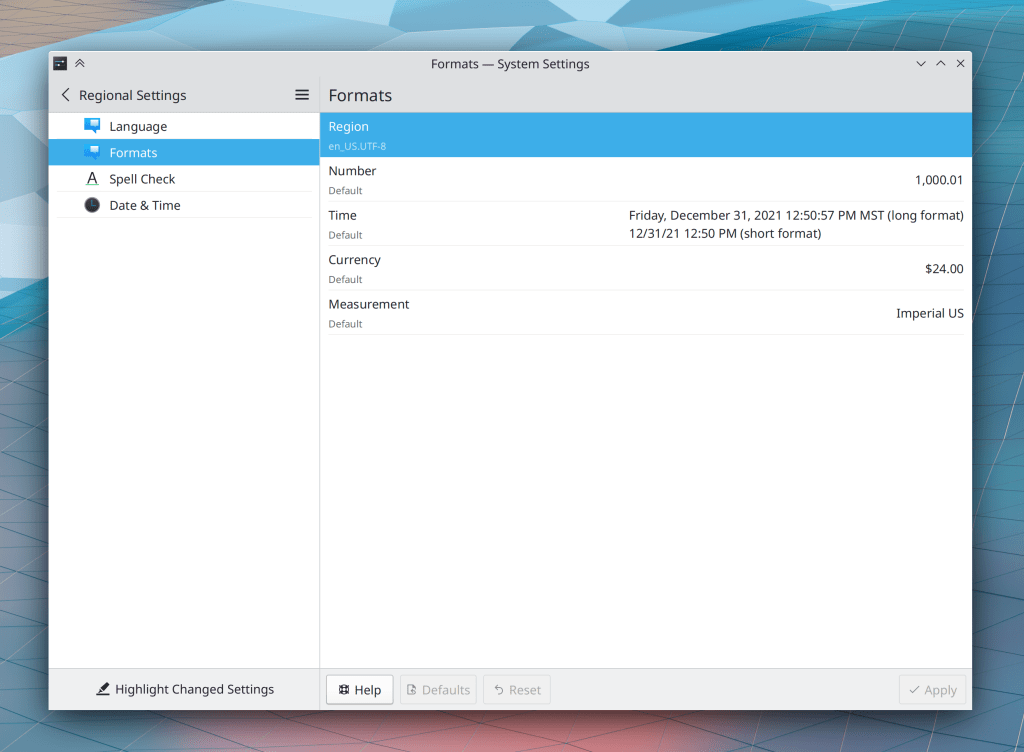
The Languages and Formats pages in System Settings have long been problematic because their scopes overlapped. Not for long! Han Young is working on merging them together into one new page that handles both, making it clear what applies when and making it harder or impossible to mess up your system by choosing incompatible settings. This is in progress and I expect it to be completed sometime in the first half of 2022.

Overhauled Breeze icons

KDE designer Ken Vermette is working on improving and modernizing Breeze icons! Colorful icons will be softened and rounded a bit, and visually updated to remove old ugly elements like the long shadows. Monochrome icons will eventually get attention too. All of them are expected to become more responsive to your system color scheme, and look better when doing so. Initial work for Places icons has already been submitted and is being reviewed. This work will soon start landing piece by piece, and you can read more about it on Ken’s blog.

Multi-monitor stuff finally works properly

We plan to focus quite a bit on resolving multimonitor issues this year, and some of that effort has already borne a bit of fruit so far. But there will be a much heavier focus in 2022!

Inertial touchpad scrolling in QtQuick software

A big improvement went in recently that will make this possible to do soon! It seems quite likely that we’ll finally have this sometime in 2022.

The Wayland session can completely replace the X11 session

This is a bit of a moonshot but I think it’s possible. The list of issues on our “Wayland Showstoppers” wiki page is quite low, and when new ones are added, they’re notably lower in severity than the ones that have already been fixed. And now that NVIDIA has added GBM support to their driver and KWin already supports it, I think life should really start to get better for NVIDIA users, who represent a large chunk of dissatisfied Plasma users and those still unable to use the Wayland session at all. Let’s call this a stretch goal, but I think it’s not impossible!

“15 minute bug” initiative

This year I’d like to start something I call the “15 minute bug” initiative–an effort to fix as many of the bugs as possible that are trivially encountered within a quarter hour of basic usage. These are the kinds of issues that form permanent negative opinions in people’s minds, and reinforce the perception that KDE software is buggy and unreliable.

So far I’m limiting it to Plasma and Plasma-aligned software (e.g. KWin, System Settings, Discover) to avoid getting overwhelmed by scope creep. But if it’s wildly popular and successful, I’d love to extend it to apps and frameworks as well! Check out the current list here. I’ll be writing about this in more detail soon!


So that’s the list! What do you think? Is there anything else you think we should focus on in 2022?

Highlights from 2021

The coronavirus pandemic frustratingly continued to spread misery this year, but one silver lining to this cloud was that keeping people at home meant lots of contributions to KDE! As a result this was an enormous year for KDE and all who use its software. Like I did last year, I’d like to mention some of my favorite big features and improvements from the past 12 months. Also like last year, what’s written here is just the tip of the tip of the iceberg, probably not even a tenth of a percent, and also a very selective look at just some of the software I use and follow on a regular basis. There’s a whole lot more at https://planet.kde.org!

Roadmap items

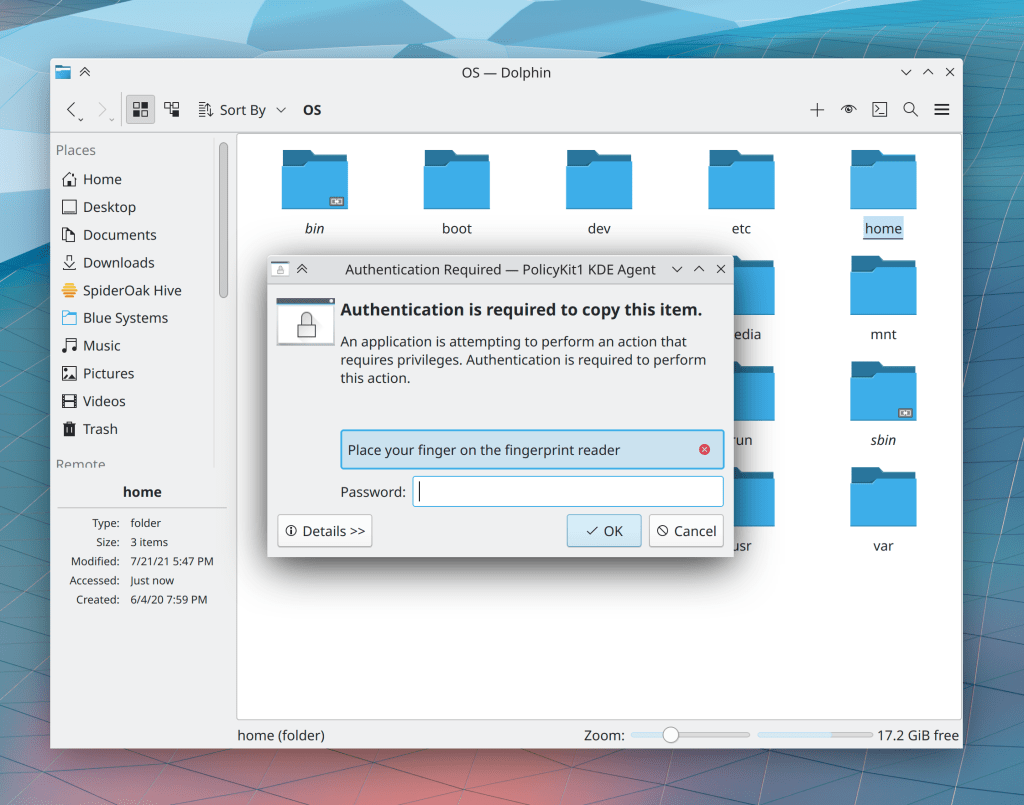
We managed to accomplish all items from last year’s roadmap: a production-ready Plasma Wayland session (Fedora KDE even switched to using it by default!), fingerprint reader support, the Breeze Evolution finished up and landed, a new Kickoff, and text reflow in Konsole! But that’s not all; we also managed to finish up Polkit in KIO, which allows Dolphin and other KIO-using apps to request elevated privileges for editing files and folders you don’t own!

Hardware Partnerships

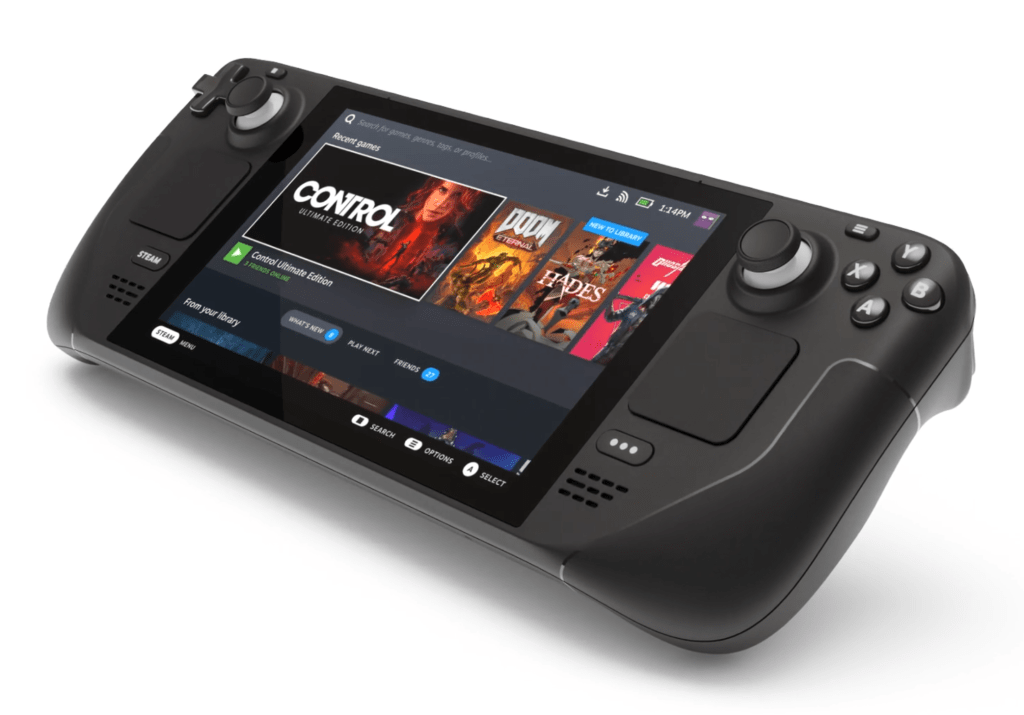
The big news this year was the Steam Deck: a handheld gaming console made by Valve that’s running KDE Plasma under the hood on a custom Arch-based Linux distro! Valve has been sponsoring improvement for Linux gaming up and down the stack, including KDE. This showcases the power of getting vendors to pick your software: they put their own engineering resources into making it even better!

But that’s not all: the new PineBook Pro also ships with Manjaro KDE by default!

Wayland

As I mentioned earlier, I really think the Plasma Wayland session became production-ready this year. It’s still not a full replacement for the X11 session in all cases due to some remaining issues, especially for users of NVIDIA graphics hardware. But I expect those to diminish greatly in 2022.

2021 saw a truly monstrous number of bugfixes and quality of life improvement for Wayland session users, plus tons of new features, including support for Activities, GPU hot-plug, direct scan-out, setting the overscan and underscan, variable refresh rate/FreeSync/adaptive sync, DRM leasing, “Broadcast RGB” for the Intel GPU driver; the ability to choose, enable, and disable the virtual keyboard; a “Primary Monitor” setting like on X11; a new Activation protocol that will eventually let windows come forward when activated from other apps (once all toolkits and/or apps have opted into it); automatic DND mode when screencasting/sharing/recording; and animated transitions when rotating the screen.

As a result of all this improvement, I’m using the Plasma Wayland session full time now. And you know how picky I am!

Akademy

Akademy 2021 was once again virtual, and went quite well. I was feeling kinda burned out at the time and didn’t give a talk this year, but you can watch recordings of everyone else’s talks and sessions here: https://www.youtube.com/c/KdeOrg/videos

Infrastructure

KDE’s GitLab instance at https://invent.kde.org finally got pre-commit continuous integration, so now each merge request can be checked to make sure it compiles, that tests work, code quality doesn’t regress, and so on! Support is fairly basic right now but this should be improving over time.

In addition, https://bugs.kde.org got a major facelift and now look much nicer!

Plasma

This year Plasma got tons of major new features, such as a microphone recording input level visualizer right there in the Audio Volume applet, adaptive panel transparency, support for the power-profiles-daemon feature, two-click renaming in Folder View when using double-click (just like in Dolphin), and the ability to set the wallpaper from the context menu in Dolphin and Folder View!

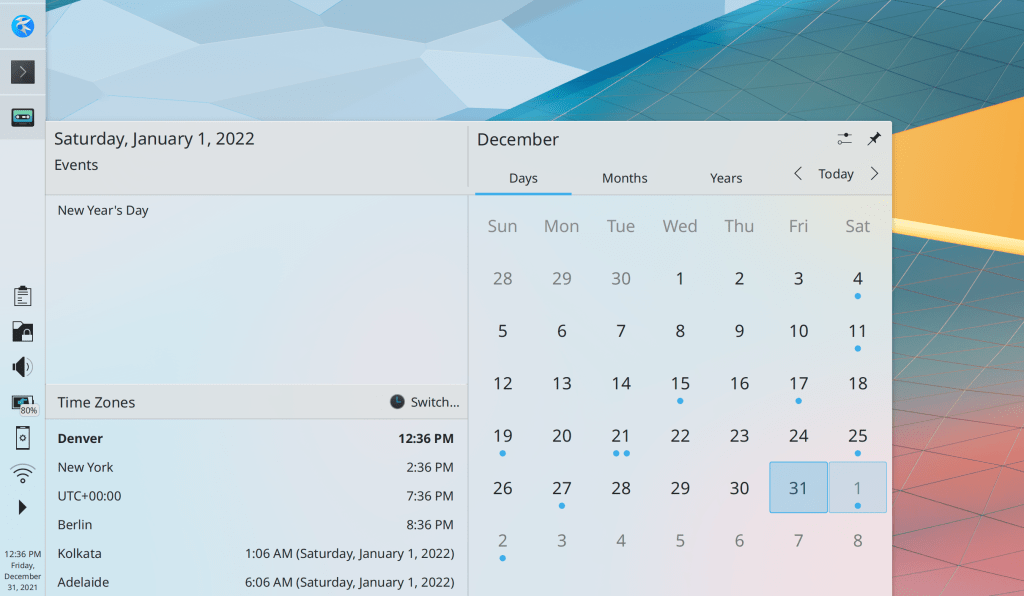
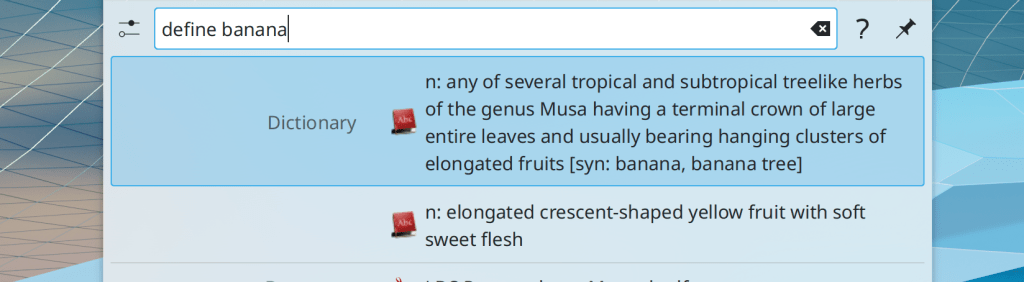
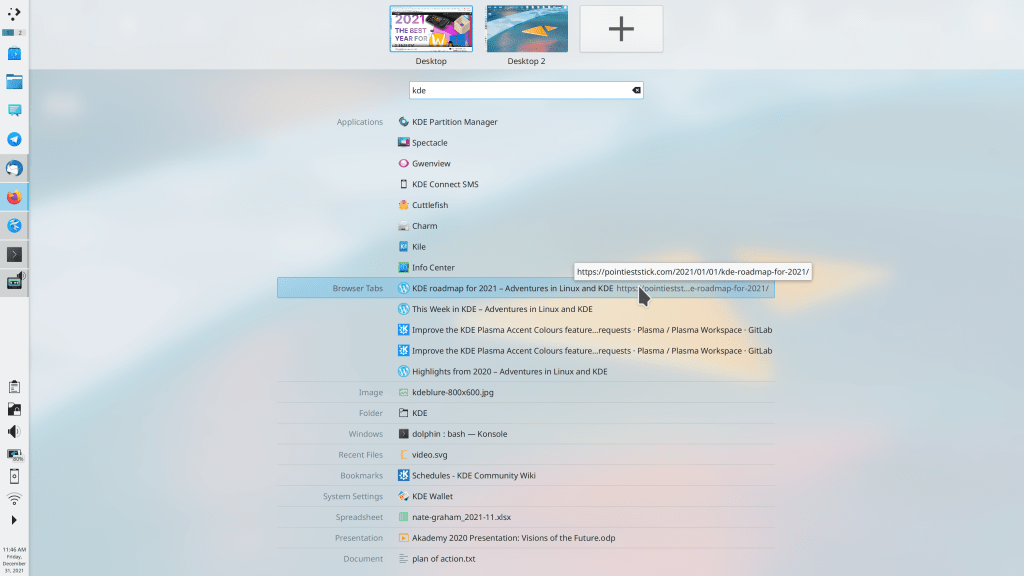
Plenty of UI improvements landed too, including giving a blurred background to desktop widgets, a new better Digital Clock popup, multi-line text support in KRunner so that the Dictionary runner is now usable, inline help in KRunner, a Meta+V shortcut to open the clipboard history popup, a Meta+speaker mute shortcut to mute the microphone.

On X11, many more icons throughout Plasma are now the correct size when using a HiDPI scale factor

Oh and let’s not forget literally the most important thing of all: desktop widgets are no longer jaggy and aliased when rotated. Killer feature, right there.

KWin

This year KWin’s compositing code was rewritten for better performance and smoother animations, which has made a huge difference! It also gained support for the proprietary NVIDIA driver’s GBM backend.

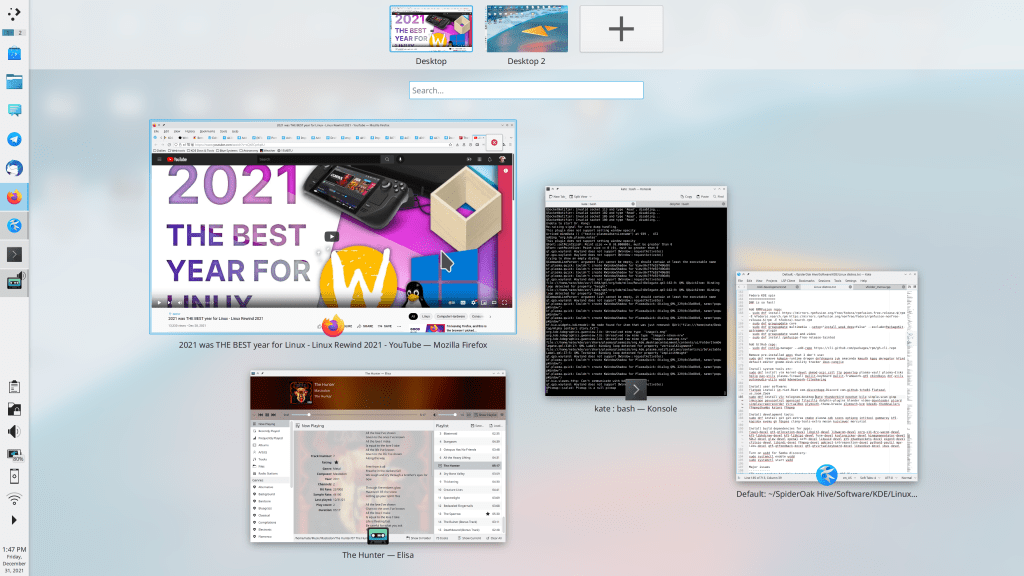
A new “Overview” effect will replace the older Present Windows effect soon. In addition to Present Windows’ current functionality, it also shows virtual desktops and also lets you search using KRunner! It’s like half of GNOME shell, right in KWin. 🙂

Finally, KWin benefited from a few changes to its default settings, including opening new windows in the center of the screen (on whichever screen the cursor is located) and no longer making windows transparent while being moved or resized.

System Settings

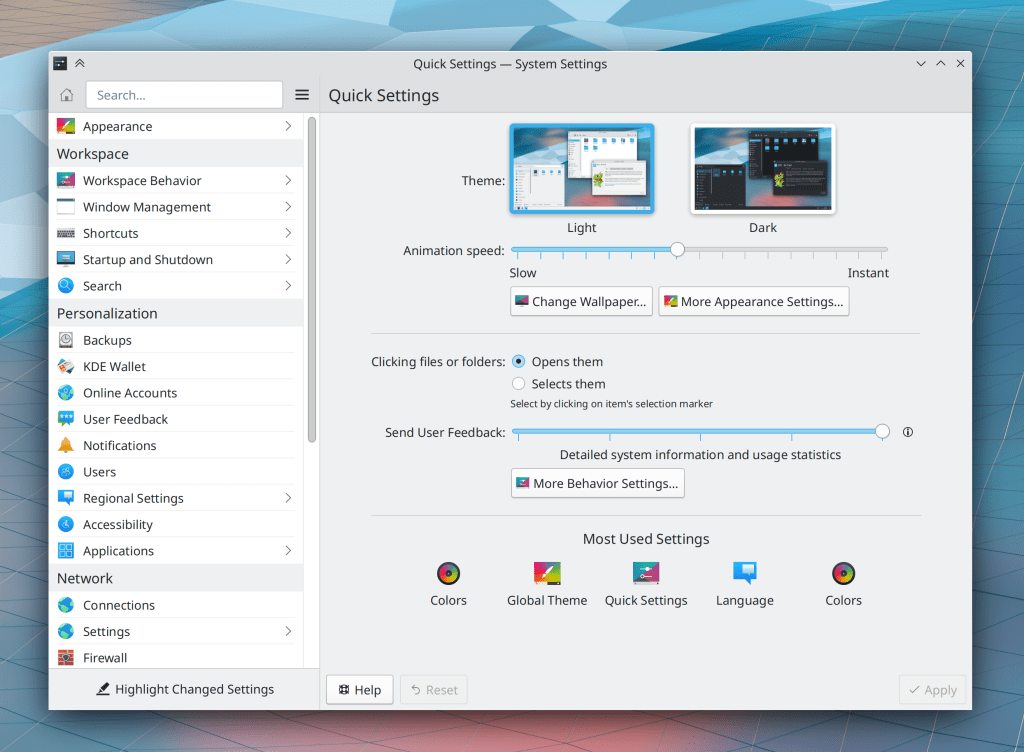
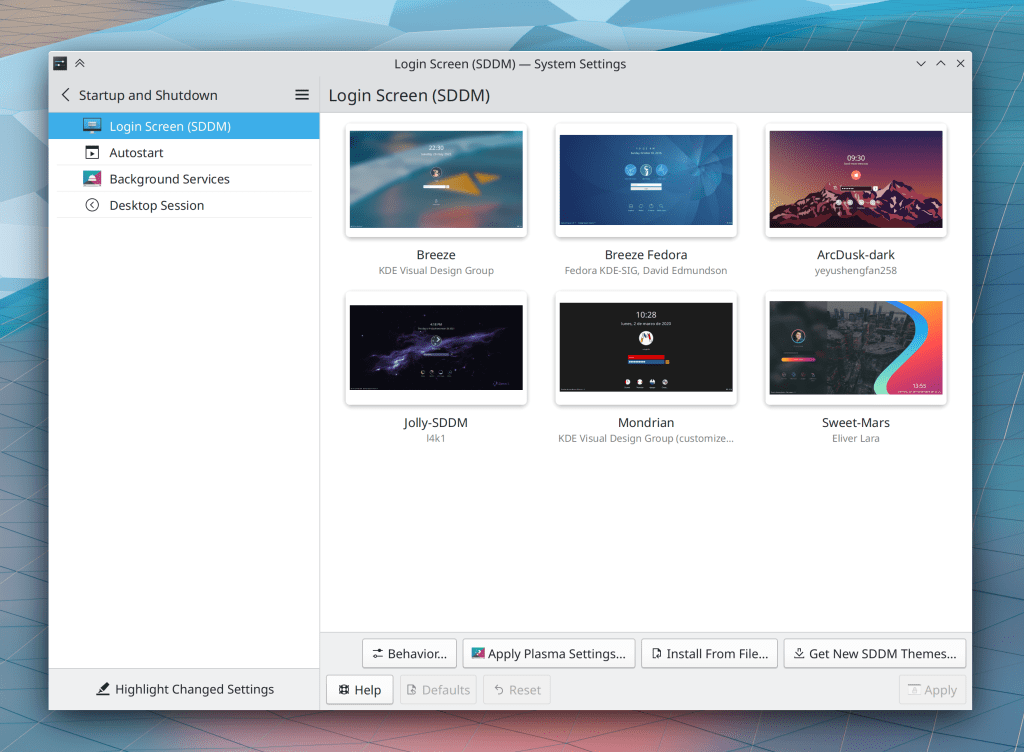
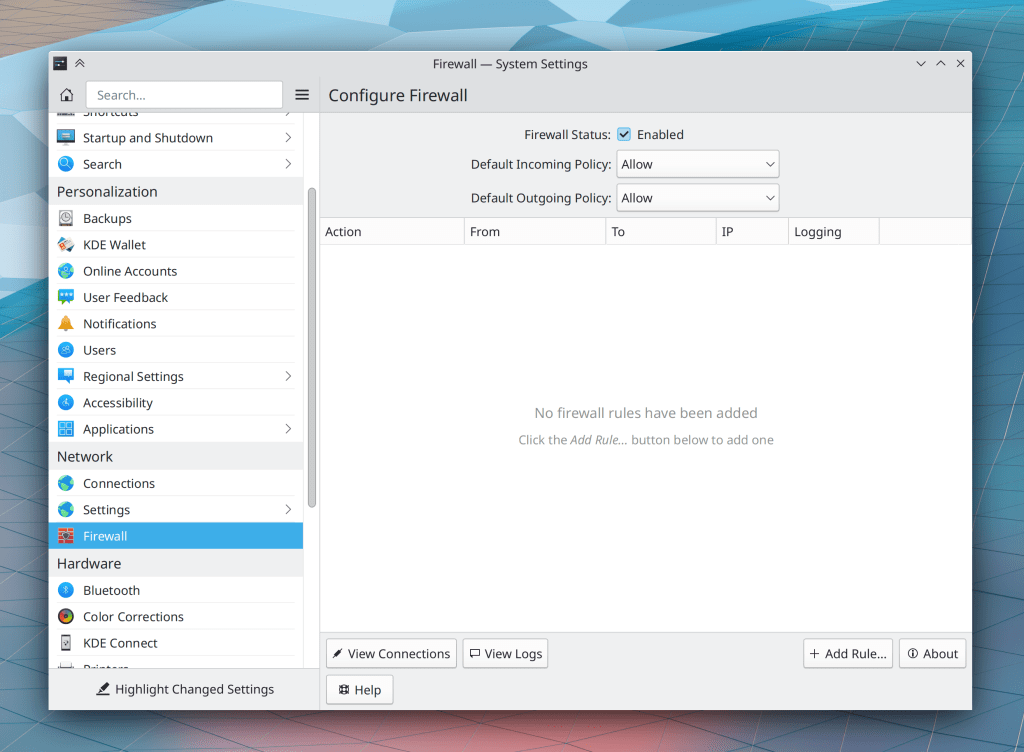
This was a big year for System Settings. It got a new Quick Settings page holding commonly-used settings, including a button to change the wallpaper, and a new accent color feature with accent-colored icons too! The Printers page gained support for browsing and adding network printers shared with Samba. We made a new Firewall page. The SDDM and Formats pages were rewritten in QtQuick for much greater user-friendliness and future hackability. Bluetooth adapter on/off status is now remembered across reboots by default and can be explicitly forced on or off. There were many search keyword improvements, making it easier to find System Settings pages by searching. And you can search in English even when using another language.

Discover

Many UI and UX improvements were made this year, including preventing you from doing anything that would uninstall Plasma, improving the comprehensibility of update issues, offering further help when a search doesn’t turn up something you know exists, letting you enable and disable Flatpak and distro repos, and letting you install locally-downloaded Flatpak apps.

Discover gained support for “offline updates”, and several distros have opted into it (KDE Neon and Fedora KDE, at a minimum), but you can go back to interactive updates if you want.

Applications & Frameworks

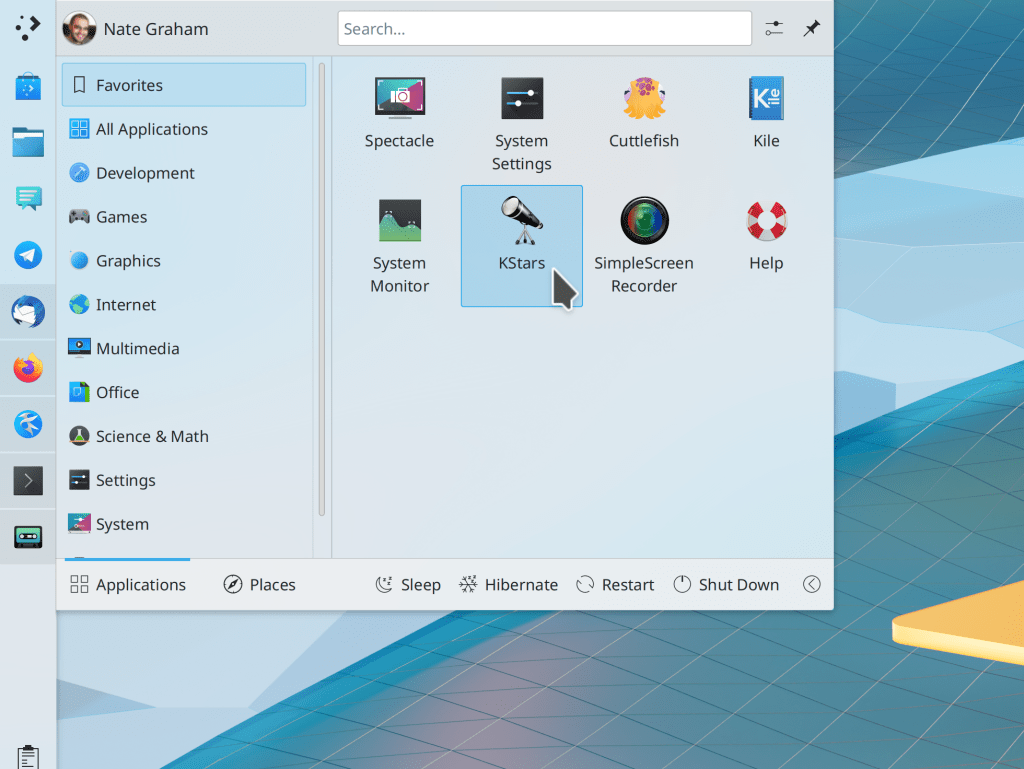
All QtWidgets-based apps implemented KCommandBar, a ludicrous-mode productivity enhancement that shows a command palette when you hit Ctrl+Alt+I and lets you search and run any action in the app!

Another major new UI element for QtWidgets apps is KHamburgerMenu, which lets small and medium-sized apps for which a full menubar is overkill to opt into a simple hamburger menu. Several apps have already opted in, though this is user-configurable and you can turn it off if you prefer the menubar!

In addition, many apps now have expandable tooltips that show you more information when you press the Shift key!

Finally, a variety of apps now have better default window sizes.

Dolphin and file management

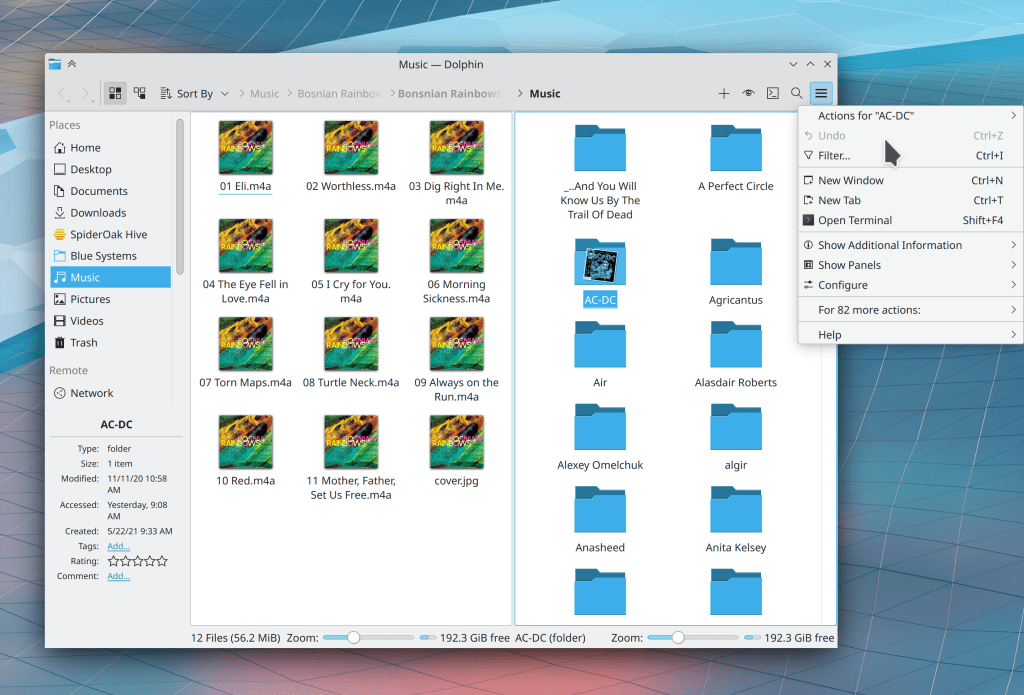
In addition to the aforementioned Polkit-in-KIO project being merged, Dolphin now lets you hit tab/shift-tab while renaming a file to quickly start renaming the next or previous item. the up and down arrow keys also work in Details view! And now its entire context menu is configurable, so you can customize it to your heart’s content.

Elisa

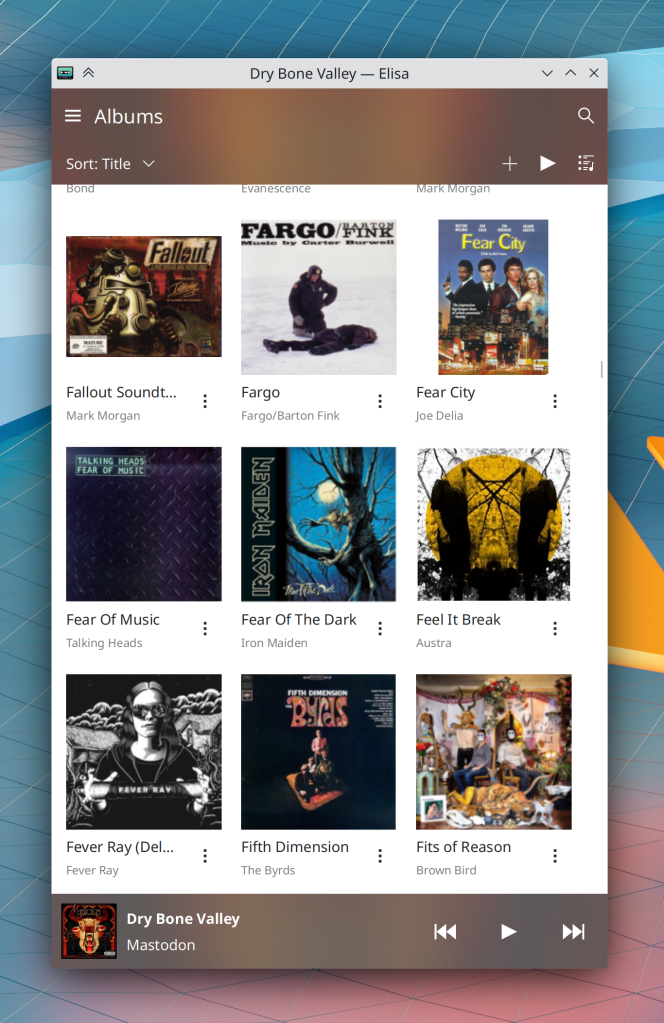
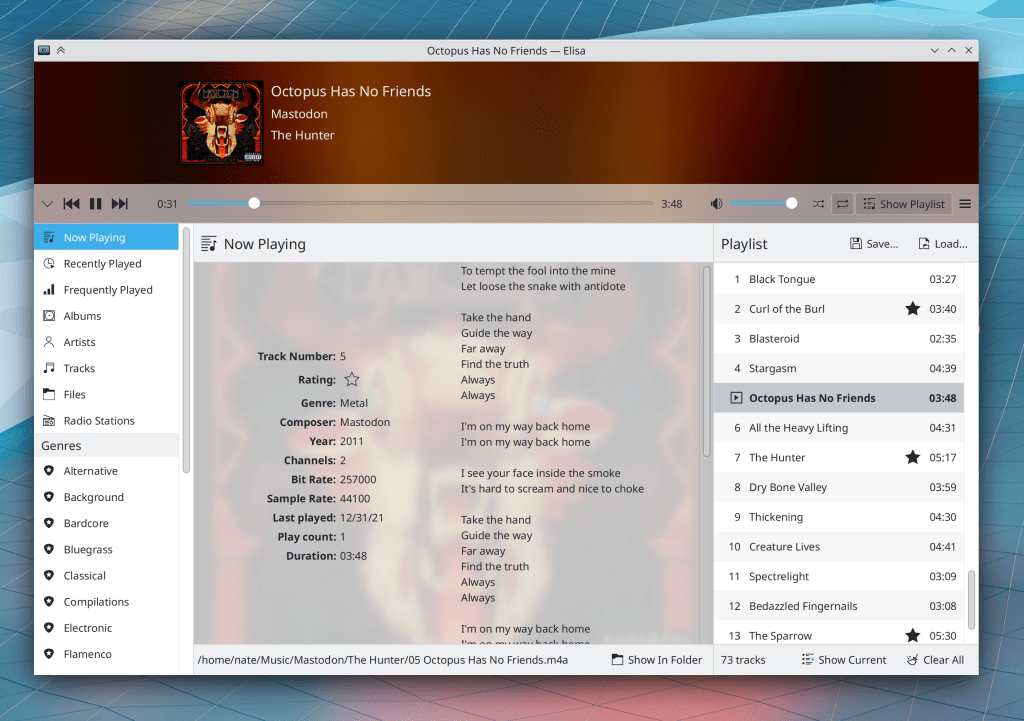
This year Elisa gained a mobile interface for its Plasma Mobile and Android packages. It also lets you rate songs inline without having to go to the metadata window, and use a “Favorite”/”Not favorite” style for ratings if you don’t like 0-5 stars. It also has a responsive two-column Now Playing page and lets you drag-and-drop music from the file manager to the playlist sidebar.

Gwenview

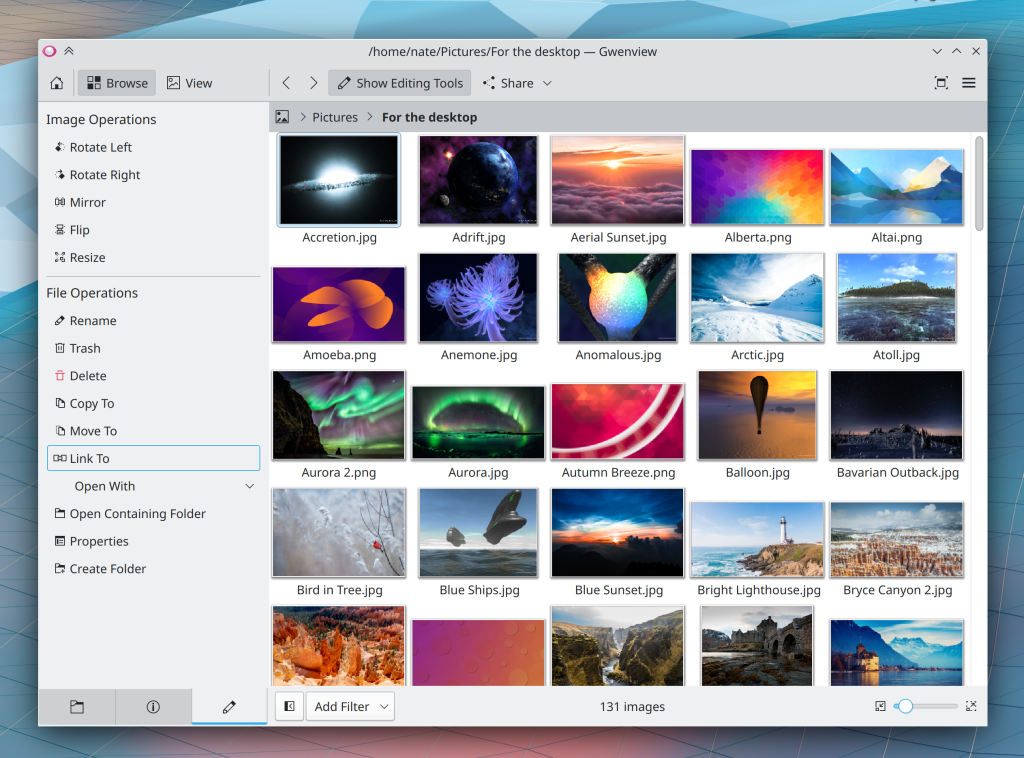
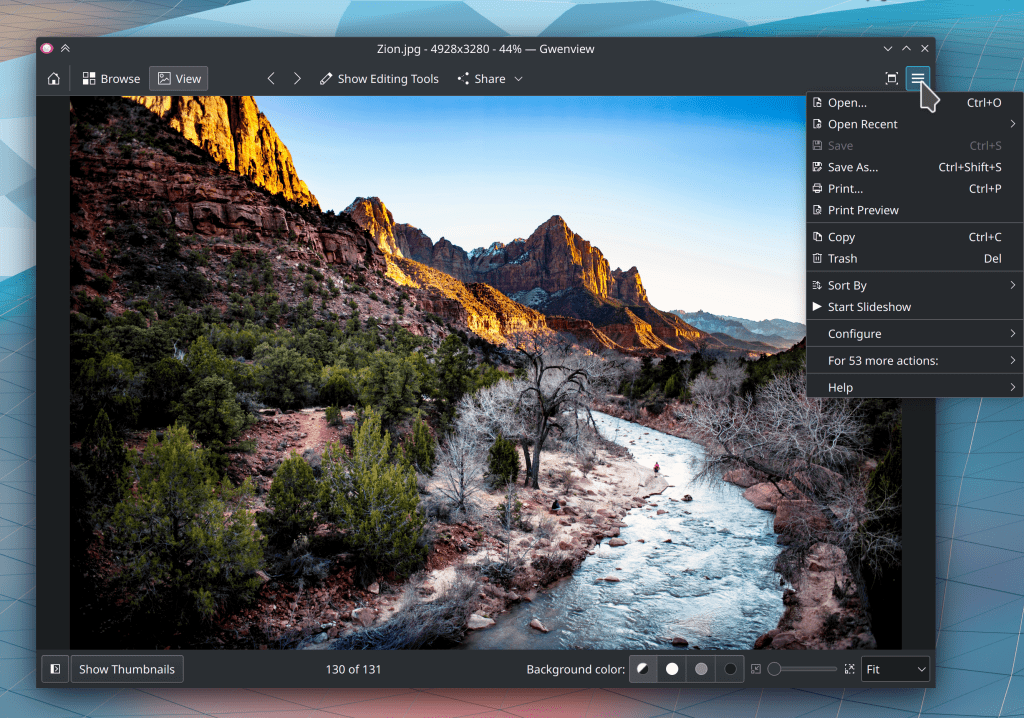
Gwenview got a major UI overhaul this year, including adopting KHamburgerMenu and showing it by default instead of the menubar, a new toolbar layout, a prettier sidebar, and, more controversially, the replacement of Fit/Fill/100% buttons with a zoom combobox and the addition of a background color chooser to the status bar. It also gained a Print Preview feature and its Resize feature now shows you the expected new file size. Finally, it now inherits the sort order from Dolphin when Dolphin is used to open an image in Gwenview.

Spectacle

Spectacle now includes more annotation tools and has the ability to annotate an already-taken screenshot from the notification or the command-line. And it also remembers the last-used capture mode for its automatically taken-screenshot on launch by default, and can be configured to take no screenshot at all. Finally it now respects the last-used values of “include mouse pointer” and “include window titlebar and borders” when taking screenshots using global shortcuts.

Other apps

Ark got a nice welcome screen.

Kate gained Git integration and touchscreen scrolling support.

Kalendar was created and is amazing already!

KCalc gained a history view and its main window can now be resized.

Konsole got support for changing the app’s color scheme independent of the rest of the system.

NeoChat became amazing this year, and is almost a full replacement for Element–lacking only Encrypted chat support, which is being worked on!

Okular got KHamburgerMenu support, which is off by default for now but you can opt-in by hiding the menubar.

Partition Manager doesn’t create new filesystems as root anymore.

Skanlite gained the ability to scan files to the PDF format, and got a new batch mode feature.


And remember, this is just a subset of a subset! KDE has over a hundred other apps which you can find out about at https://apps.kde.org. Next year promises to be very big for KDE. More about that tomorrow!

What desktop Linux needs to succeed in the mainstream

You might be aware of the recent Linus Tech Tips videos about switching to Linux, including one with some complaints about KDE software. For those of you who are following along, I want to let you know that we’re working on fixing the issues Linus brought up, and you can track our progress here. Thankfully most of the issues are fairly minor and should be easy to fix.

This blog post is my version of Sway developer Drew DeVault’s post about the videos, regarding the question of what desktop Linux needs to go mainstream. Drew emphasizes accessibility, and I agree, but with a slightly different conclusion:

Desktop Linux needs to be pre-installed on retail hardware to succeed in the mainstream.

That’s it.

Allow me to explain.


People get hung up a lot on features and usability, and these are important. But they’re means to an end and not good enough ends by themselves. Quality means nothing if people can’t get it. And people can’t get it without accessible distribution. High quality Linux distros aren’t enough; they need to be pre-installed on hardware products you can buy in mainstream retail stores! “The mainstream” buys products they can touch and hold; if you can’t find it in a mainstream store, it doesn’t exist.

Think about it: why do normal people use Windows or macOS? Because the physical computer they bought included it. iOS or Android? Because it was shipped by default on their physical smartphone. The notion of replacing a device’s operating system with a new one doesn’t exist to “the mainstream”. Only the “three-dot” users ever do that, and they’re about 5% of the market. If the only way to get your OS is to install it yourself, you have no chance of succeeding in the mainstream.

As for features, people generally use only a very small fraction of what’s available to them. When it comes to usability, most users memorize their software rather than understanding it–and you can memorize anything if you really have to. A better user interface helps, but it isn’t needed for the memorizers and mostly benefits power users (the 30% of the market “two-dot and up” crowd) who recognize patterns and appreciate logic, consistency, and good design. So these are not good enough on their own.

This doesn’t mean we should forget about features and usability! Not at all! But if the goal is to “go mainstream,”we have to understand the true audience: hardware vendors, not end users. The goal is to have a software product appealing enough to get picked up by vendors when they go shopping for one, because that’s mostly how it works. Companies like Apple that do their own custom top-to-bottom hardware and software for big-name products are rare. Most build on top of 3rd-party software that requires the least integration and custom work from their in-house software team. If your software isn’t up to the task, they move onto the next option. So when some hardware vendor has a need, your software better be ready!

And what do hardware vendors need?

  • Flexibility. Your software has to be easily adaptable to whatever kind of device they have without tons of custom engineering they’ll be on the hook for supporting over the product’s lifecycle.
  • Features that make their devices look good. Support for its physical hardware characteristics, good performance, a pleasant-looking user interface… reasons for people to buy it, basically.
  • Stability. Can’t crash and dump users at a command line terminal prompt. Has to actually work. Can’t feel like a hobbyist science fair project.
  • Usability that’s to be good enough to minimize support costs. When something goes wrong, “the mainstream” contacts their hardware vendor. Usability needs to be good enough so that this happens as infrequently as possible.

It doesn’t need to be perfect. It just needs to do that stuff. This is how Windows conquered the PC market in the 90s despite being terrible! And our stuff is much better!


I see evidence that this is already working for KDE. Pine ships Manjaro with Plasma Mobile and Plasma Desktop on the PinePhone and PineBook Pro, respectively. Valve also picked Plasma Desktop for the Steam Deck, replacing GNOME for their new version of SteamOS. I see KDE software as well-positioned here and getting better all the time. So let’s keep doubling down on delivering what hardware vendors need to sell their awesome products.

More about those zero-dot users

Yesterday’s article about KDE’s target users generated some interesting discussions about the zero-dot users. One of the most insightful comments I read was that nobody can really target zero-dot users because they operate based on memorization and habit, learning a series of cause-effect relationships: “I click/touch this picture/button, then something useful happens”–even with their smartphones! So even if GNOME and ElementaryOS might be simpler, that doesn’t really matter because it’s not much harder to memorize a random-seeming sequence of clicks or taps in a poor user interface than it is in a good one.

I think there’s a lot of truth to this perspective. We have all known zero-dot users who became quite proficient at specific tasks; maybe they learned how to to everything they needed in MS Office, Outlook, or even Photoshop.

The key detail is that these folks rely on the visual appearance and structure of the software remaining the same. When the software’s user interface changes–even for the better–they lose critical visual cues and reference points and they can’t find anything anymore.

On the desktop side, these people are the target audience for Long Term Support (LTS) distros, where the UI never changes for years at a time. This is exactly what they want because they prefer a bad yet unchanging UI to one that incrementally evolves to be better.

So I think if we want to reach these people, it will probably be done less by improving Plasma or KDE apps, but rather by being more attentive to our existing Plasma LTS offering and broadening it to encompass apps and frameworks as well. That way these other KDE products that are used alongside or underneath Plasma can benefit from more bugfixes without the UI changes of non-LTS upgrades. And we should increase the support period to 5 years or more. It’s 10 years for Red Hat Enterprise Linux! This is what’s needed to have a real LTS product and bring the zero-dot users into the fold.

However I’m not sure we have these resources right now. No KDE developer I know uses the Plasma LTS release. Working on old crappy code isn’t any fun. Backporting fixes is a thankless task. I think we would probably have to pay someone to be the full-time LTS developer-and-backporter if we wanted to have an LTS product worth of its name. It will most likely need to be on the back burner for a while. Hence, focusing on the one-or-more-dots users for the time being.

Who is the target user?

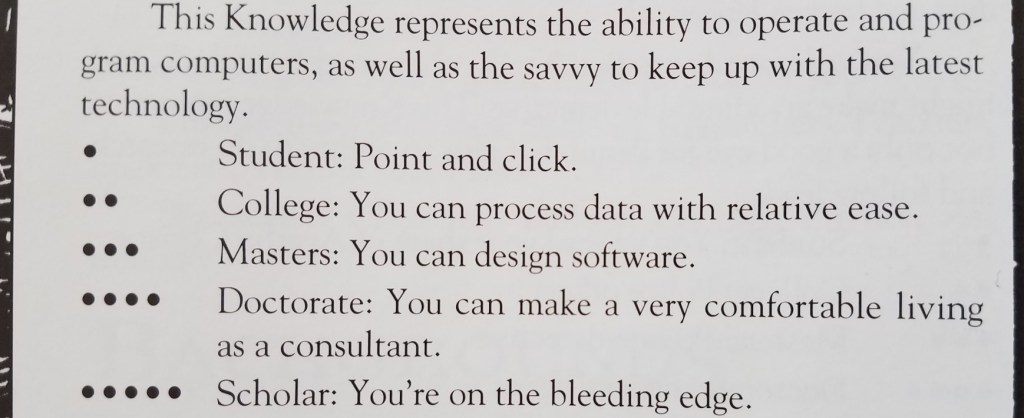
As a teenager, I played a lot of Vampire the Masquerade (VtM)–a tabletop role-playing game. One of the skills in which your character could become experienced was Computers, with ability measured from 0 to 5 dots:

This little table has stayed with me over time. As simple and crude as it is, I think it provides a reasonable measurement scale that can be used to guide software development: you need to decide how many dots in Computers a user must have before they can use your software, which helps you organize the user interface and prioritize features.

My sense is that currently most Linux-based software targets people with three dots in Computers or more, but is often usable for people with two dots. My wife is a solidly two-dot user who is happily using KDE Neon as her distro.

But how many zero and one dot users are out there? What fraction of the market are we abandoning by requiring two dots?


This question was answered a couple of years ago when the Organization for Economic Co-operation and Development commissioned a massive a study of adults’ computer skills, with over 200,000 participants (!!!) across 33 high-income countries. The Nielsen/Normal Group summarized the results, and here I’ll condense them even further:

  • 25% of users cannot use computers at all. AT ALL! These people have zero dots in Computers according to the VtM scale.
  • 14% can can perform easy and obvious button-driven tasks in single simple apps, such as sending or deleting an email. They also have zero dots in Computers, but would be on the higher end of zero. Maybe a little more than half a dot.
  • 29% can use more advanced functionality in individual apps, such as searching for data that is not currently visible, or writing an email reply to multiple people and not just the sender. They have one dot in Computers.
  • 26% can perform multi-step tasks involving more than one app, collate information from external sources, overcome minor errors and obstacles that occur during the process, and do some monitoring of background tasks for activity. They have two dots in Computers.
  • 5% can perform complex tasks involving multiple data sources and apps with lots of navigation, transform imperfect data with tools to make it suitable for the required work, and succeed at ambiguous tasks with more than one correct outcome or possible approach to get it done, overcoming significant roadblocks along the way. These people would probably have three dots in Computers (even if they are not software engineers).

Let that sink in: almost 40% of adults in rich countries have practically no computer skills at all. This isn’t mentioned in the summary, but my personal experience with people in the lowest-skill group (25%) is that they can only use smartphones and tablets, while those in the next skill group (14%) still strongly prefer them over computers.

Another 30% of people have effectively one dot in Computers on the VtM scale. Taken together with the two lowest-skill groups, this means 70% of people’s computer skills are non-existent or very basic. Those with more advanced skills–two dots in Computers and up–are only about 30% of the population.

Maybe the dominance of the smartphone makes a bit more sense now…


KDE is never going to achieve world domination with software that can only be used by at most 30% of the market–those with two or more dots in Computers. To broaden our appeal, we need to make our software usable by at least the people in the next level down (one dot in Computers), which doubles the potential to 60% of the market–going from a minority to a solid majority.

BUT WAIT! Won’t this “dumb down” KDE’s software? Won’t we alienate our current audience of 2-and-3-dots-in-Computers users? After all, smartphone software optimized for zero-dot people is indeed really simple and limiting. So it’s a risk.

But I think good design and high customizability can make software elastic, suitable for users with a range of skills. Software with little or no customizability or poor design can probably only straddle two categories, so decent phone apps would be comfortably usable by people with 0-1 dots in Computers, maybe 0-2 dots with exceptional design. This pretty much matches the experience of myself and many people I know: those with more technical ability find most phone apps to be limiting and prefer using a computer for heavy lifting.

But well-designed software that’s customizable and has good default settings can accommodate a wider range of skill levels: people with 1-3 dots, or even 1-4 dots!

We can deliberately exclude the zero-dot people from our target audience, who are probably never going to be happy with KDE software. Our focus on power will bleed through in even the simplest apps, and just never appeal to them. GNOME and ElementaryOS can have those users. 🙂

This is what I think we should shoot for in KDE: software that is simple by default so it can work for 1-dot users, but powerful when needed via expansive customization, so that it can appeal all the way to the 4-dot users–which includes many KDE developers. This is currently a strength of KDE software, and it won’t be going away!

Essentially we need to fully embrace Plasma’s motto of “Simple by default, powerful when needed” all KDE software, not just Plasma.

I see a lot of this already happening via our simple-by-default Kirigami apps gaining power and customization opportunities, and our powerful-by-default QtWidgets apps gaining better default settings and a streamined appearance. So let’s keep it up!


Edit: check out this follow-up post: https://pointieststick.com/2021/11/30/more-about-those-zero-dot-users