More about those zero-dot users

Yesterday’s article about KDE’s target users generated some interesting discussions about the zero-dot users. One of the most insightful comments I read was that nobody can really target zero-dot users because they operate based on memorization and habit, learning a series of cause-effect relationships: “I click/touch this picture/button, then something useful happens”–even with their smartphones! So even if GNOME and ElementaryOS might be simpler, that doesn’t really matter because it’s not much harder to memorize a random-seeming sequence of clicks or taps in a poor user interface than it is in a good one.

I think there’s a lot of truth to this perspective. We have all known zero-dot users who became quite proficient at specific tasks; maybe they learned how to to everything they needed in MS Office, Outlook, or even Photoshop.

The key detail is that these folks rely on the visual appearance and structure of the software remaining the same. When the software’s user interface changes–even for the better–they lose critical visual cues and reference points and they can’t find anything anymore.

On the desktop side, these people are the target audience for Long Term Support (LTS) distros, where the UI never changes for years at a time. This is exactly what they want because they prefer a bad yet unchanging UI to one that incrementally evolves to be better.

So I think if we want to reach these people, it will probably be done less by improving Plasma or KDE apps, but rather by being more attentive to our existing Plasma LTS offering and broadening it to encompass apps and frameworks as well. That way these other KDE products that are used alongside or underneath Plasma can benefit from more bugfixes without the UI changes of non-LTS upgrades. And we should increase the support period to 5 years or more. It’s 10 years for Red Hat Enterprise Linux! This is what’s needed to have a real LTS product and bring the zero-dot users into the fold.

However I’m not sure we have these resources right now. No KDE developer I know uses the Plasma LTS release. Working on old crappy code isn’t any fun. Backporting fixes is a thankless task. I think we would probably have to pay someone to be the full-time LTS developer-and-backporter if we wanted to have an LTS product worth of its name. It will most likely need to be on the back burner for a while. Hence, focusing on the one-or-more-dots users for the time being.

Who is the target user?

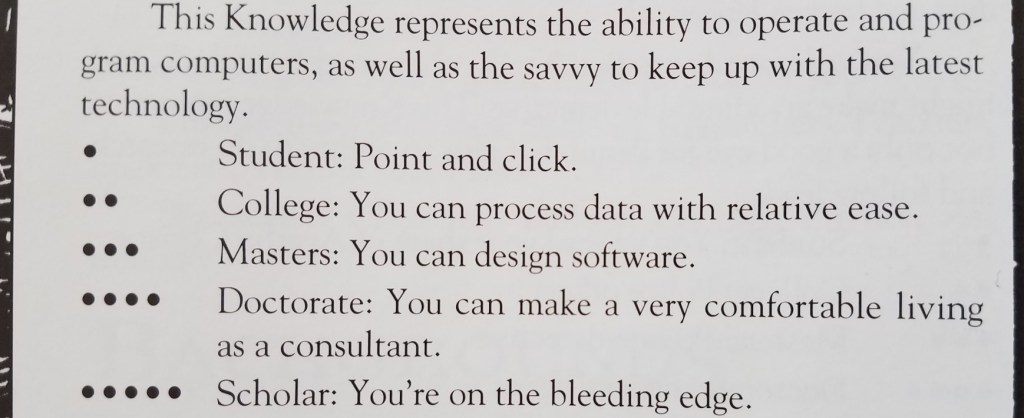
As a teenager, I played a lot of Vampire the Masquerade (VtM)–a tabletop role-playing game. One of the skills in which your character could become experienced was Computers, with ability measured from 0 to 5 dots:

This little table has stayed with me over time. As simple and crude as it is, I think it provides a reasonable measurement scale that can be used to guide software development: you need to decide how many dots in Computers a user must have before they can use your software, which helps you organize the user interface and prioritize features.

My sense is that currently most Linux-based software targets people with three dots in Computers or more, but is often usable for people with two dots. My wife is a solidly two-dot user who is happily using KDE Neon as her distro.

But how many zero and one dot users are out there? What fraction of the market are we abandoning by requiring two dots?


This question was answered a couple of years ago when the Organization for Economic Co-operation and Development commissioned a massive a study of adults’ computer skills, with over 200,000 participants (!!!) across 33 high-income countries. The Nielsen/Normal Group summarized the results, and here I’ll condense them even further:

  • 25% of users cannot use computers at all. AT ALL! These people have zero dots in Computers according to the VtM scale.
  • 14% can can perform easy and obvious button-driven tasks in single simple apps, such as sending or deleting an email. They also have zero dots in Computers, but would be on the higher end of zero. Maybe a little more than half a dot.
  • 29% can use more advanced functionality in individual apps, such as searching for data that is not currently visible, or writing an email reply to multiple people and not just the sender. They have one dot in Computers.
  • 26% can perform multi-step tasks involving more than one app, collate information from external sources, overcome minor errors and obstacles that occur during the process, and do some monitoring of background tasks for activity. They have two dots in Computers.
  • 5% can perform complex tasks involving multiple data sources and apps with lots of navigation, transform imperfect data with tools to make it suitable for the required work, and succeed at ambiguous tasks with more than one correct outcome or possible approach to get it done, overcoming significant roadblocks along the way. These people would probably have three dots in Computers (even if they are not software engineers).

Let that sink in: almost 40% of adults in rich countries have practically no computer skills at all. This isn’t mentioned in the summary, but my personal experience with people in the lowest-skill group (25%) is that they can only use smartphones and tablets, while those in the next skill group (14%) still strongly prefer them over computers.

Another 30% of people have effectively one dot in Computers on the VtM scale. Taken together with the two lowest-skill groups, this means 70% of people’s computer skills are non-existent or very basic. Those with more advanced skills–two dots in Computers and up–are only about 30% of the population.

Maybe the dominance of the smartphone makes a bit more sense nowโ€ฆ


KDE is never going to achieve world domination with software that can only be used by at most 30% of the market–those with two or more dots in Computers. To broaden our appeal, we need to make our software usable by at least the people in the next level down (one dot in Computers), which doubles the potential to 60% of the market–going from a minority to a solid majority.

BUT WAIT! Won’t this “dumb down” KDE’s software? Won’t we alienate our current audience of 2-and-3-dots-in-Computers users? After all, smartphone software optimized for zero-dot people is indeed really simple and limiting. So it’s a risk.

But I think good design and high customizability can make software elastic, suitable for users with a range of skills. Software with little or no customizability or poor design can probably only straddle two categories, so decent phone apps would be comfortably usable by people with 0-1 dots in Computers, maybe 0-2 dots with exceptional design. This pretty much matches the experience of myself and many people I know: those with more technical ability find most phone apps to be limiting and prefer using a computer for heavy lifting.

But well-designed software that’s customizable and has good default settings can accommodate a wider range of skill levels: people with 1-3 dots, or even 1-4 dots!

We can deliberately exclude the zero-dot people from our target audience, who are probably never going to be happy with KDE software. Our focus on power will bleed through in even the simplest apps, and just never appeal to them. GNOME and ElementaryOS can have those users. ๐Ÿ™‚

This is what I think we should shoot for in KDE: software that is simple by default so it can work for 1-dot users, but powerful when needed via expansive customization, so that it can appeal all the way to the 4-dot users–which includes many KDE developers. This is currently a strength of KDE software, and it won’t be going away!

Essentially we need to fully embrace Plasma’s motto of “Simple by default, powerful when needed” all KDE software, not just Plasma.

I see a lot of this already happening via our simple-by-default Kirigami apps gaining power and customization opportunities, and our powerful-by-default QtWidgets apps gaining better default settings and a streamined appearance. So let’s keep it up!


Edit: check out this follow-up post: https://pointieststick.com/2021/11/30/more-about-those-zero-dot-users

Be flexible to win big

My goal of KDE Plasma World Domination is not a secret at this point. But what does it truly take to get there?

Let’s look at the existing market leaders in the OS space: Microsoft’s Windows and Google’s Android. Neither was the first to market, but they were the first to successfully serve the mass market. Neither is picky about what kind of software you run on them or write for them, so they are used on a wide range of devices by lots of different people. Both work with others in adjacent industries, rather than taking a “my way or the highway” approach. They are flexible.


Before KDE, I came from the Apple world, which takes a different approach. Apple identifies distinct use cases and focuses their efforts like a laser on making them as polished as possible. This works very well, but it requires ignoring, abandoning, or explicitly blocking other use cases, and sometimes inventing new things that conflict with what others are doing, in the hope that their new thing takes over. It requires saying “no” a lot and being opinionated.

Apple’s opinionated approach worked well for me with my own personal use cases in my pre-KDE days, as it did for many millions of other people. But evidently it doesn’t work for everyone, as Apple’s products routinely fail to crack 15% market share. And when they do, they often fall back down to that level after competitors emerge. But that’s okay, because Apple isn’t going for the mass market anyway; they’re happy in their profitable and opinionated boutique niche.

But that’s not KDE, and it never has been; we’ve always dreamed of a broad scope and being useful for everyone. This is what’s behind Plasma desktop’s extreme flexibility; Plasma Mobile for phones; Plasma Bigscreen for TVs; and Plasma Nano for embedded devices. It’s why the Steam Deck handheld gaming console, PinePhone smartphone, and JingPad A1 tablet are built on top of KDE technology.

To be the market leader, you must be flexible enough to accommodate everyone’s weird and random use cases. This includes grandmas, gamers, businesspeople, students, teachers, phones, tablets, shared family PCs, kiosks, and everything in between. It means you have to give up a certain amount of that laser-focus on making a particular use case bulletproof, in favor of flexibly accommodating everyone and working with partners to support their needs so that they can build their products on top of your platform. Windows and Android do this, and so does KDE.

This, fundamentally, is why I believe KDE can and will take over the world. We share the market leaders’ winning strategy and culture of flexibility, and we can supplant them by leveraging our advantages of being free and eternal, our resistance to turning evil because of our diverse stakeholders and decentralized leadership model, and our philosophy of keeping the user in control rather than exploiting them for ad or upgrade revenue.

So I think ultimately we will become the Windows or Android of the Free Open-Source Software world, with projects like GNOME and ElementaryOS competing to be the Apple of FOSS. I think there will absolutely be room for projects like theirs; in fact I think it’s highly likely that they’ll offer a better user experience than we do for people who fit within the usage paradigms they focus on–just like Apple does.


None of this means that we actually have to make our stuff look or behave like Windows or Android, of course. But it means we need to retain their philosophy of not shutting anyone out. We need to stay willing to make changes for vendors who want to ship our software and developers who want to write apps for our platform. We need to keep listening to our users and trying our best to make our software work for them. We need to remain flexible.

And I think we’re doing this. Which is why we’re going to win.

It may take a few decades, but I believe it’s going to happen. If you agree, help get there faster! This crazy thing only works because of people like you and me and all of us. There is no “they” in KDE. So c’mon, get involved and let’s take over the world together.

Why pre-installation is so important

Linus Sebastian of Linus Tech Tips recently did a long-form chat about the Steam Deck and Linux in general. A major complaint was that Linux is too hard to install, and this gets to the heart of why I believe pre-installing our software on devices like the Steam Deck is so important.

The truth is that Linus is right; a Linux-based OS is too hard to install. Only huge nerds can manage it or even have the courage to try in the first place, and it’s easy to be overwhelmed in the process. But let’s face it: this would be the case for Windows or macOS as well. Imagine if every computer was bought as an empty shell and the user needed to choose an operating system, research compatibility, flash a USB drive with the selected OS or buy a DVD or something, and then install it. You think grandma is gonna do that? I don’t think so. How about a busy professional? Forget it.

The only way this works is if the OS comes pre-installed on the physical hardware that people can buy. Then the overwhelming selection process and the technical fiddliness are gone, and people can just start using what they bought. …Like they can when they get a Steam Deck, which comes with Plasma. Or one of the other devices with Plasma pre-installed.

Pre-installation is the only way to grow Plasma out of the clubhouse of the uber-nerds like us. Which means we need to focus on the kinds of issues that are barriers to vendors wanting to ship their hardware with Plasma, or to regular people using the system normally.

This is what matters!

This week in KDE: KDE-powered Steam Deck revealed!

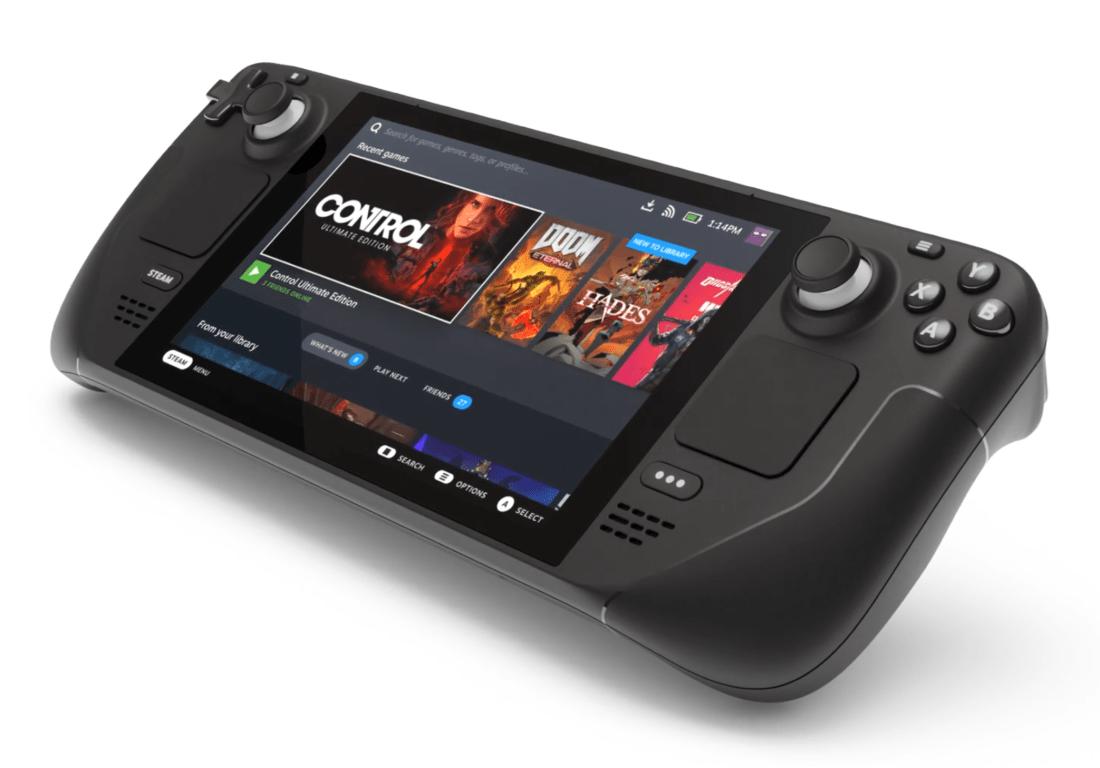
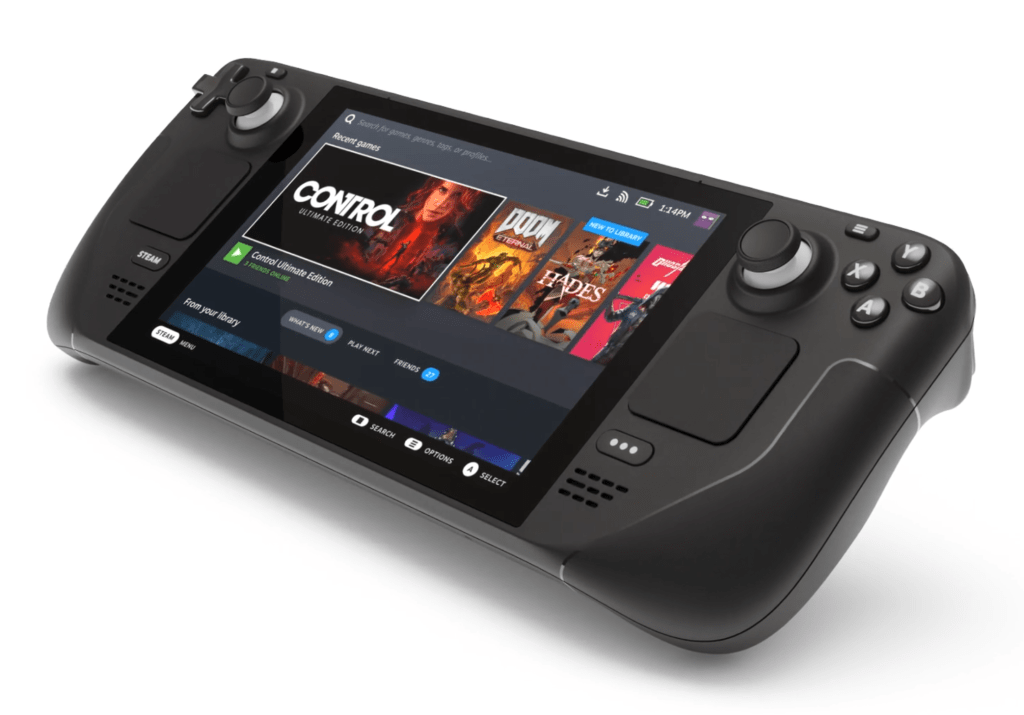
Big big news today: Valve has announced the Steam Deck–a handheld gaming device running KDE Plasma under the hood! This is a big deal, folks. By using a Linux-based OS, Valve is hugely improving the gaming space on Linux, (eventually, hopefully) removing a blocker for a lot of people. And by running KDE Plasma, tons of people will gain exposure to our software when they use the device docked with a monitor, keyboard, and mouse–because yes, you can do that! This thing is a real computer and can be used like one too!

I’m really excited for the Steam Deck, and I see it as evidence that my plan for KDE World Domination is both achievable and in progress. We are going to get KDE software onto every device on the planet, folks!

Full disclosure: I worked (and am still working) on QA for the KDE software side of this project

In addition to that very exciting piece of news, KDE contributors continued plugging away on the usual crop of cool stuff:

New Features

System Monitor and sensor widgets can now display load averages for many sensor types (David Redondo, Plasma 5.23)

Bugfixes & Performance Improvements

Dolphin no longer sometimes crashes when hovering the cursor over the “Activities” item in the context menu (Harald Sitter, Dolphin 21.08)

Gwenview and Dolphin no longer crashes on launch if DBus is not available (Alex Richardson, Gwenview and Dolphin 21.08)

Okular no longer sometimes fails to display FictionBook books (Yaroslav Sidlovsky, Okular 21.08)

Improved the reliability of sorting in Dolphin when folder sizes are using real on-disk sizes (Christian Muehlhaeuser, Dolphin 21.08)

Empty folders in the trash now display the placeholder text “Folder is empty” instead of “Trash is empty” (Jordan Bucklin, Dolphin 21.08)

In the Plasma Wayland session, KWin no longer sometimes crashes when unplugging or re-plugging certain external displays (Xaver Hugl, Plasma 5.22.4)

The ksystemstats daemon (which provides sensor data to System Monitor and the various sensor widgets) no longer crashes on launch for some people with certain hardware (David Redondo, Plasma 5.22.4)

Info Center now displays correct information about non-x86 CPUs (Harald Sitter, Plasma 5.22.4)

KWin’s DRM pipeline has been completely overhauled to offer far-reaching improvements, such as faster speed and startup time, automatic recovery from certain driver bugs, and a modernized infrastructure to make future improvements easier (Xaver Hugl, Plasma 5.23)

When using Plasma’s optional systemd startup feature, KWallet now unlocks properly when it would otherwise be able to (e.g. the wallet is named “kdewallet”, its password matches the login password, and all the necessary PAM bits have been set up properly) (David Edmundson, Plasma 5.23)

When using Plasma’s optional systemd startup feature, the Baloo file indexer now starts up correctly (S Page, Plasma 5.23)

Info Center now shows a placeholder message when the Energy page would be blank, instead of, well, a blank page (Harald Sitter, Plasma 5.23)

In the Plasma Wayland session, left or right-clicking on an app’s System Tray icon no longer causes that app’s icon to start bouncing near the cursor as if it were being launched (David Redondo, Plasma 5.23)

Slightly reduced the resource usage for all QtQuick-based KDE desktop software (Aleix Pol Gonzalez, Frameworks 5.85)

Selecting a custom app/binary in the System Settings Default Applications page now works (David Edmundson, Frameworks 5.85)

When using a custom Plasma theme that lacks graphics for a UI element that Breeze does have graphics for (e.g. the header bar thingy that you see at the top of a lot of applets and notifications), the Breeze theme graphic is no longer inappropriately used anyway (Aleix Pol Gonzalez, Frameworks 5.85)

User Interface Improvements

Thumbnail previews now respect the scale factor and always look sharp and crisp (Mรฉven Car, Dolphin 21.08)

Kate now ships by default with a session, which means that all of its session-specific features like automatically remembering open documents get enabled by default (Michal Humpula, Kate 21.12)

When showing arrows in the scroll tracks, the arrows are now always visible, rather than only being visible when hovering the cursor over the track (Jan Blackquill, Plasma 5.23)

In the Plasma Wayland session, the virtual keyboard state’s enablement/disablement status is now remembered when you restart the system (Xaver Hugl, Plasma 5.23)

System Monitor now exports a global menubar so that those of you who use a Global Menu applet can find things there just as you expect (Felipe Kinoshita, Plasma 5.23)

Buttons for sensors in System Monitor’s customization UI now look better (Noah Davis, Frameworks 5.85)

Traditional in-window menubars in QtQuick-based KDE apps now look like they do in other apps (Janet Blackquill, Frameworks 5.85)

…And everything else

Keep in mind that this blog only covers the tip of the iceberg! Tons of KDE apps whose development I don’t have time to follow aren’t represented here, and I also don’t mention backend refactoring, improved test coverage, and other changes that are generally not user-facing. If you’re hungry for more, check out https://planet.kde.org/, where you can find blog posts by other KDE contributors detailing the work they’re doing.

How You Can Help

Have a look at https://community.kde.org/Get_Involved to discover ways to be part of a project that really matters. Each contributor makes a huge difference in KDE; you are not a number or a cog in a machine! You don’t have to already be a programmer, either. I wasn’t when I got started. Try it, youโ€™ll like it! We donโ€™t bite!

Finally, consider making a tax-deductible donation to the KDE e.V. foundation.

Our stuff is really pretty good

Today is my birthday, and I’ve reached the phase of life where I don’t need or want presents anymore–just a bit of time spent with some of the people who are important to me. And maybe some Chinese food. ๐Ÿ™‚

But today I got a nice present anyway: a glowing review of Plasma from Igor Ljubuncic of Dedoimedo. Go check it out! Igor is a tough reviewer, and always manages to find things to complain about whenever he reviews software, including ours. I’m very happy that he thinks our offerings are so far ahead of everyone else’s.

So let’s keep it that way! But who made this happen? YOU! You, my faithful readers! You, KDE developers and translators and promo people and other contributors! You, KDE distro packagers! You, bug reporters! You, users who spread the word and convert your friends and classmates and colleagues and spouses and parents. All of us are responsible for this success, because we care about the future of computing being high-quality and user-friendly. So happy birthday to everyone! Let’s keep on making the world a better place.

KDE roadmap for 2021

Just like last year, here are the things I expect will get done in 2021:

Leftovers from last year

We’ll finally finish up polkit-in-kio, which got closer in 2020 but didn’t quite make it. 2021 will be the year! We will probably also get power/session actions in the lock screen as this feature is necessary for Plasma Mobile, and making it work in the Plasma Desktop session as well will be fairly simple. Per-screen scaling on X11 seems unlikely given our renewed focus on Wayland, and on that subject…

Production-ready Plasma Wayland session

I’ll be honest: before 2020 the Plasma Wayland session felt like a mess to me. Nothing worked properly. But all of this changed in 2020: suddenly things started working properly. I expect the trend of serious, concentrated Wayland work to continue in 2021, and finally make Plasma Wayland session usable for an increasing number of people’s production workflows.

Fingerprint support throughout the stack

This is already in progress! It’s a lot of work because support needs to be added in SDDM, the lock screen, KAuth, Polkit… There are a lot of moving pieces to put together. I think 2021 will be the year that it finally happens!

Finish up Breeze Evolution

This work is in progress and about half of it has already been merged, to be released in Plasma 5.21. I expect the rest will land in Plasma 5.22 and possible 5.23 later in the year. At that point, the project will be complete and our apps will look super modern and awesome!

Kickoff replacement

A super-fantastic replacement for the venerable Kickoff application launcher has been in heavy development throughout 2020, according to the spec that VDG wrote in 2019. It’s almost done, and I expect it to be merged soon and be released in Plasma 5.21.

Reflowing text in Konsole

This is already in progress and very close to being done! 2021 will be the year that Konsole’s window finally re-flows the text when you resize it.


I feel like we’re getting really really close to the goal of having a mainstream-hardware-ready software stack. In some ways we’re already there, especially when you compare our stuff to some of the weaker offerings in the market. We need to keep plugging away, and start thinking about the next steps: more hardware partnerships, closer coordination with distros, and more engineering effort for our own Neon distro. 2021 is going to be a great year for KDE and KDE users! So what are you waiting for? Get involved! ๐Ÿ™‚

Highlights from 2020

2020 was not an amazing year for most of us, but it sure was for KDE and people who use KDE software! Despite the inability to travel and meet for sprints, conferences, and Akademy in person, we kept busy.

I’d like to highlight some of my favorite improvements throughout KDE! Keep in mind this is not even a small fraction of everything that went on. To keep this post from ballooning a hundred pages long, I’ve had to leave out many smaller features, all of the performance and bugfixing work, and tons of KDE apps that I don’t closely follow, including big important ones like Krita, Kdenlive, Digikam, and GCompris. You can find more news at https://planet.kde.org/.

Also, those of you who like podcasts or are audio learners can listen to a condensed version of this post in the Linux Unplugged podcast #385, where I spoke a bit about some of these things:

Roadmap items

From last year’s proposed roadmap, we got FUSE mounts, improved Samba share discovery, automatic screen rotation, and Breeze Evolution visual overhaul work starting to land!

We did not get PolKit privilege escalation, new photo wallpapers, per-screen scale factors on X11, or inertial scrolling in Plasma and QML apps, or power/session actions on the lock screen. Some of these will be punted to next year. More on that tomorrow!

Hardware Partnerships

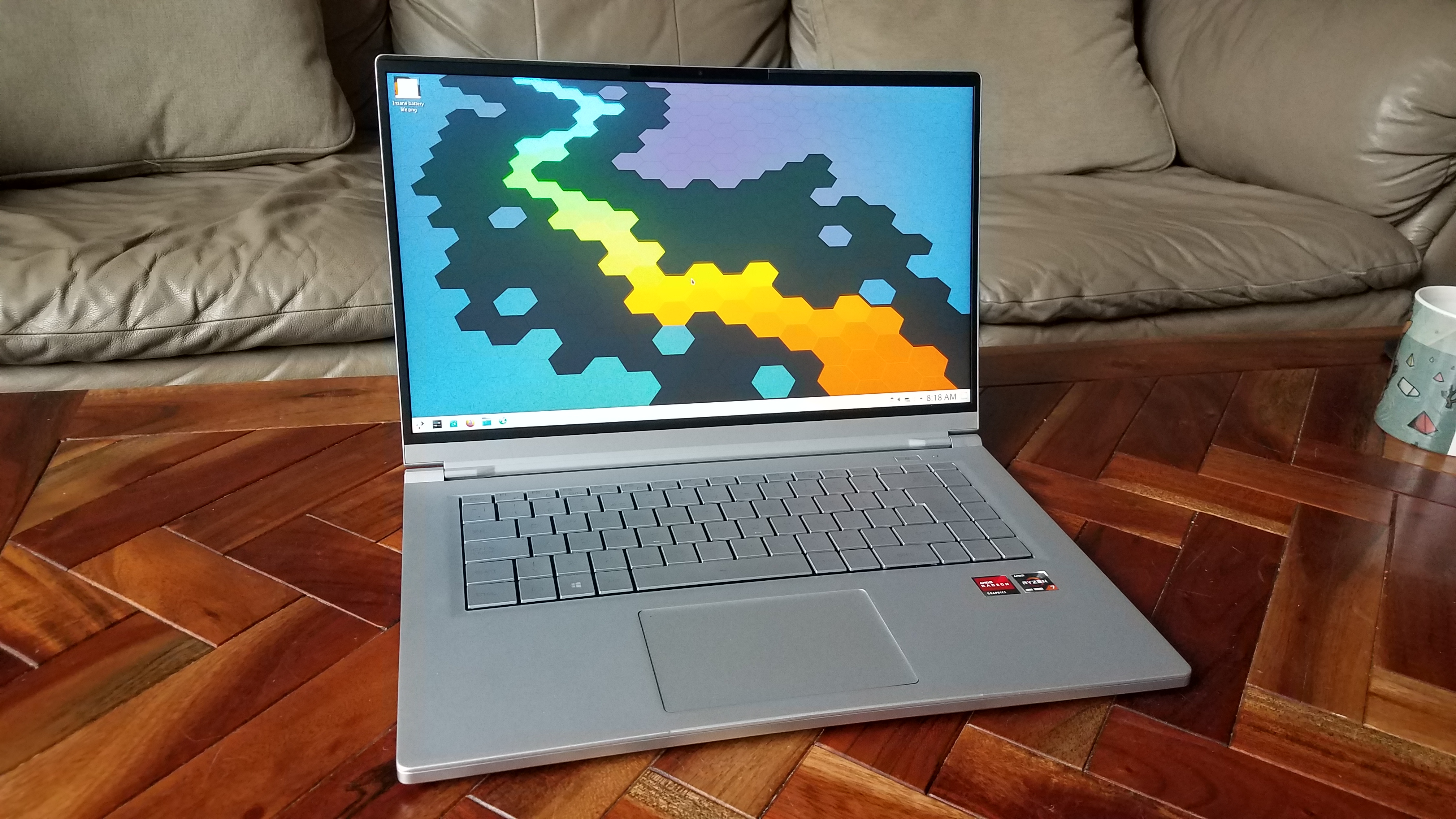
We created a new page on the kde.org website showcasing the ways that you can get Plasma pre-installed on hardware: https://kde.org/hardware/. It showcases two very exciting new devices:

Wayland

This year massive progress was made on the Plasma Wayland session, including screencasting support, shared clipboard support in Klipper, support for middle-click-paste, support for multi-GPU output, support for thew KRunner windows runner, Task Manager Window thumbnails, screen rotation, High DPI screenshot and timer support in Spectacle, the virtual keyboard now works for GTK apps, configurable mouse and touchpad scroll speed, and global menu support. Phew! You can read more about it on Aleix’s blog: https://www.proli.net/2020/12/30/my-2020-with-kwin-wayland/

Websites

The following websites were created or overhauled to modern standards and content:

https://akademy.kde.org, https://api.kde.org, https://apps.kde.org, https://calligra.org, https://dot.kde.org, https://download.kde.org, https://elisa.kde.org, https://ev.kde.org, https://juk.kde.org, https://kdeconnect.kde.org, https://kde.org, https://kde.org/for/kids, https://kde.slimbook.org, https://kid3.kde.org, https://kmymoney.org, https://konversation.kde.org, https://my.kde.org, https://planet.kde.org, https://relate.kde.org, https://season.kde.org, https://subtitlecomposer.kde.org

Check ’em out; they look great!

Akademy

We had our first virtual Akademy, and it went very well thanks to KDE’s talented sysadmins! You can watch the video recordings of all the talks, workshops, and other content at https://www.youtube.com/c/KdeOrg/videos.

Infrastructure

We began the process of migrating to GitLab at https://invent.kde.org! Thus far we are using GitLab for code review, and are working on migrating the continuous integration system next. After that will be Phabricator Tasks, and then hopefully bug reporting (a man can dream).

We also began the process of migrating to a totally new single sign-on system: https://my.kde.org. Read all about it here: https://carlschwan.eu/2020/10/03/announcing-mykde/

Plasma

We kicked off the year with the Plasma 5.18 Long Term Support version, which was received very well, and is shipped in Kubuntu 20.04 and openSUSE Leap 15.2.

It was a big year for Plasma and Breeze app styling. The overhauled visuals we’ve been working on for years started landing, including a defined header area in apps and plasma applets, an updated Breeze Light color scheme that’s now used by default, a new more compact OSD style, and a new optional hybrid dark/light theme. To top it all off, Plasma now uses an Icons-Only Task Manager by default.

We also did a massive overhaul of the System tray from top to bottom: all of the applets were polished both visually and functionally, most bugs were fixed, various new features were added, and the whole thing was made more cohesive overall.

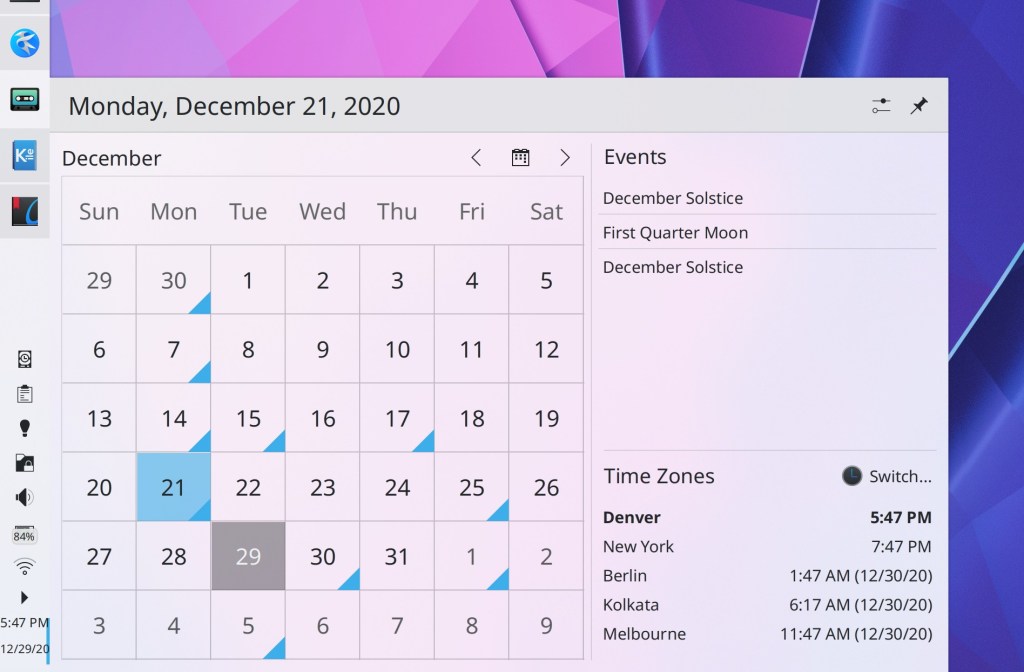
The Digital Clock also received a lot of attention, gaining a fancy new popup that shows timezones, an overhauled page for adding, removing, and switching timezones, and the ability to set the first day of the week. It also shows the date in its panel version by default.

The rest of Plasma gained many new features including a fancy new “Get New [Thing]” dialog, a new System Tray applet for controlling Night Color, new System Monitor applets, a new system monitoring app, a new inline character palette for entering alternative characters, the ability to set a maximum charge limit for laptop hardware that supports it (like Lenovo ThinkPads), and the ability to reply to notifications inline, in apps that support it (like Telegram).

On the backend side, Plasma now has full touch support for Folder View/desktop items, and optional Systemd integration, which improves startup times and gains the ability to group processes by app.

Plasma Mobile also had a banner year, attracting a number of new developers and undergoing heavy development work, culminating in the PinePhone product running Plasma Mobile!

System Settings & Info Center

System Settings and Info Center (which now uses the System Settings app as its backend, sharing code) gained various new features, including automatically syncing relevant system-level Qt/KDE app settings to GTK apps, a “Highlight Changed Settings” feature, the ability to download new KRunner Runners from store.kde.org, a new S.M.A.R.T. Monitoring page and notification system, a new Network Interfaces page, a completely overhauled Samba page. We also ported many System Settings pages to QML. This makes those pages usable in Plasma Mobile and provides an opportunity to modernize the UX. Ported pages include Accessibility, Autostart, Background Services, Bluetooth, Desktop Session, Screen Locking, Shortcuts, Users, and Window Rules.

Those orange dots show which pages have any settings that have been changed from their default settings

KWin

In addition to the aforementioned Wayland work–almost all of which heavily involved KWin–our venerable window manager gained support for clipped subsurfaces and the ability to tile windows to a corner by combining the side tiling shortcuts. We also changed the window dragging shortcut to Meta+Drag to avoid conflicts with popular apps, and made minimized windows no longer automatically move to the end of the Task Switcher. All of this in additions to tons and tons of bugfixes and performance work.

Applications & Frameworks

All KDE apps now support AV1 images, support copy-on-write support when using the BTRFS file system, and remember the positions of their windows, including on a per-screen-arrangement basis.

Dolphin and file management

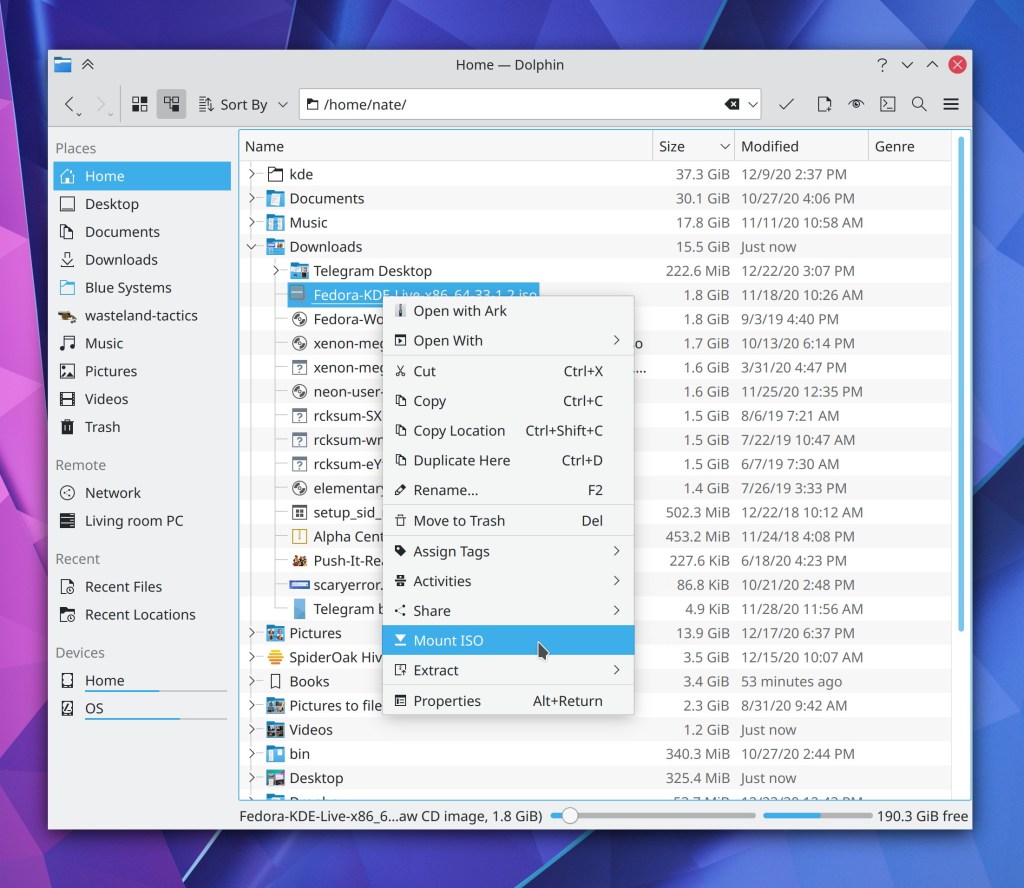
It was a big year for interacting with remote files. First, we released kio-fuse, which makes the experience of dealing with remote files a hundred times better. We integrated WS-DISCOVERY support which makes Dolphin able to locate modern Samba shares, and overhauled the Samba share creator to work much better. Dolphin also gained full touch support, a plugin to mount ISO images, the ability to display real on-disk sizes for folders in Details view. Dolphin also now displays its URL navigator/breadcrumbs bar in the toolbar by default, and remembers its prior window state by default.

Elisa

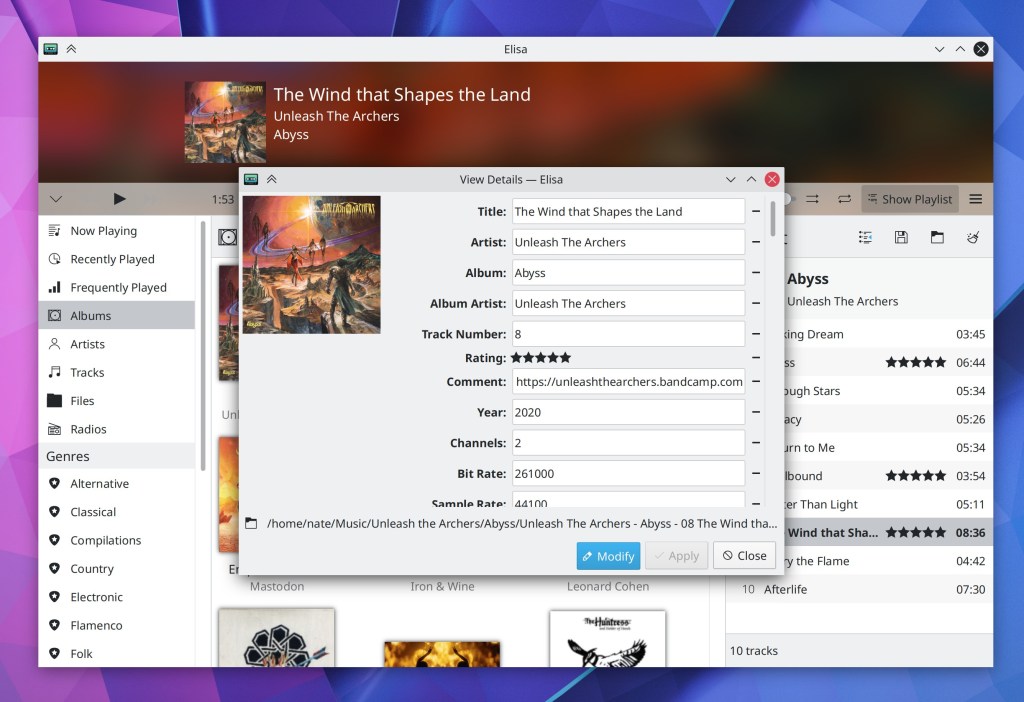
Elisa gained many features including the ability to edit song metadata, change the sort criteria, remain playing in the background with only a System Tray item visible, repeat one track, display the contents of a category in the sidebar, and override the systemwide color scheme. Finally, the “Previous track” action goes back to the beginning of the current track unless playback is within the first 5 seconds.

Kate

Kate turned 20! To celebrate, its tab bar now has a standard appearance and new tabs are opened on the right. And the app–as well as other text editor views based on the KTextEditor framework–now fully respect your systemwide color scheme! You can read more about it on the Kate blog here: https://kate-editor.org/post/2020/2020-12-31-kate-in-2020/

Konsole

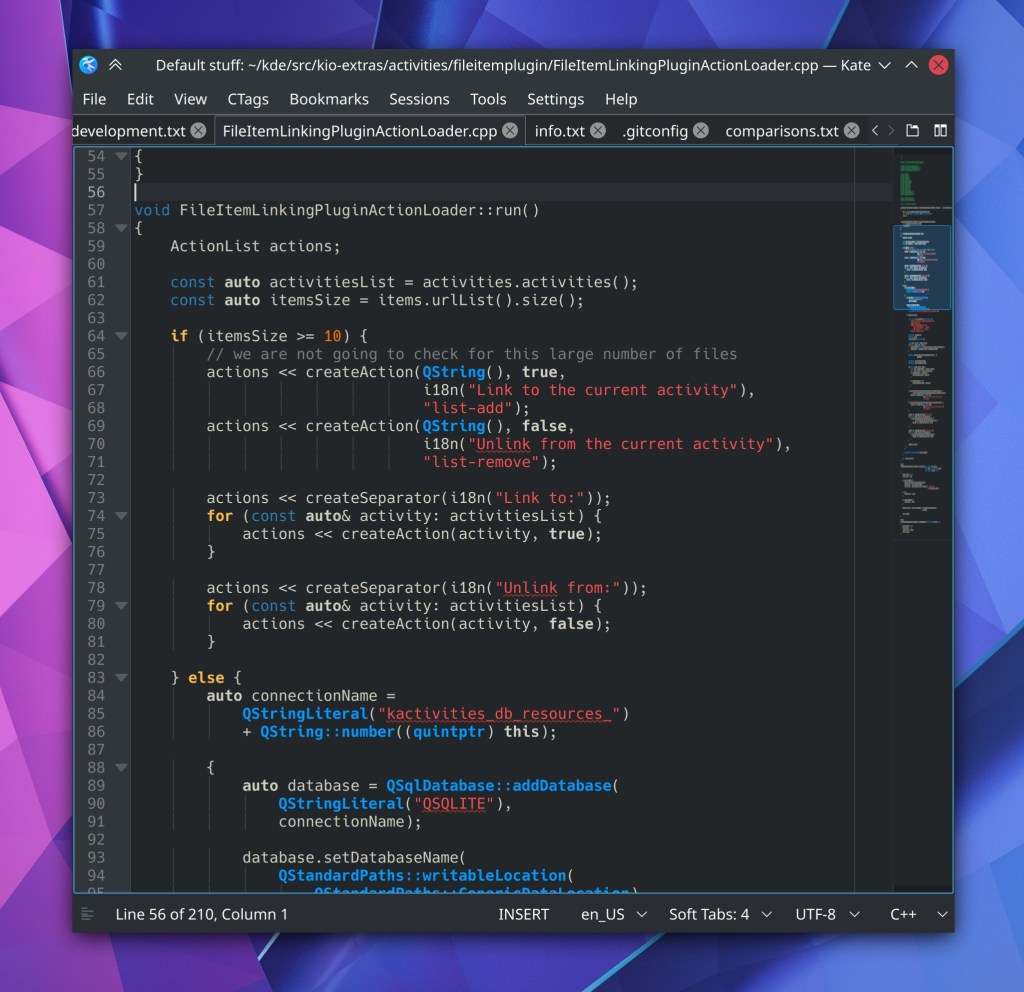
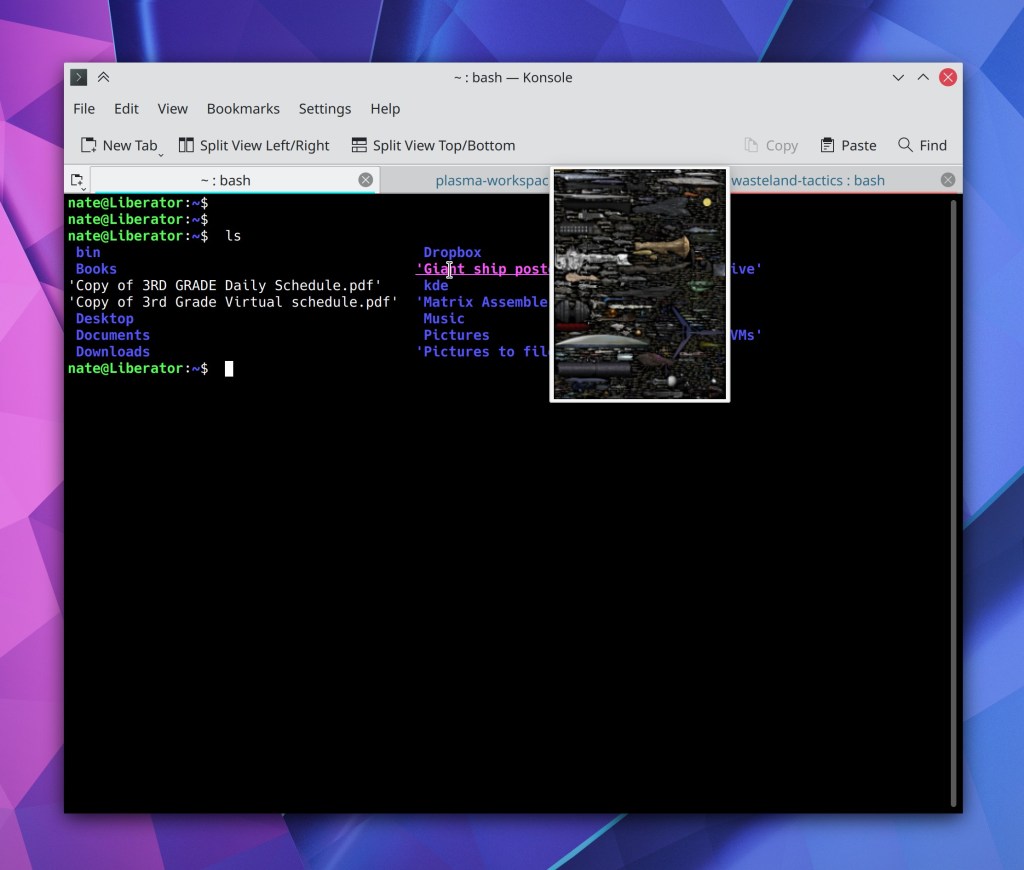
Konsole gained a variety of useful new features such as inline previews for images and HTML color codes that you hover the cursor over, the ability to assign custom colors to tabs, and a new on-by-default toolbar. Also, paths in grep output are now clickable to jump directly to that line of code in the file!

Okular

Okular gained the ability to digitally sign documents and now offers (optional) smooth scrolling, which was a bit rocky at first, but we fixed it. ๐Ÿ™‚ The Annotations feature was totally overhauled with a new toolbar that makes it easier to change the parameters of an annotation, and and there were various UI improvements to the sidebar and the default toolbar. Okular also adopted date-based versioning, matching most other KDE apps using the release service. ๐Ÿ™‚

Spectacle

In addition to the aforementioned Wayland improvements, Spectacle gained the ability to annotate newly-taken screenshots!

How very meta

And remember, this is just a subset of a subset! KDE has over a hundred other apps which you can find out about at https://kde.org/applications. And I didn’t even mention some of the amazing stuff that’s still under development but not yet released, like a firewall control UI for Plasma and totally re-worked compositing in KWin which will result in support >60hz screen refresh rates and mixed refresh rates in multi-screen setups. Stay tuned for more information about that stuff and more. ๐Ÿ™‚

How KDE can transcend the cycle of Geeks, Mops, and Sociopaths

A few years ago I read a fascinating article about the cycle of how subcultures grow, mature, and die. The whole thing is worth a read (as well as the whole site), but here’s the abridged version:

  1. Creators invent something new and cool, attracting fanatics who validate them and help spread it around. These people are the “Geeks.” I would guess that most current users of KDE software are in or near this group.
  2. The coolness attracts “Mops”–normal people who want to enjoy the cool thing with minimal effort or investment. They dilute the coolness by demanding that it be simplified, sanitized, and mainstreamed for them. In KDE terms, these people would be our non-technical friends and relatives.
  3. At this point, the Geeks may start to quit because the coolness has been destroyed by the Mops. However sometimes the Geeks realize that Mops are key to expanding the cool thing even further.
  4. At this point Sociopaths will appear–people who participate in a system for the money or power games. They figure out how to monetize the Mops, allowing some Geeks to go pro and create the cool thing full time.
  5. Sociopaths increasingly exploit both the Geeks and the Mops, because they’re in it for the money and social power.
  6. The Geeks increasingly burn out because they’re spending their time unpleasantly interacting with exploitative Sociopaths and compromising their original vision to placate demanding Mops who provide their income.

I’m old enough that I’ve started to notice this cycle play out in various hobbies, subcultures, and even commercial companies I’ve been involved with: they start out small and cool, but along the way, mainstreaming and commercialization seem to corrupt everything.

I’ve also noticed that many FOSS projects seem to avoid this cycle and the dark fate at the end. Not all do, but some seem to. Why? How?

How FOSS helps

In the FOSS world, Mops are not easily monetized. The product is given away for free, after all! Only mildly Geeky Mops will be attracted, and the more entitled mainstream Mops can be told to pound sand when they start to demand more. They didn’t pay anything, so they’re not entitled to anything.

As a result, many FOSS projects are able to preserve their stable niche status because they explicitly reject a strong Mop appeal, limiting the attractiveness for Sociopaths. To tie this fairly theoretical discussion back to the software world a bit, Arch Linux is a good example: not having an installer acts as a gate to keep out low-investment Mops, ensuring that the project remains safely in the hands of the Geeks.

However this kind of gatekeeping–intentional or not–has a drawback: if the gate is too strong, the project may shrink over time as the original Geeks get bored or driven away by internal politics. Because the pool of Geeks is fairly limited, Geek-only growth largely involves poaching from other Geek projects; it’s a zero sum game.


What to do? Is it really a matter of keeping out the Mops and staying small, or letting them in and burning out after growing huge? And how am I able to reconcile knowledge of this cycle with my stated goal to get KDE Plasma onto every computing device on planet Earth? Earthlings are mostly Mops, after all.

How KDE can do it

Well first of all, I acknowledge that my goal is more aspirational than realistic. ๐Ÿ™‚ Better to shoot for the moon and fall short, I think. I’d be pretty happy if we get Plasma to 15% global market share. That’s enough to be a major player with a direct and ongoing positive impact on human civilization.

Anyway, here’s how I think KDE can avoid the cycle, and grow powerful without being corrupted:

Attract all the Geeks

You may notice how many sysadmins, software devs, and general nerds have Apple computers outside of the FOSS world. In the early 2000s, Apple attracted a huge number of Geeks by pairing support for power-user workflows with an attractive user interface and high reliability. This was the “It Just Works” factor, for people who were doing work. It allowed Apple’s ecosystem to maintain a favorable Geek-to-Mop ratio, at least until the iPhone took off. KDE can realistically follow this path as well. I myself am a former Apple nerd. We can convert them. And the more Geeks KDE has, the more engineering talent it will accumulate, and the more Mops it can safely support.

Minimize the project’s reliance on Mop money

This avoids creating a financial incentive to dilute the product, and it reduces the project’s appeal to Sociopaths (at least, the ones who are attracted to money). KDE already has this pretty well covered, because we don’t sell products directly to consumers for money–with the exception of Krita on the Windows store (to my knowledge), and even then there are simple ways to get Krita for free if you want. The existence of a free version is a pressure valve.

Preserve the KDE community’s gravitational center for development

Today KDE benefits from outside companies paying people to work on KDE who are benevolent: Blue Systems (my employer), Enioka Haute Couture, KDAB, SUSE, the city of Munich, and various others. But it won’t always be this way as KDE rises in importance.

Large companies with little exposure to the FOSS world, but who use or sell products with KDE software, will want to hire their own engineers to contribute to KDE so they don’t feel like they’re shut out of the development of a product that significantly affects them. If enough of this happens outside of KDE itself, we run the risk of the project being taken over by sheer weight of outside contributions by large companies.

This is why I feel so strongly that the KDE e.V. should start hiring community members for technical roles. With the KDE community itself clearly in charge of the gravitational center of paid engineering, these outside companies would find it more convenient to simply pay money to the e.V. to strengthen those development efforts, join a sort of technical advisory board, or pay for priority access to engineering resources to fix bugs affecting them (not features, only bugs). These could give those companies the the “seat at the table” that they’re looking for while keeping technical decision-making firmly in the hands of the community. The project would be able to remain independent more easily.

It’s not a problem we urgently need to solve right now, but it will be in the future if we’re as successful as I want us to be. I think it behooves us to do it now rather than later.

Hire Geeks, not Mops

Whenever someone is paid to work on KDE stuff–either by the KDE e.V. or anyone else–always prioritize hiring KDE community members over outsiders. There’s always the risk that the outsider is a Mop who just wants a paycheck rather that someone who truly believes in KDE. Those with the privilege of being paid to work on KDE stuff should be people who go above and beyond because they love it.

Foster a culture of resistance to Sociopathy

KDE will probably never be an institution where you can get rich quick, and I see this as a good thing. But not all Sociopaths are in it for the money; some crave power. An important project like KDE will still hold appeal for the type of Sociopath who wants to push everyone around as the king of a little digital fiefdom. We need to keep these people out.

Unfortunately, while Geeks are generally good at noticing when Sociopaths show up, they are generally terrible at kicking them out. Geeks can be conflict-averse, or believe that the Sociopaths can be reasoned with, reformed, or safely tolerated because they do some good work. They cannot be.

KDE needs to maintain and expand a culture of resistance to Sociopathy by teaching its members to harden themselves against Sociopaths and and use some of their own tactics against them when they show up. Nobody should be the king of KDE. KDE should not have a king! Central leadership is a risk factor, as I blogged about earlier.

What it all looks like

KDE will attract as many Geeks as possible through our continued commitment to technical excellence and supporting power user workflows in our software. We minimize the risk of demanding Mops burning everyone out by not selling anything to them directly and maintaining a favorable Geek:Mop ratio through our attraction of lots of Geeks. We start paying for engineering talent, but we hire insider Geeks, not outsider Mops. And we do it within KDE itself. Then we remain vigilant for Sociopaths craving power, and we kick them out so that KDE can remain a safe place for the Geeks.

So who’s ready to take over the world with love and positivity and user-empowering high quality software?