On Stewardship

What’s going on with GameStop right now got me thinking about the relevance to what we do in KDE.
For those not closely following it, here’s what’s happening: a small army of individual investors has purchased as many shares of the GameStop company as possible, calling the bluff of several large hedge funds that bet against GameStop by selling borrowed shares, mistakenly borrowing more shares than actually exist. Oops. A lot of these individual investors used a popular trading app named Robinhood, which it turns out is controlled by one of the companies betting against GameStop. So yesterday, Robinhood prohibited buying more GameStop shares, only selling. This drove the price lower and allowed some of the hedge funds to get out at a lower price than they otherwise would have had to accept, and reduced the value of Robinhood’s own users’ GameStop shares.

The people using Robinhood–whose name seems pretty ironic in retrospect–believed they could trust its owners to be good stewards of their money and investment desires, but this turned out to be false: when the owners were caught between serving their users and serving themselves, they chose the latter.

It got me thinking about platform stewardship. When things are going well, it’s easy to be a good steward. The challenge arrives when your own interests, money, or feelings are imperiled by doing the right thing for the people counting on your wise maintainership of the platform. If you let your own desires get in the way, people will start to distrust you and leave your platform.

In KDE, we also have a platform that people depend on, and trust us to be good stewards of. By and large we don’t have the same potential financial conflicts of interest, but others are possible when it comes to our feelings and other personal interests: we might want see ourselves as kings of a little digital kingdom, or want the software to reflect our own preferences rather than those of our users, or whatever.

In the interest of remaining wise stewards of our platform, we must always resist these desires. Not only are they selfish, but they are ultimately short-sighted and would lead to us losing users and credibility. By and large I think KDE community members already do a great job of this! And that’s a good thing, because the bigger we grow, the more important we will become, and the more frequent these potential conflicts of interest will become. In the face of these challenges, we must retain our culture of stewardship, and I feel fairly confident that we will!

Full disclosure: I own a symbolic one share of GameStop. It was not purchased using Robinhood. 🙂

This week in KDE: the Plasma 5.21 beta is here!

Well folks, you finally have a chance to test out Plasma 5.21, in beta form! Please do install it and find all the bugs we missed. Bug reports have already started pouring in, and we’ll fix them as fast as we can in the next month. 🙂

But check out what else we did this week:

New Features

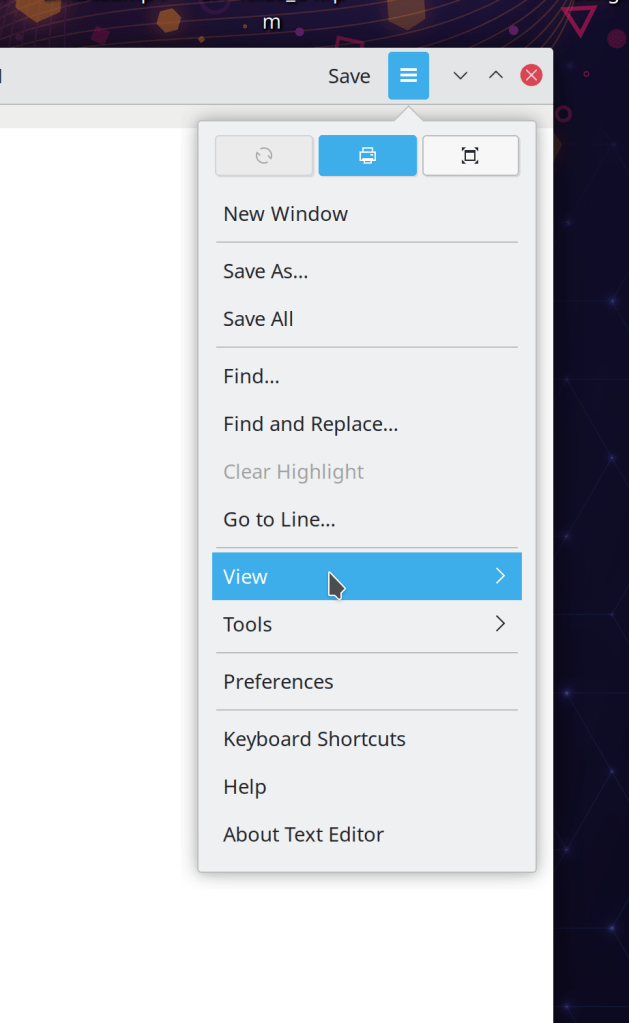
Kate now has a searchable HUD-style command palette that lets you trigger menu items with super speed! It’s activated using the Ctrl+Alt+I shortcut, and we’re investigating adding it to other KDE apps as well in the form of a re-usable framework component. (Waqar Ahmed, Kate 21.04):

Bugfixes & Performance Improvements

Spectacle is once again able to take rectangular region screenshots on triple-screen setups (Franz Baumgärtner, Spectacle 20.12.2)

Okular’s Open dialog once again defaults to “All files” in its file type filter when run on non-Plasma desktops (Albert Astals Cid, Okular 20.12.2)

Dolphin now correctly reports the number of files present on other disks not using standard Linux filesystems, such as NTFS (Ilia Kats, Dolphin 20.12.2)

The “Add Network Folder” action is once again visible in Dolphin for people using Frameworks 5.78 or later–albeit it now lives in the toolbar, rather than in the view (Norbert Preining, Dolphin 20.12.2)

When you turn off Konsole’s “Remember window size” feature, that now works again (me: Nate Graham, Konsole 20.12.2)

The System Settings Fonts page no longer shows blank previews for the anti-aliasing styles when using the proprietary Nvidia driver (Yaroslav Sidlovsky, Plasma 5.21)

Discover now handles the situation where you’re installing an add-on that requires you to select a specific file from among a set of options, just like the standalone “get new [thing]” dialog (Dan Leinir Turthra Jensen, Plasma 5.21)

Plasma’s support for the Pulse Connect Secure VPN type now works (David Redondo, Plasma 5.21)

Discover is now a bit faster to launch and uses less memory (still a lot, but less than before at least) (Aleix Pol Gonzalez, Plasma 5.21)

It’s now possible to unset global shortcuts set for activating Plasma applets (David Redondo, Plasma 5.21)

While the “Get new Plasma Widgets” window is open, attempting to open it again now re-focuses the existing one rather than opening a second one (Willyanto, Plasma 5.21)

Fixed an uncommon crash in System Settings’ Shortcuts page (David Redondo, Plasma 5.21)

When waking up a sleeping laptop that has a touchscreen, KWin no longer pretends that a finger is being held down on the touchscreen until you really do touch it at least once yourself (Xaver Hugl, Plasma 5.21)

In the Plasma Wayland session, windows no longer try to snap to OSDs and notifications (Vlad Zahorodnii, Plasma 5.21)

The System Tray’s back button now reverses itself correctly when using an RTL language (Jan Blackquill, Plasma 5.21)

Filenames in the Breeze-themed GTK folder dialog are now readable, especially when using a dark color scheme (Jan Blackquill, Plasma 5.21)

Undoing the deletion of a file or folder can no longer unexpectedly overwrite an existing item that has the same name as the undeleted item (David Faure, Frameworks 5.79)

System Settings no longer crashes when you navigate to the Screen Locking page’s “Appearance” sub-page and then navigate away (Nicolas Fella, Frameworks 5.79)

Okular and potentially other KDE apps too can once again open files accessed from a web browser (i.e. https://www.example.org/my_awesome_file.pdf) using their “Open” dialogs (Albert Astals Cid, Frameworks 5.79)

When you open a file accessed from a web browser in a KDE app and then show the Open dialog again, it no longer tries to show you the file’s parent website (Albert Astals Cid, Frameworks 5.79)

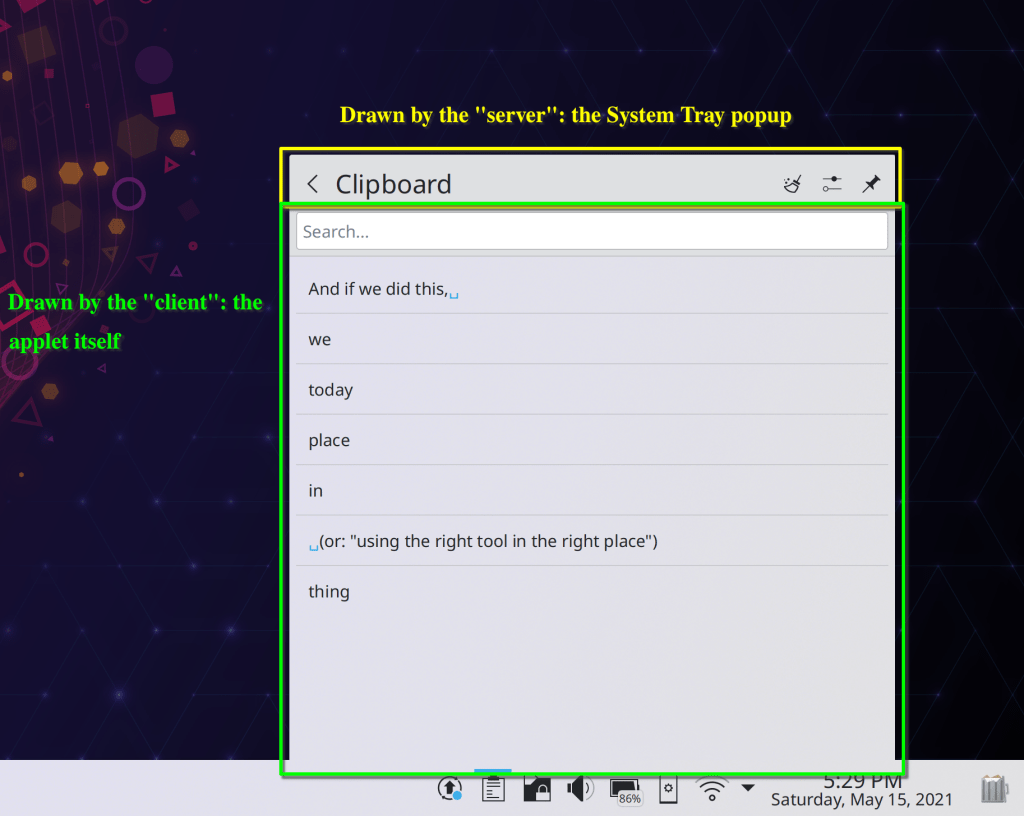
System Tray applets that feature expanding lists of actions no longer sometimes have some of the actions clipped out of the view when using non-default fonts or font sizes (me: Nate Graham, Frameworks 5.79)

User Interface Improvements

Dolphin’s “Copy file path” action has had its shortcut changed to Ctrl+Alt+C so as not to conflict with the “Copy” action in the embedded terminal panel, whose shortcut is Ctrl+Shift+C (Someone going by the pseudonym “The Imp”, Dolphin 20.12.2)

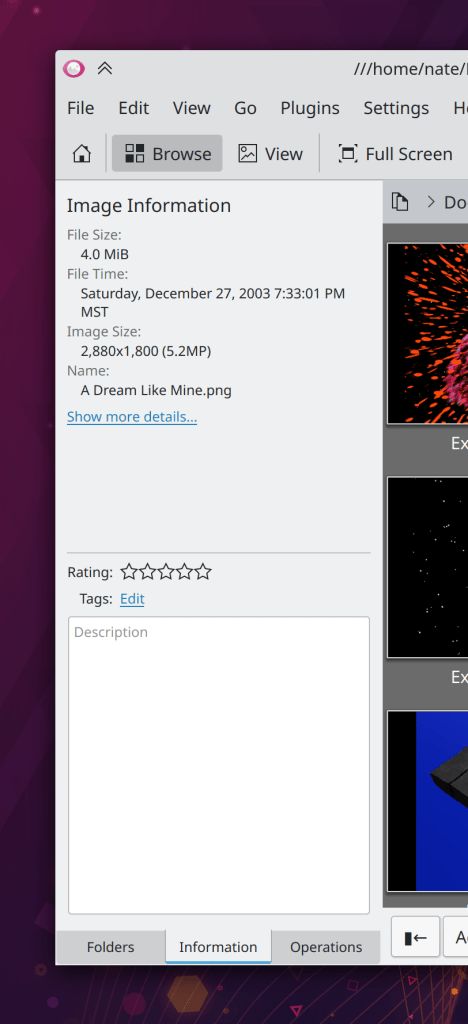
Gwenview’s titlebar now shows the path to the currently-viewed location while in Browse mode (Antonio Prcela, Gwenview 21.04)

When using the systemwide Double-Click mode, you can now rename files on the desktop by clicking on the label of an already-selected item, just like in Dolphin (me: Nate Graham, Plasma 5.21)

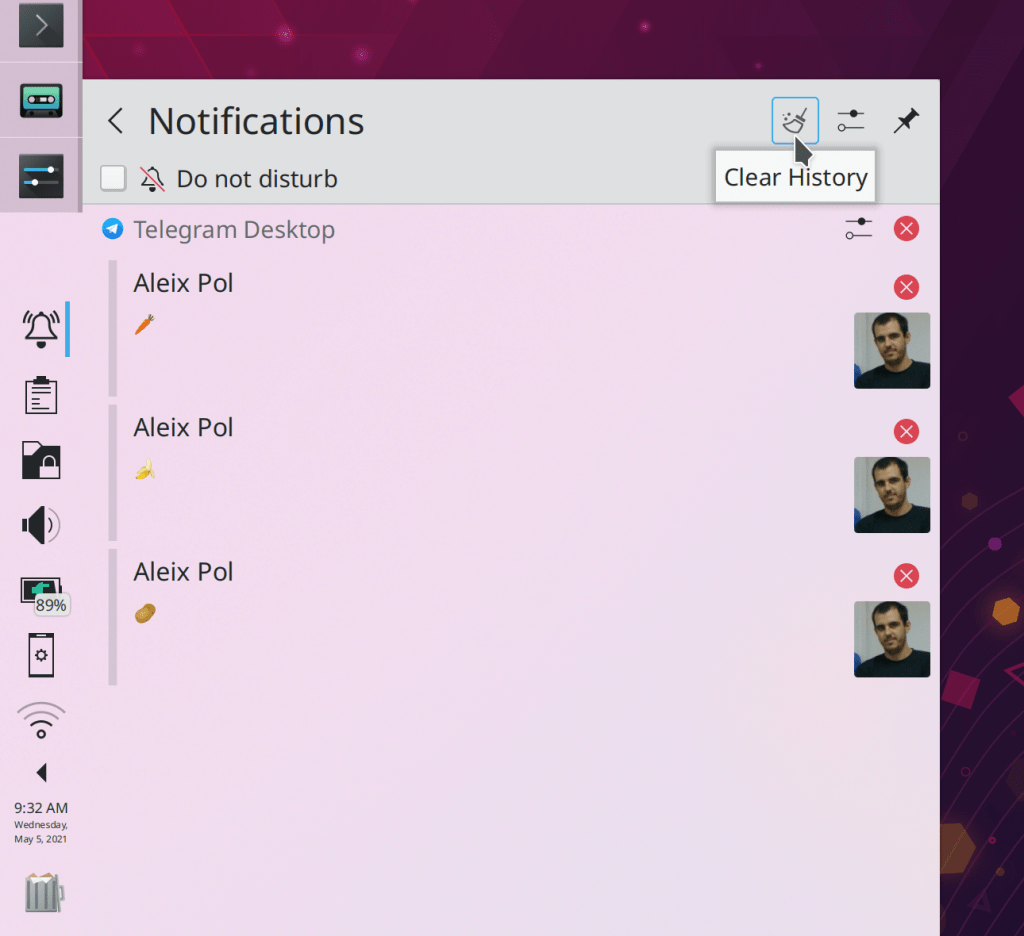
Plasma no longer ever sends a pointless notification when you create a link to a file somewhere else (Nicolas Fella, Plasma 5.21)

Rotated widgets are no longer jaggy and aliased (David Edmundson, Plasma 5.21):

The Edit Mode toolbar now includes a link to the System Settings Global Themes page (someone going by the pseudonym “Wael CH”, Plasma 5.21):

System Settings’ Desktop Effects and Background Services pages now support the “Highlight changed settings” feature (Cyril Rossi, Plasma 5.21)

The icons used for screen rotation in System Settings’ Display & Monitor page are now clearer (someone going by the pseudonym “Wael CH”, Plasma 5.21):

Breeze theme monochrome icons now stay monochrome when using scale factors greater than 200% (Kai Uwe Broulik, Frameworks 5.79)

How You Can Help

Have a look at https://community.kde.org/Get_Involved to discover ways to be part of a project that really matters. Each contributor makes a huge difference in KDE; you are not a number or a cog in a machine! You don’t have to already be a programmer, either. I wasn’t when I got started. Try it, you’ll like it! We don’t bite!

Finally, consider making a tax-deductible donation to the KDE e.V. foundation.

This week in KDE: text reflow in Konsole!

This week a huge new feature landed in Konsole: it now reflows the text when you resize the window! This feature can be turned off if you don’t like it, but comes on by default. It works really well. Thanks very much to Carlos Alves and Tomaz Canabrava for this work! It will be released in Konsole 21.04.

Other New Features

Gwenview now lets you optionally use a solid black color while in full screen view (Antonio Prcela, Gwenview 21.04):

Dolphin now lets you configure whether newly-opened tabs go at the end of the tab bar, or after the current tab (Anthony Fieroni, Dolphin 21.04):

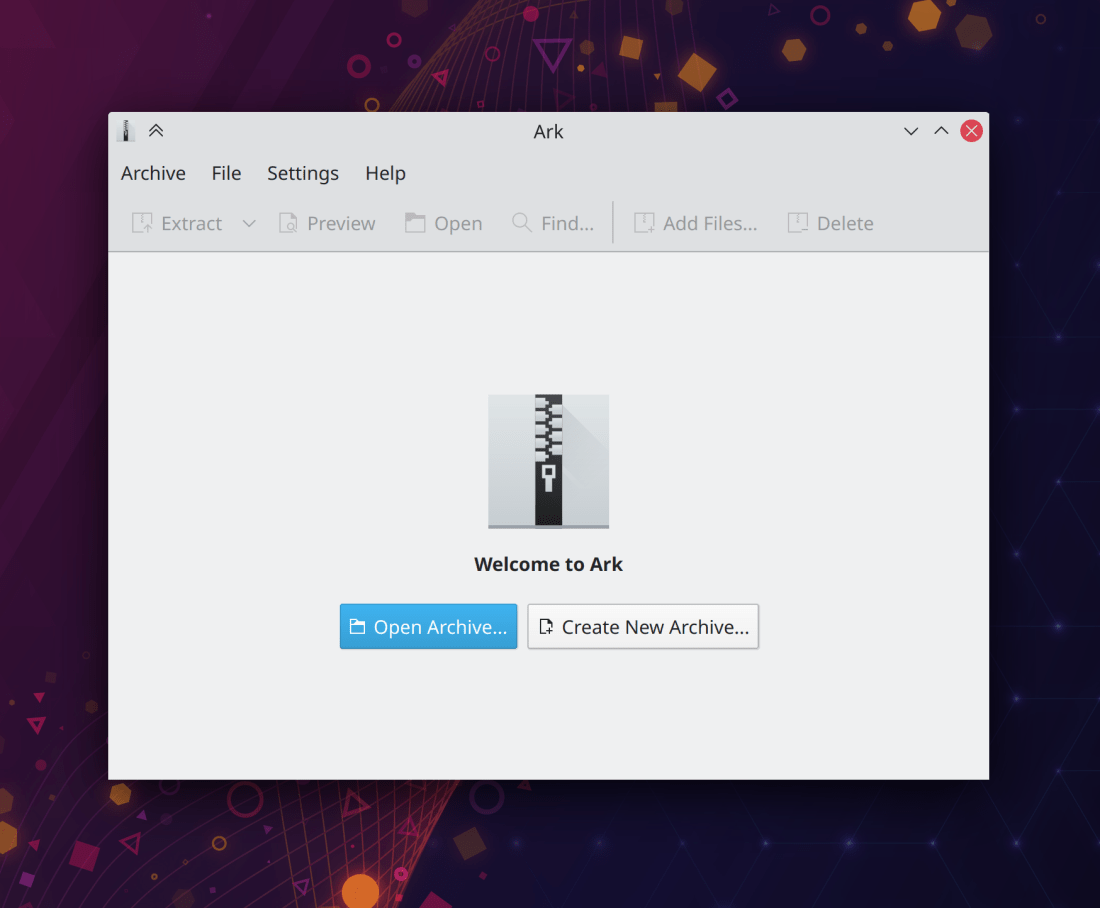
Ark now supports ARJ archives (Natsumi Higa, Ark 21.04)

Bugfixes & Performance Improvements

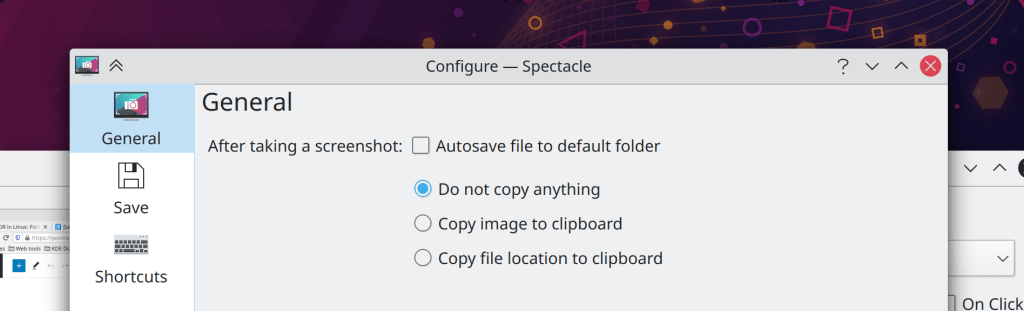
Spectacle now lets you change the default screenshot file format when using a non-English language (Nicolas Fella, Spectacle 20.12.2)

Elisa no longer crashes when you enqueue a song accessed using the filesystem browser view (Matthieu Gallien, Elisa 20.12.2)

Adding radio streams in Elisa now works again (Sven Marquardt, Elisa 20.12.2)

Elisa’s “Show current track” button once again works (me: Nate Graham, Elisa 20.12.2)

The “Apply” button of Elisa’s settings window now activates and deactivates at the correct times (Matthieu Gallien, Elisa 21.04)

When using a vertical panel, the date displayed below the clock no longer sometimes becomes huge (Marco Martin, Plasma 5.21)

Plasma no longer freezes when an app sends many notifications in quick succession (Kai Uwe Broulik, Plasma 5.21)

Fixed various issues with Breeze theme context menu borders sometimes being invisible or pure black (David Redondo, Plasma 5.21)

The Global Menu applet now updates properly when focus is changed to or from a GTK app (David Edmundson, Plasma 5.21)

When pulling up the virtual keyboard on the login or lock screen, the password field now remains focused, so the characters you type no longer disappear into the void without manually re-focusing it first (me: Nate Graham, Plasma 5.21)

After enabling any calendar plugins in the Digital Clock, the calendar panel now appears instantly, rather than requiring Plasma to be restarted first (Nicolas Fella, Plasma 5.21)

Discover’s sidebar header no longer sometimes overlaps the contents after resizing the window (Marco Martin, Plasma 5.21)

Fixed a case where a newly-created panel could be placed on the wrong screen in a multi-screen setup (Xaver Hugl, Plasma 5.21)

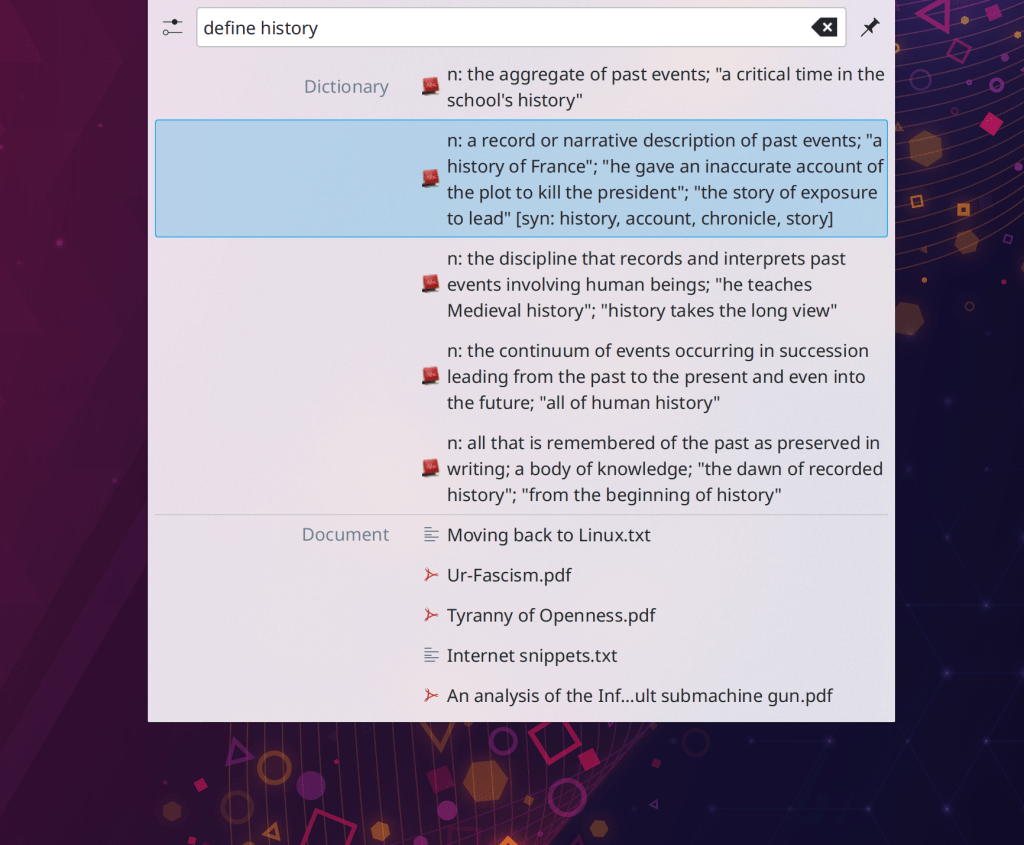
KRunner once again parses and interprets hexadecimal input correctly (Alexander Lohnau, Plasma 5.21)

Country code labels in System Settings’ Keyboard page are now legible when using a light color scheme with a Dark Plasma theme (or the reverse) (me: Nate Graham, Plasma 5.21)

Aborting a change in System Setting’ Users page by canceling the authentication dialog no longer causes the changes to be applied anyway (Nicolas Fella, Plasma 5.21)

KDE Connect no longer sometimes crashes when it gets spammed with notifications (Nicolas Fella, Frameworks 5.79)

Kirigami icons in apps now consume a bit less memory, which will appreciably reduce memory usage for apps that have a lot of icons (David Edmundson, Frameworks 5.79)

User Interface Improvements

Dolphin now lets you decompress multiple archive files at a time via the context menu item (Elvis Angelaccio, Ark 20.12.2)

Ark’s preview window now closes when you hit the default “close window” shortcut (typically Ctrl+W) (Méven Car, Ark 21.04)

Ctrl+clicking on a Places panel item in Dolphin now opens it in a new tab (Kai Uwe Broulik, Dolphin 21.04)

System Settings’ Login Screen (SDDM) page has been rewritten which fixes a bunch of bugs and makes it look nicer and more consistent (David Redondo, Plasma 5.21):

It’s now possible to drag QML-based apps from empty areas of their headers and backgrounds, just like QWidgets-based apps (Marco Martin, Frameworks 5.79 with Plasma 5.21)

Plasma’s “microphone is being used” indicator now tells you which microphone is being used in its tooltip (Kai Uwe Broulik, Plasma 5.21)

System Settings’ Default Applications page now supports the “Highlight default settings” feature (Cyril Rossi, Plasma 5.21)

The Global Menu applet now respects Fitts’ law by allowing you to slide your cursor from one menu to another one on the row of pixels that is touching the screen edge (Jan Blackquill, Plasma 5.21)

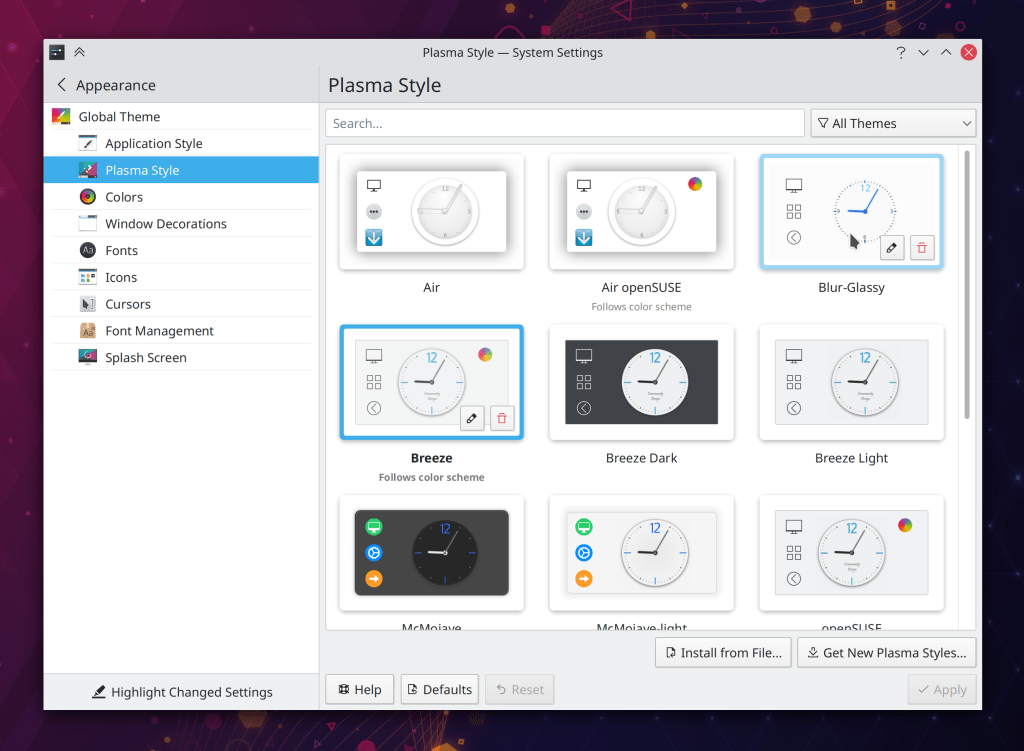
System Settings’ Splash Screen page now lives in the Appearance category (me: Nate Graham, Plasma 5.21):

The “Get new Plasma Widgets” dialog now uses the much nicer new-style version (Alexander Lohnau, Plasma 5.21):

KDE apps no longer show Docker volumes in their Places panels (Méven Car, Frameworks 5.79)

How You Can Help

Have a look at https://community.kde.org/Get_Involved to discover ways to be part of a project that really matters. Each contributor makes a huge difference in KDE; you are not a number or a cog in a machine! You don’t have to already be a programmer, either. I wasn’t when I got started. Try it, you’ll like it! We don’t bite!

Finally, consider making a tax-deductible donation to the KDE e.V. foundation.

This week in KDE: new KWin compositing, new Kickoff, new recording level visualization!

This week KWin’s compositing code was almost totally rewritten! It should broadly reduce latency throughout all compositing operations, and also adds a user-facing control in the System Settings Compositing page so people can choose for themselves whether they prefer lower latency or smoother animations. In addition, it brings support for mixed-refresh-rate display setups on Wayland, e.g. one 144Hz screen and one 60Hz screen! This very exciting work was completed by Vlad Zahorodnii and will land in Plasma 5.21.

But that’s not all: Plasma also got a brand new Kickoff menu, which was rewritten from the ground up and fixes more than two thirds of the open issues in the bug tracker! It features a double-pane UI with better keyboard, mouse, touch, and accessibility, RTL support, an alphabetical “All Applications” view, a grid-style favorites view, power actions visible by default with labels, and much more. Here it is:

I’d like to offer a big thanks to Mikel Johnson for this excellent contribution, which will also land in Plasma 5.21. People who liked the old Kickoff can download it from store.kde.org using the “Get new widgets” button in the “Add Widgets” panel. Search for “Legacy Kickoff”.

But there’s one more really big cool thing: The Plasma Audio Volume applet now has a little visualizer for the current recording level and output volume!

Gone are the days of being embarrassed during a meeting because your microphone is muted or way too sensitive. This lovely improvement was contributed by David Edmundson and David Redondo, and also lands in Plasma 5.21.

But that’s not all:

Other New Features

Konsole now lets you select which text editor is opened when you Ctrl+click on a text file to open it (Ahmad Samir, Konsole 21.04):

Bugfixes & Performance Improvements

Kate can now open files beginning with a colon from the command line (Ahmad Samir, Kate 21.04)

Right-clicking on an ISO image in Dolphin no longer imposes such a long delay before the context menu appears (Kai Uwe Broulik, Dolphin 21.04)

Dolphin’s in-toolbar breadcrumbs bar/URL navigator is now sized correctly the first time you open Dolphin (Felix Ernst, Dolphin 21.04)

Filelight now shows the correct amount of free space on a disk (Jakob Erzar, Filelight 21.04)

Filelight’s tooltip is now positioned correctly in multi-screen setups (Teemu Patana, Filelight 21.04)

The screen locker no longer sometimes consumes 100% of the CPU’s resources (David Edmundson, Plasma 5.18.7 and 5.21)

The Folder View applet now has a sane layout when used on a vertical panel greater than 50px thick (me: Nate Graham, Plasma 5.18.7 and 5.21)

Fixed one of the most common ways that Plasma could crash when interacting with screen-related settings (David Edmundson, Plasma 5.21)

When Discover and the Emoji picker are already open but unfocused, activating them via their System Tray icons or global shortcuts now raise the existing windows properly (David Edmundson and me: Nate Graham, Plasma 5.21)

Fixed the Network Speed Widget for people who were seeing that it didn’t work properly for them some of the time (David Redondo, Plasma 5.21)

The “Get new [thing]” dialog now shows recently-installed content properly when you activate its “Installed” filter (Alexander Lohnau, Frameworks 5.79)

User Interface Improvements

Opening and closing split views in Dolphin is now animated (Felix Ernst, Dolphin 21.04):

Kate’s “Quick Open” panel now supports fuzzy matching (Waqar Ahmed, Kate 21.04)

Notifications about items moved to the trash no longer give you the option to open the item, because that’s just silly (Kai Uwe Broulik, Plasma 5.21)

After you click on the “Connect” button in the Plasma network list, the inline password field no longer runs away from you if the list is re-ordered (Bharadwaj Raju, Plasma 5.21)

System Settings’ KWin Scripts and Accessibility pages now respect the “Highlight changed settings” feature (Cyril Rossi, Plasma 5.21)

The Maximize and Fullscreen animations now use the standard animation easing curve (in/out cubic) (Alex Rosca, Plasma 5.21):

When setting up a KWin window rule, the default value for each newly-added property is now “Apply initially”, not “Do not affect” (Michael Tunnell, Plasma 5.21)

The clipboard applet now closes when you select a history entry with the keyboard, same as when you do so using the mouse (me: Nate Graham, Plasma 5.21)

Dolphin and other KDE apps now display thumbnail previews for ancient .ANI animated windows cursor files (Kai Uwe Broulik, Frameworks 5.79)

How You Can Help

Have a look at https://community.kde.org/Get_Involved to discover ways to be part of a project that really matters. Each contributor makes a huge difference in KDE; you are not a number or a cog in a machine! You don’t have to already be a programmer, either. I wasn’t when I got started. Try it, you’ll like it! We don’t bite!

Finally, consider making a tax-deductible donation to the KDE e.V. foundation.

This week in KDE: Happy new year!

KDE people mostly spent the time on a well-deserved break this week, but we still managed to get some things done. 🙂 Check it out:

New Features

Kate’s CTags plugin now includes a “Go to symbol” feature (Waqar Ahmed, Kate 21.04)

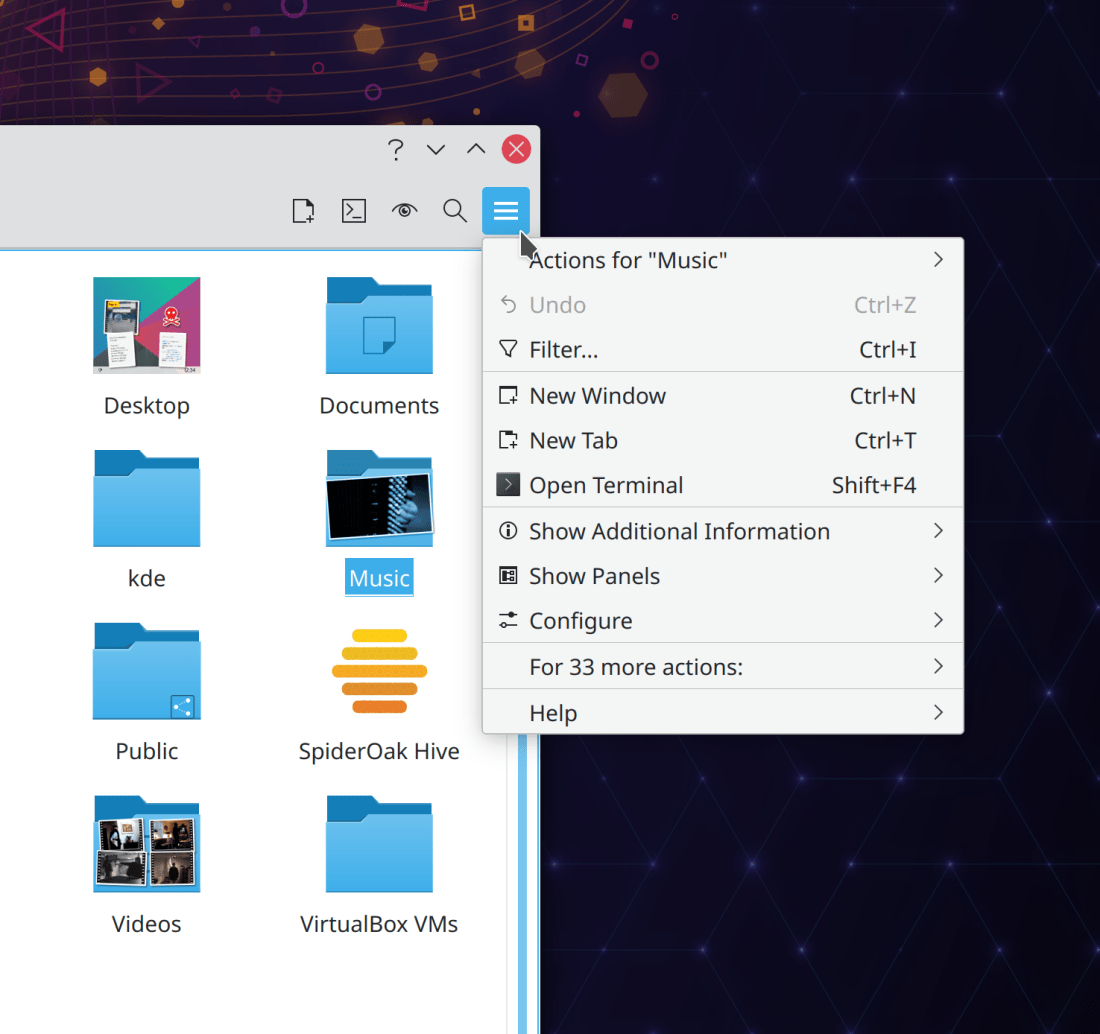
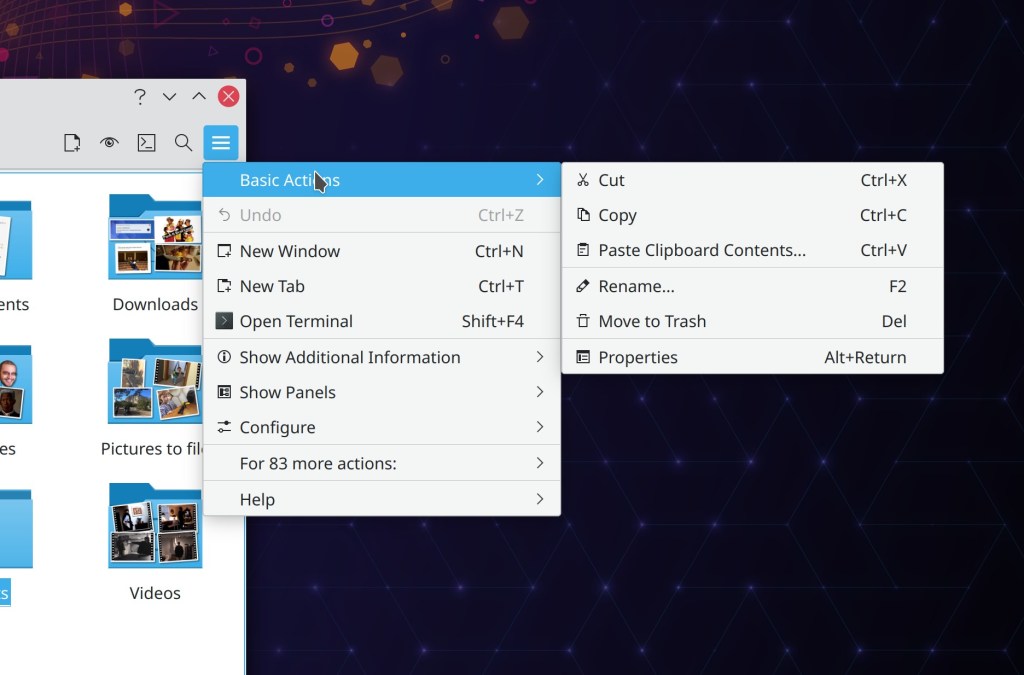
Dolphin now lets you modify the entries in the context menu so you can remove items you never ever use (Duong Do Minh Chau, Dolphin 21.04):

Bugfixes & Performance Improvements

Okular now more reliably recognizes Markdown files for what they are so it can render them correctly (Albert Astals Cid, Okular 20.12.1)

Further improved the speed of Kate’s search feature, nearly doubling it for the case of very long files (Waqar Ahmed, Kate 21.04)

Konsole’s terminal bell feature now triggers the system bell too (Ahmad Samir, Konsole 21.04)

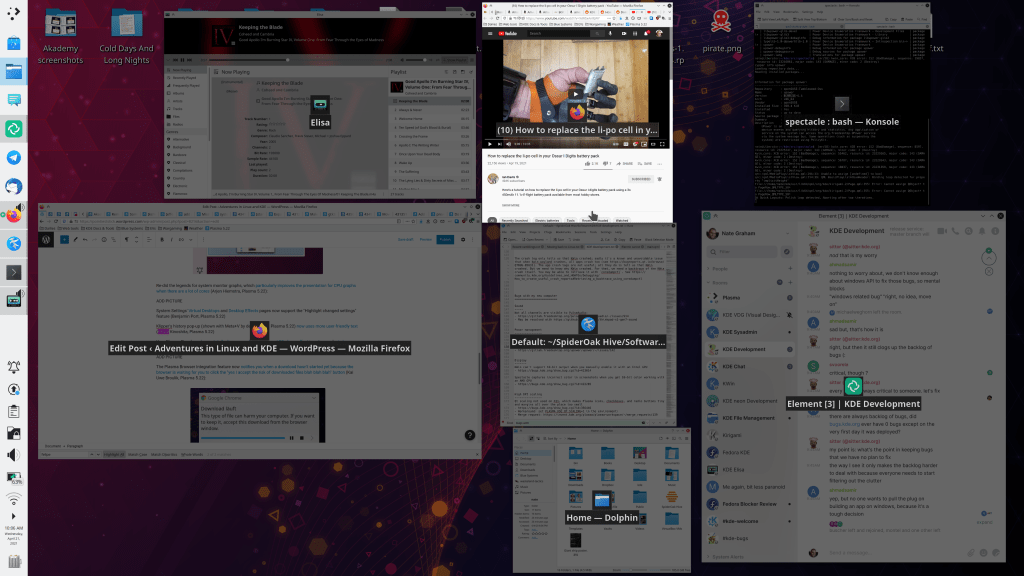
KRunner’s windows runner (which finds open windows) now has tiny little thumbnail images again (Kai Uwe Broulik, Plasma 5.21)

KRunner’s history view now works properly with the mouse (Alexander Lohnau, Plasma 5.21)

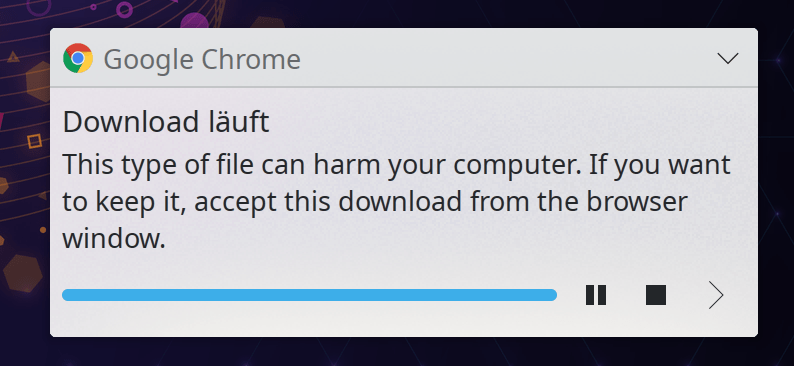
The progress bar that appears in a “file is being downloaded” notification now renders correctly in all circumstances (Kai Uwe Broulik, Frameworks 5.78)

Mnemonics (those little horizontal lines that appear below letters when you hold down the alt key) now work for Plasma buttons and tabs (David Edmundson, Frameworks 5.78)

User Interface Improvements

Okular’s settings window has been modernized to use the common FormLayout style (David Hurka, Okular 21.04):

Dolphin now makes it a bit more obvious how you connect to a remote server whose URL you know when you click on the Network item in the Places panel (me: Nate Graham, Dolphin 21.04):

You can now middle-click or scroll on the entire selection area for System Tray icons, rather than just on the little icon itself (Konrad Materka, Plasma 5.21)

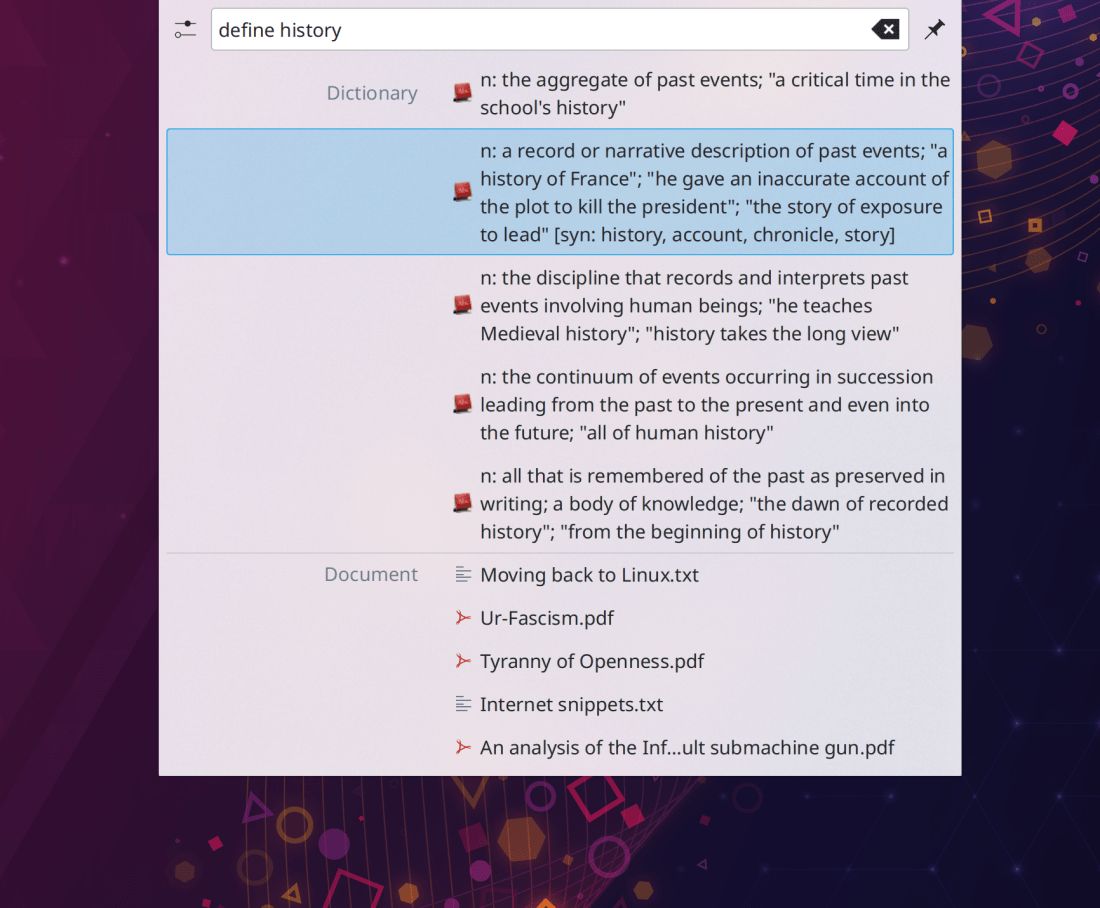
When searching for power-related actions in KRunner (e.g. “Shut down,” “restart,” etc), KRunner now matches partial strings and finds the actions by their English words even when your system language is set to something else (Alexander Lohnau, Plasma 5.21)

Kate and other KTextEditor-based apps now show the dragged text while it’s being dragged (Waqar Ahmed, Frameworks 5.78)

How You Can Help

Have a look at https://community.kde.org/Get_Involved to discover ways to be part of a project that really matters. Each contributor makes a huge difference in KDE; you are not a number or a cog in a machine! You don’t have to already be a programmer, either. I wasn’t when I got started. Try it, you’ll like it! We don’t bite!

Finally, consider making a tax-deductible donation to the KDE e.V. foundation.

KDE roadmap for 2021

Just like last year, here are the things I expect will get done in 2021:

Leftovers from last year

We’ll finally finish up polkit-in-kio, which got closer in 2020 but didn’t quite make it. 2021 will be the year! We will probably also get power/session actions in the lock screen as this feature is necessary for Plasma Mobile, and making it work in the Plasma Desktop session as well will be fairly simple. Per-screen scaling on X11 seems unlikely given our renewed focus on Wayland, and on that subject…

Production-ready Plasma Wayland session

I’ll be honest: before 2020 the Plasma Wayland session felt like a mess to me. Nothing worked properly. But all of this changed in 2020: suddenly things started working properly. I expect the trend of serious, concentrated Wayland work to continue in 2021, and finally make Plasma Wayland session usable for an increasing number of people’s production workflows.

Fingerprint support throughout the stack

This is already in progress! It’s a lot of work because support needs to be added in SDDM, the lock screen, KAuth, Polkit… There are a lot of moving pieces to put together. I think 2021 will be the year that it finally happens!

Finish up Breeze Evolution

This work is in progress and about half of it has already been merged, to be released in Plasma 5.21. I expect the rest will land in Plasma 5.22 and possible 5.23 later in the year. At that point, the project will be complete and our apps will look super modern and awesome!

Kickoff replacement

A super-fantastic replacement for the venerable Kickoff application launcher has been in heavy development throughout 2020, according to the spec that VDG wrote in 2019. It’s almost done, and I expect it to be merged soon and be released in Plasma 5.21.

Reflowing text in Konsole

This is already in progress and very close to being done! 2021 will be the year that Konsole’s window finally re-flows the text when you resize it.


I feel like we’re getting really really close to the goal of having a mainstream-hardware-ready software stack. In some ways we’re already there, especially when you compare our stuff to some of the weaker offerings in the market. We need to keep plugging away, and start thinking about the next steps: more hardware partnerships, closer coordination with distros, and more engineering effort for our own Neon distro. 2021 is going to be a great year for KDE and KDE users! So what are you waiting for? Get involved! 🙂

Highlights from 2020

2020 was not an amazing year for most of us, but it sure was for KDE and people who use KDE software! Despite the inability to travel and meet for sprints, conferences, and Akademy in person, we kept busy.

I’d like to highlight some of my favorite improvements throughout KDE! Keep in mind this is not even a small fraction of everything that went on. To keep this post from ballooning a hundred pages long, I’ve had to leave out many smaller features, all of the performance and bugfixing work, and tons of KDE apps that I don’t closely follow, including big important ones like Krita, Kdenlive, Digikam, and GCompris. You can find more news at https://planet.kde.org/.

Also, those of you who like podcasts or are audio learners can listen to a condensed version of this post in the Linux Unplugged podcast #385, where I spoke a bit about some of these things:

Roadmap items

From last year’s proposed roadmap, we got FUSE mounts, improved Samba share discovery, automatic screen rotation, and Breeze Evolution visual overhaul work starting to land!

We did not get PolKit privilege escalation, new photo wallpapers, per-screen scale factors on X11, or inertial scrolling in Plasma and QML apps, or power/session actions on the lock screen. Some of these will be punted to next year. More on that tomorrow!

Hardware Partnerships

We created a new page on the kde.org website showcasing the ways that you can get Plasma pre-installed on hardware: https://kde.org/hardware/. It showcases two very exciting new devices:

Wayland

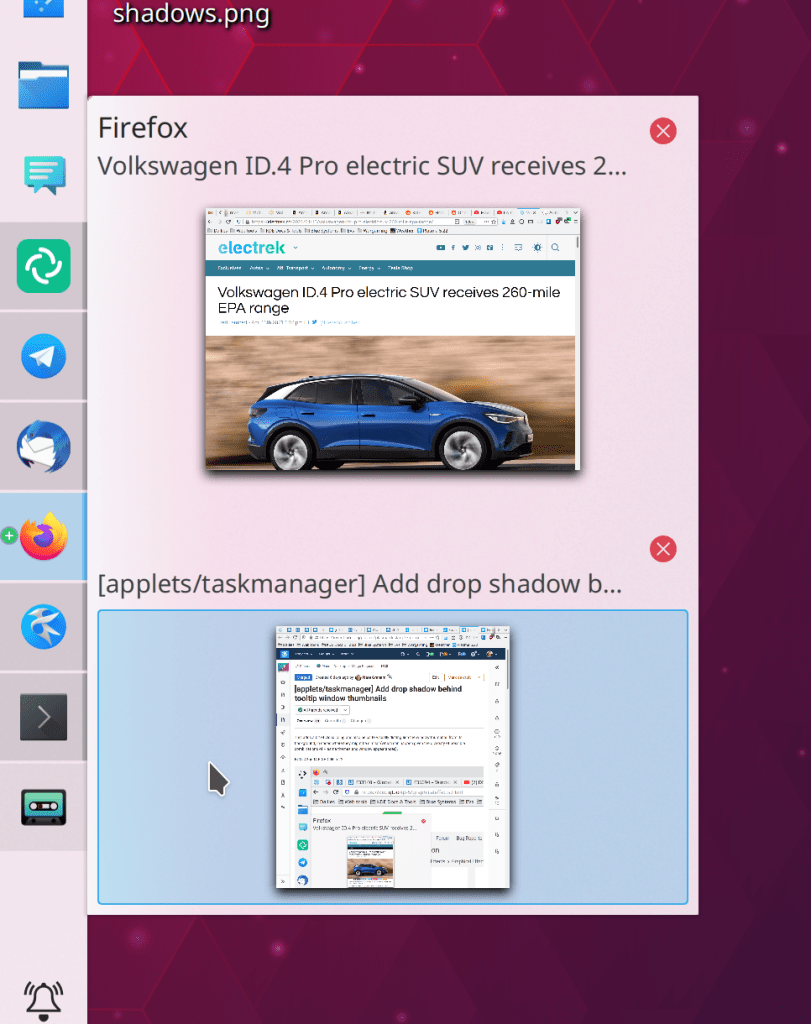
This year massive progress was made on the Plasma Wayland session, including screencasting support, shared clipboard support in Klipper, support for middle-click-paste, support for multi-GPU output, support for thew KRunner windows runner, Task Manager Window thumbnails, screen rotation, High DPI screenshot and timer support in Spectacle, the virtual keyboard now works for GTK apps, configurable mouse and touchpad scroll speed, and global menu support. Phew! You can read more about it on Aleix’s blog: https://www.proli.net/2020/12/30/my-2020-with-kwin-wayland/

Websites

The following websites were created or overhauled to modern standards and content:

https://akademy.kde.org, https://api.kde.org, https://apps.kde.org, https://calligra.org, https://dot.kde.org, https://download.kde.org, https://elisa.kde.org, https://ev.kde.org, https://juk.kde.org, https://kdeconnect.kde.org, https://kde.org, https://kde.org/for/kids, https://kde.slimbook.org, https://kid3.kde.org, https://kmymoney.org, https://konversation.kde.org, https://my.kde.org, https://planet.kde.org, https://relate.kde.org, https://season.kde.org, https://subtitlecomposer.kde.org

Check ’em out; they look great!

Akademy

We had our first virtual Akademy, and it went very well thanks to KDE’s talented sysadmins! You can watch the video recordings of all the talks, workshops, and other content at https://www.youtube.com/c/KdeOrg/videos.

Infrastructure

We began the process of migrating to GitLab at https://invent.kde.org! Thus far we are using GitLab for code review, and are working on migrating the continuous integration system next. After that will be Phabricator Tasks, and then hopefully bug reporting (a man can dream).

We also began the process of migrating to a totally new single sign-on system: https://my.kde.org. Read all about it here: https://carlschwan.eu/2020/10/03/announcing-mykde/

Plasma

We kicked off the year with the Plasma 5.18 Long Term Support version, which was received very well, and is shipped in Kubuntu 20.04 and openSUSE Leap 15.2.

It was a big year for Plasma and Breeze app styling. The overhauled visuals we’ve been working on for years started landing, including a defined header area in apps and plasma applets, an updated Breeze Light color scheme that’s now used by default, a new more compact OSD style, and a new optional hybrid dark/light theme. To top it all off, Plasma now uses an Icons-Only Task Manager by default.

We also did a massive overhaul of the System tray from top to bottom: all of the applets were polished both visually and functionally, most bugs were fixed, various new features were added, and the whole thing was made more cohesive overall.

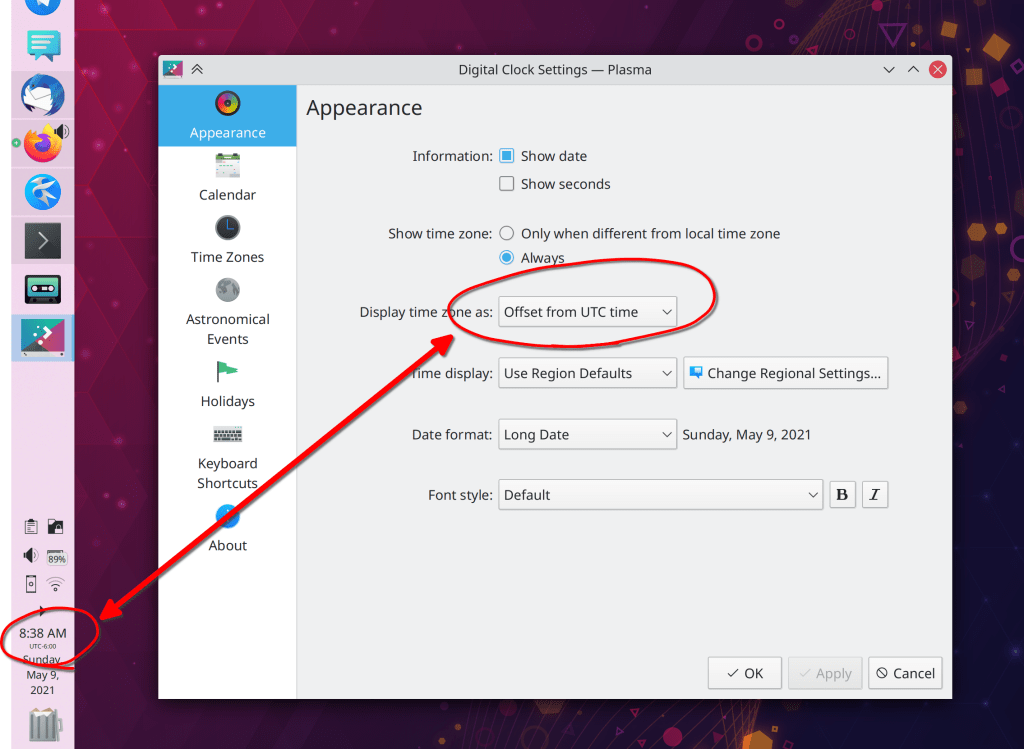
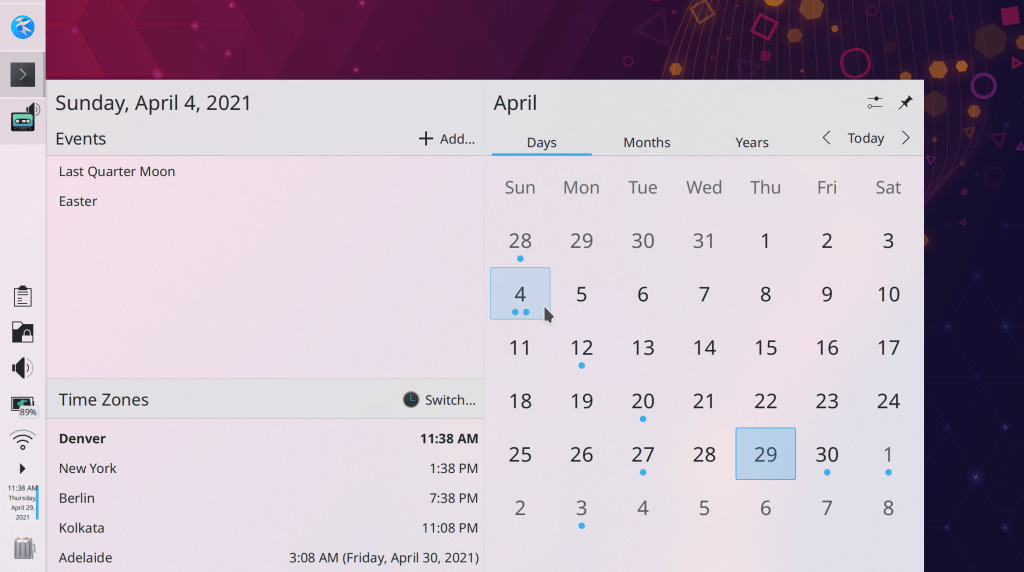
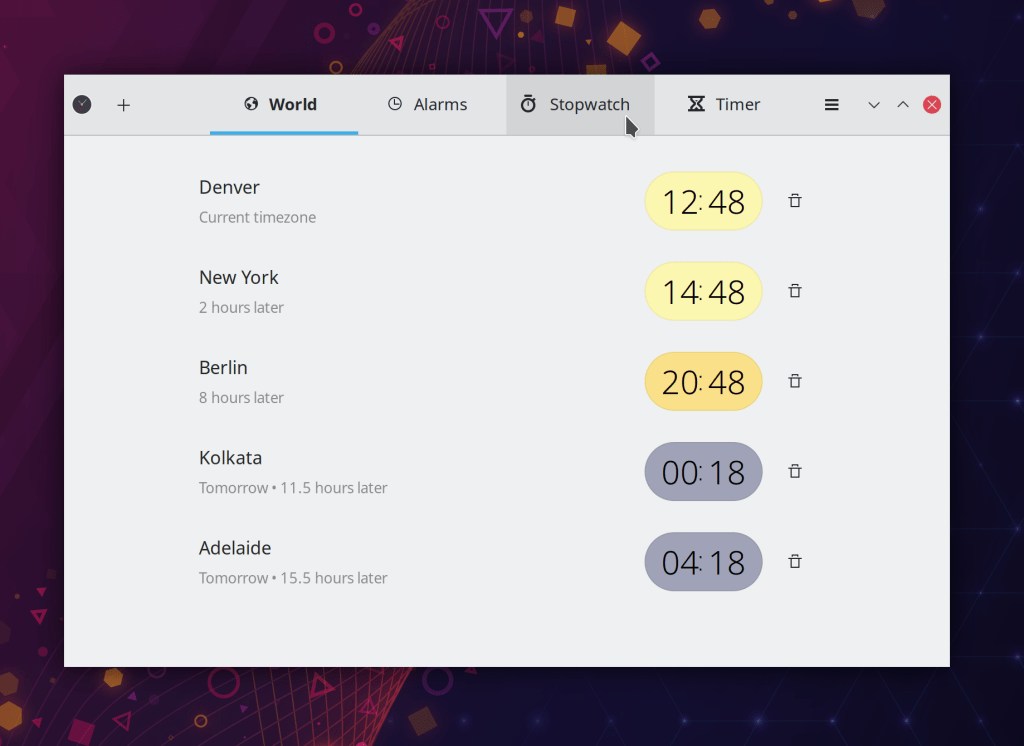
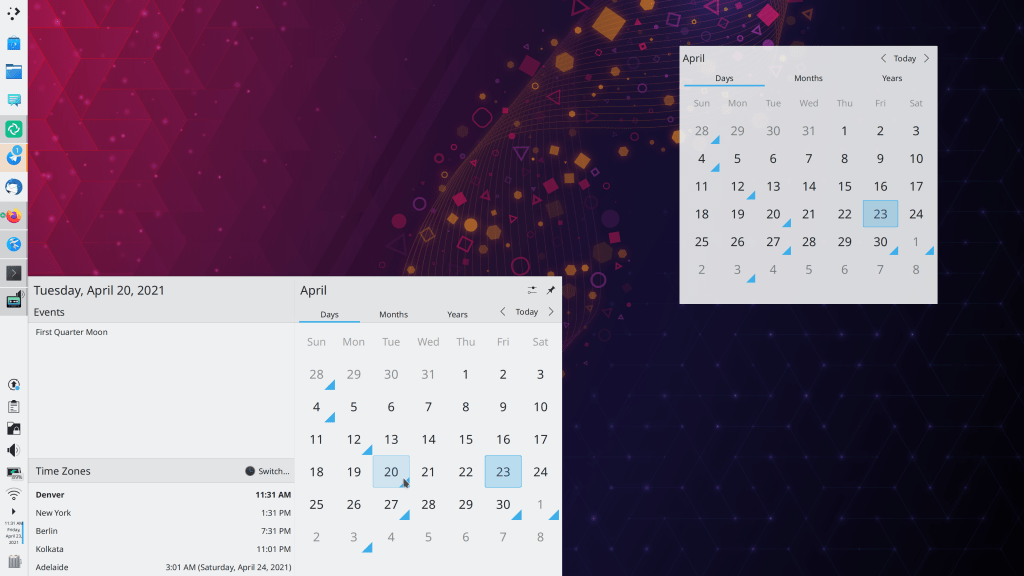
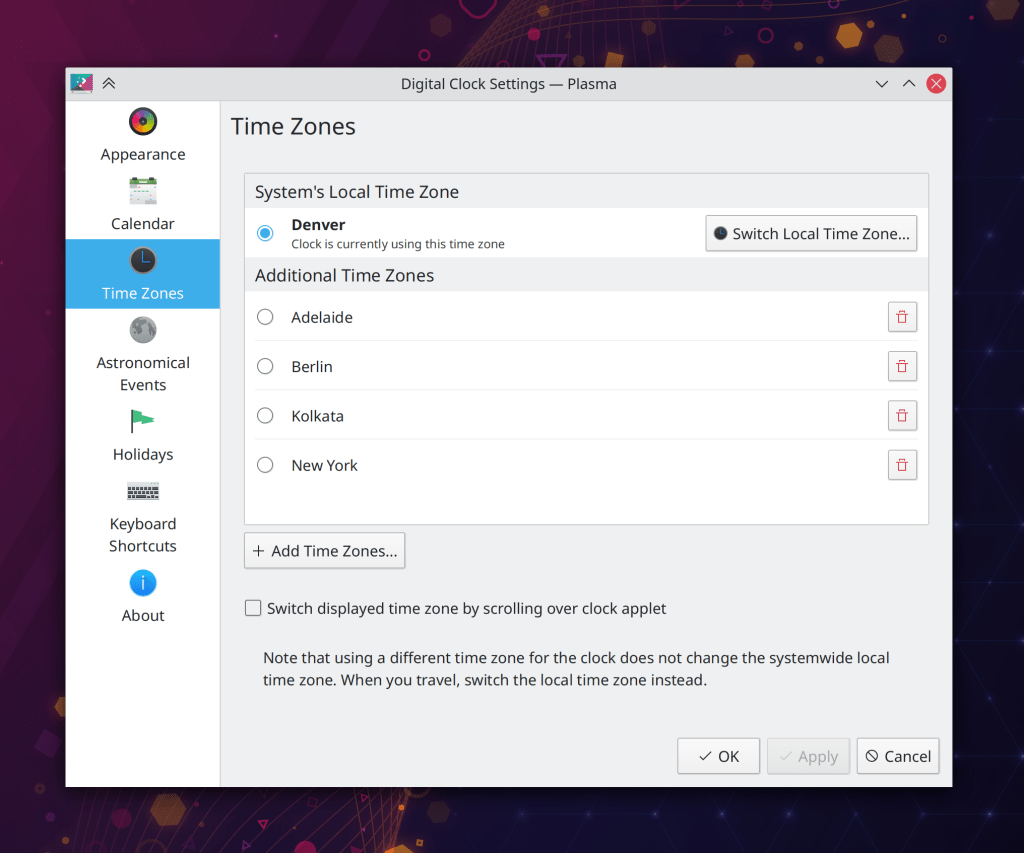
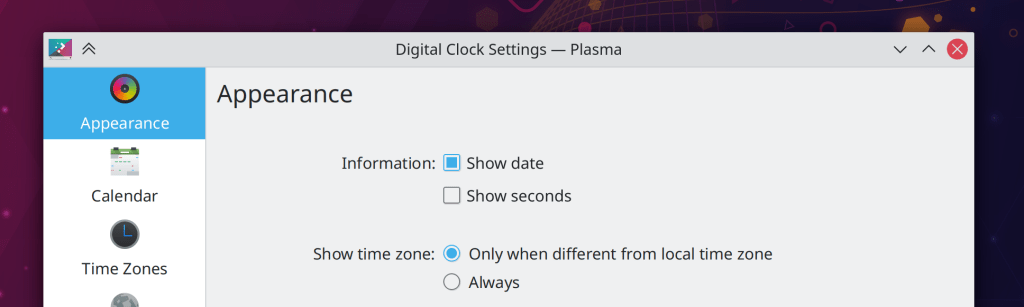
The Digital Clock also received a lot of attention, gaining a fancy new popup that shows timezones, an overhauled page for adding, removing, and switching timezones, and the ability to set the first day of the week. It also shows the date in its panel version by default.

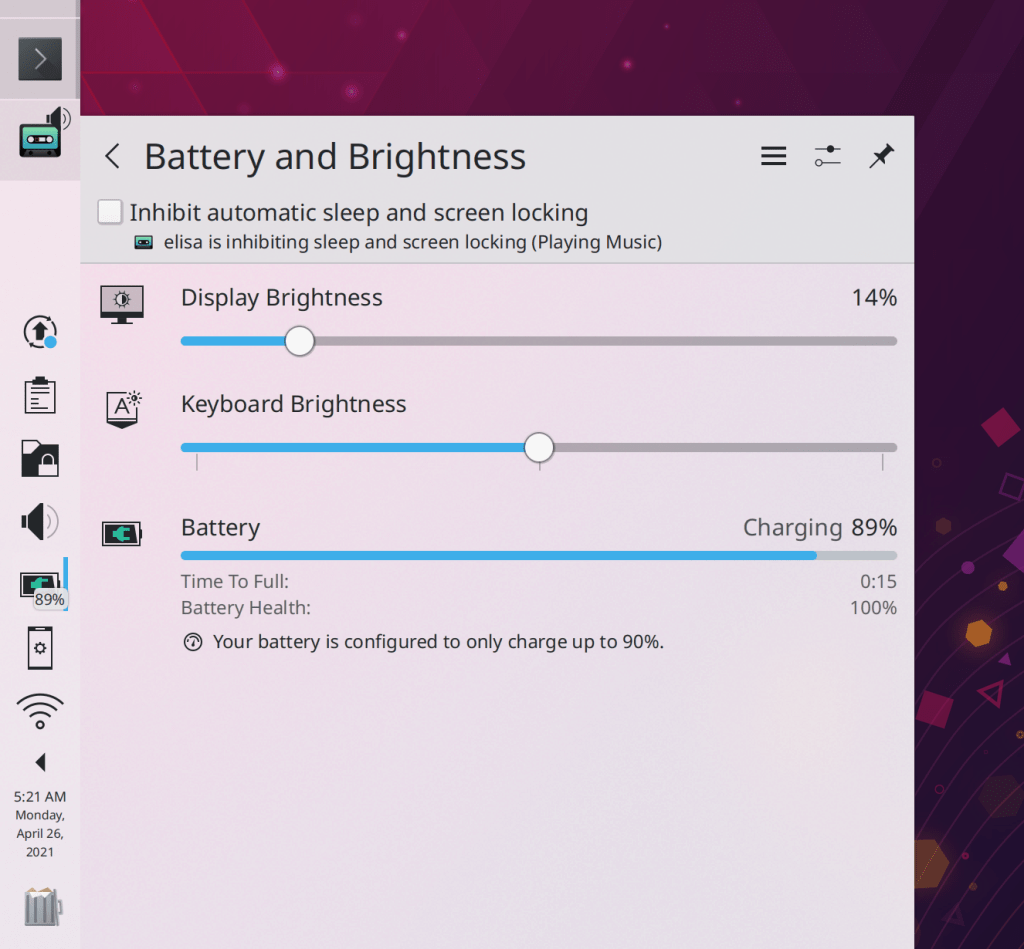
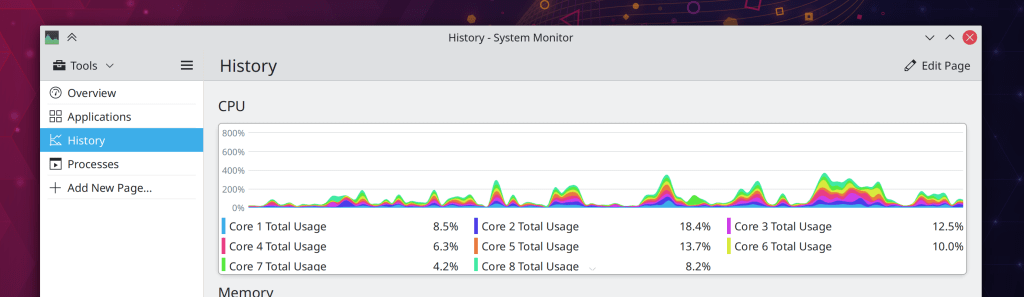
The rest of Plasma gained many new features including a fancy new “Get New [Thing]” dialog, a new System Tray applet for controlling Night Color, new System Monitor applets, a new system monitoring app, a new inline character palette for entering alternative characters, the ability to set a maximum charge limit for laptop hardware that supports it (like Lenovo ThinkPads), and the ability to reply to notifications inline, in apps that support it (like Telegram).

On the backend side, Plasma now has full touch support for Folder View/desktop items, and optional Systemd integration, which improves startup times and gains the ability to group processes by app.

Plasma Mobile also had a banner year, attracting a number of new developers and undergoing heavy development work, culminating in the PinePhone product running Plasma Mobile!

System Settings & Info Center

System Settings and Info Center (which now uses the System Settings app as its backend, sharing code) gained various new features, including automatically syncing relevant system-level Qt/KDE app settings to GTK apps, a “Highlight Changed Settings” feature, the ability to download new KRunner Runners from store.kde.org, a new S.M.A.R.T. Monitoring page and notification system, a new Network Interfaces page, a completely overhauled Samba page. We also ported many System Settings pages to QML. This makes those pages usable in Plasma Mobile and provides an opportunity to modernize the UX. Ported pages include Accessibility, Autostart, Background Services, Bluetooth, Desktop Session, Screen Locking, Shortcuts, Users, and Window Rules.

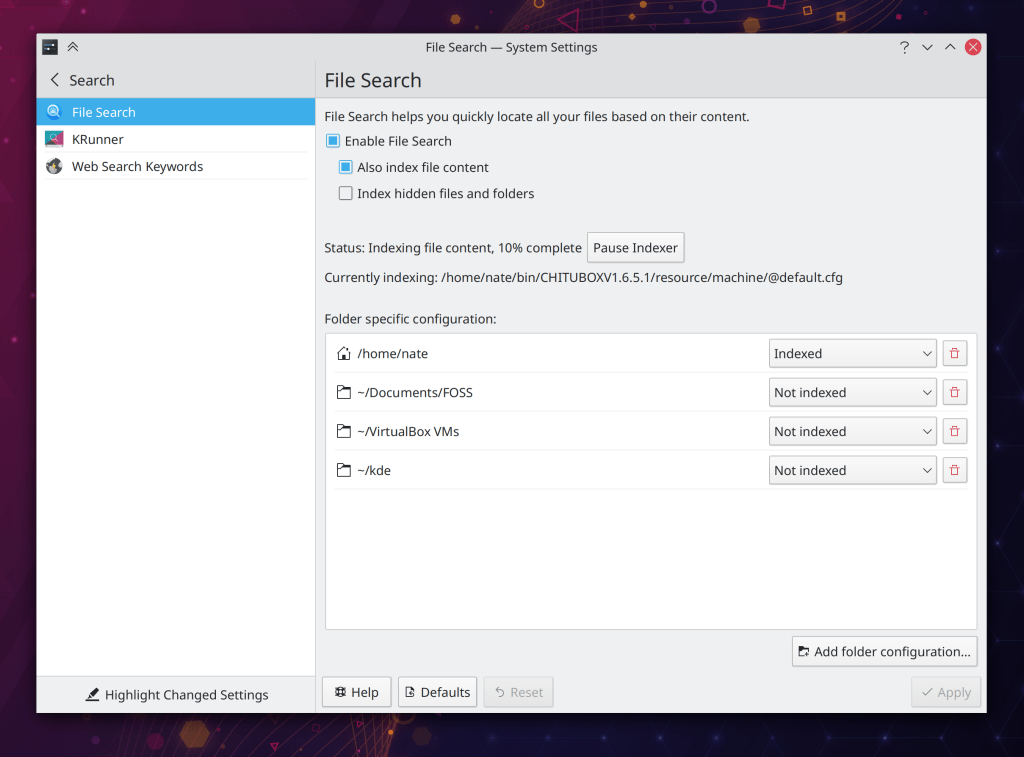
Those orange dots show which pages have any settings that have been changed from their default settings

KWin

In addition to the aforementioned Wayland work–almost all of which heavily involved KWin–our venerable window manager gained support for clipped subsurfaces and the ability to tile windows to a corner by combining the side tiling shortcuts. We also changed the window dragging shortcut to Meta+Drag to avoid conflicts with popular apps, and made minimized windows no longer automatically move to the end of the Task Switcher. All of this in additions to tons and tons of bugfixes and performance work.

Applications & Frameworks

All KDE apps now support AV1 images, support copy-on-write support when using the BTRFS file system, and remember the positions of their windows, including on a per-screen-arrangement basis.

Dolphin and file management

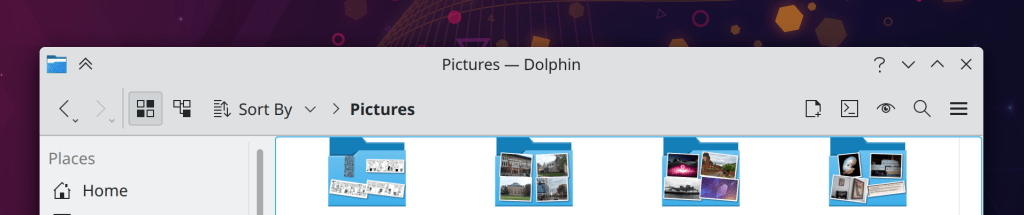
It was a big year for interacting with remote files. First, we released kio-fuse, which makes the experience of dealing with remote files a hundred times better. We integrated WS-DISCOVERY support which makes Dolphin able to locate modern Samba shares, and overhauled the Samba share creator to work much better. Dolphin also gained full touch support, a plugin to mount ISO images, the ability to display real on-disk sizes for folders in Details view. Dolphin also now displays its URL navigator/breadcrumbs bar in the toolbar by default, and remembers its prior window state by default.

Elisa

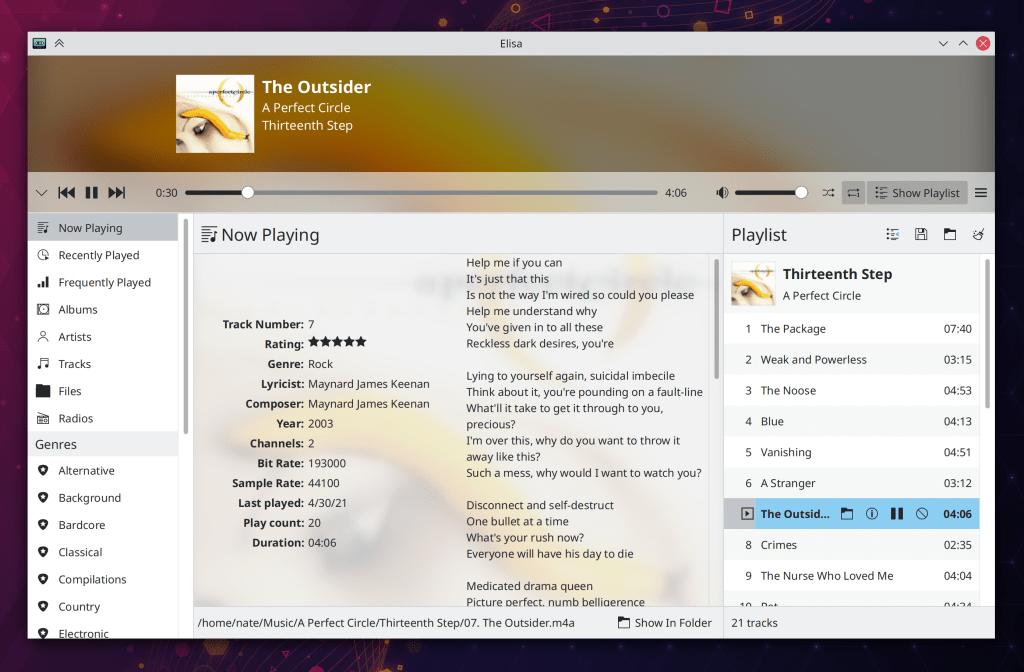
Elisa gained many features including the ability to edit song metadata, change the sort criteria, remain playing in the background with only a System Tray item visible, repeat one track, display the contents of a category in the sidebar, and override the systemwide color scheme. Finally, the “Previous track” action goes back to the beginning of the current track unless playback is within the first 5 seconds.

Kate

Kate turned 20! To celebrate, its tab bar now has a standard appearance and new tabs are opened on the right. And the app–as well as other text editor views based on the KTextEditor framework–now fully respect your systemwide color scheme! You can read more about it on the Kate blog here: https://kate-editor.org/post/2020/2020-12-31-kate-in-2020/

Konsole

Konsole gained a variety of useful new features such as inline previews for images and HTML color codes that you hover the cursor over, the ability to assign custom colors to tabs, and a new on-by-default toolbar. Also, paths in grep output are now clickable to jump directly to that line of code in the file!

Okular

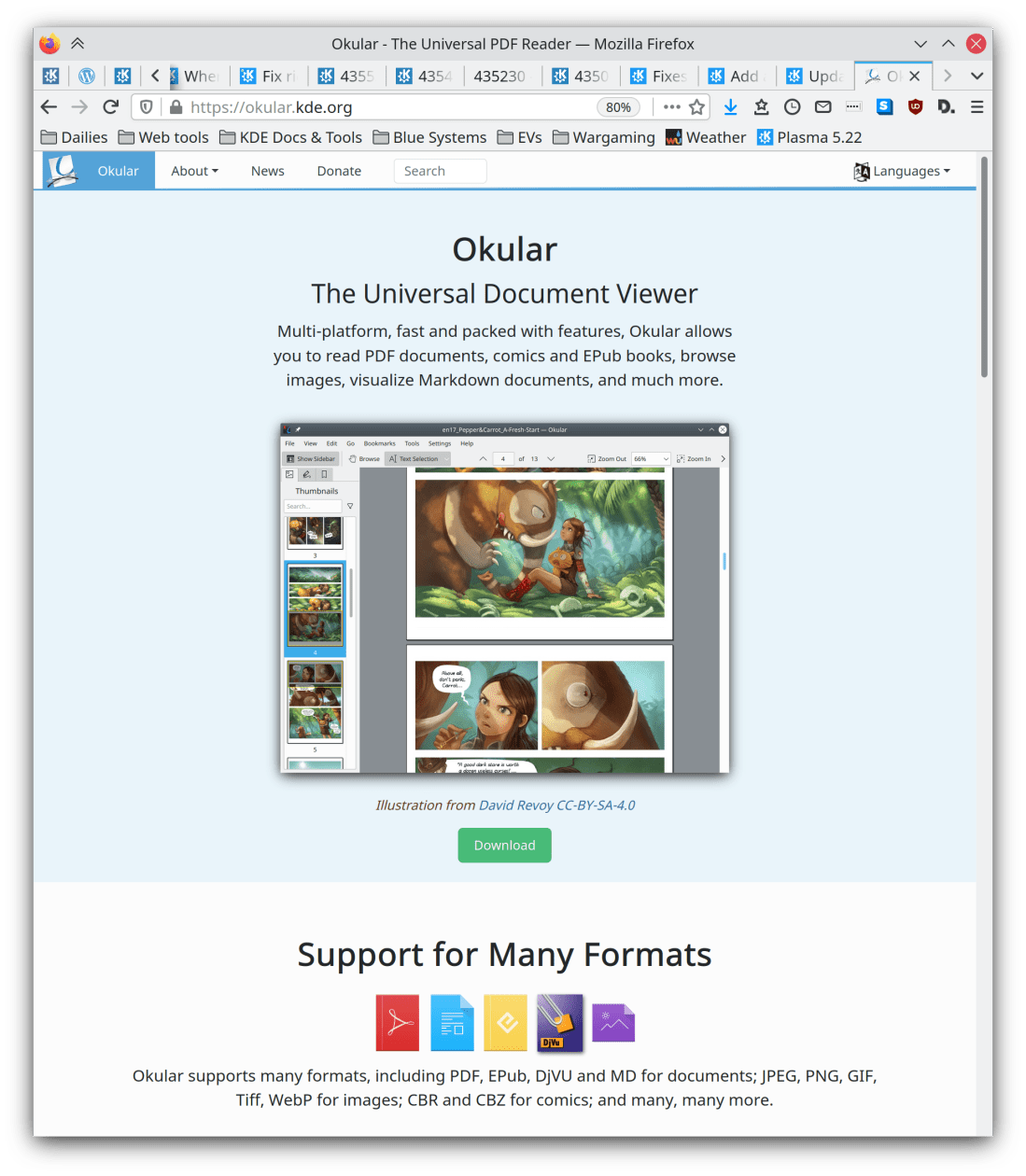
Okular gained the ability to digitally sign documents and now offers (optional) smooth scrolling, which was a bit rocky at first, but we fixed it. 🙂 The Annotations feature was totally overhauled with a new toolbar that makes it easier to change the parameters of an annotation, and and there were various UI improvements to the sidebar and the default toolbar. Okular also adopted date-based versioning, matching most other KDE apps using the release service. 🙂

Spectacle

In addition to the aforementioned Wayland improvements, Spectacle gained the ability to annotate newly-taken screenshots!

How very meta

And remember, this is just a subset of a subset! KDE has over a hundred other apps which you can find out about at https://kde.org/applications. And I didn’t even mention some of the amazing stuff that’s still under development but not yet released, like a firewall control UI for Plasma and totally re-worked compositing in KWin which will result in support >60hz screen refresh rates and mixed refresh rates in multi-screen setups. Stay tuned for more information about that stuff and more. 🙂

How KDE can transcend the cycle of Geeks, Mops, and Sociopaths

A few years ago I read a fascinating article about the cycle of how subcultures grow, mature, and die. The whole thing is worth a read (as well as the whole site), but here’s the abridged version:

  1. Creators invent something new and cool, attracting fanatics who validate them and help spread it around. These people are the “Geeks.” I would guess that most current users of KDE software are in or near this group.
  2. The coolness attracts “Mops”–normal people who want to enjoy the cool thing with minimal effort or investment. They dilute the coolness by demanding that it be simplified, sanitized, and mainstreamed for them. In KDE terms, these people would be our non-technical friends and relatives.
  3. At this point, the Geeks may start to quit because the coolness has been destroyed by the Mops. However sometimes the Geeks realize that Mops are key to expanding the cool thing even further.
  4. At this point Sociopaths will appear–people who participate in a system for the money or power games. They figure out how to monetize the Mops, allowing some Geeks to go pro and create the cool thing full time.
  5. Sociopaths increasingly exploit both the Geeks and the Mops, because they’re in it for the money and social power.
  6. The Geeks increasingly burn out because they’re spending their time unpleasantly interacting with exploitative Sociopaths and compromising their original vision to placate demanding Mops who provide their income.

I’m old enough that I’ve started to notice this cycle play out in various hobbies, subcultures, and even commercial companies I’ve been involved with: they start out small and cool, but along the way, mainstreaming and commercialization seem to corrupt everything.

I’ve also noticed that many FOSS projects seem to avoid this cycle and the dark fate at the end. Not all do, but some seem to. Why? How?

How FOSS helps

In the FOSS world, Mops are not easily monetized. The product is given away for free, after all! Only mildly Geeky Mops will be attracted, and the more entitled mainstream Mops can be told to pound sand when they start to demand more. They didn’t pay anything, so they’re not entitled to anything.

As a result, many FOSS projects are able to preserve their stable niche status because they explicitly reject a strong Mop appeal, limiting the attractiveness for Sociopaths. To tie this fairly theoretical discussion back to the software world a bit, Arch Linux is a good example: not having an installer acts as a gate to keep out low-investment Mops, ensuring that the project remains safely in the hands of the Geeks.

However this kind of gatekeeping–intentional or not–has a drawback: if the gate is too strong, the project may shrink over time as the original Geeks get bored or driven away by internal politics. Because the pool of Geeks is fairly limited, Geek-only growth largely involves poaching from other Geek projects; it’s a zero sum game.


What to do? Is it really a matter of keeping out the Mops and staying small, or letting them in and burning out after growing huge? And how am I able to reconcile knowledge of this cycle with my stated goal to get KDE Plasma onto every computing device on planet Earth? Earthlings are mostly Mops, after all.

How KDE can do it

Well first of all, I acknowledge that my goal is more aspirational than realistic. 🙂 Better to shoot for the moon and fall short, I think. I’d be pretty happy if we get Plasma to 15% global market share. That’s enough to be a major player with a direct and ongoing positive impact on human civilization.

Anyway, here’s how I think KDE can avoid the cycle, and grow powerful without being corrupted:

Attract all the Geeks

You may notice how many sysadmins, software devs, and general nerds have Apple computers outside of the FOSS world. In the early 2000s, Apple attracted a huge number of Geeks by pairing support for power-user workflows with an attractive user interface and high reliability. This was the “It Just Works” factor, for people who were doing work. It allowed Apple’s ecosystem to maintain a favorable Geek-to-Mop ratio, at least until the iPhone took off. KDE can realistically follow this path as well. I myself am a former Apple nerd. We can convert them. And the more Geeks KDE has, the more engineering talent it will accumulate, and the more Mops it can safely support.

Minimize the project’s reliance on Mop money

This avoids creating a financial incentive to dilute the product, and it reduces the project’s appeal to Sociopaths (at least, the ones who are attracted to money). KDE already has this pretty well covered, because we don’t sell products directly to consumers for money–with the exception of Krita on the Windows store (to my knowledge), and even then there are simple ways to get Krita for free if you want. The existence of a free version is a pressure valve.

Preserve the KDE community’s gravitational center for development

Today KDE benefits from outside companies paying people to work on KDE who are benevolent: Blue Systems (my employer), Enioka Haute Couture, KDAB, SUSE, the city of Munich, and various others. But it won’t always be this way as KDE rises in importance.

Large companies with little exposure to the FOSS world, but who use or sell products with KDE software, will want to hire their own engineers to contribute to KDE so they don’t feel like they’re shut out of the development of a product that significantly affects them. If enough of this happens outside of KDE itself, we run the risk of the project being taken over by sheer weight of outside contributions by large companies.

This is why I feel so strongly that the KDE e.V. should start hiring community members for technical roles. With the KDE community itself clearly in charge of the gravitational center of paid engineering, these outside companies would find it more convenient to simply pay money to the e.V. to strengthen those development efforts, join a sort of technical advisory board, or pay for priority access to engineering resources to fix bugs affecting them (not features, only bugs). These could give those companies the the “seat at the table” that they’re looking for while keeping technical decision-making firmly in the hands of the community. The project would be able to remain independent more easily.

It’s not a problem we urgently need to solve right now, but it will be in the future if we’re as successful as I want us to be. I think it behooves us to do it now rather than later.

Hire Geeks, not Mops

Whenever someone is paid to work on KDE stuff–either by the KDE e.V. or anyone else–always prioritize hiring KDE community members over outsiders. There’s always the risk that the outsider is a Mop who just wants a paycheck rather that someone who truly believes in KDE. Those with the privilege of being paid to work on KDE stuff should be people who go above and beyond because they love it.

Foster a culture of resistance to Sociopathy

KDE will probably never be an institution where you can get rich quick, and I see this as a good thing. But not all Sociopaths are in it for the money; some crave power. An important project like KDE will still hold appeal for the type of Sociopath who wants to push everyone around as the king of a little digital fiefdom. We need to keep these people out.

Unfortunately, while Geeks are generally good at noticing when Sociopaths show up, they are generally terrible at kicking them out. Geeks can be conflict-averse, or believe that the Sociopaths can be reasoned with, reformed, or safely tolerated because they do some good work. They cannot be.

KDE needs to maintain and expand a culture of resistance to Sociopathy by teaching its members to harden themselves against Sociopaths and and use some of their own tactics against them when they show up. Nobody should be the king of KDE. KDE should not have a king! Central leadership is a risk factor, as I blogged about earlier.

What it all looks like

KDE will attract as many Geeks as possible through our continued commitment to technical excellence and supporting power user workflows in our software. We minimize the risk of demanding Mops burning everyone out by not selling anything to them directly and maintaining a favorable Geek:Mop ratio through our attraction of lots of Geeks. We start paying for engineering talent, but we hire insider Geeks, not outsider Mops. And we do it within KDE itself. Then we remain vigilant for Sociopaths craving power, and we kick them out so that KDE can remain a safe place for the Geeks.

So who’s ready to take over the world with love and positivity and user-empowering high quality software?

This week in KDE: kio-fuse and NeoChat rise

Merry Christmas everyone! We have some nice holiday presents for you:

First of all, KDE’s FUSE-based remote location mounter kio-fuse got its first stable release, which means it can now be pre-installed by distros.

That’s not all: we have a new KDE Matrix-based chat app: NeoChat! This app is a fork of Spectral, which a few months ago appeared to have been abandoned by its developer. Carl Schwan and Tobias Fella decided to resurrect it as a KDE project, and they’ve done a smashing job bringing it into the fold. In addition to being a very nice desktop app, it also runs on Plasma mobile and there are early Android builds. I’ve been using it for the last month, and even in an early beta state, I already like it better than Element and every other Matrix client I’ve tried. Check out the official release announcement here: https://carlschwan.eu/2020/12/23/announcing-neochat-1.0-the-kde-matrix-client/

But wait, there’s more:

New Features

Kate now has a new off-by-default but very cool plugin that will visualize colors for various textual color codes, and let you edit them graphically using the standard systemwide color picker! (Jan Paul Batrina, Kate 21.04):

Dolphin now lets you set its “homepage” to non-local locations including arbitrary KIOSlaves, such as remote://, baloosearch:// and so on (Derek Christ, Dolphin 21.04)

KRunner’s history is now activity-aware by default! This means for example that there will no longer be a data leak if you use an activity with history turned off (Alexander Lohnau, Plasma 5.21)

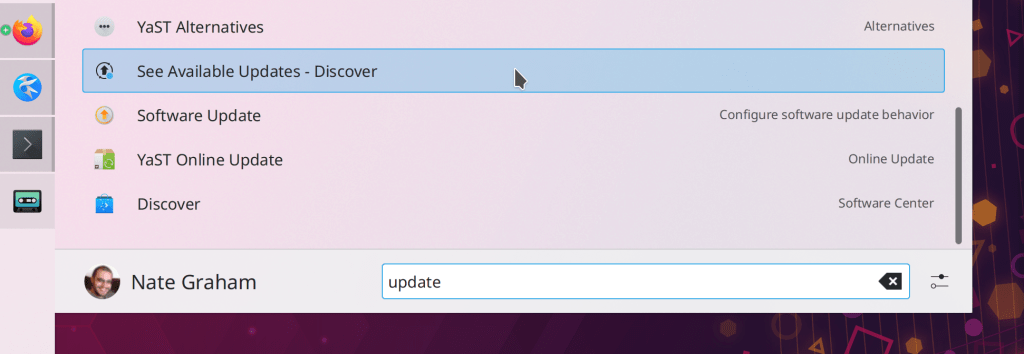
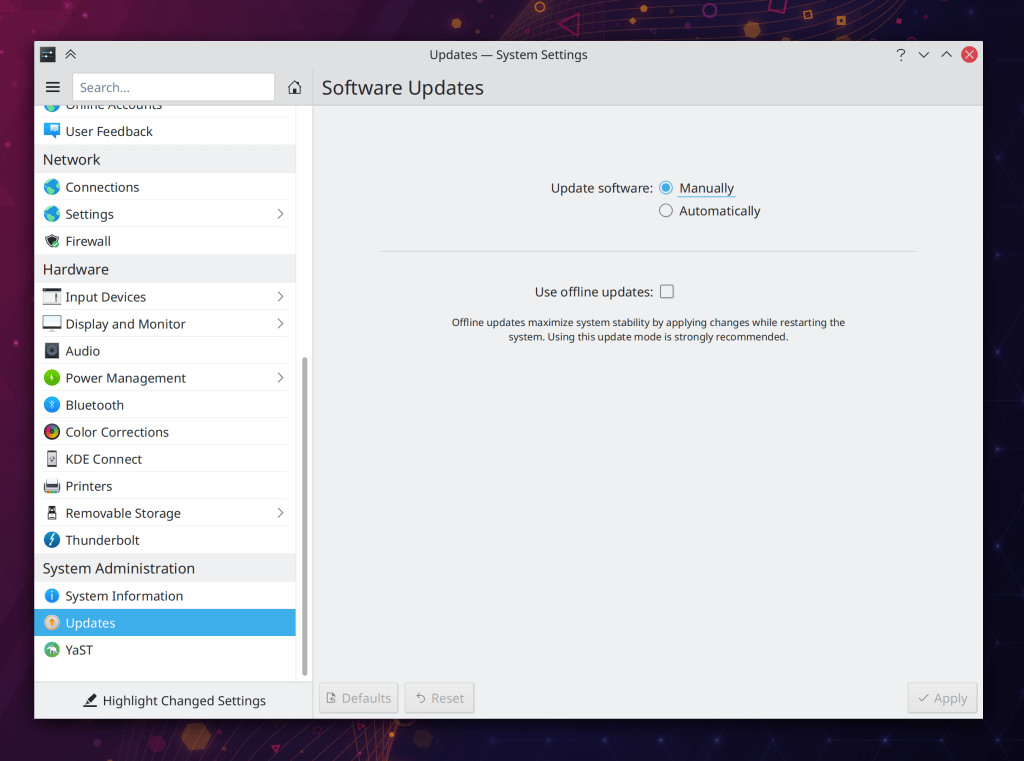
You can now optionally (and it’s off by default) have your system automatically apply available updates (Aleix Pol Gonzalez, Plasma 5.21):

There is now a Breeze GTK theme for GTK4-based apps! (Jan Blackquill, Plasma 5.21)

Wayland

The KRunner Windows runner (which lets you find and switch to open windows) now works on Wayland (Benjamin Port, Plasma 5.21)

Bugfixes & Performance Improvements

Okular is now more resistant to crashing in the face of some malformed PDF files (Albert Astals Cid, Okular 20.12.1)

Okular now returns the correct search results when your search term includes the “Å” character (Albert Astals Cid, Okular 20.12.1)

Dolphin once again scrolls properly when using non-touchpad device with vertical as well as horizontal scrolling capabilities, such as a mouse with a wheel that can tilt from side-to-side in addition to spinning (Eduard Manta, Dolphin 20.12.1

Gwenview’s JPEG save quality chooser in the Save As dialog now saves and restores its value properly (Miklós Márton, Gwenview 20.12.1)

Kate’s find-and-replace speed is now dramatically faster when working with very large files (Waqar Ahmed, Kate 21.04)

Changes in the key repeat rate no longer require a logout or reboot (Weng Xuetian, Plasma 5.18.7)

Plasma no longer crashes when visiting the Weather applet’s Units tab for the second time (Willyanto Willyanto, Plasma 5.20.5)

The System Tray’s expander arrow no longer sometimes disappears when there are only a small number of items in the expanded view (Konrad Materka, Plasma 5.20.5)

Made Plasma even lighter on CPU resources while MPRIS-compliant audio and video players are playing media (David Edmundson, Plasma 5.21)

The kglobalaccel daemon will no longer try to restart and then repeatedly crash while logging out, which could block logging back in (David Edmundson, Frameworks 5.77)

Dolphin no longer crashes when you move or copy files and click the “Apply to all” checkbox in the overwrite dialog (Ismael Asensio, Frameworks 5.78)

System Settings’ Custom Shortcuts page is once again able to, well, record custom shortcuts! (Weng Xuetian, Frameworks 5.78)

The Breeze icon theme now includes the image-missing icon, which somehow makes various GTK apps not crash. I guess they really really want this icon! (Henry Heino, Frameworks 5.78)

User Interface Improvements

System Settings’ KRunner page now supports the “Highlight changed settings” feature (Cyril Rossi, Plasma 5.21)

How You Can Help

Have a look at https://community.kde.org/Get_Involved to discover ways to be part of a project that really matters. Each contributor makes a huge difference in KDE; you are not a number or a cog in a machine! You don’t have to already be a programmer, either. I wasn’t when I got started. Try it, you’ll like it! We don’t bite!

Finally, consider making a tax-deductible donation to the KDE e.V. foundation.

This week in KDE: all the things!

This week we did a little bit of everything, and there should be things that make all kinds of people happy. So let’s just jump right in!

New Features

Okular now lets you digitally sign documents! Note that this feature makes use of a digital signature, not a picture of your handwritten signature. This feature was sponsored by the Technical University of Dresden (TU Dresden) (Albert Astals Cid, Okular 21.04)

Kate and other KTextEditor-based apps now have a new feature to swap the selected text with the top item in the clipboard (Christoph Cullmann, Frameworks 5.78)

All KDE software now supports the AV1 image format when the libavif library is installed, including displaying thumbnails in Dolphin and other apps (Daniel Novomeský, Frameworks 5.78)

Bugfixes & Performance Improvements

Dolphin no ever gets in a situation where it always tries to execute executable JavaScript files instead of opening them, when in a different context you’ve previously told it to always execute executable files (Ahmad Samir, Dolphin 20.12.1)

Fixed a common crash-on-launch bug in Dolphin and a case where Dolphin could crash when you open a new tab while there was text in the search field (Anthony Fieroni, Dolphin 20.12.1)

Dolphin no longer crashes when you try to drag a disk in the Places panel (Chris Holland, Dolphin 20.12.1)

Elisa’s “Force Filesystem Indexing” option is now remembered in the config window correctly (Matthieu Gallien, Elisa 20.12.1

Hugely increased the performance and speed of searching through large documents in Kate (Waqar Ahmed, Kate 21.04)

Kate’s Quick Open panel now always opens the correct item (Waqar Ahmed, Kate 21.04)

Improved the character placement in various command-line apps run using Konsole (Oswald Buddenhagen, Konsole 21.04)

The Emoji selector once again opens to display its “Recent” page (David Redondo, Plasma 5.20.5)

Improved compatibility with multi-monitor setups using different scale factors for each monitor in the Plasma Wayland Session (Vlad Zahorodnii, Plasma 5.21)

When you Alt+Tab to an XWayland window in the Plasma Wayland session, mouse wheel scrolling now always works properly in the window (Andrey Butirsky, Plasma 5.21)

The Global Menu applet now works properly in the Plasma Wayland session for XWayland windows (Fabian Vogt, Plasma 5.21)

The System Settings Users page no longer fails to set an avatar image when given a very large file; it now resizes it to fit (Jan Blackquill, Plasma 5.21)

The Lock/Logout applet once again works properly (David Edmundson, Plasma 5.21)

KRunner now correctly evaluates single-digit factorial expressions (Alexander Lohnau, Plasma 5.21)

The KGlobalAccel daemon no longer crashes–either once or repeatedly–when logging out of your user account or shutting down the computer (David Edmundson, Plasma 5.21)

Fixed the most common crash afflicting all KDE software: when graphics drivers are updated but before the system is restarted, and hardware acceleration is no longer available. Now the affected software will fall back to software rendering rather than crashing (Piotr Henryk Dabrowski, Frameworks 5.78)

Fixed one of the most common ways that an app could crash while downloading or updating Get New [Thing] content, and a less common-way that it would happen (Dan Leinir Turthra Jensen, Frameworks 5.78)

Plasma panels no longer show a weird black line when compositing is disabled (David Edmundson, Frameworks 5.78)

The file dialogs are now capable of opening files whose name begins with a colon (Ahmad Samir, Frameworks 5.78)

Custom shortcuts set to activate Plasma applets are no longer sometimes lost after rebooting (David Edmundson, Frameworks 5.78)

Improved the efficiency of Plasma’s SVG caching system, leading to a small but measurable performance improvement everywhere throughout Plasma (Marco Martin, Frameworks 5.78)

The Plasma calendar widget no longer lets you try to display negative years, which would make Plasma crash (me: Nate Graham, Frameworks 5.78)

User Interface Improvements

In Kate’s tab switcher panel, you can now close the currently selected document by hitting the Ctrl+W keyboard shortcut (Waqar Ahmed, Kate 21.04)

The System Settings Desktop Session page has had its user interface rewritten in QML for a cleaner, more modern appearance (Carl Schwan, Plasma 5.21):

Reverted the automount defaults changes announced last week because the new Disks & Devices behavior makes them largely unnecessary (me: Nate Graham, Plasma 5.21)

System Settings’ Screen Locking and Compositing pages now support the “Highlight Changed Settings” feature (Cyril Rossi, Plasma 5.21)

Re-added the option to make the Disks & Devices popup not automatically open when a new device is plugged in, because people articulated reasonable and valid use cases for it (me: Nate Graham, Plasma 5.21)

Made a few more tweaks to the Audio Volume applet, including moving the tab bar to the bottom, always hiding inactive devices, and moving all the toolbuttons up to the header row, as with other applets in Plasma 5.21 (me: Nate Graham, Plasma 5.21):

I think we’re finally done with it now!

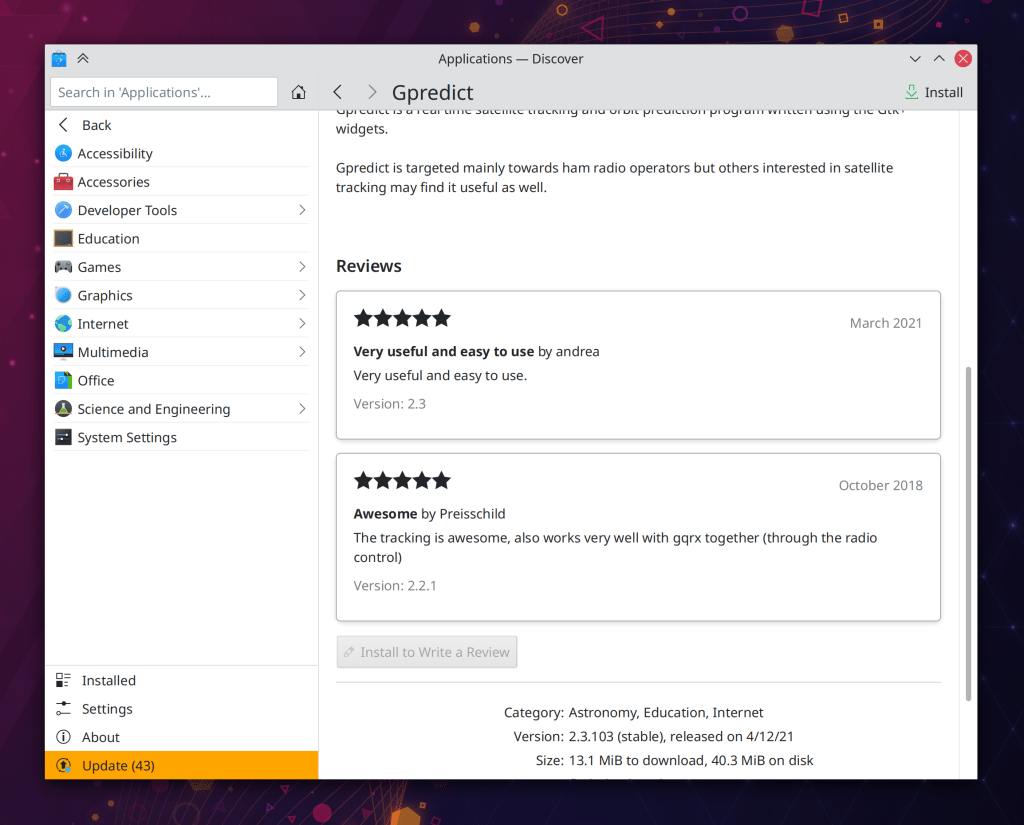
On Discover’s reviews sheet, datestamps for individual reviews are now displayed using a format appropriate for your locale (Tabor Nagy, Plasma 5.21)

On Discover’s “Updates” page, the position of the “Update” and “Check for Updates” actions has been swapped (me: Nate Graham, Plasma 5.21):

You can now enter relative paths in the URL Navigators used in various KDE apps. For example if you’re inside your home folder, you can enter “Documents” into the URL navigator and be taken there as expected (Ahmad Samir, Frameworks 5.78)

How You Can Help

Have a look at https://community.kde.org/Get_Involved to discover ways to be part of a project that really matters. Each contributor makes a huge difference in KDE; you are not a number or a cog in a machine! You don’t have to already be a programmer, either. I wasn’t when I got started. Try it, you’ll like it! We don’t bite!

Finally, consider making a tax-deductible donation to the KDE e.V. foundation.