A better fundraising platform

KDE is getting a much more user-friendly fundraising platform, and it’s a big deal!


Currently our small-donor donation page is https://kde.org/community/donations, which lets you make a single one-time donation. To make a recurring donation, you have to visit https://relate.kde.org, which is less user-friendly, and it’s always struck me as odd to have these split up in two locations.

Well, KDE is getting a much better donation system powered by Donorbox, which I hope will turbocharge our fundraising! It’s very user-friendly and allows you to easily make recurring donations, which is important. We already set this up for the Kdenlive fundraiser, and it was a smash hit, raising 100% of the funds in the first month of the 3-month campaign. That fundraiser has since moved into stretch goals!

We’ve now done it again, rolling out a Donorbox-powered donation UI on https://kde.org/bluefriday, our tongue-in-cheek anti-black-friday fundraiser, which will become a general end-of-year campaign. This work was done by members of KDE’s promo team and fundraising working group, principally Lays Rodrigues, Carl Schwan, and Paul Brown. And so far the response has been huge! The fundraiser opened yesterday, and at the time of publication, it’s already collected 530€ from 28 generous donors! And after the new year, the current plan is to continue to use the Donorbox-powered UI for all small donations.

This really goes to show how important user-friendliness is. When you make it easy for people to give you money… they give you more money! Thank you so much, everyone.

Why is all this money stuff so important? Well, it’s how the KDE e.V. pays for hiring (such as for the Platform Software Engineer position I blogged about two days ago), development sprints, conferences, infrastructure, and similar activities that help KDE thrive and grow. If we’re gonna hugely expand technical employment–which is a major goal of mine–then we’re gonna need a lot more recurring donations to do it.

So what are you waiting for? Head over to https://kde.org/bluefriday and make a donation today. If it’s a recurring donation, we’ll love you forever! 🥰

KDE is hiring a software engineer

Yes that’s right folks, it’s happening!!! KDE is growing up, joining the big leagues, and cooking on all burners!

The KDE e.V. recently dipped its toes into the waters of technical hiring by contracting with longtime KDE contributor Ingo Klöcker to maintain and improve KDE’s packaging infrastructure for non-FOSS platforms. Now we’re at it again with a new open position for a “Software Platform Engineer.”

This is an open-ended development position, with responsibilities for work on KDE frameworks, Plasma, Qt, middleware like Pipewire and Wayland protocols–basically, the same things that a lot of people are already doing. But… on a consistent work-work basis, for money, with your KDE friends as professional colleagues and supervisors!

If this interests you, check out the job ad and apply! We want lots of good candidates so we can feel bad about only hiring one person and then feel even more incentivized to open more positions for them too! And we have other open positions as well! So go apply for a career in KDE today!

Of course sustaining these high-pay technical positions won’t be cheap. The KDE e.V. can just barely afford it now, and needs a larger and growing budget to be able to sustainably keep up the pace of hiring. Please donate today! Every little bit helps. If you can swing it, make it an annual donation!

This week in KDE: less-rage-inducing error messages in Discover

This week I’d like to highlight a particular 15-minute bug that got fixed: When Discover shows you significant error messages, they now take the form of normal dialogs rather than tiny little overlays at the bottom of the screen that disappear after a few seconds. And it should now show you fewer un-actionable error messages in general too! These major improvements were contributed by Jakub Narolewski and Aleix Pol Gonzalez, and will show up in Plasma 5.27. Thanks guys!

But that’s not all! There was a lot of work on other significant bugs too, and we managed to knock out several, in addition to landing some welcome features and fixes:

New Features

System Monitor (and widgets of the same name) can now detect and monitor power usage for NVIDIA GPUs (Pedro Liberatti, Plasma 5.27. Link)

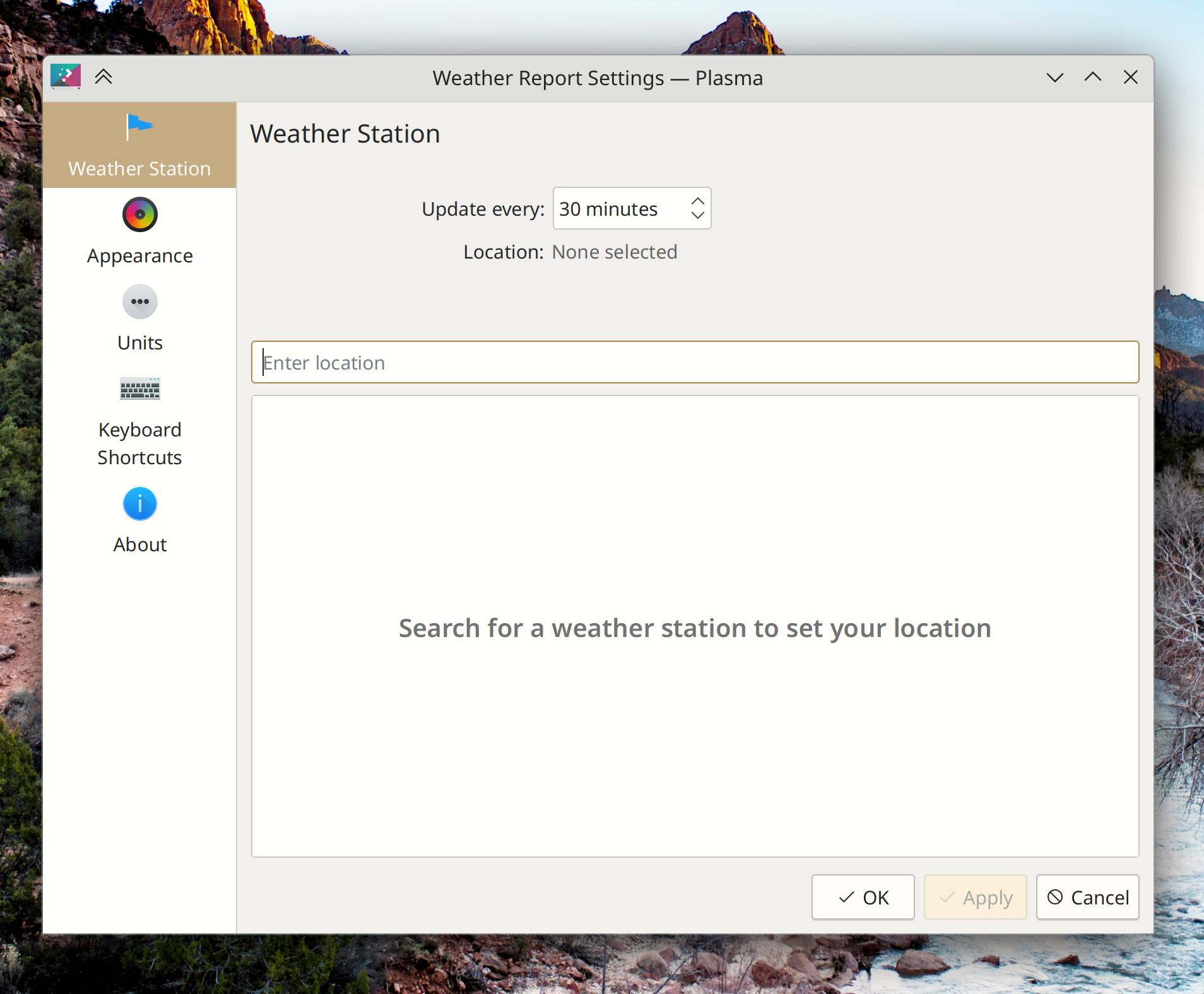
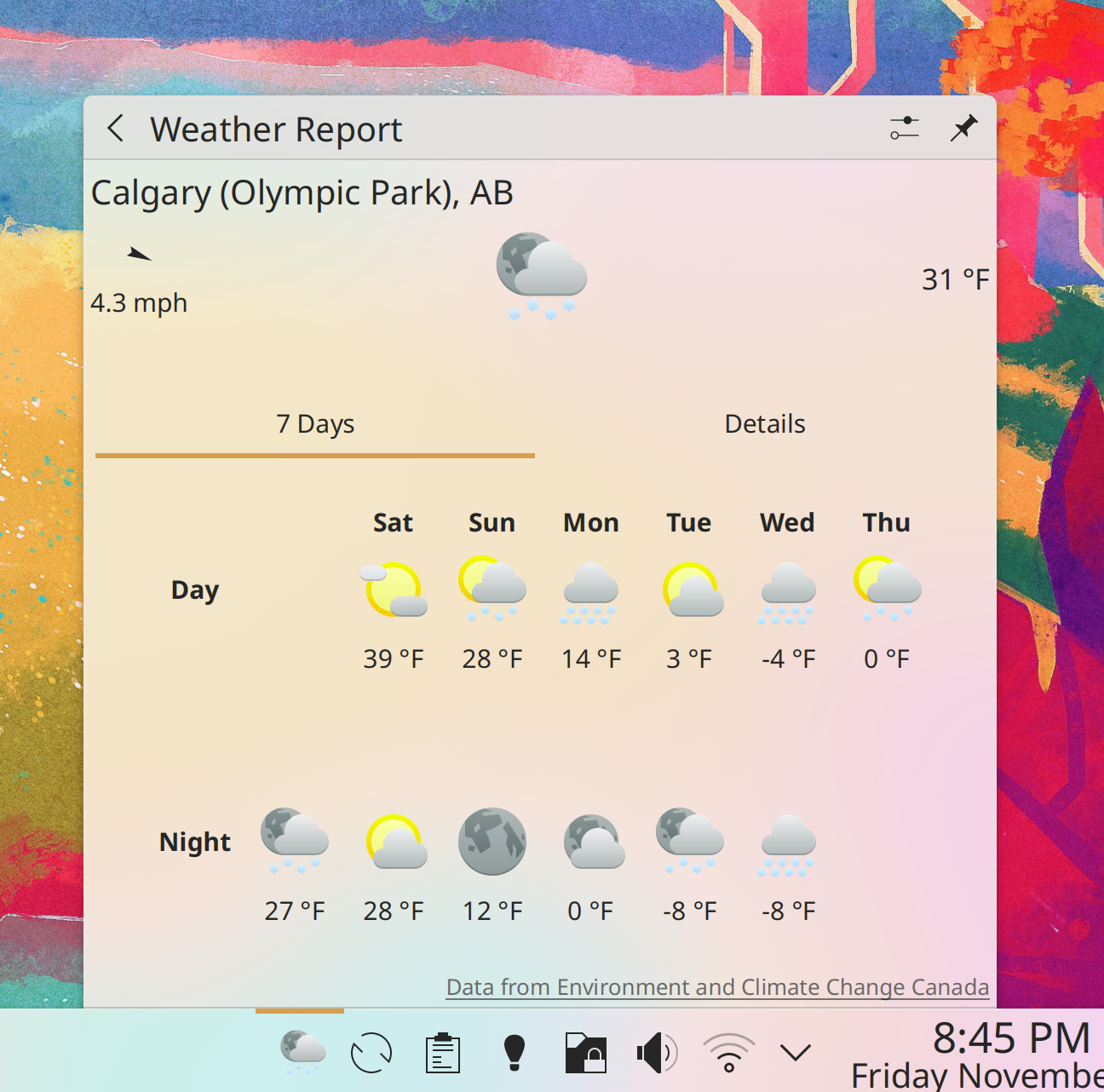
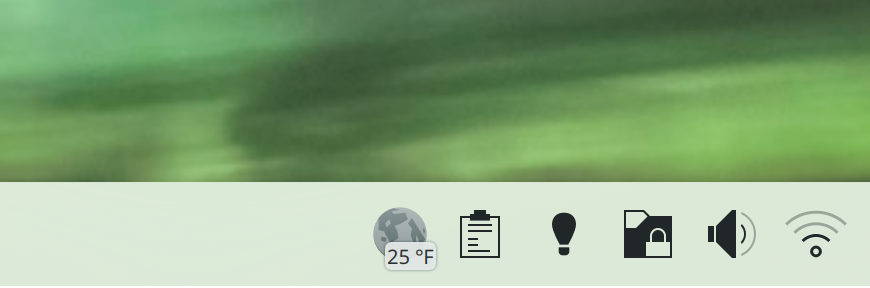
You can now show the current temperature in a badge overlay on the Weather widget’s icon–both outside of the System Tray and also for the System Tray version of it! (Ismael Asensio, Plasma 5.27. Link):

User Interface Improvements

Okular’s scroll speed when using a touchpad is now significantly faster, and should generally match the speed at which everything scrolls when using a touchpad (Eugene Popov, Okular 23.04. Link)

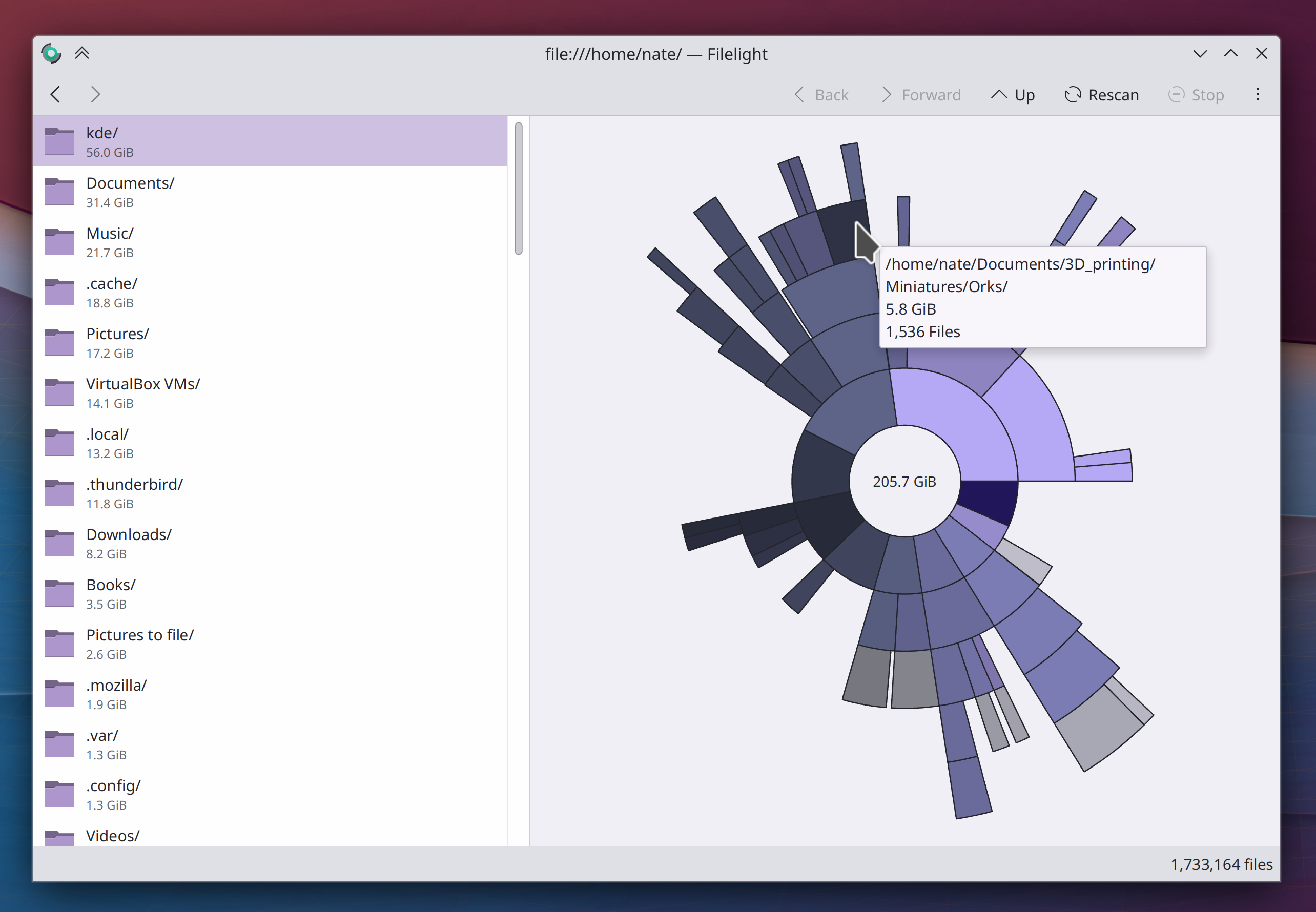
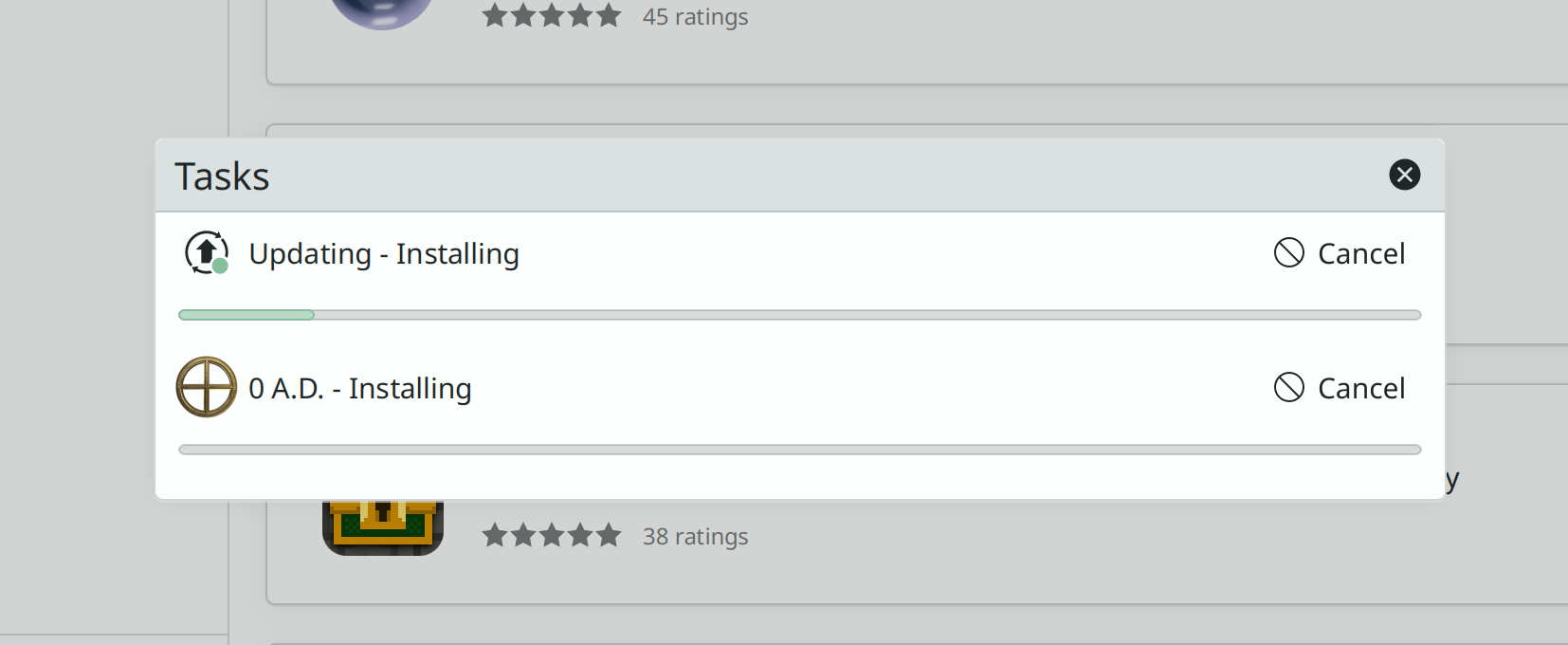
In Discover’s Task Progress sheet, the progress bars are now much more visible and not obscured by a pointless background highlight effect (me: Nate Graham, Plasma 5.26.4. Link):

When changing songs/tracks and the Plasma Media Player widget is visible, there’s no longer a brief flicker that reveals the icon of the app playing the media (Fushan Wen, Plasma 5.26.4. Link)

A better error message is now shown when the Bluetooth file transfer service fails to start (Fushan Wen, Plasma 5.27. Link)

Discover will no longer attempt to check for updates when using a metered internet connection Bernardo Gomes Negri, Plasma 6. Link)

Other Significant Bugfixes

(This is a curated list of e.g. HI and VHI priority bugs, Wayland showstoppers, major regressions, etc.)

When Konsole is launched after changing the display layout, its main window is no longer absurdly small (Vlad Zahorodnii, Konsole 22.12. Link)

Elisa should no longer stutter occasionally during playback (Roman Lebedev, Elisa 23.04. Link)

When using Latte Dock in the Plasma Wayland session, various windows and Plasma pop-ups are no longer mis-positioned (David Redondo, Latte Dock 0.10.9. Link)

In the Plasma Wayland session, Plasma should no longer sometimes randomly crash when you move the cursor over a Plasma panel (Arjen Hiemstra, Plasma 5.26.4. Link)

When Kickoff is configured to use the default list item size, apps that live in the categories sidebar such as Help Center no longer have an awkwardly large icon (me: Nate Graham, Plasma 5.26.4. Link)

KWin now honors the “Panel Orientation” property that the kernel can set for screens, which means that many different types of devices that need the screen to be rotated by default will now have that done automatically (Xaver Hugl, Plasma 5.27. Link)

Various Plasma UI elements once again have the correct size in the Plasma X11 session when not opting into using Qt scaling (Fushan Wen, Frameworks 5.100.1. Link)

Other bug-related information of interest:

Automation & Systematization

Wrote a new “Welcome to KDE” page which will also be linked to in our new Welcome Center app that will debut in Plasma 5.27 (me: Nate Graham)

…And everything else

This blog only covers the tip of the iceberg! If you’re hungry for more, check out https://planet.kde.org, where you can find more news from other KDE contributors.

How You Can Help

If you’re a developer, check out our 15-Minute Bug Initiative. Working on these issues makes a big difference quickly! Otherwise, have a look at https://community.kde.org/Get_Involved to discover ways to be part of a project that really matters. Each contributor makes a huge difference in KDE; you are not a number or a cog in a machine! You don’t have to already be a programmer, either. I wasn’t when I got started. Try it, you’ll like it! We don’t bite!

Finally, consider making a tax-deductible donation to the KDE e.V. foundation.

This week in KDE: better environment variable support

New Features

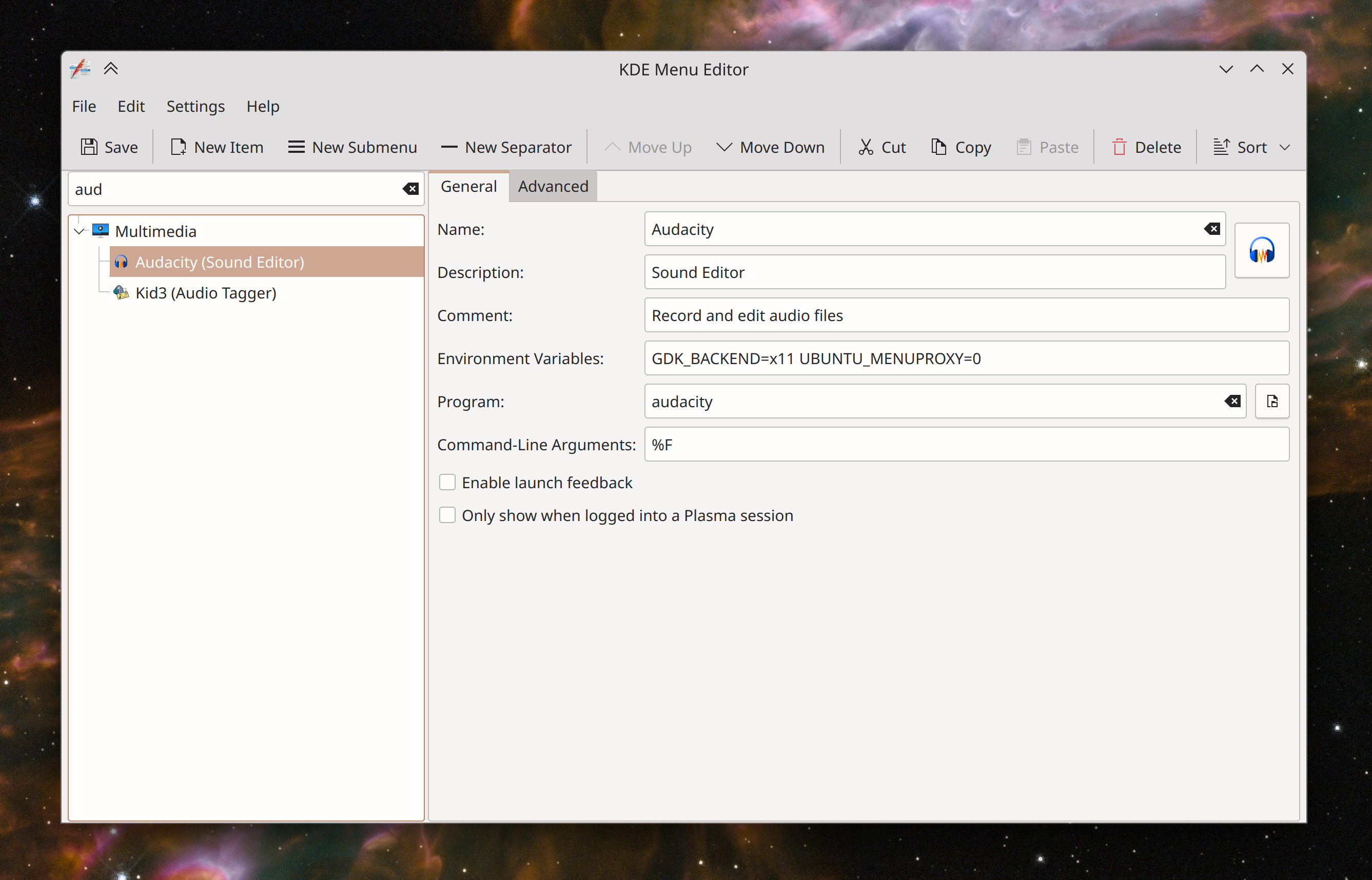
KMenuEdit and the properties dialog now make it easy for you to set environment variables when opening your apps. This was always possible, but you had to know the secret special syntax (e.g. Exec=env FOO=1 kate); now the UI makes it easy and explicitly supported (Dashon Wells, Frameworks 5.101 and Plasma 5.27. Link 1 and link 2):

User Interface Improvements

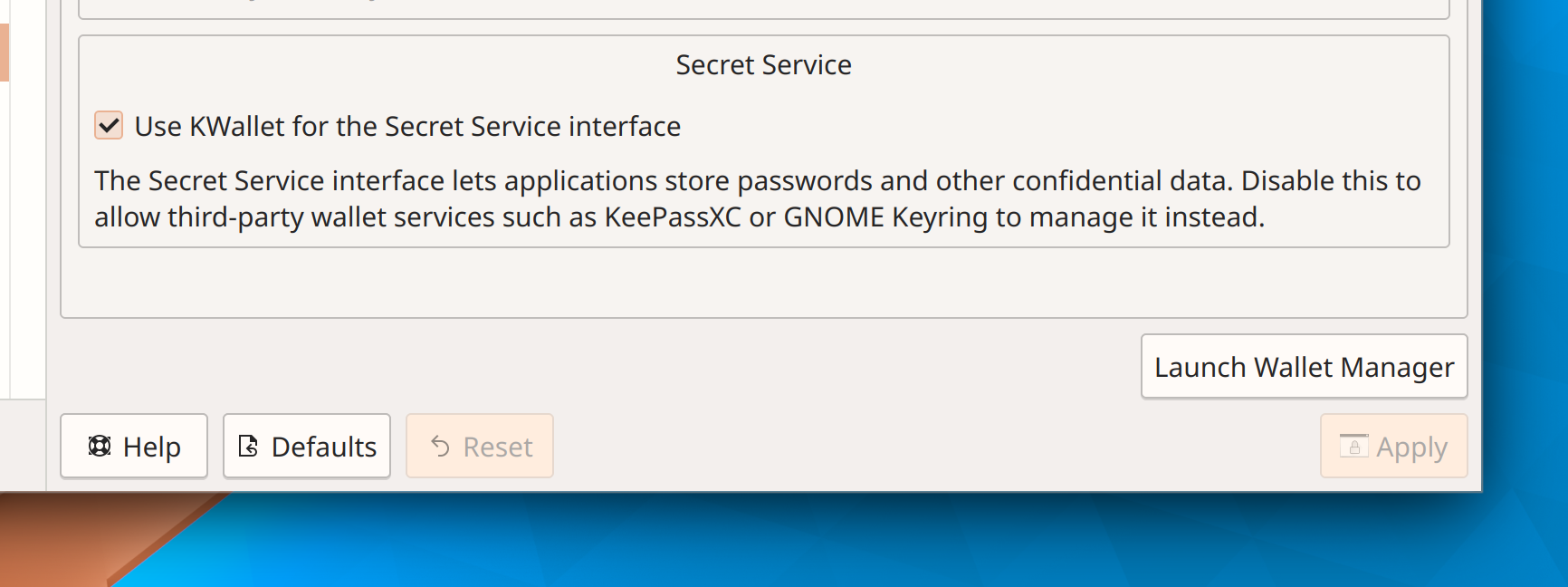
The option to disable the Secret Service interface now clearly explains what this means and why you might want to do it (Guilherme Marçal Silva, KWalletManager 22.12. Link):

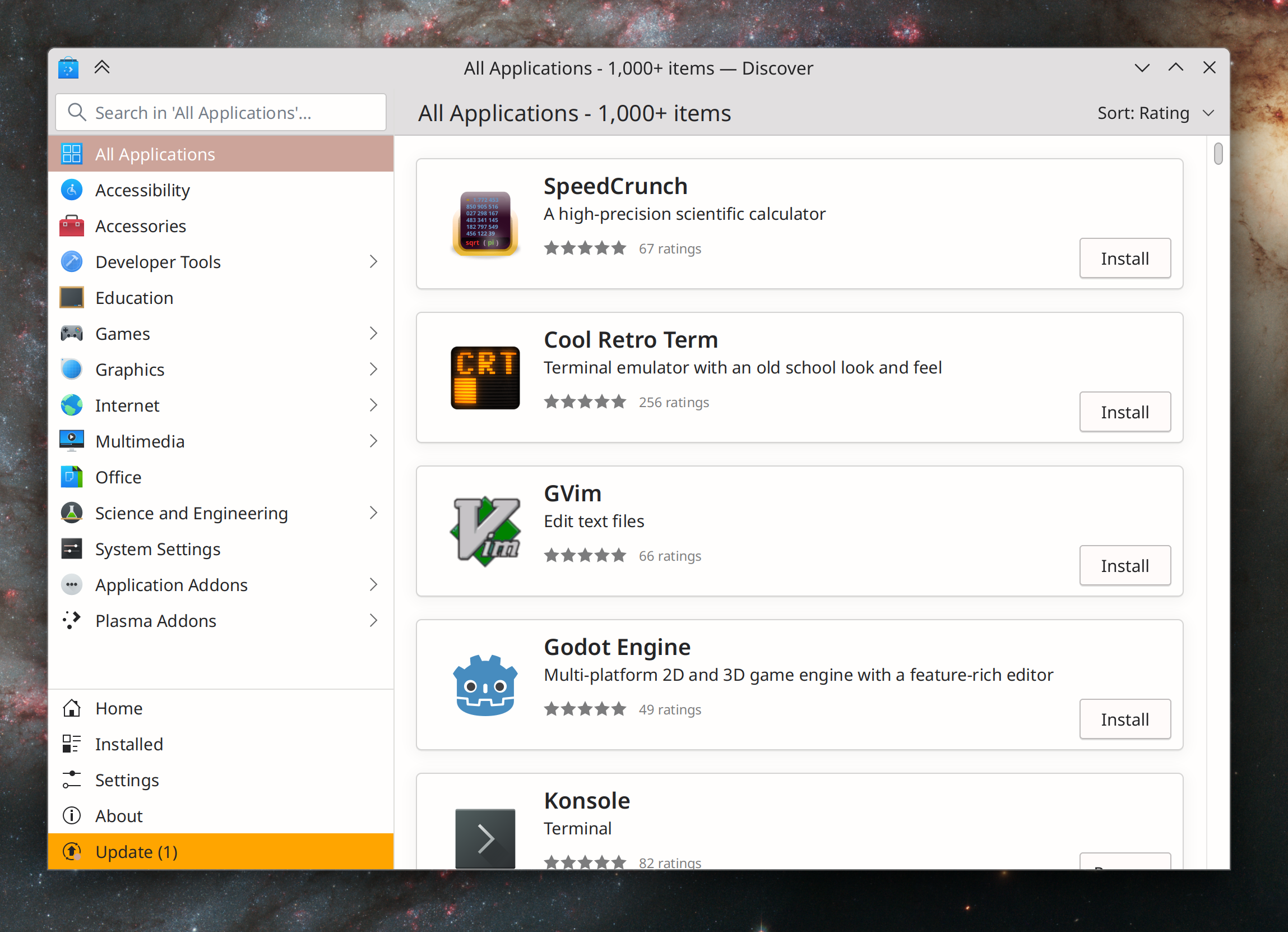
Discover no longer shows categories in light text on the app cards because it’s mostly visual noise, and it also once again has an “All Applications” category you can use to see all apps and limit a search to just apps (me: Nate Graham and Aleix Pol Gonzalez, Plasma 5.27. Link 1, link 2, and link 3):
When the Battery & Brightness widget is configured to show you the exact charge percentage on its icon, it no longer does so when the battery is fully charged, since this is obvious (me: Nate Graham, Plasma 5.27. Link)

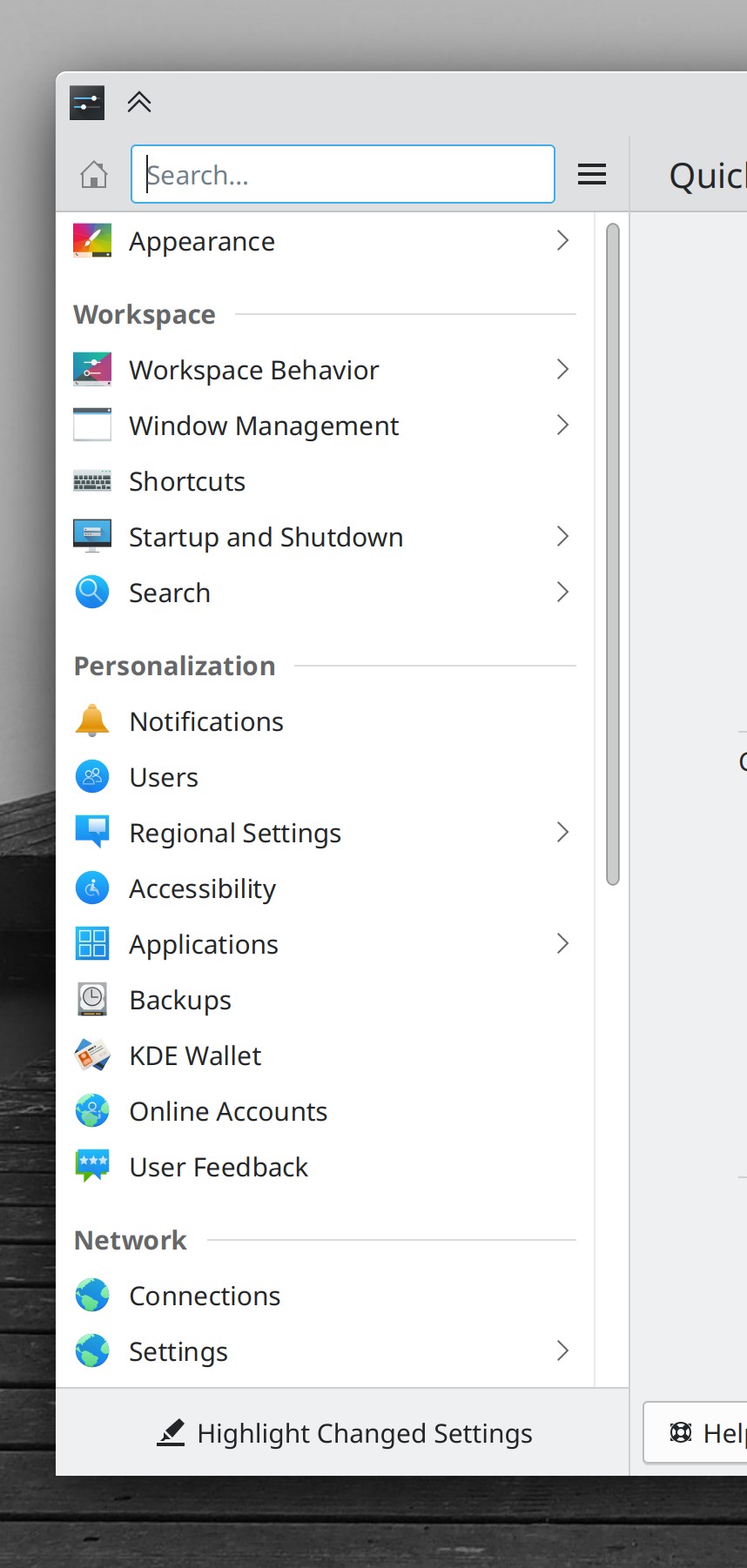
In a variety of scrollable System Settings pages, the separator above the footer buttons now matches the separator above the “Highlight Changed Settings” button on the sidebar’s footer (me: Nate Graham, Frameworks 5.101. Link):

Significant Bugfixes

(This is a curated list of e.g. HI and VHI priority bugs, Wayland showstoppers, major regressions, etc.)

Vertically-arranged monitors are no longer slightly overlapping by one pixel, which can trigger various weirdnesses (Alexander Volkov, Plasma 5.26.4. Link)

Other bug-related information of interest:

Changes not in KDE that affect KDE

Firefox now supports the xdg_activation_v1 Wayland protocol, which means its windows will be able to raise to the top when a URL is opened in them from another app that also supports the protocol (Emilio Cobos Álvarez, Firefox 108. Link)

…And everything else

This blog only covers the tip of the iceberg! If you’re hungry for more, check out https://planet.kde.org, where you can find more news from other KDE contributors.

How You Can Help

If you’re a developer, check out our 15-Minute Bug Initiative. Working on these issues makes a big difference quickly! Otherwise, have a look at https://community.kde.org/Get_Involved to discover ways to be part of a project that really matters. Each contributor makes a huge difference in KDE; you are not a number or a cog in a machine! You don’t have to already be a programmer, either. I wasn’t when I got started. Try it, you’ll like it! We don’t bite!

Finally, consider making a tax-deductible donation to the KDE e.V. foundation.
This week in KDE: Big brain KRunner

This week KRunner got a lot smarter about its search results. For years people have complained about various things not being the top item when they expect it, so Natalie Clarius and Alexander Lohnau decided to make some major improvements:

  • System Setting pages whose names exactly match the search term now have much higher weight so they should appear first (Link)
  • Various other things with an exact names match also now have much higher weight so they should appear first, and also recent files have their relevance reduced according to age (Link)
  • Entering something like “Time CET” or “Time Shanghai” now shows you not only the time, but also how much earlier or later it is than your current timezone (Link)
  • The exec= lines of desktop files for Chrome web apps and Flatpak apps no longer inappropriately get matched (Link 1 and link 2)

Thanks a lot, you two!

New Features

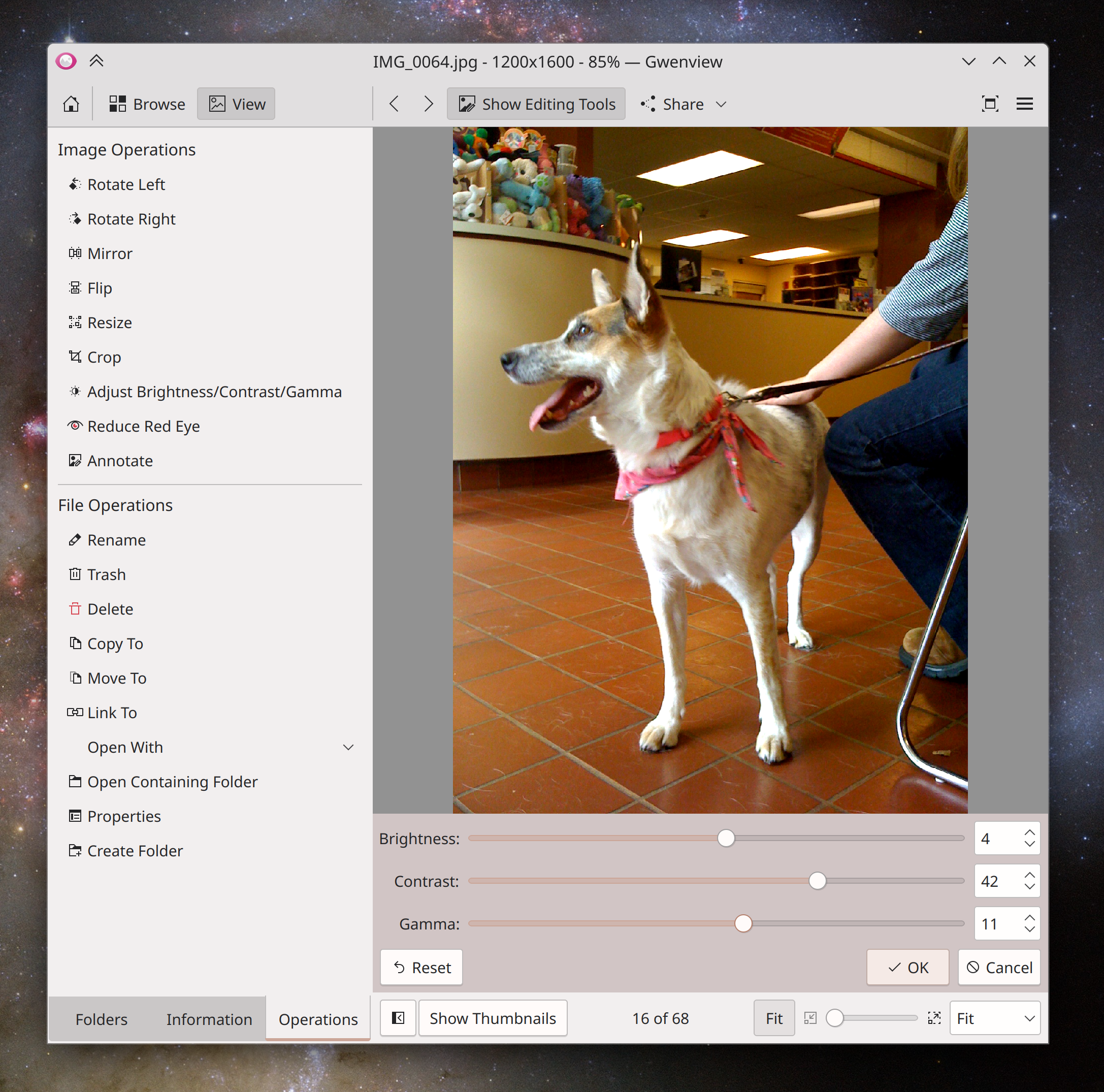
Gwenview now lets you change images’ brightness, contrast, and gamma (Ilya Pominov, Gwenview 22.12. Link):

User Interface Improvements

All of the global volume settings have been moved into the System Settings Audio Volume page, and the Audio Volume widget no longer has a separate settings page of its own. So clicking its configure button now takes you to System Settings. In addition, this has provided the opportunity to make the global mute feature truly global, and also make the sliders on the System Settings page only go up to 150% when you’re using the “Raise maximum volume” setting (Bharadwaj Raju, Plasma 5.27. Link 1, link 2, and link 3):

When using offline updates, you can now use Discover to see the changelogs for individual packages, just like you can with online updates (Aleix Pol Gonzalez, Plasma 5.27. Link)

Wallpapers in the wallpaper chooser grids you see in various places are now draggable-and-droppable, so you can drag them into image editors to edit them, into a file manager to copy them, and so on (Fushan Wen, Plasma 5.27. Link)

While on the lock screen, you can now hit the Escape key to turn off the screen and save some power (Aleix Pol Gonzalez, Plasma 5.27. Link)

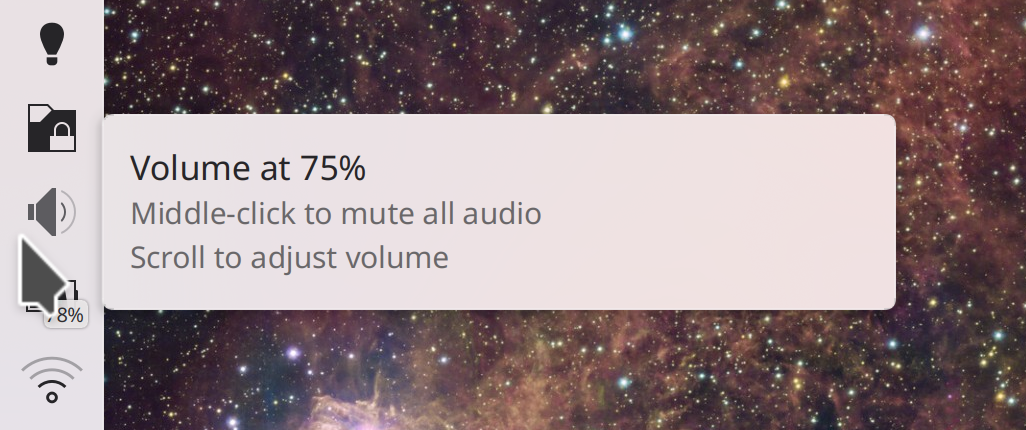
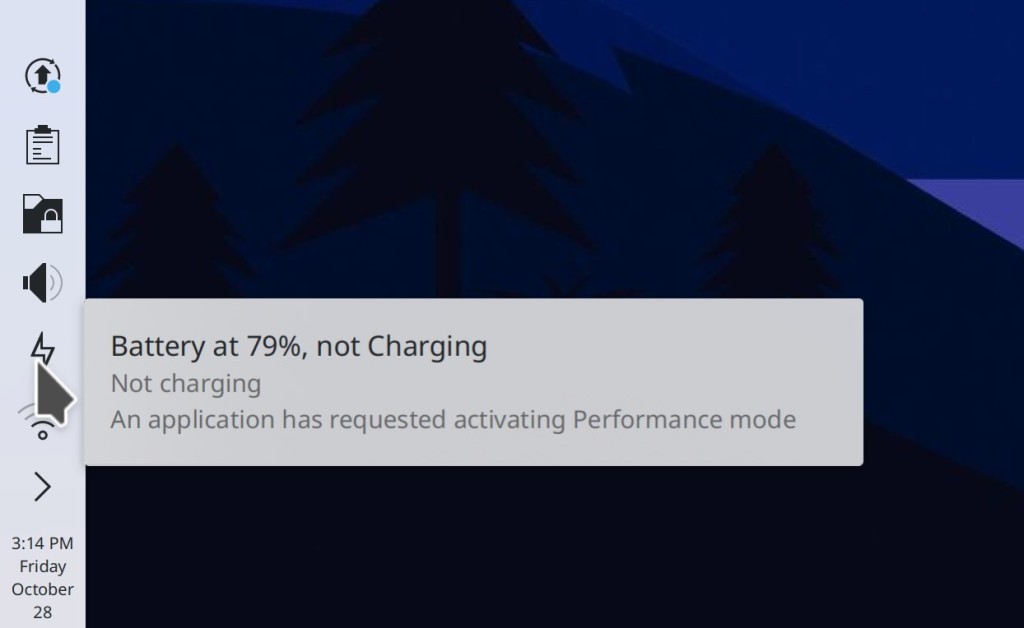
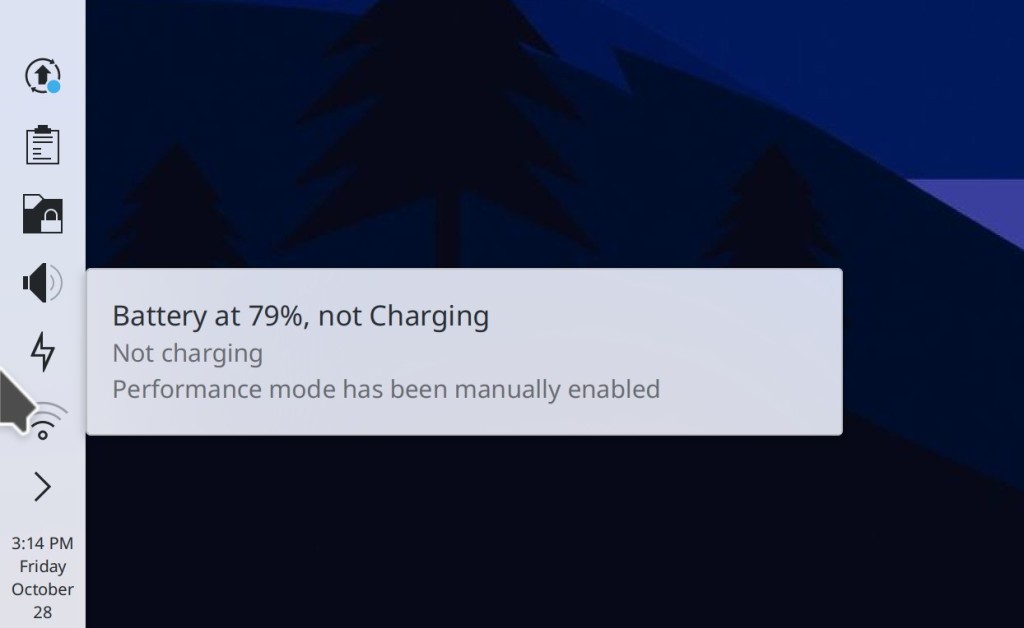
When your computer is plugged in and using Performance mode or an app has requested to use Power Save mode, now you can see this right in your System Tray (me: Nate Graham, Plasma 5.27. Link):

Significant Bugfixes

(This is a curated list of e.g. HI and VHI priority bugs, Wayland showstoppers, major regressions, etc.)

Krita now supports using a global menu (Antonio Rojas, Krita 5.1. Link)

Libreswan VPN detection now works if you’re using version 4.9 or greater, and detection for StrongSwan and OpenSwan should be more accurate now too (Douglas Kosovic, Plasma 5.24.8. Link)

In the Plasma Wayland session, when using the default setting of “Legacy apps scale themselves,” Steam and some other XWayland-using apps now get scaled to the correct and expected size (me: Nate Graham, Plasma 5.26.3. Link)

Switching between launcher widgets (e.g. Kickoff and Kicker) no longer re-arranges your favorites to be in alphabetical order; their manual ordering is now preserved (Bharadwaj Raju, Plasma 5.27. Link)

You can once again disable the “Present Windows” effect within the Desktop Grid effect, instead keeping windows where they are and using it as a Virtual Desktop switcher (Marco Martin, Plasma 5.27. Link)

All sorts of KDE apps no longer hang on launch when files in their “Recent documents” lists aren’t accessible for some reason (Christoph Cullmann, Frameworks 5.100. Link)

Other bug-related information of interest:

Automation & Systematization

When building a module using kdesrc-build fails, it now suggests a way for you to install missing build dependencies (Marius Pa. Link)

Added autotests to make sure file thumbnail generation doesn’t regress (Nicolas Fella, kio-extras 22.12. Link)

Added an autotest in KWin to make sure that auto-generated resolutions are generated properly (Xaver Hugl, Plasma 5.27. Link)

Added an autotest in Plasma to make sure windows are correctly mapped to their Task Manager entries (Fushan Wen, Plasma 5.27. Link)

Web Presence

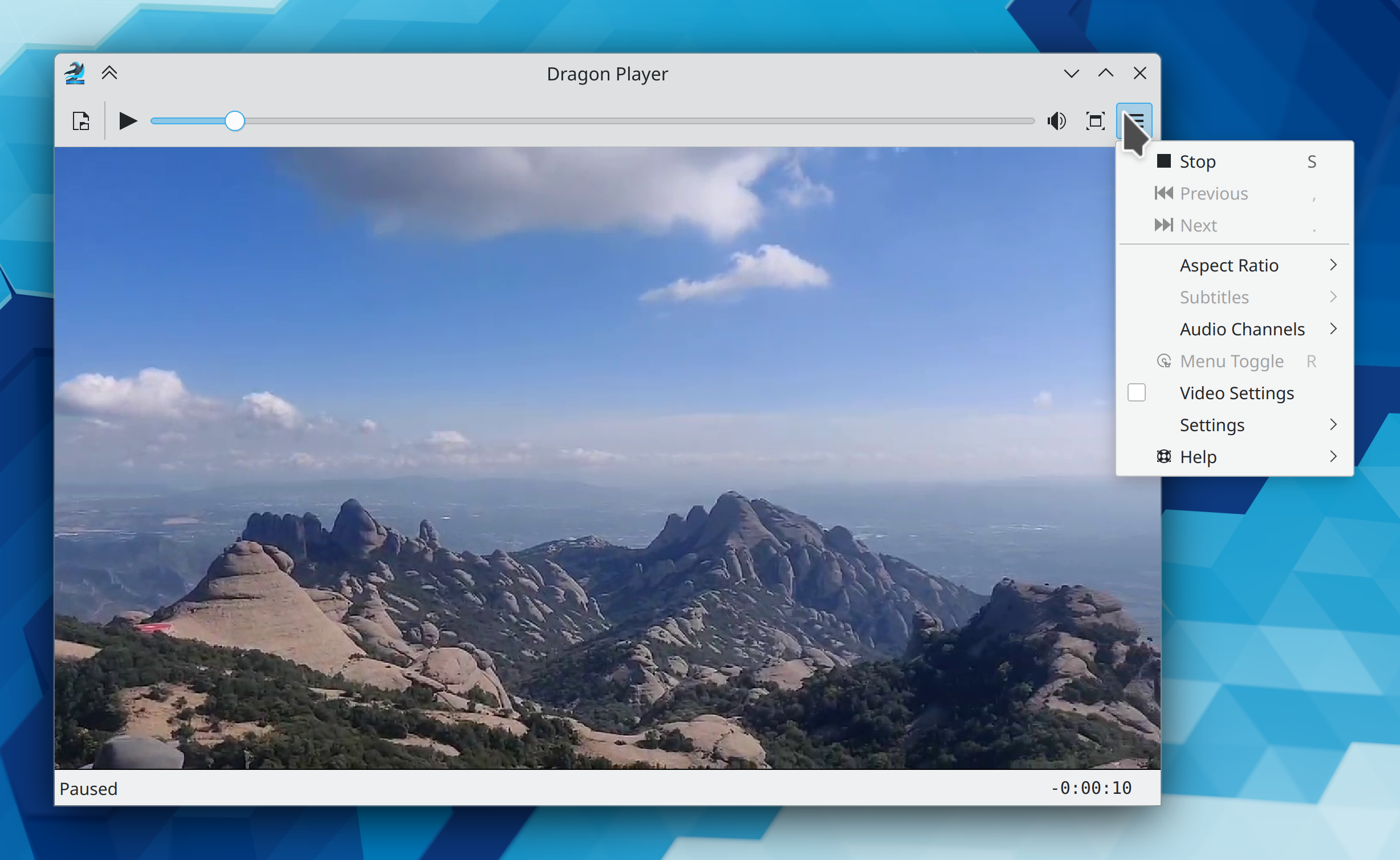
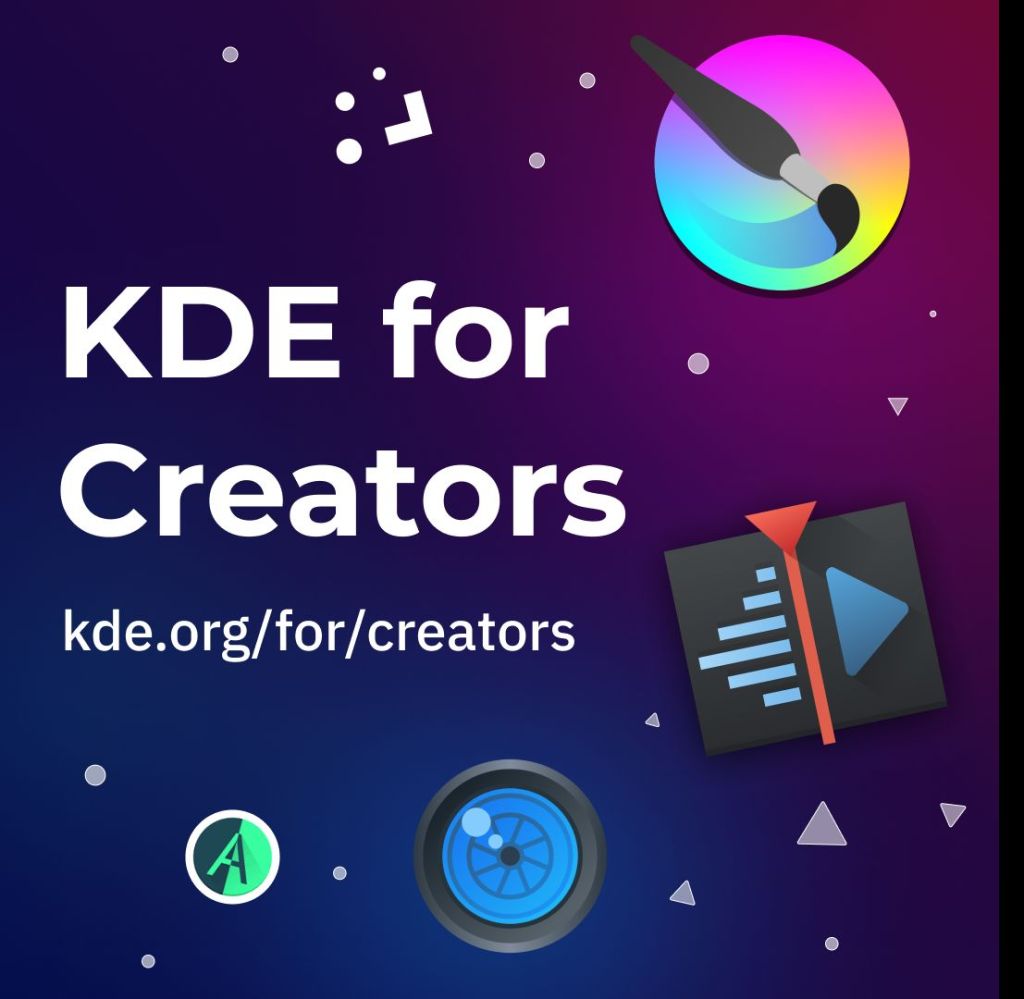
KDE now has a fancy new “KDE for Creators” website! (Carl Schwan, Nicolas Fella, Áron Kovács, and other folks in the Promo team) This complements the existing “KDE for Kids” page, and we’ll be adding more soon!

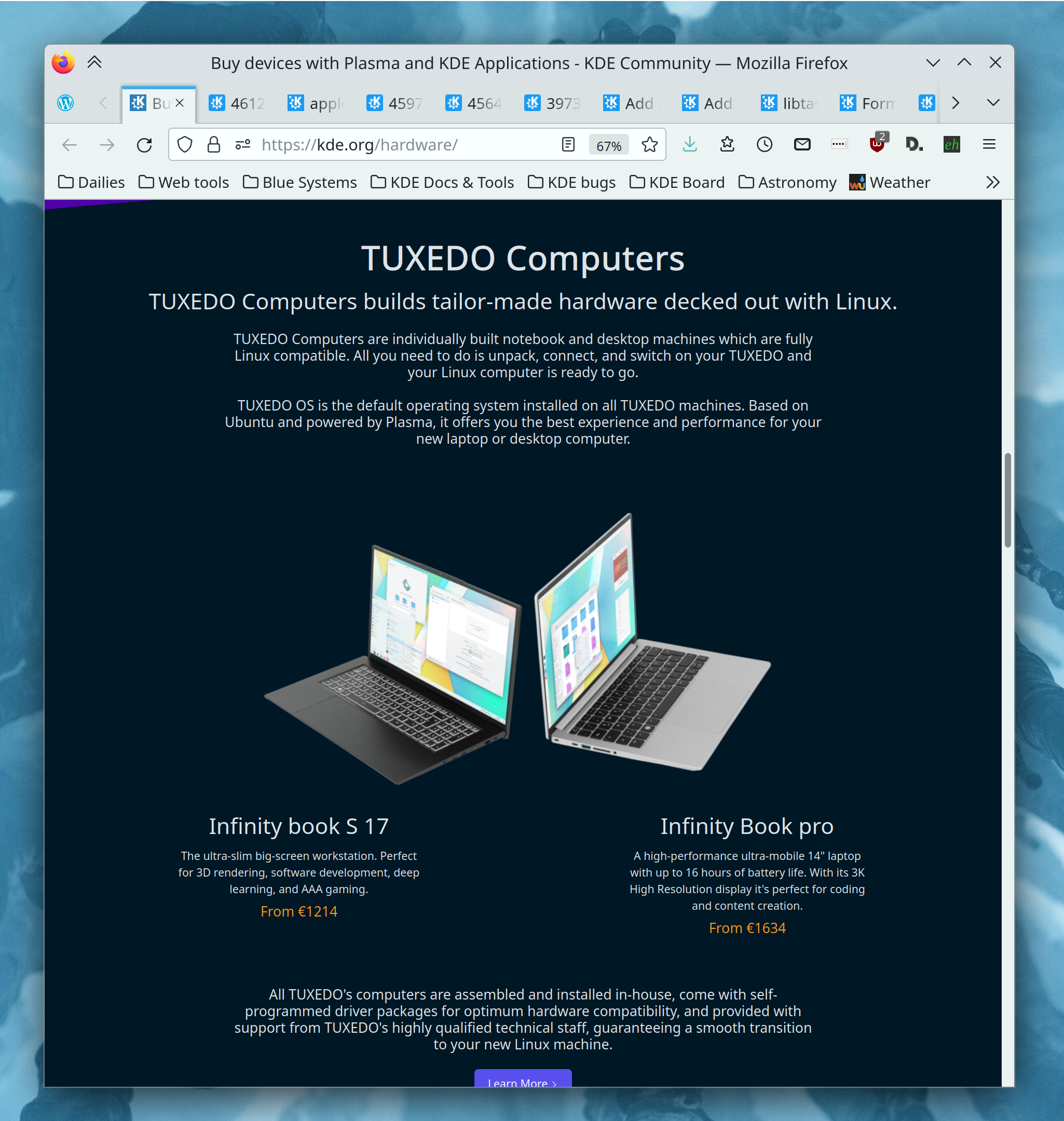
kde.org/hardware now much more prominently lists Tuxedo Computers‘ devices, now that they’ve switched to shipping Plasma by default! (Paul Brown, Carl Schwan, and me: Nate Graham, Link):

…And everything else

This blog only covers the tip of the iceberg! If you’re hungry for more, check out https://planet.kde.org, where you can find more news from other KDE contributors.

How You Can Help

If you’re a developer, check out our 15-Minute Bug Initiative. Working on these issues makes a big difference quickly! Otherwise, have a look at https://community.kde.org/Get_Involved to discover ways to be part of a project that really matters. Each contributor makes a huge difference in KDE; you are not a number or a cog in a machine! You don’t have to already be a programmer, either. I wasn’t when I got started. Try it, you’ll like it! We don’t bite!

Finally, consider making a tax-deductible donation to the KDE e.V. foundation.
This week in KDE: next-generation improvements

As we near the end of Plasma 5, a lot of people are putting thought into what’s next for Plasma 6, beyond simply porting it to Qt 6. The general consensus is to avoid big architectural changes, with most of the major changes being UI improvements and new features. So KDE’s VDG team has been busy planning for that future, which has yielded a lot of improvements for the last and best version of Plasma 5!

New Features

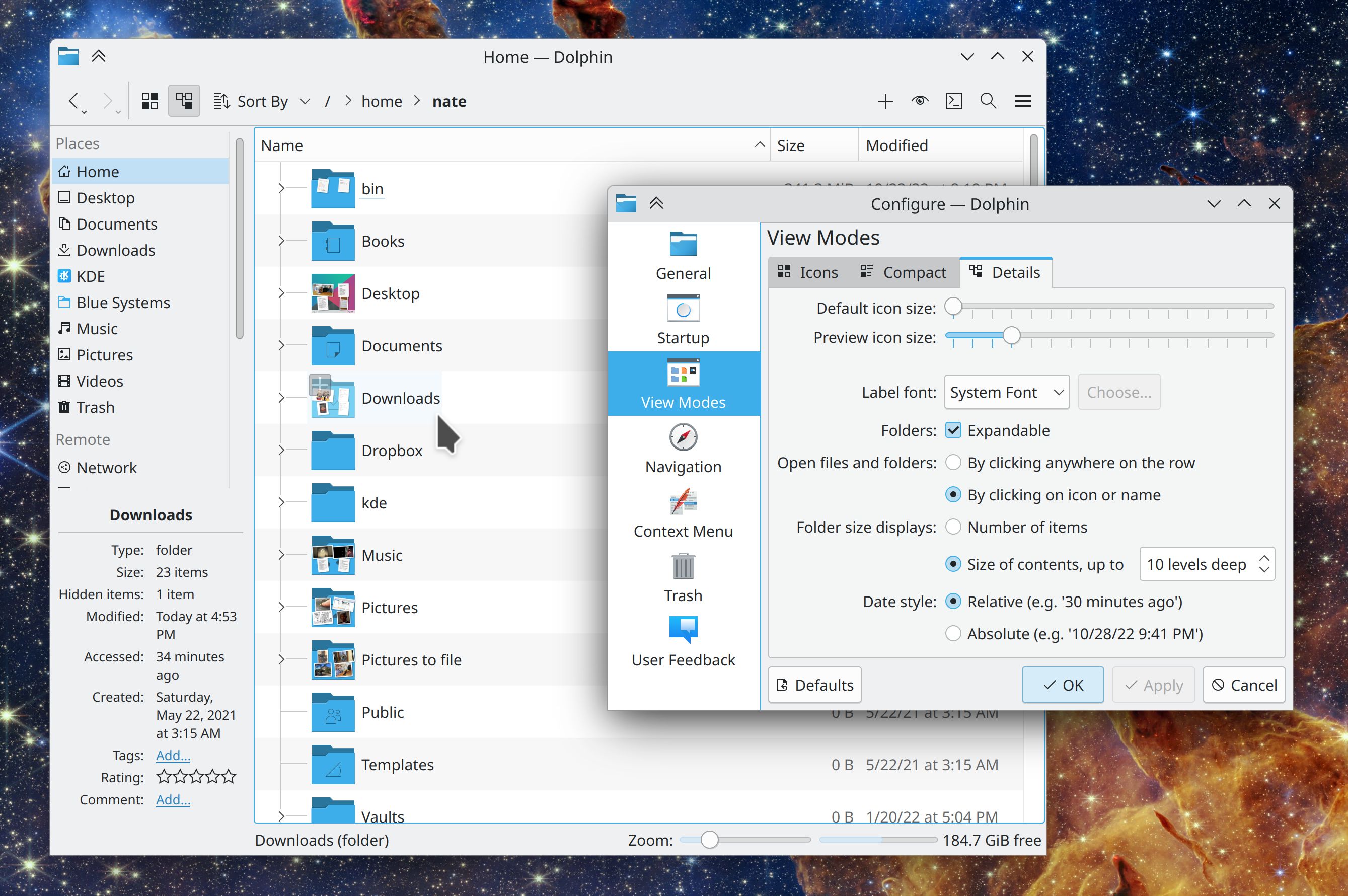
If you really don’t like Dolphin’s recently-changed list view behavior of selecting or opening an item when clicking empty areas of its row, you can now go back to the old way (Felix Ernst, Dolphin 22.12. Link):

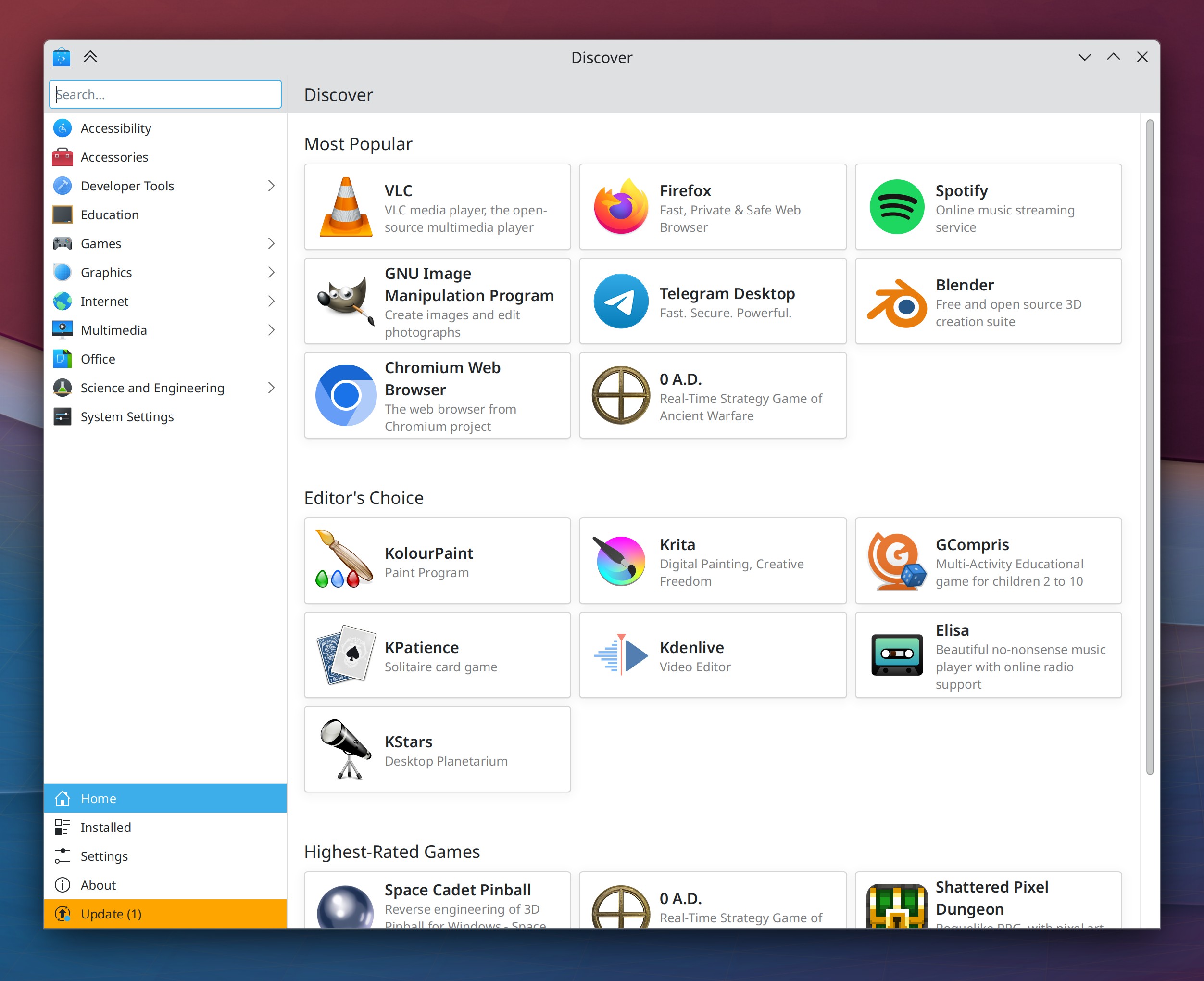
Discover now has a brand-new homepage design with dynamically-updating categories that shows popular apps, and a new set of featured apps that showcase the best of KDE (Aleix Pol Gonzalez, Carl Schwan, me: Nate Graham, and Devin Lin, Plasma 5.27 . Link 1, link 2, link 3, and link 4):

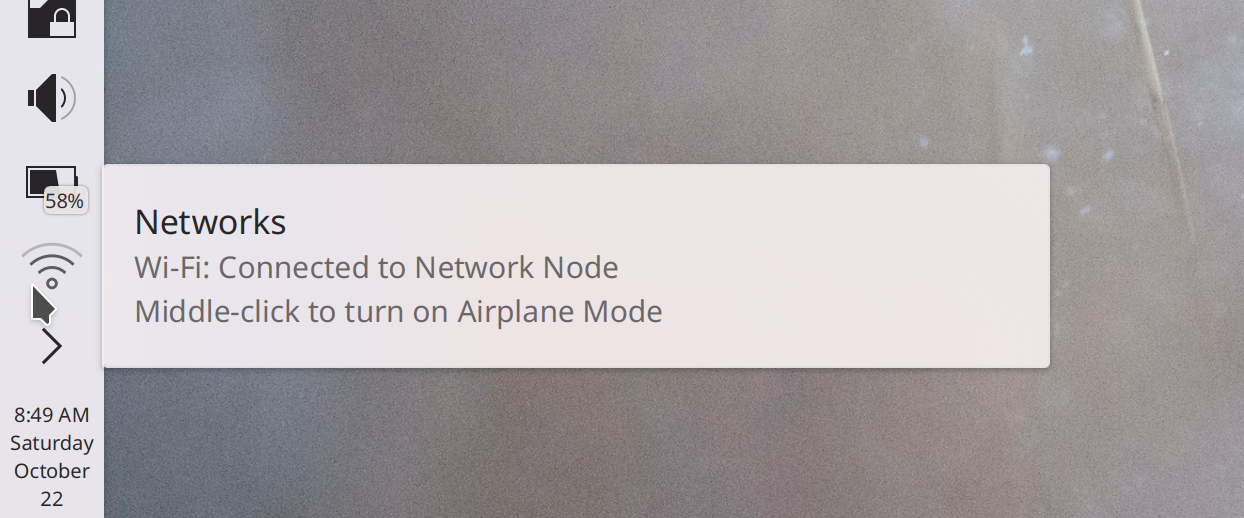
You can now middle-click the Networks icon to toggle Airplane Mode on and off (me: Nate Graham, Plasma 5.27. Link):

“Running” (i.e. clicking on or pressing the return key for) dictionary definition entries in KRunner’s results list now copies the definition text to the clipboard, and even sends a system notification about this so you know that it happened (Alexander Lohnau, Plasma 5.27. Link)

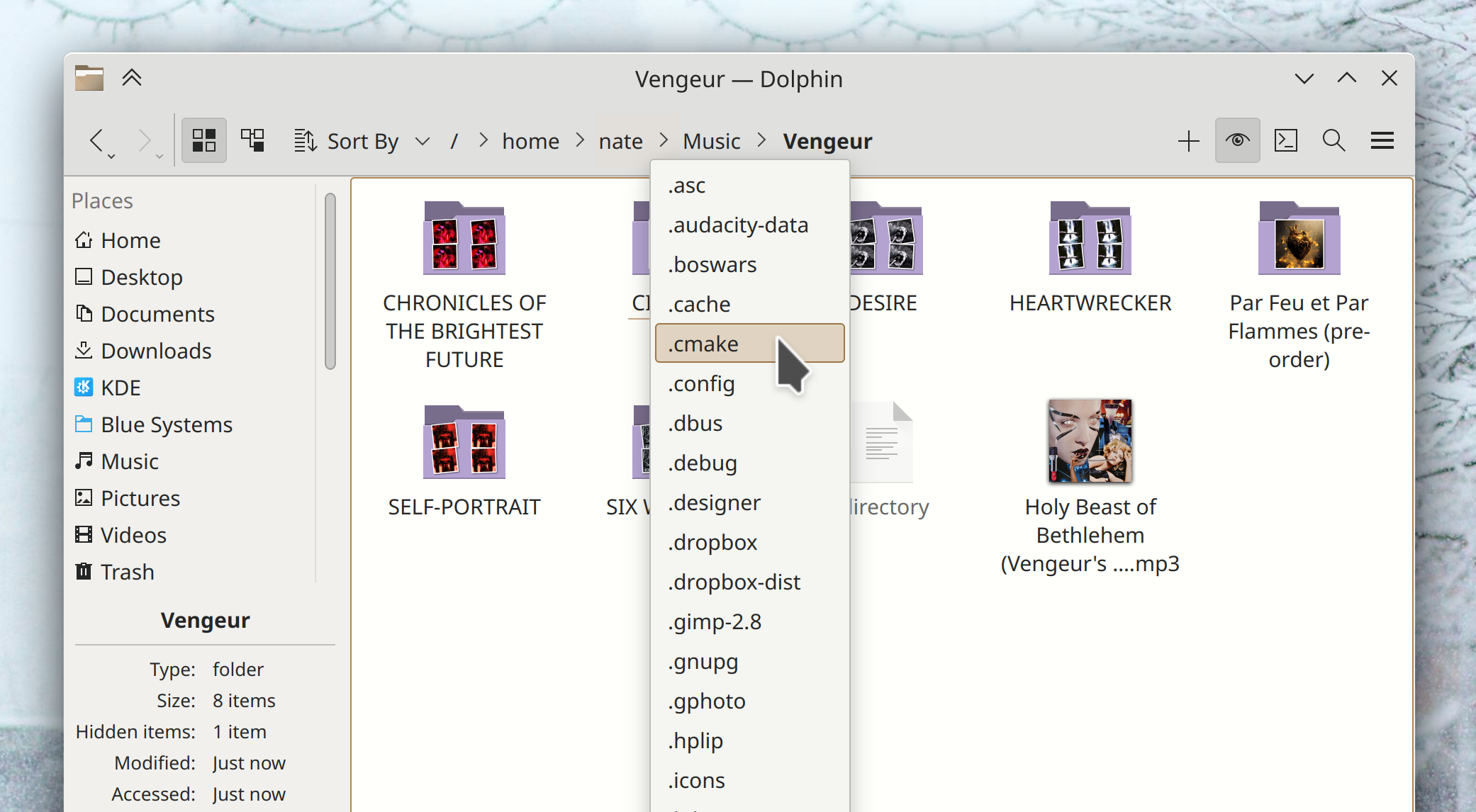
In the dropdown menus for Dolphin’s path navigator bar, now hidden folders will show up there if you currently have hidden files visible (Eugene Popov, Frameworks 5.100. Link):

User Interface Improvements

On Info Center pages that consist of monospaced text, the text is now selectable (and hence copyable) and no longer slightly overflows on the right side (Ivan Tkachenko, Plasma 5.26.2. Link)

In the Plasma X11 session, portalized dialogs shown by Flatpak apps no longer use the wrong theming and colors (Harald Sitter, Plasma 5.26.2. Link)

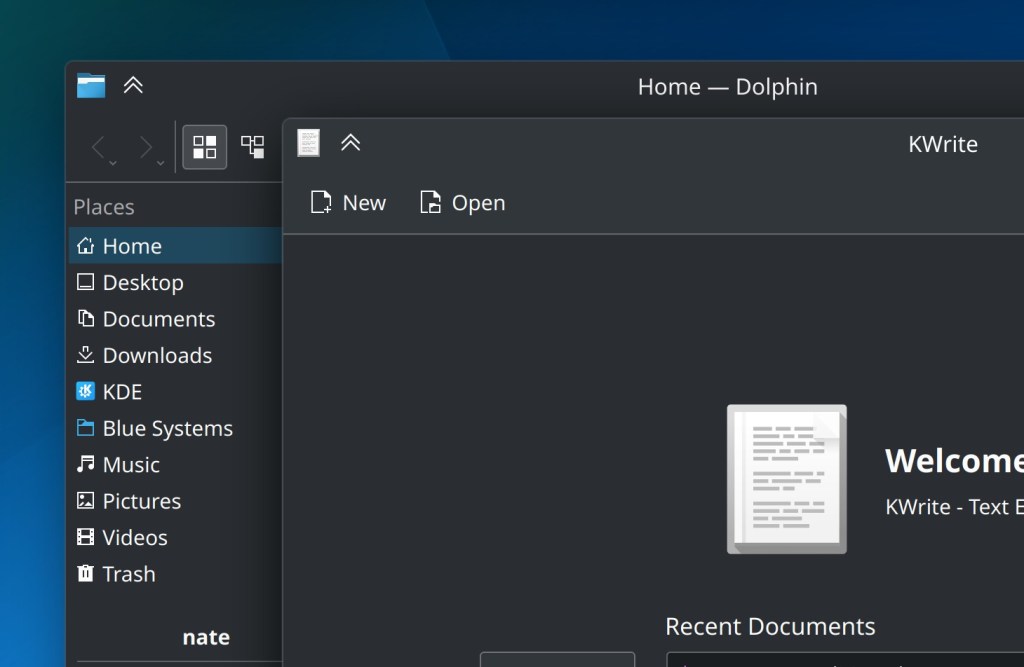
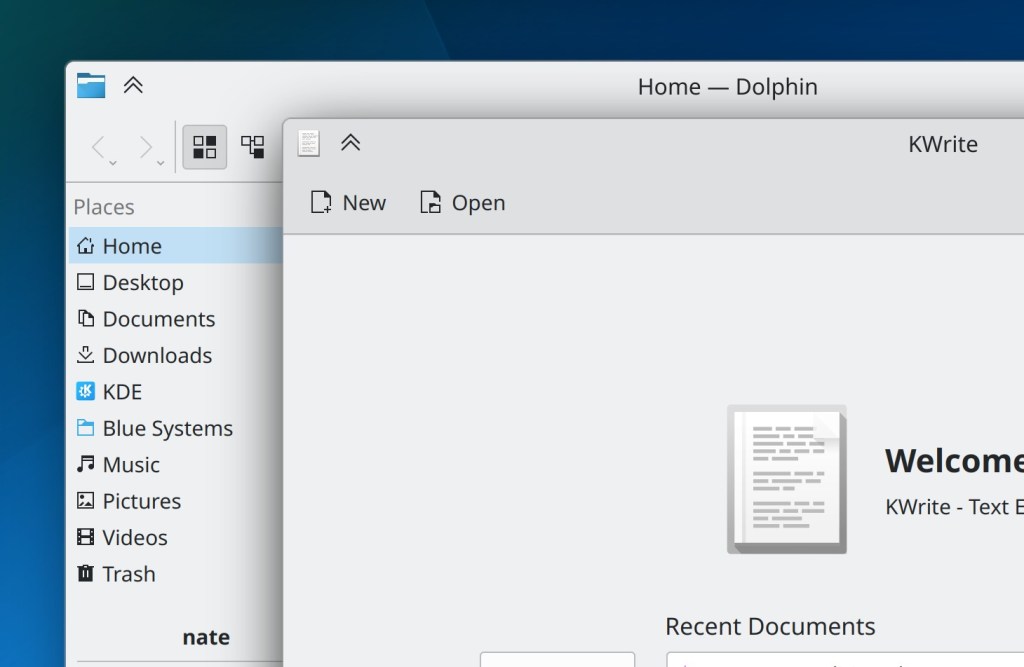
Breeze-themed windows now have a subtle outline around them, which not only looks classy as hell, but it also helps keep dark-themed windows from blending into one another (Akseli Lahtinen. Plasma 5.27. Link):

Floating Panels now de-float whenever any window touches them, and the margins they gain when doing so are now smaller and less weird-looking. This also makes Panel Widget popups touch the edge of a floating Panel (Niccolò Venerandi, Plasma 5.27. Link 1 and link 2)

The new portalized Kirigami-based app chooser dialog now has more focused and relevant text in the header area (me: Nate Graham, Plasma 5.27. Link 1 and link 2)

You can now search in KRunner for “Save Session” to invoke the manual session saving functionality, and when you use KRunner to switch sessions, the message dialog it shows you is now worded more comprehensibly and doesn’t make what you’re about to do seem scary (Natalie Clarius, Plasma 5.27. Link 1 and link 2)

KRunner’s “Recent Files” plugin now matches substrings (Natalie Clarius, Plasma 5.27. Link)

You can now resize Kickoff’s popup to be smaller than it is by default, if you want that (Niccolò Venerandi, Plasma 5.27. Link)

Title text in QtWidgets-based System Settings pages now has the same padding and alignment as those in Kirigami-based pages, so there’s no longer a weird jarring difference between them as you switch pages (Ismael Asensio, Plasma 5.27. Link 1 and link 2)

Throughout KDE software, the appearance of list views and list section headers is massively improved (Devin Lin, Frameworks 5.100. Link 1 and link 2):

Panel Widgets’ popups are now displayed centered on their Panel when they could be displayed as such without becoming disconnected from their Panel icons (Niccolò Venerandi, Frameworks 5.100. Link)

In dialogs where you can permanently delete files, the buttons to do so now say “Delete Permanently” so you can be absolutely sure of what you’re getting yourself into (Guilherme Marçal Silva, Frameworks 5.100. Link)

Significant Bugfixes

(This is a curated list of e.g. HI and VHI priority bugs, Wayland showstoppers, major regressions, etc.)

In the Plasma Wayland session, the “Flat” acceleration profile now works properly (John Brooks, Plasma 5.26.2. Link)

In the Plasma Wayland session, tapping the address bar in Firefox with a touchscreen now always makes the virtual keyboard appear as expected, without you having to focus another app and go back to Firefox first (Xaver Hugl and Xuetian Weng, Plasma 5.26.2. Link)

Fixed one of the most common Plasma crashes when using Plasma Vaults (David Edmundson, Plasma 5.26.3. Link)

Fixed a recently-introduced glitch that could cause it to become difficult to click the top-right-most screen pixel to trigger the close button of a maximized window (Arjen Hiemstra, Plasma 5.26.3. Link)

Fixed a recent regression in the X11 session that would cause maximized windows to not redraw properly when using scaling (Xaver Hugl, Plasma 5.26.3. Link)

In the Plasma Wayland session, clicking and dragging something in Firefox no longer causes the cursor to get stuck in its “grabby hand” state until you drag a tab (Vlad Zahorodnii, Plasma 5.26.3. Link)

Other bug-related information of interest:

Automation & Systematization

Added a test case for Chromium web app icon display in the Task Manager, so it won’t break or regress again (Nicolas Fella, Plasma 5.27. Link)

Added a test case for panel/containment/screen mappings in Plasma, so we can start to weed out the issues in it without regressing things so often (Marco Martin, Plasma 5.27. Link)

We have a new wiki page that outlines some of the ways people can make a living working on KDE projects (me: Nate Graham. Link)

…And everything else

This blog only covers the tip of the iceberg! If you’re hungry for more, check out https://planet.kde.org, where you can find more news from other KDE contributors.

How You Can Help

If you’re a developer, check out our 15-Minute Bug Initiative. Working on these issues makes a big difference quickly! Otherwise, have a look at https://community.kde.org/Get_Involved to discover ways to be part of a project that really matters. Each contributor makes a huge difference in KDE; you are not a number or a cog in a machine! You don’t have to already be a programmer, either. I wasn’t when I got started. Try it, you’ll like it! We don’t bite!

Finally, consider making a tax-deductible donation to the KDE e.V. foundation.
This week in KDE: UI improvements abound

A ton of UI improvements landed this week. If you can’t find something to like in this post, I’ll eat my hat!

New Features

System Settings’ Firewall page now supports IP address strings with netmasks (Daniel Vrátil, Plasma 5.27. Link)

User Interface Improvements

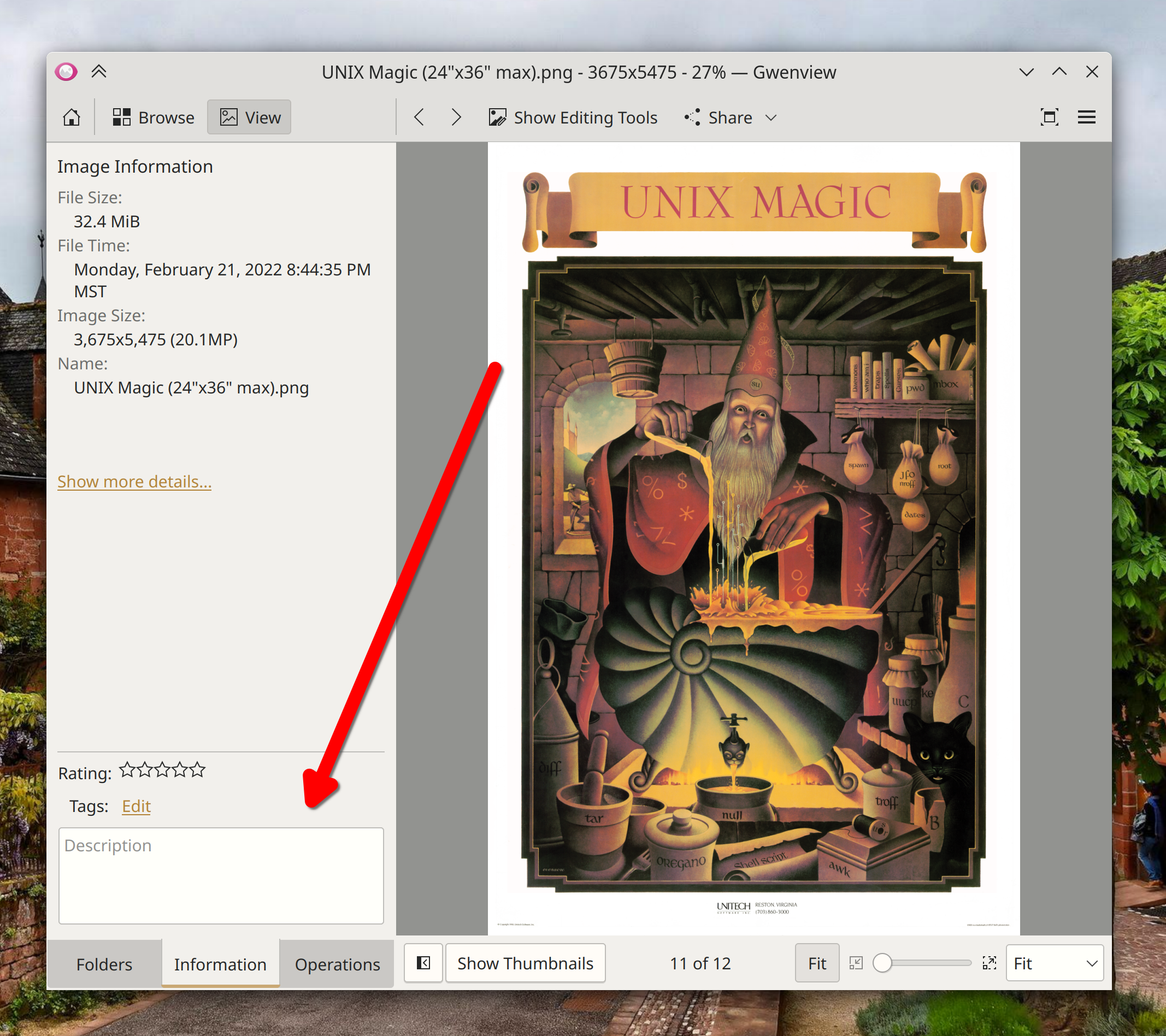
On the Information tab of Gwenview’s sidebar, you can now reduce the area taken up by the metadata and description section using a draggable splitter between it and the Image Information section that’s above it. The splitter remembers its position, too! (Corbin Schwimmbeck, Gwenview 22.12. Link)

Spectacle now remembers the last-chosen rectangular region area by default, even across app launches. This is configurable, of course (Bharadwaj Raju, Spectacle 22.12. Link)

Kate and KWrite’s welcome screen (which remains optional, and able to be permanently disabled using a checkbox right on the screen itself) now includes links to documentation (Eugene Popov, Kate and KWrite 22.12. Link):

In the Plasma Wayland session, opening Dolphin from the Disks & Devices popup now raises its existing window, if it was already open (Nicolas Fella, Dolphin 22.12 with Plasma 5.26.1. Link)

Dragging-and-dropping windows onto the Pager Widget now works a lot better, with less fiddliness (Niccolò Venerandi, Plasma 5.26.1. Link)

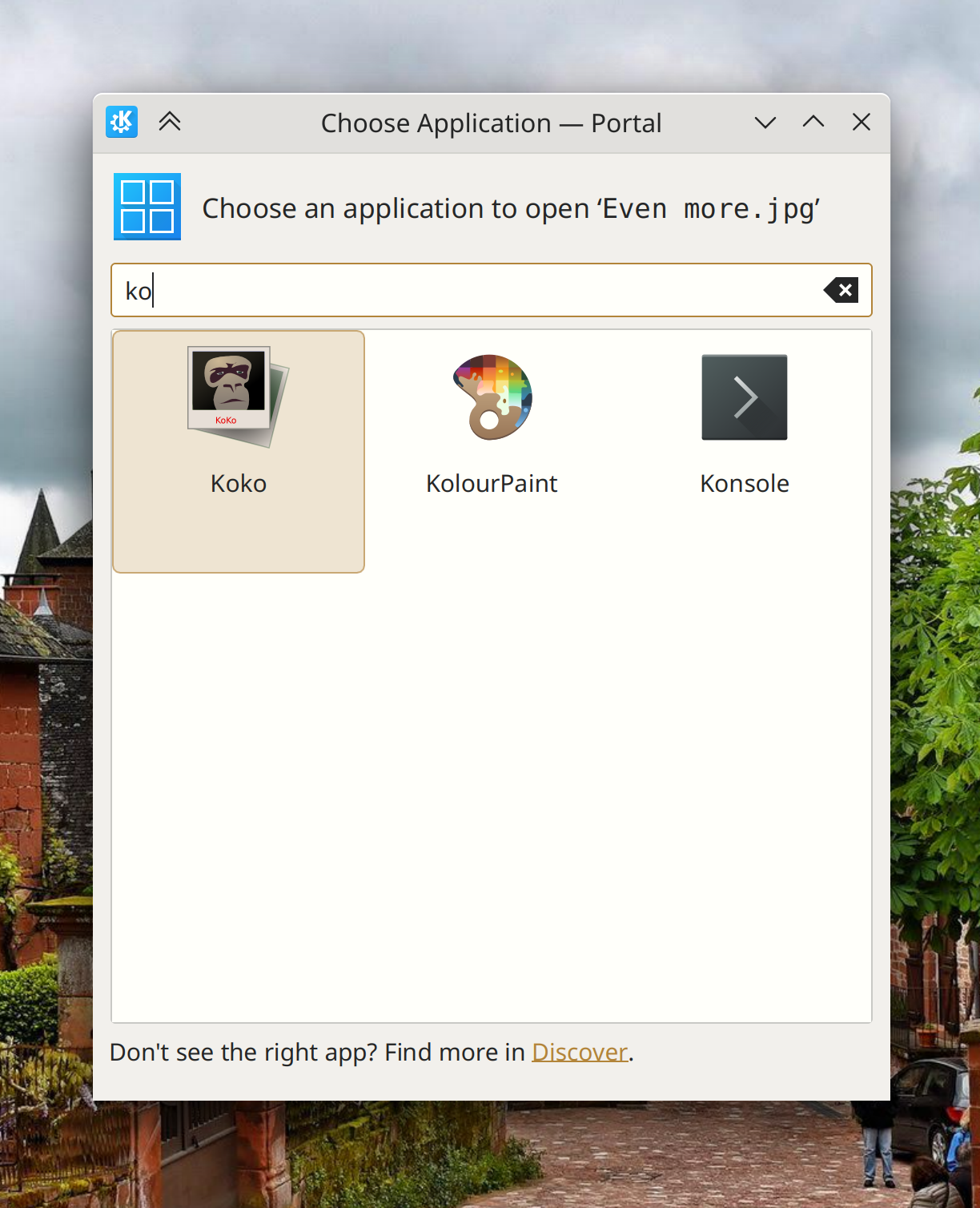
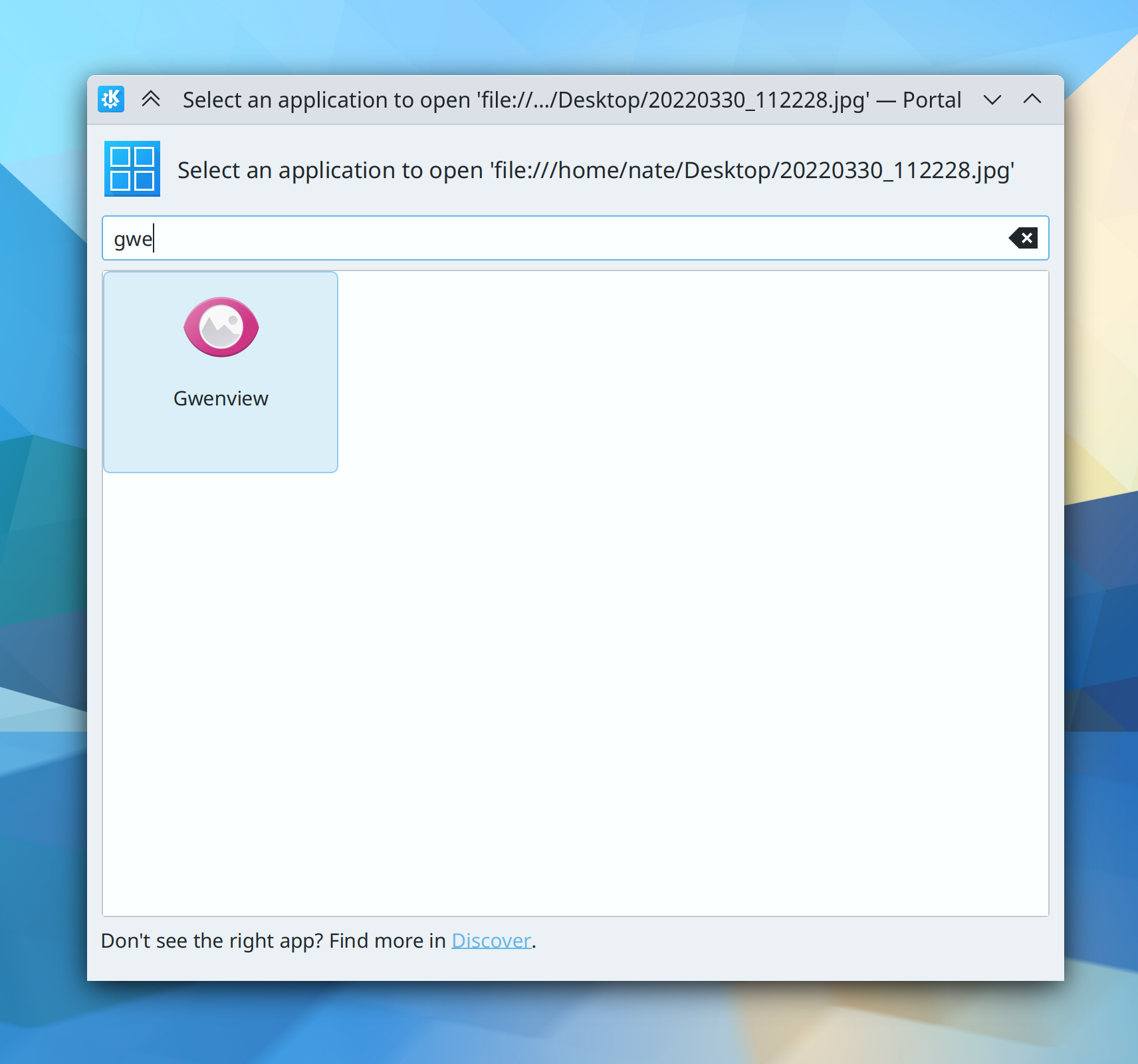
When using Plasma, the “Open file with app…” dialog now uses the XDG portal version for improved visual consistency and user-friendliness. The old dialog is still used when you invoke “Open this file in a different app” functionality from a KDE app that’s not being used in Plasma (Harald Sitter, Plasma 5.27. Link):

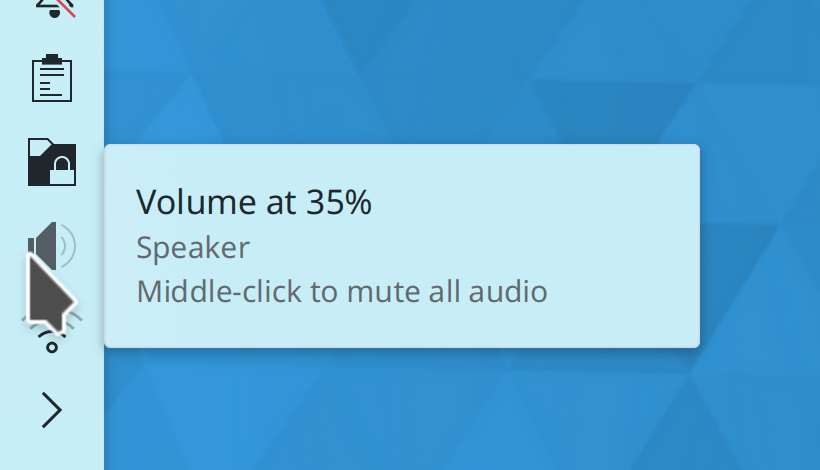
System Tray Widgets that can be middle-clicked to toggle something about them on or off now indicate as such in their tooltips (me: Nate Graham, Plasma 5.27. Link 1, link 2, and link 3):

In the Plasma Wayland session, Help Center is now able to raise its open window when activated by another app (Nicolas Fella, Help Center 5.27. Link)

The icon size popup in System Settings has gotten a UI overhaul to remove unused settings and make what it does do more comprehensible (me: Nate Graham, Plasma 5.27. Link):

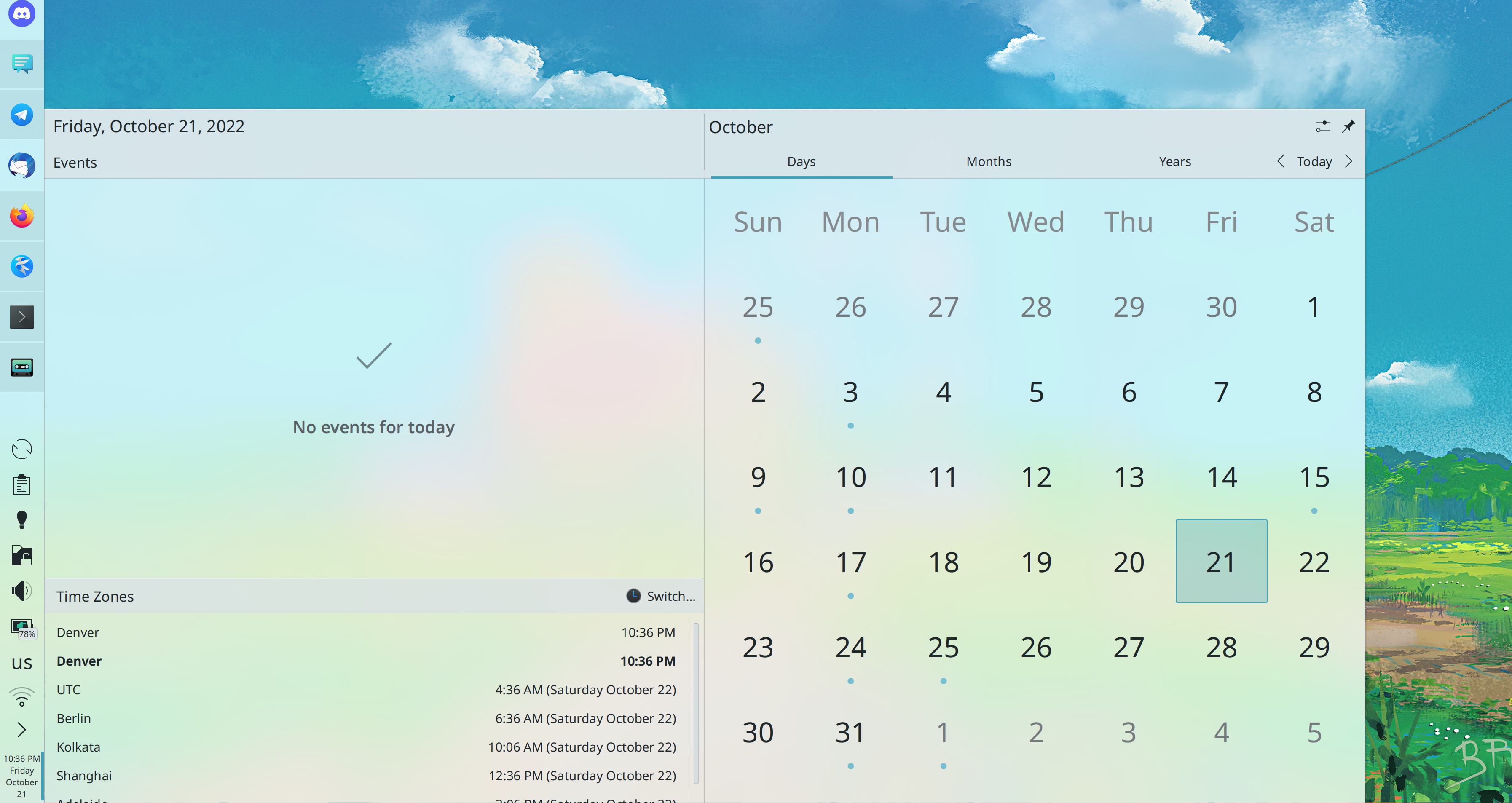
When you resize the Plasma calendar popup, text in the calendar itself now scales up and down appropriately (Fushan Wen, Plasma 5.27. Link):

The Overview, Present Windows, and Desktop Grid effects now try harder to pack windows efficiently, so hopefully you won’t see windows arranged like staircases anymore (Vlad Zahorodnii, Plasma 5.27. Link)

When viewing the page for a Flatpak app that has been marked as “end-of-life” by its developer, Discover now shows you the reason given by the developer (Aleix Pol Gonzalez, Plasma 5.27. Link)

Shadows behind the clock and date text on the login and lock screens are now a bit softer and prettier (Bharadwaj Raju, Plasma 5.27. Link):

The Lock Keys Widget now shows a different icon from the Keyboard Layout Widget, so can distinguish between them at a glance (Bharadwaj Raju, Plasma 5.27. Link):

In the Plasma Wayland session, the “Something is recording your screen” System Tray icon now uses a more correct “recording”-style icon (me: Nate Graham, Plasma 5.27. Link):

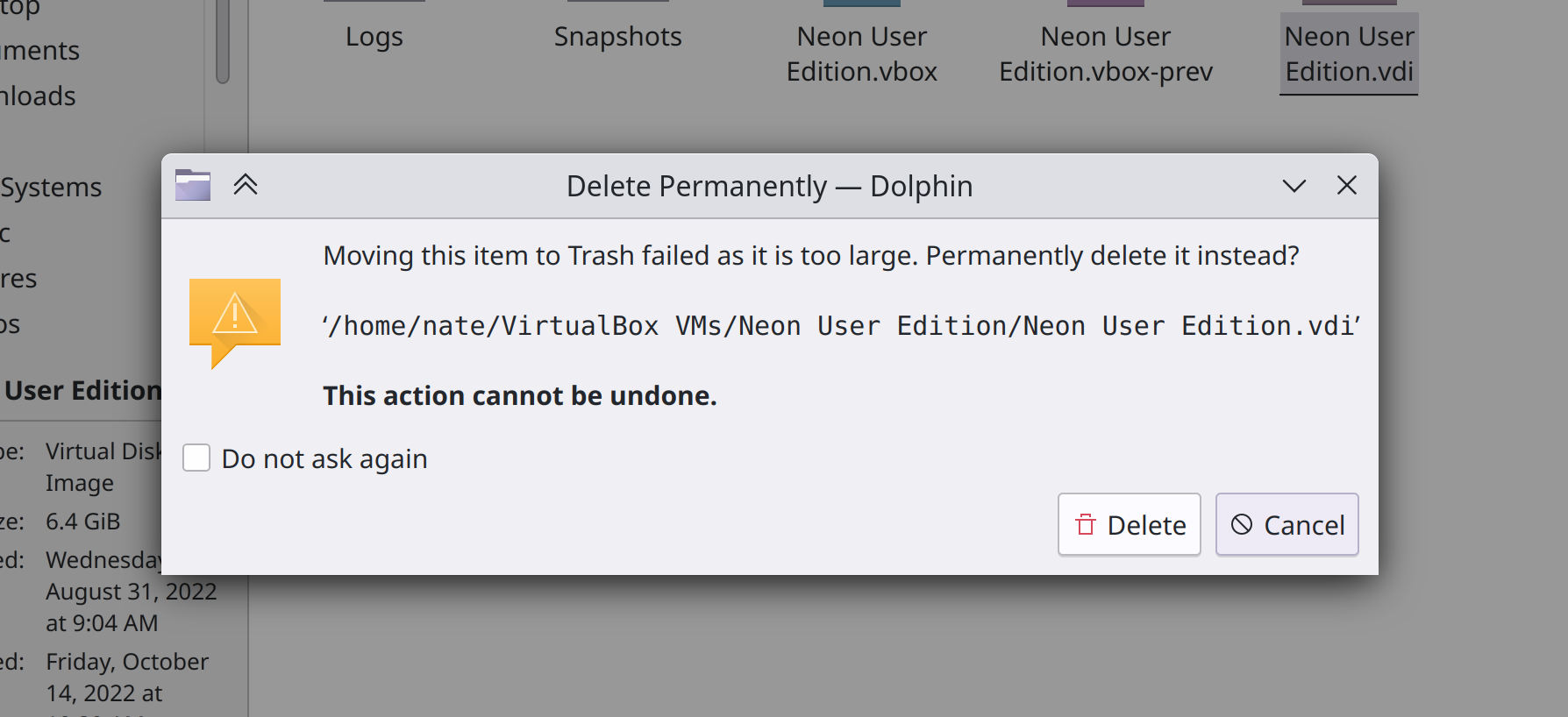
Trying to trash an item that’s bigger than the current trash size now gives you the option to delete it immediately if you want (Ahmad Samir, Dolphin 22.12 with Frameworks 5.100. Link):

Avatar images throughout KDE software are now sharper and better-looking when using a high DPI screen and screen scaling (Fushan Wen, Frameworks 5.100. Link)

Recent Documents lists throughout KDE software will now display appropriate icons for the recent files (Eric Armbruster, Frameworks 5.100. Link)

Significant Bugfixes

(This is a curated list of e.g. HI and VHI priority bugs, Wayland showstoppers, major regressions, etc.)

Fixed another cause of desktop widgets slightly moving around on login, which apparently has multiple causes (Aaron Rainbolt, Plasma 5.24.8. Link)

Fixed an issue that could cause input to not be detected when using the new mouse button rebinding feature (David Redondo, Plasma 5.26.2 with Frameworks 5.100. Link)

Plasma no longer constantly consumes high CPU resources when using an animated AVIF image as your wallpaper (Fushan Wen, Frameworks 5.100. Link)

Plasma no longer constantly consumes high CPU resources when disabling middle-click paste and copying certain content (David Edmundson, Frameworks 5.100. Link)

Other bug-related information of interest:

Automation & Systematization

This goal now has a Matrix room! Search for kde-institutional-memory:kde.org in your favorite Matrix client, or click here to access it in the web client.

The goal also has a team on https://invent.kde.org! You can join at https://invent.kde.org/groups/teams/automation/-/group_members. We’ll be using this for long-term task coordination via the task tracker at https://invent.kde.org/teams/automation/issues/-/issues.

There’s now a wiki page explaining how distros can package Plasma for the best user experience, full of accumulated knowledge over time (me: Nate Graham. Link)

On distros using gdb 12, the DrKonqi crash reporting wizard is now capable of dynamically symbolicating crash traces without debug symbols, which makes them actionable and reduces bug triaging work (Harald Sitter, Plasma 5.26.1. Link)

Added an autotest for the PNG metadata extractor (Kai Uwe Broulik, Frameworks 5.100. Link)

Added autotests for KWin’s DRM (Direct Rendering Manager) platform code (Xaver Hugl, Plasma 5.27. Link)

Changes not in KDE that affect KDE

RGB sub-pixel hinting for text is now enabled by default, which is good for users of KDE software since we respect the set of systemwide default settings rather than overriding it with our own value (Akira Tagoh, Fontconfig 2.14.1 Link)

…And everything else

This blog only covers the tip of the iceberg! If you’re hungry for more, check out https://planet.kde.org, where you can find more news from other KDE contributors.

How You Can Help

If you’re a developer, check out our 15-Minute Bug Initiative. Working on these issues makes a big difference quickly! Otherwise, have a look at https://community.kde.org/Get_Involved to discover ways to be part of a project that really matters. Each contributor makes a huge difference in KDE; you are not a number or a cog in a machine! You don’t have to already be a programmer, either. I wasn’t when I got started. Try it, you’ll like it! We don’t bite!

Finally, consider making a tax-deductible donation to the KDE e.V. foundation.
Interview on the Sudo Show

The latest episode of the Sudo Show with Brandon Johnson and Neal Gompa has an interview with me, on the subject of Kommercializing KDE. It’s quite relevant to my goal of getting our software on the all the hardware we can (AKA World Domination) so give it a listen!

You can also listen right here:

Hope you enjoyed it! And if you like what KDE is doing and want to help its contributors make a living, consider making a donation!

On hiring, and fundraising to make it more biggerer

This year at Akademy, I took the plunge and decided to run for a seat on the KDE e.V.’s board of directors.


What is the KDE e.V.? It’s the nonprofit organization that represents the KDE community in legal and financial matters. It has several paid employees who work on KDE stuff, most notably promotion & marketing, project management, and event planning. You can see more at https://ev.kde.org/corporate/staffcontractors.

By the way, in case you were wondering (as I did at one point), “e.V.” is short for “eingetragener Verein” which is German for “registered association”–basically a type of nonprofit entity.

For several years, I’ve believed and publicly suggested that the KDE e.V. needs to have more technical positions. We need to directly hire KDE community members so they don’t have to seek employment with a 3rd-party company, or even drift away from the community when they have less free time and age into positions of greater financial need. In fact the KDE e.V. has already been moving in this direction, but slowly, because the available budget is pretty small compared to the vastness of the KDE community and the scope of more ambitious hiring. You can get an idea by looking at the report of the Financial Working Group in the 2021 annual report.

So I ran on a platform of hugely increasing both fundraising and technical hiring. And I’m honored to report that I won the election and am now a member of the board!

i got board

To those of you who voted for me, thank you so much for your support. For those of you who didn’t, I hope I can represent you well anyway, and if you get ticked off with anything I’m doing… please tell me! I welcome feedback. This position is all about being a good representative, and that’s what I want to be.


So what does this mean?

It means that a majority of the KDE e.V. membership approves of these goals, so when it gets more money, the KDE e.V. has a mandate to do more hiring–especially for impactful technical positions. It means we will eventually be able to have the big names in KDE paid by KDE, so they can stay in KDE over the long haul! And it also means we need a lot more money to make this happen.

There are a lot of steps to this, including figuring out the legal technicalities of full-time hiring, and increasing the budget so we can make sure we’re always offering market wages. We’ll be investigating potential ways to boost fundraising: hiring a professional fundraising director; applying for a lot more grants; having more explicit fundraising campaigns; gamifying fundraising; sending out nudgey newsletters to people who have donated in the past; making it easier to donate on a recurring basis; and more.

But for now, if you want to see us do more hiring, the best way is to make a donation to the KDE e.V. at https://kde.org/community/donations. It helps. It really does! This money is going to transform KDE into a professional powerhouse with its own internally-employed cadre of world-class superstars. We’re going to take on the Big Tech dogs and win, and we’re going to let our heavy-hitters make a living within KDE while doing it. But it can’t happen without your help, so please consider making a donation today!

Akademy 2022 talk: Konquering the World – Are We There Yet?

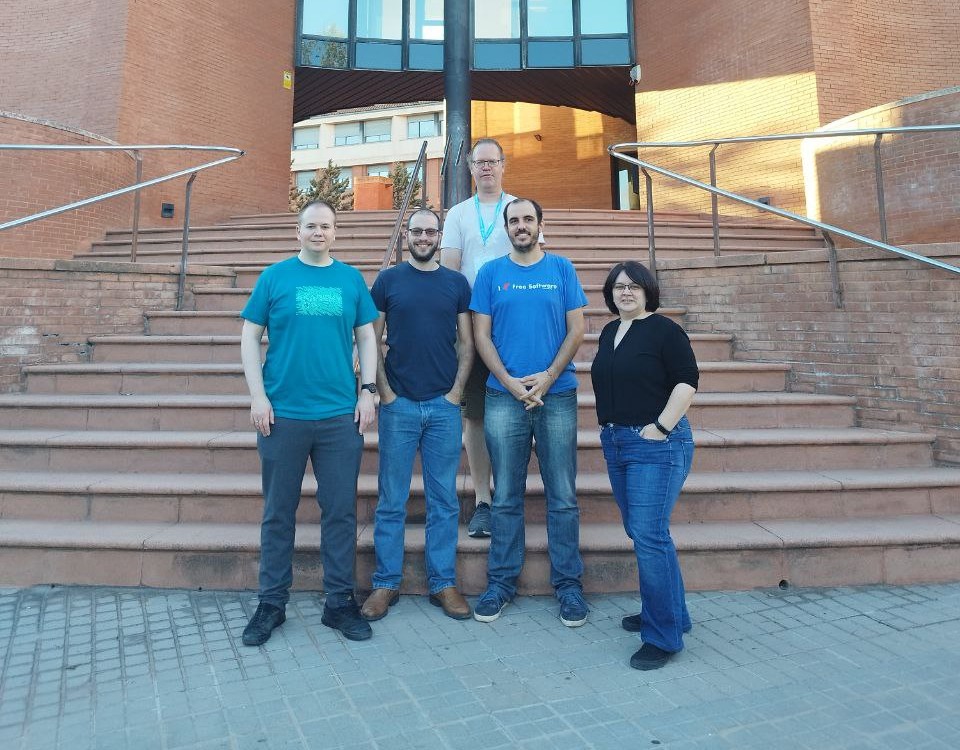
Two weeks ago I attended Akademy in Barcelona, KDE’s annual conference. Let me tell you, it was great to finally, finally, finally see people in person again! It was so nice to meet up with old friends, and put faces to names for new ones!

Four years ago I gave a perhaps arrogantly ambitious talk at Akademy 2018 entitled “Konquering the World – a 7-Step Plan to KDE World Domination“. In it, I described how the at-the-time new Usability & Productivity goal supported a deeper end goal of getting KDE Plasma pre-installed on commercially available hardware–that being the only way I believe we can introduce a truly huge number of new people to KDE’s friendly and powerful flavor of free software.

Four years later, the Usability & Productivity goal has been completed, with basically everything it set out to do being done now! So at this year’s Akademy, I gave a talk to discuss the progress in getting KDE Plasma preinstalled on hardware. What were our successes, and what do we still need to work on to make further gains in the arena of pre-installation? Find out here!

TL;DW version: check out https://kde.org/hardware 🙂