This week in KDE: Holiday features

This is a light week as KDE contributors have been taking well-deserved breaks during this holiday season. Nevertheless, all was not quiet and many nice improvements and bugfixes were merged!

New Features

In the Plasma Wayland session, you can now zoom in and out on images in Gwenview using pinch gestures on your touchpad! (Bharadwaj Raju and Carl Schwan, Gwenview 23.04. Link)

Kate and KWrite now have options to always open each file in its own window, rather than tabs of one window (Christoph Cullmann, Kate & KWrite 23.04. Link)

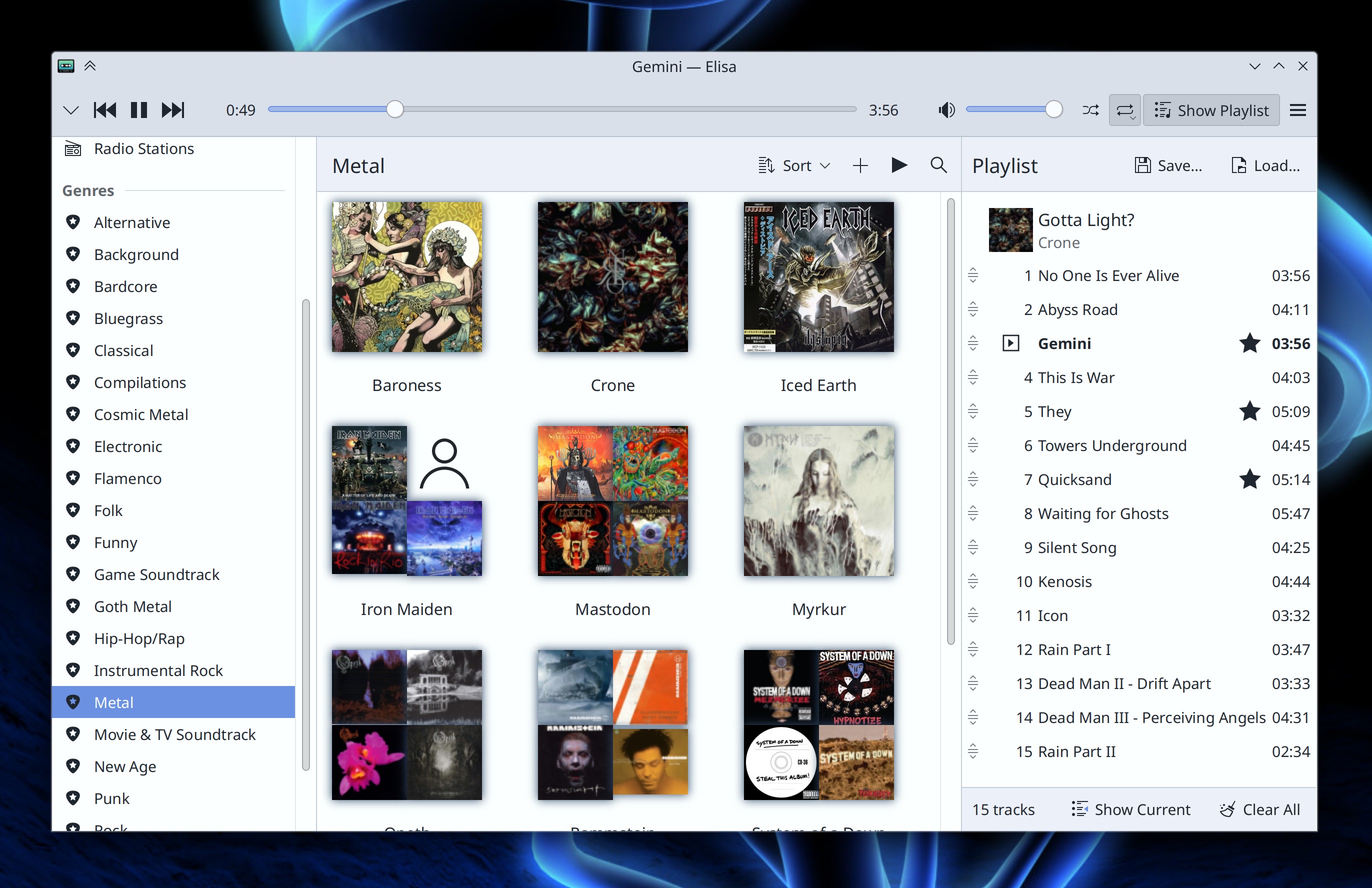
Elisa now supports creating and opening .pls playlist files (Marius Pa, Elisa 23.04. Link)

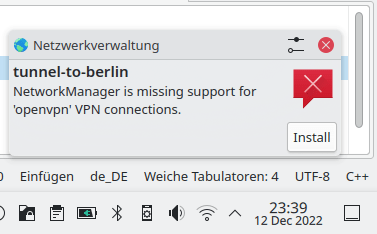
When you try to use a VPN type whose plugins are not installed, the notification that tells you this now offers you the opportunity to install them (Nicolas Fella, Plasma 5.27. Link)

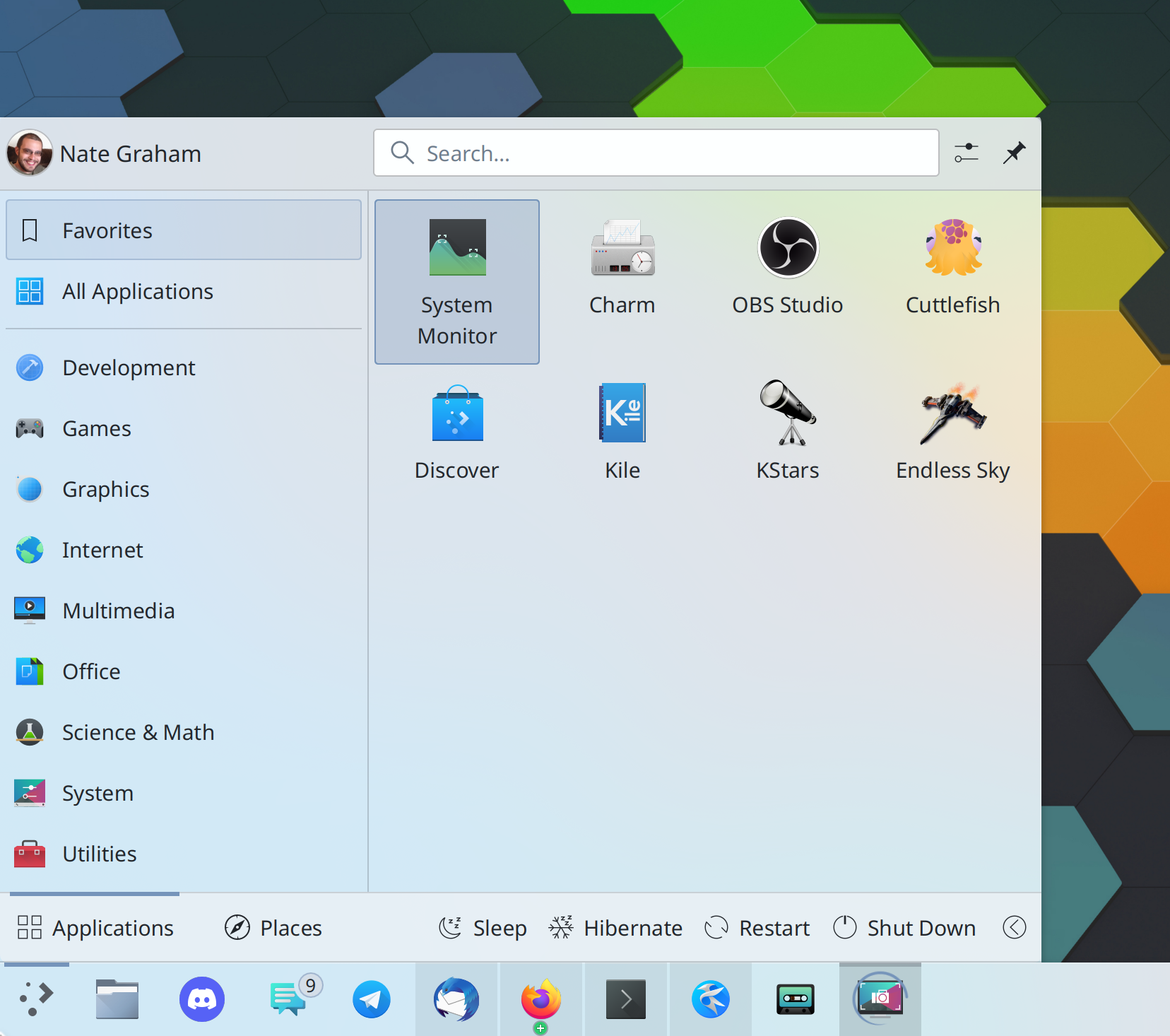
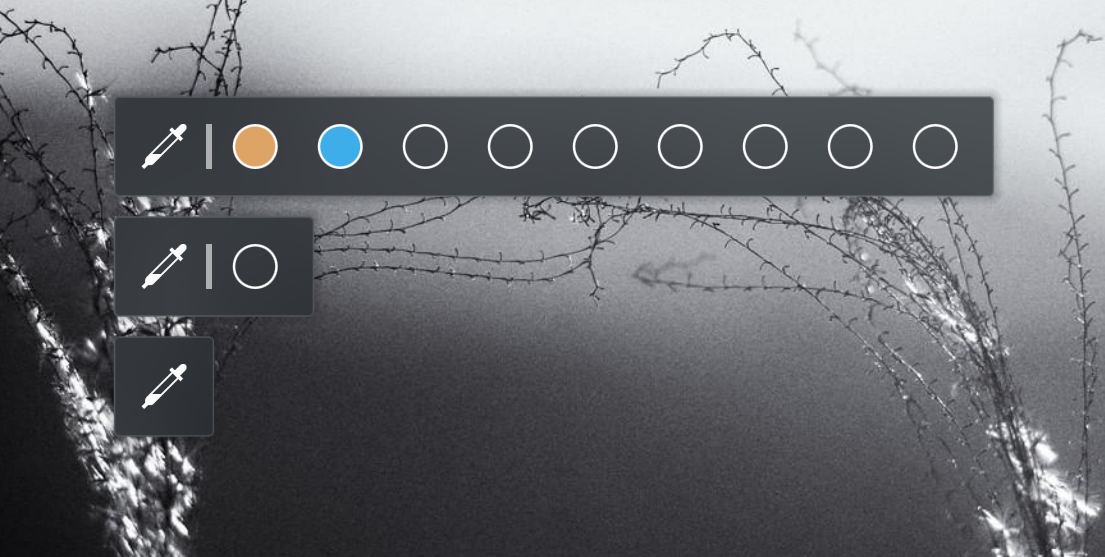
It’s now possible to configure the Color Picker widget to display up to 9 color preview dots for quick use (in case you didn’t know, you can drag colors out of them and onto something else), or none at all if you don’t use them because you use the widget as just a way to get color code values into your clipboard (Fushan Wen, Plasma 5.27. Link):

User Interface Improvements

Okular’s sidebar has been ported to use QDockWidget, which makes it able to be relocated to other sides of the window or un-docked to become a free-floating window (Eugene Popov, Okular 23.04. Link)

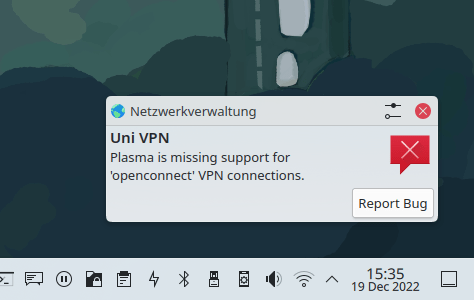
When configuring a VPN fails because plasma-nm was compiled without support for any of its optional plugins that provide this functionality, the notification warning you about it now includes a button to report a bug that will take you to your distribution’s bug tracker, because they’re the source of the issue (Nicolas Fella, Plasma 5.27. Link)

Significant Bugfixes

(This is a curated list of e.g. HI and VHI priority bugs, Wayland showstoppers, major regressions, etc.)

When permanently deleting a file, the “Delete permanently” button once again has keyboard focus by default (Felix Ernst, Dolphin 22.12.1. Link)

In the Plasma Wayland session, after KWin has restarted for any reason, session-ending actions such as Log Out, Restart, And Shut Down now work (David Edmundson, Plasma 5.27. Link)

The Persian and Indian national calendars now show their correct month names (Fushan Wen, Plasma 5.27. Link 1 and link 2)

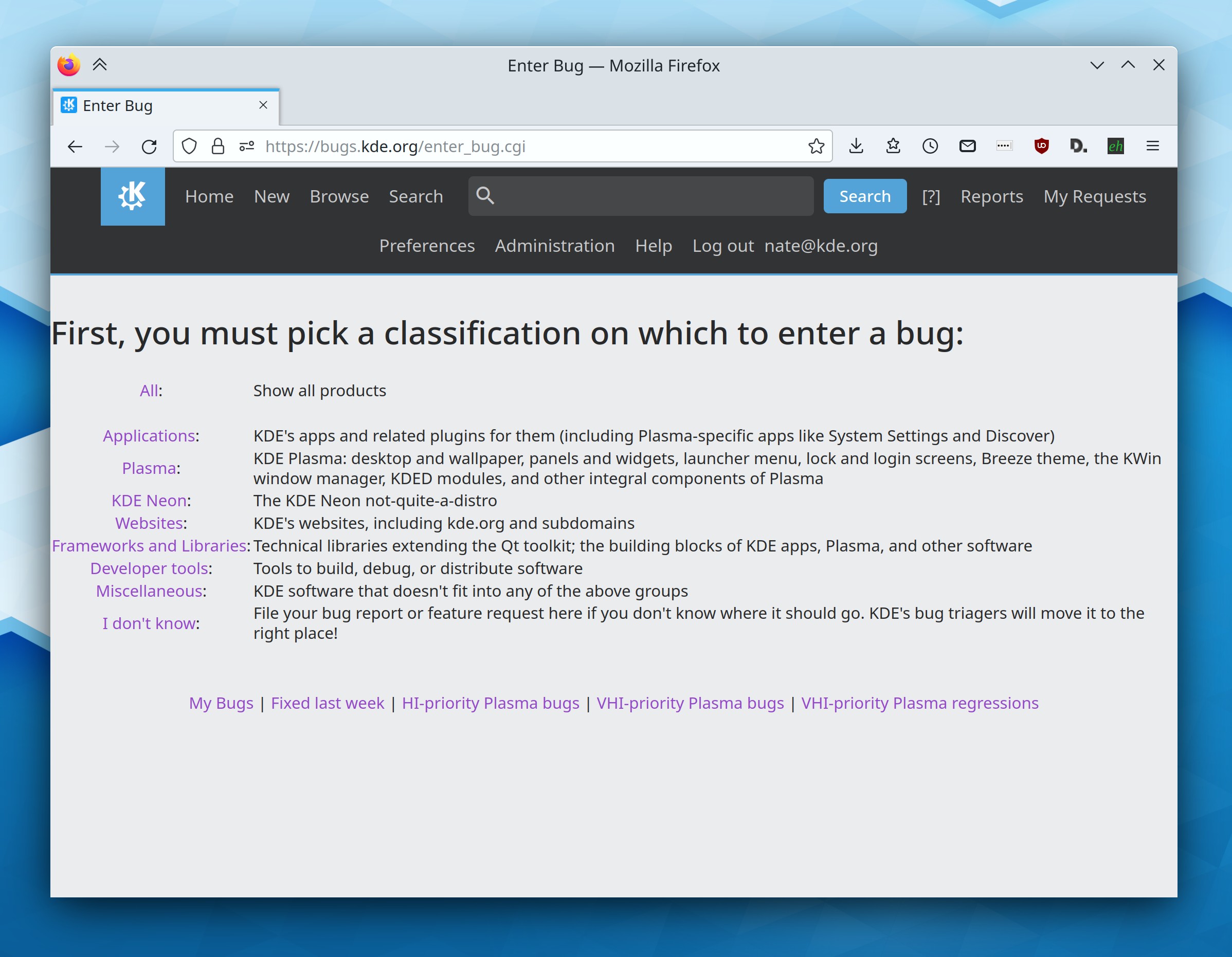
Other bug-related information of interest:

Automation & Systematization

Added some more autotests for the Baloo file indexing service (Albert Astals Cid, Frameworks 5.102. Link)

After once again fixing a bug with symlinked files for wallpaper slideshows not appearing, added an autotest to make sure it doesn’t happen again (Fushan Wen, Plasma 5.26.5. Link)

…And Everything Else

This blog only covers the tip of the iceberg! If you’re hungry for more, check out https://planet.kde.org, where you can find more news from other KDE contributors.

2022 Fundraiser

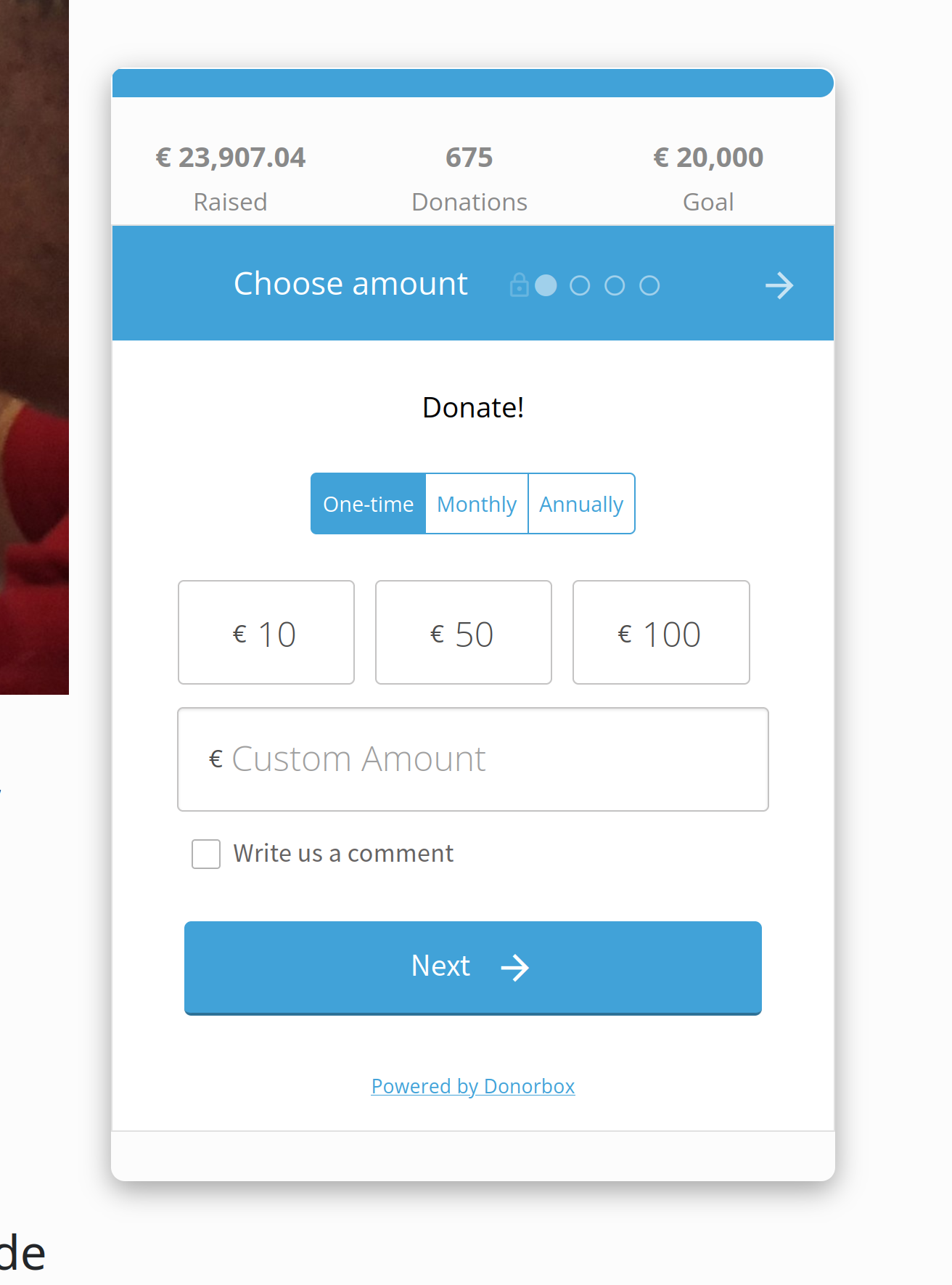
KDE’s end-of-year fundraiser is in full swing and we’re close! As of the time of writing, we’re at a hair over 17,000€, out of the 20,000€ goal. So please consider making a donation!

But guess what! Veteran KDE contributor Albert Astals Cid is offering to match 10% of people’s donations until the end of the year or the goal is reached; how cool is that!? Thanks so much, Albert!

To take advantage of this, after you make your donation here, email aacid@kde.org with your name/email and CC kde-ev-board@kde.org. And then go tell Albert on his blog what a cool guy he is!

We can do it!

Other Ways To Help

If you’re a developer, check out our 15-Minute Bug Initiative. Working on these issues makes a big difference quickly!

Otherwise, visit https://community.kde.org/Get_Involved to discover ways to be part of a project that really matters. Each contributor makes a huge difference in KDE; you are not a number or a cog in a machine! You don’t have to already be a programmer, either. I wasn’t when I got started. Try it, you’ll like it! We don’t bite!

This week in KDE: Wayland fractional scaling! Oh, and we also fixed multi-screen

This week is a twofer! We have the long-awaited Wayland fractional scaling support, and the equally long-awaited ultimate fix for Plasma’s multi-screen woes! Let’s take them one at a time:

Wayland Fractional Scaling

The Wayland protocol for fractional scaling was finally merged last week. Kenny Levinsen proposed the protocol itself, and this week, the KDE and Qt implementations for Plasma 5.27 which have been done by David Edmundson were merged. Thanks a lot, everyone!

“What does this do?” you might ask. It allows the Qt toolkit to turn on its pre-existing fractional scaling support on Wayland that it always had on X11. No more rendering to an integer size and then scaling down! This should result in Qt apps that are scaled to anything other than 100%, 200%, or 300% scale having better performance, less visual blurriness, and lower power usage.

What about GTK apps? They’ll reap the same benefit once GTK also gains fractional scaling support and implements the protocol. Until then, GTK apps will continue to use the less efficient upscale+downscale method for fractional scale factors.

When is it coming? Well, KWin already has support in Plasma 5.27. Support in Qt is only in Qt 6 right now, meaning we won’t reap the benefits until Plasma 6. There’s a chance it could be backported to KDE’s Qt 5.15 patch collection, though. Stay tuned!

Fixing Multi-Screen

Multi-screen is a complicated beast because it touches so many parts of the software stack. Ultimately most of our problems arose from the use of connector IDs to identify screens and map Plasma desktops and panels (“containments”) to screens. This worked poorly, because connector IDs can and do change under various circumstances. As a result, things often became a scrambled mess, with the behavior either being random, or consistently wrong.

That’s all changed. You can read the details here. In a nutshell, we now use an index-based system, with index numbers bound very tightly to Plasma containments, but index numbers themselves being able to move between screens based on how many screens there are. So for example, when screen 1 with your Plasma desktop and panel becomes unavailable, a new screen becomes screen 1, and the Plasma desktop and panel bound move over to it.

This new system should result in vastly greater stability, reliability, and predictability with respect to how screens are enabled and disabled, positioned, and what Plasma desktops and panels they show. It fixes notorious bugs like Plasma containments being randomly moved around or lost and desktops sometimes losing their wallpapers, widgets, and icon settings. It also makes arrangements of screen layouts and Plasma containments stable across the Plasma X11 and Wayland sessions. Big stuff.

Now, let’s set expectations a bit: this doesn’t mean that literally every multi-screen bug is now fixed. Rather, it brings us a new platform that isn’t broken by design, upon which we can fix bugs without introducing new ones in the process. So now multi-screen can truly become even more reliable over time, rather than juggling a rotating whack-a-mole assortment of bugs from one release to the next. The work was done by Marco Martin, Ivan Tkachenko, Xaver Hugl, and David Edmundson. It will land in Plasma 5.27. Thanks a lot, guys!

Other New Features

You can now reverse the ordering of tasks in the Plasma Task Manager widget on vertical panels, to complement existing support on horizontal panels (Tanbir Jishan, Plasma 5.27. Link)

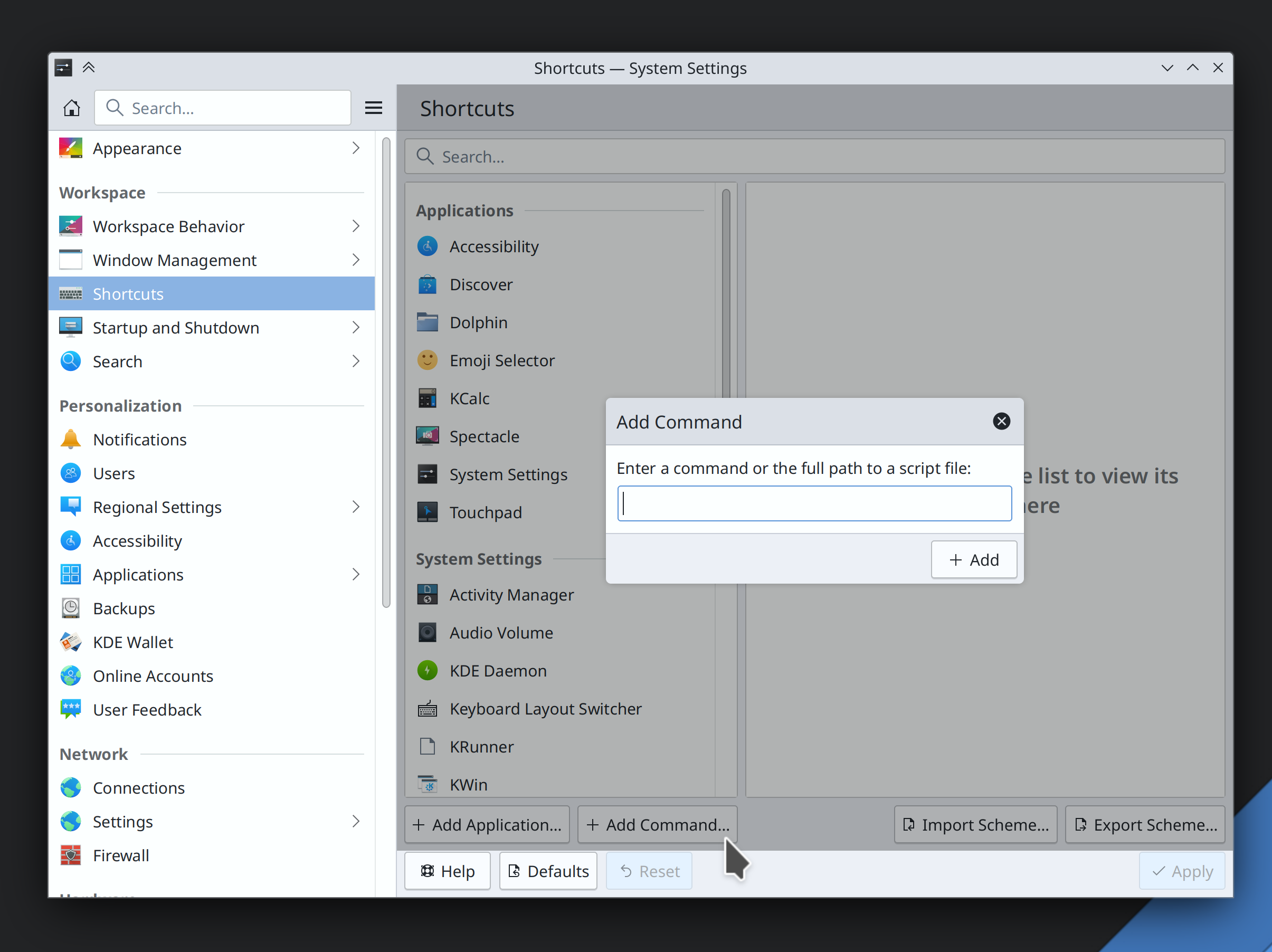
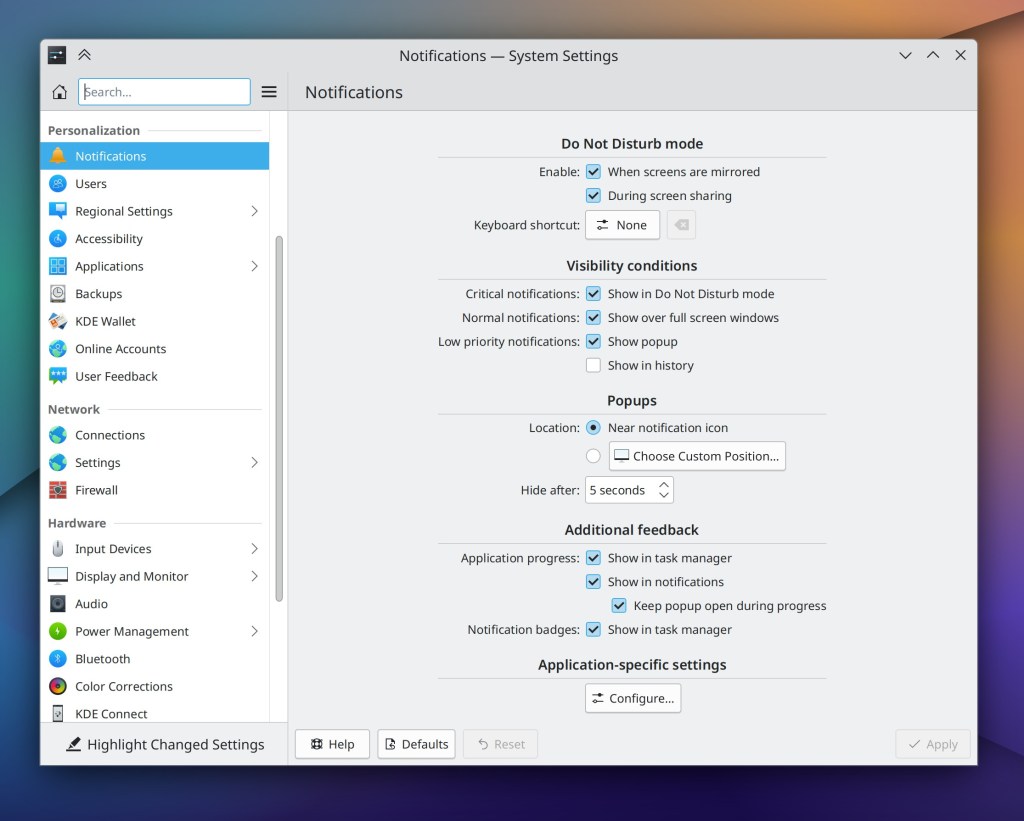
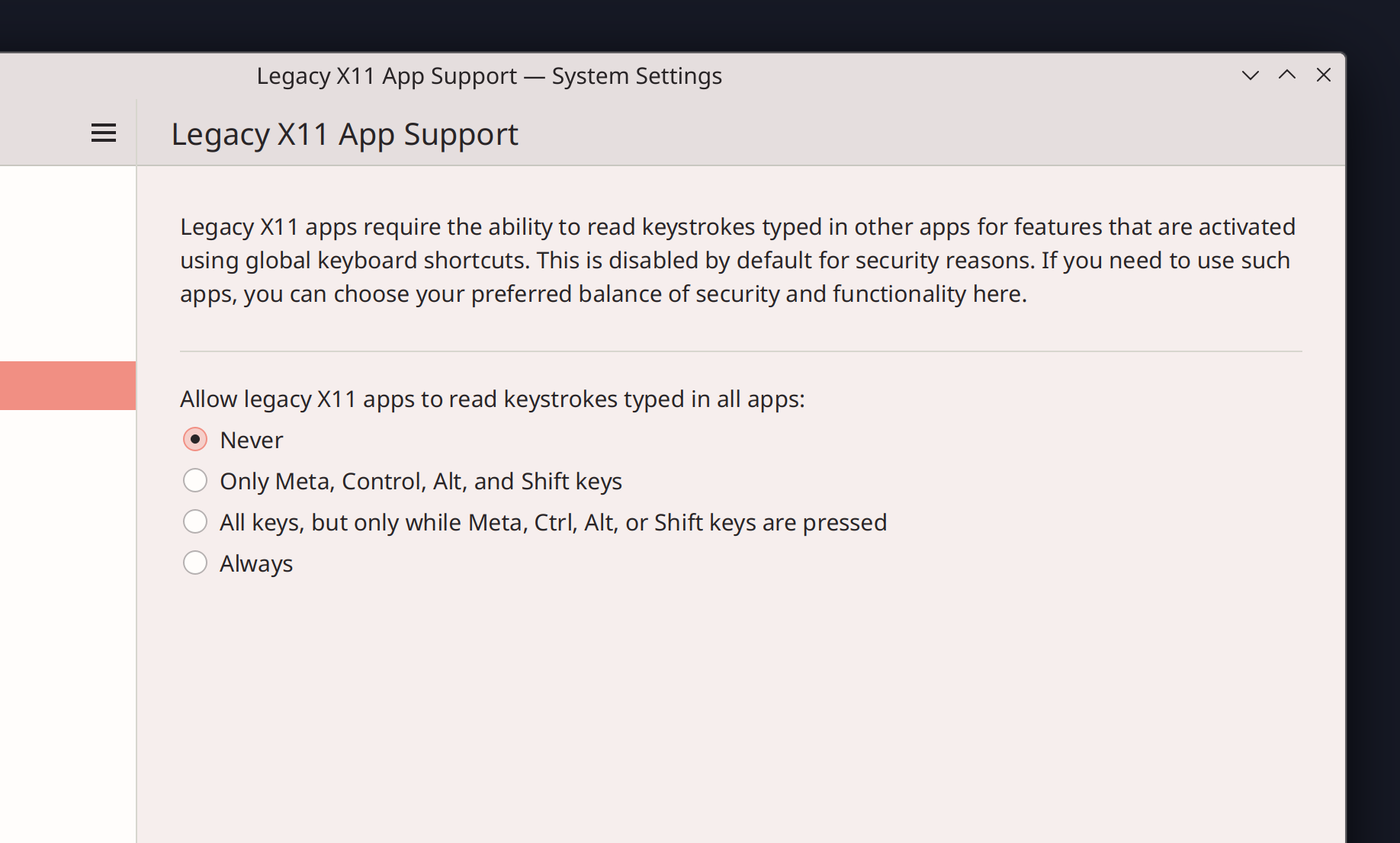
In the Plasma Wayland session, you can now allow XWayland using apps to snoop on the keypresses made in native Wayland apps, mimicking how things work on X11. This is required by some XWayland-using apps, such as Discord for its push-to-talk feature. Doing this reduces security, so it’s off by default and has various different on levels so you can choose for yourself the balance of security and support for legacy apps (Aleix Pol Gonzalez, Plasma 5.27. Link):

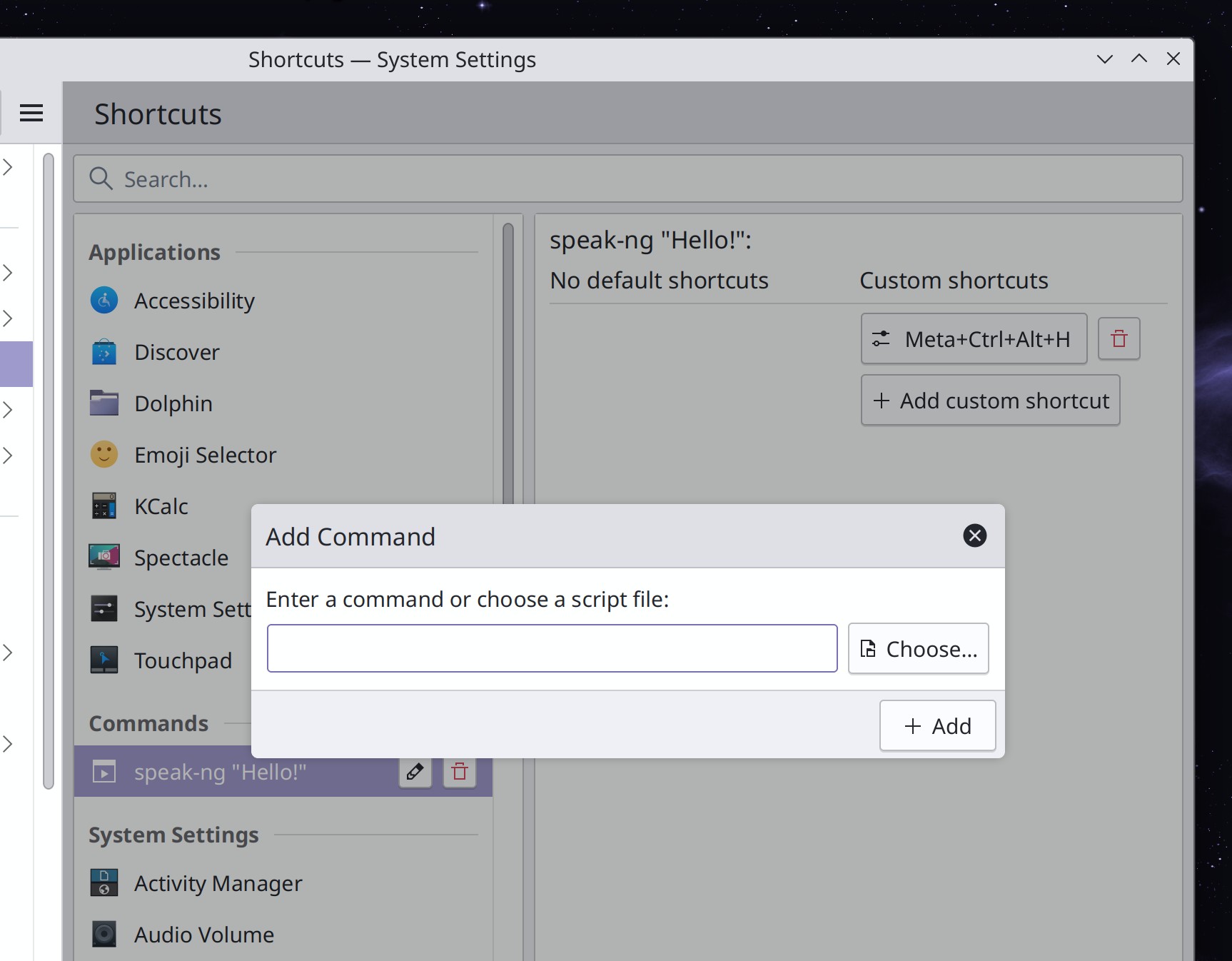
It’s now possible to use a modifier key (e.g. the Meta key) as the shortcut key when using the key input chooser to assign shortcuts to actions. This will allow us to replace the weird old modifier key handling in KWin and let you simply assign modifier keys to things like Kickoff and Overview directly. That’s not ready yet but will be coming soon! (Aleix Pol Gonzalez, Plasma 5.27 and Frameworks 5.102. Link 1, link 2, and link 3)

Discover now has a SteamOS backend, so it can perform system updates on Steam Deck devices from within desktop mode (Jeremy Whiting, Plasma 5.27, but possibly backported to SteamOS itself sooner. Link)

User Interface Improvements

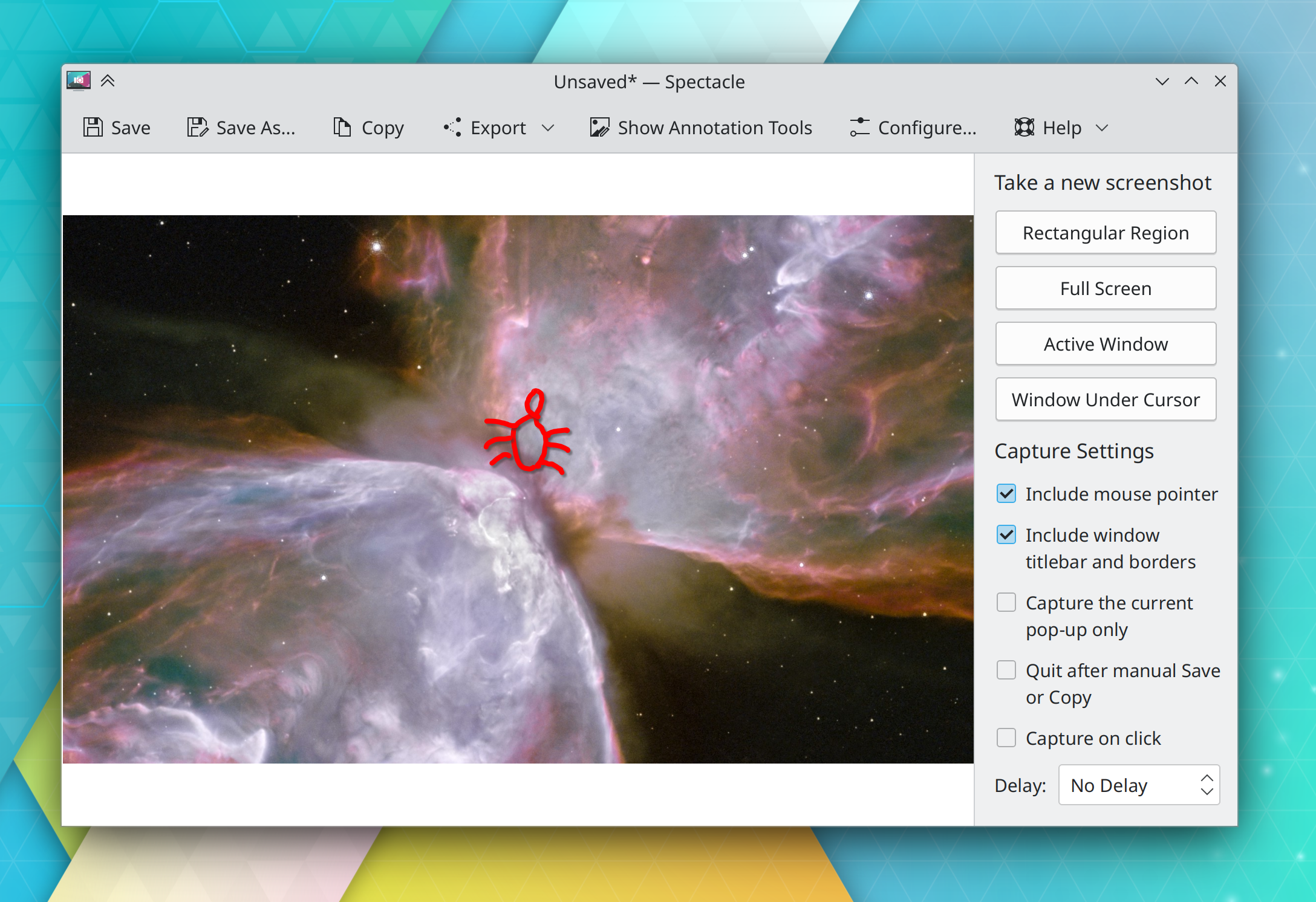
Spectacle’s sidebar now uses pushbuttons to let you take a new screenshot, replacing the old two-stage UI wherein you would first have to choose a capture mode and then click the “Take New Screenshot” button. The new workflow should be much faster! (Noah Davis, Spectacle 23.04. Link):

Spectacle’s new annotations system once again draws drop shadows behind your annotations by default, just like the old one did (Marco Martin, Spectacle 23.04. Link)

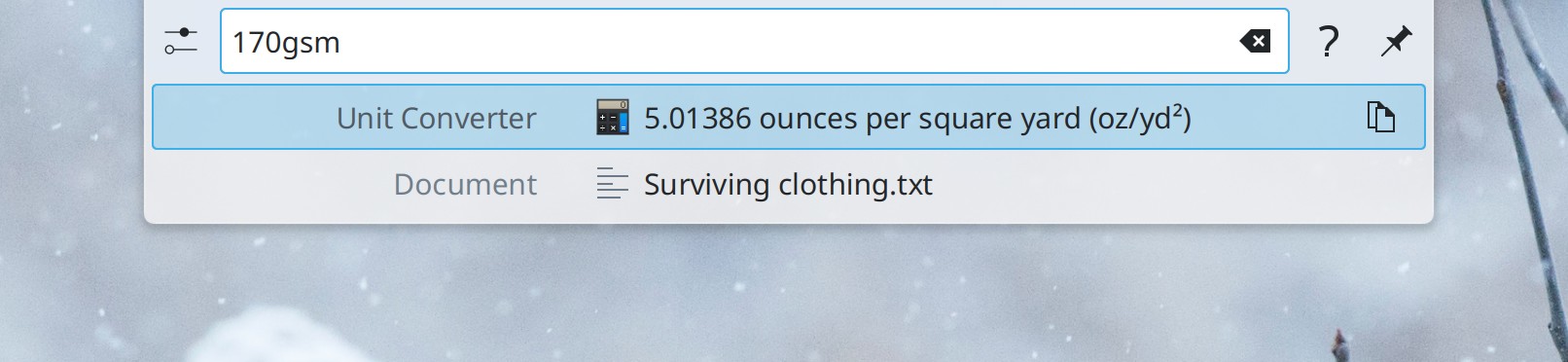
KRunner no longer matches apps’ executable names, as this caused too many false positives when searching for unrelated things (Alexander Lohnau, Plasma 5.27. Link)

The User Feedback slider on System Settings’ Quick Settings page has been removed, because as of Plasma 5.27, you’ll have the opportunity to choose to share telemetry data with KDE developers–or not–in the new welcome wizard app (me: Nate Graham, Plasma 5.27. Link)

On System Settings’ Desktop Session page, the “Offer Shutdown Options” option has been removed, because we found that it actually didn’t do anything anymore after all the changes of the past few years (me: Nate Graham, Plasma 5.27. Link)

Adding new virtual desktops now increases the number given to the new desktop, instead of naming all new desktops “New Desktop” (Thenujan Sandramohan, Plasma 5.27. Link)

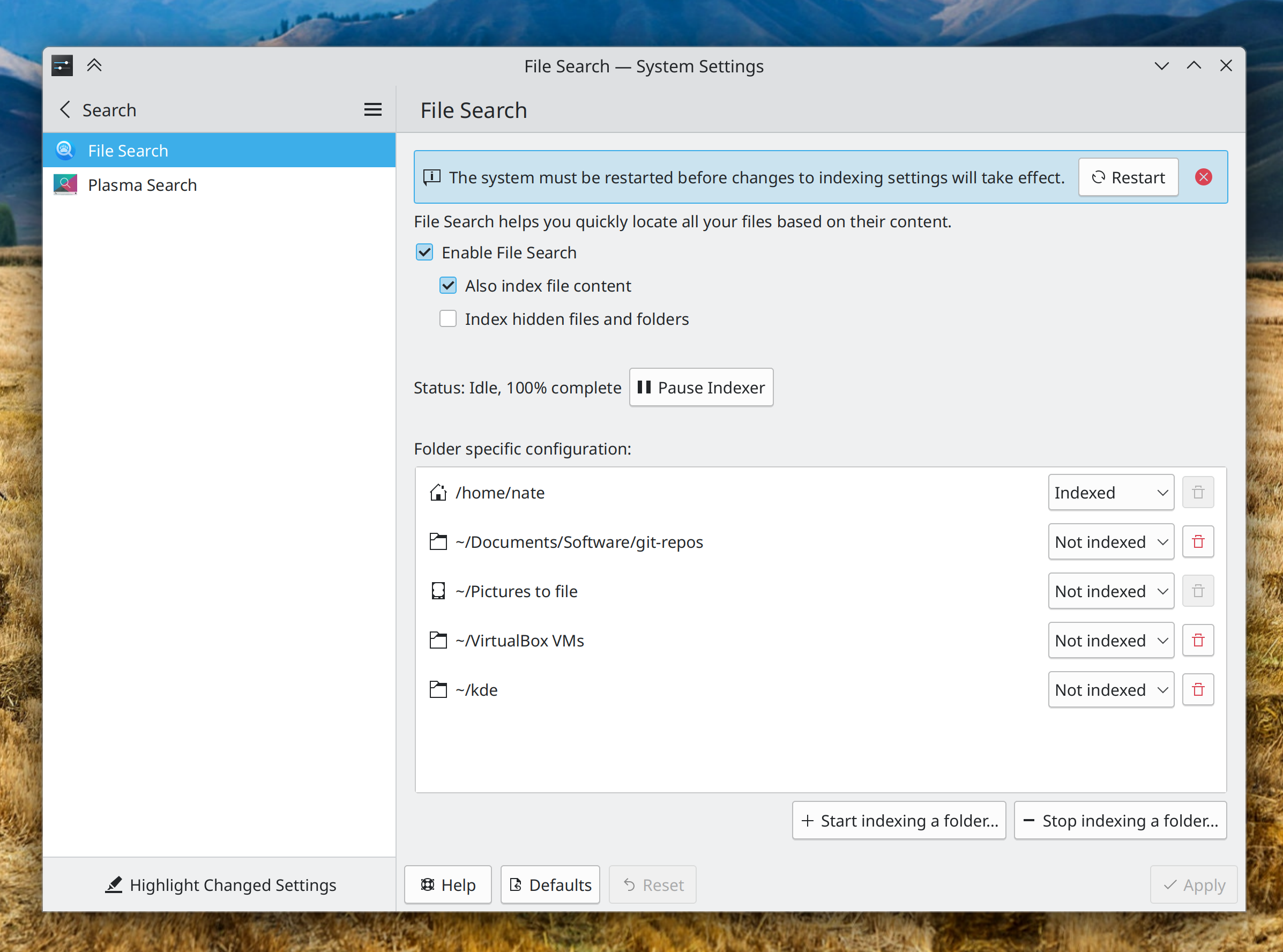
When changing indexing settings that require a reboot to take effect on System Settings’ File Search page, it will now present you with a message informing you of this, with a big friendly button you can click on to reboot immediately (me: Nate Graham, Plasma 5.27. Link):
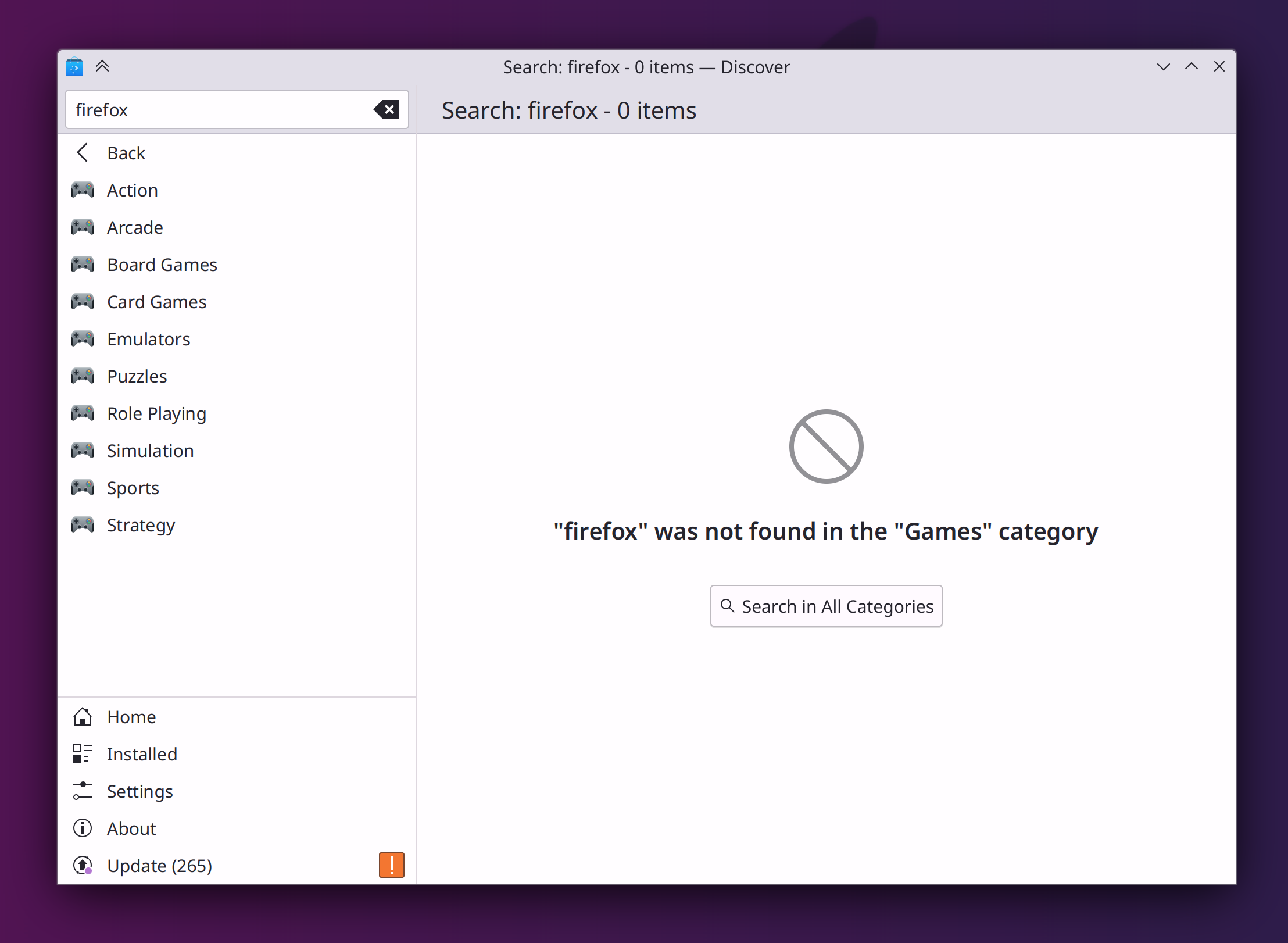
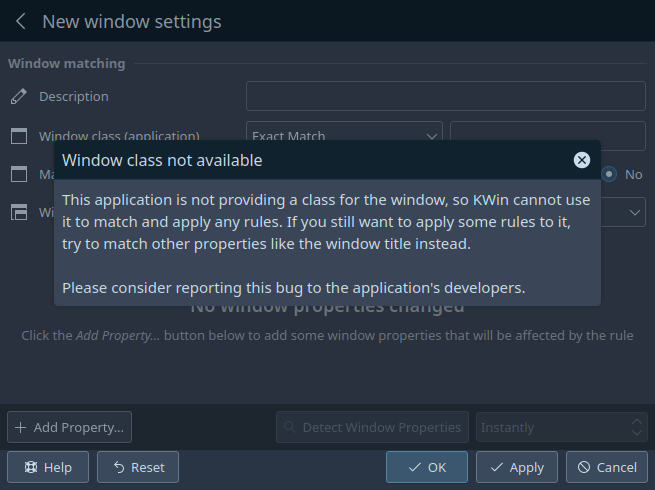
When creating window rules and trying to match windows by their window class, the page will now give you a comprehensible error message when you target a window that doesn’t have a window class (Ismael Asensio, Plasma 5.27. Link):

Significant Bugfixes

(This is a curated list of e.g. HI and VHI priority bugs, Wayland showstoppers, major regressions, etc.)

Disabling middle-click paste in the Plasma Wayland session no longer makes it impossible to select text in some GTK apps or causes them to crash (Vlad Zahorodnii, Plasma 5.26.5. Link)

In the Plasma Wayland session, external screens now work when using various ARM-powered devices (Xaver Hugl, Plasma 5.26.5. Link)

When Discover installs updates for an add-on from store.kde.org that needs to present an error message or question as part of the update process, or tries to do so because the update failed, Discover now shows this to you instead of silently eating it and leaving it wondering why things aren’t working (Aleix Pol Gonzalez, Plasma 5.27. Link)

The Blend Changes KWin effect no longer triggers while the foreground window is fullscreen, so when you’re using the “Accent color from wallpaper” setting and a slideshow wallpaper, you’ll no longer, for example, experience brief choppiness while watching a full-screen video when the wallpaper changes (Xaver Hugl, Plasma 5.26.5. Link)

Disabling and re-enabling the top-left-most screen no longer causes it to become mirrored to the screen to the right of it after being re-enabled (Ivan Tkachenko, Plasma 5.27. Link)

The “Add Rule” dialog in System Settings’ Firewall page now works properly for the ufw firewall (Paul Worall, Plasma 5.27. Link)

Other bug-related information of interest:

Automation & Systematization

We now have a whole framework for performing automated GUI tests using the accessibility API, which exercises both at once for double-whammy of a win! This has been rolled out for a start with the calculator widget (Harald Sitter, Plasma 5.27. Link) And don’t be shy, write your own! Here’s the documentation.

Added a basic autotest for Activities (Alexander Kuznetsov, Plasma 5.27. Link)

Dependency metadata for what kde code kdesrc-build needs to compile for any given thing you tell it to build is now auto-generated from each repo’s continuous integration system metadata! (Nicolas Fella, right now. Link)

develop.kde.org now has a tutorial on writing advanced Plasma widgets that use C++ backend code (Chris Holland, Link)

2022 Fundraiser

KDE’s year-end fundraiser is halfway done! We’re more than halfway to the goal, but progress has slowed quite a bit. If you haven’t donated yet, please consider doing so! With all the hiring KDE e.V. has been doing, we need to significantly ramp up fundraising to keep up the pace to avoid getting into the red. Every little bit helps!

…And everything else

This blog only covers the tip of the iceberg! If you’re hungry for more, check out https://planet.kde.org, where you can find more news from other KDE contributors.

How You Can Help

If you’re a developer, check out our 15-Minute Bug Initiative. Working on these issues makes a big difference quickly! Otherwise, have a look at https://community.kde.org/Get_Involved to discover ways to be part of a project that really matters. Each contributor makes a huge difference in KDE; you are not a number or a cog in a machine! You don’t have to already be a programmer, either. I wasn’t when I got started. Try it, you’ll like it! We don’t bite!

Finally, consider making a tax-deductible donation to the KDE e.V. foundation.

This week in KDE: New Spectacle

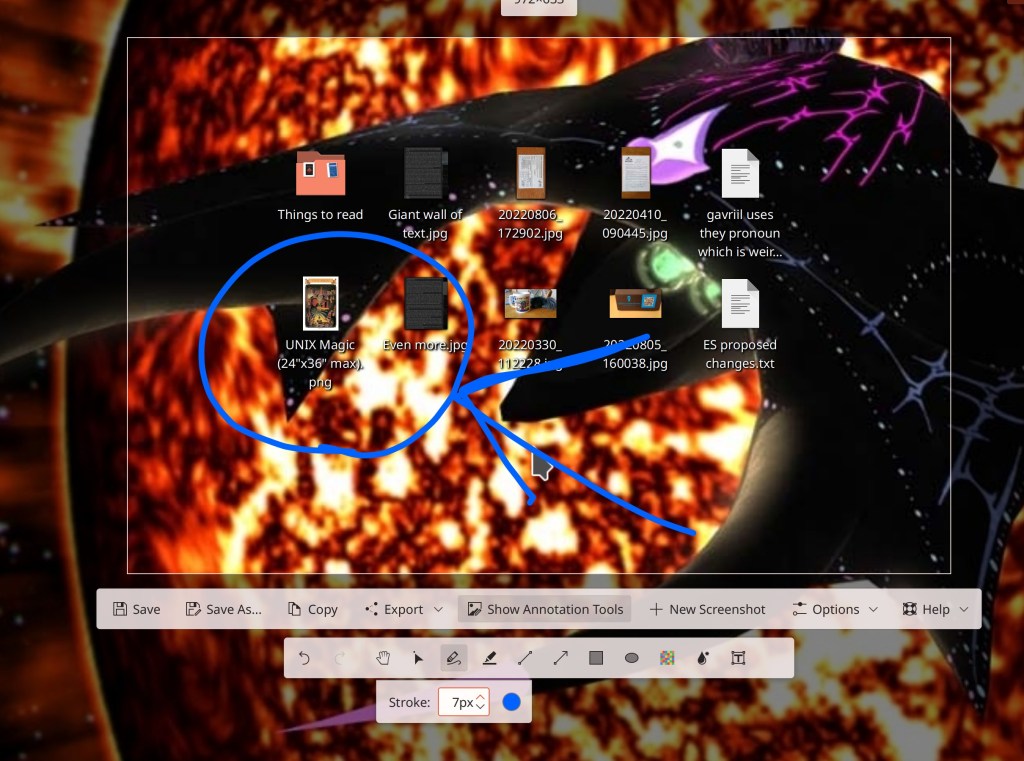
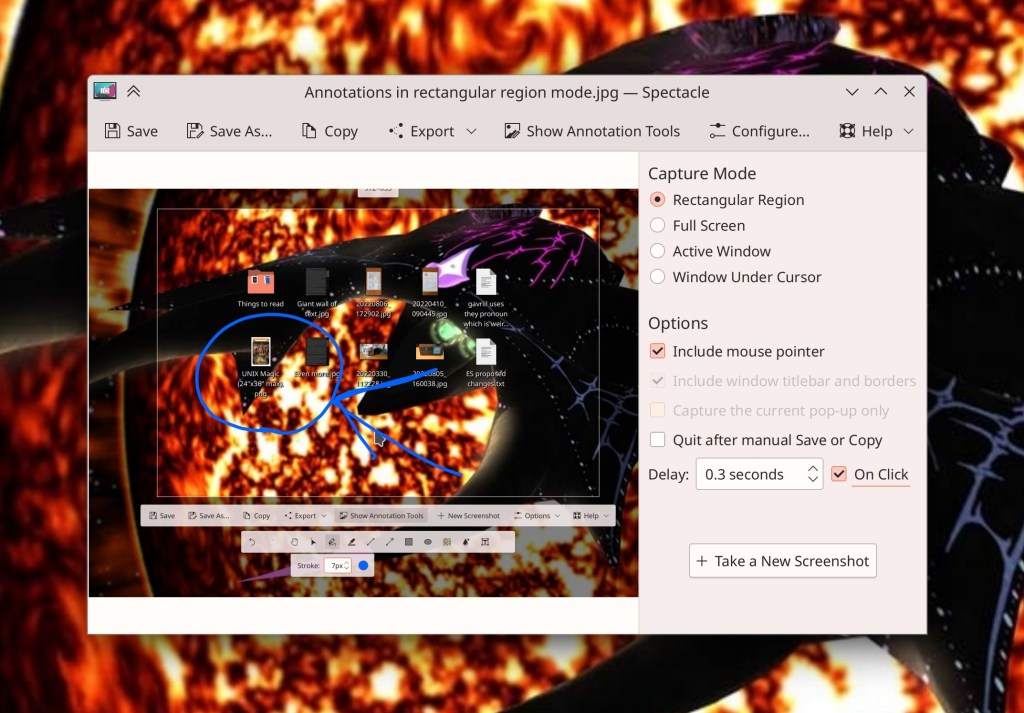
This week Spectacle’s user interface was rewritten in QML, which makes it easier to develop going forward and will enable us to add screen recording functionality to the app, which is coming! But that’s not all… in the process we integrated the annotations feature into the Rectangular Region selector, so you can select a screen region and immediately start annotating it! The Rectangular Region selector UI is also hugely more responsive. Overall this work was also able to fix 12 bug reports in the bug tracker, in addition to the important architectural and UI improvements.

Thanks very much to Noah Davis and Marco Martin who have been hard at work on this for quite a while! It will land in Spectacle 23.04.

Other New Features

There are now KWin actions for “Move window one screen to the left/right/up/down” that you can use and assign keyboard shortcuts to, if your personal workflow requires it (Natalie Clarius, Plasma 5.27. Link)

Other User Interface Improvements

The Bluetooth widget’s tooltip now shows the battery status for any connected device that are able to report battery information (Ivan Tkachenko, Plasma 5.27. Link):

The Battery and Brightness and Media Player widgets’ tooltips now indicate that you can do something by scrolling over them. This should be all of them! (me: Nate Graham and Nicolai Weitkemper, Plasma 5.27. Link 1 and link 2)

The System Tray config window’s list of applets has been made fully keyboard-navigable and accessible (Fushan Wen, Plasma 5.27. Link)

The estimated time remaining before your battery runs out is now smoothed, so it won’t jarringly jump up or down in response to momentary spikes or dips in power usage (Fushan Wen, Plasma 5.27. Link)

Scrolling over a Media Player widget to adjust the volume of the app playing media now raises or lowers it in increments equal to the global scroll step that’s configurable in System Settings, rather than having its own private setting for this (Bharadwaj Raju, Plasma 5.27. Link)

Side drawers in Kirigami-based apps can now also be closed by using the Escape key or clicking in an empty dimmed area of the view (Matej Starc, Frameworks 5.102. Link)

Significant Bugfixes

(This is a curated list of e.g. HI and VHI priority bugs, Wayland showstoppers, major regressions, etc.)

When Plasma- Browser Integration is installed, the Media Player no longer shows two sets of playback controls (Bharadwaj Raju, Plasma 5.27. Link)

In the Plasma Wayland session, several subtle paste-related issues have been fixed, including panel widgets having a delay before closing after a file is copied in Dolphin and then Dolphin is closed, and also text copied by interacting with the Clipboard widget itself being unable to be pasted into text fields in Plasma widgets (David Redondo, Frameworks 5.102. Link 1 and link 2)

When you remove a widget and then reboot the system or restart plasmashell while the “Undo removing this widget?” notification is still visible, the widget is now gone as expected when Plasma starts up again (Marco Martin, Frameworks 5.102. Link)

Other bug-related information of interest:

Automation & Systematization

Our Bugzilla bot now automatically marks bugs with the “wishlist” severity if the author forgot to do so themselves, but did prefix the title with various keywords like “feature request”, “wishlist”, and the like (me: Nate Graham. Link)

Added an autotest to ensure that the Plasma desktop’s wallpaper size remains correct after screen resolutions change, after it regressed and we fixed it (Fushan Wen, Plasma 5.27. Link)

…And everything else

This blog only covers the tip of the iceberg! If you’re hungry for more, check out https://planet.kde.org, where you can find more news from other KDE contributors.

How You Can Help

KDE’s end-of-year fundraiser is in full swing, so please consider making a donation! We’re halfway to our goal of 20,000€ with 3 weeks left to go. Help us get all the way there so we can continue to ramp up technical hiring!

If you’re a developer, check out our 15-Minute Bug Initiative. Working on these issues makes a big difference quickly!

Otherwise, visit https://community.kde.org/Get_Involved to discover ways to be part of a project that really matters. Each contributor makes a huge difference in KDE; you are not a number or a cog in a machine! You don’t have to already be a programmer, either. I wasn’t when I got started. Try it, you’ll like it! We don’t bite!

Status of the 15-Minute Bug Initiative

It’s been almost a year since I announced the 15-Minute Bug Initiative for Plasma. In a nutshell, this initiative proposed to identify and prioritize fixing bugs you can find “within the first 15-minutes of using the system” that make Plasma look bad and feel fundamentally unstable and broken.

This initiative has been a huge success so far! We started out with 100 bugs, and 11 months later we’re down to 47! But it’s even better than that; more bugs were added to the list over time as new issues were discovered (or created as a result of regressions), so the fact that we’re at 47 today means that a lot more than 53 bugs have been fixed. How many more? Well, the total list of 15-minute bugs fixed stands at 95 today!

This means that in total, there have been 142 15-minute bugs, and we’ve fixed 95 of them, for a fix rate of 67%. That’s not too shabby!

There’s more to do, of course. The remaining 47 bugs are some of the more challenging ones, and many are quite egregiously bad. I expect the fix rate to slow as the list is reduced mostly to issues beyond the capabilities or time budgets of volunteers. That’s one of the reasons why the KDE e.V. is looking to hire a Software Platform Engineer; in addition to other responsibilities, the person we select will be working on some of these bugs. Hiring someone technically skilled enough to consistently fix these complex bugs won’t be cheap, and if you’d like to help KDE sustainably afford that cost, please consider donating to our end-of-year fundraiser! It really does help. Thanks for being awesome!

This week in KDE: custom tiling

KWin got a very cool new feature this week: a built-in advanced tiling system that you can use to set up custom tile layouts and resize multiple adjacent windows at a time by dragging on the gaps between them!

This feature is still in its infancy and not designed to completely replicate the workflow of a tiling window manager. But we expect it to grow and advance over time, and also the new APIs added for it should benefit 3rd-party tiling scripts that do want to let you turn KWin into a tiling window manager. Thanks very much to Marco Martin for contributing this work, which will be released in Plasma 5.27!

But there’s much, much more as well!

Other New Features

You can now browse Apple iOS devices using its native afc:// protocol in Dolphin, file dialogs, and other file management tools (Kai Uwe Broulik, kio-extras 23.04. Link):

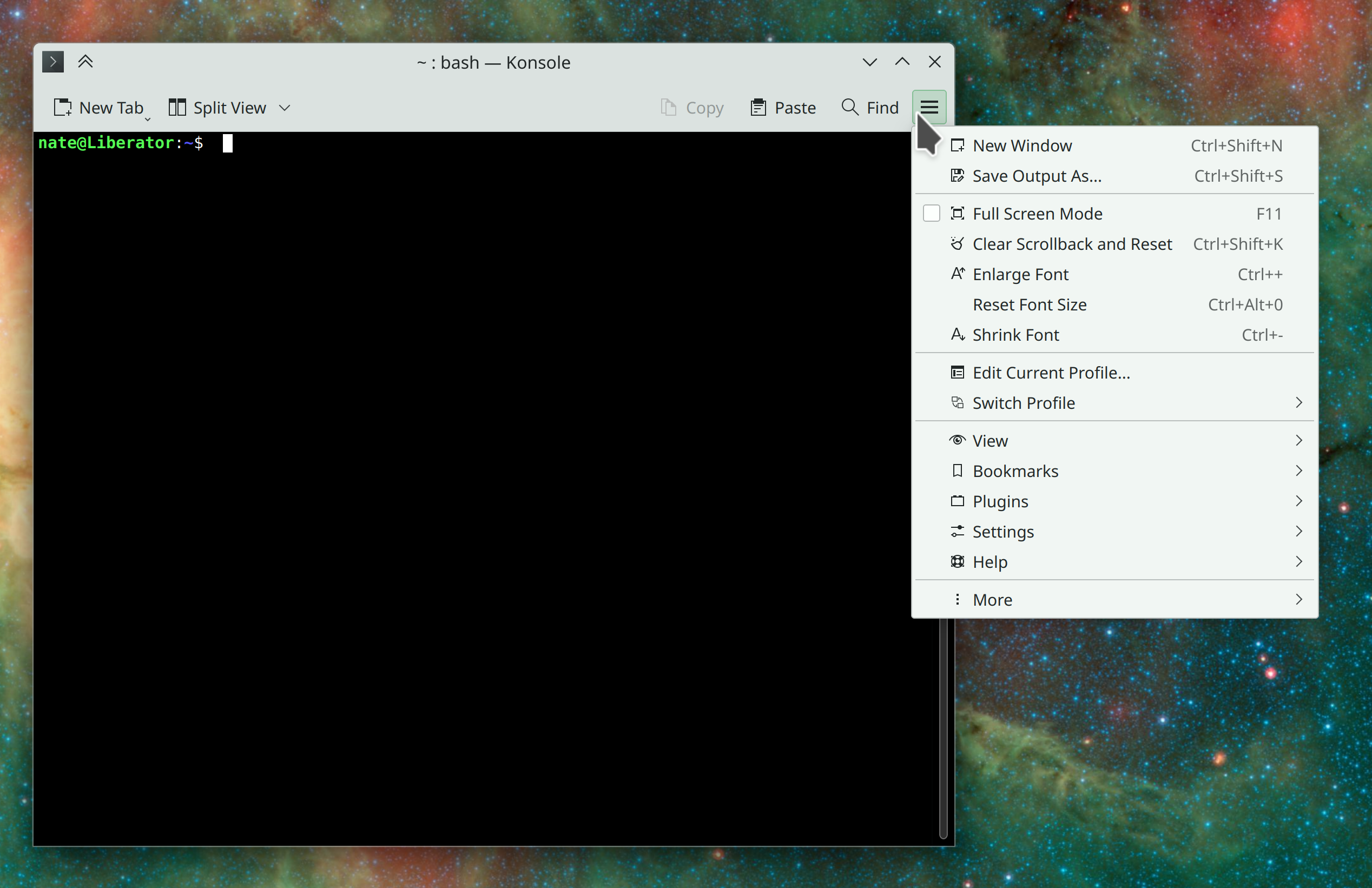
Konsole has now adopted KHamburgerMenu (Me: Nate Graham, Felix Ernst, and Andrey Butirsky, Konsole 23.04. Link):

As always, if you hate hamburger menus, you’re welcome to use the traditional in-window menubar, which is still there if you show the menubar using Ctrl+Shift+M, and won’t be going anywhere

By default, Konsole’s tab bar is now located toward the top of the window like in most other apps, rather than at the bottom (me: Nate Graham, Konsole 23.04. Link)

You can now drag an image onto the Color Picker widget to make it calculate the average color for that image and store it in its list of stored colors (Fushan Wen, Plasma 5.27. Link):

When a KRunner search matches nothing, you’ll now be given the opportunity to do a web search for the search term (Alexander Lohnau, Plasma 5.27. Link)

Gained support for the Global Shortcuts portal, which allows apps on Wayland to offer a standardized user interface for setting and editing global shortcuts (Aleix Pol Gonzalez, Plasma 5.27. Link)

User Interface Improvements

When you delete the current folder in Dolphin, it now automatically navigates back to the parent folder (Vova Kulik and Méven Car, Dolphin 23.04. Link)

When you launch Discover from the “Uninstall or Manage Add-Ons…” menu item in Kickoff for an installed app, and that app is available in Discover from multiple backends, Discover now always opens showing you the app from the backend it’s actually installed from, so you can immediately click a “Remove” button if your goal in opening Discover was to uninstall the app (Aleix Pol Gonzalez, Plasma 5.26.4. Link)

Speaking of the context menu that contains that action, the first time you right-click on an app in Kickoff to show it, the menu now appears immediately instead of being delayed by a few seconds (David Redondo, Plasma 5.27. Link)

KWin’s “Cascaded” window placement mode has been removed, because now every other window placement mode where it makes sense includes cascading behavior itself! (Natalie Clarius, Plasma 5.27. Link):

The screen chooser dialog you’ll see for Wayland apps requesting screen sharing permission now includes preview thumbnails for each screen or window that you can share (Aleix Pol Gonzalez, Plasma 5.27. Link):

Plasma panels now automatically become thicker as needed when you switch to a Plasma theme whose graphics don’t work in thin panels (Niccolò Venerandi, Plasma 5.27. Link)

Plasma no longer somewhat strangely remembers different thicknesses for each panel in horizontal vs vertical setups; now each panel has one thickness and it keeps that thickness when you change from horizontal to vertical and vice versa (Fushan Wen, Plasma 5.27. Link)

When you manually add your home timezone to the Digital Clock’s timezones list so that you can change it to something else when traveling and have your home timezone appear automatically, it now disappears automatically when you’re in your home timezone when displaying it would be redundant (me: Nate Graham, Plasma 5.27, Link):

The Battery & Brightness widget now considers a battery that’s been charged to its configured charge limit to be fully charged (me: Nate Graham, Plasma 5.27. Link)

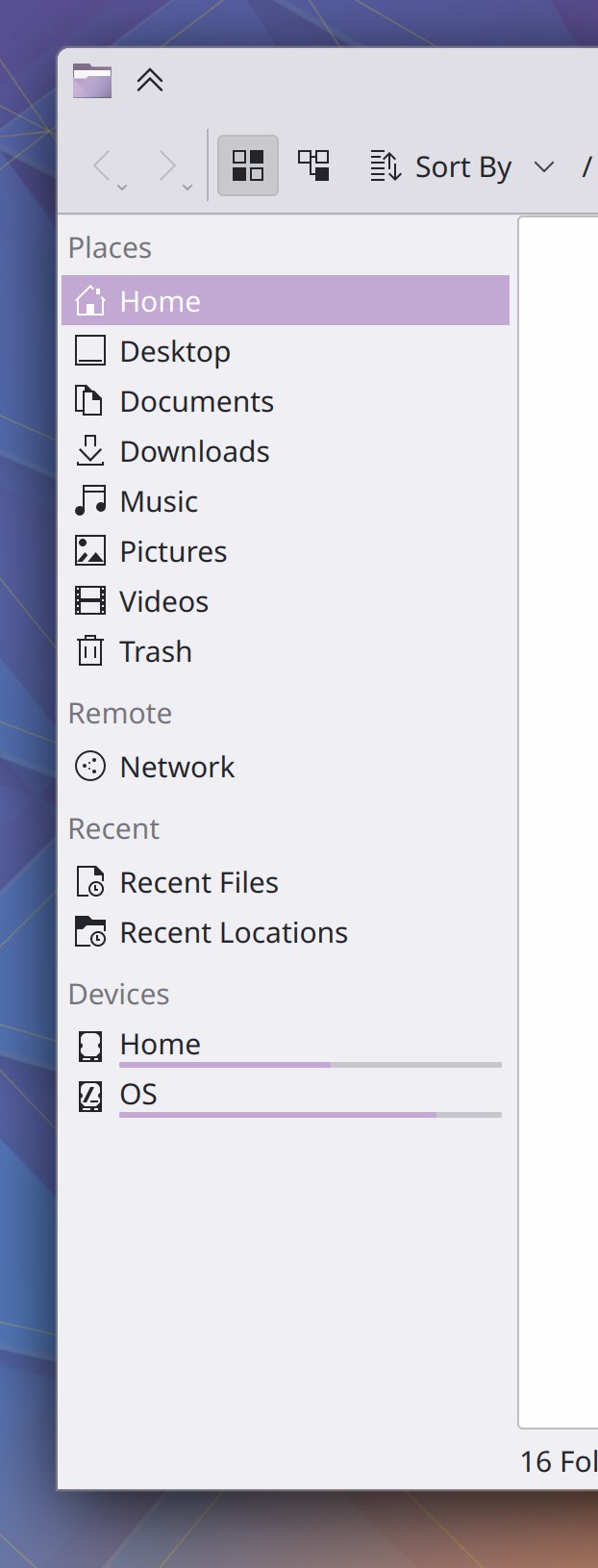
The questionably useful “Search For” section in the Places panel has been removed by default to avoid presenting so much visual clutter by default. The functionality is still available and you can re-add these items if you like and use them, of course (me: Nate Graham, Frameworks 5.101. Link):

The way the Places Panel looks by default now, with greater relevance

Significant Bugfixes

(This is a curated list of e.g. HI and VHI priority bugs, Wayland showstoppers, major regressions, etc.)

Plasma is no longer capable of crashing in a loop on launch when any of the Qt image reader plugins that are installed on your system but aren’t in use to display the wallpaper are buggy and crash-prone (Fushan Wen, Plasma 5.26.4. Link)

Scrolling on the language list sheet on System Settings Region and Language page is no longer almost unusably choppy (me: Nate Graham, Plasma 5.26.5. Link)

When your 3rd-party lock screen theme is broken but the kscreenlocker_greet background process has not crashed, you’ll once again see the fallback lock screen rather than the dreaded “your screen locker is broken” screen (David Redondo, Plasma 5.27. Link)

The Weather widget no longer escapes from its space in the System Tray and overlaps other icons at various icon and panel sizes (Ismael Asensio, Plasma 5.27. Link)

When Night color is active and the system or KWin is restarted, it now turns on again as expected (Vlad Zahorodnii, Plasma 5.27. Link)

Notifications can now be read using a screen reader (Fushan Wen, Plasma 5.27. Link)

Did a bunch of performance work to speed up the process of drawing UI elements in Plasma and QtQuick-based apps, which should result in faster speed and lower power usage (Arjen Hiemstra, Frameworks 5.101. Link 1 and link 2)

In the Plasma Wayland session, when you drag a window containing QtQuick-based user interface elements to another screen that’s using a different scale factor, the window instantly adjusts itself to display properly according to that screen’s scale factor, with no blurriness or pixelation. It even works when a window is partially on one screen and partially on another! (David Edmundson, Frameworks 5.101. Link 1 and link 2)

Other bug-related information of interest:

Automation & Systematization

Until this point, Plasma Mobile-focused apps have been released using a release schedule called “Plasma Mobile Gear.” Going forward, these apps will be moving to the normal “KDE Gear” release schedule, with “Plasma Mobile Gear” being discontinued to simplify and unify packaging (Link)

Added an autotest for local file size calculation in Filelight (Harald Sitter, Link)

Set an appropriate image for the Automation goal group, which was clearly the most important thing to do (Justin Zobel and me: Nate Graham)

Changes not in KDE that affect KDE

A new Wayland protocol for fractional scaling was merged, which opens the door for Qt and KWin to support it and then we get better fractional scaling visuals and performance for Qt and KDE apps! This work on the Qt and KDE sides is in progress, but not merged yet. Once it is, I’ll be sure to announce it! (Kenny Levinsen, wayland-protocols 1.31. Link).

…And everything else

This blog only covers the tip of the iceberg! If you’re hungry for more, check out https://planet.kde.org, where you can find more news from other KDE contributors.

How You Can Help

KDE’s end-of-year fundraiser is in full swing, so please consider making a donation!

Otherwise if you’re a developer, check out our 15-Minute Bug Initiative. Working on these issues makes a big difference quickly! And you can have a look at https://community.kde.org/Get_Involved to discover lots of ways to be part of a project that really matters. Each contributor makes a huge difference in KDE; you are not a number or a cog in a machine! You don’t have to already be a programmer, either. I wasn’t when I got started. Try it, you’ll like it! We don’t bite!

Help KDE hire more people!

KDE’s 2022 year-end fundraiser is now live! Please go donate if you can. 🙂

It’s been several years since we did a fundraiser at the end of the year, and we’re going to be more on the ball about this going forward, given how much the KDE e.V. is expanding hiring. This year’s fundraiser sets the fairly modest goal of 20k €, which will help offset the cost of some of that hiring.

But of course… there’s no reason not to exceed the goal! The more money raised, the more contributors the KDE e.V. can hire directly, effecting the kind of professionalization needed to take KDE to the next level! We have big plans and we can’t do it without your help!

I know I’ve asked for a lot of donations recently, so if you’re feeling tapped out, this is a good time to go nudge your friends and family members who you’ve converted to KDE over the years! 😉 Help KDE challenge the big dogs and win!

This week in KDE: Humongous UI improvements

This week we have a lot of large and impactful user interface improvements across multiple apps and Plasma, not to mention progress on the big bugs!

New Features

Dragon Player–KDE’s venerable minimalistic video and audio player–has undergone a major UI overhaul, including adopting KHamburgerMenu and a welcome screen, a streamlined and more intuitive set of default toolbar buttons, and less glitchy behavior when opening videos in the Plasma Wayland session (Harald Sitter, Dragon Player 23.04, Link 1, link 2, link 3, link 4, link 5, and link 6):

There’s still a bit more polishing to do, but now this app is sleek as hell!

Filelight now has a list view on the left side of the window, providing a simple text-based method of viewing size information. This also fixes multiple bugs with the tooltips and eliminates blurriness in the radial graph view! (Harald Sitter, Filelight 23.04. Link):

Ark now supports extracting Stuffit .sit archives (Elvis Angelaccio, Ark 23.04. Link)

There’s now a new “Touchscreen” page in System Settings that lets you disable touchscreens and choose which physical screen their input gets mapped to (Nicolas Fella, sponsored by TU Dresden, Plasma 5.27. Link)

In the Plasma Wayland session, screens now get a default scale factor that more appropriately matches their DPI, based on what kind of device they are (me: Nate Graham, Plasma 5.27. Link)

You can now autostart apps multiple times (e.g. to launch multiple instances of it) and it also shows you the paths where autostarted scripts live (Thenujan Sandramohan, Plasma 5.27. Link)

You can now configure Folder View to show hidden files if you want (Willyanto, Plasma 5.27. Link)

System Settings’ Drawing ‘Tablet’ page now lets you map physical buttons on your drawing tablet’s pen to keyboard shortcuts (Aleix Pol Gonzalez, Plasma 5.27. Link)

User Interface Improvements

When you unlock the screen by providing your fingerprint, you no longer have to redundantly click an “Unlock” button afterwards (Janet Blackquill, Plasma 5.26.4. Link)

The way you choose or change a location in the Weather widget is now simpler and more direct (Ismael Asensio, Plasma 5.27. Link)

When using the Canadian weather provider, the Weather widget’s layout is now much better and clearer, and no longer sometimes gets visually cut off (Ismael Asensio, Plasma 5.27. Link):

On System Settings’ Users page, the way you choose fingers to use for fingerprint authentication is now much more visually intuitive. In addition, you can now un-enroll individual fingers, and when you change your password, you’ll no longer see the “passwords don’t match” message until after you click the “Set Password” button, or a few seconds after you stop typing (Janet Blackquill and Devin Lin, Plasma 5.27. Link 1, link 2, and link 3):

On System Settings’ Display Configuration page, screens are now required to be touching and not partially overlapping, which prevents various weird bugs from being able to happen (David Redondo, Plasma 5.27. Link)

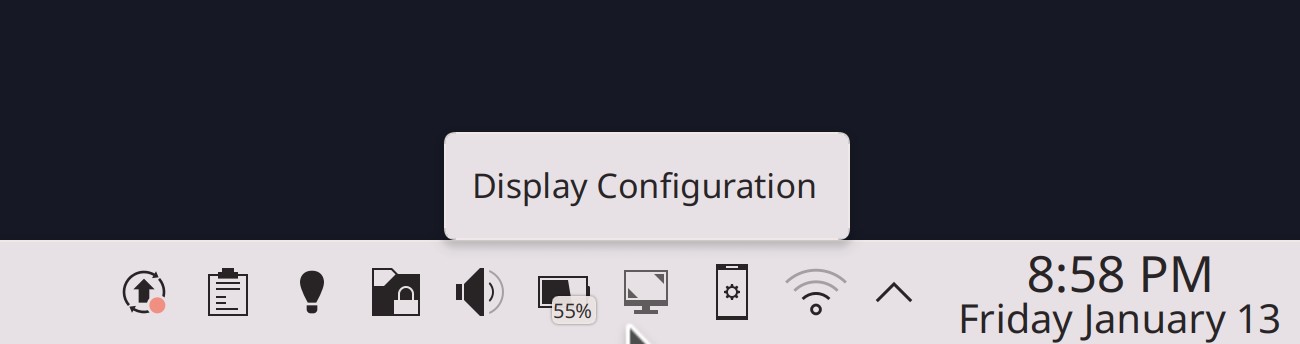
The Audio Volume widget’s tooltip no longer unnecessarily tells you that output is playing on “Speaker” when there’s only one output device, and instead mentions the fact that you can scroll over the icon to change the volume (me: Nate Graham, Plasma 5.27. Link 1 and link 2):
Breeze-themed Plasma popups now have a larger corner radius that matches the corner radius for windows (Niccolò Venerandi, Frameworks 5.101. Link):

The Breeze Icon theme now includes a themed icon for SimpleScreenRecorder (Manuel Jesús de la Fuente, Frameworks 5.101. Link):

Significant Bugfixes

(This is a curated list of e.g. HI and VHI priority bugs, Wayland showstoppers, major regressions, etc.)

In the Plasma Wayland session, tapping a touchscreen after disconnecting an external screen no longer crashes KWin (Xaver Hugl, Plasma 5.26.4. Link)

Plasma notifications no longer have inappropriately sharp top corners (Niccolò Venerandi, Plasma 5.26.4. Link)

In the Plasma X11 session, disabling compositing no longer leaves an empty area around Plasma Panels (Niccolò Venerandi, Plasma 5.26.4. Link)

Searching using the KRunner-powered search in Overview no longer sometimes crashes KWin (Alexander Lohnau, Plasma 5.27. Link)

Landed a better fix for the problem of maximized XWayland apps sometimes having a one-pixel empty border on the right screen edge in the Plasma Wayland session (Aleix Pol Gonzalez, Plasma 5.27. Link)


Other bug-related information of interest:

Automation & Systematization

Added some autotests surrounding Plasma wallpaper loading and assignment (Fushan Wen, Plasma 5.27. Link)

Added some autotests around the KFileFilterCombo UI component (Nicolas Fella, Frameworks 5.101. KFileFilterCombo. Link)

Changes not in KDE that affect KDE

In QtQuick-based apps, scrollable views where all content fits horizontally no longer shows a pointless horizontal scrollbar anyway. We had previously worked around this bug in most KDE apps, but now it’s fixed upstream so we don’t have to anymore! (David Redondo, Qt 6.4.2, but backported to the KDE Qt patch collection. Link)

…And everything else

This blog only covers the tip of the iceberg! If you’re hungry for more, check out https://planet.kde.org, where you can find more news from other KDE contributors.

How You Can Help

If you’re a developer, check out our 15-Minute Bug Initiative. Working on these issues makes a big difference quickly! Otherwise, have a look at https://community.kde.org/Get_Involved to discover ways to be part of a project that really matters. Each contributor makes a huge difference in KDE; you are not a number or a cog in a machine! You don’t have to already be a programmer, either. I wasn’t when I got started. Try it, you’ll like it! We don’t bite!

Finally, consider making a tax-deductible donation to the KDE e.V. foundation.

A better fundraising platform

KDE is getting a much more user-friendly fundraising platform, and it’s a big deal!


Currently our small-donor donation page is https://kde.org/community/donations, which lets you make a single one-time donation. To make a recurring donation, you have to visit https://relate.kde.org, which is less user-friendly, and it’s always struck me as odd to have these split up in two locations.

Well, KDE is getting a much better donation system powered by Donorbox, which I hope will turbocharge our fundraising! It’s very user-friendly and allows you to easily make recurring donations, which is important. We already set this up for the Kdenlive fundraiser, and it was a smash hit, raising 100% of the funds in the first month of the 3-month campaign. That fundraiser has since moved into stretch goals!

We’ve now done it again, rolling out a Donorbox-powered donation UI on https://kde.org/bluefriday, our tongue-in-cheek anti-black-friday fundraiser, which will become a general end-of-year campaign. This work was done by members of KDE’s promo team and fundraising working group, principally Lays Rodrigues, Carl Schwan, and Paul Brown. And so far the response has been huge! The fundraiser opened yesterday, and at the time of publication, it’s already collected 530€ from 28 generous donors! And after the new year, the current plan is to continue to use the Donorbox-powered UI for all small donations.

This really goes to show how important user-friendliness is. When you make it easy for people to give you money… they give you more money! Thank you so much, everyone.

Why is all this money stuff so important? Well, it’s how the KDE e.V. pays for hiring (such as for the Platform Software Engineer position I blogged about two days ago), development sprints, conferences, infrastructure, and similar activities that help KDE thrive and grow. If we’re gonna hugely expand technical employment–which is a major goal of mine–then we’re gonna need a lot more recurring donations to do it.

So what are you waiting for? Head over to https://kde.org/bluefriday and make a donation today. If it’s a recurring donation, we’ll love you forever! 🥰

KDE is hiring a software engineer

Yes that’s right folks, it’s happening!!! KDE is growing up, joining the big leagues, and cooking on all burners!

The KDE e.V. recently dipped its toes into the waters of technical hiring by contracting with longtime KDE contributor Ingo Klöcker to maintain and improve KDE’s packaging infrastructure for non-FOSS platforms. Now we’re at it again with a new open position for a “Software Platform Engineer.”

This is an open-ended development position, with responsibilities for work on KDE frameworks, Plasma, Qt, middleware like Pipewire and Wayland protocols–basically, the same things that a lot of people are already doing. But… on a consistent work-work basis, for money, with your KDE friends as professional colleagues and supervisors!

If this interests you, check out the job ad and apply! We want lots of good candidates so we can feel bad about only hiring one person and then feel even more incentivized to open more positions for them too! And we have other open positions as well! So go apply for a career in KDE today!

Of course sustaining these high-pay technical positions won’t be cheap. The KDE e.V. can just barely afford it now, and needs a larger and growing budget to be able to sustainably keep up the pace of hiring. Please donate today! Every little bit helps. If you can swing it, make it an annual donation!

This week in KDE: less-rage-inducing error messages in Discover

This week I’d like to highlight a particular 15-minute bug that got fixed: When Discover shows you significant error messages, they now take the form of normal dialogs rather than tiny little overlays at the bottom of the screen that disappear after a few seconds. And it should now show you fewer un-actionable error messages in general too! These major improvements were contributed by Jakub Narolewski and Aleix Pol Gonzalez, and will show up in Plasma 5.27. Thanks guys!

But that’s not all! There was a lot of work on other significant bugs too, and we managed to knock out several, in addition to landing some welcome features and fixes:

New Features

System Monitor (and widgets of the same name) can now detect and monitor power usage for NVIDIA GPUs (Pedro Liberatti, Plasma 5.27. Link)

You can now show the current temperature in a badge overlay on the Weather widget’s icon–both outside of the System Tray and also for the System Tray version of it! (Ismael Asensio, Plasma 5.27. Link):

User Interface Improvements

Okular’s scroll speed when using a touchpad is now significantly faster, and should generally match the speed at which everything scrolls when using a touchpad (Eugene Popov, Okular 23.04. Link)

In Discover’s Task Progress sheet, the progress bars are now much more visible and not obscured by a pointless background highlight effect (me: Nate Graham, Plasma 5.26.4. Link):

When changing songs/tracks and the Plasma Media Player widget is visible, there’s no longer a brief flicker that reveals the icon of the app playing the media (Fushan Wen, Plasma 5.26.4. Link)

A better error message is now shown when the Bluetooth file transfer service fails to start (Fushan Wen, Plasma 5.27. Link)

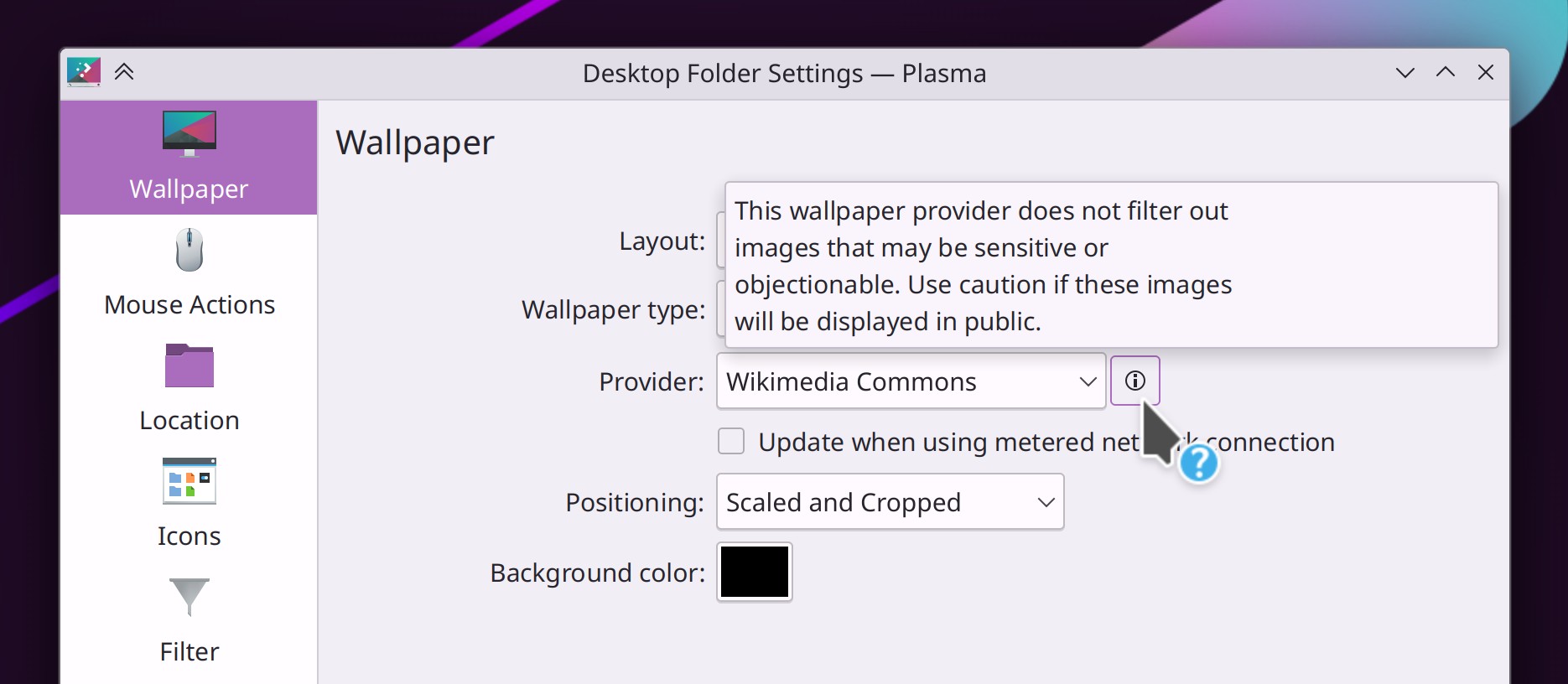
Discover will no longer attempt to check for updates when using a metered internet connection Bernardo Gomes Negri, Plasma 6. Link)

Other Significant Bugfixes

(This is a curated list of e.g. HI and VHI priority bugs, Wayland showstoppers, major regressions, etc.)

When Konsole is launched after changing the display layout, its main window is no longer absurdly small (Vlad Zahorodnii, Konsole 22.12. Link)

Elisa should no longer stutter occasionally during playback (Roman Lebedev, Elisa 23.04. Link)

When using Latte Dock in the Plasma Wayland session, various windows and Plasma pop-ups are no longer mis-positioned (David Redondo, Latte Dock 0.10.9. Link)

In the Plasma Wayland session, Plasma should no longer sometimes randomly crash when you move the cursor over a Plasma panel (Arjen Hiemstra, Plasma 5.26.4. Link)

When Kickoff is configured to use the default list item size, apps that live in the categories sidebar such as Help Center no longer have an awkwardly large icon (me: Nate Graham, Plasma 5.26.4. Link)

KWin now honors the “Panel Orientation” property that the kernel can set for screens, which means that many different types of devices that need the screen to be rotated by default will now have that done automatically (Xaver Hugl, Plasma 5.27. Link)

Various Plasma UI elements once again have the correct size in the Plasma X11 session when not opting into using Qt scaling (Fushan Wen, Frameworks 5.100.1. Link)

Other bug-related information of interest:

Automation & Systematization

Wrote a new “Welcome to KDE” page which will also be linked to in our new Welcome Center app that will debut in Plasma 5.27 (me: Nate Graham)

…And everything else

This blog only covers the tip of the iceberg! If you’re hungry for more, check out https://planet.kde.org, where you can find more news from other KDE contributors.

How You Can Help

If you’re a developer, check out our 15-Minute Bug Initiative. Working on these issues makes a big difference quickly! Otherwise, have a look at https://community.kde.org/Get_Involved to discover ways to be part of a project that really matters. Each contributor makes a huge difference in KDE; you are not a number or a cog in a machine! You don’t have to already be a programmer, either. I wasn’t when I got started. Try it, you’ll like it! We don’t bite!

Finally, consider making a tax-deductible donation to the KDE e.V. foundation.