I’m sure some of you are chucking over my realization of something so obvious! Yeah, fair enough. Perhaps this will at least burnish my KDE Eco credentials a bit.
Last October, the loud fan noise, poor multi-core CPU performance, and at best 4-hour battery life of my daily driver Lenovo ThinkPad X1 Yoga laptop were starting to become significant hindrances. It’s still a good laptop, but it just wasn’t good for me and my use cases anymore. It now belongs to my daughter.
I’ve gotten pickier over the years as I’ve discovered what I really want in a laptop, and looked for a cheap “good-enough” stop-gap that could be recycled to another family member after I located the perfect final replacement.
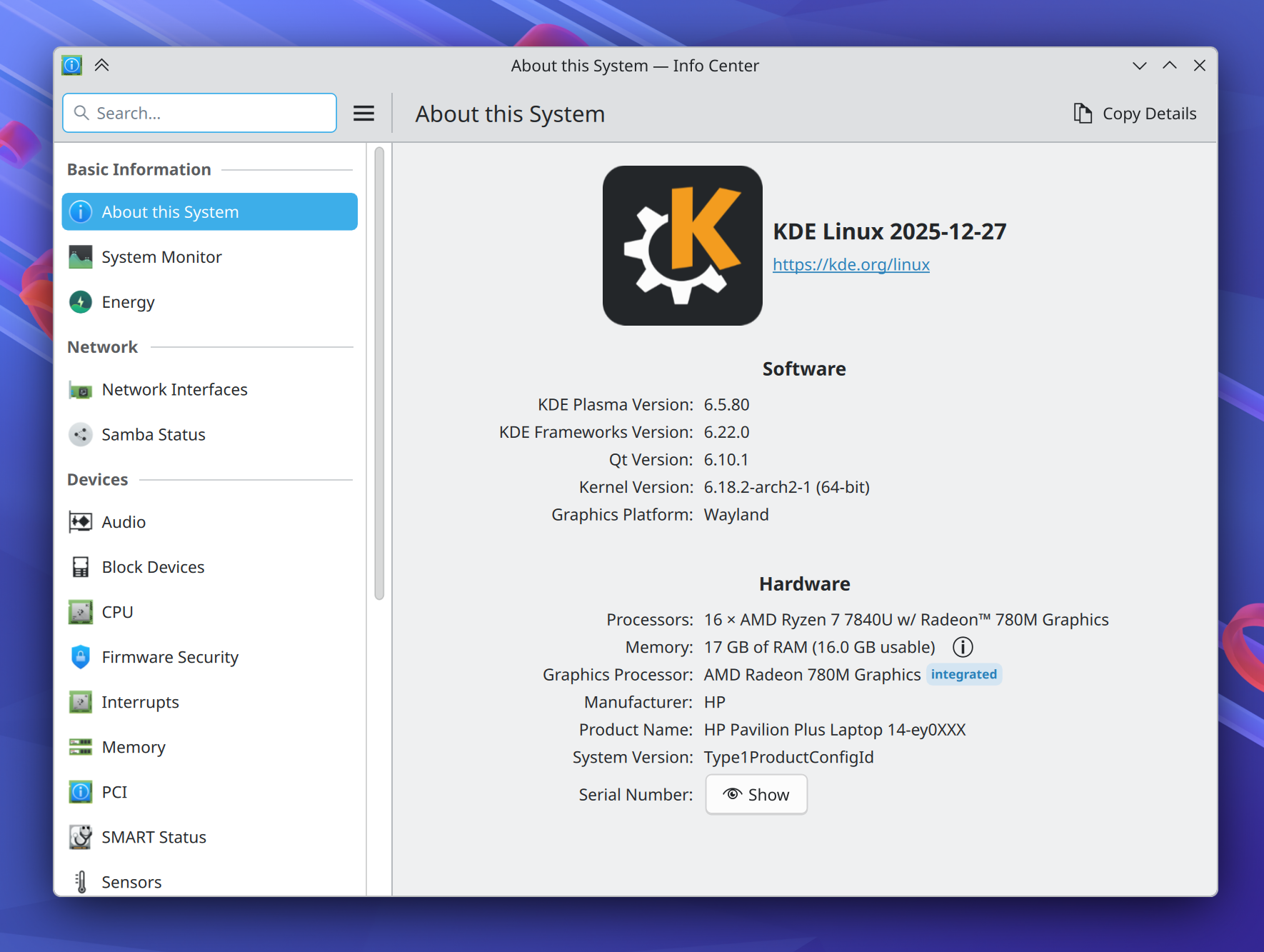
I found an amazing deal on a refurbished 2023 HP Pavilion Plus 14 and pulled the trigger! Here it is driving my workstation:
This basic little Pavilion is the best laptop I’ve ever used.
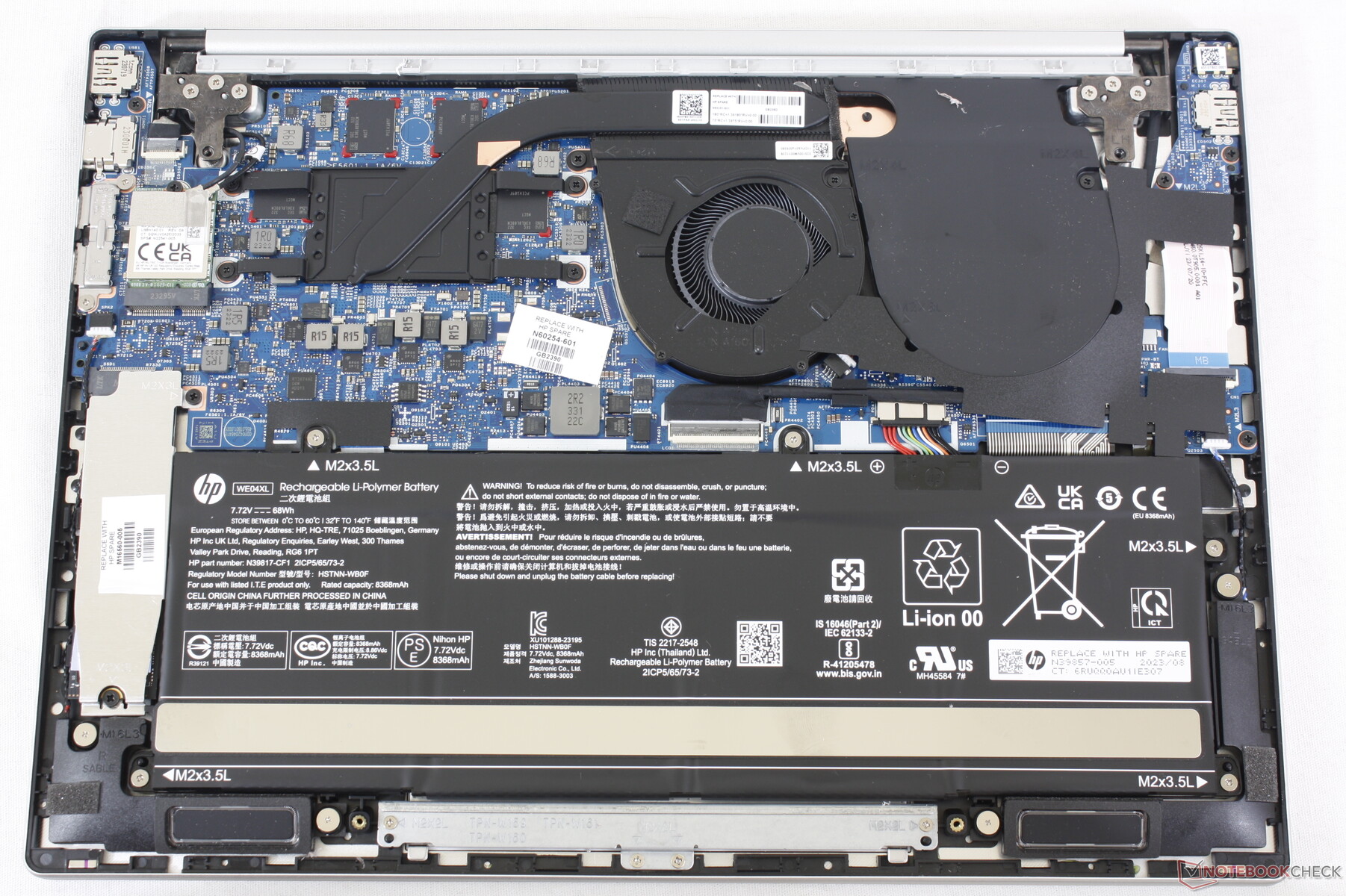
With a large 68 Watt-hour battery, its energy-efficient AMD 7840U CPU delivers a true 9-hour battery life with normal usage. For real! It also ramps up to do a clean build of KWin in less than 10 minutes! The laptop’s 2.8K 120Hz OLED screen is magnificent. Its keyboard and touchpad are truly the best I’ve ever used on a PC laptop. Linux compatibility is excellent too. Everything works out of the box. It’s just… great.
The problem is, it isn’t perfect. The speakers are awful, the aluminum casing is fairly thin and prone to denting while traveling, and there’s no touchscreen or fingerprint reader. USB 4 ports would also be nice, as would putting one on each side, rather than both on the right.
So I kept looking for the perfect replacement!
I still haven’t found one.
Everything out there sucks. Something important is always bad: usually the battery life, screen, or speakers. Often the keyboard layout is either bad, or just not to my liking. Other times the touchpad is laggy. Or it’s not physically rugged. Or there’s no headphone jack (what the heck). Or the palmrest is coated in some kind of gummy sticky material that will be disgusting with caked-on sweat and skin in a matter of weeks. Or Linux compatibility is poor. Or it’s absurdly expensive.
So for now, I’ll stick with the little Pavilion that could.
If only HP made this exact laptop with a thicker case and better speakers! A fingerprint reader and a touchscreen would be nice-to-haves as well. Replaceable RAM would easily be possible with a small redesign, as there’s empty space in the case. A USB 4 port on each side would be the cherry on top.
This is a bit of a rant; feel free to skip it if you’re here for the KDE content.
This isn’t the first time I’ve blogged about the dearth of truly great PC laptops out there, and I suspect it won’t be the last.
I limit myself to a single computer for simplicity’s sake, so it has to be a laptop. And since I replaced my 2020 Lenovo ThinkPad X1 Yoga a year ago, I haven’t succeeded at finding a truly great replacement yet. From a certain point of view, you could say I’m a picky buyer, judging by my list of requirements. But frankly, I think these requirements are not that unreasonable. All I want is a laptop that gets the basics right:
Good screen with a DPI suitable for 175-200% scaling, generally between 240 and 280 DPI
Good keyboard with text navigation keys (Home, End, Page Up, and Page Down) and a sensible layout: delete at the top right, no stupid replacement of normal modifier keys with fingerprint readers or copilot keys, no tiny arrow keys, etc.
Good touchpad that’s precise, doesn’t lag, and allows clicking on most or all of the total area
Good speakers that get reasonably loud and don’t have downward-facing tweeters
8 hours of battery life with low usage
Reasonably fast CPU
Reasonable GPU performance for desktop compositing and playing couple-year-old games
Replaceable disk
Just the basics; no great world-shattering innovation needed, and that’s before I narrow the search to laptops that lack NVIDIA GPUs and have touch or 2-in-1 capabilities (which I quite like and are highly useful for testing touch support in KDE software). So it has to have great Linux and Plasma compatibility too!
I’ve closely followed the PC laptop market for 9 years, maintaining a giant spreadsheet of every laptop model and how they fare on the above characteristics plus many more:
The multi-year trend is “one step forward, one step back.” Most companies still change their laptops’ keyboard layouts in random negative ways every year; ship with stupid screen resolutions, woefully bad speakers, and disappointing touchpads; and stuff the most powerful processor and GPU in there and don’t focus enough on tuning the cooling, power usage, and fan profiles.
Some examples from my own usage:
My 2016 HP Spectre x360 was slow and had a poor screen DPI and a laggy touchpad. The 2024 model fixed those problems but lost its HDMI ports and text nav keys, and the USB-A port has a fiddly and annoying little hinge that’s hard to use and will eventually break. And then the 14″ version was canceled in 2025.
My 2020 Lenovo ThinkPad X1 Yoga was also slow, had miserable battery life and a loud fan, put the Fn and PrintScreen keys in inconvenient places, and its high resolution 4K screen option had too high a DPI, wasting energy. The 2025 model fixed those issues but lost the excellent quad speaker system, garaged pen, and the third key to the right of the spacebar that let you re-bind one of them into being a second Meta key.
None of this would be a problem if you could customize and upgrade laptops like you can with desktops, but you can’t. Even on the Framework 13 laptop which makes this an explicit selling point and has made huge leaps in 4 years, there still aren’t aftermarket speaker modules that sound good or a keyboard deck with text nav keys. And the touch/2-in-1 capabilities are only offered on the 12″ model.
Where are the great laptops?
Let’s step back a bit and try to figure out what’s going on here. We have an industry of over a dozen PC manufacturers selling thousands of products, but few truly great ones that are satisfactory in all ways, not just a few.
I feel that a major problem is over-complicated product lines. Let’s look at what the big companies offer.
Seven product lines (or is it eight; there’s an extra one in the sidebar not shown in the main view) and 330 distinct models! How can a normal person who isn’t a laptop enthusiast find anything in here? Even my eyes glaze over when I’m trying to distinguish the differences between the models and product lines.
HP further complicates things by having separate sites for consumer laptops and business laptops. First the consumer laptops:
12 product lines with 67 models. Already a lot. But now add in the business laptops:
7 product lines with 352 models! Absurd. HP implicitly acknowledges the problem by advertising a sales advisor you can chat with to help you make heads or tails of this overwhelming mess (and maybe steer you towards more expensive models):
In total, HP offers 19 product lines and 419 models. Madness, I tell you. Sheer madness.
ASUS makes it even harder by dividing their models into micro-targeted audiences, which makes no sense since there’s overlap in all these use cases and only limited differences between what any of them need in a laptop:
Ultimately I found 8 product lines with 289 models on the US site. Yikes!
MSI does similar segmentation but finds a way to make it even worse by putting more models in each high level category and not offering a “See all” page:
Hmm, do I want a Titan gaming laptop, or a Raider? Maybe a Vector ? Perhaps a Cyborg, or is that a Thin? Apparently they can’t even settle on one name for half of them. Ultimately MSI has divided their laptops into no fewer than 16 product lines with 159 models.
10 product lines, 70 models. A bit better than some of the competition, but 70 total is still an objectively ridiculous level of choice to offer, especially considering that most of these models are going to offer various configurations of CPUs, memory, and storage space.
I could go on, but you get the idea.
You might think that this level of choice should provide anything one could want, but that’s not true. Most of the models differ by like 1% and make all the same mistakes, copy-pasted across the while product line. Maintaining so many product lines at a reasonable level of development and quality is impossible, even for companies of their size with billions of dollars to throw at the problem.
These companies are clearly trying to micro-target specific market segments to match prices to buyers’ budgets, but offering so much choice is foolish. Most buyers — even big commercial buyers — are not informed enough to be able to pick the perfect device from among a massive blob of options presented at the same level, causing choice paralysis and lost sales, disappointing purchases that reduce brand loyalty, and expensive returns.
There has to be a better way!
Who’s doing it right?
There are some bright spots in the industry.
The most notable is Apple, which offers two product lines and five total models. The differences between them are 100% comprehensible. No matter what Apple laptop you choose, it has a world-class touchpad, great speakers, an at-least-good keyboard with a sensible layout, a nice high DPI screen, great performance, and mind-blowing battery life. There are no bad models (if you’re a Mac fan, of course).
Razer is up there too, with one product line and three models, and all of them mostly get the basics right.
Framework also does a great job, also with just three models. The Framework 13 is so close to being the perfect do-it-all general purpose device for me. It just needs text nav keys, better speakers, and a touchscreen (ideally in a 2-in-1 form factor like the 12).
The small Linux-specific StarLabs company does an unexpectedly great job too, with the same three models (hmm, perhaps there’s a pattern here). And these aren’t Clevo or Tongfang units, either! They’re really nice custom engineered Linux-first laptops. I’ve come close to buying one on two occasions within the past year.
And notably, these companies’ laptops tend to get better with each revision, rather than oscillating around a specific level of quality but never consistently improving.
How to not confuse the hell out of people
It’s not that hard: offer a small number of product lines and models with very clear segmentation (by screen size, presence or absence of a GPU, 2-in-1 vs clamshell laptop, etc) and make all of them good. Don’t sell any bad models that have crappy screens, keyboards, touchpads, speakers, or battery life. Don’t sell any models that are 99% identical to other ones. Don’t do this:
No, don’t do this! Stop it! You’re hurting me!
Then make each product better every year. Don’t just put in a new generation of CPUs and ports when they become available; be thoughtful and actually make things better. Reduce power consumption, fan noise, and heat emissions. Tune the speakers to sound better. Increase the screen backlight’s brightness. Put in a nicer, higher-resolution webcam. Increase the number of microphones, and add hardware noise cancellation. Tighten up the ports so they aren’t wobbly. Thicken the case to make it more durable. Beef up the hinges. Use captive screws for the bottom cover. Lighten or roughen the surface a bit to resist fingerprints. Make it easier to remove keys for cleaning without breaking their attachment mechanism. Make the whole keyboard replaceable.
And so on. You know, care about the product! The way we do in KDE for Plasma and our apps. Make it better. Admit and undo your mistakes. Double down on your strengths. And make something great you can be proud of!
A few companies are already there, and I hope someday more follow in their footsteps.
With the release of the Lenovo Legion Go S gaming handheld, we’ve now got a real apples-to-apples comparison of how Windows 11 fares against Linux (specifically, SteamOS with KDE Plasma) on the same 1st-party supported OEM hardware in a gaming context. And the results are pretty devastating for Windows in terms of performance and battery life — according to even windowscentral.com! Neither WindowsCentral nor the original video from Dave2d mention desktop mode, but the answer there is just as clear, as all of us in the FOSS space have known for ages.
We’re winning, folks. If I polish my crystal ball, I see us peeling away groups of users from competing platforms one at a time: developers, gamers, artists, scientists, enthusiasts, and on and on. It’s happening. The snowball is rolling down the hill, gaining momentum.
It can be hard to remember the big picture when we’re nose deep in code, bugs, and icons all day, but that big picture is on our side. Never forget that everything you do in KDE is impactful!
The folks at Tuxedo Computers have published a video of short interviews with some of the participants of the Plasma sprint from earlier this month, so you can see that we were actually there. 🙂 Check it out!
In the open-source world, we’re quite familiar with projects. Write some code to solve a problem, make sure it works for you, maybe put it in a Git repo, and voila! A project is mostly personal; you scratch an itch and improve your life a bit. It’s how everything starts.
Then you put your Git repo online to share your project with others, and it begins to transform into a product. A product is outward-focused; its purpose is to be of value to others. To succeed, it must grow organizational components such as defined scopes of features and support, documentation, promotion and advertising, methods of distribution and updating, formalized feedback channels, decision-making processes, and so on.
This transition is hard, and it can burn out FOSS maintainers of productized projects who suddenly find themselves corresponding with rude strangers without pay and lacking the time to focus on the parts of the project they found fun. It takes a very special and rare kind of volunteer to consistently do this work for free.
In the commercial world, product development and maintenance is sustained by the money people pay to buy the product. But in the FOSS world, we’re in this awkward valley where our products are frequently competitive in functionality and reach with the commercial ones, but we don’t generally charge money or benefit from a funding stream to keep them going sustainably.
FOSS funding
…But sometimes we do! For example, the Krita foundation pays several engineers to work on the product. KDE e.V. now also pays multiple people to do critical technical work for Plasma and its surrounding app and library ecosystem: porting and platform maintenance, writing and maintaining customer-focused features, documentation, and packaging. This isn’t cheap! And because we give our products away for free, the money to pay the people consistently doing this important work is very limited and comes from corporate patronship, individual donations, grants, and sometimes paid downloads on the proprietary app stores. Keeping this financial flow going is itself a lot of work! This is normally the part where I beg you to donate! 🙂 But not right now. Right now I want to explore alternatives.
Software is hard to sell. Always has been. These days the most successful funding models for software are not a great match for what we typically build, and some even seem sort of fundamentally icky or morally objectionable, like DRM-restricted subscription services, micro-transactions, or being ad-supported. Software sold with these models is exploitative, so that’s no good. And the older model of paying for download makes even less sense for us since the source code of our products is available for free and there’s already an enormous surrounding infrastructure for the packaging and distribution of open source software. Why would anyone pay to download something they can get for free legally and almost effortlessly?
To get people to pay for a product or service, you have to provide something they can’t already easily and legally get themselves for free.
Like hardware devices
This is why I think it’s so important that we have hardware vendor partners: hardware devices are inherently products that people pay for. When KDE’s hardware vendor partners use KDE’s software in their products, it pushes that software more in the direction of being product-friendly–which is to say, user-friendly. Some of our vendor partners even pay people to work on improving KDE software directly, which is amazing and it’s something I’d like to see even more of. There are also financial benefits for KDE e.V. in the form of patronship dues and getting a portion of sales, which can be re-invested to pay for work on the software in general; I think it’s important that a majority of technical decision-making remains in KDE.
But if the product is the laptop or phone or gaming console, what does that make Plasma?
In this way of looking at it, the Plasma Desktop we’re all familiar with is one such UX built by KDE itself, and companies like Valve, Slimbook, Kubuntu Focus, Tuxedo, and Pine64 ship Plasma-powered products using that desktop UX and others. We even learned at least year’s Akademy that Mercedes is driving their in-car UI with KWin, Plasma’s window manager!
Now, this doesn’t mean you should go all “well akshually…” on your friends when they say “Plasma” or “KDE” to mean “Plasma Desktop.” Who cares! It’s obvious. And the Plasma Desktop is probably going to be our biggest thing for a while. It’s got the longest history and the most passion behind it. But the point stands: beneath Plasma Desktop lies a whole flexible system for quickly building other UX paradigms better suited for different kinds of devices.
If you don’t use that capability in your daily life, that’s fine. If you do use it to transform your Plasma Desktop into something totally unique that’s perfectly adapted to your personal needs and desires, that’s fine too! And what’s even more fine is when companies use this functionality to sell products with a Plasma-powered UX and invest in KDE! Seen in this way, Plasma is a powerful tool for all kinds of embedded software-driven products. We’ve already done most of the R&D that you’ll get for free; it just makes sense.
Being product-friendly
If Plasma is a tool to reduce cost and risk when building a product that uses it, we need to treat it more like what it is: a B2B developer tool. This means things like focusing on distro and hardware vendor use cases; ensuring painless and bulletproof customizability; maintaining documentation for all features; providing a rich library of components; offering a friendly and adequate out-of-the-box UX; having our own distribution and updating tools you can use if you want; and pitching our work to potential customers. Do all of those things sound familiar? They should! It’s what many members of the KDE community have been focusing on over multiple years. Documentation in particular is sorely needed to improve adoption by product-focused companies, and that’s why KDE e.V. hired a documentation contractor early this year. And KDE e.V. has a marketing team too, to improve outreach! Hmm, almost sounds like there’s a plan in place!
How to help
If being part of a movement to help get a Plasma-powered UX on all sorts of devices sounds cool and exciting, there a lot of ways to help!
Keep using Plasma Desktop, submitting bug reports, and fixing stuff; keep being awesome! Focus in particular on hardware integration and developer UX.
Be aware of the larger context and understand how proposed changes will affect others who use Plasma and Plasma-powered products. We don’t exist in a vacuum! The project is larger than us.
If the company you work for is using Plasma on their devices, start a conversation internally about becoming a KDE Patron, or about devoting engineering efforts towards direct upstream contributions to Plasma.
If the company you work for isn’t using Plasma on their devices, pitch it to them!
Donate to KDE e.V. so we can hire more people to technical work and offer expanded hours and work opportunities to the people we already have (they are currently part-time or less).
Two weeks ago I attended Akademy in Barcelona, KDE’s annual conference. Let me tell you, it was great to finally, finally, finally see people in person again! It was so nice to meet up with old friends, and put faces to names for new ones!
Four years ago I gave a perhaps arrogantly ambitious talk at Akademy 2018 entitled “Konquering the World – a 7-Step Plan to KDE World Domination“. In it, I described how the at-the-time new Usability & Productivity goal supported a deeper end goal of getting KDE Plasma pre-installed on commercially available hardware–that being the only way I believe we can introduce a truly huge number of new people to KDE’s friendly and powerful flavor of free software.
Four years later, the Usability & Productivity goal has been completed, with basically everything it set out to do being done now! So at this year’s Akademy, I gave a talk to discuss the progress in getting KDE Plasma preinstalled on hardware. What were our successes, and what do we still need to work on to make further gains in the arena of pre-installation? Find out here!
This blog post is my version of Sway developer Drew DeVault’s post about the videos, regarding the question of what desktop Linux needs to go mainstream. Drew emphasizes accessibility, and I agree, but with a slightly different conclusion:
Desktop Linux needs to be pre-installed on retail hardware to succeed in the mainstream.
That’s it.
Allow me to explain.
People get hung up a lot on features and usability, and these are important. But they’re means to an end and not good enough ends by themselves. Quality means nothing if people can’t get it. And people can’t get it without accessible distribution. High quality Linux distros aren’t enough; they need to be pre-installed on hardware products you can buy in mainstream retail stores! “The mainstream” buys products they can touch and hold; if you can’t find it in a mainstream store, it doesn’t exist.
Think about it: why do normal people use Windows or macOS? Because the physical computer they bought included it. iOS or Android? Because it was shipped by default on their physical smartphone. The notion of replacing a device’s operating system with a new one doesn’t exist to “the mainstream”. Only the “three-dot” users ever do that, and they’re about 5% of the market. If the only way to get your OS is to install it yourself, you have no chance of succeeding in the mainstream.
As for features, people generally use only a very small fraction of what’s available to them. When it comes to usability, most users memorize their software rather than understanding it–and you can memorize anything if you really have to. A better user interface helps, but it isn’t needed for the memorizers and mostly benefits power users (the 30% of the market “two-dot and up” crowd) who recognize patterns and appreciate logic, consistency, and good design. So these are not good enough on their own.
This doesn’t mean we should forget about features and usability! Not at all! But if the goal is to “go mainstream,”we have to understand the true audience: hardware vendors, not end users. The goal is to have a software product appealing enough to get picked up by vendors when they go shopping for one, because that’s mostly how it works. Companies like Apple that do their own custom top-to-bottom hardware and software for big-name products are rare. Most build on top of 3rd-party software that requires the least integration and custom work from their in-house software team. If your software isn’t up to the task, they move onto the next option. So when some hardware vendor has a need, your software better be ready!
And what do hardware vendors need?
Flexibility. Your software has to be easily adaptable to whatever kind of device they have without tons of custom engineering they’ll be on the hook for supporting over the product’s lifecycle.
Features that make their devices look good. Support for its physical hardware characteristics, good performance, a pleasant-looking user interface… reasons for people to buy it, basically.
Stability. Can’t crash and dump users at a command line terminal prompt. Has to actually work. Can’t feel like a hobbyist science fair project.
Usability that’s to be good enough to minimize support costs. When something goes wrong, “the mainstream” contacts their hardware vendor. Usability needs to be good enough so that this happens as infrequently as possible.
It doesn’t need to be perfect. It just needs to do that stuff. This is how Windows conquered the PC market in the 90s despite being terrible! And our stuff is much better!
I see evidence that this is already working for KDE. Pine ships Manjaro with Plasma Mobile and Plasma Desktop on the PinePhone and PineBook Pro, respectively. Valve also picked Plasma Desktop for the Steam Deck, replacing GNOME for their new version of SteamOS. I see KDE software as well-positioned here and getting better all the time. So let’s keep doubling down on delivering what hardware vendors need to sell their awesome products.
The limitations that stem from portability, such as a certain number of components being hard or impossible to replace
Achieving a good product requires a balance here, but ultimately portability is key or else the machine doesn’t get used as a laptop and mostly sits in one place, defeating the point of buying a laptop. To avoid this fate, it needs to be thin and light. Any components that have to be non-upgradable to achieve this must be excellent. Let’s start with the basic input and output devices; they have to be so good that you won’t need to upgrade them:
Highest-quality screen
The screen is your primary window to the computer and generally no part of it is easily replaceable or upgradable. So it needs to be good, with a resolution that allows 200% scale at effectively 120-130-ish DPI (meaning 240-260 physical DPI), accurate color reproduction, and enough brightness to use outdoors–generally 400+ nits. It also needs a decent enough black-to-white refresh rate that you won’t see ghosting. A high-resolution webcam on top with a privacy shutter is also highly desirable.
Most laptops get this completely wrong. In particular, nearly all 13.3″ and 14″ screens have a 1080p resolution which makes everything much too small and requires fractional scaling, or they offer a 4K resolution which has the same problem and additionally consumes far too much power. Many 15″ QHD screens are in the same boat. And a lot of screens are embarrassingly color-inaccurate, dim, or ghosty. It’s 2021; this is just not acceptable anymore. Nobody stuck with a crappy laptop screen is happy with their computer. Get this right!
Highest-quality keyboard
Carting around an external keyboard isn’t practical, so the built-in one needs to be excellent. It must have good tactile feedback and key travel for accurate and comfortable typing, or else you’ll hate it. For professional uses, it also needs dedicated Home/End/PageUp/PageDown keys to enable fast text navigation so you don’t need function key chords to access them. Bonus points for a Super/Meta/Windows key on both sides of the spacebar, a microphone mute key, and media playback keys.
Though the average tactility of PC laptop keyboards has markedly improved in the past decade, there are still few perfect key layouts. HP bizarrely removed the right Ctrl key on their laptop keyboards. Lenovo refuses to add Home/End/PageUp/PageDown keys to the non-numberpad keyboards of anything other than ThinkPads. But ThinkPads put a PrintScreen key between the right Alt and Ctrl keys, so you accidentally open Spectacle 20 times a day. MSI laptops have a weird, nonstandard layout. I could go on.
Highest-quality touchpad
If the touchpad isn’t close to perfect, people will be tempted to carry around a mouse, which takes up space and weight and is uncomfortable to use in many situations (e.g. on an airplane). To avoid this, the touchpad must be fairly large, have a smooth glass surface, and incorporate the highest quality, highest resolution hardware drivers. This should be easy to get right, yet I’d say at least 50% of PC laptops still don’t, and this is true of basically every manufacturer. I don’t get it.
Highest-quality speakers
Like the touchpad, if the speakers aren’t excellent, people will feel the need to use headphones–another thing to carry around. Decent volume and good sound reproduction at both the high and low ends are a must. Front/upward-facing speakers are the minimum acceptable standard here, with quad speakers being preferred, and bonus points for an integrated subwoofer, however small. Some Lenovo consumer laptops have a 5.1 speaker setup in the display hinge which I think is a genius idea, since they’re always pointing right at you! Sound from these laptops is amazing. If you haven’t used one of these, you you might not realize that sound from a laptop can actually be good! Unfortunately this is the exception, because the speakers on most PC laptops are a muffled, disappointing afterthought.
That’s it for the basics. I don’t think anything here should be too controversial, but nearly every PC laptop gets at least one of these things dramatically wrong. I’m not talking about the bargain-bin $400 garbage laptops; you should be able to get all of this in anything you pay $1500 or more on. But there sadly just isn’t a manufacturer that consistently nails the basics with even their high-end machines. And beyond that, you also want to take maximum advantage of the laptop’s portability, which means:
Battery and energy efficiency
The battery should be big enough to last at least 8 hours with light use, ideally more. This generally means a large 55+ watt-hour battery, and larger is better especially for the bigger screen sizes. Also important is good hardware support for power-saving modes and features. A certain amount of this that can be tweaked and improved with software, but the hardware element is fixed. So it needs to be good. A 2-3 watt idle power draw should be the target. At this level, you can actually work untethered without having to sprinkle power cords around the home and office.
After that, we need to make sure it’s useful for serious work:
CPU, GPU, and cooling
The laptop needs a powerful processor so it doesn’t feel slow in 5 years and make you want to replace it, and it needs a cooling system to let the processor reach its potential. Desktop-level performance is not the goal here–we know that’s the compromise with a laptop. But it should still be fast and powerful. Today, that would largely mean a beefy AMD Ryzen CPU, which also helps with energy efficiency. Intel need not apply.
Personally I don’t want or need a dedicated GPU in a laptop for my use cases, but I know many people do. An AMD GPU is strongly preferred here so you don’t have to deal with NVIDIA’s buggy drivers–and this goes for on Windows as well as Linux!
Replaceable hard drive/SSD
This lets you upgrade to a higher capacity disk in the future if needed. I’ve seen people junk perfectly good Apple laptops because they ran out of space and couldn’t upgrade without buying a whole new computer. What a waste! Another less obvious reason is so your data isn’t lost if the laptop loses the ability to boot up or even power on. Being able to remove the storage medium and put it in a different computer or an external dock greatly aids in troubleshooting, data recovery, and migration.
Beyond that, everything else is really just a nice-to-have. Personally I like the 2-in-1 touchscreen form factor, a unibody (not stamped) aluminum or magnesium case, a 16:10 or 3:2 screen aspect ratio, 2 full-sized USB-A ports, a USB-C port on each side that’s capable of charging, and a garaged pen. But I could excuse those as long as the machine got everything else right! Sadly, few do. It’s a real problem. If you are a PC vendor, and you get everything above right, you’ll have a product better than 99% of your competitors!
Postscript: what about the Framework laptop?
I love the Framework laptop. It’s just what the market needs, and I eagerly look forward to buying one some day! If you haven’t heard about it yet, seriously, check it out.
Unfortunately it has a few drawbacks that prevent it from being the ideal laptop: its inappropriate screen DPI, keyboard without dedicated text navigation keys, poor speakers, and hot power-hungry Intel CPU. Since these components are replaceable, it’s possible that in the future better versions will become available. However that hasn’t happened yet, so alas, it is not the holy grail laptop.
Linus Sebastian of Linus Tech Tips recently did a long-form chat about the Steam Deck and Linux in general. A major complaint was that Linux is too hard to install, and this gets to the heart of why I believe pre-installing our software on devices like the Steam Deck is so important.
The truth is that Linus is right; a Linux-based OS is too hard to install. Only huge nerds can manage it or even have the courage to try in the first place, and it’s easy to be overwhelmed in the process. But let’s face it: this would be the case for Windows or macOS as well. Imagine if every computer was bought as an empty shell and the user needed to choose an operating system, research compatibility, flash a USB drive with the selected OS or buy a DVD or something, and then install it. You think grandma is gonna do that? I don’t think so. How about a busy professional? Forget it.
The only way this works is if the OS comes pre-installed on the physical hardware that people can buy. Then the overwhelming selection process and the technical fiddliness are gone, and people can just start using what they bought. …Like they can when they get a Steam Deck, which comes with Plasma. Or one of the other devices with Plasma pre-installed.
Pre-installation is the only way to grow Plasma out of the clubhouse of the uber-nerds like us. Which means we need to focus on the kinds of issues that are barriers to vendors wanting to ship their hardware with Plasma, or to regular people using the system normally.
Big big news today: Valve has announced the Steam Deck–a handheld gaming device running KDE Plasma under the hood! This is a big deal, folks. By using a Linux-based OS, Valve is hugely improving the gaming space on Linux, (eventually, hopefully) removing a blocker for a lot of people. And by running KDE Plasma, tons of people will gain exposure to our software when they use the device docked with a monitor, keyboard, and mouse–because yes, you can do that! This thing is a real computer and can be used like one too!
I’m really excited for the Steam Deck, and I see it as evidence that my plan for KDE World Domination is both achievable and in progress. We are going to get KDE software onto every device on the planet, folks!
Full disclosure: I worked (and am still working) on QA for the KDE software side of this project
In addition to that very exciting piece of news, KDE contributors continued plugging away on the usual crop of cool stuff:
KWin’s DRM pipeline has been completely overhauled to offer far-reaching improvements, such as faster speed and startup time, automatic recovery from certain driver bugs, and a modernized infrastructure to make future improvements easier (Xaver Hugl, Plasma 5.23)
When using Plasma’s optional systemd startup feature, KWallet now unlocks properly when it would otherwise be able to (e.g. the wallet is named “kdewallet”, its password matches the login password, and all the necessary PAM bits have been set up properly) (David Edmundson, Plasma 5.23)
When using Plasma’s optional systemd startup feature, the Baloo file indexer now starts up correctly (S Page, Plasma 5.23)
Selecting a custom app/binary in the System Settings Default Applications page now works (David Edmundson, Frameworks 5.85)
When using a custom Plasma theme that lacks graphics for a UI element that Breeze does have graphics for (e.g. the header bar thingy that you see at the top of a lot of applets and notifications), the Breeze theme graphic is no longer inappropriately used anyway (Aleix Pol Gonzalez, Frameworks 5.85)
Kate now ships by default with a session, which means that all of its session-specific features like automatically remembering open documents get enabled by default (Michal Humpula, Kate 21.12)
System Monitor now exports a global menubar so that those of you who use a Global Menu applet can find things there just as you expect (Felipe Kinoshita, Plasma 5.23)
Buttons for sensors in System Monitor’s customization UI now look better (Noah Davis, Frameworks 5.85)
Keep in mind that this blog only covers the tip of the iceberg! Tons of KDE apps whose development I don’t have time to follow aren’t represented here, and I also don’t mention backend refactoring, improved test coverage, and other changes that are generally not user-facing. If you’re hungry for more, check out https://planet.kde.org/, where you can find blog posts by other KDE contributors detailing the work they’re doing.
How You Can Help
Have a look at https://community.kde.org/Get_Involved to discover ways to be part of a project that really matters. Each contributor makes a huge difference in KDE; you are not a number or a cog in a machine! You don’t have to already be a programmer, either. I wasn’t when I got started. Try it, you’ll like it! We don’t bite!