This week in Usabilitity & Productivity, part 25

Hot on the heels of last week, we’ve got a ton more Usability and Productivity for you! Look at all this cool stuff:

New Features

Bugfixes

UI Polish & Improvement

See all the names of people who worked hard to make the computing world a better place? That could be you next week! Getting involved isn’t all that tough, and there’s lots of support available. Give it a try today! It’s easy and fun and important.

If my efforts to perform, guide, and document this work seem useful and you’d like to see more of them, then consider becoming a patron on Patreon, LiberaPay, or PayPal. Also consider making a donation to the KDE e.V. foundation.

This week in Usability & Productivity, part 24

After a light week, we’re now roaring back with a veritable avalanche of Usability and Productivity! Look at all this cool stuff:

New Features

Bugfixes

UI Polish & Improvement

See all the names of people who worked hard to make the computing world a better place? That could be you next week! Getting involved isn’t all that tough, and there’s lots of support available. Give it a try today! It’s easy and fun and important.

If my efforts to perform, guide, and document this work seem useful and you’d like to see more of them, then consider becoming a patron on Patreon, LiberaPay, or PayPal. Also consider making a donation to the KDE e.V. foundation.
This week in Usability & Productivity, part 23

Howdy folks! This has been a bit of a light week for KDE’s Usability and Productivity initiative, probably because everyone’s basking in the warm glow of a well-received release: KDE Plasma 5.13 came out on Tuesday and is getting great reviews!

Don’t worry, we’ve got lots of great stuff queued up though.

Bugfixes

UI Polish & Improvement

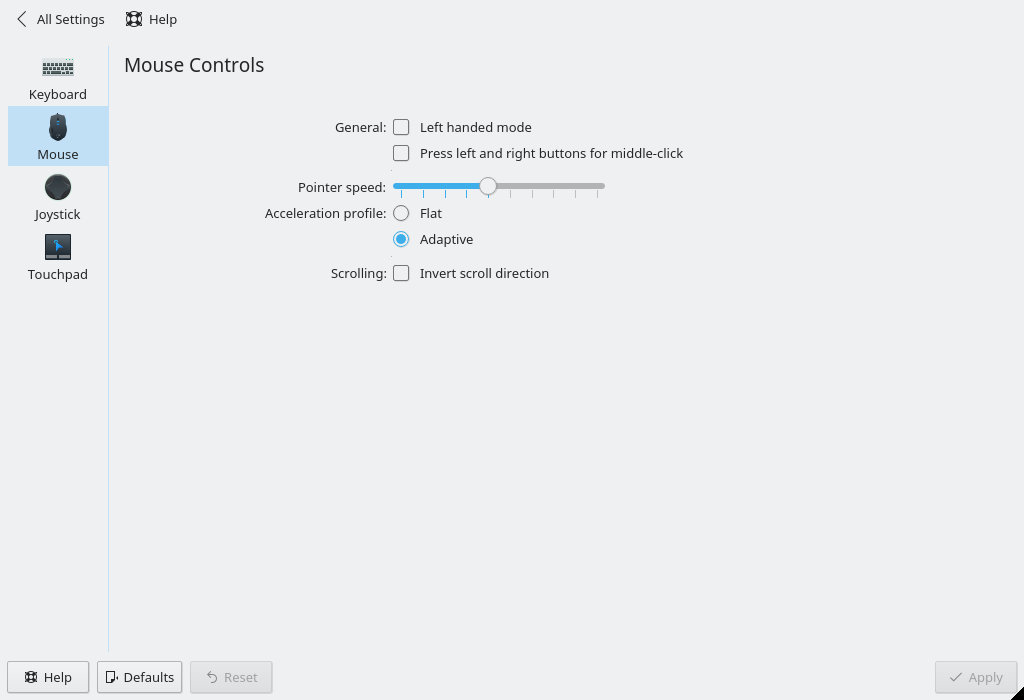
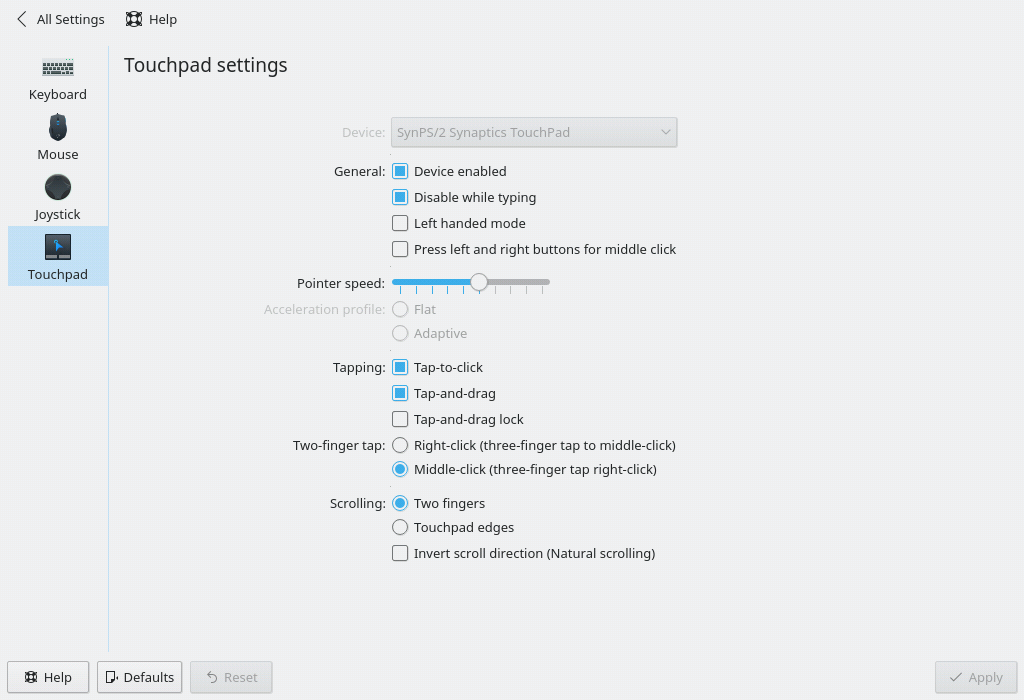
  • The Libinput-backend Mouse and Touchpad System Settings pages received a visual and usability overhaul (Furkan Tokac, KDE Plasma 5.14):

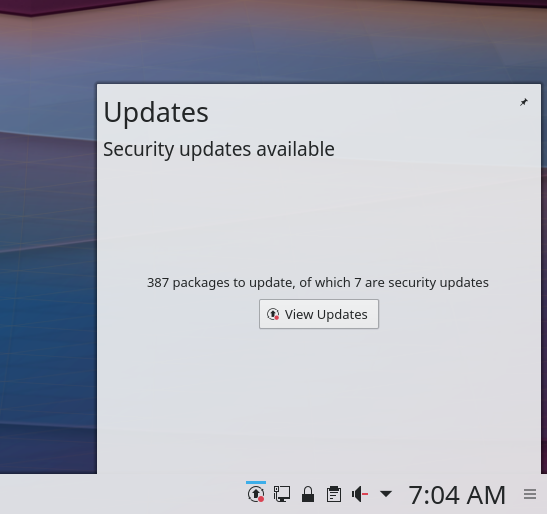
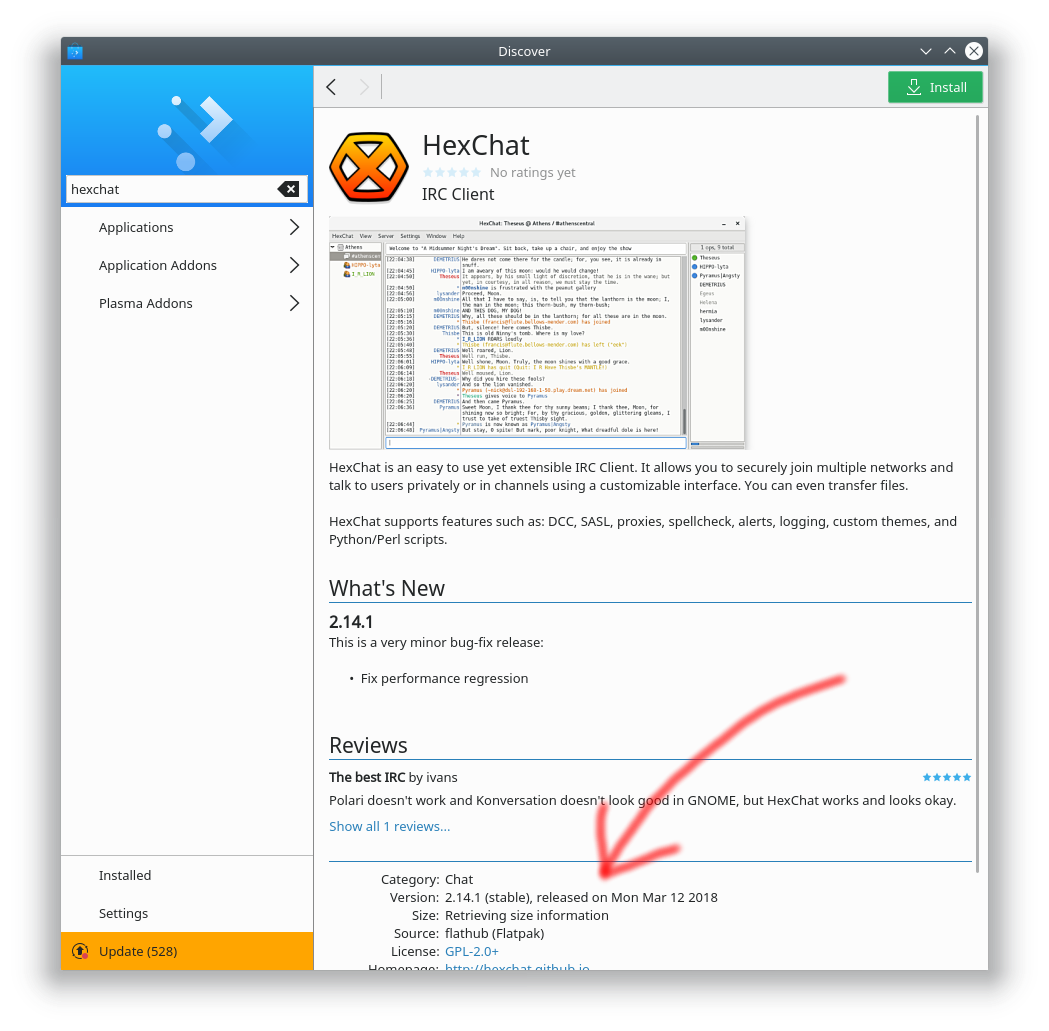
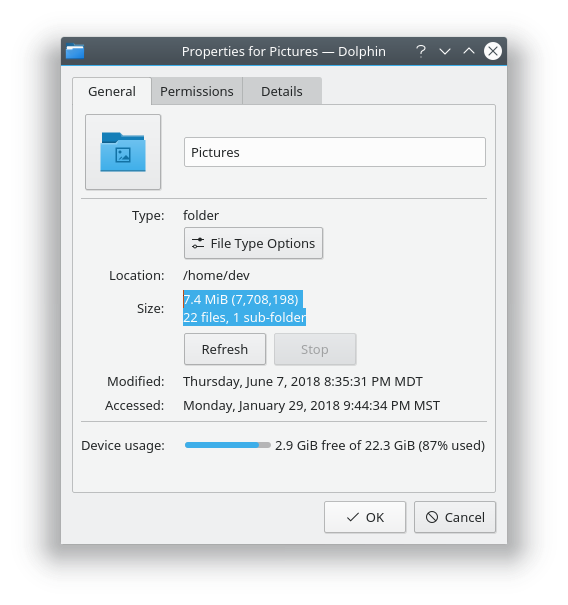
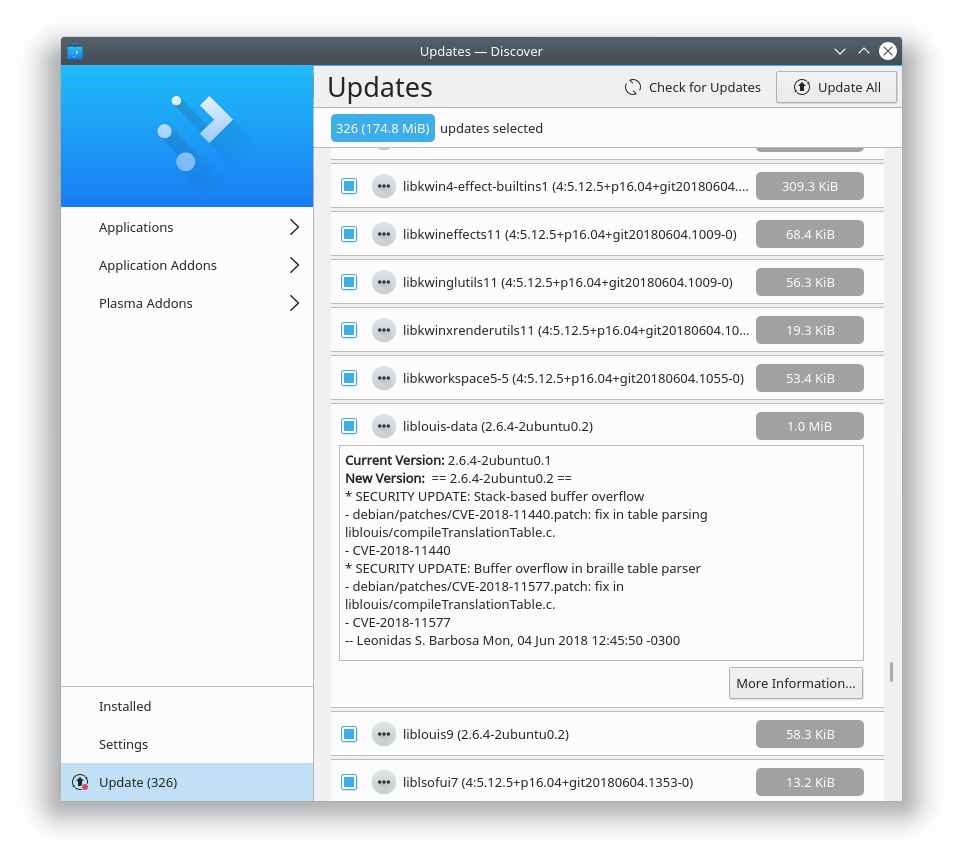
  • Discover’s Updates page is now clearer about what version is being upgraded (me: Nate Graham, KDE Plasma 5.14):
  • Scrollbars in Konsole are now overlay style and disappear entirely when the view isn’t scrollable, e.g. with a full-screen CLI program like top (Tomaz Canabrava and Alex Nemeth, KDE Applications 18.08.0)

See all the names of people who worked hard to make the computing world a better place? That could be you next week! Getting involved isn’t all that tough, and there’s lots of support available. Give it a try today! It’s easy and fun and important.

If my efforts to perform, guide, and document this work seem useful and you’d like to see more of them, then consider becoming a patron on Patreon, LiberaPay, or PayPal.

Become a patron Donate using Liberapay donate with PayPal

This week in Usability & Productivity, part 22

This has been another strong week for KDE’s Usability and Productivity initiative! Quite a few longstanding bugs got fixed, among lots of other nice improvements. Look at all this cool stuff:

New Features

Bugfixes

UI Polish & Improvement

See all the names of people who worked hard to make the computing world a better place? That could be you next week! Getting involved isn’t all that tough, and there’s lots of support available. Give it a try today! It’s easy and fun and important.

If my efforts to perform, guide, and document this work seem useful and you’d like to see more of them, then consider becoming a patron on Patreon, LiberaPay, or PayPal.

Become a patron Donate using Liberapay donate with PayPal

This week in Usability & Productivity, part 21

Another week, another dose of Usability and Productivity in KDE land! We picked up a lot of great improvements to Discover, a much-requested change to allow Kate and Dolphin to be run with the root user account again, and quite a lot of important bugfixes. Take a look!

New Features

Bugfixes

UI Polish & Improvement

See all the names of people who worked hard to make the computing world a better place? That could be you next week! Getting involved isn’t all that tough, and there’s lots of support available. Give it a try today! It’s easy and fun and important.

If my efforts to perform, guide, and document this work seem useful and you’d like to see more of them, then consider becoming a patron on Patreon, LiberaPay, or PayPal.

Become a patron Donate using Liberapay donate with PayPal

This week in Usability & Productivity, part 20

Here’s some more Usability and Productivity! This week a ton of bugs got stamped out, some of them serious and long-standing. There’s also a lot more goodness that’s in the works, but not quite finished yet, so stay tuned for next week…

New Features

Bugfixes

UI Polish & Improvement

See all the names of people who worked hard to make the computing world a better place? That could be you next week! Getting involved isn’t all that tough, and there’s lots of support available. Give it a try today! It’s easy and fun and important.

None of my patches made it in this week, but I have 31 of them open in various stages of review! The downside to being a front-end developer is that since all of your proposed changes are user-facing, people can be quite opinionated about them! But it’s all good, and part of the review process is to ensure that nobody’s views are totally ignored. It’s important that everyone is listened to and their viewpoint considered, even if it means that in the end that some patches aren’t accepted or take a long time to make it in.

If my efforts to perform, guide, and document this work seem useful and you’d like to see more of them, then consider becoming a patron on Patreon, LiberaPay, or PayPal.

Become a patron Donate using Liberapay donate with PayPal

This week in Usability & Productivity, part 19

This week we announced a beta of the upcoming KDE Plasma 5.13 release, and so far the internet seems pretty excited about it. 🙂 But we’re nowhere near done, and here’s another week of Usability and Productivity enhancements to highlight:

New Features

Bugfixes

UI Polish & Improvement

See all the names of people who worked hard to make the computing world a better place? That could be you next week! Getting involved isn’t all that tough, and there’s lots of support available. Give it a try today! It’s easy and fun and important.

If my efforts to perform, guide, and document this work seem useful and you’d like to see more of them, then consider becoming a patron on Patreon, LiberaPay, or PayPal.

Become a patron Donate using Liberapay donate with PayPal

This week in Usability & Productivity, part 18

Get ready for some more Usability and Productivity! First off, here’s the week’s process on the Open/save dialog project:

Open/Save dialog project

These improvements will land in KDE Frameworks 5.47.

But that’s not all! Here’s the usual assortment of miscellaneous goodies:

Bugfixes

UI Polish & Improvement

If my efforts to perform, guide, and document this work seem useful and you’d like to see more of them, then consider becoming a patron on Patreon, LiberaPay, or PayPal.

Become a patron Donate using Liberapay donate with PayPal

This week in Usability & Productivity: part 17

Here’s another big one, folks!

Regular readers might have noticed that I’ve stopped the weekly Discover posts. I’ve decided to centralize that information here, and so I’d like to highlight several weeks’ worth of awesome new features and improvements for Discover:

Discover

In future posts, Discover improvements will be shown inline along with all the other changes.

Next up, here’s the week’s process on the Open/save dialog project:

Open/Save dialog project

These improvements will land in KDE Frameworks 5.46.

And of course that’s not all; here’s the usual assortment of miscellaneous goodies:

New Features

Bugfixes

UI Polish & Improvement

If my efforts to perform, guide, and document this work seem useful and you’d like to see more of them, then consider becoming a patron on Patreon, LiberaPay, or PayPal.

Become a patron Donate using Liberapay donate with PayPal

This week in Usability & Productivity, part 16: new lock and login screens

Get ready for a Usability & Productivity avalanche! There’s so much to announce this week that I’m breaking it up into two posts! I’m super excited to announce that in addition to the normal stream of little quality-of-life improvements, a major and long-simmering change has landed: we’ve overhauled the lock and login screens to provide better usability and aesthetics, and more features!

The lock screen now displays the default Plasma wallpaper and behaves more like a screensaver: only the clock and date are displayed at first. Here’s how it looks with the new Plasma 5.13 wallpaper:

And after moving the mouse, typing on the keyboard, or tapping the touchscreen, the image is darkened and blurred, and the controls become visible:

Doesn’t this look really, really good!?

People who prefer less flashiness can set the background to a solid color, and the controls will not fade in and out–just like before. Those who want more bling can set a slideshow or an animated effect for the background, and it will be just like the attractive screensavers of yore!

Even cooler, if you don’t change the default settings, then every time you upgrade Plasma, the lock and login screens will automatically use the new wallpaper for that Plasma version.

We’ve also resolved a usability issue with the old version: light-colored or very busy backgrounds no longer obscure the text and user interface elements for either the login or lock screens because the background is blurred and darkened whenever they’re shown, and at other times the clock and date have a subtle drop shadow applied:

I pushed pretty hard for this redesign and did a bit of the work, but the overwhelming majority of it was done by Marco Martin, who deserves our praise and congratulations!

Users will be able to enjoy these incredibly beautiful and classy lock and login screens in KDE Plasma 5.13, which is slated for release in June.

I’ll note that this is a big change that’s just landed so we may tweak it a bit before the Plasma 5.13 release. The plasma wallpaper itself may be adjusted, and we might also decide to use a slightly different image by default. But for the most part, this is what Plasma 5.13 users are gonna see, and we think you’ll love it!

If my efforts to perform, guide, and document this work seem useful and you’d like to see more of them, then consider becoming a patron on Patreon, LiberaPay, or PayPal.

Become a patron Donate using Liberapay donate with PayPal

But wait, there’s more… see it in part 2!