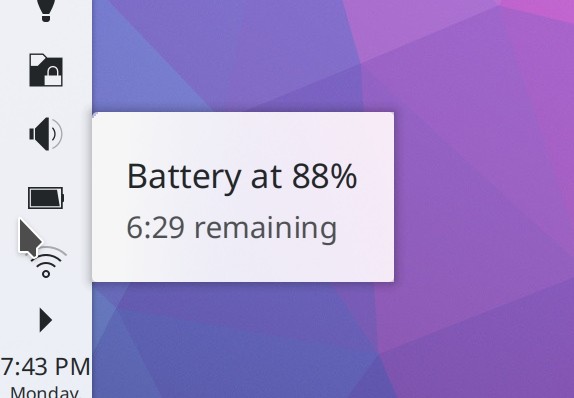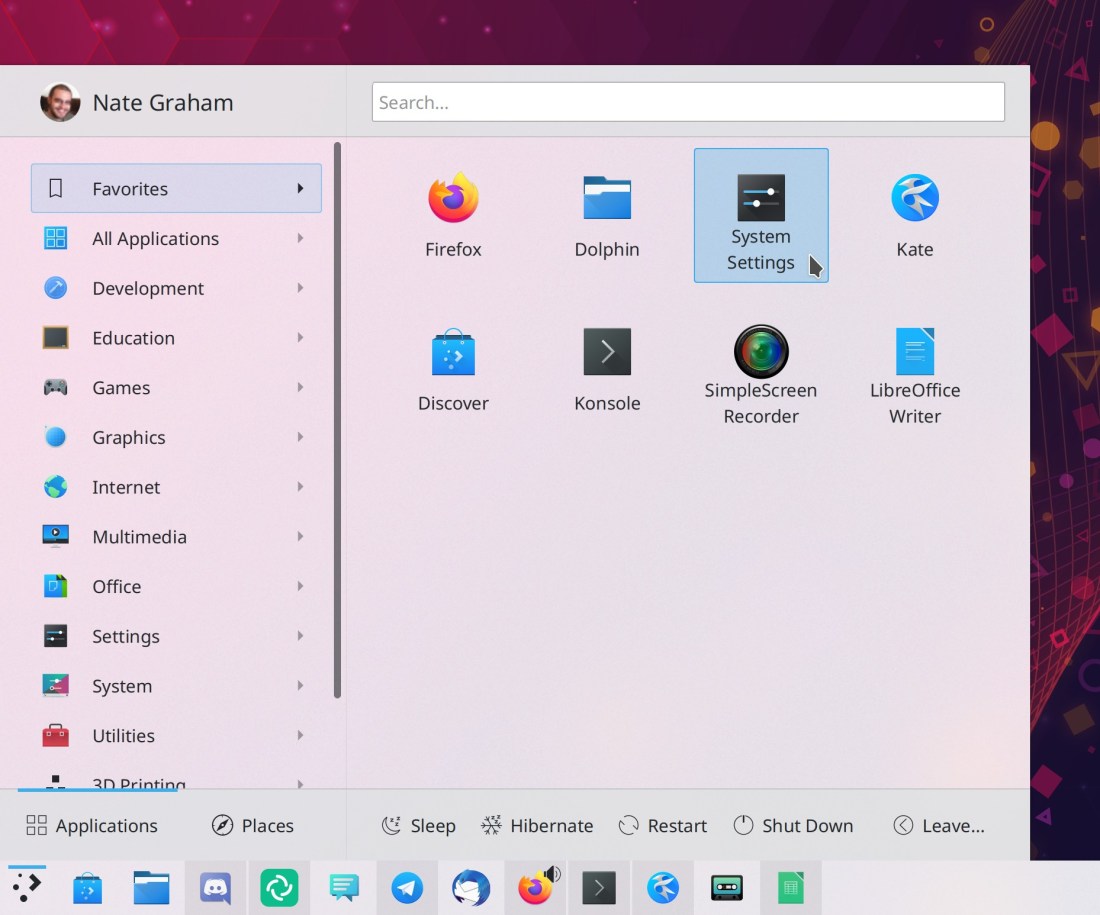
This week in KDE: kio-fuse and NeoChat rise

Merry Christmas everyone! We have some nice holiday presents for you:

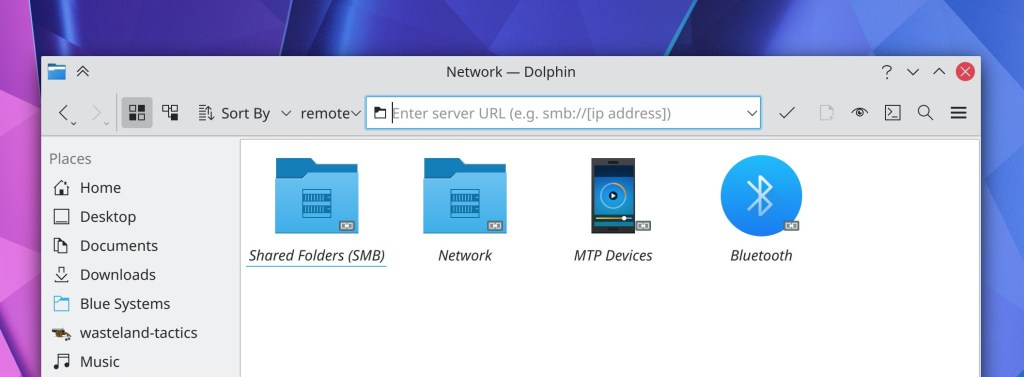
First of all, KDE’s FUSE-based remote location mounter kio-fuse got its first stable release, which means it can now be pre-installed by distros.

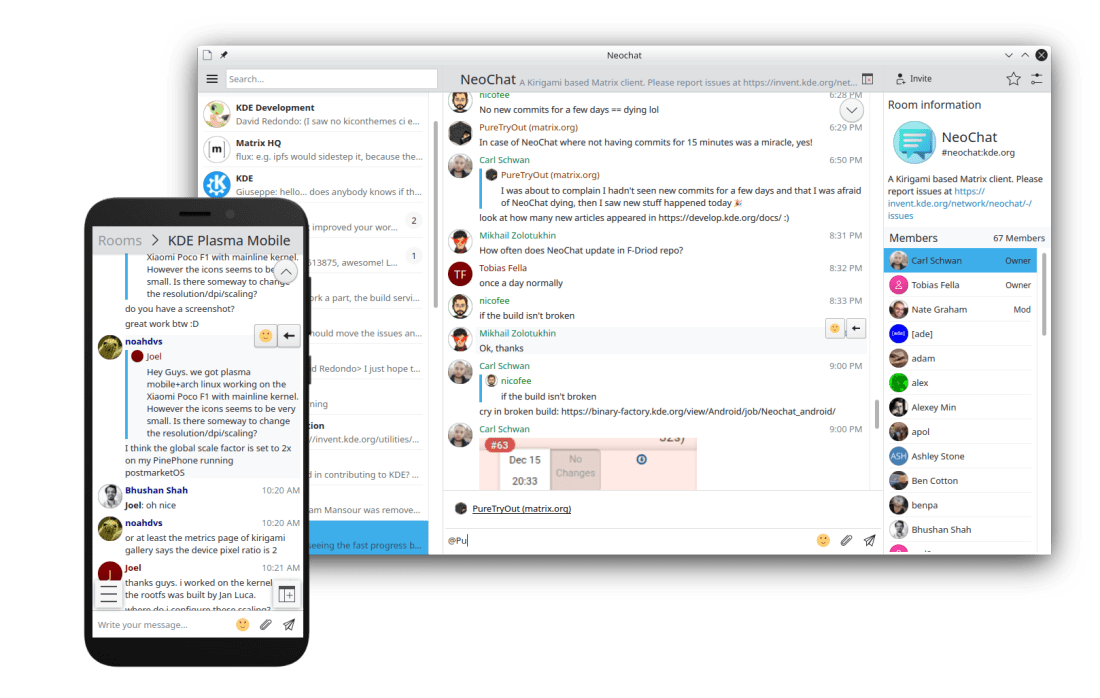
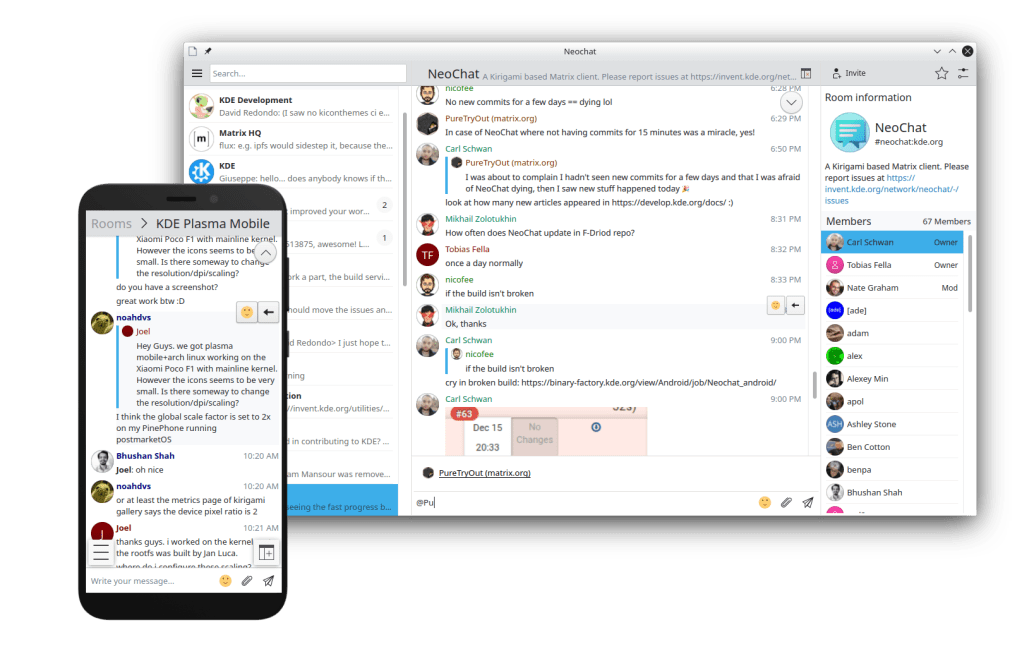
That’s not all: we have a new KDE Matrix-based chat app: NeoChat! This app is a fork of Spectral, which a few months ago appeared to have been abandoned by its developer. Carl Schwan and Tobias Fella decided to resurrect it as a KDE project, and they’ve done a smashing job bringing it into the fold. In addition to being a very nice desktop app, it also runs on Plasma mobile and there are early Android builds. I’ve been using it for the last month, and even in an early beta state, I already like it better than Element and every other Matrix client I’ve tried. Check out the official release announcement here: https://carlschwan.eu/2020/12/23/announcing-neochat-1.0-the-kde-matrix-client/

But wait, there’s more:

New Features

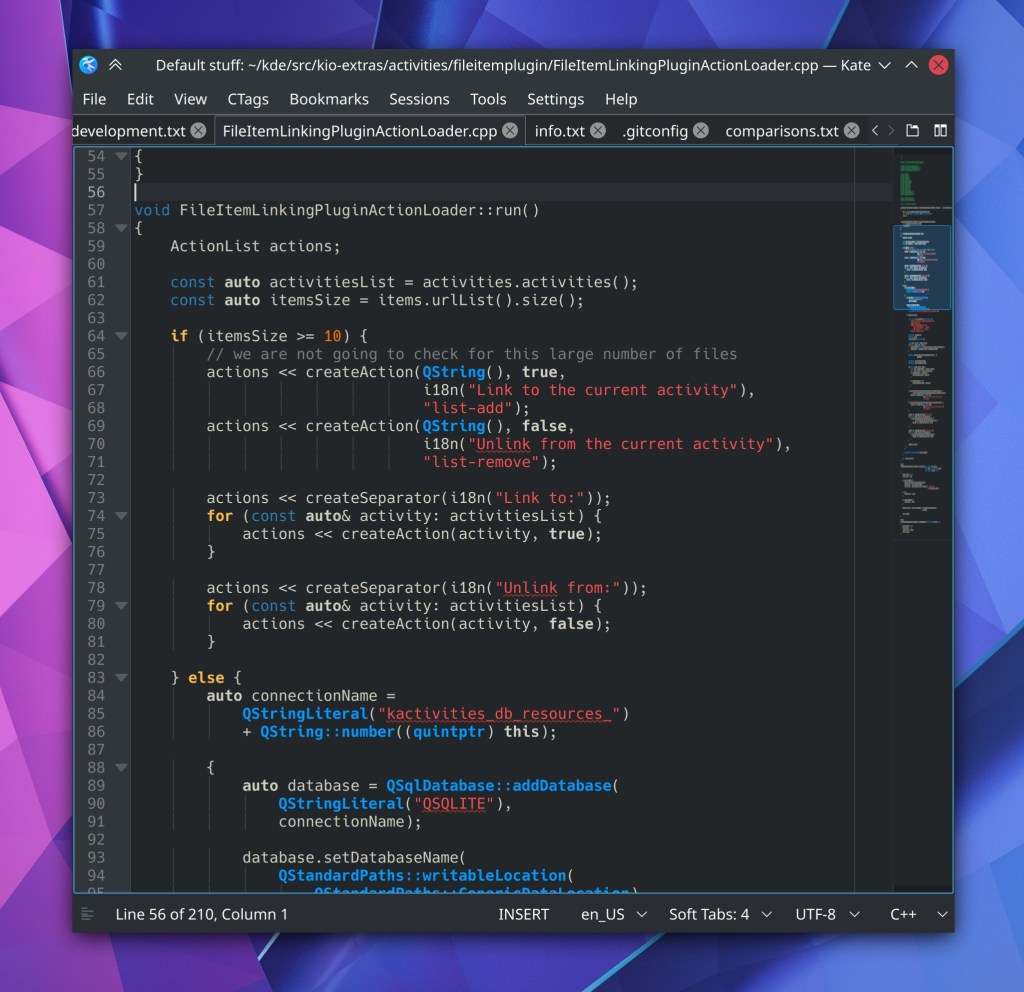
Kate now has a new off-by-default but very cool plugin that will visualize colors for various textual color codes, and let you edit them graphically using the standard systemwide color picker! (Jan Paul Batrina, Kate 21.04):

Dolphin now lets you set its “homepage” to non-local locations including arbitrary KIOSlaves, such as remote://, baloosearch:// and so on (Derek Christ, Dolphin 21.04)

KRunner’s history is now activity-aware by default! This means for example that there will no longer be a data leak if you use an activity with history turned off (Alexander Lohnau, Plasma 5.21)

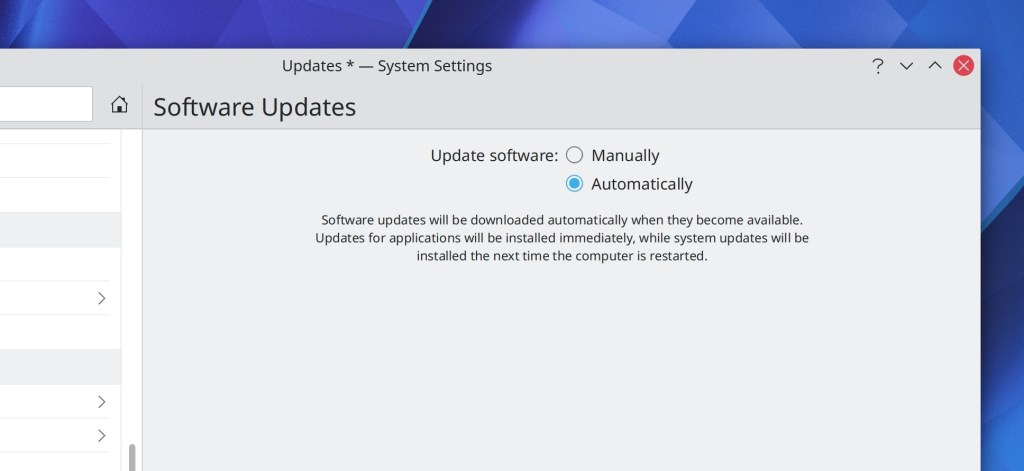
You can now optionally (and it’s off by default) have your system automatically apply available updates (Aleix Pol Gonzalez, Plasma 5.21):

There is now a Breeze GTK theme for GTK4-based apps! (Jan Blackquill, Plasma 5.21)

Wayland

The KRunner Windows runner (which lets you find and switch to open windows) now works on Wayland (Benjamin Port, Plasma 5.21)

Bugfixes & Performance Improvements

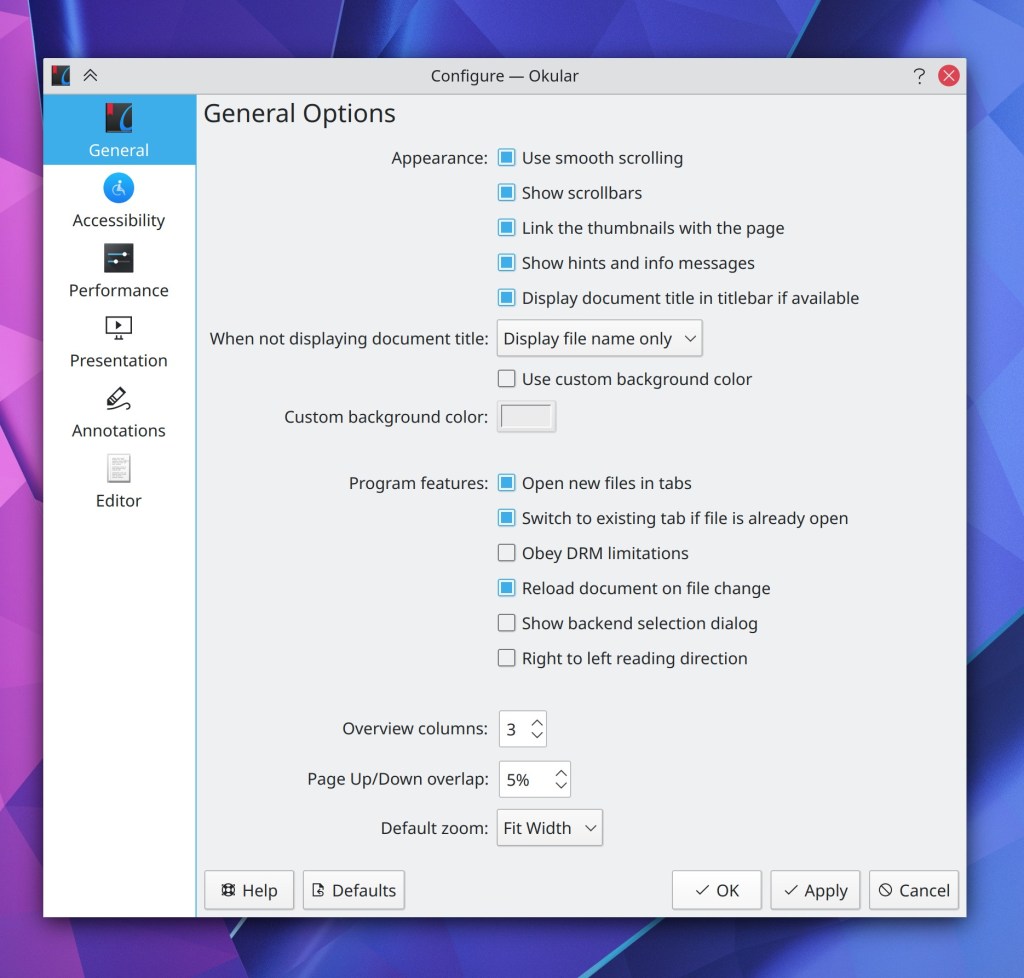
Okular is now more resistant to crashing in the face of some malformed PDF files (Albert Astals Cid, Okular 20.12.1)

Okular now returns the correct search results when your search term includes the “Å” character (Albert Astals Cid, Okular 20.12.1)

Dolphin once again scrolls properly when using non-touchpad device with vertical as well as horizontal scrolling capabilities, such as a mouse with a wheel that can tilt from side-to-side in addition to spinning (Eduard Manta, Dolphin 20.12.1

Gwenview’s JPEG save quality chooser in the Save As dialog now saves and restores its value properly (Miklós Márton, Gwenview 20.12.1)

Kate’s find-and-replace speed is now dramatically faster when working with very large files (Waqar Ahmed, Kate 21.04)

Changes in the key repeat rate no longer require a logout or reboot (Weng Xuetian, Plasma 5.18.7)

Plasma no longer crashes when visiting the Weather applet’s Units tab for the second time (Willyanto Willyanto, Plasma 5.20.5)

The System Tray’s expander arrow no longer sometimes disappears when there are only a small number of items in the expanded view (Konrad Materka, Plasma 5.20.5)

Made Plasma even lighter on CPU resources while MPRIS-compliant audio and video players are playing media (David Edmundson, Plasma 5.21)

The kglobalaccel daemon will no longer try to restart and then repeatedly crash while logging out, which could block logging back in (David Edmundson, Frameworks 5.77)

Dolphin no longer crashes when you move or copy files and click the “Apply to all” checkbox in the overwrite dialog (Ismael Asensio, Frameworks 5.78)

System Settings’ Custom Shortcuts page is once again able to, well, record custom shortcuts! (Weng Xuetian, Frameworks 5.78)

The Breeze icon theme now includes the image-missing icon, which somehow makes various GTK apps not crash. I guess they really really want this icon! (Henry Heino, Frameworks 5.78)

User Interface Improvements

System Settings’ KRunner page now supports the “Highlight changed settings” feature (Cyril Rossi, Plasma 5.21)

How You Can Help

Have a look at https://community.kde.org/Get_Involved to discover ways to be part of a project that really matters. Each contributor makes a huge difference in KDE; you are not a number or a cog in a machine! You don’t have to already be a programmer, either. I wasn’t when I got started. Try it, you’ll like it! We don’t bite!

Finally, consider making a tax-deductible donation to the KDE e.V. foundation.
This week in KDE: all the things!

This week we did a little bit of everything, and there should be things that make all kinds of people happy. So let’s just jump right in!

New Features

Okular now lets you digitally sign documents! Note that this feature makes use of a digital signature, not a picture of your handwritten signature. This feature was sponsored by the Technical University of Dresden (TU Dresden) (Albert Astals Cid, Okular 21.04)

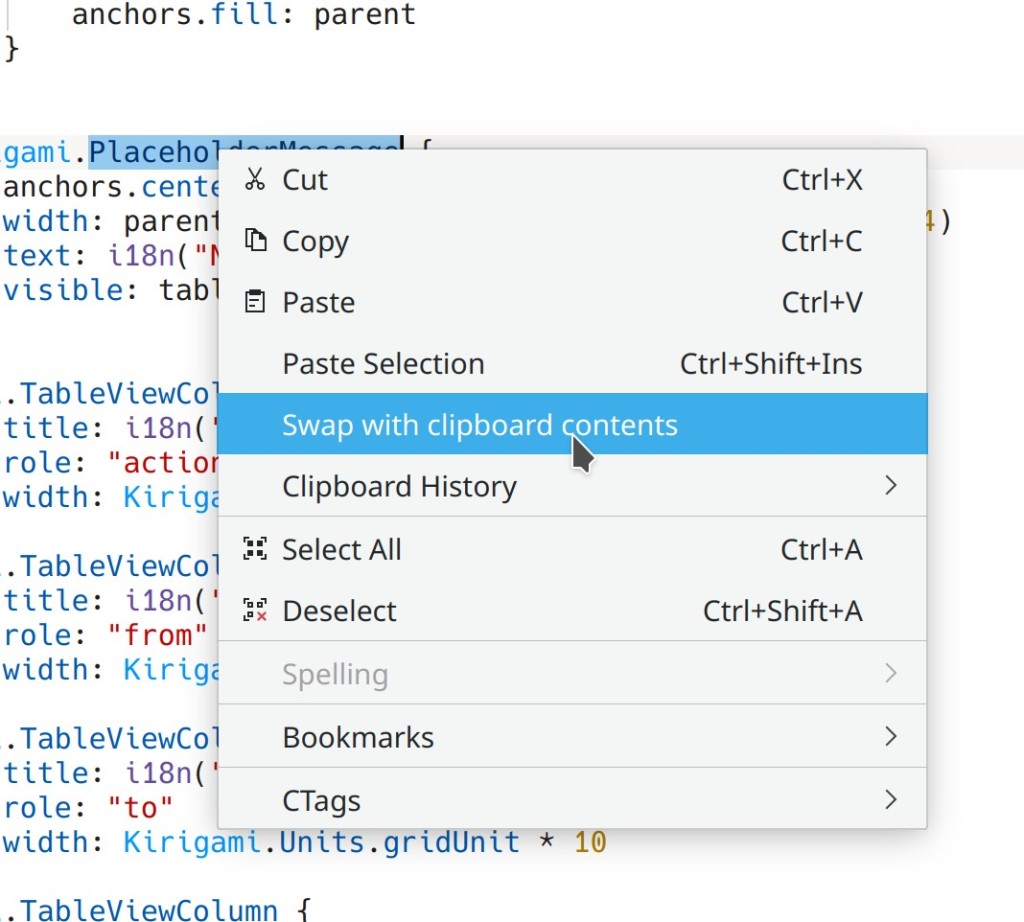
Kate and other KTextEditor-based apps now have a new feature to swap the selected text with the top item in the clipboard (Christoph Cullmann, Frameworks 5.78)

All KDE software now supports the AV1 image format when the libavif library is installed, including displaying thumbnails in Dolphin and other apps (Daniel Novomeský, Frameworks 5.78)

Bugfixes & Performance Improvements

Dolphin no ever gets in a situation where it always tries to execute executable JavaScript files instead of opening them, when in a different context you’ve previously told it to always execute executable files (Ahmad Samir, Dolphin 20.12.1)

Fixed a common crash-on-launch bug in Dolphin and a case where Dolphin could crash when you open a new tab while there was text in the search field (Anthony Fieroni, Dolphin 20.12.1)

Dolphin no longer crashes when you try to drag a disk in the Places panel (Chris Holland, Dolphin 20.12.1)

Elisa’s “Force Filesystem Indexing” option is now remembered in the config window correctly (Matthieu Gallien, Elisa 20.12.1

Hugely increased the performance and speed of searching through large documents in Kate (Waqar Ahmed, Kate 21.04)

Kate’s Quick Open panel now always opens the correct item (Waqar Ahmed, Kate 21.04)

Improved the character placement in various command-line apps run using Konsole (Oswald Buddenhagen, Konsole 21.04)

The Emoji selector once again opens to display its “Recent” page (David Redondo, Plasma 5.20.5)

Improved compatibility with multi-monitor setups using different scale factors for each monitor in the Plasma Wayland Session (Vlad Zahorodnii, Plasma 5.21)

When you Alt+Tab to an XWayland window in the Plasma Wayland session, mouse wheel scrolling now always works properly in the window (Andrey Butirsky, Plasma 5.21)

The Global Menu applet now works properly in the Plasma Wayland session for XWayland windows (Fabian Vogt, Plasma 5.21)

The System Settings Users page no longer fails to set an avatar image when given a very large file; it now resizes it to fit (Jan Blackquill, Plasma 5.21)

The Lock/Logout applet once again works properly (David Edmundson, Plasma 5.21)

KRunner now correctly evaluates single-digit factorial expressions (Alexander Lohnau, Plasma 5.21)

The KGlobalAccel daemon no longer crashes–either once or repeatedly–when logging out of your user account or shutting down the computer (David Edmundson, Plasma 5.21)

Fixed the most common crash afflicting all KDE software: when graphics drivers are updated but before the system is restarted, and hardware acceleration is no longer available. Now the affected software will fall back to software rendering rather than crashing (Piotr Henryk Dabrowski, Frameworks 5.78)

Fixed one of the most common ways that an app could crash while downloading or updating Get New [Thing] content, and a less common-way that it would happen (Dan Leinir Turthra Jensen, Frameworks 5.78)

Plasma panels no longer show a weird black line when compositing is disabled (David Edmundson, Frameworks 5.78)

The file dialogs are now capable of opening files whose name begins with a colon (Ahmad Samir, Frameworks 5.78)

Custom shortcuts set to activate Plasma applets are no longer sometimes lost after rebooting (David Edmundson, Frameworks 5.78)

Improved the efficiency of Plasma’s SVG caching system, leading to a small but measurable performance improvement everywhere throughout Plasma (Marco Martin, Frameworks 5.78)

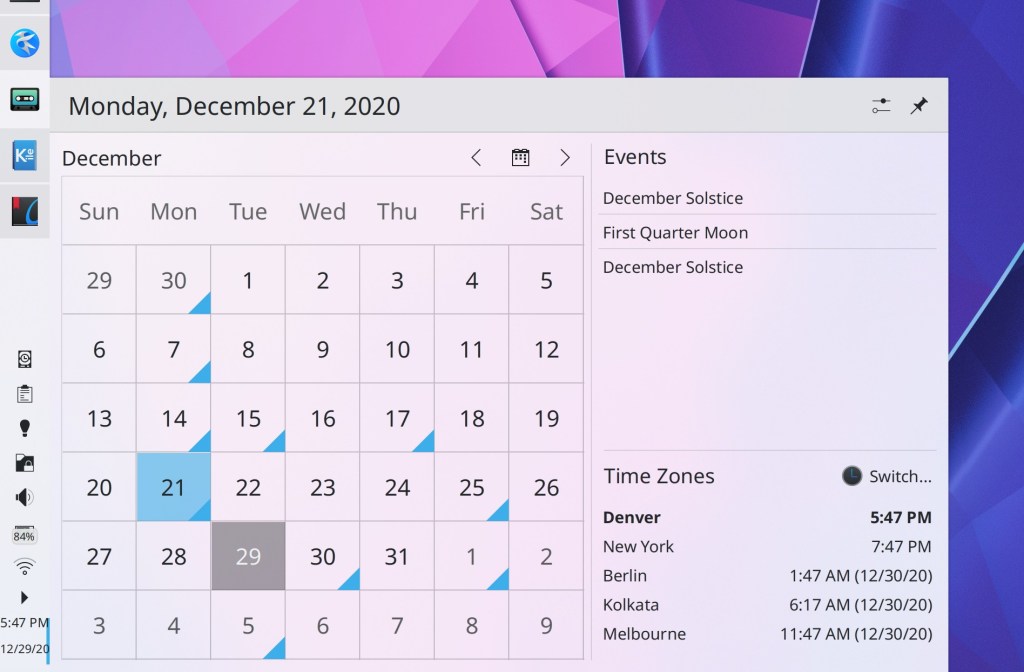
The Plasma calendar widget no longer lets you try to display negative years, which would make Plasma crash (me: Nate Graham, Frameworks 5.78)

User Interface Improvements

In Kate’s tab switcher panel, you can now close the currently selected document by hitting the Ctrl+W keyboard shortcut (Waqar Ahmed, Kate 21.04)

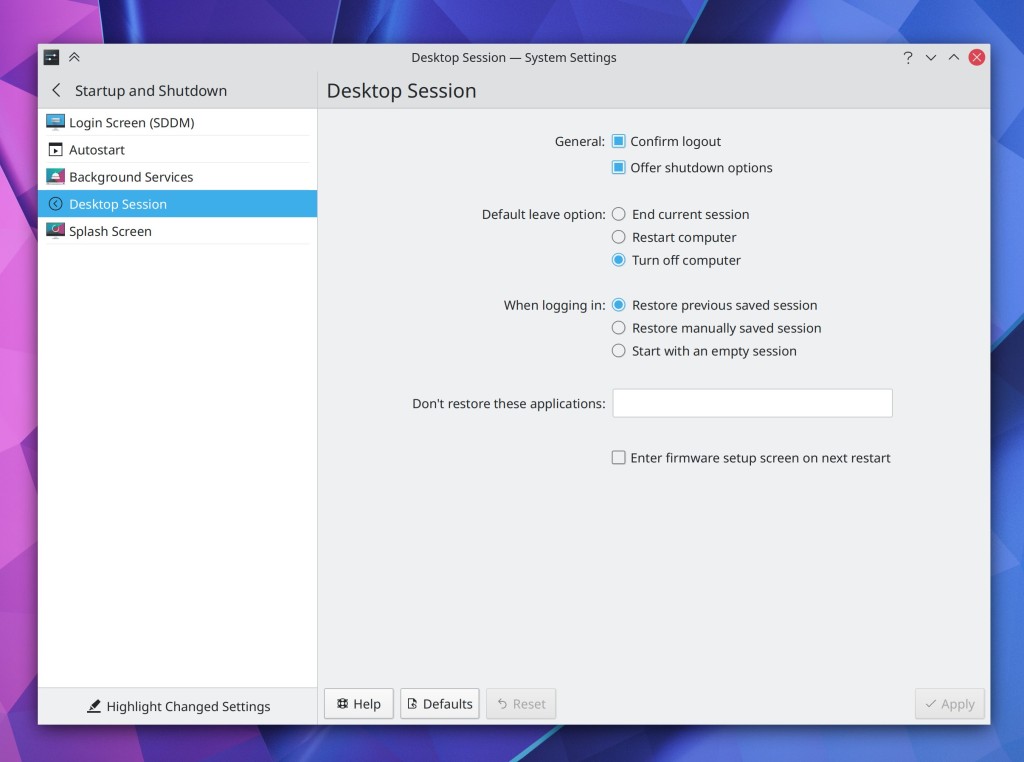
The System Settings Desktop Session page has had its user interface rewritten in QML for a cleaner, more modern appearance (Carl Schwan, Plasma 5.21):

Reverted the automount defaults changes announced last week because the new Disks & Devices behavior makes them largely unnecessary (me: Nate Graham, Plasma 5.21)

System Settings’ Screen Locking and Compositing pages now support the “Highlight Changed Settings” feature (Cyril Rossi, Plasma 5.21)

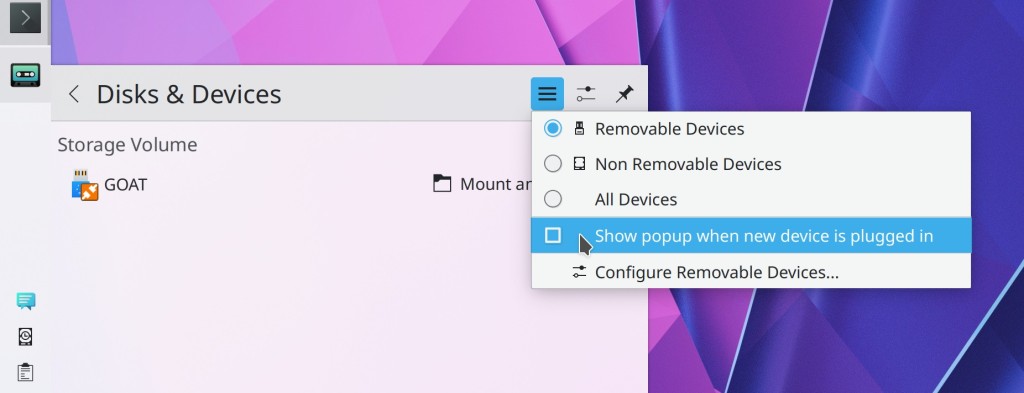
Re-added the option to make the Disks & Devices popup not automatically open when a new device is plugged in, because people articulated reasonable and valid use cases for it (me: Nate Graham, Plasma 5.21)

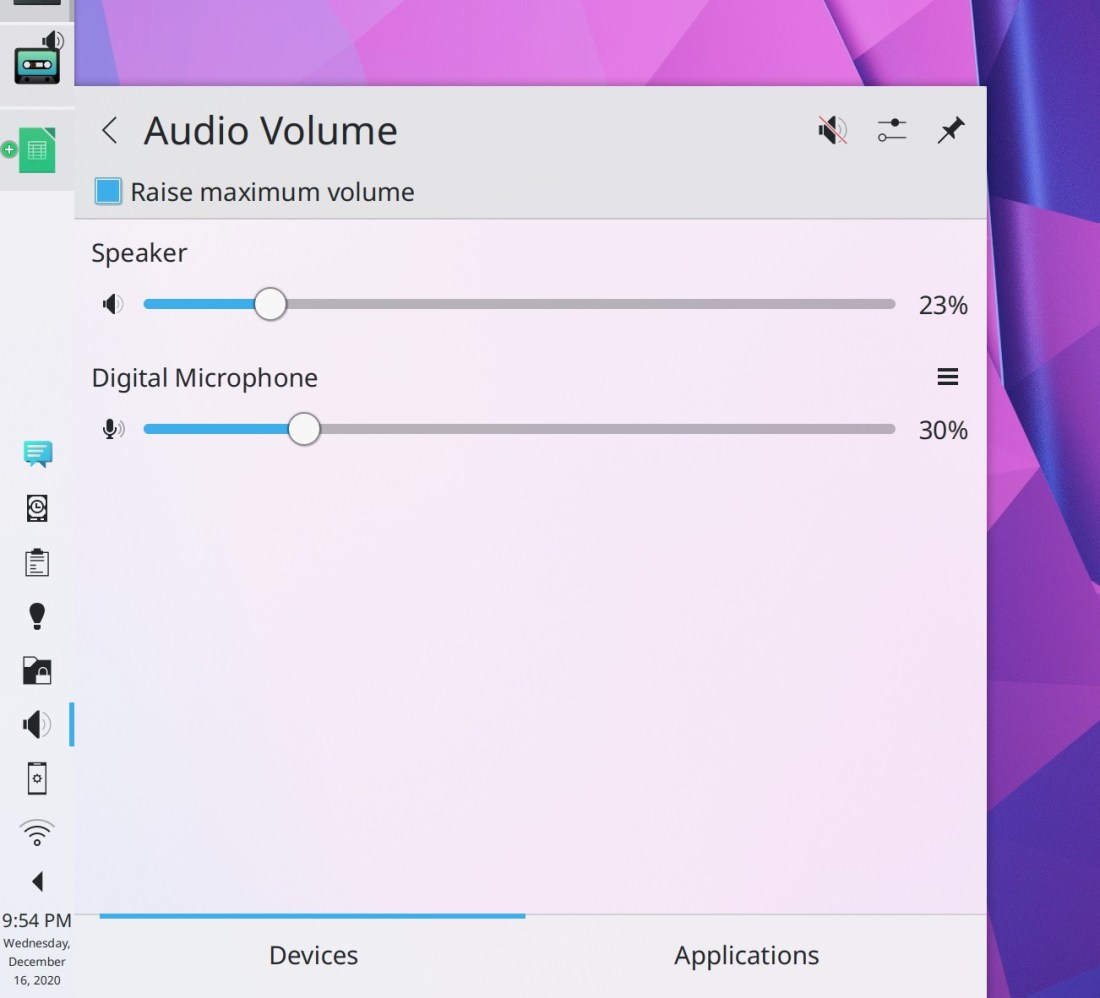
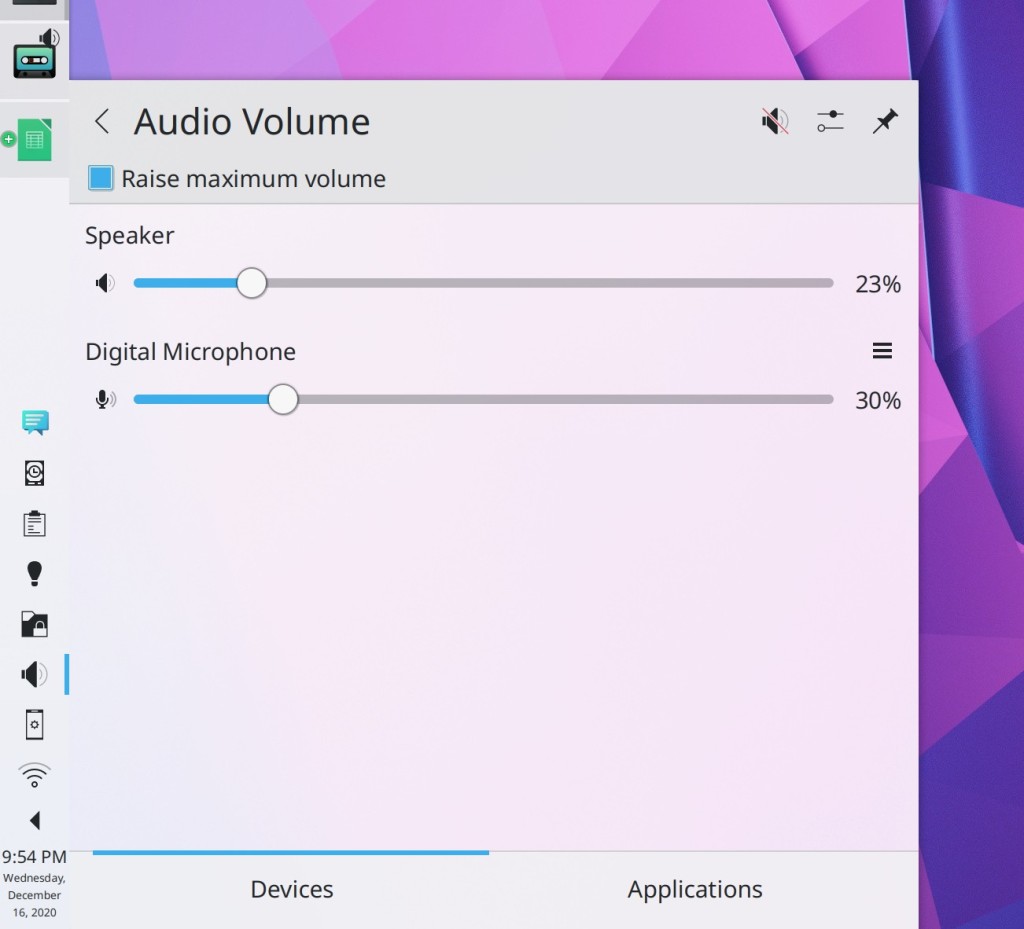
Made a few more tweaks to the Audio Volume applet, including moving the tab bar to the bottom, always hiding inactive devices, and moving all the toolbuttons up to the header row, as with other applets in Plasma 5.21 (me: Nate Graham, Plasma 5.21):

I think we’re finally done with it now!

On Discover’s reviews sheet, datestamps for individual reviews are now displayed using a format appropriate for your locale (Tabor Nagy, Plasma 5.21)

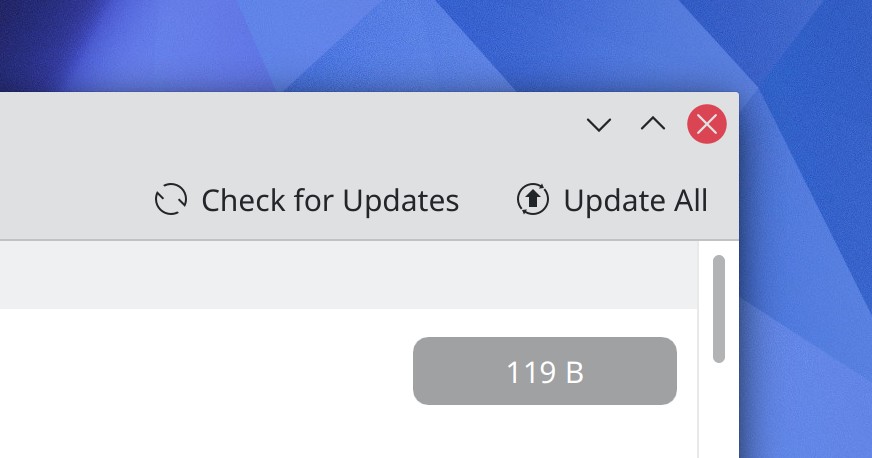
On Discover’s “Updates” page, the position of the “Update” and “Check for Updates” actions has been swapped (me: Nate Graham, Plasma 5.21):

You can now enter relative paths in the URL Navigators used in various KDE apps. For example if you’re inside your home folder, you can enter “Documents” into the URL navigator and be taken there as expected (Ahmad Samir, Frameworks 5.78)

How You Can Help

Have a look at https://community.kde.org/Get_Involved to discover ways to be part of a project that really matters. Each contributor makes a huge difference in KDE; you are not a number or a cog in a machine! You don’t have to already be a programmer, either. I wasn’t when I got started. Try it, you’ll like it! We don’t bite!

Finally, consider making a tax-deductible donation to the KDE e.V. foundation.
This week in KDE: Usability bonanza

This week we focused a lot on the little usability details that make software a joy to use! A lot of really exciting longer-term work is underway too, some of which you can read about on Vlad Zahorodnii’s blog. But that stuff is still in progress, so until it’s merged, check out this stuff:

New Features

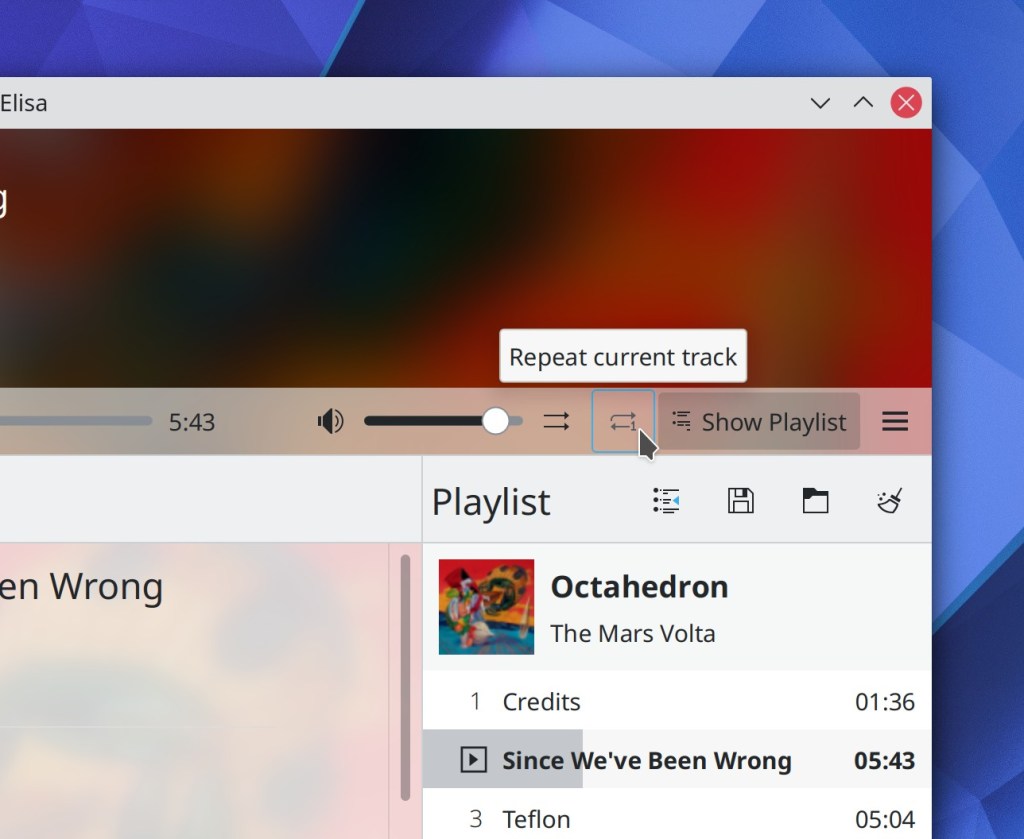
Elisa now lets you repeat the current track over and over and over again if you want (Carson Black, Elisa 21.04):

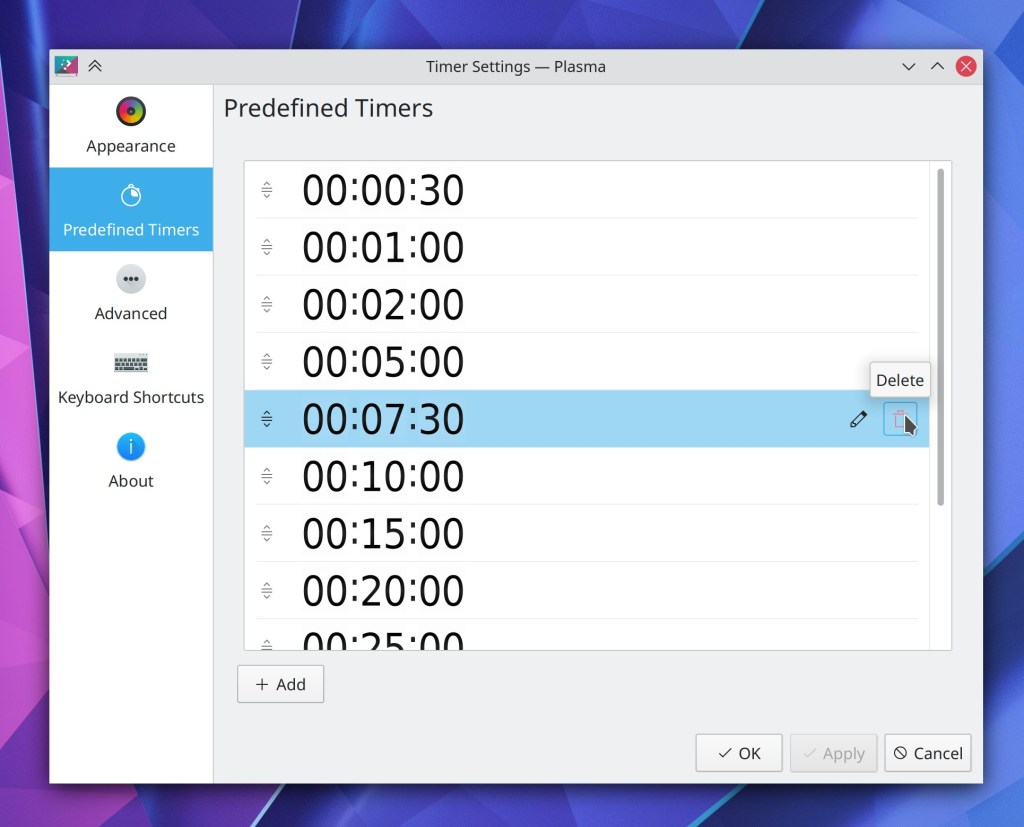
Plasma’s Timers widget now has a page listing all the predefined timers, which allows you to modify them and add your own (Łukasz Korbel, Plasma 5.21):

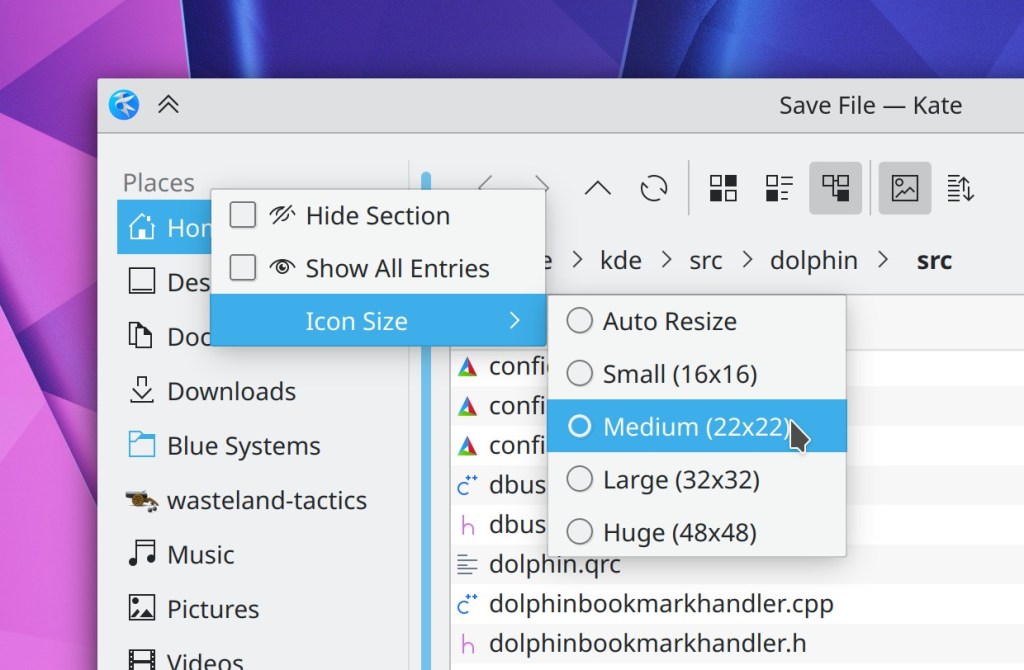
You can now set a fixed icon size for the items in the Open/Save dialogs’ Places panel sidebar (Ahmad Samir, Frameworks 5.78):

Bugfixes & Performance Improvements

When using Elisa’s Files view, pressing the Play or Enqueue buttons on grid items now works (Matthieu Gallien, Elisa 20.12.1)

Elisa no longer spikes Plasma’s CPU usage at all while playing music (Matthieu Gallien, Elisa 20.12.1)

Spectacle is no longer sometimes slow and laggy when taking more than one screenshot in quick succession (David Redondo, Spectacle 20.12.1)

Meetings/screencasts using WebRTC now work in the Plasma Wayland session! (Jan Grulich, Plasma 5.20.5)

The lock and login screen virtual keyboard no longer covers up the password field when it appears (Marco Martin, Plasma 5.20.5)

When viewing the details of an app in Discover, a funny little tooltip for the app’s license no longer always appears; now it’s only visible when you hover over the link to the full text of its license, as expected (Aleix Pol Gonzalez, Plasma 5.20.5)

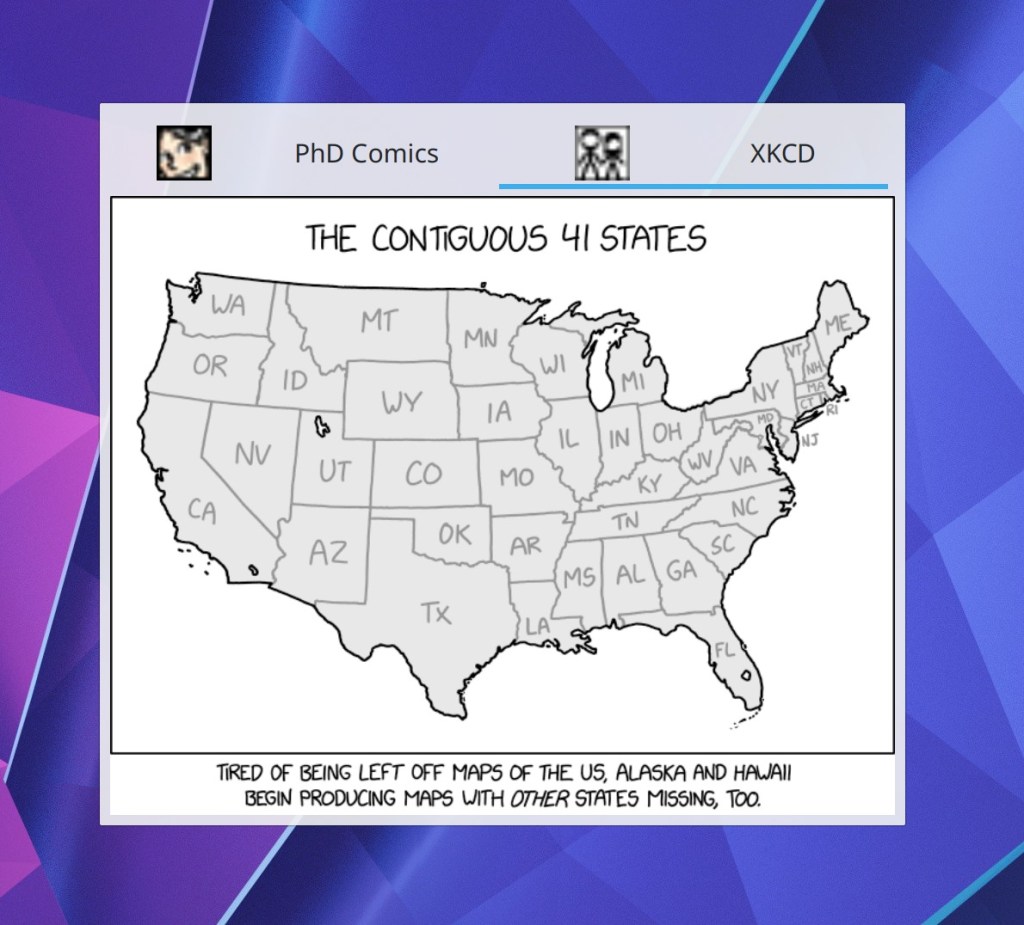
The Comics applet now displays icons in the tab bar’s tabs, like it was always supposed to (Arnav Rawat, Plasma 5.20.5):

The Bluetooth applet’s placeholder message now displays the correct text when Bluetooth is disabled (Nicolas Fella, Plasma 5.21)

When you change your user avatar in the System Settings Users page, the image displayed in the list of users now also changes immediately (Yunhe Guo, Plasma 5.21)

Back and forward navigation buttons in Kirigami-based software no longer sometimes overlap the name of the current page (Devin Lin, Frameworks 5.78)

Install and Remove buttons in Discover no longer look slightly bizarre and have an invisible icon; now they use the standard style and re-color the icon (Marco Martin, Frameworks 5.78):

KDE app window sizes and positions are once again remembered correctly in KDE software run on Windows (me: Nate Graham, Frameworks 5.78)

KDE app windows no longer sometimes open in a maximized state when they were not maximized at the moment they were last closed (me: Nate Graham, Frameworks 5.78)

User Interface Improvements

Elisa’s configuration window has been given a UI overhaul and modernization (me: Nate Graham, Elisa 21.04):

Elisa’s number of remaining tracks indicator now lives in the Playlist’s footer alongside the total number of tracks indicator, where it can never accidentally overlap with any other text (me: Nate Graham, Elisa 21.04):

The Bluetooth applet and System Settings page now only display paired devices; available devices are shown in a separate list only visible when adding new devices (Nicolas Fella, 5.20.5)

There are now default shortcuts set for moving the active window to another virtual desktop (Meta+Ctrl+Shift+arrow keys) and to another screen (Meta+Shift+arrow keys) (Thiago Sueto, Plasma 5.21)

When receiving files via Bluetooth, the notification displayed on screen now has information about how many files are remaining, and shows an “Open in File Manager” button when completed (Nicolas Fella, Plasma 5.21)

Improved the appearance of user avatars in the user avatar chooser view (Carson Black, Plasma 5.21):

After the first time you manually mount a removable disk, it will by default be automounted automatically the on all subsequent times when you attach it (Claudius Ellsel, Plasma 5.21)

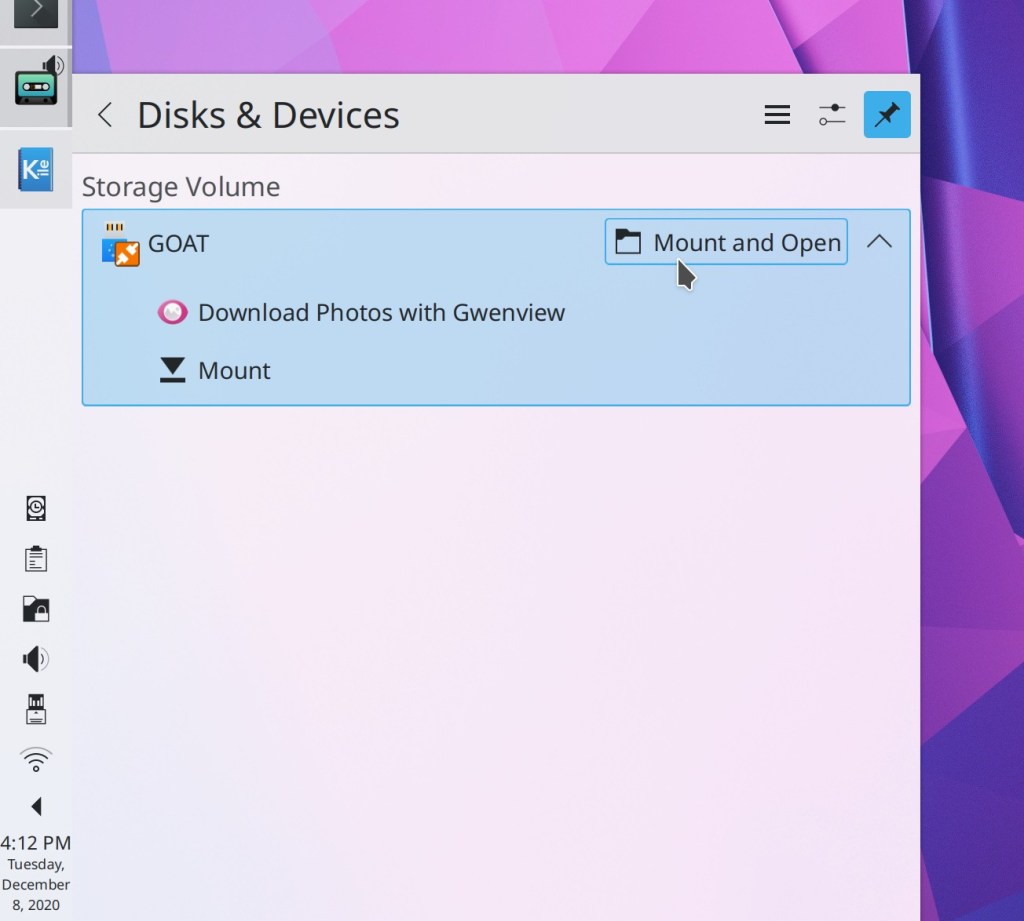
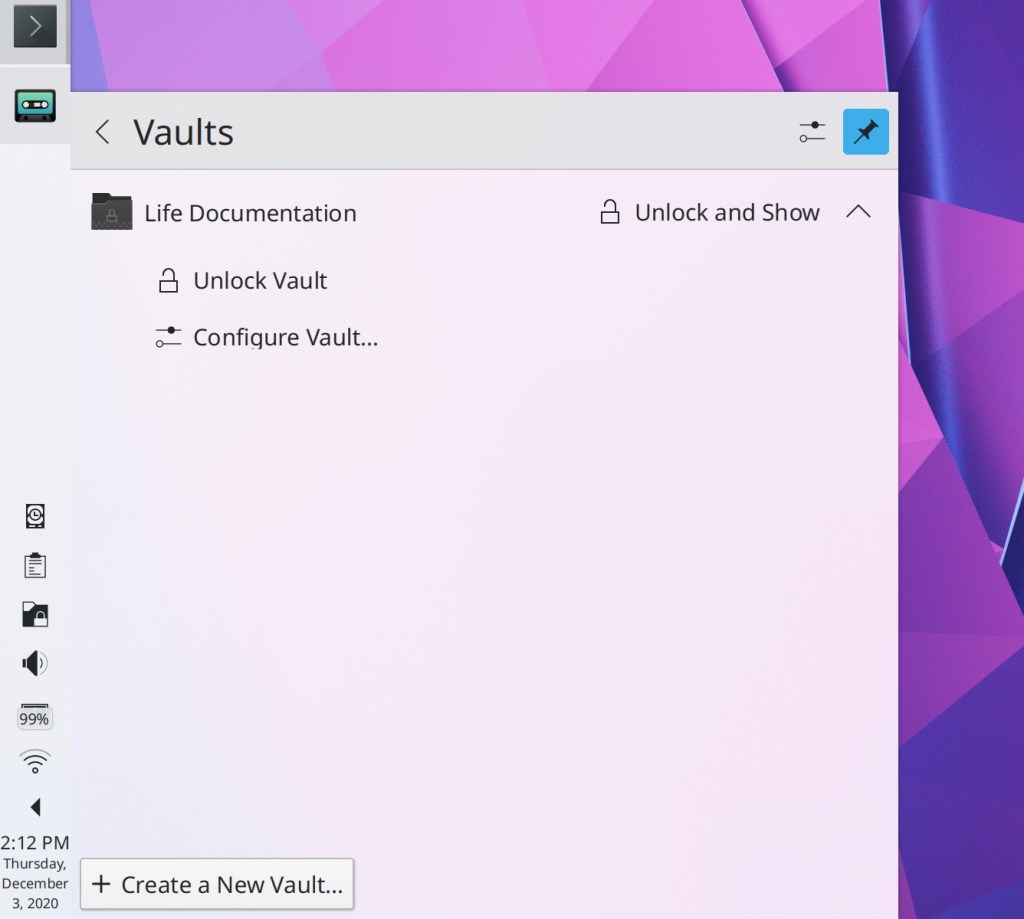
The default actions of “Mount” and “Unlock Vault” in Plasma’s Disks & Devices and Plasma Vaults applets (respectively) have been changed to “Mount and Open” and “Unlock and Open” to save you an extra step of having to manually open your file manager and navigate to the newly-available locations. For people who don’t want this, the old “Mount without opening in file manager” and “Unlock Vault without showing in file manager” actions are still present, but in the expanded view rather than used as default actions (me: Nate Graham, Plasma 5.21):

Discover’s task progress sheet now displays the current download speed as well as an estimated time of completion (Aleix Pol Gonzalez, Plasma 5.21):

The detailed icon size popup in System Settings’ Icons page no longer confusingly offers to let you configure the size of “Desktop” icons, because it didn’t actually change the size of files and folders on the desktop (me: Nate Graham, Plasma 5.21)

How You Can Help

Have a look at https://community.kde.org/Get_Involved to discover ways to be part of a project that really matters. Each contributor makes a huge difference in KDE; you are not a number or a cog in a machine! You don’t have to already be a programmer, either. I wasn’t when I got started. Try it, you’ll like it! We don’t bite!

Finally, consider making a tax-deductible donation to the KDE e.V. foundation.
This week in KDE: Big new accented/alternative character input feature

A big new Plasma feature was merged this week that I’m very excited to present!

Now, when you press-and-hold a key, a small palette will appear offering alternative characters similar to the one you’re holding down. This makes it enormously easier to type accented characters from other languages or symbols uncommon in your language without having to change your keyboard layout or memorize compose key sequences. It is super intuitive and awesome to use:

You can also use it to type alternative symbols, such as currency symbols uncommon in your locale. This is useful if, for example, you live in the USA but deal with monetary sums denominated in Euros a lot, or the reverse:

Naturally, the feature can be disabled (on the System Settings keyboard page) if you prefer the current behavior to repeat the held-down key.

The feature is mostly completed and merged, but a few bits are still remaining, including full integration with GTK apps, and compatibility with other input methods. For now, adventurous people using git master packages can test it out by setting QT_IM_MODULE=plasmaim in their environment.

This work was done by Carson Black and will be included with Plasma 5.21 by default. Thanks Carson!

Other New Features

Gwenview now lets you enter arbitrary zoom values using an interactive spinbox that replaces the static label showing the current zoom value (Antonio Prcela, Gwenview 21.04)

Window rules can now be duplicated (Ismael Asensio, Plasma 5.21)

The standard file overwrite dialog now has an option to overwrite older files automatically (Méven Car, Frameworks 5.77)

Bugfixes & Performance Improvements

Elisa no longer causes Plasma to noticeably increase in CPU usage while playing music (Sophie Kums, Elisa 20.12)

Elisa now restores the Playlist contents successfully when any of its items were added using the Files view (Matthieu Gallien, Elisa 20.12)

Clicking on a song navigated to using Elisa’s Files view now adds it to the playlist rather than nonsensically taking you to the Now Playing page (Matthieu Gallien, Elisa 20.12)

Elisa’s Spacebar shortcut to play and pause the music now always works on matter which language you’re using the app in (me: Nate Graham, Elisa 20.12)

Konsole is once again capable of displaying bold red text properly (Carlos Alves, Konsole 20.12)

Okular’s support for FictionBook documents now includes the ability to properly display tables (Marat Radchenko, Okular 21.04)

The EnvCan Canadian weather provider now works again in the weather applet (Tiernan Hubble, Plasma 5.18.7)

The System Settings Users page now displays the correct content the first time you open it (David Edmundson, Plasma 5.20.5)

Fixed a variety of visual glitches in headerbar window decoration buttons in GTK3 headerbar apps (Mikhail Zolotukhin, Plasma 5.20.5)

KRunner’s feature to start composing an email when given a mailto:// link now works again (Kai Uwe Broulik, Plasma 5.21)

In the Plasma Wayland session, Task Manager tooltips now show thumbnail window previews for Electron and Java apps (Aleix Pol Gonzalez, Plasma 5.21)

Discover no longer shows broken text for application reviews where the version of the app being reviewed is not known for some reason (Aleix Pol Gonzalez, Plasma 5.21)

Improved Discover’s performance in the Plasma Wayland session (Aleix Pol Gonzalez, Plasma 5.21)

System Settings no longer sometimes crashes when clicking on the “Get new Scripts” button on the KWin Scripts page (Alexander Lohnau, Frameworks 5.77)

Removing items that were installed via the Get New [Thing] system is now more reliable (Aleix Pol Gonzalez, Frameworks 5.77)

Navigating to other folders using the keyboard in URL navigators once again works (Ahmad Samir, Frameworks 5.77)

Plasma scrollbars now are now drawn in the correct color when using a light Plasma theme with a dark color scheme for apps (Mikel Johnson, Frameworks 5.77)

Samba shares once again display the correct icon when shown in a Dolphin tab (Méven Car, Plasma 5.77)

User Interface Improvements

Elisa’s “Show Playlist” button is no longer visible in Party Mode (aka maximized view) since in that view, the thing it controls isn’t visible anyway (me: Nate Graham, Elisa 20.12)

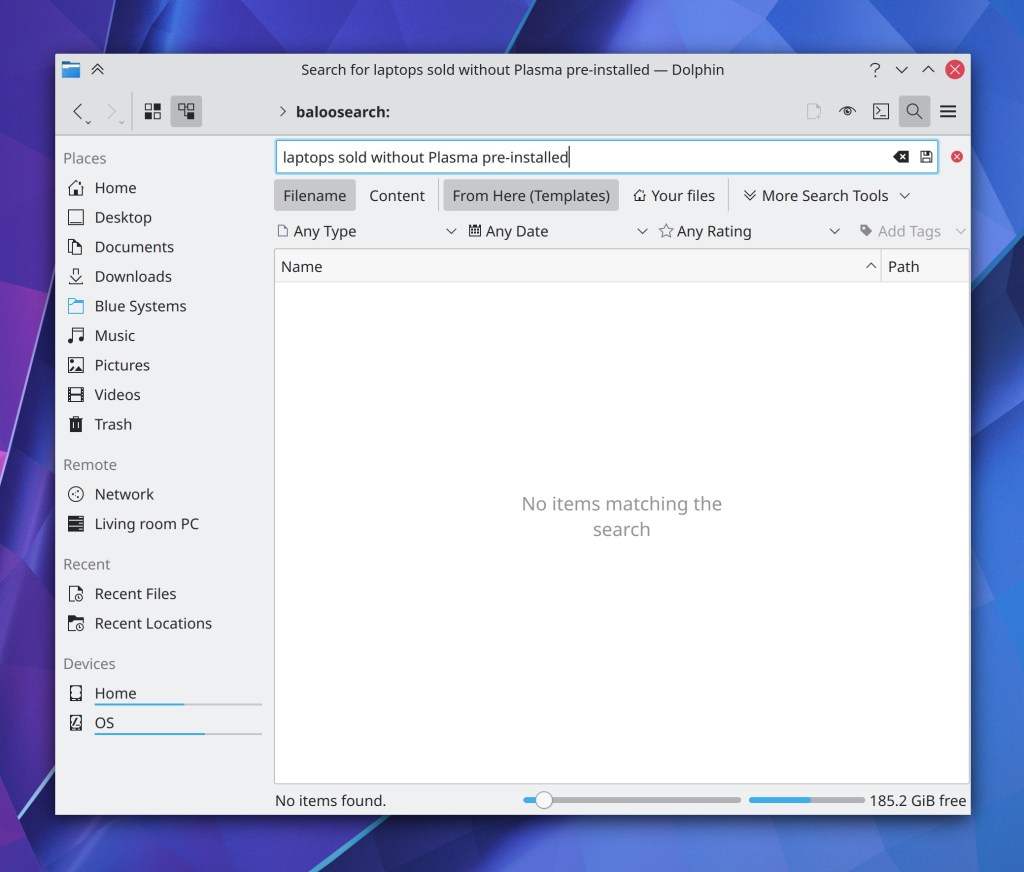
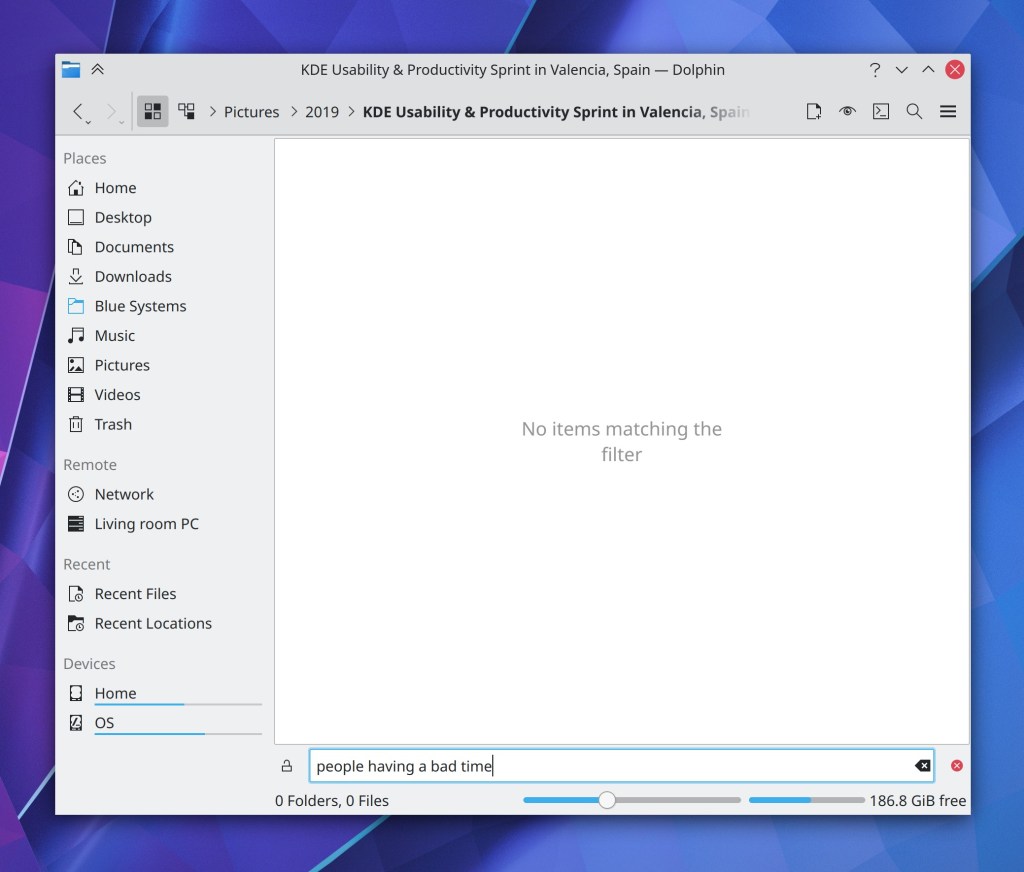
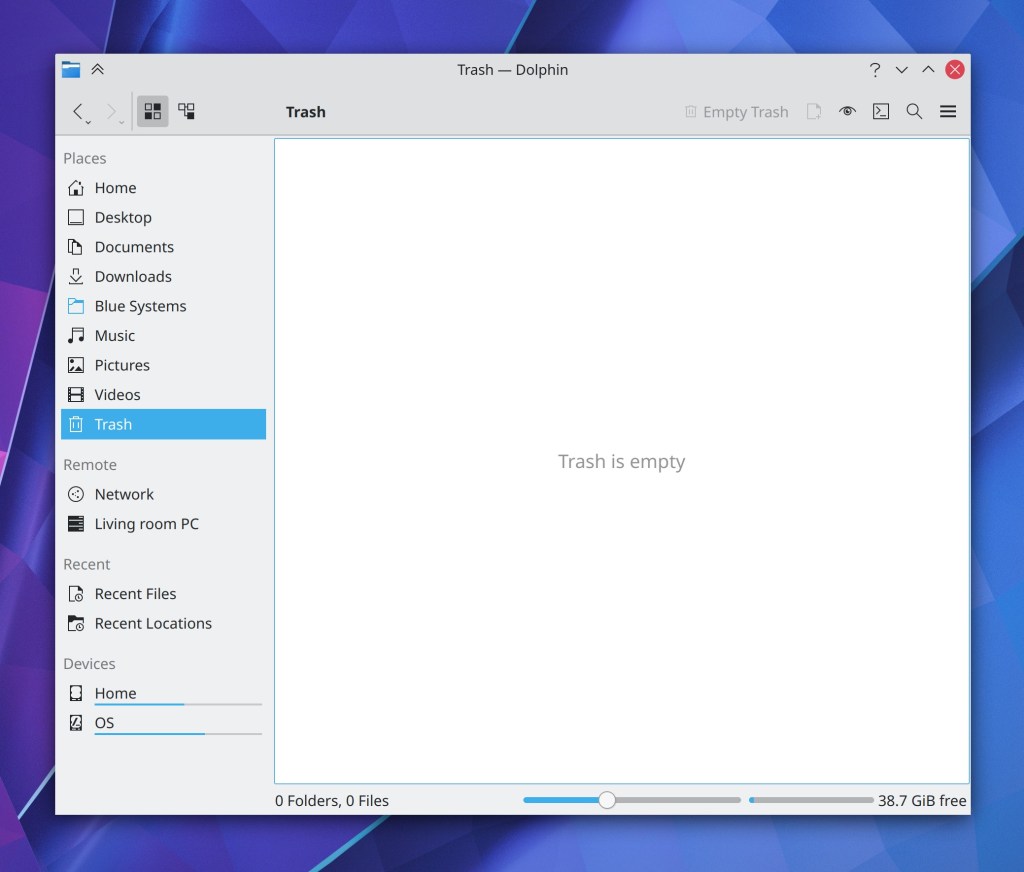
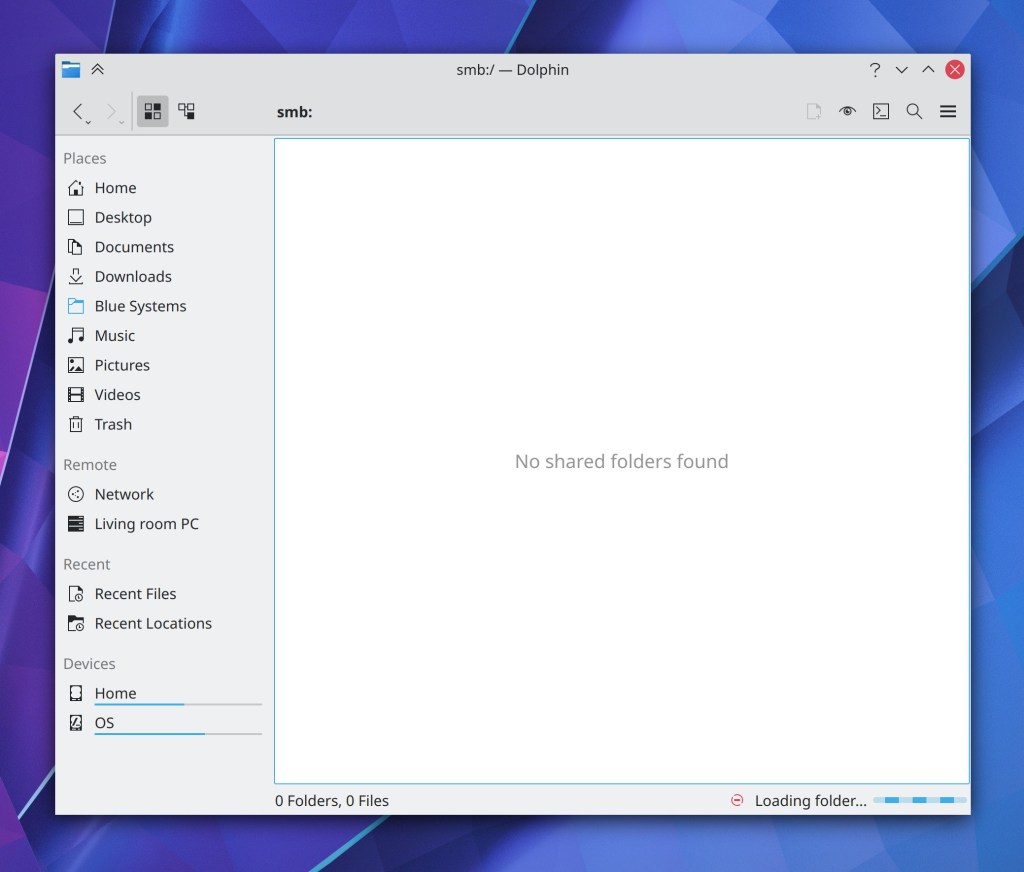
Dolphin now displays placeholder messages for empty views and search results, similar the the placeholder text shown throughout Plasma applets, System Settings pages, and various QML-based software (me: Nate Graham, Dolphin 21.04):

Dolphin’s rubberband/box selection effect now fades out when released, just like the one in Plasma’s Folder View (Carson Black, Dolphin 21.04)

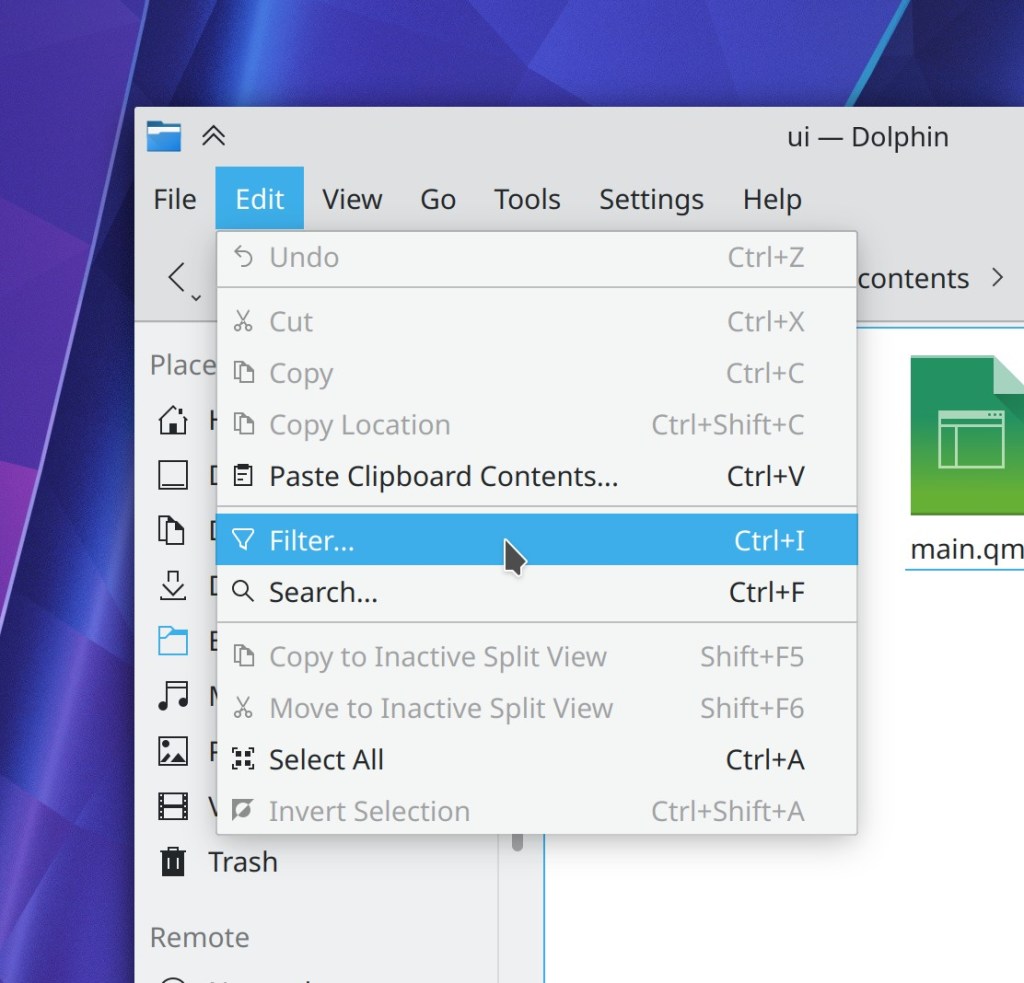
Dolphin’s “Filter…” action was relocated to the Edit menu to live next to the “Search…” action, because they are related in functionality (Méven Car, Dolphin 21.04):

Discover now suggests installing Snap support if you try to open a URL to a Snap app when support for it is not currently installed (Aleix Pol Gonzalez, Plasma 5.21)

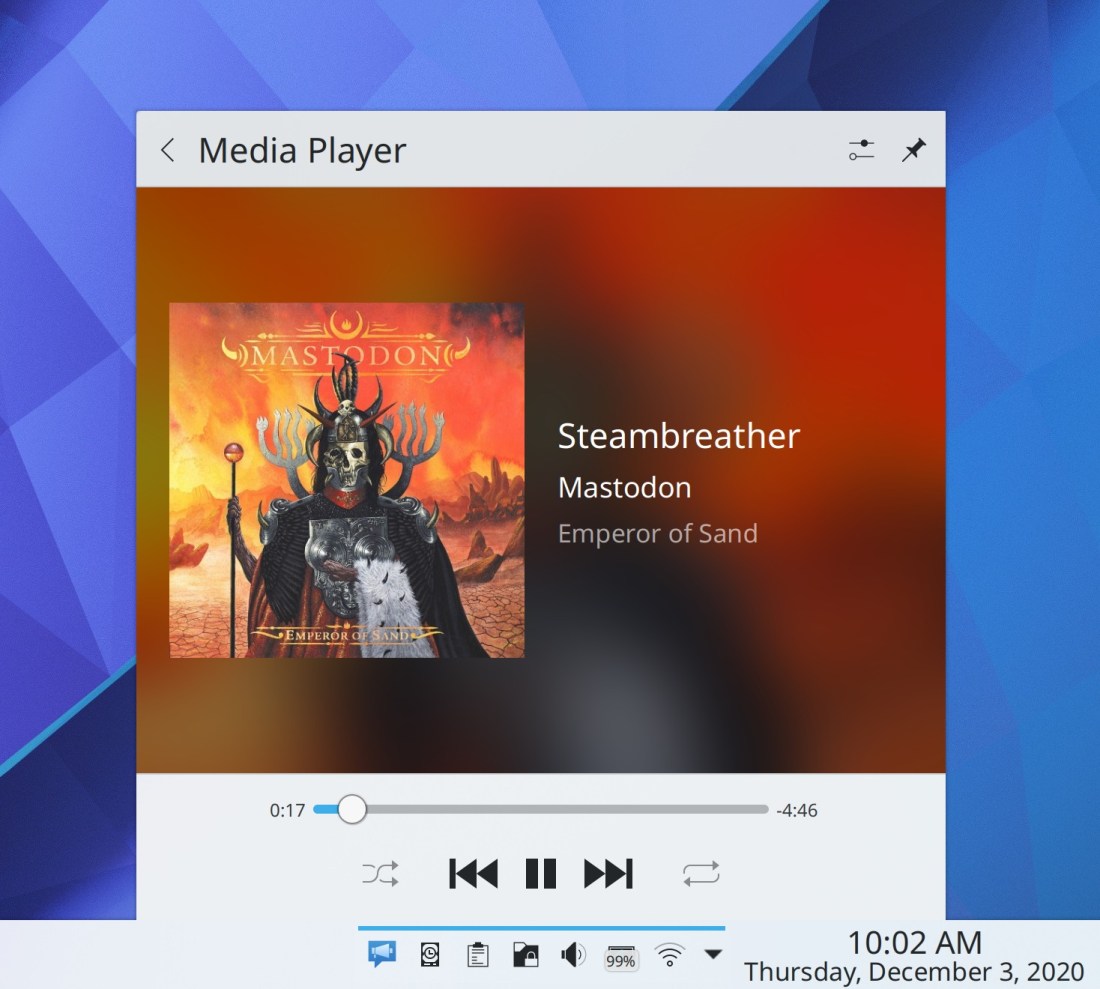
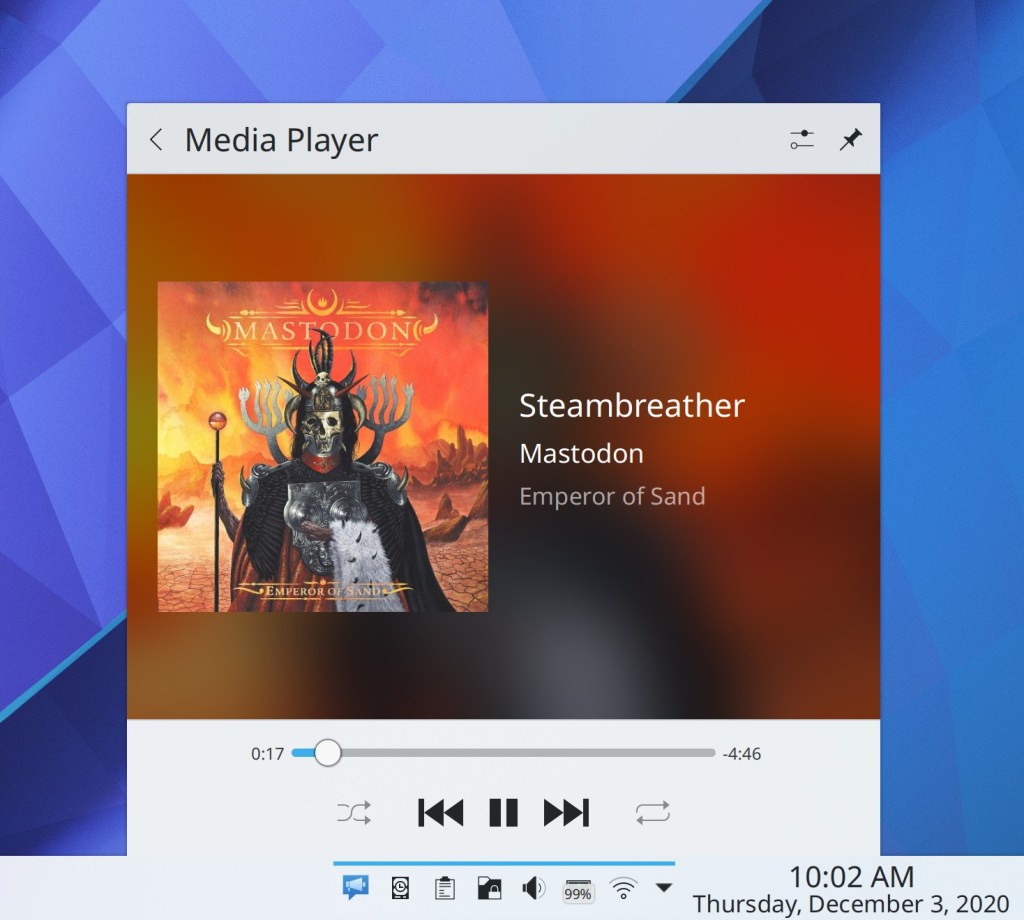
The Media Player applet’s album art area now stretches to fill the entire horizontal area, with no side margins (Mikel Johnson and Marco Martin, Plasma 5.21):

Damn that’s pretty

The rubberband/box selection effect now has rounded corners for a more Breeze-like style (Carson Black, Plasma 5.21)

The Places Panel in file dialogs now matches Dolphin’s new behavior of only highlighting a Places Panel entry when that exact location (not a sub-folder) is shown in the main view (Méven Car, Frameworks 5.77)

When you try to unmount a mounted NFS share on which is the location of any open files, the thing you tried to use to unmounted it now tells you that this is the problem, just like it does for physical disks (Méven Car, Frameworks 5.77)

How You Can Help

Have a look at https://community.kde.org/Get_Involved to discover ways to be part of a project that really matters. Each contributor makes a huge difference in KDE; you are not a number or a cog in a machine! You don’t have to already be a programmer, either. I wasn’t when I got started. Try it, you’ll like it! We don’t bite!

Finally, consider making a tax-deductible donation to the KDE e.V. foundation.
Lenovo ThinkPad X1 Yoga: 6 month impressions

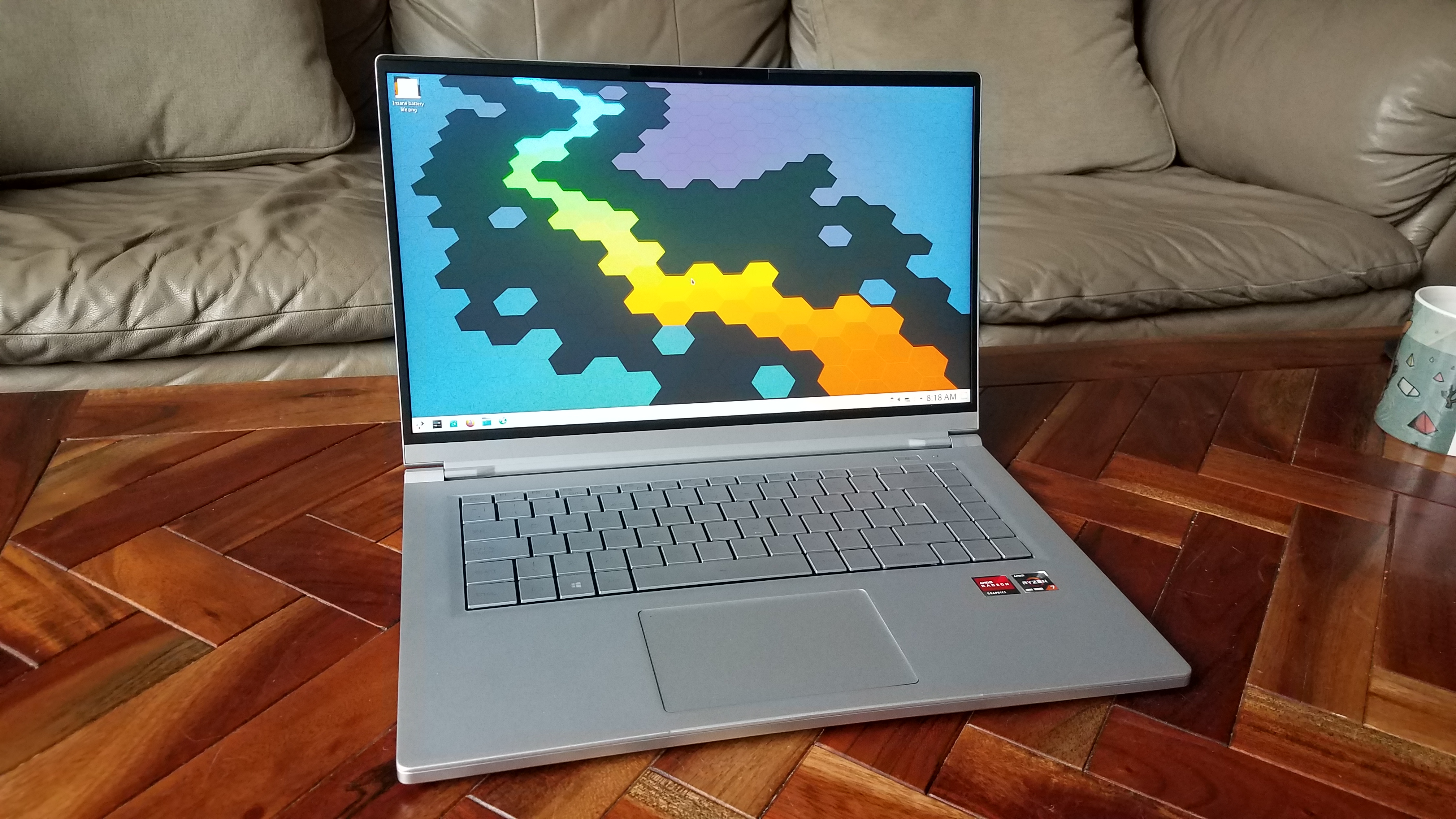
I’ve now had my Lenovo ThinkPad X1 Yoga laptop for about 6 months, so I thought I’d provide a quick update about how it’s going to use this laptop every day with openSUSE Tumbleweed running KDE Plasma. Let’s explore what’s changed since then:

Keyboard

Initially, I complained about some aspects of the keyboard layout, but I’ve gotten used to the Home/End/PageUp/PageDown positioning, and the swapped position of the Fn and Ctrl keys. These are fine now. Lack of media keys is okay too since I’ve used the Shortcuts KCM to set my own. However I just can’t get used to the PrintScreen key being between the right Alt and Ctrl keys. I probably press it by accident 10 times a day and bring up Spectacle when I don’t mean to. One of these days I should get around to using xmodmap or something to turn it into a right Meta key, and they maybe make the F11 key which currently does nothing be the new PrintScreen key.

Speakers and audio

In my initial review, I had some complaints about the speakers and audio configuration. It turned out there there were issues both in the Kernel and PulseAudio that prevented the speakers from reaching their full potential, and all of those issues have been resolved now. The speakers sound awesome (for a laptop, of course). In addition, all the software issues in Plasma are fixed too. Everything audio-related is now perfect. I love listening to music on the machine. It sounds so good!

Camera

The camera’s lag has gone away due presumably to improvements in some layer of the software stack beneath KDE. The quality is still not fantastic, but that’s generally what you can say about any laptop webcam these days. It’s sufficient for Zoom and BigBlueButton meetings.

Power Management

Over the last 6 months, power management got worse and worse. Battery life continually declined and then eventually the battery started spontaneously reporting its charge percent as 0% while unplugged. At other times it would refuse to charge. This was a disaster for, well, actually using it as a laptop!

I called for warranty service and a technician replaced the battery recently. The issues immediately disappeared. I haven’t experienced any more buggy behavior, and the battery life has increased to about 6 hours with real use, which is probably acceptable given the fancy 4K screen. Hopefully there are more wins to be had through additional kernel optimizations in the future. I guess my original battery was just a lemon.

Finally!!!!

Screen/Graphics

I love the 4K screen! Everything is so sharp and crisp!

..a little bit too much so, perhaps.

4K turns out to be kind of overkill for a 14″ screen. Its resolution of 3840×2160 pixels effectively becomes 1920×1080 with 200% scaling, but the thing is, 1920×1080 makes everything rather too small on the screen. It would be ideally suited for a larger 15.6″ screen, but at 14″ and even 13.3″, you need to use fractional scaling or increase the font size to make things big enough to be legible. So that’s what I’m doing: I currently have the scale set to 200% and I use 11pt fonts, making everything approximately 10% larger with no blurriness since it doesn’t scale icons, lines, or pixmaps. It’s as if I had an effective resolution of 1745×981.

Lenovo offers this laptop with a 1440p screen option, but that’s not right either: its 2560×1440 resolution, when scaled to 200%, gives you only an effective resolution of 1280×720, which is much too low and everything on the screen becomes comically large! Well maybe not comically large, but too large for my tastes, at least. 🙂 All windows need to be maximized, and even then, they will feel starved for space. This might be an acceptable resolution for a 12-13″ screen, but not 14″.

I think the ideal high DPI resolution for a 14″ lies between 1440p and 4K; something like QHD+, which is 3200×1800. You’d have effectively 1600×900 with 200% scaling, which would be perfect. 4K should be saved for the 15.6″ screen laptops which will have room to fit an enormous 90+ Wh battery required to provide adequate endurance with such a power-hungry panel.

There’s one more problem with the 4K screen: it’s driven by an integrated Intel UHD 620 GPU which simply cannot push the pixels fast enough. I regularly experience dropped frames and choppiness in full-screen GPU-accelerated animations. Even worse, full-screen CPU-bound rendering (like YouTube videos in Firefox) will kick the CPU into overdrive and massacre the battery life. Gaming? forget about it.

The situation would be improved with either Intel’s 11th gen architecture or AMD’s Ryzen CPUs, both of which feature radically better integrated graphics capabilities. But I’m stuck with the old Intel UHD 620 which is pathetically underpowered for the hardware that’s being thrown at it. Oh well. Lesson learned.

On a happier note, the touchscreen now works out of the box due to distro patches for the problem I mentioned in the initial review. However I still haven’t managed to get the 10-bit color support working.

High DPI scaling

Every single scaling issue I found is now (or already was) working on Wayland!

On X11, all the major issues I ran into are fixed, but there are still a lot of minor rough edges. Many are virtually unfixable, sadly. Ultimately Wayland is the future, so it’s good that it’s been selected as an official KDE goal and is improving at warp speed right now!


Conclusions

I’m happy with this laptop now. It does what I need and it’s a pleasure to use. Here’s what’s great about it:

  • Build quality
  • Quality of input and output devices: keyboard, touchpad, screen, and speakers
  • Uses LVFS for firmware updates (and this actually works)
  • Two full-size USB ports and a full-size HDMI port
  • Rechargeable pen that lives and charges in its own little garage

What would make it perfect:

  • Move the dang PrintScreen key to somewhere on the top function row, and maybe put a second Meta key in its current location
  • AMD Ryzen 4800U CPU for faster software compilation times and better integrated graphics
  • QHD+ screen resolution instead of 4K, for diminished power consumption and perfect 200% scaling
  • Even larger battery capacity; 51 Wh is not very impressive in a 14″ screen laptop anymore
  • USB-C ports on both sides so you can charge it from the left or the right

This week in KDE: Bugfixes and bug triaging

This week we worked very hard not only fixing bugs in our software, but also on triaging bugs in our venerable bug tracker, bugs.kde.org. Thanks to the coordinating efforts of Justin Zobel, the KDE BugSquad has been working harder than ever to separate the wheat from the chaff so developers can focus on what matters, rather than wading through a sea of obsolete reports and bugs that have been fixed ages ago. If this sounds like fun, please feel free to get involved! See https://community.kde.org/Guidelines_and_HOWTOs/Bug_triaging

New Features

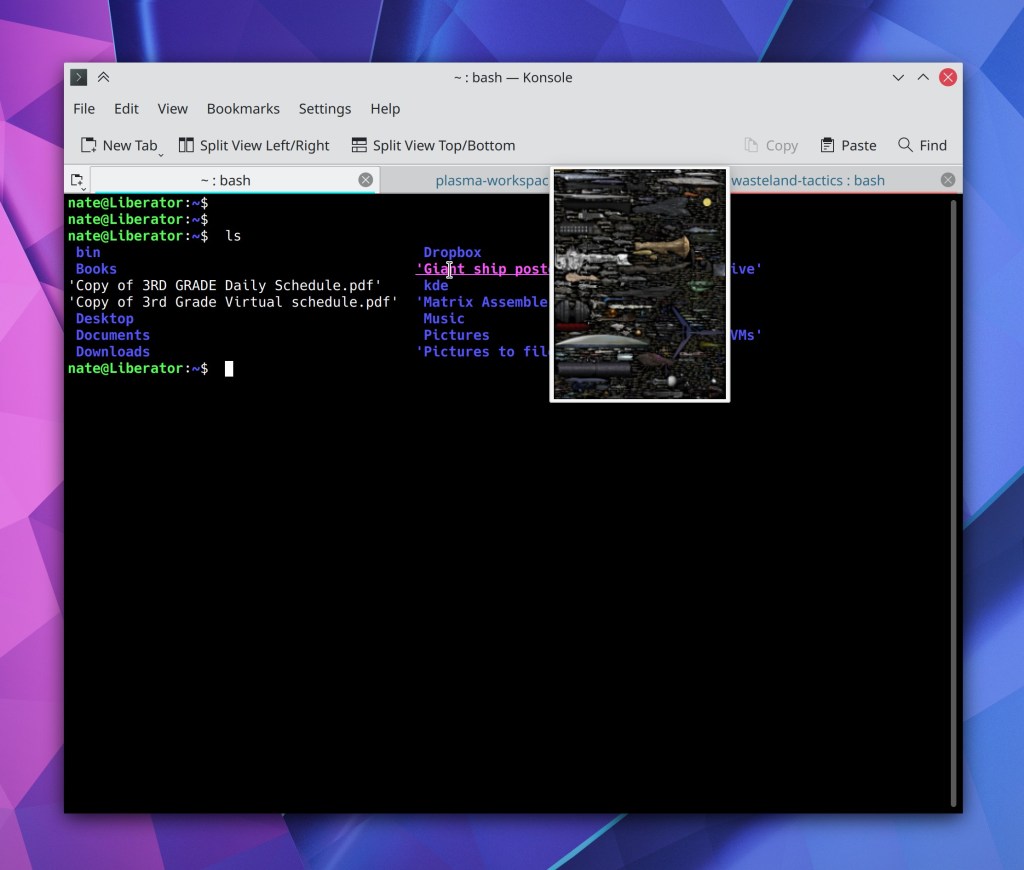
Konsole now shows you color previews for HTML color codes! (Gustavo Carneiro, Konsole 20.12):

Bugfixes & Performance Improvements

Dolphin will once again launch AppImages and other executable files (me: Nate Graham, Dolphin 20.12)

Dolphin no longer sometimes crashes when closing the Terminal panel (Ahmad Samir, Konsole 20.12)

Okular no longer fails to open files whose filenames include the . and # characters in various places (Albert Astals Cid, Okular 20.12)

Text in the System Settings Autostart page is once again properly translated (Nicolas Fella, Plasma 5.20.4)

The Audio Volume applet pop-up no longer sometimes displays an unknown, non-functional device with the text “Device name not found” (Nicolas Fella, Plasma 5.20.4)

The Emoji Selector once again shows the Smilies & Emotion category (David Redondo, Plasma 5.20.4)

In the Plasma Wayland session, the titlebar context menu’s “Resize” item now works on maximized windows (Vlad Zahorodnii, Plasma 5.20.4)

People who had set a global shortcut for Night Color early on in its development process will now see that it works again (Michał Ziąbkowski, Plasma 5.20.4)

In the Plasma Wayland session, the current keyboard layout indicator now works (Andrey Butirsky, Plasma 5.21)

In the Plasma Wayland session, Task Manager thumbnails for client-side-decorated windows are no longer visually clipped (Vlad Zahorodnii, Plasma 5.21)

In the Plasma Wayland session, tapping a titlebar button with a touchscreen now makes the menu (if any) appear at the finger’s location, not at the cursor’s location (Xaver Hugl, Plasma 5.21)

In the Plasma Wayland session, deliberately killing XWayland no longer crashes the whole session (Vlad Zahorodnii, Plasma 5.21)

The lock screen now resizes itself correctly to fill the whole screen after rotating a device that supports screen rotation (Vlad Zahorodnii, Plasma 5.21)

The Calendar widget now has visible text when using a dark color scheme (Tomaz Canabrava, Plasma 5.21):

Sending multiple files to a Bluetooth device now works (Nicolas Fella, Frameworks 5.77)

Text in the “Share…” menus throughout KDE software is now properly translated (Nicolas Fella, Frameworks 5.77)

The menu that appears when dragging-and-dropping something on the desktop is now positioned on the correct screen when using a multi-screen setup (David Redondo, Frameworks 5.77)

The clear button inside Plasma text fields no longer overlaps long text (me: Nate Graham, Frameworks 5.77)

Progress indicator bars in Plasma notifications no longer visually overshoot their bounds in various odd conditions (David Redondo, Frameworks 5.77)

When using Discover to perform updates that include add-ons from store.kde.org, the add-ons no longer immediately disappear the moment you click the “Update” button but rather disappear exactly when they should (Alexander Lohnau, Frameworks 5.77)

When logging out of a Plasma session, a blank session named “Unused” is no longer left behind, visible in the user switcher screen (Fabian Vogt, SDDM 0.19)

User Interface Improvements

Dolphin’s Places panel now highlights an entry only when the main view is displaying that exact entry, not any sub-folder inside it (Méven Car, Dolphin 20.12)

Table views throughout KDE apps no longer have a vertical separator line for the last column that is one pixel too thick (Fabian Vogt, Plasma 5.21)

The Analog Clock applet now shows the exact time in its tooltip (Tomaz Canabrava, Plasma 5.21)

KDE apps now display pretty icons for video subtitle files, TrueType font files, Math files, QEMU disk images and SquashFS images, and core dumps (Kai Uwe Broulik, Frameworks 5.77):

How You Can Help

In addition to bug triaging mentioned earlier, you can have a look at https://community.kde.org/Get_Involved to discover more ways to be part of a project that really matters. Each contributor makes a huge difference in KDE; you are not a number or a cog in a machine! You don’t have to already be a programmer, either. I wasn’t when I got started. Try it, you’ll like it! We don’t bite!

Finally, consider making a tax-deductible donation to the KDE e.V. foundation.
This week in KDE: Apps and Wayland fixes

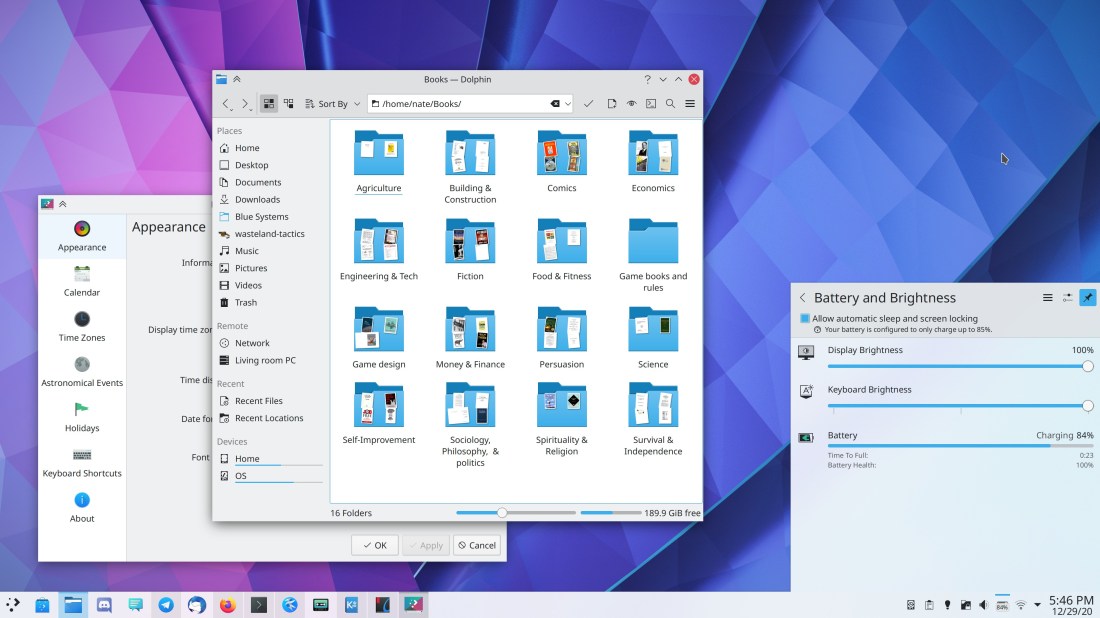
First of all, those of you who were upset by the change to move Dolphin’s Breadcrumbs bar/URL navigator into the toolbar should be happy to hear that we’ve made it optional–you can remove it from the toolbar and it will return to its former location. Furthermore, the change will only take effect for new installs and user accounts, not for existing users who have already customized Dolphin. Hopefully this should resolve all the complaints people had with it! 🙂 This change was made by Felix Ernst and will be included in Dolphin 20.12.

Aaaaand there’s plenty more too, including some juicy Wayland fixes:

New Features

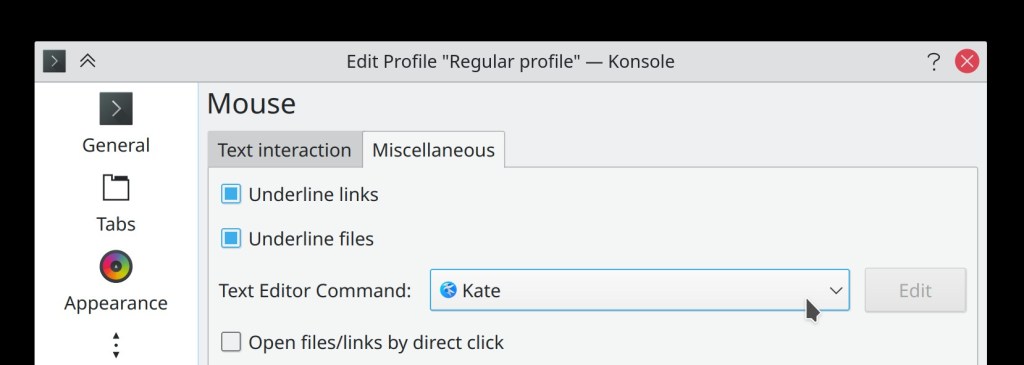
When Ctrl+clicking on a file in Konsole to open that file in an external app, Konsole now supports file paths with line numbers at the end; this means that, for example, you can Ctrl-click on the text thumbnailitem.cpp:44 to open that file in your text editor right at line 44! This requires that your text editor supports this of course, but Kate does. 🙂 (Ahmad Samir, Konsole 21.04)

The Plasma Media Controller applet now features shuffle and loop controls (Mikel Johnson, Plasma 5.21)

Bugfixes & Performance Improvements

In the Plasma Wayland session, Spectacle’s Rectangular Region mode now works, and screenshots taken on high DPI systems are now taken at the full correct resolution! (Méven Car, Spectacle 20.12)

Okular no longer sometimes crashes when opening a document while using certain screen arrangements and Qt 5.13 or earlier (David Hurka, Okular 20.12)

After starting Elisa, the first song you start playing no longer starts playing in the middle if a different song was in the middle of playback the last time Elisa was quit (Matthieu Gallien, Elisa 20.12)

Fixed a case where Elisa could crash during playback (Matthieu Gallien, Elisa 20.12)

Elisa’s album view no longer has gaps around the edges that allow the parent view to show through (me: Nate Graham, Elisa 20.12)

Dolphin once again displays custom icons which are not from the current icon theme (Méven Car, Dolphin 20.12)

When using the old Synaptics touchpad drivers with inertia activated, Scrolling in Konsole and then holding the Ctrl key while the inertial scrolling is still decelerating no longer causes the view to get resized (Carlos Alves and René J.V. Bertin, Konsole 21.04)

Various apps in the Plasma Wayland Session no longer crash when you try to view font-related things (Andrey Butirsky, Plasma 5.20.4)

Double-clicking on a user in the new System Settings Users page, or clicking on one user after another, no longer causes the view to stack up with multiple user pages (Carson Black, Plasma 5.20.4)

System Settings’ Touchpad page no longer has a broken layout for the right-click/middle-click options some of the time when you open it (David Edmundson, Plasma 5.20.4)

Discover no longer has a stuck process secretly running in the background after you quit it, removing one of the sources of slow shutdowns/logouts (Aleix Pol Gonzalez in Plasma 5.21 or Richard Hughes in the next version of the fwupd library, whichever comes first)

Switching to Picture of the Day on the System Settings’ Screen Locking appearance page now always works (David Redondo, Plasma 5.20.4)

The visual representation of window borders in the System Settings Window Decorations page is now always accurate (Ismael Asensio, Plasma 5.20.4)

Dragging in the spinbox used to determine panel height now always resizes the panel in the direction of the drag even if the panel is on a top or right screen edge (me: Nate Graham, Plasma 5.20.4)

The Magic Lamp minimize effect now works properly when minimizing a window into a task manager located on a Panel or Latte Dock that is offset from the screen edge by a few pixels (Xinbo Wang, Plasma 5.20.4)

Opening a System Settings page from Kickoff or KRunner now shows the category sidebar if needed when using Icon View (David Redondo, Plasma 5.20.4)

After applying a Global Theme, the currently-used widget style is once again visually selected in System Settings’ Application Style page (David Redondo, Plasma 5.20.4)

Full-screen windows on multi-monitor setups are now restored to the correct monitor when one of them is unplugged/turned off and then plugged back in again/turned back on (Chaojiang Luo, Plasma 5.21)

In the System Settings Window Decorations page, labels no longer sometimes overlap with buttons in the section where you can choose your own arrangement for titlebar buttons (me: Nate Graham, Plasma 5.21)

KWin no longer sets a left touch screen edge by default, which means there is no longer a 1-pixel dead zone on the left edge that eats mouse clicks and scroll events (me: Nate Graham, Plasma 5.21)

Fixed a case where renaming and then immediately deleting a file could cause it to persist in the Baloo file indexer’s index (Stefan Brüns, Frameworks 5.77)

Text in various layouts through System Settings, Discover, and other apps is once again aligned correctly to the nearby controls (Carl Schwan, Frameworks 5.77)

“Often Used”/”Recently Used” views in various places in Plasma (e.g. Kickoff’s tabs by the same names) now display the correct sets of files (Ivan Čukić, Frameworks 5.77)

In the Plasma Wayland session, some scrollviews in Plasma and QML-based software like System Settings no longer scroll in the wrong direction (David Edmundson, Qt 5.15.2)

User Interface Improvements

Improved flick-based touch scrolling behavior in Okular (David Hurka, Okular 20.12)

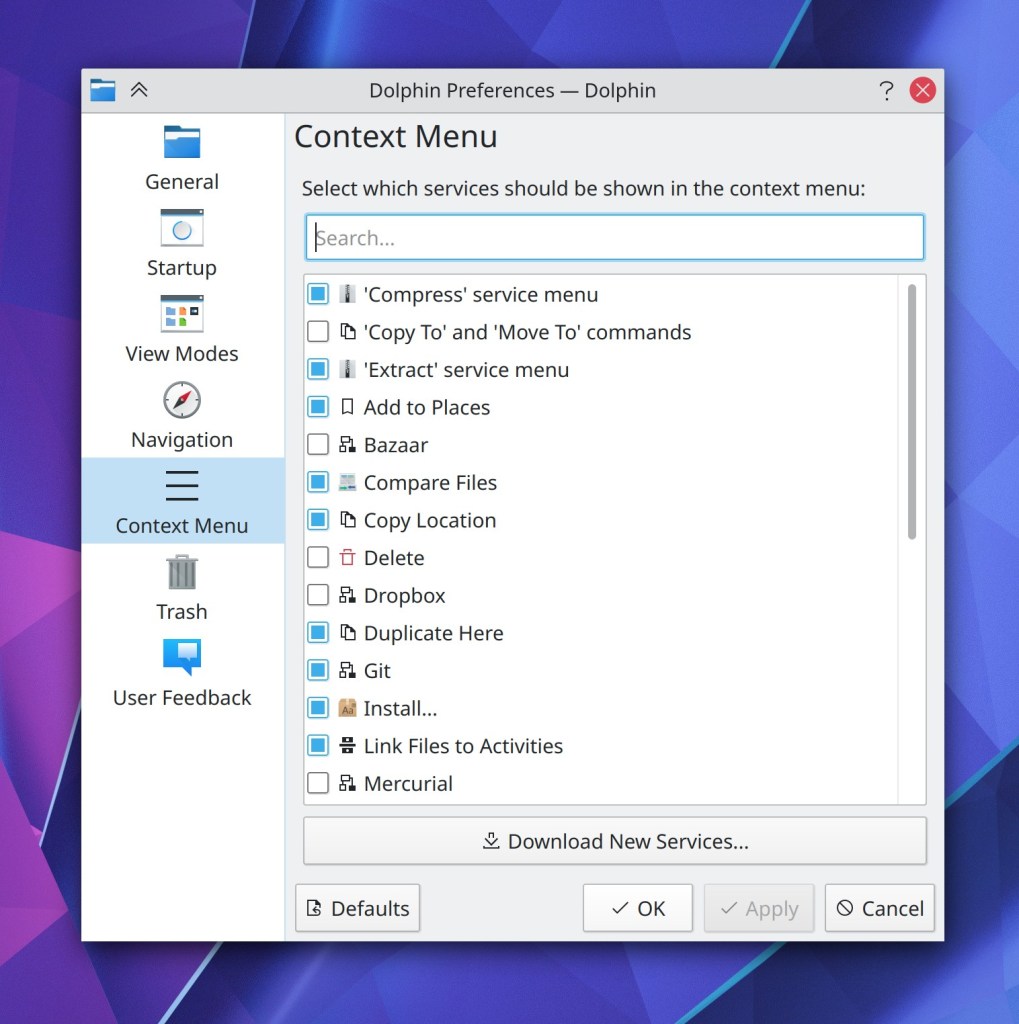
Dolphin’s currently somewhat overwhelming context menu no longer shows the paste action when right-clicking on a file; only when right-clicking on a folder or the view background (Méven Car, Dolphin 20.12)

Dolphin’s “Create New Folder” action now uses the standard systemwide shortcut (F10) so if you change the shortcut systemwide, Dolphin respects that (Domenico Panella, Dolphin 21.04

System Settings’ Activities and Automount pages now support the “Highlight changed settings” feature (Cyril Rossi, Plasma 5.21)

The blur feature used throughout Plasma and various KDE apps (optionally) is now blurrier by default (Niccolò Venerandi, Plasma 5.21):

Text fields in KDE apps now have the same thick focus ring used for Plasma text fields (Carson Black, Plasma 5.21):

The Audio settings accessible from the System Tray applet no longer has two vertical scrollbars when the content doesn’t entirely fit (David Redondo, Plasma 5.21)

Times throughout KDE use more relative times (e.g. “15 minutes ago”) instead of the raw times (Méven Car, Frameworks 5.77)

The Kup backup system’s System Tray icon is now monochrome, like others (me: Nate Graham, Frameworks 5.77):

How You Can Help

Have a look at https://community.kde.org/Get_Involved to discover ways to be part of a project that really matters. Each contributor makes a huge difference in KDE; you are not a number or a cog in a machine! You don’t have to already be a programmer, either. I wasn’t when I got started. Try it, you’ll like it! We don’t bite!

Finally, consider making a tax-deductible donation to the KDE e.V. foundation.
This week in KDE: Tons of improvements to our core apps

A bunch of KDE apps received many lovely new features, bugfixes, and user interface improvements this week! And Plasma too, of course. 🙂 Let’s get right to it:

New Features

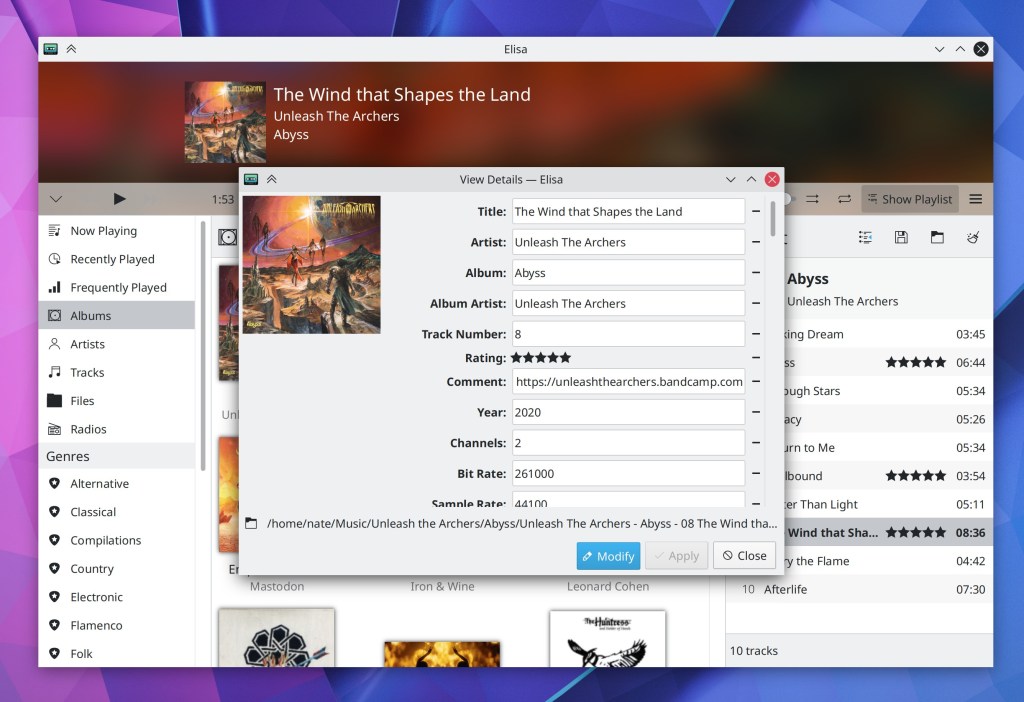
Elisa now lets you edit tracks’ metadata from inside the app! (Matthieu Gallien, Elisa 20.12):

Elisa now lets you easily find the on-disk location of each song (me: Nate graham, Elisa 20.12):

Konsole now has a configurable toolbar (which you can of course hide if you don’t like it) (Tomaz Canabrava, Konsole 21.04):

You can now download new KRunner Runners from store.kde.org straight from the System Settings page! (Alexander Lohnau, Plasma 5.21):

Bugfixes & Performance Improvements

Dolphin no longer frequently crashes when typing in the Filter Bar (Ismael Asensio, Dolphin 20.12)

Dolphin once again shows the correct number of files inside symlinked folders (Méven Car, Dolphin 20.12)

Dolphin is now more reliable and less likely to freeze in the face of network flakiness (Méven Car, Dolphin 20.12)

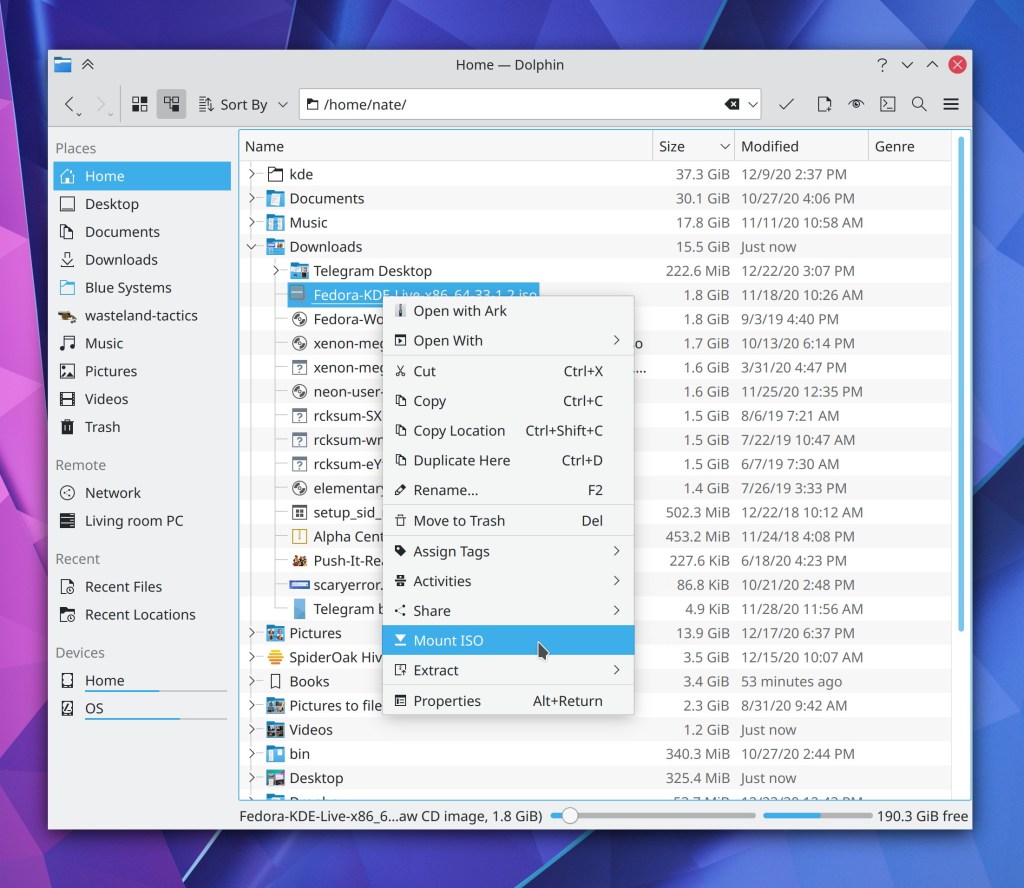
Dolphin’s ISO mounter plugin no longer fails to mount the same ISO twice and now correctly unmounts the underlying loop device too (Kwon-Young Choi, Dolphin 20.12)

Middle-clicking on tabs in Kate once again closes them (Robert-André Mauchin, Kate 20.12)

In Elisa, touch scrolling and fast scrolling by holding down the Shift key while scrolling now work (me: Nate Graham, Elisa 20.12)

Elisa now accepts album art for albums with the art in a file named albumart.[jpg|png] (me: Nate Graham, Elisa 20.12)

When Elisa is loading a view, the progress spinner no longer overlaps some placeholder text (me: Nate Graham, Elisa 20.12)

Plasma Disks no longer sometimes crashes when mounting a USB disk (Harald Sitter, Plasma 5.20.3)

The Lock screen’s “Switch User” action is once again visible for people using distros that ship an up-to-date version of systemd (Wolfgang Bauer, Plasma 5.20.3)

After mounting an external disk, the Disks & Devices popup no longer hilariously/terrifyingly jumps between different screens of a multi-screen setup when each screen has its own panel with a System Tray on it (Konrad Materka, Plasma 5.20.3

Icons in the Alt+Tab task switcher are once again displayed correctly for a wide variety of apps (Aleix Pol Gonzalez, Plasma 5.20.3)

Discover can once again install locally-downloaded distro package files (e.g. .rpm and .deb files) (Alexander Lohnau, Plasma 5.20.4)

Right-clicking on something in the Kicker or Kickoff launcher menus now causes the context menu to appear instantly the first time (Aleix Pol Gonzalez, Plasma 5.20.4)

In the System Settings Cursors page, the menu of available cursor sizes now displays those cursors with their real sizes (David Redondo, Plasma 5.20.4):

In the Plasma Wayland session, Dragging tabs from Firefox over the desktop no longer crashes the whole session (Vlad Zahorodnii, Plasma 5.21)

Context menus for 3rd-party System Tray items no longer sometimes stack up on top of each other when right-clicking on multiple consecutive applets (Konrad Materka, Plasma 5.21)

On the System Settings Window Decorations page, the border size text no longer gets cut off when using a scale factor or a language with longer text than English (Ismael Asensio, Plasma 5.21):

The sound check feature on the System Settings Audio Volume page no longer causes your subwoofer to make odd noises (Nicolas Fella, Plasma 5.21)

Circular timeout indicators inside notifications are no longer invisible under certain circumstances (David Redondo, Plasma 5.21)

After updating items from store.kde.org using either Discover or the Get New [Thing] Window, some of those things no longer inaccurately show up as updateable the next time you check for updates (Alexander Lohnau, Frameworks 5.76)

Fixed one of the ways that Discover could crash when performing updates that include any add-ons (Dan Leinir Turthra Jensen, Frameworks 5.77)

In the Plasma Wayland session, you can now re-assign keyboard shortcuts without accidentally triggering their actions in the process (David Redondo, Frameworks 5.77)

Using Meta+Tab as a shortcut in the System Settings Shortcuts page no longer results in the word “tab” being visually duplicated in the shortcut chooser box (David Redondo, Frameworks 5.77)

When using a fractional scale factor, Konsole no longer displays ugly horizontal lines in some places with some font sizes (Someone awesome, Qt 5.15.1)

User Interface Improvements

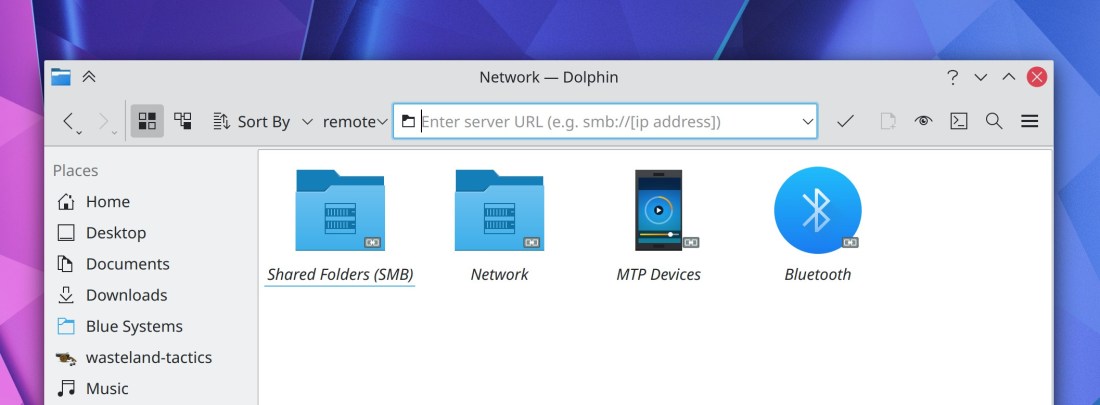
Dolphin’s URL navigator now lives in its toolbar! (Felix Ernst, Dolphin 20.12):

Hovering the cursor over a Places Panel item now displays a little tooltip with the full path to that location (Méven Car, Dolphin 20.12):

All of the appearance-related pages in System Settings have now been re-organized to live inside a top-level “Appearance” list item which takes you to the Global Themes page, to make it more clear that Global Themes can potentially affect all of them (Marco Martin, Plasma 5.21)

You can probably see a lot of minor visual glitches in the above video; we’ll try to have then fixed by the final Plasma 5.21 release.

The way you add and switch between timezones in the digital clock applet has been totally overhauled to clarify the difference between changing the systemwide timezone and changing the timezone in the applet, and to make it easier to change the systemwide time zone (me: Nate Graham, Plasma 5.21)

The System Settings KWin Rules page now warns you when you try to set rules for a window not managed by KWin which can’t be affected by window rules (Ismael Asensio, Plasma 5.21)

Further refined the appearance of the Media Player applet (Mikel Johnson, Plasma 5.21):

When you set a custom keyboard shortcut to activate the System Tray’s popup, the shortcut now also closes it if it’s currently open as well, as it does for other applets (Konrad Materka, Plasma 5.21)

The Networks applet now has its search field integrated into the header area and visible by default, rather than hidden behind a button (me: Nate Graham, Plasma 5.21):

Separators between list items in Kirigami-based apps now have a more subtle and less attention-getting appearance (me: Nate Graham, Frameworks 5.77):

The desktop drag-and-drop menu no longer has an unnecessary extra separator in it (David Redondo, Frameworks 5.77)

Section headers in Kirigami-based apps now word-wrap properly when they are very long or when their window/view is very narrow (Carson Black, Frameworks 5.77)


Phew, that felt more like a month’s worth of work. I am constantly in awe of the KDE community’s productivity!

How You Can Help

Have a look at https://community.kde.org/Get_Involved to discover ways to be part of a project that really matters. Each contributor makes a huge difference in KDE; you are not a number or a cog in a machine! You don’t have to already be a programmer, either. I wasn’t when I got started. Try it, you’ll like it! We don’t bite!

Finally, consider making a tax-deductible donation to the KDE e.V. foundation.

This week in KDE: The user interface improvements you’ve always wanted

This week the new Plasma System Monitor app had its first independent release! This app is a future replacement for the current KSysGuard monitoring app, and features a radically better user interface, an overview page with “just the facts”, simpler and more powerful customizability, and an easy to understand “Applications” page that shows individual apps rather than processes.

This app has been in development for almost two years and it’s really cool! We’re expecting it to eventually replace KSysGuard once it’s gotten some more use in the wild, but for now it is an independent release. Distros should be packaging it soon. Please install it and give it a try! Bug reports should be filed here.
But we kept plugging away on other stuff too…

New Features

Dolphin’s Places Panel now shows inline free space indicators for mounted disks in the Places Panel (Chris Holland, Dolphin 20.12):

Kate now supports the Zig language server (Matheus C. França, Kate 20.12)

Changing your user password now prompts you to change your KWallet password to match it so that if they previously matched, they don’t accidentally drift out of sync, which is baffling and rage-inducing when it happens (me: Nate Graham, Plasma 5.21):

Plasma Network manager’s OpenVPN module now supports multiple types of compression (Alfred Toth, Plasma 5.21)

Bugfixes & Performance Improvements

Dolphin’s git integration plugin no longer interferes with command-line-based git interactions (Sebastian Englbrecht, Dolphin 20.12)

Dolphin no longer sometimes consumes 100% of CPU resources while the Folders panel is open and showing folders that don’t have any sub-folders (Méven Car, Dolphin 20.12)

Konsole no longer sometimes crashes when re-arranging split views or closing split views (Carlos Alves, Konsole 20.12)

Back and Forward navigation in Okular after using internal links now works again (Kezi Olio, Okular 20.12)

When using Spectacle’s feature to return focus to the app when pressing the screenshot key while it’s already open, now doing so will un-minimize the app if it happens to be minimized (David Redondo, Spectacle 20.12)

When using Kate’s vi mode, the search field no longer disappears if focused again while it’s already open (Jan Paul Batrina, Kate 20.12)

The “switch user” action is once again visible in the Kickoff Application launcher for people using distros with an older systemd–for real this time! (David Edmundson, Plasma 5.20.3)

Switching users now actually works again after you invoke the action (Wolfgang Bauer, Plasma 5.20.3)

All the shutdown options are once again always visible for all people in the Kickoff application launcher (Michail Vourlakos, Plasma 5.20.3)

Fixed an obscure way that the Plasma Wayland session could crash (Lewis Lakerink, Plasma 5.20.3)

Opening the Network applet’s speed graph no longer erroneously causes the graph to show an implausibly high spike in data transfer that messes up the graph scale for all subsequent data (David Redondo, Plasma 5.20.3)

In the Plasma Wayland session, opening a laptop’s lid now immediately wakes it up, instead of this only happening after you press a key (Aleix Pol Gonzalez, Plasma 5.20.3)

The System Settings Window Rules page no longer automatically scrolls itself after creating a new rule and hovering the cursor over the list of rules when there are already a ton of rules in the list (Ismael Asensio, Plasma 5.20.3)

The “number of CPU cores” sensor now displays the right information (David Redondo, Plasma 5.21)

When using the Plasma Wayland session with multiple virtual desktops, the name of the virtual desktop is now correct in Task Manager tooltips (Lewis Lakerink, Plasma 5.20)

Plasma applet headers now use the correct colors when using with Breeze Dark Plasma theme (Dominic Hayes, Frameworks 5.76)

Fixed a common crash in System Settings when opening various QML-based pages (David Edmundson, Frameworks 5.76)

Notifications for file move or copy operations no longer include skipped files in the total number of files printed at the end (David Faure, Frameworks 5.76)

Thumbnails and previews throughout KDE software are now able to render 16-bit PSD files (Gary Wang, Frameworks 5.76)

User Interface Improvements

Inertial scrolling using the mouse now works when the cursor wraps around vertically after reaching the top or bottom of the window (David Hurka, Okular 1.11.3)

When you share an image to Imgur in Gwenview, there’s now a little notification in the UI that tells you it worked, shows the the link, and automatically copies it to the clipboard for you–just like in Spectacle (Nicolas Fella, Gwenview 20.12

The Samba server authentication dialog has been slimmed down and made more flexible so it can accommodate multiple different login types, with a handy help tooltip that helps you understand the various options (Harald Sitter, Dolphin 20.12):

Sheets in Kirigami-based software now close when you hit the Escape key (Ismael Asensio, Frameworks 5.76)

Draggable list items in Kirigami-based software now use the grabby hand cursor when the cursor is hovered over or dragging on the grab handle (Ismael Asensio, Frameworks 5.76)

The System Setting Accessibility page has been rewritten in QML and given a fancy new user interface (Tomaz Canabrava, Plasma 5.21):

System Tray applets now all have a visible Configure button in their header, as well as a hamburger menu showing all additional actions. This makes all System Tray applets full functionality 100% usable on touch and without having to right-click anything (Marco Martin, Plasma 5.21):

Check it out: SSD headerbars in the Plasma System Tray lol!

Icons in the System Tray expanded view are no longer quite so close to the header (Niccolò Venerandi, Plasma 5.21)

System Settings’ Notifications page now supports the “Highlight Changed Settings” feature (Cyril Rossi, Plasma 5.21)

The little pop-up menu that appears when you hover over a Panel applet while in Edit Mode now looks prettier (Niccolò Venerandi, Plasma 5.21):

After last week’s mixed feedback about the new UI style for the System Settings Audio page, we made a few changes which should hopefully improve it a bit (with more to come): We now use standard style section headers, and the “Show Inactive Devices” button has now been moved to the footer area (Nicolas Fella, Plasma 5.21):

Changed the menu text for the “turn off do not disturb” feature to be a bit more clear (Thiago Sueto, Plasma 5.20):

Those of you who liked the old Alt+Tab switcher’s behavior of placing minimized windows at the end of the list can now get that old behavior behavior back by adding MoveMinimizedWindowsToEndOfTabBoxFocusChain=true to the [TabBox] group
of your ~/.config/kwinrc file. In the future we may add a GUI to control this, but the the moment it is a hidden feature that requires manually modifying the config file (me: Nate Graham, Plasma 5.21)

Icons in collapsed sidebars in various Kirigami-based apps (e.g. and the Emoji input panel and the new Plasma System Monitor) are now horizontally centered as expected (David Redondo, Frameworks 5.76)

How You Can Help

Have a look at https://community.kde.org/Get_Involved to discover ways to be part of a project that really matters. Each contributor makes a huge difference in KDE; you are not a number or a cog in a machine! You don’t have to already be a programmer, either. I wasn’t when I got started. Try it, you’ll like it! We don’t bite!

Finally, consider making a tax-deductible donation to the KDE e.V. foundation.