This week we have some big stuff for you, including a rewritten global shortcuts settings page, an option to remember Dolphin’s window state across launches, a fix for longstanding kerning issues with centered text in QML-based software, and much more!
New Features
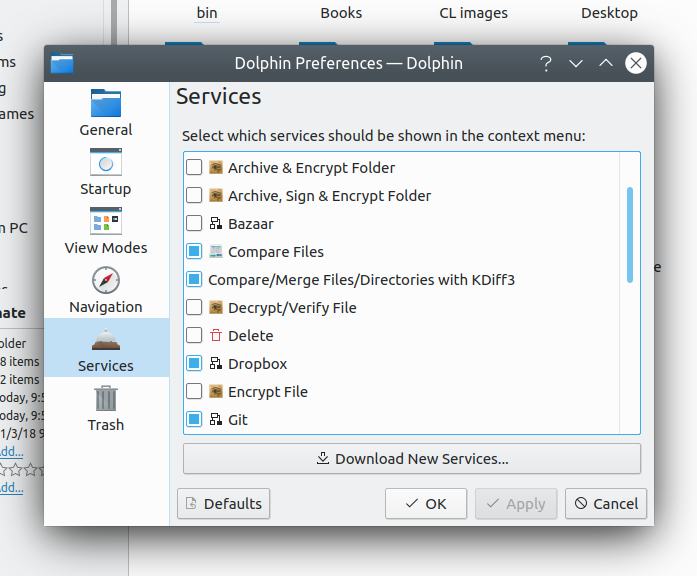
- Dolphin now remembers and restores the location you were viewing, open tabs, and split views when closed and launched again. This feature is on by default, but can be turned off in the Startup page of Dolphin’s settings window (me: Nate Graham, Dolphin 20.08.0):

- The System Settings Global Shortcuts page was rewritten from scratch, providing radically better usability, long-requested features such as a global search and the ability to see and configure more than two shortcuts. Nearly all the open bug reports were fixed! (David Redondo, Plasma 5.19.0):

Bugfixes & Performance Improvements
- Centered text throughout QML-based KDE software no longer sometimes displays terrible kerning (Arjen Hiemstra, Qt 5.15.1)
- Moving or copying files to a remote SFTP location no longer appends “.part” onto the end of the file (Harald Sitter, Dolphin 20.04.1)
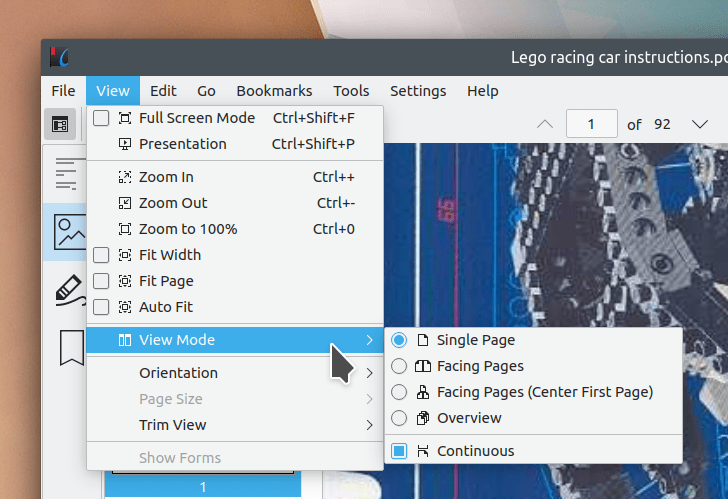
- Restored Okular’s missing keyboard shortcuts for page view modes (David Hurka, Okular 1.10.1)
- Fixed scrolling with mouse wheels that can spin freely (Kezi Olio, Okular 1.10.1)
- In Elisa, clicking on the “Show Details” button for a song now works the second time you click it (me: Nate Graham, Elisa 20.04.1)
- Dolphin’s Information Panel no longer shows empty information in various locations; instead it just hides fields with no applicable information (Méven Car, Dolphin 20.08.0)
- Overwriting an existing file while scanning in Skanlite no longer shows you an unnecessary second “confirm overwrite” prompt (Frederik Yin, Skanlite 2.0.2)
- Changing icon sizes in the System Settings Icons page now results in icon sizes throughout KDE software being changed immediately, rather than having to be re-launched (Kai Uwe Broulik, Plasma 5.18.5)
- GTK-based apps installed from Flatpak are now capable of displaying folder chooser dialogs (Jan Grulich, Plasma 5.19.0)
- User scripts defined in ~/.config/plasma-workspace/env/ now always take precedence over system-level configuration in /etc/xdg/plasma-workspace/env/ when there would be a conflict (Francis Thérien, Plasma 5.19.0)
- Dragging text in Kate to the line number gutter no longer unexpectedly creates a new document (Christoph Cullmann, Frameworks 5.70)
User Interface Improvements
- Konsole’s I-beam cursor now follows the font size instead of always being the same size (Gastón Haro, Konsole 20.08.0)
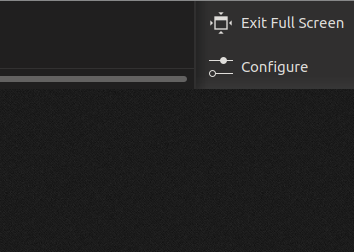
- “Low Battery” notifications are now marked as critical to ensure that you get advanced warning before the “Battery critically low!” notification appears while in a full-screen app (Kai Uwe Broulik, Plasma 5.19.0)
- When adjusting all font sizes using the System Settings Fonts page, the Small font is now changed to a size smaller than the general one, preserving the pre-existing size relationship between them (me: Nate Graham, Plasma 5.19.0):
- The System Settings Fonts page now gently guides users towards the global scaling feature if it detects an attempt to use ad-hoc methods to scale everything using fonts (me: Nate Graham, Plasma 5.19.0)
- When creating a new HTML file using the “Create New…”, the created stud HTML file is now more useful and standards-compliant (Grzegorz Szymaszek, Frameworks 5.70)
How You Can Help
Have a look at https://community.kde.org/Get_Involved to discover ways to help be part of a project that really matters. Each contributor makes a huge difference in KDE; you are not a number or a cog in a machine! You don’t have to already be a programmer, either. I wasn’t when I got started. Try it, you’ll like it! We don’t bite!
Finally, consider making a tax-deductible donation to the KDE e.V. foundation.