FUSE mounts to better support accessing remote locations in non-KDE apps: DONE
kio-fuse was released in beta form early this year and is already packaged in many distros. It’s working great! The final release will happen later this year.
Privilege escalation in KIO and Dolphin: AT RISK
It turned out that there was more work remaining here than I had anticipated. Unfortunately nobody seems to have the critical combination of domain knowledge, interest in working on it, and time to do so. Assistance on https://phabricator.kde.org/D7563 would be appreciated to help make it happen this year.
Improved Samba share discovery in Dolphin: DONE
This was implemented for Dolphin 20.04. By all accounts, it’s working quite well!
Auto-rotation for tablets, convertibles, and other hardware with rotation sensors: DONE
This was implemented for Plasma 5.18 and works on Wayland (getting it working on X11 is a lost cause, apparently). If it isn’t working for you on Wayland, it’s likely that you don’t have the iio-sensor-proxy package installed, or your hardware isn’t supported by the kernel yet.
Implement more of the proposed visual design changes to the Breeze style and KDE apps: ON TRACK
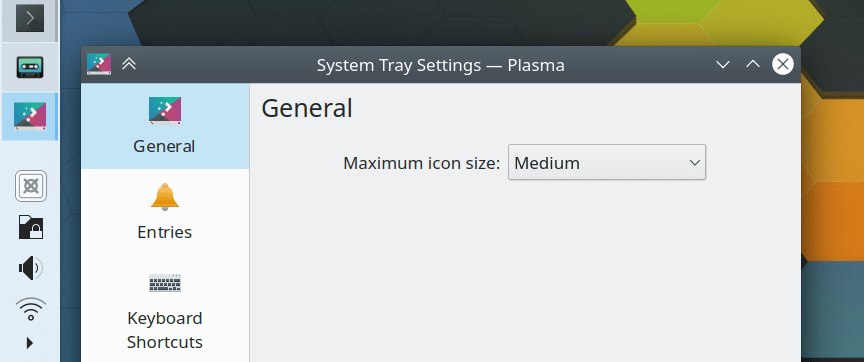
Work is proceeding at a good pace. The new System Tray design was shipped with Plasma 5.19. We’re targeting 5.20 for the new application appearance and patches are landing. Things are on track.
Better wallpapers in the extra wallpapers repo: AT RISK
This is blocked on implementing a wallpaper cache. I took a stab at it for Plasma 5.18 but it turned out to be more complicated than I had anticipated and I kind of got demoralized and dropped it. Need to resume the work.
Per-screen scale factors on X11: UNLIKELY
Focus has shifted toward Wayland in a big way, and for the past few months, veteran KDE developers have been smashing Wayland problems left and right. They’ve gotten clipboard support working with Klipper and going between Wayland and XWayland windows; made Spectacle work properly; fixed a number of drag-and-drop issues, and are very close to finishing task manager thumbnails, screencasting, and more! Given the progress and momentum, there’s a strong desire to make Wayland finally usable rather than hack things into X11 that it was never designed to support and are unlikely to ever work properly.
Inertial scrolling throughout Plasma and QML apps: UNLIKELY
No work has happened here. A lot of the issue are in Qt itself and are very challenging to resolve, especially on X11. There may be more hope for getting it done on Wayland.
Power/session controls on the lock screen: AT RISK
Well there you have it! Of course this is just a tiny fraction of the stuff actually going on, it’s just what’s relevant to the proposed roadmap I outlined earlier.
As always, if you want to see these things happen faster, please feel free to help out! The code is public and the people are friendly. 🙂 What do you have to lose!? Nothing, that’s what!
This week we plunged into fixing issues in Plasma 5.19 that slipped through QA as well as some older ones–a truly enormous number in all! We are taking to heart your pleas to focus on stability and polish. But of course we also worked on some new features too, because we can walk and chew bubblegum at the same time!
New Features
Spectacle’s timer feature and Shift+Printscreen (take full screen screenshot) and Meta+Shift+Printscreen (take rectangular region screenshot) shortcuts now work on Wayland (Méven Car, Plasma 5.20 and Spectacle 20.08.0)
Apps removed from the favorites list shared across Kickoff, Kicker, and Application Dashboard now always stay removed after you reboot (Alexander Lohnau, Plasma 5.18.7)
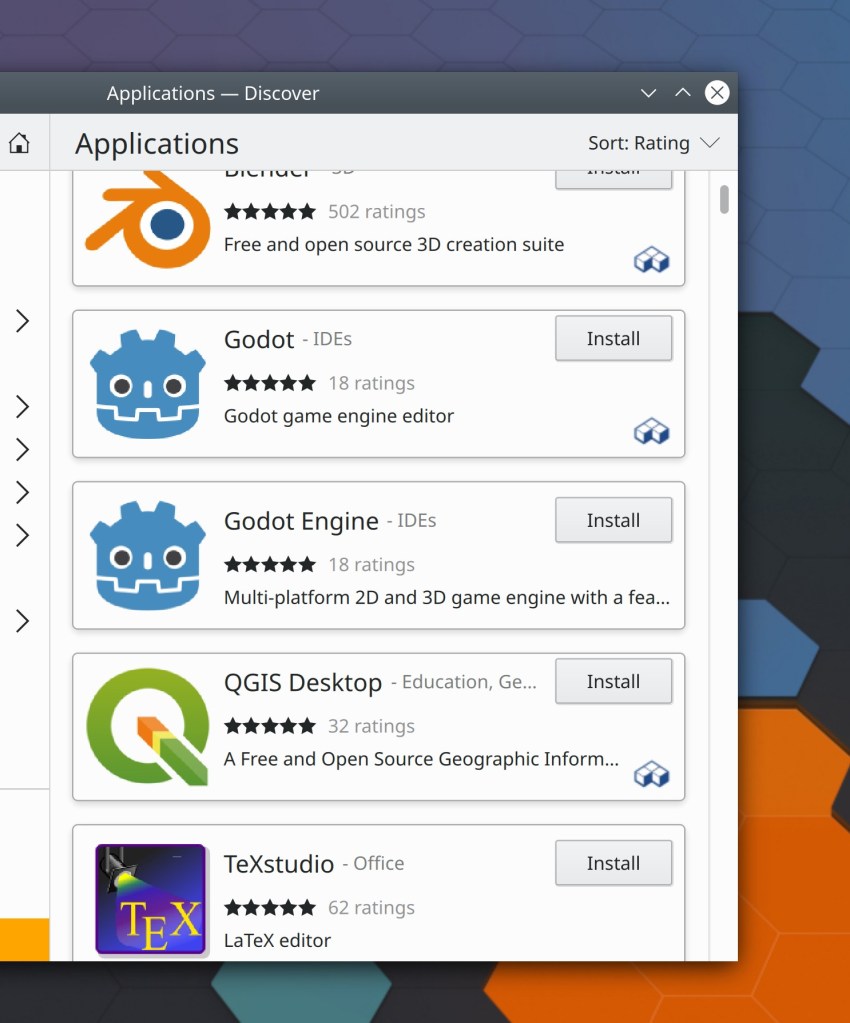
Notice the little Flatpak icons in the corner? I know this presentation isn’t ideal; I was planning to polish it up and add text but didn’t have time this week, sorry. Maybe next week!
Have a look at https://community.kde.org/Get_Involved to discover ways to help be part of a project that really matters. Each contributor makes a huge difference in KDE; you are not a number or a cog in a machine! You don’t have to already be a programmer, either. I wasn’t when I got started. Try it, you’ll like it! We don’t bite!
I found a way to get external microphones connected to the audio jack working for my laptop ! KDE contributor Debarpan Debnath pointed me to an Arch wiki page that helped me reach a solution:
Open/create the file /etc/modprobe.d/alsa.conf and add the following on a new line: options snd_hda_intel index=0 model=dell-headset-multi
go to System Settings > Audio > Advanced > and check the checkbox saying “Automatically switch all running streams when a new output becomes available” (this applies to inputs too)
Reboot
Mute the microphone using the keyboard’s microphone mute button
Now my headset’s microphone is working as expected–too late for last week’s virtual Plasma sprint though. Oh well, my colleagues got to hear my kids playing/rioting a lot. 🙂
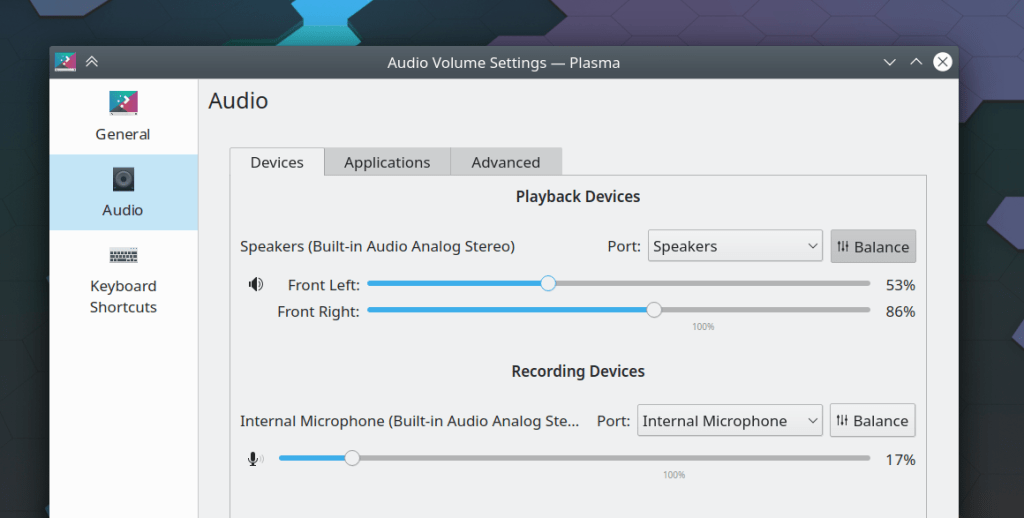
There is now one remaining issue with the use of an external microphone: the two audio input sources are represented in the plasma-pa applet as different devices rather than as different ports of the same device, which would make the switch-on-connect module unnecessary and clean up the display in the Plasma audio applet. Apparently this is a PulseAudio issue in that the device’s hardware doesn’t fit cleanly into PulseAudio’s abstraction model! There are some PulseAudio patches to clean things up which I have reviewed. So for now, this is the best we can do:
When you search for an application in the Kickoff Application Launcher and then right-click on the search result, the “Edit Application…” menu item now works (Alexander Lohnau, Plasma 5.19.1)
The activities database now has backup and self-repair mechanisms, which should reduce (if not eliminate) the occurrences of favorites and recent items being corrupted or forgotten (Ivan Čukić, Plasma 5.20.0)
Have a look at https://community.kde.org/Get_Involved to discover ways to help be part of a project that really matters. Each contributor makes a huge difference in KDE; you are not a number or a cog in a machine! You don’t have to already be a programmer, either. I wasn’t when I got started. Try it, you’ll like it! We don’t bite!
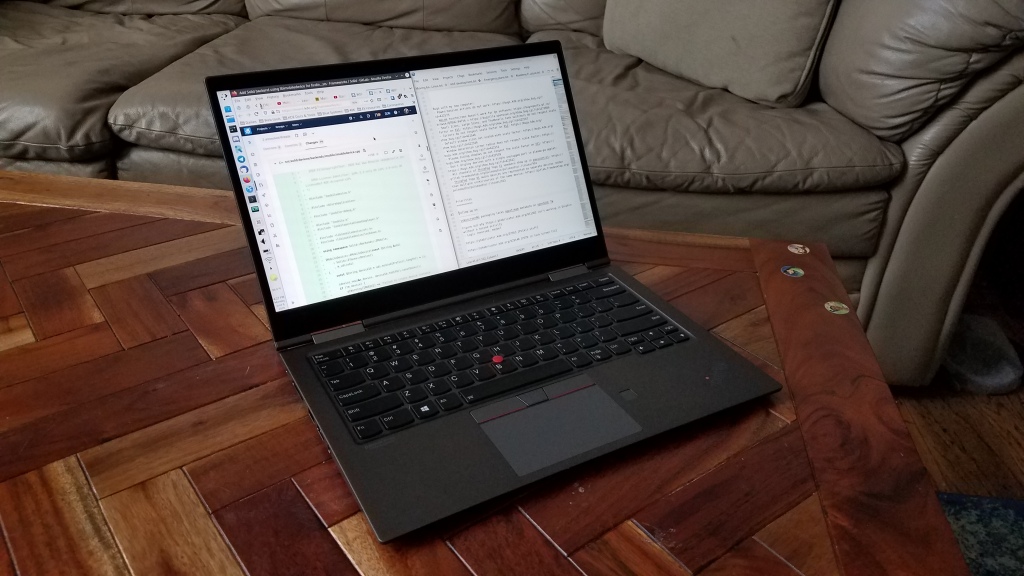
My new laptop arrived last week and I’ve been using it since then! Here are my impressions so far of the Lenovo ThinkPad X1 Yoga (gen 4), and how it compares to my old laptop, a 2016 HP Spectre x360:
Hardware side
Case and ports
Top-notch quality. The laptop feels lightweight given its size, and it is very rigid. I had worried that the dark aluminum case would show fingerprints, but it’s not a problem. Port selection is generous: 2 USB-C+Thunderbolt+charging ports, 2 USB-A ports, an HDMI port, and a combo audio jack. Perfectly sufficient for my purposes, and better than the laptop it replaced! I do wish the USB-C ports were more snug, though. USB-C cables tend to wiggle around when plugged in. Also it would be nice if the lid could be opened with one hand, but that’s a very minor nitpick. Overall it is solidly better than my old laptop.
Screen
The Thinkpad X1 Yoga’s 4K screen is unbelievable. Color reproduction is excellent, there is no significant ghosting, and brightness goes high enough to use it outdoors without limitation. I turn the brightness down to 50% when using it indoors. It’s by far the best screen I’ve ever had the pleasure of using, and a huge upgrade over my old laptop!
Keyboard
The keyboard feel is perfect; typing on it is a dream! And its black keys contrast perfectly with the white backlighting to produce a good low-light typing experience too. However the layout of the keys presents a few annoyances that I’m having to get used to:
Left Fn and Ctrl keys are reversed compared to every other PC laptop keyboard. This can be changed in the BIOS, but then the labels don’t match the functionality, which is somehow even more confusing.
The PrintScreen key is located between the right Alt and Ctrl keys, and I find myself constantly pressing it when I mean to press the right Alt key, especially to hit Alt+Left to go back in Dolphin or Firefox. Seems like a weird place to put it.
The Home and End Keys are located up at the top of the keyboard, away from the arrow keys. I find myself wishing they were in a column at the right side of the keyboard as on my old laptop, where they were easier to press without changing the positioning of my right hand which often hovers around the arrows.
There are no dedicated media playback keys. This is not a major issue as I have mapped Alt+Ctrl left/right/space to those functions in Plasma’s shortcuts KCM. Still, I do miss the dedicated keys.
Toggling the keyboard backlight is done with Fn+Space, rather than a dedicated key. Also the multi-level brightness feature seems kind of superfluous. Simple on/off modes would be better IMO. Not really a big deal though.
Overall, compared to my old HP Spectre x360 laptop, I would say I prefer the typing feel and black key color of the Lenovo’s keyboard, but prefer the key layout of the HP’s keyboard.
Touchpad
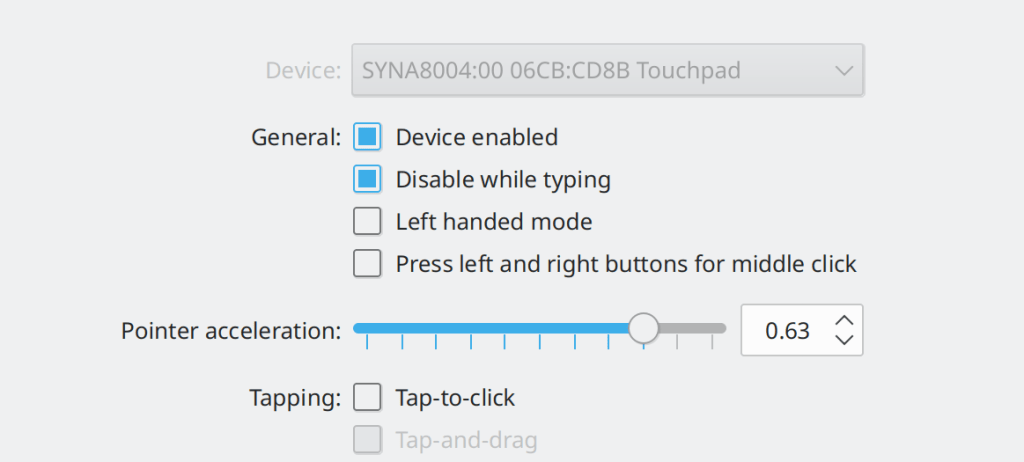
The touchpad is perfect. It’s just the right size: not too big, and not too small. The glass-covered surface makes it a pleasure to use. With the Libinput driver, thumb and palm rejection are perfect, enabling my favorite way of using a touchpad: with my right thumb lazily resting at the bottom as if there were a physical button there. I click with the thumb and use the rest of my fingers to move the cursor or perform scrolling gestures. This is how I got used to using Mac touchpads back when I was an Apple user and the Lenovo’s hardware is good enough to replicate that. It’s not quite Mac quality, but I’d say the experience is 90% there. It’s really, really good, and a huge upgrade from my old laptop whose trackpad was a bit worse in almost every way.
Speakers
The speakers sounded great in Windows during my initial test so I know that the hardware is quite capable. However, on Linux the sound is not so good, and more work is needed on the driver side. So at the moment, the speakers are a disappointment and a regression compared to my old laptop, but hopefully improved audio drivers will make them better in the future.
Camera
The camera is horrible, which is an unwelcome surprise for this very expensive computer. Its resolution is a very low 720p, and there is noticeable lag/latency, which makes video conferencing annoying for other people as my mouth does not match my words. This is a significant regression compared to my old laptop, which had a 1080p camera with no appreciable lag. I didn’t test the camera in Windows before installing openSUSE Tumbleweed, so I don’t know if the lag is a hardware limitation or a driver bug.
Software side
On the software side, things have not been as good.
Installing openSUSE Tumbleweed was not too big of a hassle, given that I’ve done this a number of times before. I had to disable secure boot, which entailed a trip to the BIOS and bricking Windows. After installation, a number of local workarounds were required to make things function, in particular the audio, which still does not seem to be working properly. Just check out the relevant ArchWiki pages! That’s a lot of stuff that you need to fix manually. After the OS was installed, I started to run into other issues:
Speakers and sound
Initially, the speakers were not detected at all. The relevant Arch Wiki page was very helpful here: installing the sof-firmware package fixed that, but then the audio quality was horrible. Compiling PulseAudio from source to get version 14 (which is not released yet) made it better, but still not as good as it was on Windows. I have filed a bug on PulseAudio as it seems like more work is needed: https://gitlab.freedesktop.org/pulseaudio/pulseaudio/-/issues/914
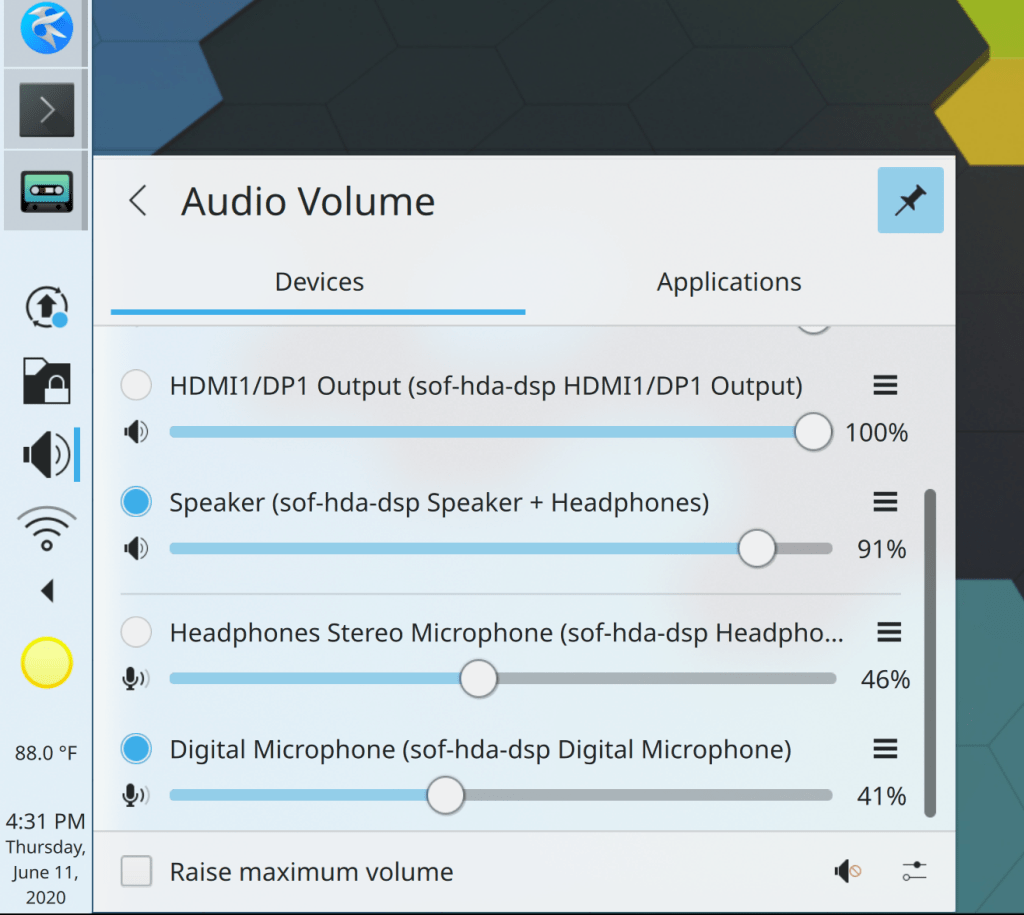
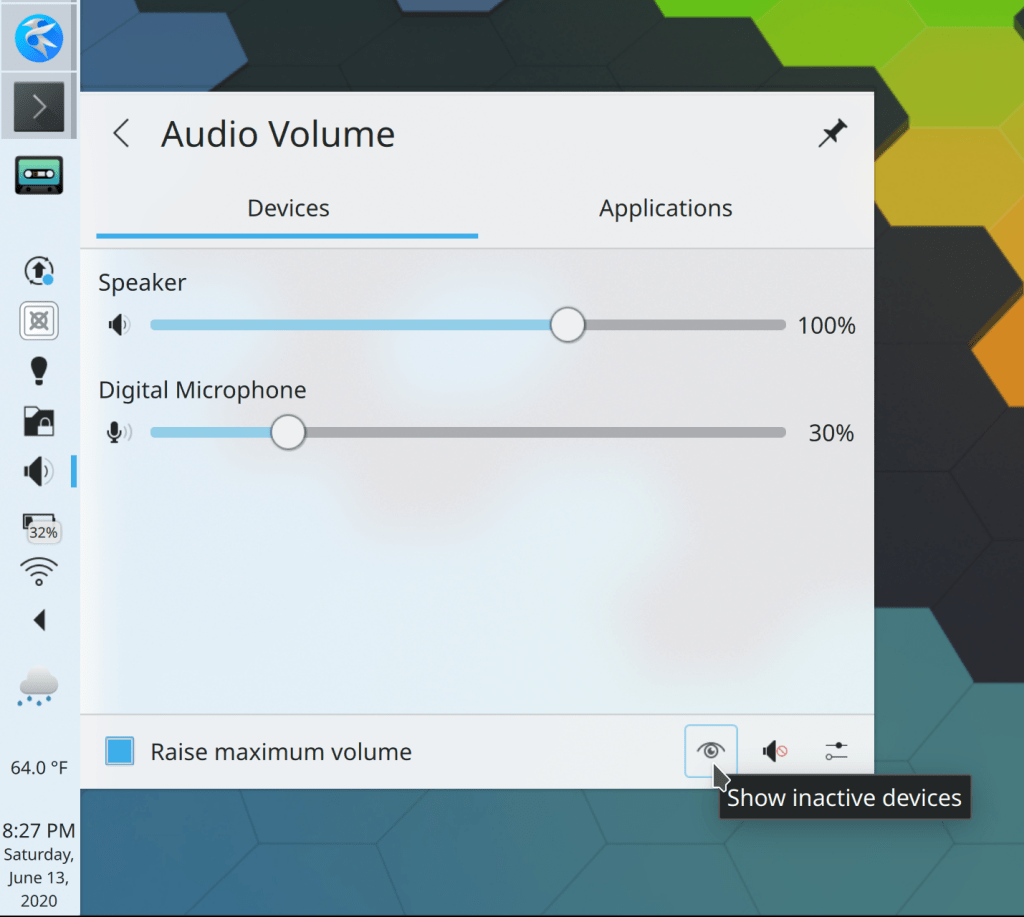
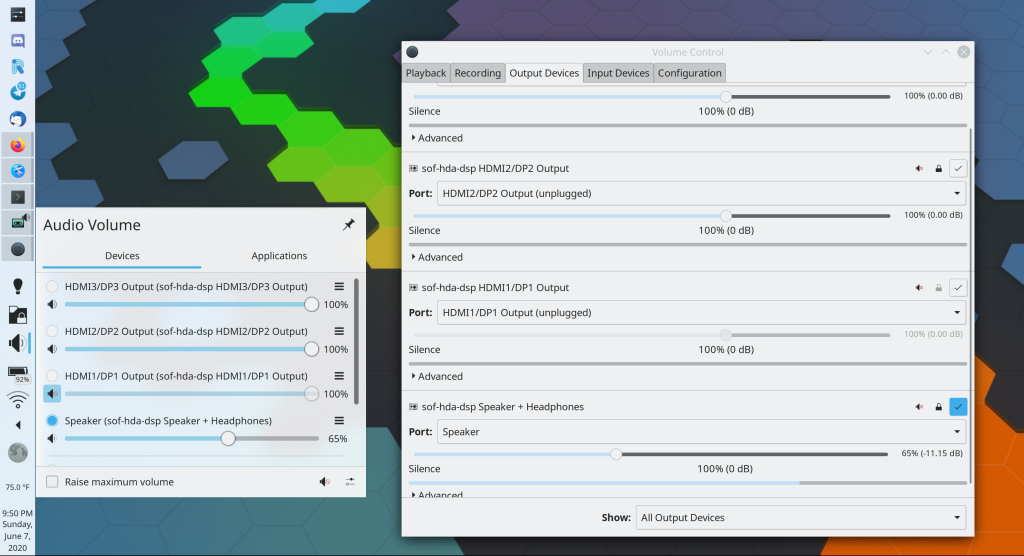
Also, there are pointless devices corresponding to the three HDMI/DisplayPort audio outputs, which should not be shown unless they’re actually in use. This affects both the Plasma audio applet as well as the Pavucontrol app:
It’s not totally clear to me whose fault this is, so I filed a bug on PulseAudio and also one on plasma-pa. We may be able to improve the display in Plasma at least, and I’m working on a merge request.
Power management
Battery life is poor. This laptop has a 51 watt-hour battery (up from 42 Wh on my previous laptop), but draws between 8 and 10 watts at idle. When actually using the machine, I’m only getting about 4 hours of battery life! Reviewers said that it got at least 7 hours in Windows, so this is pretty terrible. powertop reports that the display backlight uses 10 watts of power at full brightness, 5 watts when at its lowest level, and 4 watts when turned off entirely! And the bottom of the case is always warm, so perhaps the CPU is also not idling enough. So I suspect that there are some performance and power management bugs somewhere, as this level of power consumption does not seem expected, even with the 4K screen. On the plus side, at least the laptop charges very quickly with the included 65W charger. I have not filed any bugs on this particular set of issues yet as I’m not suite sure where to start.
Touchscreen
Out of the box, the touchscreen did not work properly on X11 with Plasma, KDE apps, and other Qt apps–but it did work with GNOME and Electron apps! After filing a bug report on Qt, I discovered that switching to the libinput driver fixes the issue! To do this, you can uninstall the xf86-input-wacom package (which will also remove the Wacom page in System Settings, which may be undesirable if you’re using it) or alternatively you can apply the following patch to /usr/share/X11/xorg.conf.d/70-wacom.conf:
Obviously we should just fix the KWin bug that makes this workaround necessary. We eventually will!
After this, touch input works well, especially for GTK apps. We have a lot of work to do to make our own KDE apps work as well with a touchscreen as GTK apps do on average.
Broken Flatpak apps
I briefly encountered an issue where none of my Flatpak apps would launch:
$ flatpak run com.discordapp.Discord
Gtk-Message: 07:05:34.667: Failed to load module "unity-gtk-module"
Gtk-Message: 07:05:34.667: Failed to load module "canberra-gtk-module"
No protocol specified

(Discord:4): Gtk-WARNING **: 07:05:34.667: cannot open display: :99.0
[fake-sandbox: zypak-sandbox] No data could be read (host died?)
[fake-sandbox: zypak-sandbox] Quitting Zygote...
This utterly bizarre issue turned out to have been caused by me setting the computer’s hostname incorrectly, using sudo hostname <new hostname> instead of sudo hostnamectl set-hostname <new hostname> which triggers an SDDM bug which is fixed by the following open pull request: https://github.com/sddm/sddm/pull/1230. Hopefully the SDDM bug will be fixed soon, and in any event I should just add a GUI method of setting the computer’s hostname which I’ve been meaning to do for a while. See https://bugs.kde.org/show_bug.cgi?id=259285.
Scaling issues in Plasma
On X11, Plasma did not auto-detect that I was using a 4K screen, so I had to manually change the scale in the KScreen KCM. Then I had to manually sync that to SDDM in the SDDM KCM to make the login screen not look tiny. It would be nice if the appropriate scale factor would be autodetected, at least for 4k screens. I have filed https://bugs.kde.org/show_bug.cgi?id=422552. Happily, this already works out of the box on Wayland! So go Wayland.
In addition, once I did set a 200% scale factor, all the icons in Plasma looked tiny, making everything hideous. This is https://bugs.kde.org/show_bug.cgi?id=356446, and I worked around it by setting PLASMA_USE_QT_SCALING=1 in the environment, which fixes the issue and makes Plasma look fantastic at 200% scaling. However it also makes the minimize animation zoom into the wrong location. Boooo! As before, all this stuff works out-of-the-box on Wayland. Hmm…
Once I had the scale properly set, I noticed that various UI elements were not automatically scaled:
The first three actually work fine on Wayland! So I’m getting the sense that I should just bite the bullet and use Wayland, since the high DPI behavior is much better.
Next, I incrased the scale to 250% to make everything a bit bigger, and then various icons that are supposed to be monochrome became colorful. This is a minor issue, but I’ve submitted a patch to fix it: https://invent.kde.org/frameworks/breeze-icons/-/merge_requests/3
Anyway, other than these issues, scaling works great. We’re pretty close, I think.
Conclusion and the future
I wish I could say that it’s been a pleasant, trouble-free experience and that I’m loving my new computer. In truth, getting the ThinkPad X1 Yoga to function well enough to comfortably write this post took several frustrating days of poring over documentation, filing bug reports, tweaking config files, and altering kernel parameters. On top of that, it’s still not quite there yet and is worse than my old laptop in several ways despite costing twice as much money. The high DPI scaling issues are our fault in KDE, and we need to do better, but that’s just the tip of the iceberg. The problems run throughout the entire software stack. Simply put, this is not acceptable in 2020. We need to up our game of partnering with hardware makers to ship FOSS operating systems by default. Everything I’m going through with this computer is the kind of problem that should be caught by paid Linux QA teams so that it can be fixed before the hardware is released to customers.
I continue to believe that we will get nowhere until more hardware comes with a Linux-based OS pre-installed. People shouldn’t have to deal with this kind of nonsense! My wife has been happily using KDE Neon on her laptop for two years, but I had to do the initial installation. Normal people want their computers to just work, not endlessly fiddle around with settings to make things functional that should have been so out of the box in the first place.
Part of me wishes I had instead gone with the SlimBook Pro X 15 or the System76 Lemur Pro, which were strong contenders in my search. The SlimBook laptop can even be pre-installed with Plasma-bearing operating systems like KDE Neon and Kubuntu, and I’m sure the System76 folks would have done likewise had I asked nicely enough. Everything would have worked perfectly out of the box, because SlimBook and System76 have QA teams paid to do what I’ve been doing myself for the ThinkPad X1 Yoga. Alas those laptops didn’t have some of what I was looking for in the hardware department (principally touchscreens and higher quality speakers), but perhaps I was underestimating the importance of integration into a cohesive product. It certainly stands in stark relief right now.
I’m sure things will get better over time. Kernel fixes will accumulate, and the bug reports I’ve filed will start to get fixed. I may even fix some of them myself. But this state of affairs is simply not acceptable if we ever want to grow our audience beyond the ranks of tech nerds. No normal person spends over than a thousand dollars on a laptop for real productive purposes that will have to become an extended science experiment before it works properly. We need more hardware sold with our software pre-installed, period. That’s the next frontier, and I strongly believe that we need to make it our end goal for everything we do.
It’s early in the Plasma 5.20 development cycle and some very nice new features landed this week! Various KDE apps–in particular Okular and Konsole–also got new features. It’s a feature-palooza!
Yes, yes, I know what some of you are thinking: “Why are you writing new features while there’s still so much buggy stuff?” In this case, one of the answers is that new features can often solve bugs. For example the Okular work you’ll read about below resulted in a dozen bug reports getting closed! Sometimes you really can have your cake and eat it, too. 🙂 And of course the Wayland work continues as well…
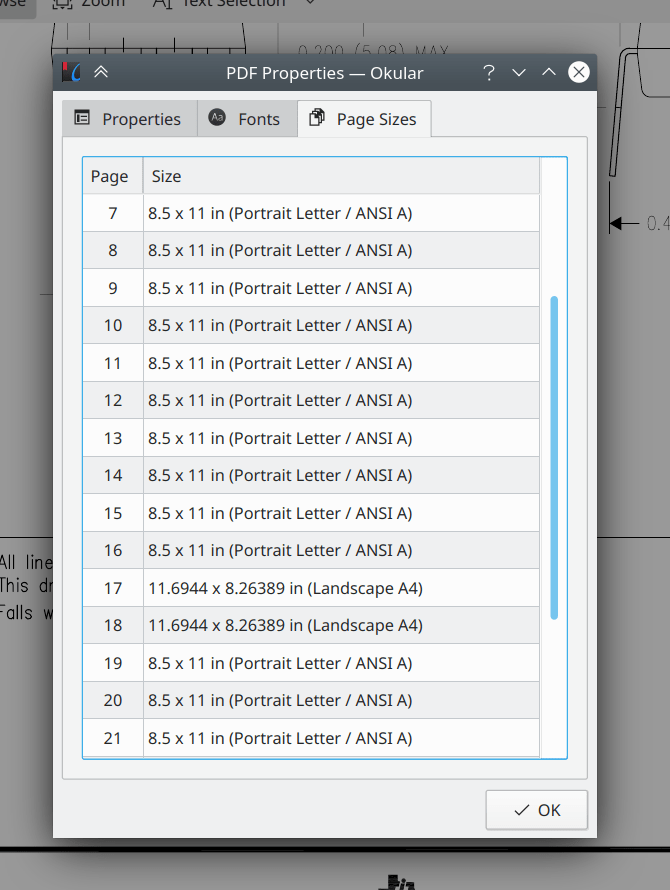
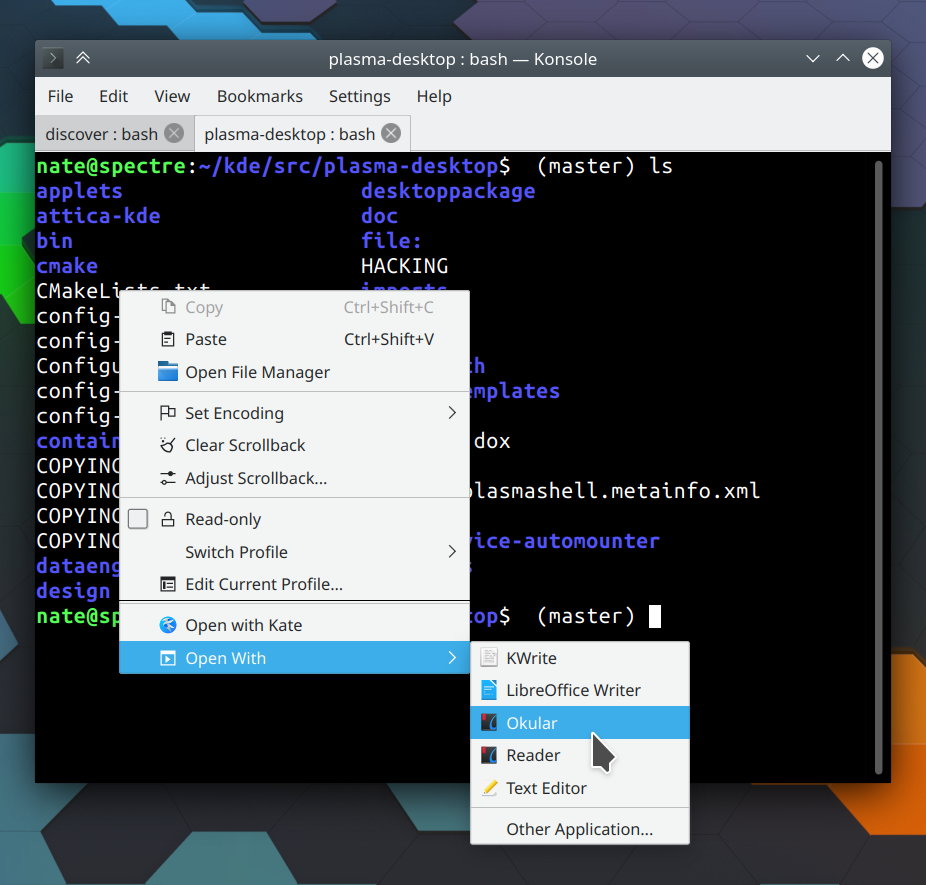
The Properties actions/menu items in Okular and Gwenview are now triggerable using the standard Alt+Return keyboard shortcut, just like in Dolphin (me: Nate Graham, Okular 1.11.0 and Gwenview 20.08.0)
Have a look at https://community.kde.org/Get_Involved to discover ways to help be part of a project that really matters. Each contributor makes a huge difference in KDE; you are not a number or a cog in a machine! You don’t have to already be a programmer, either. I wasn’t when I got started. Try it, you’ll like it! We don’t bite!
This week we landed a lot of nice improvements for KDE’s apps, which I’ve highlighted below! Of course we didn’t forget about Plasma, so have a look-see:
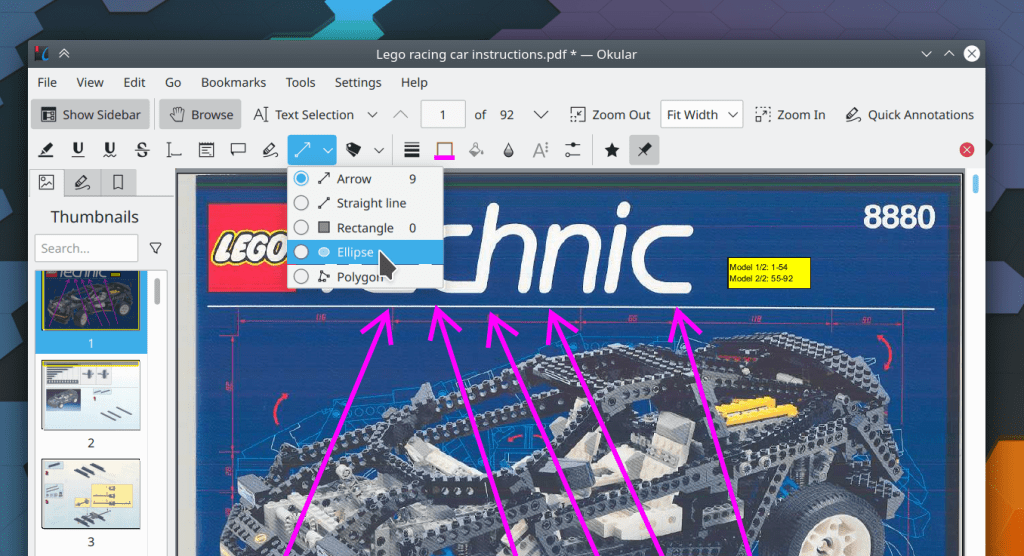
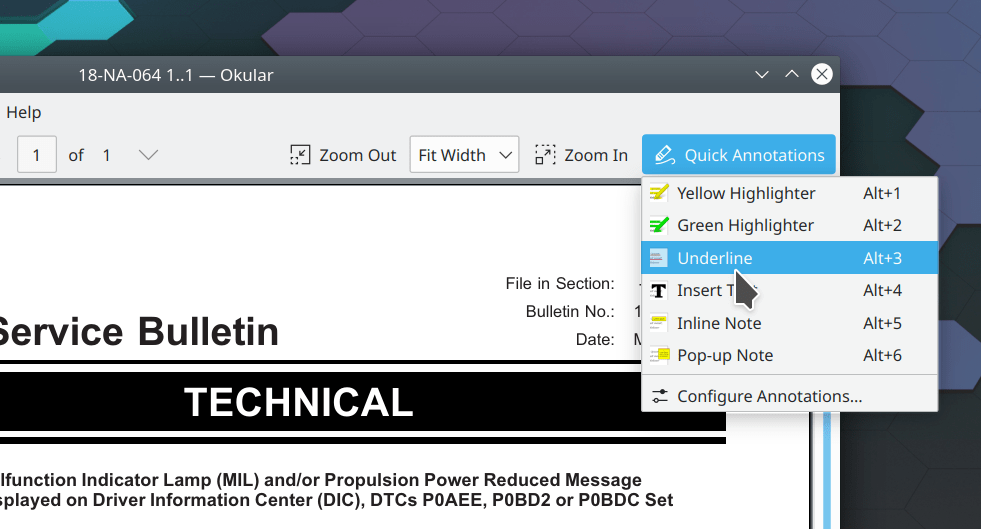
Okular’s sidebar user interface has been overhauled, with the result that it now takes up less horizontal space, is easier to show and hide quickly, has a more consistent appearance overall, and fixes many bugs (me: Nate Graham, Okular 1.11.0):
Have a look at https://community.kde.org/Get_Involved to discover ways to help be part of a project that really matters. Each contributor makes a huge difference in KDE; you are not a number or a cog in a machine! You don’t have to already be a programmer, either. I wasn’t when I got started. Try it, you’ll like it! We don’t bite!
Thanks to the KDE community, I’ve finally chosen and ordered a new laptop: a Lenovo ThinkPad X1 Yoga. People heavily recommended the X1 Carbon, which is essentially the same computer except less touch-focused. That led me to the Yoga which seems to fit the bill perfectly: in addition to the necessary touchscreen, according to reviews it has otherwise excellent screen characteristics, a perfect keyboard, great speakers, and a great trackpad. I also like the look and probable durability of the aluminum case. Though it’s not a Ryzen 4000-series laptop, CPU performance is still three times better than my current laptop, so I’m not complaining. Mine arrives in three weeks. Thanks again everyone!
After years of using Phabricator, KDE has officially begun the migration to GitLab! So far we are using it for patch review, and developer task tracking will be migrated soon. We are still using Bugzilla for bugs and feature requests as migrating those functions to GitLab is a significant project in and of itself! Already the KDE community is enjoying GitLab’s smoother workflow; why not take advantage of this and submit a merge request? 🙂
But that’s not all: big changes for Plasma 5.20 have started to land too. It promises to be a very significant release! Check it out:
Feedback OSDs for things like volume and brightness changes are now more compact so they don’t obscure the main view so much (Kai Uwe Broulik, Plasma 5.20.0):
KDE Software is made by people just like you, often on their free time! If you know a KDE developer, send them a kind note. Developers like to put on a logical face but they need love and care too, especially during trying times like these.
More generally, have a look at https://community.kde.org/Get_Involved to discover ways to help be part of a project that really matters. Each contributor makes a huge difference in KDE; you are not a number or a cog in a machine! You don’t have to already be a programmer, either. I wasn’t when I got started. Try it, you’ll like it! We don’t bite!








 I have not filed any bugs on this particular set of issues yet as I’m not suite sure where to start.







 Adventures in Linux and KDE