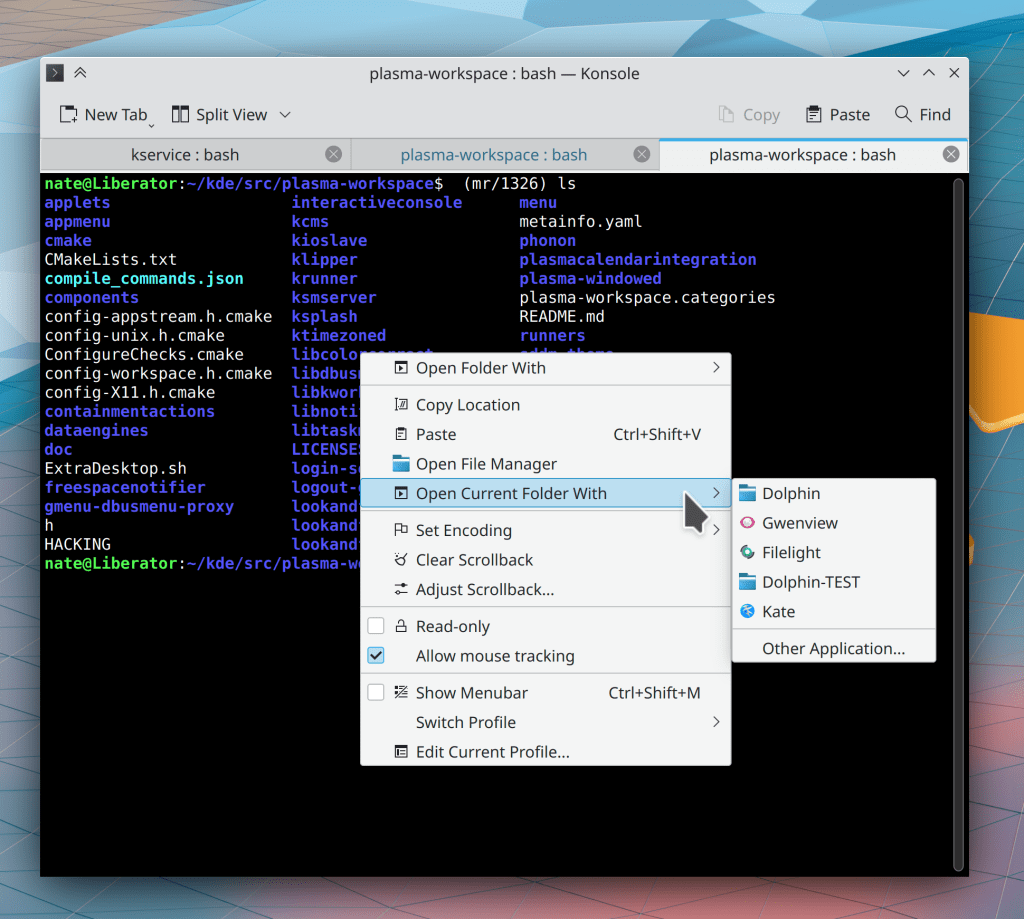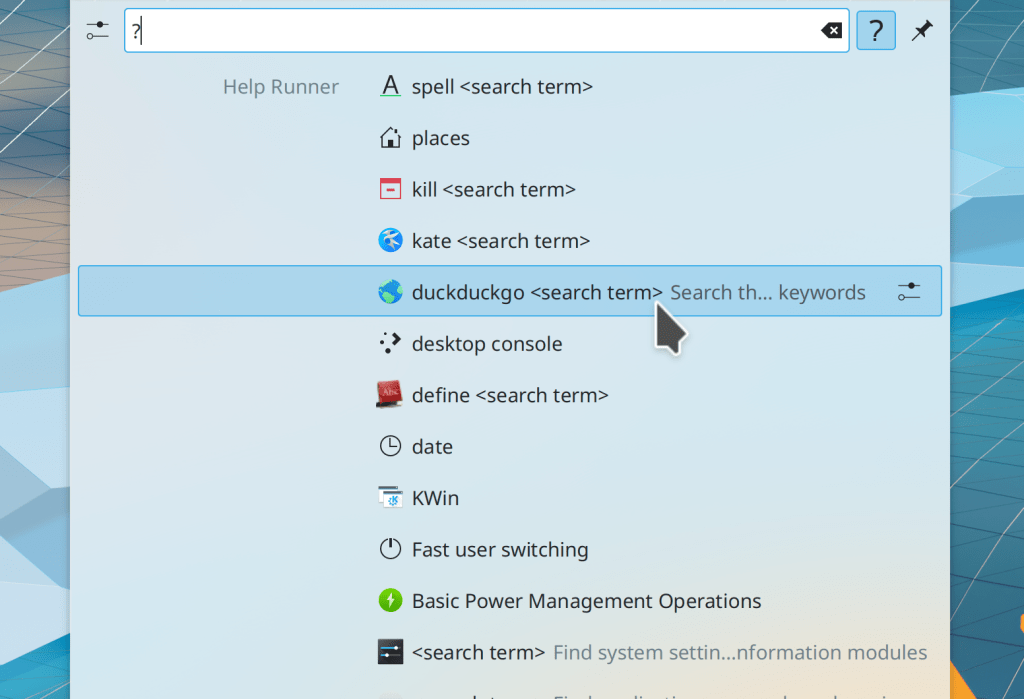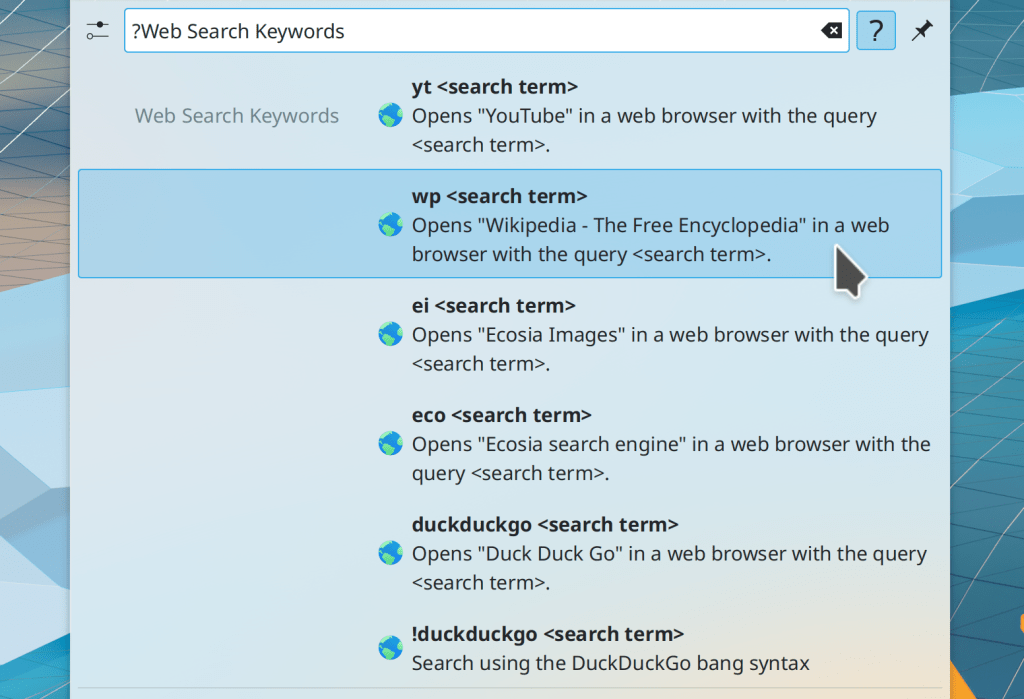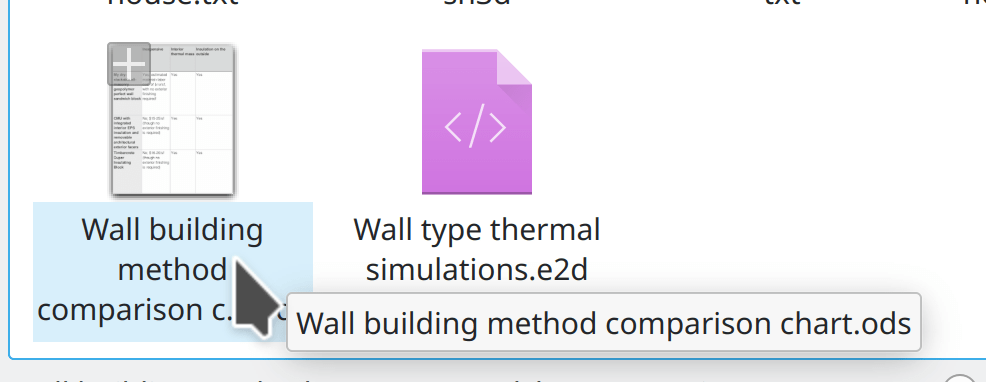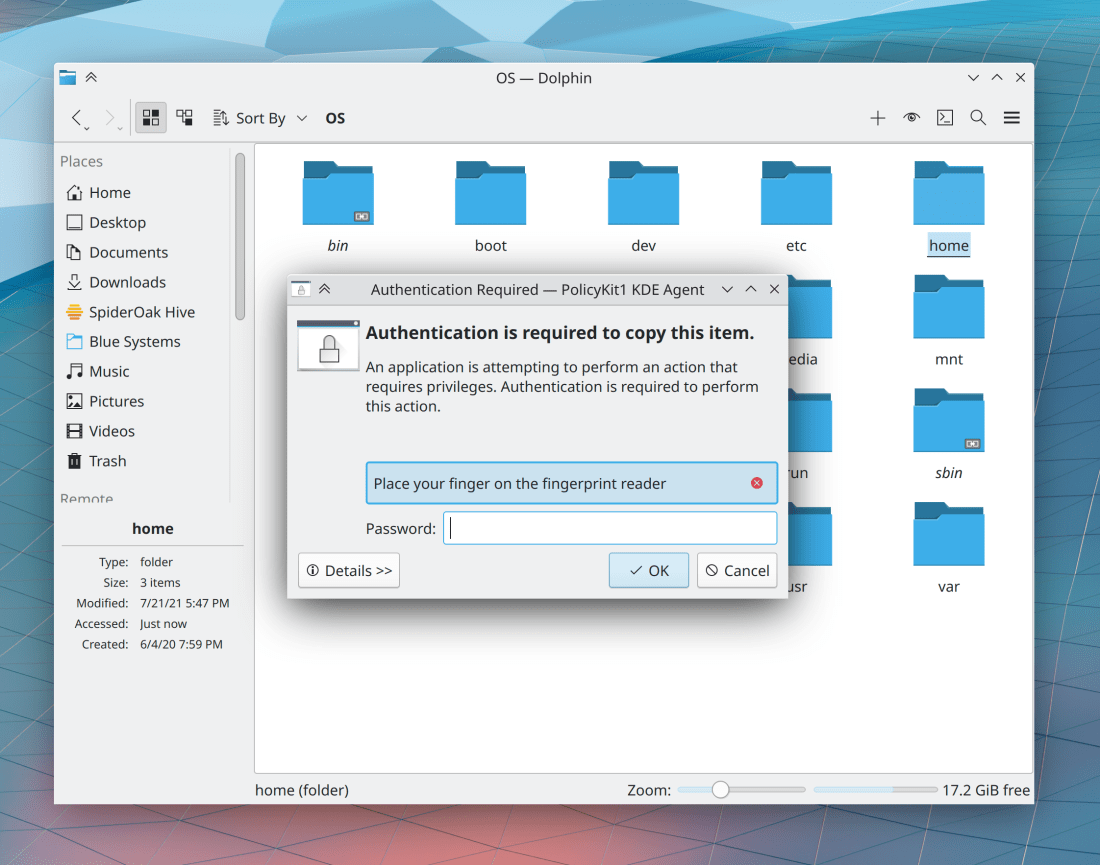
This week in KDE: Polishing up Ark and Dolphin

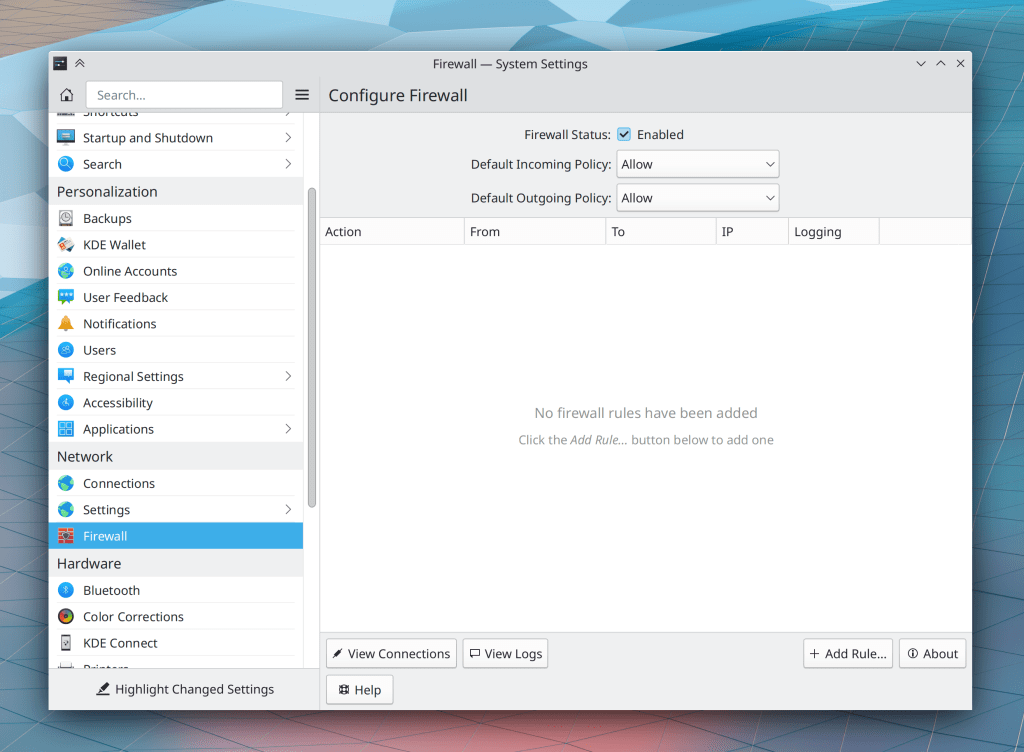
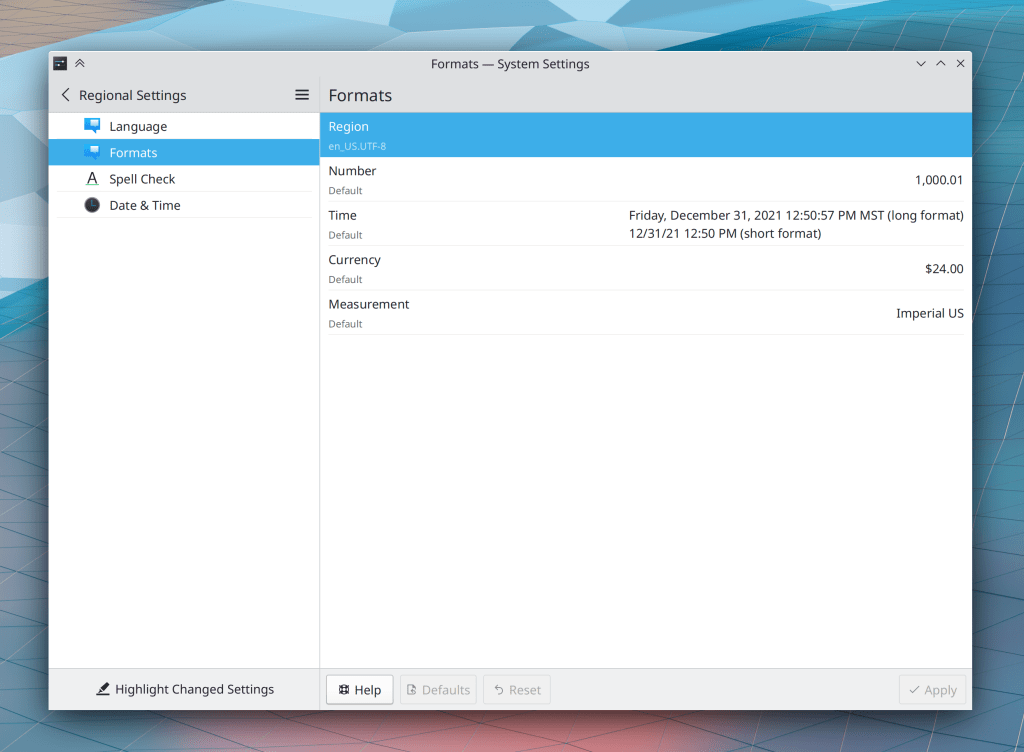
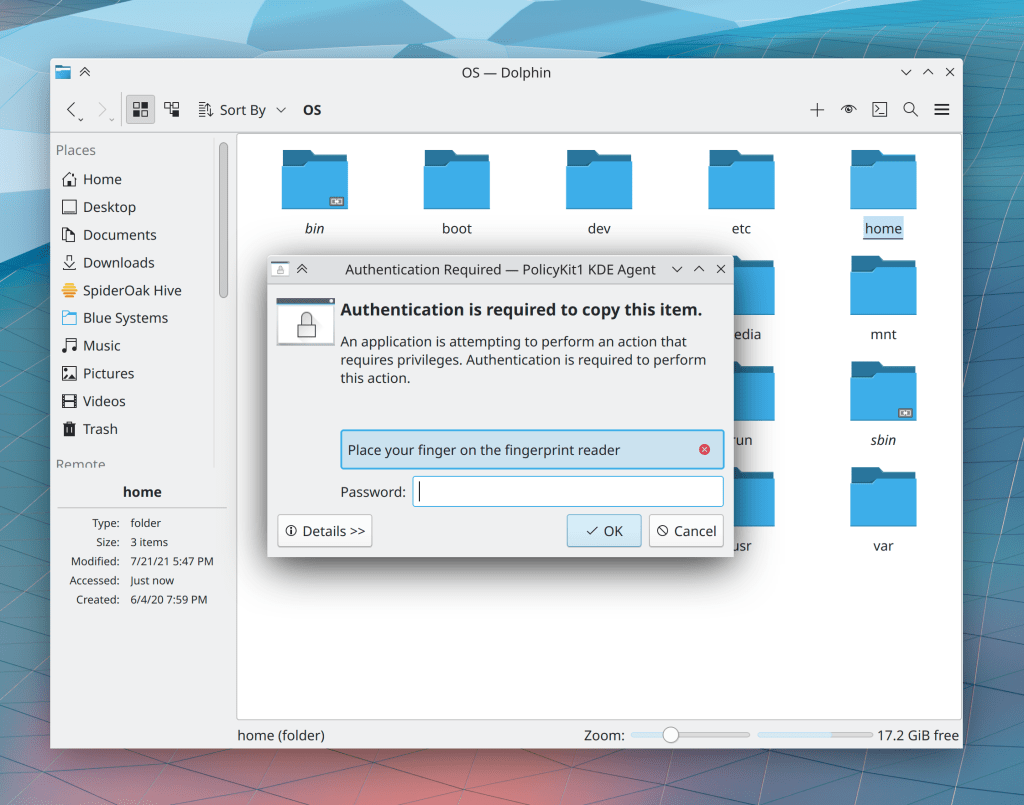
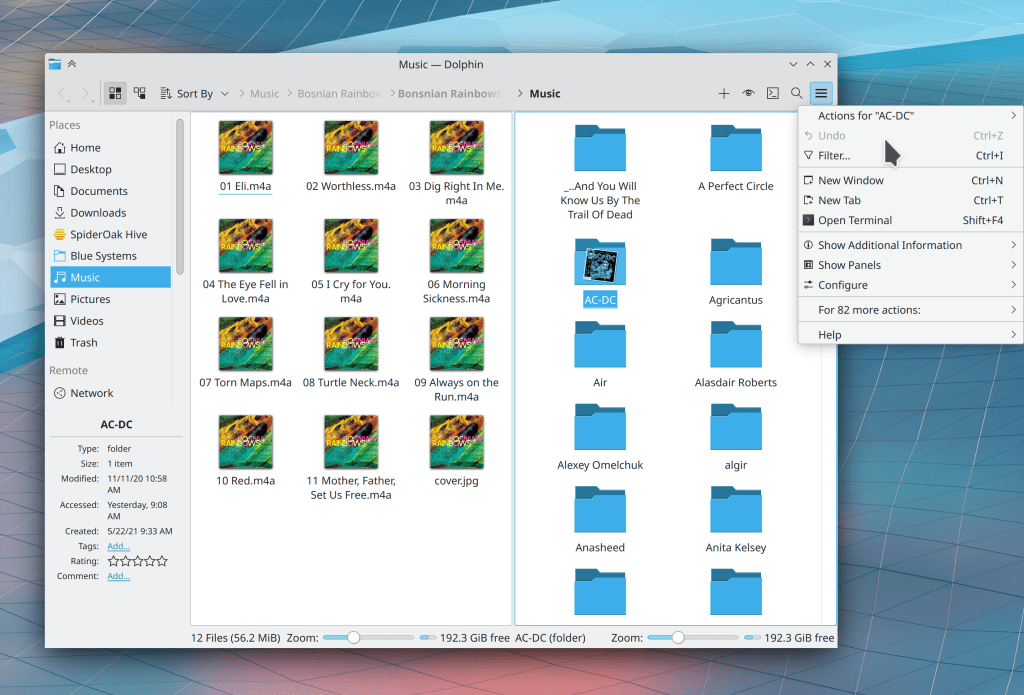
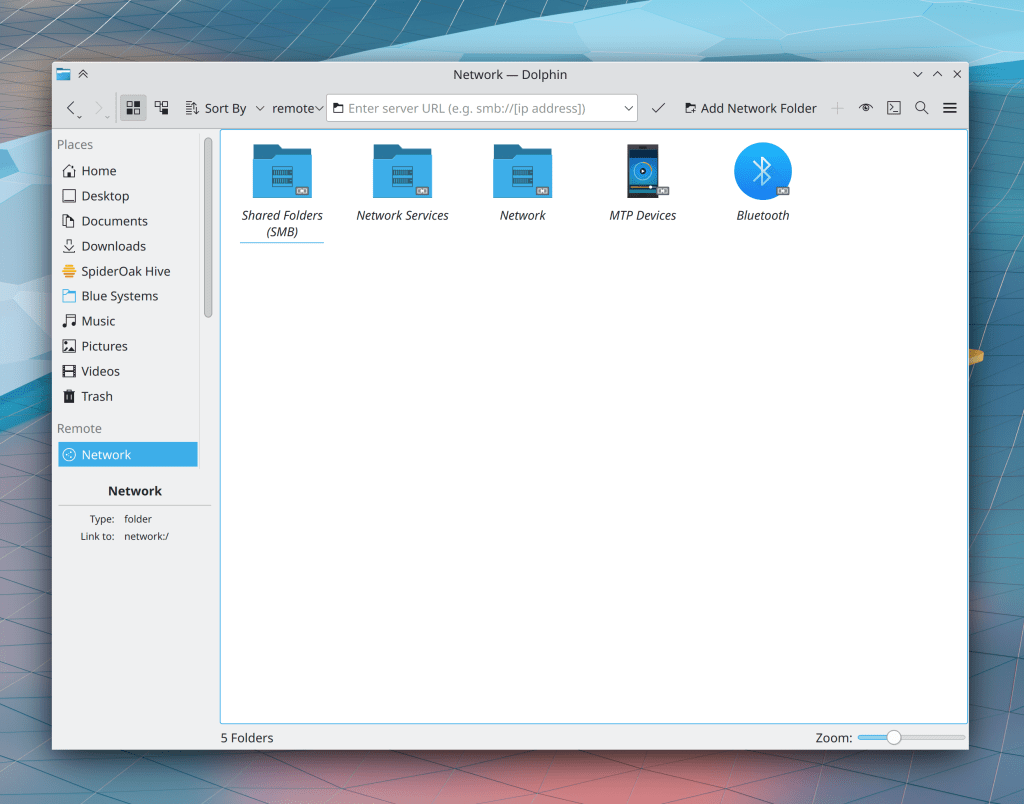
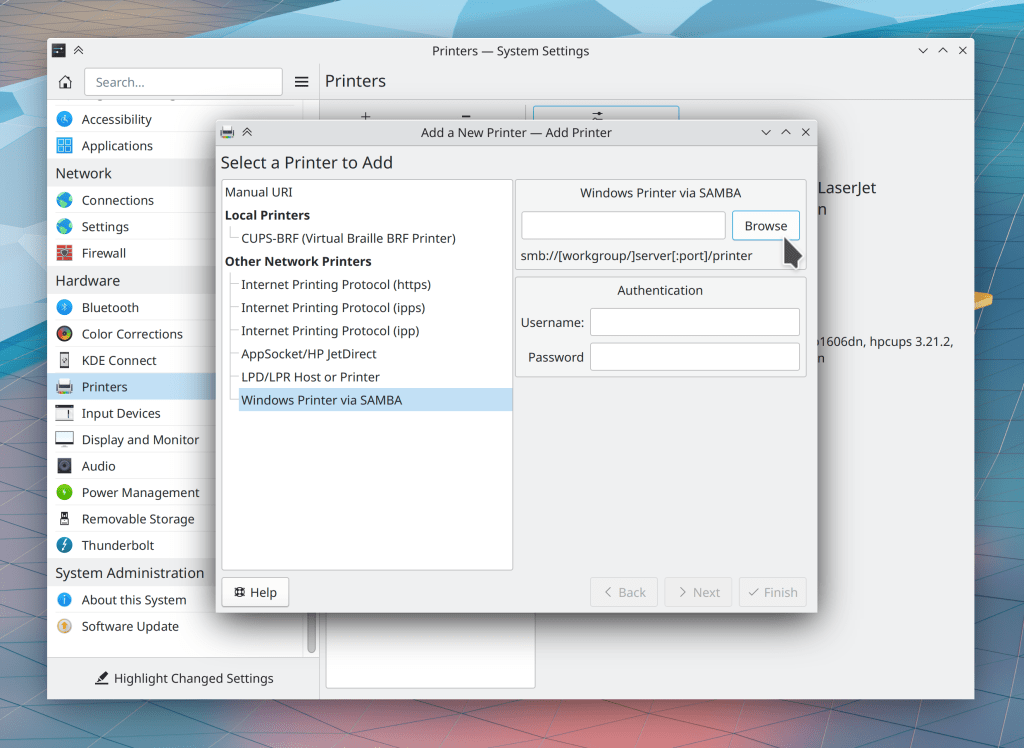
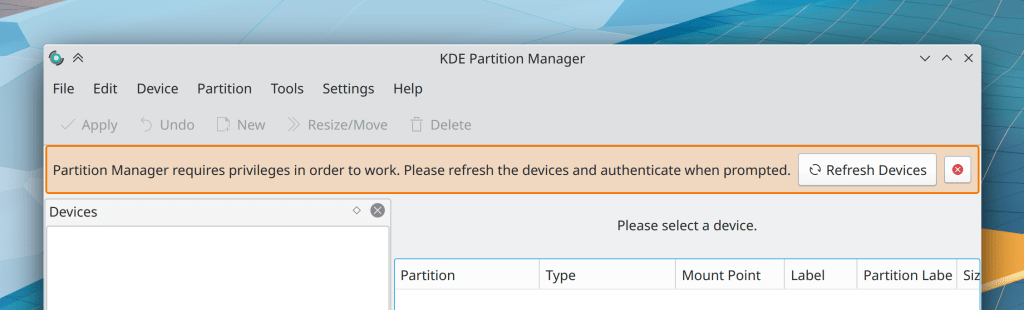
This week you might notice a lot of fixes for Ark and Dolphin and for interactions between them. That’s coming out of our initiative to fix all the issues found in recent Linus Tech Tips videos. And there are more where that came from going forward!

New Features

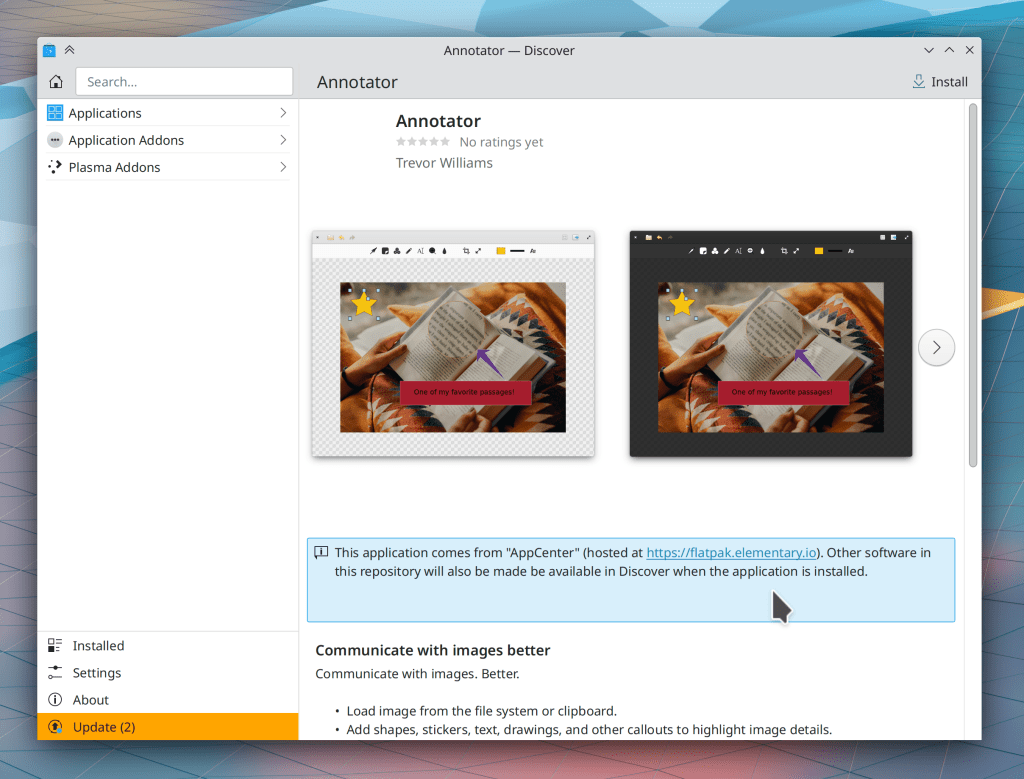
Spectacle’s annotation tools now include functionality to crop, scale, undo, redo, and more (Damir Porobic and Antonio Prcela, kImageAnnotator 0.6.0 or later in Spectacle 22.04)

The Weather applet now lets you pick cities from German Weather Service (DWD) as the data source (Emily Elhert, Plasma 5.24)

Bugfixes & Performance Improvements

Dolphin no longer crashes when Ark creates a .7z archive (Méven Car, Ark 21.12.1)

Spectacle now disables the “Annotate” button when there is no screenshot in the window, so you can’t click on it and make the app crash anymore (Bharadwaj Raju, Spectacle 21.12.1)

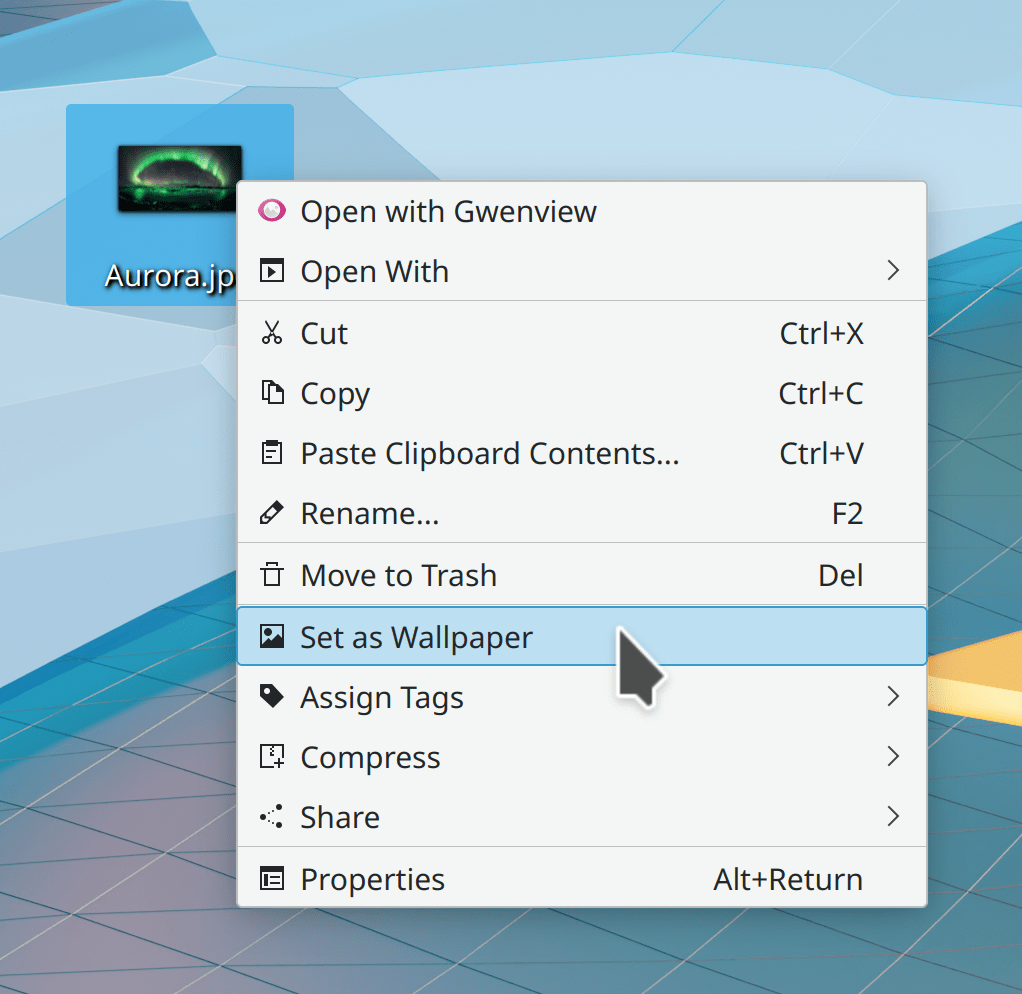
Dolphin’s context menu “Compress” actions now respect Ark’s user-configurable setting for whether or not to open a new file manager window showing the archive after the operation has been completed (Someone going by the pseudonym “2155X”, Ark, 22.04)

System Settings no longer crashes when you try to use the Get New Global Themes window to update updateable Global Themes (Alexander Lohnau, Plasma 5.23.5)

Certain apps that draw certain type of buttons no longer crash when using the Breeze application style (David Edmundson, Plasma 5.23.5)

System Monitor no longer sometimes crashes when viewing processes in Tree view (Fabian Vogt, Plasma 5.23.5)

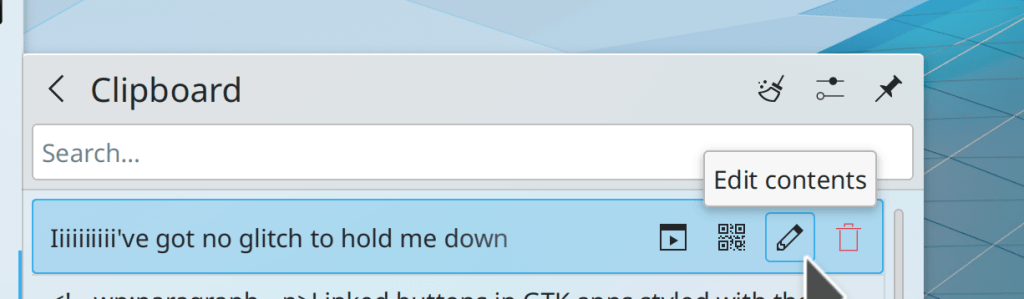
Accessing clipboard data with Klipper actions or DBus queries once again provides the full text, and not a truncated version (David Edmundson and someone going by the pseudonym “ValdikSS”, Plasma 5.23.5)

In the Plasma Wayland session, mouse and keyboard input no longer sometimes stops working after turning a monitor off and back on again (Xaver Hugl, Plasma 5.23.5)

The battery charge limit feature now supports more batteries (Ian Douglas Scott and Méven Car, Plasma 5.24)

In the Plasma Wayland session, certain Wayland-native games once again open with the correct window size (Vlad Zahorodnii, Plasma 5.24)

In the Plasma Wayland session, cursors are now smooth rather than pixelated when using a fractional scale factor (Julius Zint, Plasma 5.24)

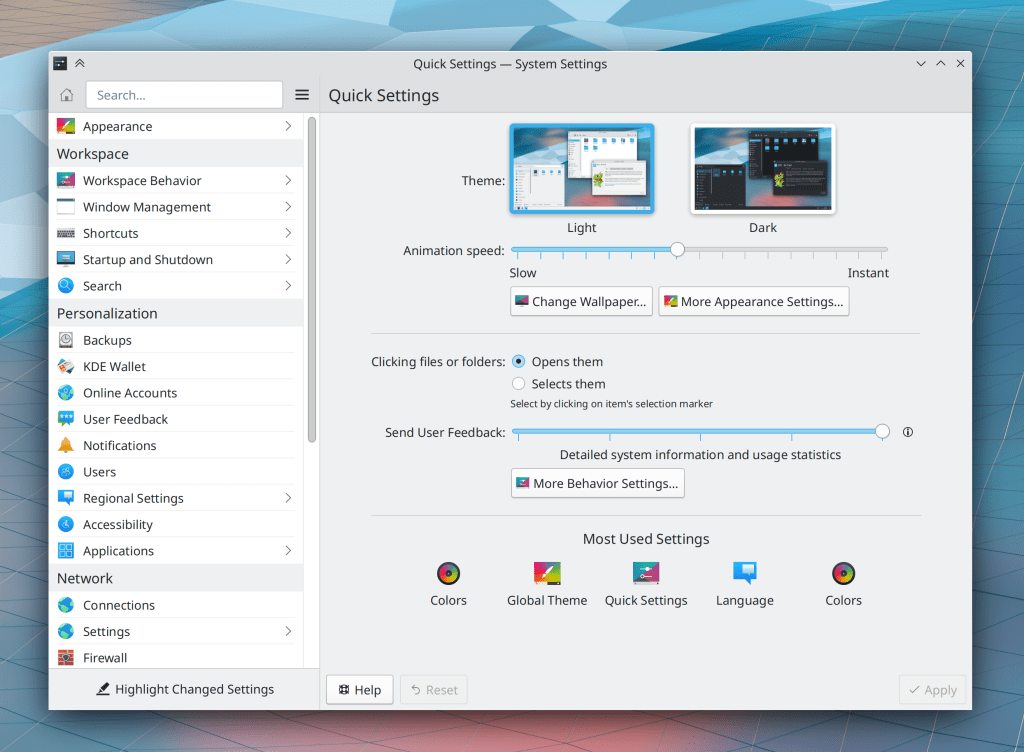
On System Settings’ User Feedback page, you are no longer shown links to folders of sent data that do not actually exist because no data has been sent (me: Nate Graham, Plasma 5.24)

Switching the wallpaper from slideshow to plain color no longer sometimes crashes Plasma (Fushan Wen, Frameworks 5.89)

Improved file listing speed in folders with a lot of stuff in them (Méven Car, Frameworks 5.90)

User Interface Improvements

Any annotation settings you change in Spectacle are now remembered across launches (Antonio Prcela, Spectacle 22.04)

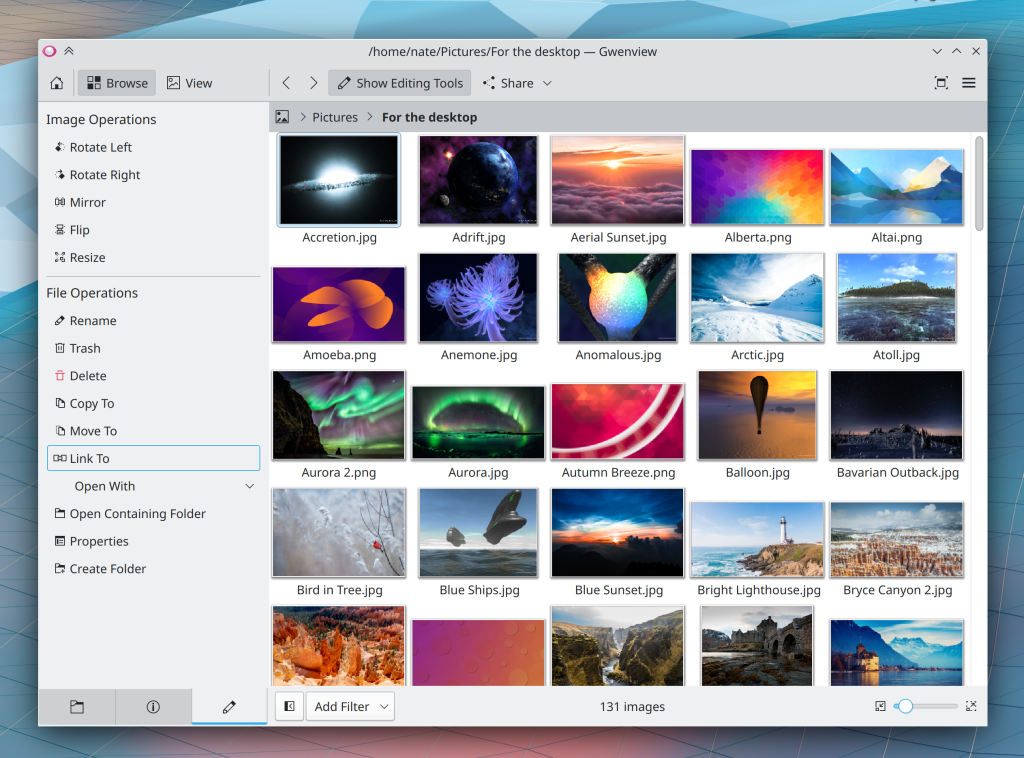
Gwenview now smooths images that you zoom into up to 400% zoom, and then switches to showing unsmoothed pixels for deeper zoom levels (me: Nate Graham, Gwenview 22.04)

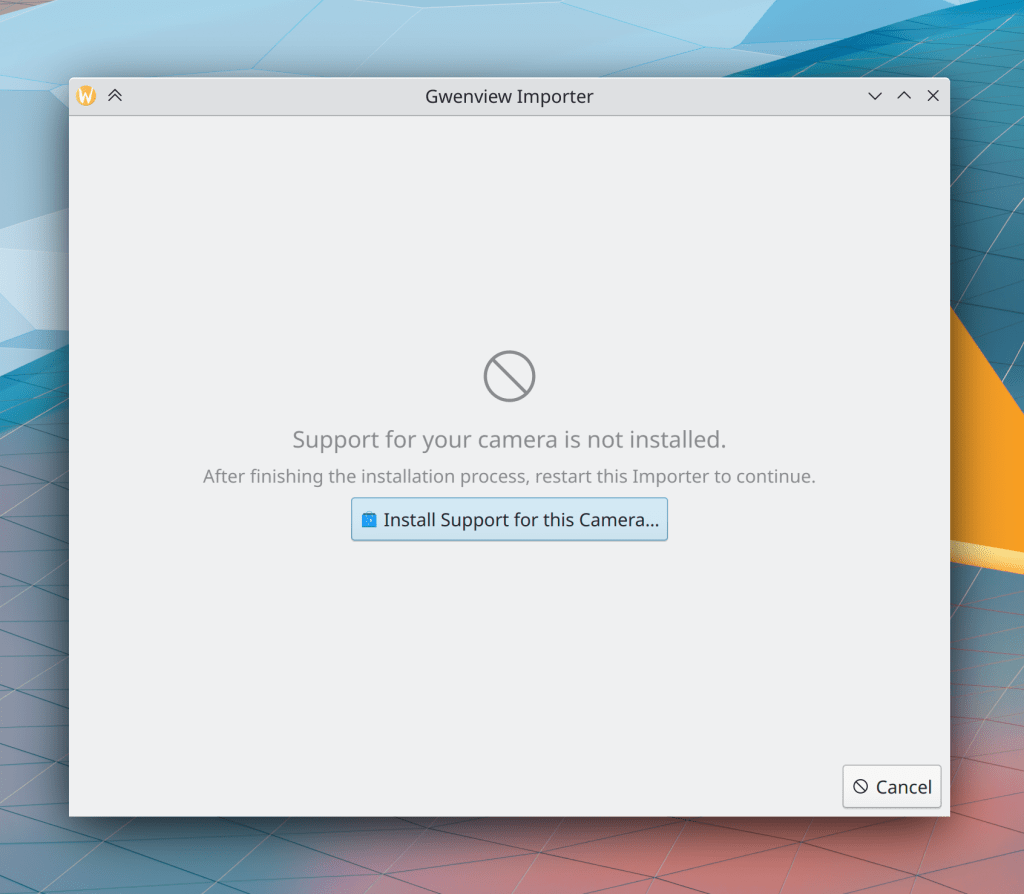
Trying to open an invalid or otherwise un-openable file in Dolphin now displays the error in an inline message like most others rather than in a modal dialog window, and now half-downloaded or half-completed files that have the appropriate .part filename extension can’t be opened and will trigger this error (Kai Uwe Broulik, Dolphin 22.04 and Frameworks 5.90):

When an app takes a long time to open a file and shows a notification that says something like “Loading…” or “Examining…”, it now disappears and doesn’t show up in the notification history after the file is finished loading (Kai Uwe Broulik, Ark 22.04 and Frameworks 5.90)

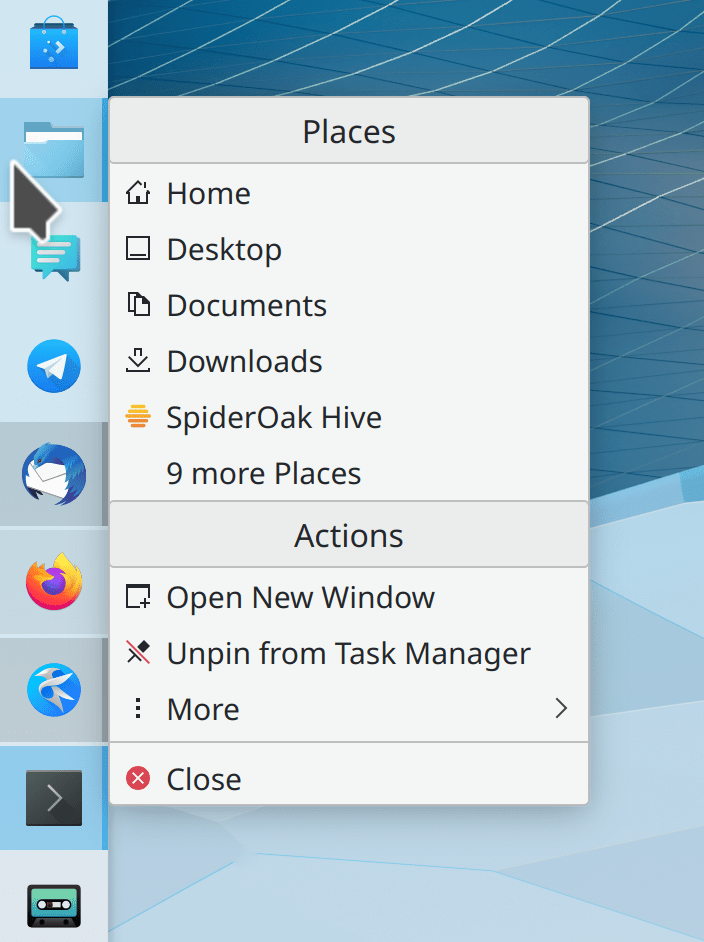
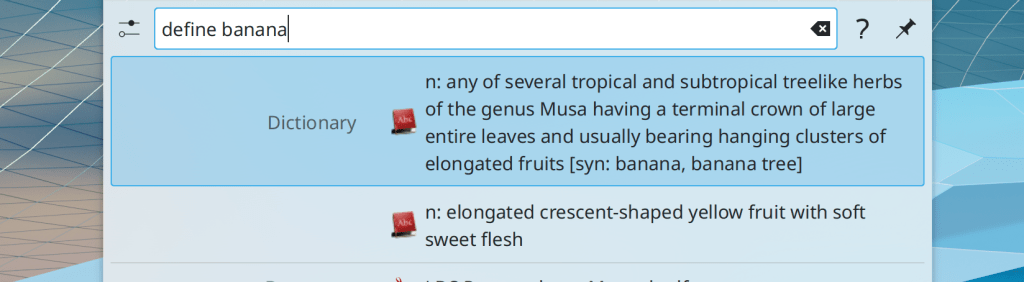
You can now find Dolphin by searching for “Explorer” or “Finder” (Someone going by the pseudonym “tornado 99”, Dolphin 22.04)

KCalc’s window can now be resized (Niklas Freund, KCalc 22.04)

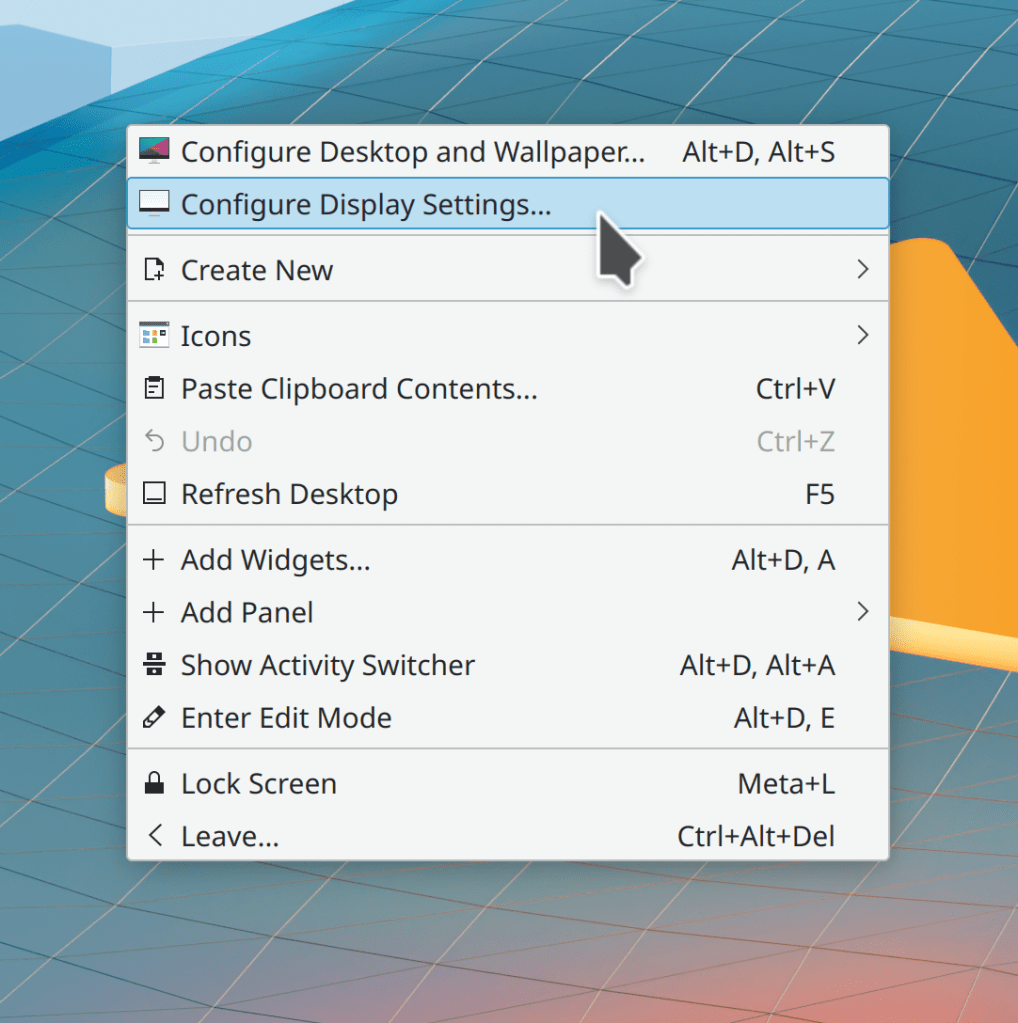
In System Settings’ Display & Monitor page, the screen arrangement view now shows you monitors’ serial numbers when it detects multiple monitors with the same model number, to help you distinguish between them (Méven Car, Plasma 5.24)

In the Widget Explorer, widgets can now be added with a single click, and when you do so, the clicked widget appears in the center of the screen, not in the top-left corner where it would be covered up by the Widget Explorer itself (Arjen Hiemstra, Plasma 5.24 and Frameworks 5.90)

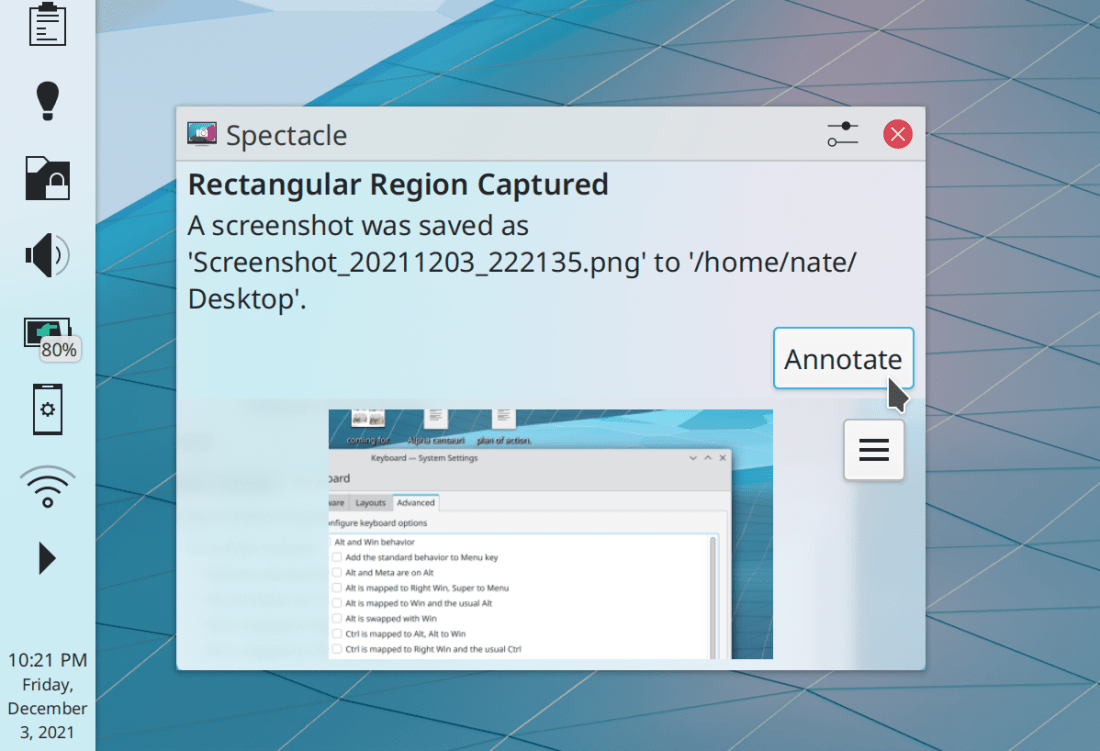
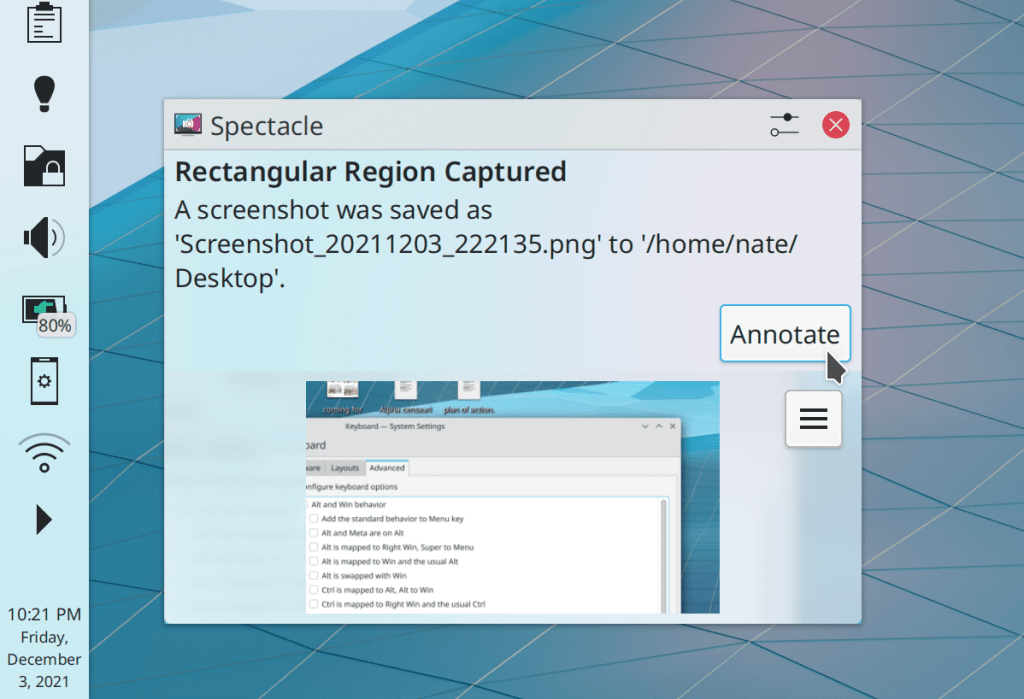
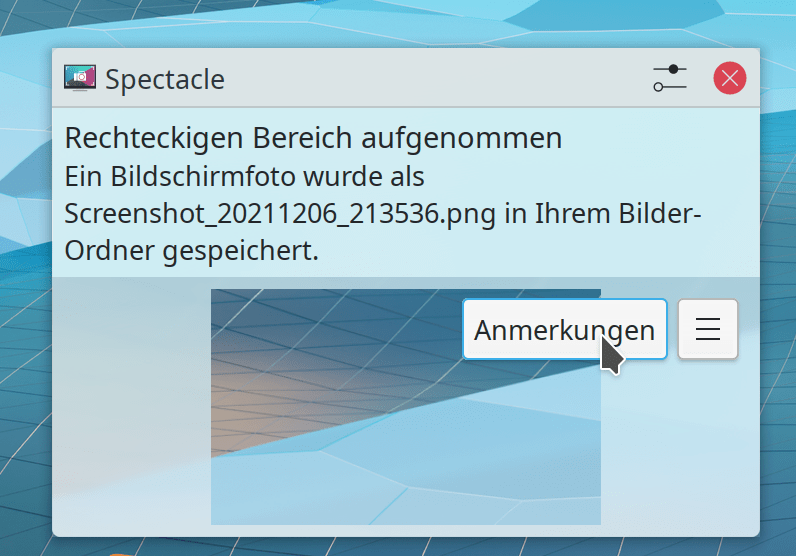
The “Annotate” button that appears in notifications for annotatable screenshots is now located on the same row as the hamburger menu button rather than above it (Kai Uwe Broulik, Plasma 5.24):

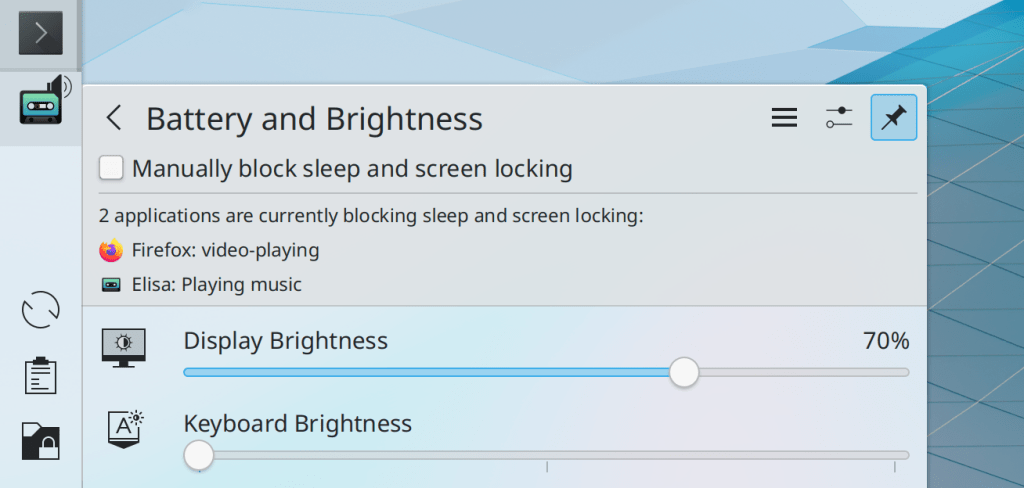
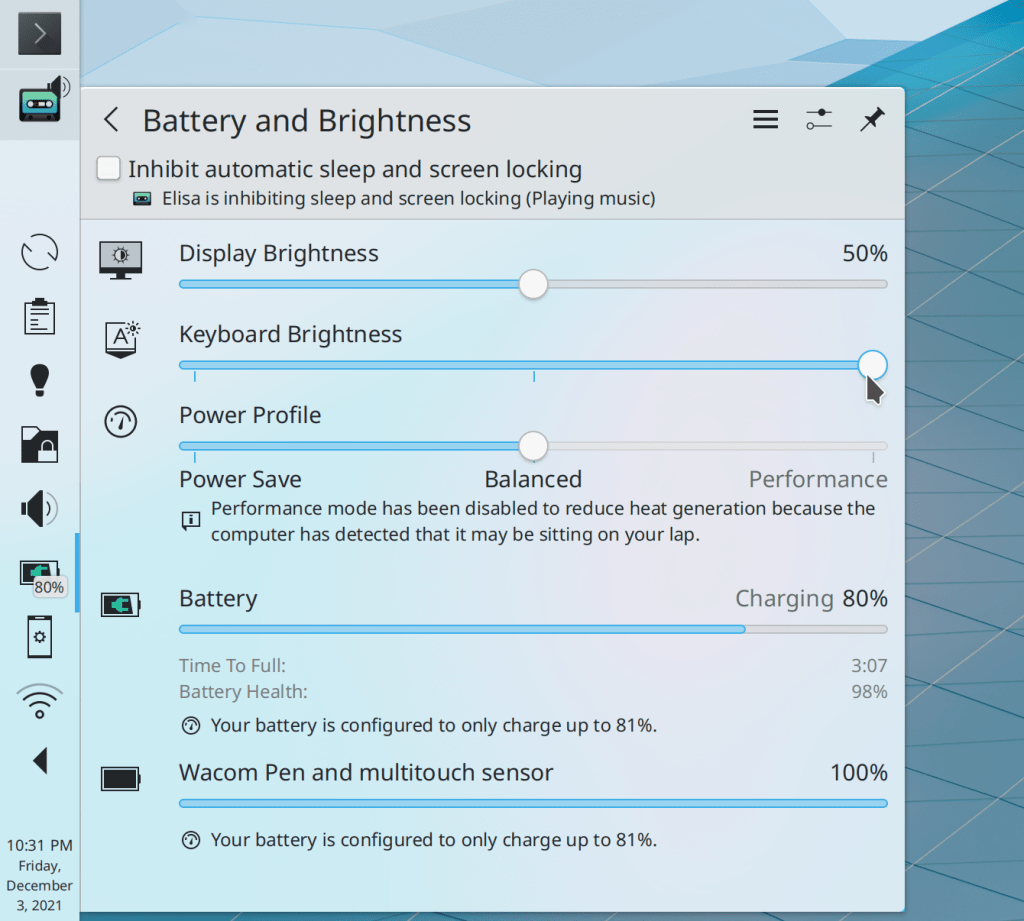
The Battery & Brightness applet has had its user interface for blocking sleep and screen locking improved again for more clarity (me: Nate Graham, Plasma 5.24):

The new Overview effect has had its animation easing curves tweaked to use a curve with a faster start, making the effect seem faster (Vlad Zahorodnii, Plasma 5.24)

Discover no longer shows you a scary “Packages will be removed” warning sheet when the removed packages are are “multiversioned” such that more than one version can be installed at once, and the removed version is simply being replaced with a newer one (Aleix Pol Gonzalez, Plasma 5.24)

When you drag-and-drop applets, they now smoothly animate moving to their final position rather than instantly teleporting there (Jan Blackquill, Plasma 5.24)

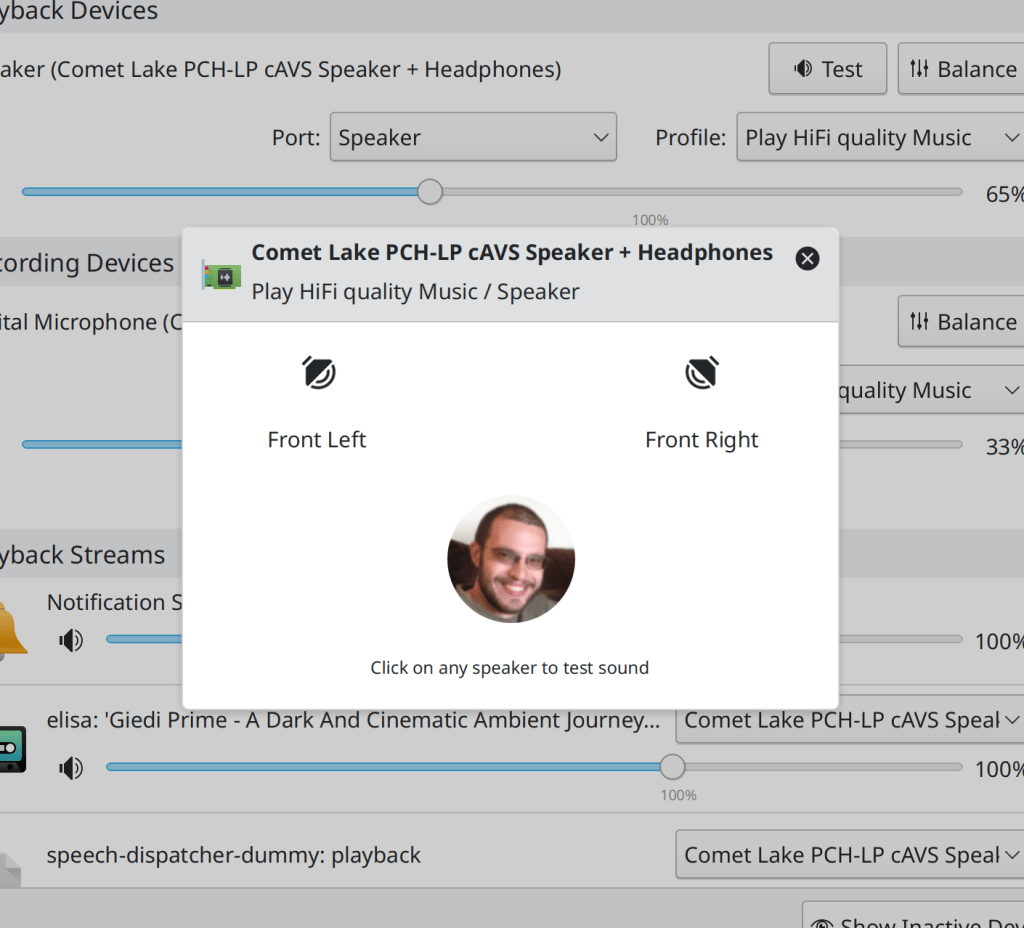
The speaker test sheet in System Settings’ Audio page now looks better (Ismael Asensio, Plasma 5.24):

You can now have more than 8 “spare” keyboard layouts (Andrey Butirsky, Plasma 5.24)

Discover now tells you which source each update come from in the expanded details view (Ismael Asensio, Plasma 5.24):

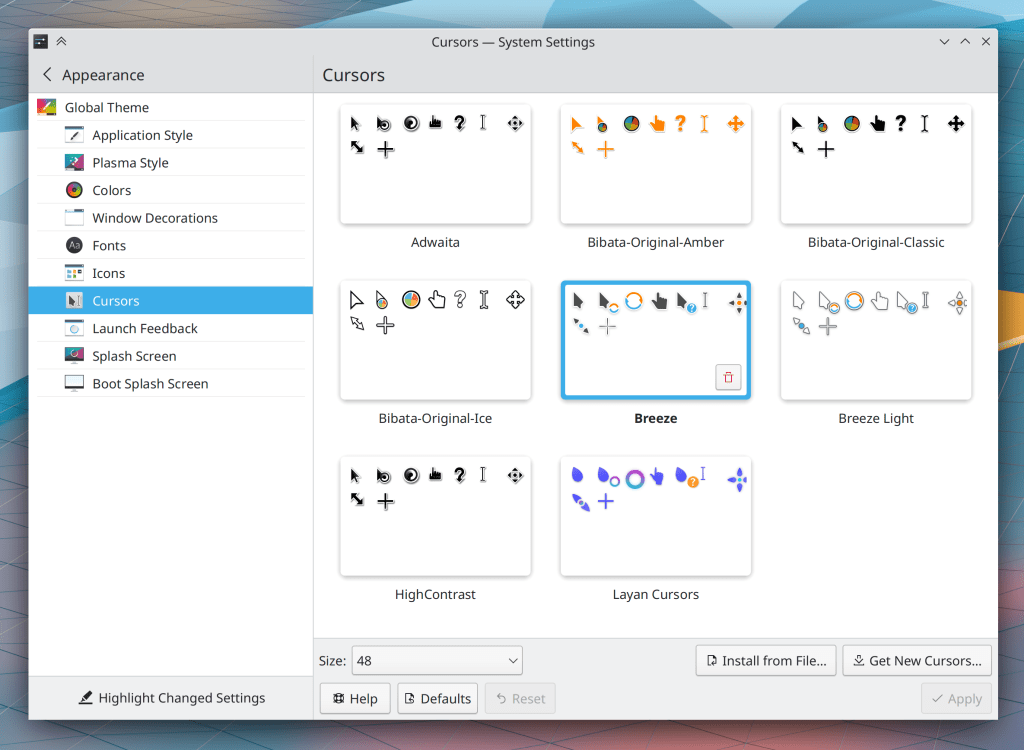
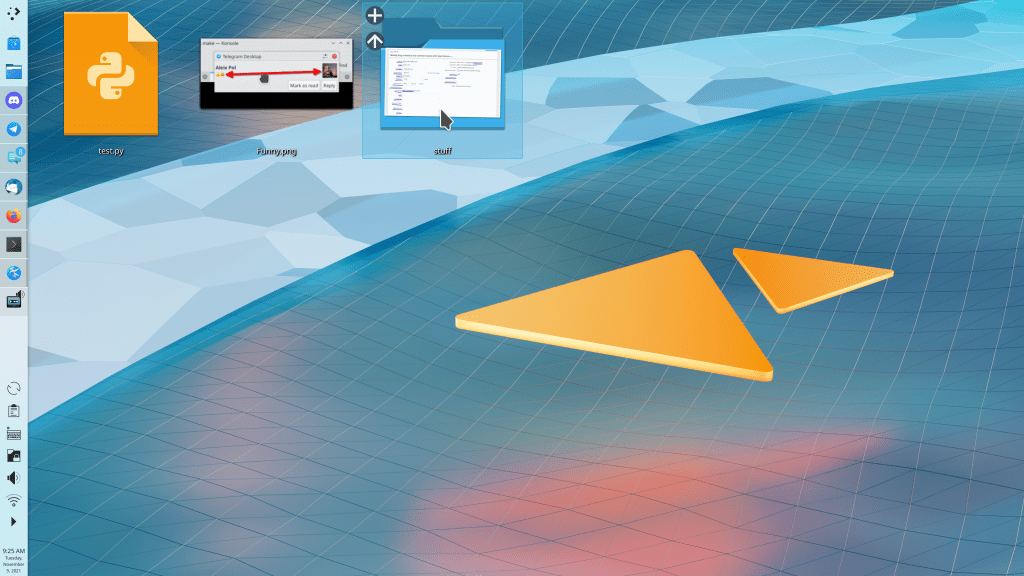
Those of you who like really huge icons can now make your desktop icons twice as large as the previous maximum size (me: Nate Graham, Plasma 5.24):

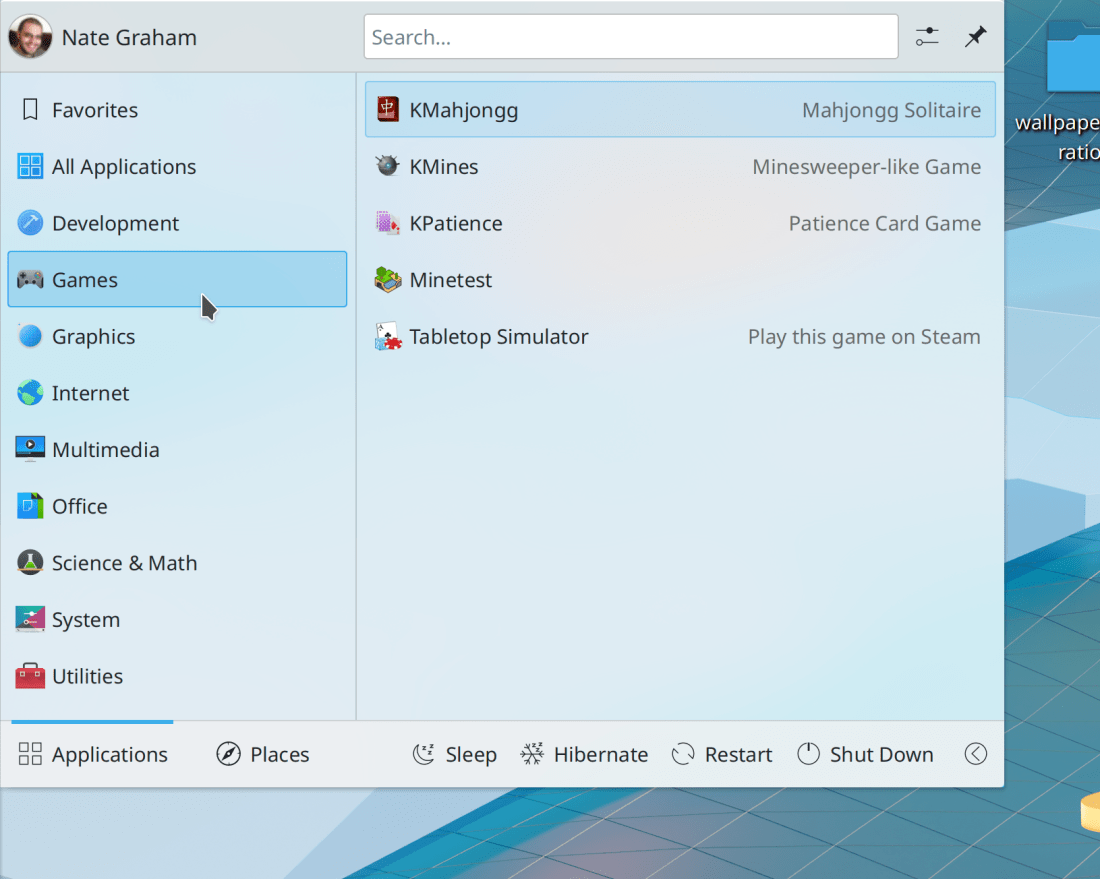
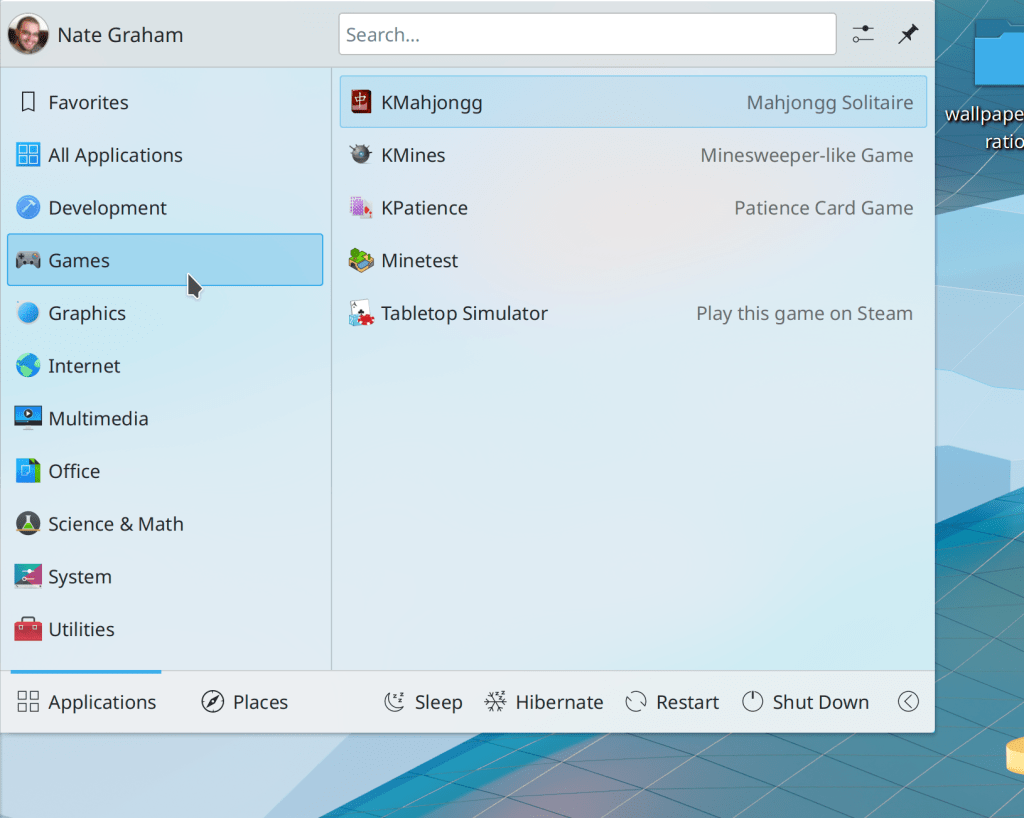
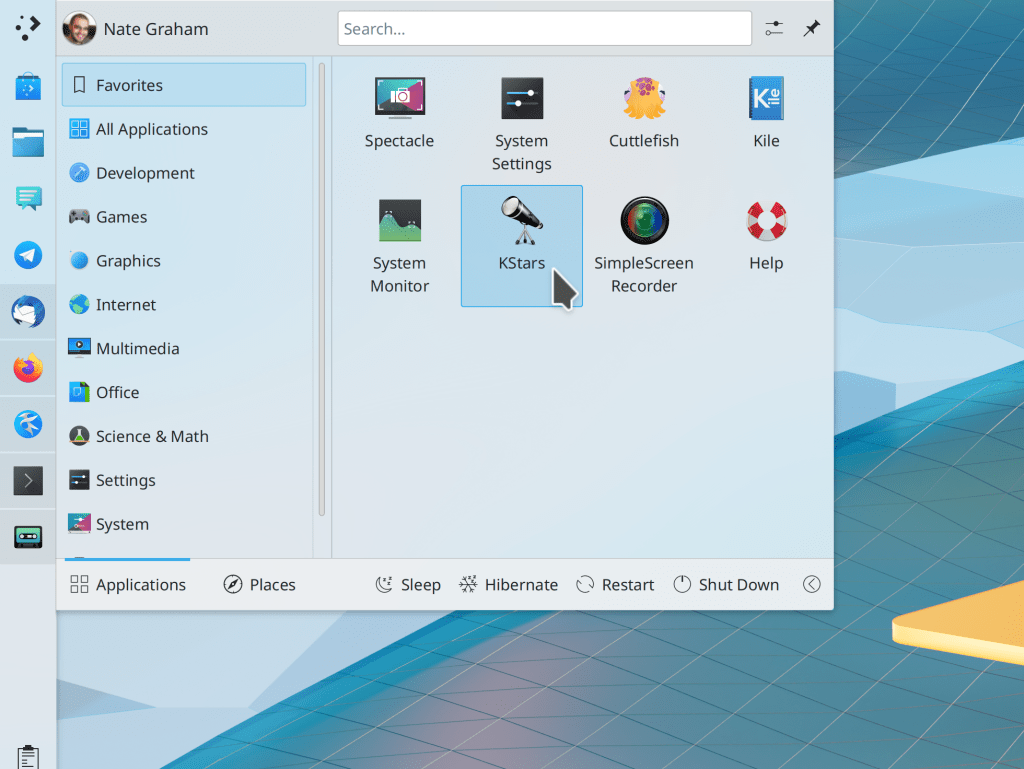
The Kickoff Application Launcher’s sidebar no longer shows arrows, to be consistent with how sidebars are typically presented elsewhere (Mikel Johnson, Plasma 5.24):

The backgrounds for the Task Manager Tasks’ “active” and “needs attention” states have been made brighter and easier to see (Frédéric Parrenin, Frameworks 5.90):

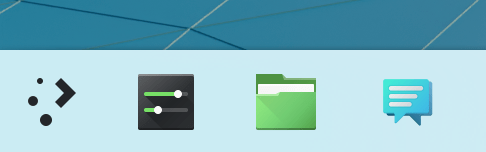
The generic File Manager and Settings App icons (typically used by Dolphin and System Settings) are now responsive to your accent color (Artem Grinev, Frameworks 5.90):

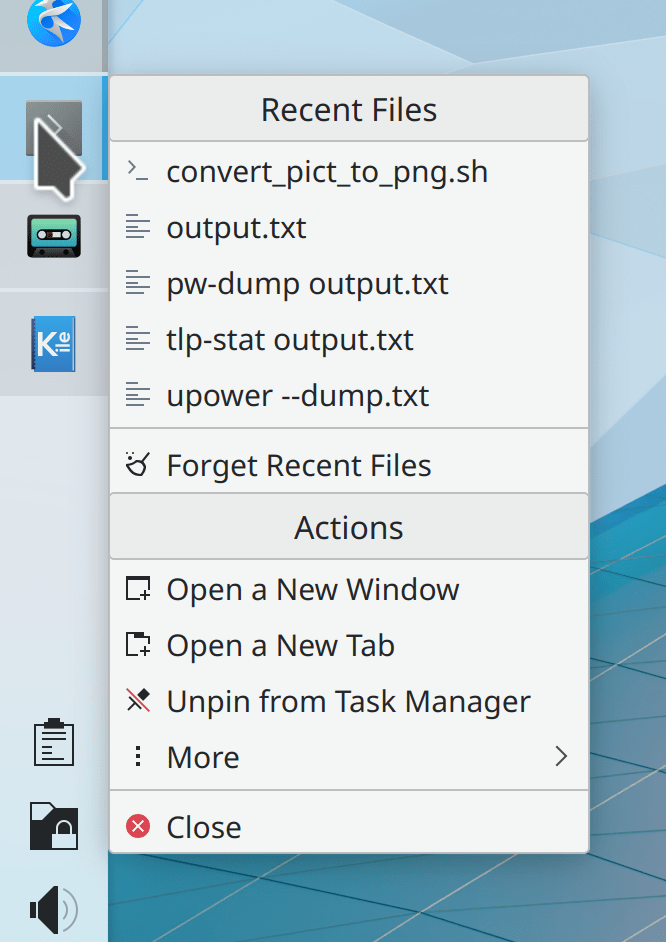
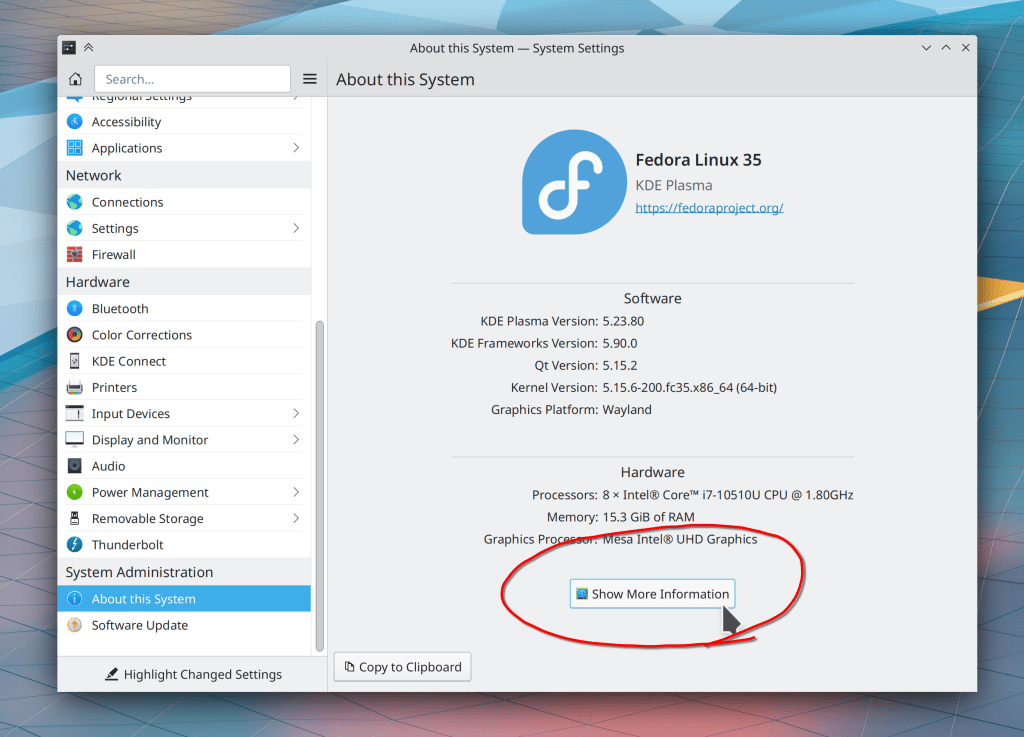
When Ark creates a big ZIP archive that takes a while to complete, the in-progress archive file now gets the .part filename extension added onto it which makes it display the standard “I’m a temp file” icon (Fushan Wen and Dieter Baron, libzip 1.8.1; though this is not KDE software, the fix was driven by a KDE contributor reporting the issue and submitting a merge request, and the fix makes Ark better!)

…And everything else

Keep in mind that this blog only covers the tip of the iceberg! Tons of KDE apps whose development I don’t have time to follow aren’t represented here, and I also don’t mention backend refactoring, improved test coverage, and other changes that are generally not user-facing. If you’re hungry for more, check out https://planet.kde.org/, where you can find blog posts by other KDE contributors detailing the work they’re doing.

How You Can Help

Have a look at https://community.kde.org/Get_Involved to discover ways to be part of a project that really matters. Each contributor makes a huge difference in KDE; you are not a number or a cog in a machine! You don’t have to already be a programmer, either. I wasn’t when I got started. Try it, you’ll like it! We don’t bite!

Finally, consider making a tax-deductible donation to the KDE e.V. foundation.
What desktop Linux needs to succeed in the mainstream

You might be aware of the recent Linus Tech Tips videos about switching to Linux, including one with some complaints about KDE software. For those of you who are following along, I want to let you know that we’re working on fixing the issues Linus brought up, and you can track our progress here. Thankfully most of the issues are fairly minor and should be easy to fix.

This blog post is my version of Sway developer Drew DeVault’s post about the videos, regarding the question of what desktop Linux needs to go mainstream. Drew emphasizes accessibility, and I agree, but with a slightly different conclusion:

Desktop Linux needs to be pre-installed on retail hardware to succeed in the mainstream.

That’s it.

Allow me to explain.


People get hung up a lot on features and usability, and these are important. But they’re means to an end and not good enough ends by themselves. Quality means nothing if people can’t get it. And people can’t get it without accessible distribution. High quality Linux distros aren’t enough; they need to be pre-installed on hardware products you can buy in mainstream retail stores! “The mainstream” buys products they can touch and hold; if you can’t find it in a mainstream store, it doesn’t exist.

Think about it: why do normal people use Windows or macOS? Because the physical computer they bought included it. iOS or Android? Because it was shipped by default on their physical smartphone. The notion of replacing a device’s operating system with a new one doesn’t exist to “the mainstream”. Only the “three-dot” users ever do that, and they’re about 5% of the market. If the only way to get your OS is to install it yourself, you have no chance of succeeding in the mainstream.

As for features, people generally use only a very small fraction of what’s available to them. When it comes to usability, most users memorize their software rather than understanding it–and you can memorize anything if you really have to. A better user interface helps, but it isn’t needed for the memorizers and mostly benefits power users (the 30% of the market “two-dot and up” crowd) who recognize patterns and appreciate logic, consistency, and good design. So these are not good enough on their own.

This doesn’t mean we should forget about features and usability! Not at all! But if the goal is to “go mainstream,”we have to understand the true audience: hardware vendors, not end users. The goal is to have a software product appealing enough to get picked up by vendors when they go shopping for one, because that’s mostly how it works. Companies like Apple that do their own custom top-to-bottom hardware and software for big-name products are rare. Most build on top of 3rd-party software that requires the least integration and custom work from their in-house software team. If your software isn’t up to the task, they move onto the next option. So when some hardware vendor has a need, your software better be ready!

And what do hardware vendors need?

  • Flexibility. Your software has to be easily adaptable to whatever kind of device they have without tons of custom engineering they’ll be on the hook for supporting over the product’s lifecycle.
  • Features that make their devices look good. Support for its physical hardware characteristics, good performance, a pleasant-looking user interface… reasons for people to buy it, basically.
  • Stability. Can’t crash and dump users at a command line terminal prompt. Has to actually work. Can’t feel like a hobbyist science fair project.
  • Usability that’s to be good enough to minimize support costs. When something goes wrong, “the mainstream” contacts their hardware vendor. Usability needs to be good enough so that this happens as infrequently as possible.

It doesn’t need to be perfect. It just needs to do that stuff. This is how Windows conquered the PC market in the 90s despite being terrible! And our stuff is much better!


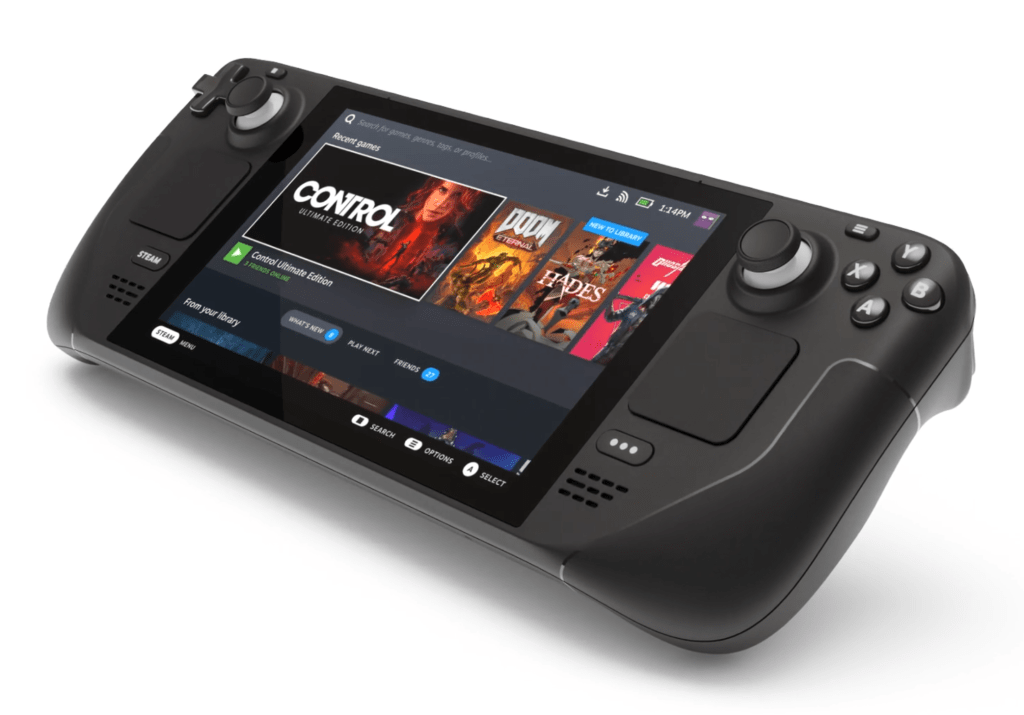
I see evidence that this is already working for KDE. Pine ships Manjaro with Plasma Mobile and Plasma Desktop on the PinePhone and PineBook Pro, respectively. Valve also picked Plasma Desktop for the Steam Deck, replacing GNOME for their new version of SteamOS. I see KDE software as well-positioned here and getting better all the time. So let’s keep doubling down on delivering what hardware vendors need to sell their awesome products.

What a great laptop needs

This post is at least partially aimed at any hardware vendors who may be reading along.

If you’re here for just the KDE-specific stuff, feel free to skip this post.


I’m picky about laptops, since I use one as my sole computer for both work and play. I probably spend at least 10 hours a day on it, so this experience ought to be as pleasant as possible. 🙂

Two characteristics define a laptop:

  1. Portability
  2. The limitations that stem from portability, such as a certain number of components being hard or impossible to replace

Achieving a good product requires a balance here, but ultimately portability is key or else the machine doesn’t get used as a laptop and mostly sits in one place, defeating the point of buying a laptop. To avoid this fate, it needs to be thin and light. Any components that have to be non-upgradable to achieve this must be excellent. Let’s start with the basic input and output devices; they have to be so good that you won’t need to upgrade them:

Highest-quality screen

The screen is your primary window to the computer and generally no part of it is easily replaceable or upgradable. So it needs to be good, with a resolution that allows 200% scale at effectively 120-130-ish DPI (meaning 240-260 physical DPI), accurate color reproduction, and enough brightness to use outdoors–generally 400+ nits. It also needs a decent enough black-to-white refresh rate that you won’t see ghosting. A high-resolution webcam on top with a privacy shutter is also highly desirable.

Most laptops get this completely wrong. In particular, nearly all 13.3″ and 14″ screens have a 1080p resolution which makes everything much too small and requires fractional scaling, or they offer a 4K resolution which has the same problem and additionally consumes far too much power. Many 15″ QHD screens are in the same boat. And a lot of screens are embarrassingly color-inaccurate, dim, or ghosty. It’s 2021; this is just not acceptable anymore. Nobody stuck with a crappy laptop screen is happy with their computer. Get this right!

Highest-quality keyboard

Carting around an external keyboard isn’t practical, so the built-in one needs to be excellent. It must have good tactile feedback and key travel for accurate and comfortable typing, or else you’ll hate it. For professional uses, it also needs dedicated Home/End/PageUp/PageDown keys to enable fast text navigation so you don’t need function key chords to access them. Bonus points for a Super/Meta/Windows key on both sides of the spacebar, a microphone mute key, and media playback keys.

Though the average tactility of PC laptop keyboards has markedly improved in the past decade, there are still few perfect key layouts. HP bizarrely removed the right Ctrl key on their laptop keyboards. Lenovo refuses to add Home/End/PageUp/PageDown keys to the non-numberpad keyboards of anything other than ThinkPads. But ThinkPads put a PrintScreen key between the right Alt and Ctrl keys, so you accidentally open Spectacle 20 times a day. MSI laptops have a weird, nonstandard layout. I could go on.

Highest-quality touchpad

If the touchpad isn’t close to perfect, people will be tempted to carry around a mouse, which takes up space and weight and is uncomfortable to use in many situations (e.g. on an airplane). To avoid this, the touchpad must be fairly large, have a smooth glass surface, and incorporate the highest quality, highest resolution hardware drivers. This should be easy to get right, yet I’d say at least 50% of PC laptops still don’t, and this is true of basically every manufacturer. I don’t get it.

Highest-quality speakers

Like the touchpad, if the speakers aren’t excellent, people will feel the need to use headphones–another thing to carry around. Decent volume and good sound reproduction at both the high and low ends are a must. Front/upward-facing speakers are the minimum acceptable standard here, with quad speakers being preferred, and bonus points for an integrated subwoofer, however small. Some Lenovo consumer laptops have a 5.1 speaker setup in the display hinge which I think is a genius idea, since they’re always pointing right at you! Sound from these laptops is amazing. If you haven’t used one of these, you you might not realize that sound from a laptop can actually be good! Unfortunately this is the exception, because the speakers on most PC laptops are a muffled, disappointing afterthought.


That’s it for the basics. I don’t think anything here should be too controversial, but nearly every PC laptop gets at least one of these things dramatically wrong. I’m not talking about the bargain-bin $400 garbage laptops; you should be able to get all of this in anything you pay $1500 or more on. But there sadly just isn’t a manufacturer that consistently nails the basics with even their high-end machines. And beyond that, you also want to take maximum advantage of the laptop’s portability, which means:

Battery and energy efficiency

The battery should be big enough to last at least 8 hours with light use, ideally more. This generally means a large 55+ watt-hour battery, and larger is better especially for the bigger screen sizes. Also important is good hardware support for power-saving modes and features. A certain amount of this that can be tweaked and improved with software, but the hardware element is fixed. So it needs to be good. A 2-3 watt idle power draw should be the target. At this level, you can actually work untethered without having to sprinkle power cords around the home and office.


After that, we need to make sure it’s useful for serious work:

CPU, GPU, and cooling

The laptop needs a powerful processor so it doesn’t feel slow in 5 years and make you want to replace it, and it needs a cooling system to let the processor reach its potential. Desktop-level performance is not the goal here–we know that’s the compromise with a laptop. But it should still be fast and powerful. Today, that would largely mean a beefy AMD Ryzen CPU, which also helps with energy efficiency. Intel need not apply.

Personally I don’t want or need a dedicated GPU in a laptop for my use cases, but I know many people do. An AMD GPU is strongly preferred here so you don’t have to deal with NVIDIA’s buggy drivers–and this goes for on Windows as well as Linux!

Replaceable hard drive/SSD

This lets you upgrade to a higher capacity disk in the future if needed. I’ve seen people junk perfectly good Apple laptops because they ran out of space and couldn’t upgrade without buying a whole new computer. What a waste! Another less obvious reason is so your data isn’t lost if the laptop loses the ability to boot up or even power on. Being able to remove the storage medium and put it in a different computer or an external dock greatly aids in troubleshooting, data recovery, and migration.


Beyond that, everything else is really just a nice-to-have. Personally I like the 2-in-1 touchscreen form factor, a unibody (not stamped) aluminum or magnesium case, a 16:10 or 3:2 screen aspect ratio, 2 full-sized USB-A ports, a USB-C port on each side that’s capable of charging, and a garaged pen. But I could excuse those as long as the machine got everything else right! Sadly, few do. It’s a real problem. If you are a PC vendor, and you get everything above right, you’ll have a product better than 99% of your competitors!

Postscript: what about the Framework laptop?

I love the Framework laptop. It’s just what the market needs, and I eagerly look forward to buying one some day! If you haven’t heard about it yet, seriously, check it out.

Unfortunately it has a few drawbacks that prevent it from being the ideal laptop: its inappropriate screen DPI, keyboard without dedicated text navigation keys, poor speakers, and hot power-hungry Intel CPU. Since these components are replaceable, it’s possible that in the future better versions will become available. However that hasn’t happened yet, so alas, it is not the holy grail laptop.

This week in KDE: New Spectacle features and tons of bugfixes

New Features

Spectacle now lets you annotate an existing screenshot via a button in the notification or the command-line --edit-existing <file> argument (Bharadwaj Raju, Spectacle 22.04):

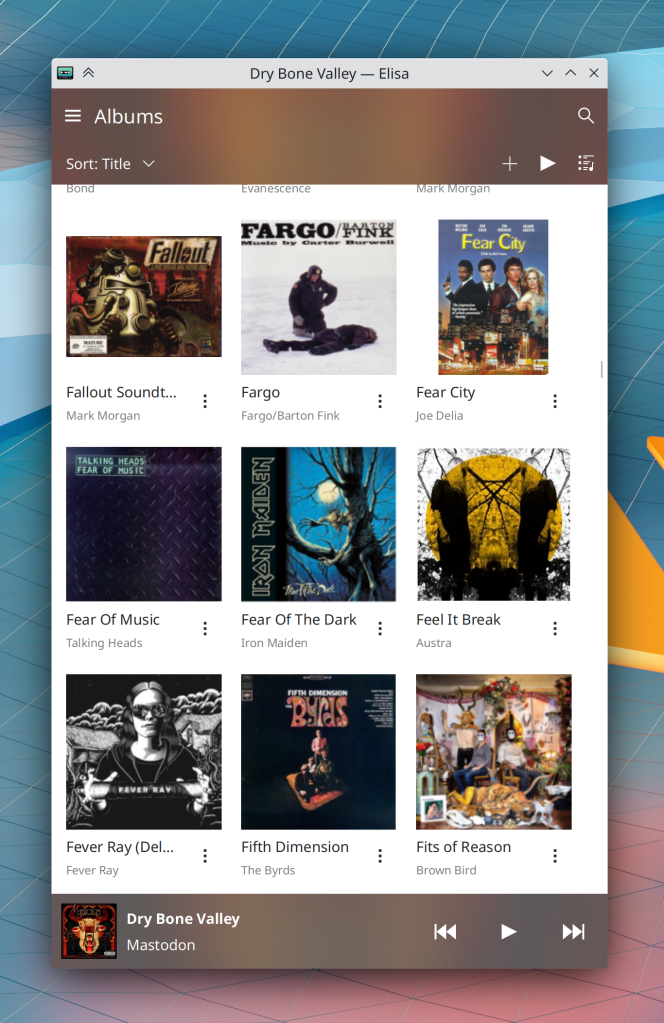
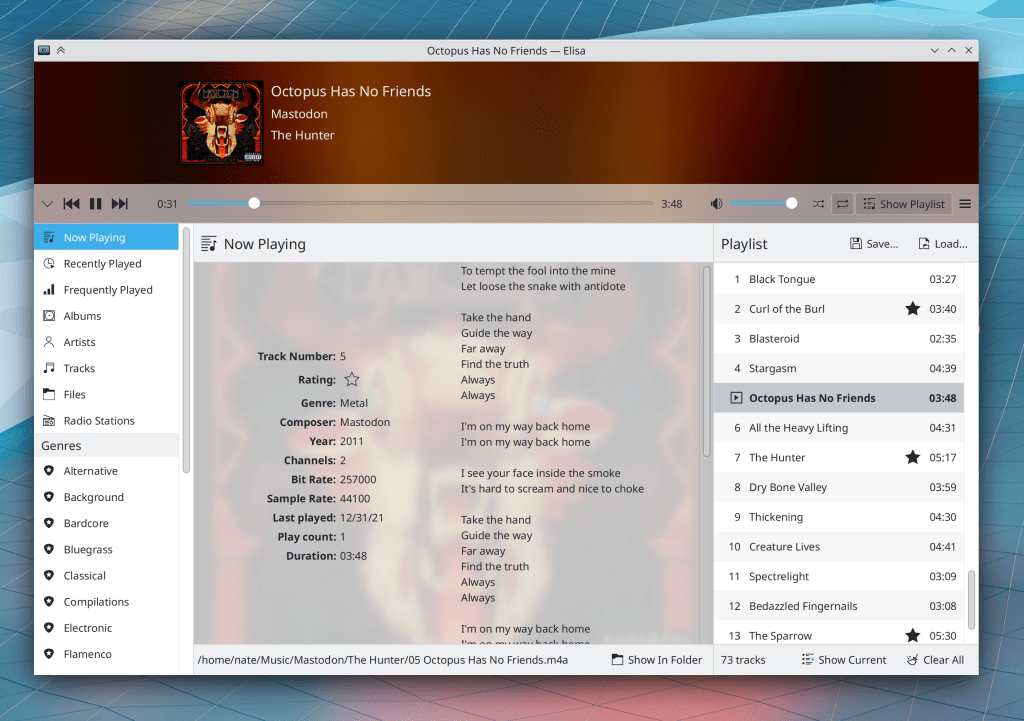
You can now drag and drop music and playlist files from your file manager onto Elisa’s playlist panel (Bharadwaj Raju, Elisa 22.04)

Bugfixes & Performance Improvements

Ark can now open zip archives that contain malformed PHP files (Albert Astals Cid, Ark 21.12)

Dolphin now displays the correct data when you create a folder while filtering the view (Eduardo Cruz, Dolphin 22.04)

Opening .m3u* playlist files in Elisa using the file manager now works properly (Bharadwaj Raju, Elisa 22.04)

Task Manager tooltips for single-window-non-web-browser apps that are playing media but don’t display the media name in the window title once again show album art instead of a window thumbnail (Bharadwaj Raju, Plasma 5.23.4)

Bluetooth status is now saved on logout when using the “remember” option (me: Nate Graham, Plasma 5.23.5)

Plasma panels now load faster on login and look less visually glitchy while doing so (David Edmundson, Plasma 5.23.5)

Discover no longer crashes when you open the description page of a Flatpak app you just removed (Aleix Pol Gonzalez, Plasma 5.24)

Discover is now faster to check for Flatpak app updates (Aleix Pol Gonzalez, Plasma 5.24)

The System Monitor app and applets now use less resources by not constantly polling for disk and sensor data when nothing would display the polled data (Arjen Hiemstra, Plasma 5.24)

It’s now actually possible to scroll the view in the Notifications applet when there are a lot of notifications in the history (Fushan Wen, Plasma 5.24)

Transient jobs that display notifications with text like “Examining” or “Opening” no longer stick around and remain visible once the job has been completed (Kai Uwe Broulik, Plasma 5.24)

Adjusting the screen brightness when using a multi-GPU setup now always works properly (Dan Robinson, Plasma 5.24)

Right-clicking on the weather applet no longer offers a nonsensical menu item saying “Open in <text editor>” (Nicolas Fella, Plasma 5.24)

The Media Player applet now correctly shows “nothing playing” when the last media source app is closed (Fushan Wen, Plasma 5.24)

Quitting and re-launching an app (or browser tab) that is playing media now causes the Task Manager thumbnail to correctly show the media controls (Bharadwaj Raju, Plasma 5.24)

Swapping the position of grouped apps/tasks in the Task Manager no longer causes them to display the wrong items when clicked while using the Textual List style (Fushan Wen, Plasma 5.24)

In the Plasma Wayland session, the scale factor displayed in System Settings’ Display and Monitor page is no longer inappropriately rounded down when using a fractional scale factor like 150% (Méven Car, Plasma 5.24)

In the Plasma Wayland session, monitor names are no longer weirdly doubled in System Settings’ Display and Monitor page (Méven Car, Plasma 5.24)

Typing text to search in the Emoji Selector window as soon as it appears now works properly (Bharadwaj Raju, Plasma 5.24)

The Plasma System Monitor app and widgets of the same name will no longer ever nonsensically show negative disk read speeds (Arjen Hiemstra, Plasma 5.24)

Plasma theme graphics no longer sometimes go totally haywire and display in bizarre ways after they are changed in a new version (Marco Martin, Frameworks 5.89)

Monochrome Breeze icons are once again displayed in the correct color when using a dark color scheme (Rodney Dawes, Frameworks 5.89)

When using an icon theme that’s missing a requested icon, it will once again fall back to the next-closest icon in the current theme (e.g. edit-copy-location will fall back to edit-copy) rather than first looking for the icon in the fallback theme (Janet Blackquill, Frameworks 5.89)

In the Plasma Wayland session, the Morphing Popups effect now works–so most notably, panel tooltips will smoothly animate as they appear and disappear, just like they do in the X11 session (Marco Martin, Frameworks 5.89)

User Interface Improvements

Dolphin’s status bar no longer shows and hides itself according to the context; now its visibility is completely controlled by the user-facing setting to show or hide it (Kai Uwe Broulik, Dolphin 21.12)

When the “Bookmarks” button is added to Konsole’s toolbar, its popup can now be opened with a normal click, not a click-and-hold (me: Nate Graham, Konsole 21.12)

Spectacle now respects the last-used values of “include mouse pointer” and “include window titlebar and borders” when taking screenshots using global shortcuts (Antonio Prcela, Spectacle 22.04)

Gwenview now has support for large 512×512 and 1024×1024 sizes thumbnails (Ilya Pominov, Gwenview 22.04)

You can now find KWrite and Kate by searching for more terms like terms “text” “editor” or “notepad” (for KWrite) and “programming” or “development” (for Kate) (me: Nate Graham, Kate & KWrite 22.04)

You can now find Dolphin by searching for more terms like “files” “file manager” and “network share” (Felipe Kinoshita, Dolphin 22.04)

Dolphin’s URL navigator dropdown now shows hidden files when the main view is also showing hidden files (Eugene Popov, Dolphin 22.04)

Discover now shows you a sensible message when you have the Flatpak backend configured without any repos; it even gives you a button you can push to add Flathub (Aleix Pol Gonzalez, Plasma 5.24)

When you’re using the system in a language other than English, search terms entered in System Settings’ search field using English will still find results (Fushan Wen, Plasma 5.24)

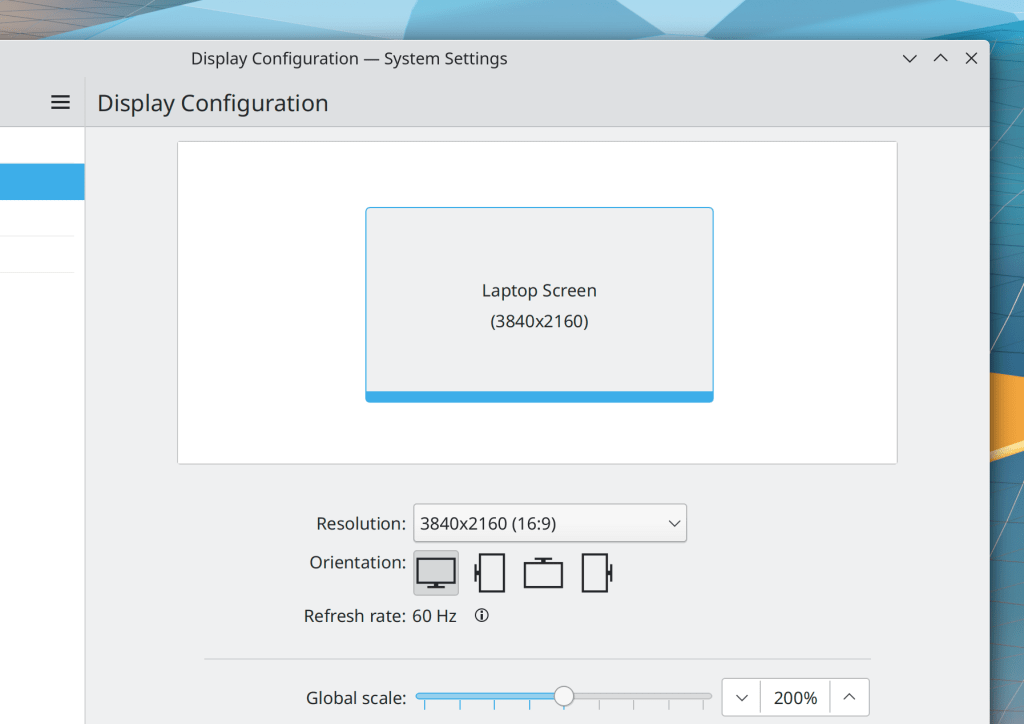
When using a global scale factor, System Settings’ Display Configuration page now shows the physical resolution in the screen visualization view, rather than the effective scaled resolution (Méven Car, Plasma 5.24):

Hovering the cursor over a file or folder in the trash no longer causes that item to secretly get copied to /tmp so that thumbnails can be generated for it (Eduardo Sánchez Muñoz, Frameworks 5.89)

Scrollbars, progress bars, and sliders in the Breeze Plasma style now have the same slightly darker background color that they do in app windows (S. Christian Collins, Frameworks 5.89):

Tooltips for elided items in KRunner search views now use the same styling as elsewhere (David Redondo, Frameworks 5.89)

The icon chooser dialog’s search field can now be focused with the Ctrl+F shortcut (Kai Uwe Broulik, Frameworks 5.89)

The Escape key can now be used to close dialog layers in Kirigami-based apps (Claudio Cambra, Frameworks 5.89)

…And everything else

Keep in mind that this blog only covers the tip of the iceberg! Tons of KDE apps whose development I don’t have time to follow aren’t represented here, and I also don’t mention backend refactoring, improved test coverage, and other changes that are generally not user-facing. If you’re hungry for more, check out https://planet.kde.org/, where you can find blog posts by other KDE contributors detailing the work they’re doing.

How You Can Help

Have a look at https://community.kde.org/Get_Involved to discover ways to be part of a project that really matters. Each contributor makes a huge difference in KDE; you are not a number or a cog in a machine! You don’t have to already be a programmer, either. I wasn’t when I got started. Try it, you’ll like it! We don’t bite!

Finally, consider making a tax-deductible donation to the KDE e.V. foundation.

More about those zero-dot users

Yesterday’s article about KDE’s target users generated some interesting discussions about the zero-dot users. One of the most insightful comments I read was that nobody can really target zero-dot users because they operate based on memorization and habit, learning a series of cause-effect relationships: “I click/touch this picture/button, then something useful happens”–even with their smartphones! So even if GNOME and ElementaryOS might be simpler, that doesn’t really matter because it’s not much harder to memorize a random-seeming sequence of clicks or taps in a poor user interface than it is in a good one.

I think there’s a lot of truth to this perspective. We have all known zero-dot users who became quite proficient at specific tasks; maybe they learned how to to everything they needed in MS Office, Outlook, or even Photoshop.

The key detail is that these folks rely on the visual appearance and structure of the software remaining the same. When the software’s user interface changes–even for the better–they lose critical visual cues and reference points and they can’t find anything anymore.

On the desktop side, these people are the target audience for Long Term Support (LTS) distros, where the UI never changes for years at a time. This is exactly what they want because they prefer a bad yet unchanging UI to one that incrementally evolves to be better.

So I think if we want to reach these people, it will probably be done less by improving Plasma or KDE apps, but rather by being more attentive to our existing Plasma LTS offering and broadening it to encompass apps and frameworks as well. That way these other KDE products that are used alongside or underneath Plasma can benefit from more bugfixes without the UI changes of non-LTS upgrades. And we should increase the support period to 5 years or more. It’s 10 years for Red Hat Enterprise Linux! This is what’s needed to have a real LTS product and bring the zero-dot users into the fold.

However I’m not sure we have these resources right now. No KDE developer I know uses the Plasma LTS release. Working on old crappy code isn’t any fun. Backporting fixes is a thankless task. I think we would probably have to pay someone to be the full-time LTS developer-and-backporter if we wanted to have an LTS product worth of its name. It will most likely need to be on the back burner for a while. Hence, focusing on the one-or-more-dots users for the time being.

Who is the target user?

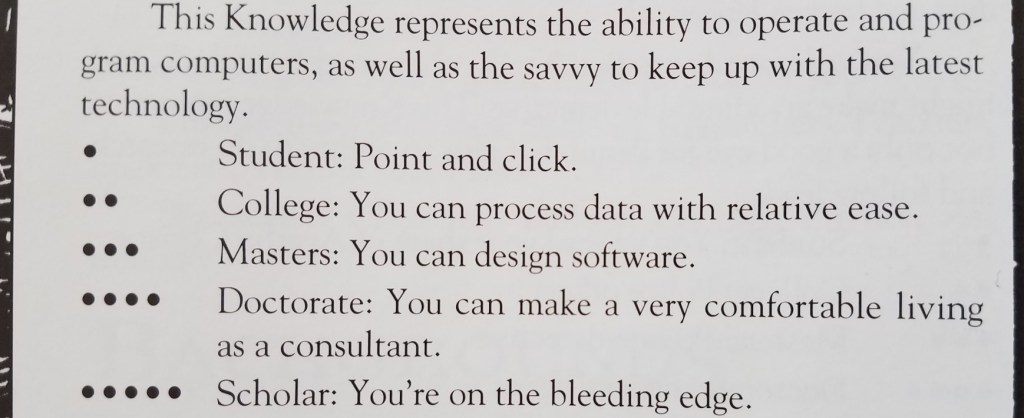
As a teenager, I played a lot of Vampire the Masquerade (VtM)–a tabletop role-playing game. One of the skills in which your character could become experienced was Computers, with ability measured from 0 to 5 dots:

This little table has stayed with me over time. As simple and crude as it is, I think it provides a reasonable measurement scale that can be used to guide software development: you need to decide how many dots in Computers a user must have before they can use your software, which helps you organize the user interface and prioritize features.

My sense is that currently most Linux-based software targets people with three dots in Computers or more, but is often usable for people with two dots. My wife is a solidly two-dot user who is happily using KDE Neon as her distro.

But how many zero and one dot users are out there? What fraction of the market are we abandoning by requiring two dots?


This question was answered a couple of years ago when the Organization for Economic Co-operation and Development commissioned a massive a study of adults’ computer skills, with over 200,000 participants (!!!) across 33 high-income countries. The Nielsen/Normal Group summarized the results, and here I’ll condense them even further:

  • 25% of users cannot use computers at all. AT ALL! These people have zero dots in Computers according to the VtM scale.
  • 14% can can perform easy and obvious button-driven tasks in single simple apps, such as sending or deleting an email. They also have zero dots in Computers, but would be on the higher end of zero. Maybe a little more than half a dot.
  • 29% can use more advanced functionality in individual apps, such as searching for data that is not currently visible, or writing an email reply to multiple people and not just the sender. They have one dot in Computers.
  • 26% can perform multi-step tasks involving more than one app, collate information from external sources, overcome minor errors and obstacles that occur during the process, and do some monitoring of background tasks for activity. They have two dots in Computers.
  • 5% can perform complex tasks involving multiple data sources and apps with lots of navigation, transform imperfect data with tools to make it suitable for the required work, and succeed at ambiguous tasks with more than one correct outcome or possible approach to get it done, overcoming significant roadblocks along the way. These people would probably have three dots in Computers (even if they are not software engineers).

Let that sink in: almost 40% of adults in rich countries have practically no computer skills at all. This isn’t mentioned in the summary, but my personal experience with people in the lowest-skill group (25%) is that they can only use smartphones and tablets, while those in the next skill group (14%) still strongly prefer them over computers.

Another 30% of people have effectively one dot in Computers on the VtM scale. Taken together with the two lowest-skill groups, this means 70% of people’s computer skills are non-existent or very basic. Those with more advanced skills–two dots in Computers and up–are only about 30% of the population.

Maybe the dominance of the smartphone makes a bit more sense now…


KDE is never going to achieve world domination with software that can only be used by at most 30% of the market–those with two or more dots in Computers. To broaden our appeal, we need to make our software usable by at least the people in the next level down (one dot in Computers), which doubles the potential to 60% of the market–going from a minority to a solid majority.

BUT WAIT! Won’t this “dumb down” KDE’s software? Won’t we alienate our current audience of 2-and-3-dots-in-Computers users? After all, smartphone software optimized for zero-dot people is indeed really simple and limiting. So it’s a risk.

But I think good design and high customizability can make software elastic, suitable for users with a range of skills. Software with little or no customizability or poor design can probably only straddle two categories, so decent phone apps would be comfortably usable by people with 0-1 dots in Computers, maybe 0-2 dots with exceptional design. This pretty much matches the experience of myself and many people I know: those with more technical ability find most phone apps to be limiting and prefer using a computer for heavy lifting.

But well-designed software that’s customizable and has good default settings can accommodate a wider range of skill levels: people with 1-3 dots, or even 1-4 dots!

We can deliberately exclude the zero-dot people from our target audience, who are probably never going to be happy with KDE software. Our focus on power will bleed through in even the simplest apps, and just never appeal to them. GNOME and ElementaryOS can have those users. 🙂

This is what I think we should shoot for in KDE: software that is simple by default so it can work for 1-dot users, but powerful when needed via expansive customization, so that it can appeal all the way to the 4-dot users–which includes many KDE developers. This is currently a strength of KDE software, and it won’t be going away!

Essentially we need to fully embrace Plasma’s motto of “Simple by default, powerful when needed” all KDE software, not just Plasma.

I see a lot of this already happening via our simple-by-default Kirigami apps gaining power and customization opportunities, and our powerful-by-default QtWidgets apps gaining better default settings and a streamined appearance. So let’s keep it up!


Edit: check out this follow-up post: https://pointieststick.com/2021/11/30/more-about-those-zero-dot-users

This week in KDE: Fixing a bunch of annoying bugs

This was a major bug squashing week, with quite a lot of annoying issues fixed–some recent regressions, and many longstanding issues as well.

On the subject of bugs and recent regressions, I’m starting to think from a higher level about how we can prevent them. KDE has largely conquered our historical issues of excessive resource consumption and visual ugliness, and our next major challenge on the path towards world domination is reliability. One idea I’m toying with is starting an initiative to focus on the “15 minute bugs”–those embarrassing issues that can easily be found within just a few minutes of using the system normally. Here is a preliminary list of these issues in Plasma. I would encourage any experienced developers to try to focus on them! The impact will be very high.

Bugfixes & Performance Improvements

Creating archives using Ark’s main UI once again works (Kai Uwe Broulik, Ark 21.12)

Elisa no longer shows an error message instead of the number of tracks in the playlist footer when the playlist only has one track in it (Bharadwaj Raju, Elisa 21.12)

Okular’s zoom buttons now always enable and disable themselves at the correct times, in particular when a new document is opened (Albert Astals Cid, Okular 21.12)

Ark can now handle archives whose files internally use absolute paths, rather than relative paths (Kai Uwe Broulik, Ark 22.04)

Touch scrolling in Konsole now works properly (Henry Heino, Konsole 22.04)

Fixed a common crash in the System Tray (Fushan Wen, Plasma 5.23.4)

Fixed a common crash in Discover when using it to manage Flatpak apps (Aleix Pol Gonzalez, Plasma 5.23.4)

The logout screen once again has a blurred background and animates when appearing and disappearing (David Edmundson, Plasma 5.23.4)

In the Plasma Wayland session, dragging a file or folder from a Folder View popup into its parent folder no longer causes Plasma to crash (Marco Martin, Plasma 5.24)

In the Plasma Wayland session, when using a stylus, it’s now possible to activate other window from their titlebars and also just interact with titlebars more generally (Fushan Wen, Plasma 5.24)

Changing various settings in System Settings no longer causes a flickering effect behind Plasma panels (Vlad Zahorodnii, Plasma 5.24)

Repositioning a panel from horizontal to vertical or vice versa no longer causes the layout of the control strip to get kinda messed up (Fushan Wen, Plasma 5.24)

Activating the new Overview effect no longer causes auto-hidden panels to be shown (Vlad Zahorodnii, Plasma 5.24)

In the Plasma Wayland session, the Clipboard applet now shows entries for images added to the clipboard using the wl-copy command-line program (Méven Car, Plasma 5.24)

User Interface Improvements

Hovered and focused Breeze style scrollbars no longer blend in with their track so much (S. Christian Collins, Plasma 5.23.4)

Kate has been replaced with KWrite in the default set of favorite apps, since it’s a bit more user-friendly and less programmer-centric (me: Nate Graham, Plasma 5.24)

Discover’s somewhat confusing checkbox on the bottom of the Updates page has been transformed into a couple of buttons and a label which should be clearer, and it also doesn’t say the word “Updates” quite so many times on that page anymore (me: Nate Graham, Plasma 5.24):

When using PipeWire and streaming audio from one device to another, the audio stream now shows the name of the remote device in Plasma’s Audio Volume applet (Nicolas Fella, Plasma 5.24)

The Properties window for files now displays which app will open the file (Kai Uwe Broulik, Frameworks 5.89):

The icon selection dialog now pre-selects the folder’s currently-used icon for easier visualization and keyboard navigation (Kai Uwe Broulik, Frameworks 5.89)

Those little transient messages that sometimes appear at the bottom of the windows of Kirigami-based apps (which are nonsensically called “Toasts” in Android land) now have easier-to-read text (Felipe Kinoshita, Frameworks 5.89)

…And everything else

Keep in mind that this blog only covers the tip of the iceberg! Tons of KDE apps whose development I don’t have time to follow aren’t represented here, and I also don’t mention backend refactoring, improved test coverage, and other changes that are generally not user-facing. If you’re hungry for more, check out https://planet.kde.org/, where you can find blog posts by other KDE contributors detailing the work they’re doing.

How You Can Help

Have a look at https://community.kde.org/Get_Involved to discover ways to be part of a project that really matters. Each contributor makes a huge difference in KDE; you are not a number or a cog in a machine! You don’t have to already be a programmer, either. I wasn’t when I got started. Try it, you’ll like it! We don’t bite!

Finally, consider making a tax-deductible donation to the KDE e.V. foundation.
This week in KDE: most of GNOME shell in the Overview effect

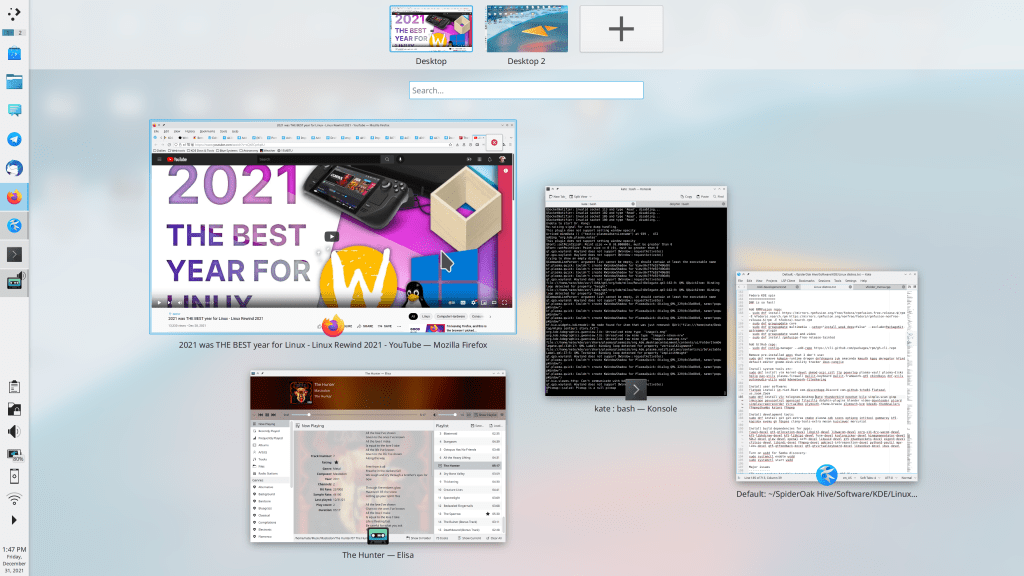
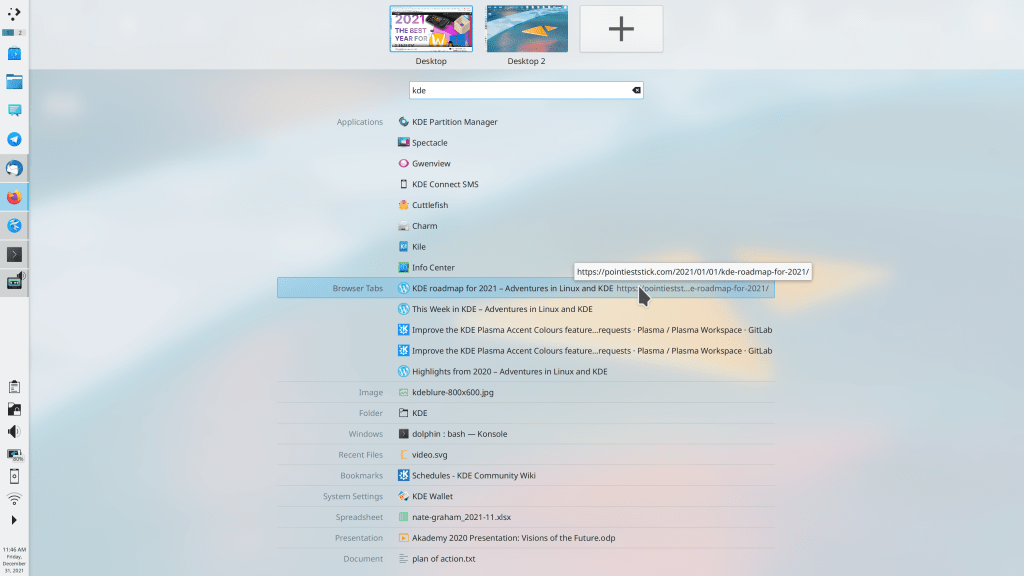
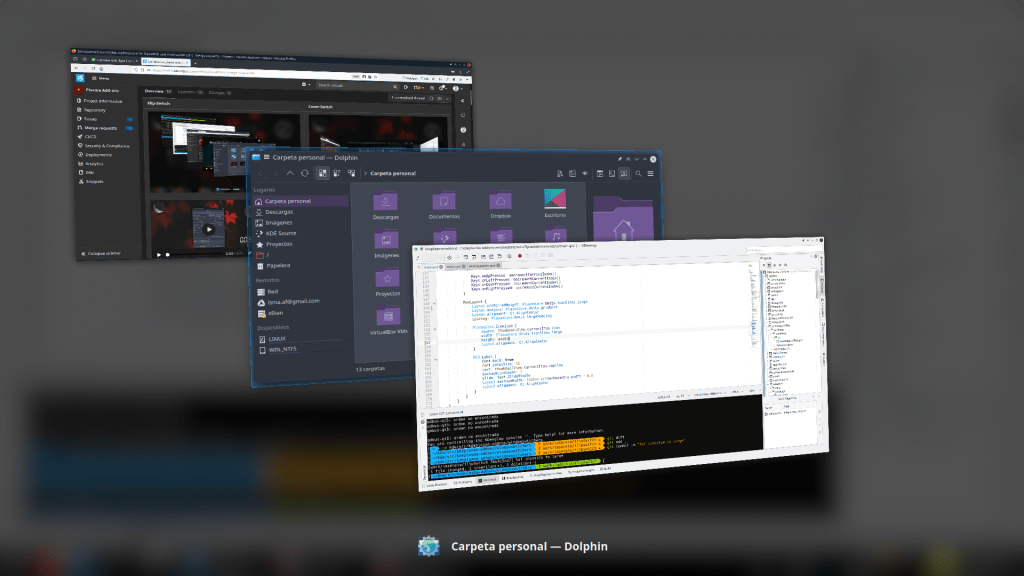
This week the new KWin Overview effect gained the ability to shows results from KRunner when you search! This brings it fairly close to feature parity with GNOME’s central Activities Overview feature!

At this rate, we’re about halfway to implementing all of GNOME shell in the Overview effect

Thanks to Vlad Zahorodnii for this work, which lands in Plasma 5.24!

Other new Features

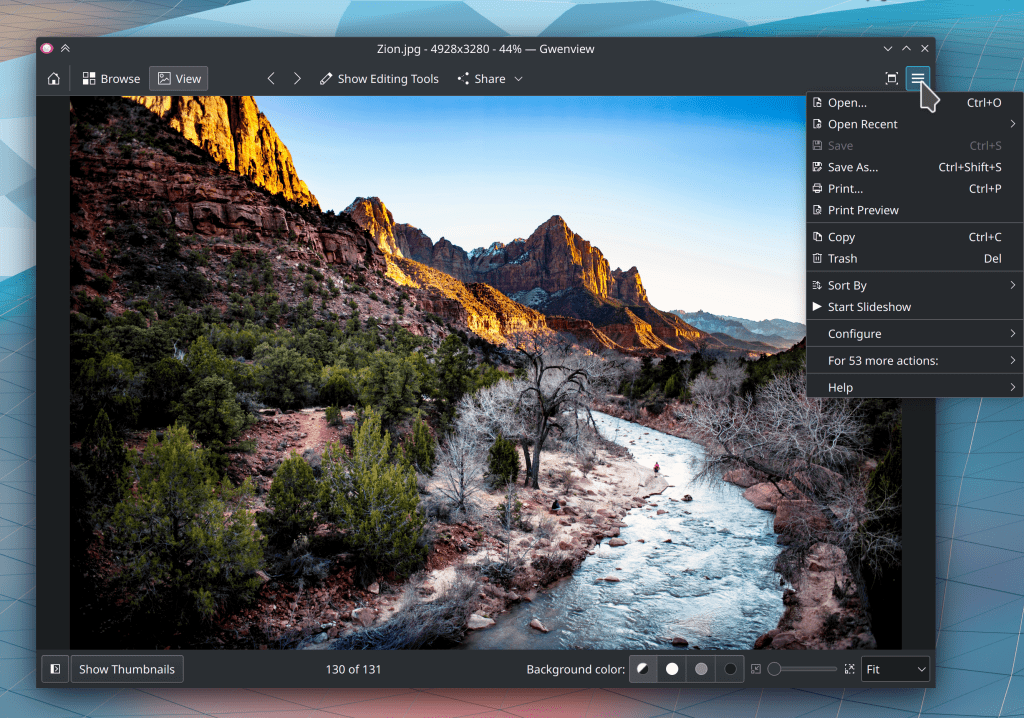
Gwenview now has “Print Preview” functionality, which as I’m sure you can imagine would be quite useful in an image viewer app (Alexander Volkov, Gwenview 22.04)

Discover now prevents you from doing anything that would uninstall Plasma in the process, which is probably not what you were intending to do (Aleix Pol Gonzalez, Plasma 5.24):

Hopefully this is Linus-Sebastian-proof

Bugfixes & Performance Improvements

When you print an image in Gwenview or Kolourpaint, it now automatically defaults to printing in portrait or landscape mode according to the image’s aspect ratio, rather than making you set this manually (Alexander Volkov, Gwenview 21.12)

Konsole now releases memory when you clear the text (Martin Tobias Holmedahl Sandsmark, Konsole 22.04)

Konsole now has better text display performance (Waqar Ahmed and Tomaz Canabrava, Konsole 22.04)

The Alacritty terminal once again opens with the correct window size (Vlad Zahorodnii, Plasma 5.23.4)

Toolbar buttons in GTK3 apps that don’t use CSD headerbars (such as Inkscape and FileZilla) no longer have unnecessary borders drawn around them (Yaroslav Sidlovsky, Plasma 5.23.4)

The open/save dialogs in Flatpak or Snap apps now remember their previous size when re-opened (Eugene Popov, Plasma 5.23.4)

The “Show in file manager” text in Plasma Vaults is now able to be translated (Nicolas Fella, Plasma 5.23.4)

The Task Manager’s textual list of grouped apps is now much faster and more performant (Fushan Wen, Plasma 5.24)

Discover now eventually stops searching after no further search results are found, instead of always displaying “Still looking” at the bottom (Aleix Pol Gonzalez, Plasma 5.24)

Fixed an issue with playing certain embedded videos in the Plasma Wayland session (Vlad Zahorodnii, Plasma 5.24)

Fixed a major performance issue in QtQuick-based KWin effects for NVIDIA GPU users (David Edmundson, Plasma 5.24)

The new Overview effect is now much faster to activate (Vlad Zahorodnii, Plasma 5.24)

Tons and tons of small bugs with Breeze icons have been fixed–too many to individually list! (Andreas Kainz, Frameworks 5.89)

Fixed a visual glitch with Plasma tooltips flickering when they appear or disappear (Marco Martin, Frameworks 5.89)

Icons and text in Plasma applet tabs are once again centered as intended (Eugene Popov, Frameworks 5.89)

User Interface Improvements

Elisa’s default album icon is now prettier and more semantically appropriate (Andreas Kainz, Elisa 22.04):

The new Overview effect is now touch-friendly (Arjen Hiemstra, Plasma 5.24)

The touchpad applet has been restored after getting removed in Plasma 5.23, and is now back as a read-only status notifier that simply shows visually when the touchpad is disabled, like the caps lock and microphone notifier applets (me: Nate Graham, Plasma 5.23.4):

The weather applet’s location configuration dialog now automatically searches through all available weather sources rather than making you first select some manually (Bharadwaj Raju, Plasma 5.24):

Discover now presents a more user-friendly set of messages when there is an issue installing updates (me: Nate Graham, Plasma 5.24):

This is a simulated error message, of course. 🙂 But it’s what a normal error message seems like to regular people!

Discover’s search field no longer auto-accepts a few seconds after you stop typing; now it only initiates a search when you explicitly hit the Enter or Return key (me: Nate Graham, Plasma 5.24)

Opening a Plasma Vault and displaying its contents in your file manager now creates a new file manager window for this purpose instead of re-using any existing ones, since this didn’t work with various combinations of activities and virtual desktops and especially when using the “Limit to the selected activities” setting (Ivan Čukić, Plasma 5.24)

…And everything else

Keep in mind that this blog only covers the tip of the iceberg! Tons of KDE apps whose development I don’t have time to follow aren’t represented here, and I also don’t mention backend refactoring, improved test coverage, and other changes that are generally not user-facing. If you’re hungry for more, check out https://planet.kde.org/, where you can find blog posts by other KDE contributors detailing the work they’re doing.

How You Can Help

Have a look at https://community.kde.org/Get_Involved to discover ways to be part of a project that really matters. Each contributor makes a huge difference in KDE; you are not a number or a cog in a machine! You don’t have to already be a programmer, either. I wasn’t when I got started. Try it, you’ll like it! We don’t bite!

Finally, consider making a tax-deductible donation to the KDE e.V. foundation.
Be flexible to win big

My goal of KDE Plasma World Domination is not a secret at this point. But what does it truly take to get there?

Let’s look at the existing market leaders in the OS space: Microsoft’s Windows and Google’s Android. Neither was the first to market, but they were the first to successfully serve the mass market. Neither is picky about what kind of software you run on them or write for them, so they are used on a wide range of devices by lots of different people. Both work with others in adjacent industries, rather than taking a “my way or the highway” approach. They are flexible.


Before KDE, I came from the Apple world, which takes a different approach. Apple identifies distinct use cases and focuses their efforts like a laser on making them as polished as possible. This works very well, but it requires ignoring, abandoning, or explicitly blocking other use cases, and sometimes inventing new things that conflict with what others are doing, in the hope that their new thing takes over. It requires saying “no” a lot and being opinionated.

Apple’s opinionated approach worked well for me with my own personal use cases in my pre-KDE days, as it did for many millions of other people. But evidently it doesn’t work for everyone, as Apple’s products routinely fail to crack 15% market share. And when they do, they often fall back down to that level after competitors emerge. But that’s okay, because Apple isn’t going for the mass market anyway; they’re happy in their profitable and opinionated boutique niche.

But that’s not KDE, and it never has been; we’ve always dreamed of a broad scope and being useful for everyone. This is what’s behind Plasma desktop’s extreme flexibility; Plasma Mobile for phones; Plasma Bigscreen for TVs; and Plasma Nano for embedded devices. It’s why the Steam Deck handheld gaming console, PinePhone smartphone, and JingPad A1 tablet are built on top of KDE technology.

To be the market leader, you must be flexible enough to accommodate everyone’s weird and random use cases. This includes grandmas, gamers, businesspeople, students, teachers, phones, tablets, shared family PCs, kiosks, and everything in between. It means you have to give up a certain amount of that laser-focus on making a particular use case bulletproof, in favor of flexibly accommodating everyone and working with partners to support their needs so that they can build their products on top of your platform. Windows and Android do this, and so does KDE.
This, fundamentally, is why I believe KDE can and will take over the world. We share the market leaders’ winning strategy and culture of flexibility, and we can supplant them by leveraging our advantages of being free and eternal, our resistance to turning evil because of our diverse stakeholders and decentralized leadership model, and our philosophy of keeping the user in control rather than exploiting them for ad or upgrade revenue.

So I think ultimately we will become the Windows or Android of the Free Open-Source Software world, with projects like GNOME and ElementaryOS competing to be the Apple of FOSS. I think there will absolutely be room for projects like theirs; in fact I think it’s highly likely that they’ll offer a better user experience than we do for people who fit within the usage paradigms they focus on–just like Apple does.


None of this means that we actually have to make our stuff look or behave like Windows or Android, of course. But it means we need to retain their philosophy of not shutting anyone out. We need to stay willing to make changes for vendors who want to ship our software and developers who want to write apps for our platform. We need to keep listening to our users and trying our best to make our software work for them. We need to remain flexible.

And I think we’re doing this. Which is why we’re going to win.

It may take a few decades, but I believe it’s going to happen. If you agree, help get there faster! This crazy thing only works because of people like you and me and all of us. There is no “they” in KDE. So c’mon, get involved and let’s take over the world together.

This week in KDE: Primarily Centered Hamburgers

This week brings several exciting and long-awaited changes, including KHamburgerMenu in Okular, Primary Monitor on Wayland, and Centered window placement by default! Read on to find out the details:

New Features

Okular has now adopted KHamburgerMenu, so you can now hide the menubar for a slim, modern look without losing access to any features! Note that in Okular this is not on by default; you have to manually hide the menubar first. (Felix Ernst, Okular 21.12):

Did you know that Okular can open and display Markdown files? Isn’t that cool!?

In the Plasma Wayland session, we have implemented the concept of the “primary monitor”, and it does the same thing on Wayland as it does in the X11 session (Aleix Pol Gonzalez, Plasma 5.24)

Bugfixes & Performance Improvements

Okular no longer crashes when opening a Markdown file containing any images with alt text that are inside links (Albert Astals Cid, Okular 21.12)

Ark now correctly handles zip files whose internal metadata uses backslashes as path separators (Albert Astals Cid, Ark 21.12)

In the Plasma Wayland session, Yakuake’s “Keep window open when it loses focus” setting now works (Firlaev-Hans Fiete, Yakuake, 21.12)

Fixed a random KWin crash (Aleix Pol Gonzalez, Plasma 5.23.3)

In the Plasma Wayland session, a few glitches in KWin’s adaptive sync support have been fixed (Xaver Hugl, Plasma 5.23.3)

You can once again activate items in Kickoff using a stylus/graphics tablet pen (Fushan Wen, Plasma 5.23.3)

The new Wayland-compatible keyboard layout System Tray applet is no longer missing the Esperanto flag (Fushan Wen, Plasma 5.23.3)

When your battery is at a critically low level and Plasma notifies you about it, the notification now goes away automatically when you plug in the power cord (Kai Uwe Broulik, Plasma 5.23.4)

The Media Frame applet now supports displaying images from folders whose names contain unusual characters such as backticks (Patrick Northon, Plasma 5.23.4)

In the Plasma Wayland session, it is now possible to run an XWayland app as a different user (Weng Xuetian, Plasma 5.23.4)

On the System Settings Display & Monitor page, text in the “revert this change” dialog no longer gets cut off when using a language with long words like German or Brazilian Portuguese (me: Nate Graham, Plasma 5.23.4)

Fixed a case where the Plasma Wayland session could crash on logout (Xaver Hugl, Plasma 5.24)

When not using the systemd startup feature, Plasma now properly cleans up after itself on logout, terminating all processes that it launched as expected (Aleix Pol Gonzalez, Plasma 5.24)

When clicking the “Check for Updates” button in Discover while only the Flatpak backend is active, it now appears to do something (Aleix Pol Gonzalez, Plasma 5.24)

Searching for cities in the Weather applet using the BBC UK Met search provider should now be more reliable (Bharadwaj Raju, Plasma 5.24)

In the Plasma Wayland session, Plasma OSDs showing things like the current volume and brightness levels no longer inappropriately respect KWin’s Maximized window placement policy, so they don’t end up huge when using that policy (Marco Martin, Frameworks 5.89)

In the Plasma Wayland session, clicking on the hamburger menu button of a QtWidgets app like Dolphin or Gwenview or Okular while its window is unfocused no longer causes the menu to appear as a standalone window (Felix Ernst, Frameworks 5.89)

In System Settings and Info Center, the title rows of QtQuick-based pages no longer oddly fade in as they load (me: Nate Graham, Frameworks 5.89)

The KCommandBar no longer shows empty space on the right side (Eugene Popov, Frameworks 5.89)

User Interface Improvements

Newly-opened windows are now placed in the center of the screen by default (me: Nate Graham, Plasma 5.24)

App list items in Discover now have a more attractive and logical layout (me: Nate Graham, Plasma 5.24):

Hopefully this should address some of the complaints about Discover in https://www.youtube.com/watch?v=XzdEHrPbYiE

In the wallpaper chooser, previews now use the same aspect ratio as the screen whose wallpaper you’re choosing, so the preview will be visually accurate (Iaroslav Sheveliuk, Plasma 5.24):

The Display Configuration applet no longer has three configure buttons (me: Nate Graham, Plasma 5.24)

The Battery & Brightness applet now shows the battery status of more devices, including more types of Bluetooth devices in particular (Nicolas Fella, Frameworks 5.89)

The KCommandBar now shows a placeholder message when your search returned no results (Eugene Popov, Frameworks 5.89)

…And everything else

Keep in mind that this blog only covers the tip of the iceberg! Tons of KDE apps whose development I don’t have time to follow aren’t represented here, and I also don’t mention backend refactoring, improved test coverage, and other changes that are generally not user-facing. If you’re hungry for more, check out https://planet.kde.org/, where you can find blog posts by other KDE contributors detailing the work they’re doing.

How You Can Help

Have a look at https://community.kde.org/Get_Involved to discover ways to be part of a project that really matters. Each contributor makes a huge difference in KDE; you are not a number or a cog in a machine! You don’t have to already be a programmer, either. I wasn’t when I got started. Try it, you’ll like it! We don’t bite!

Finally, consider making a tax-deductible donation to the KDE e.V. foundation.