
Gwenview has been KDE’s flagship image viewer for over 25 years. It works, it’s feature-packed, and it’s been modernized repeatedly. Gwenview has served generations of KDE users faithfully and well.
So… why build a replacement?
Well, over the years Gwenview has fallen behind in some areas that can’t easily be retrofitted without rewriting half of it anyway — like better performance with large image libraries, GPU acceleration, mobile-friendliness, and the kind of enjoyably hackable QtQuick UI that would make it easier to modernize and engage a new generation of contributors.
Either by way of illustration or as a result of the above, community contributions of features, bug fixes, and UI improvements to Gwenview have dried up in recent years. It would appear that Gwenview’s technical architecture has reached the limit of what people are willing to do with it.
Something new
Meet Photos (originally named “Koko”):
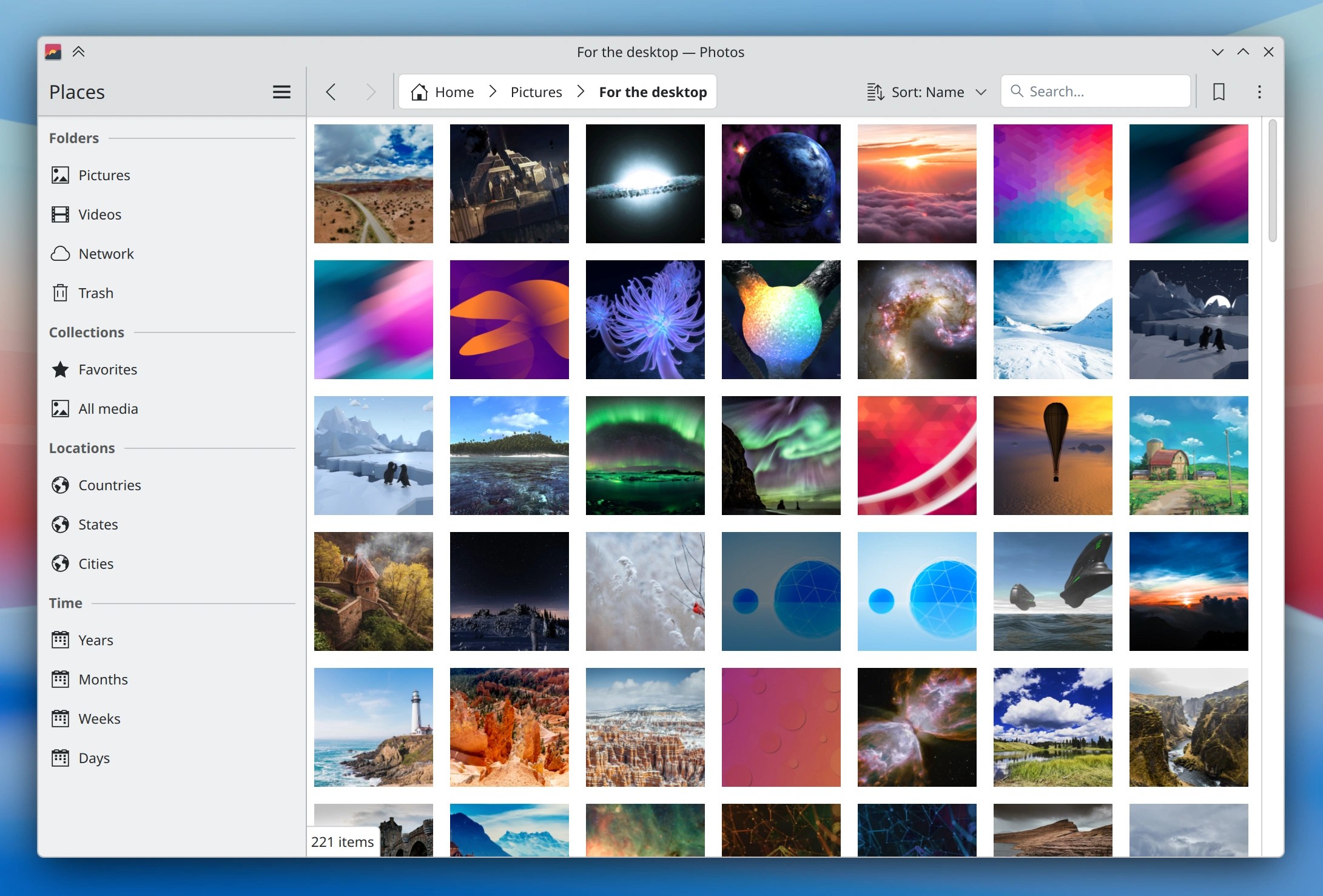
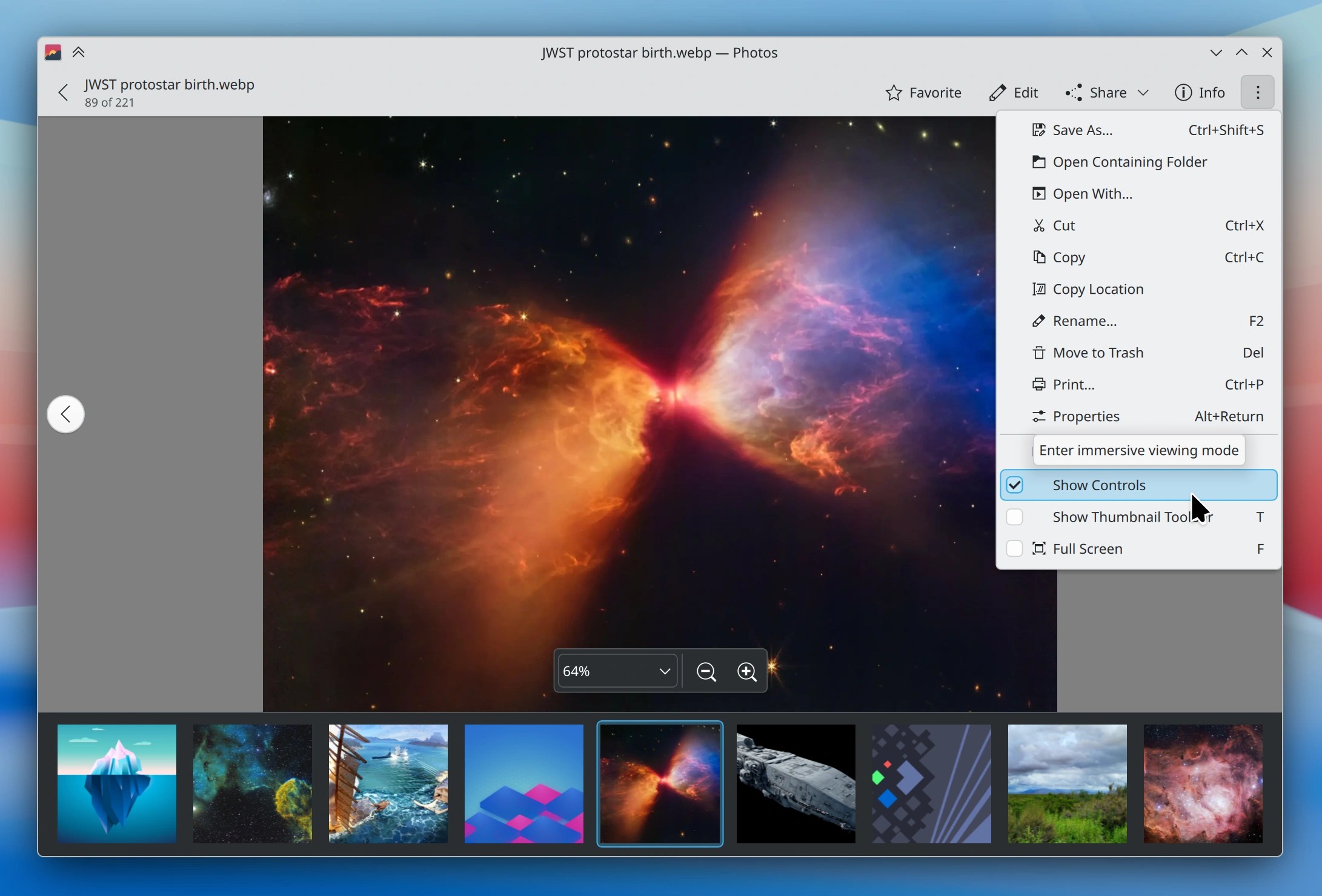
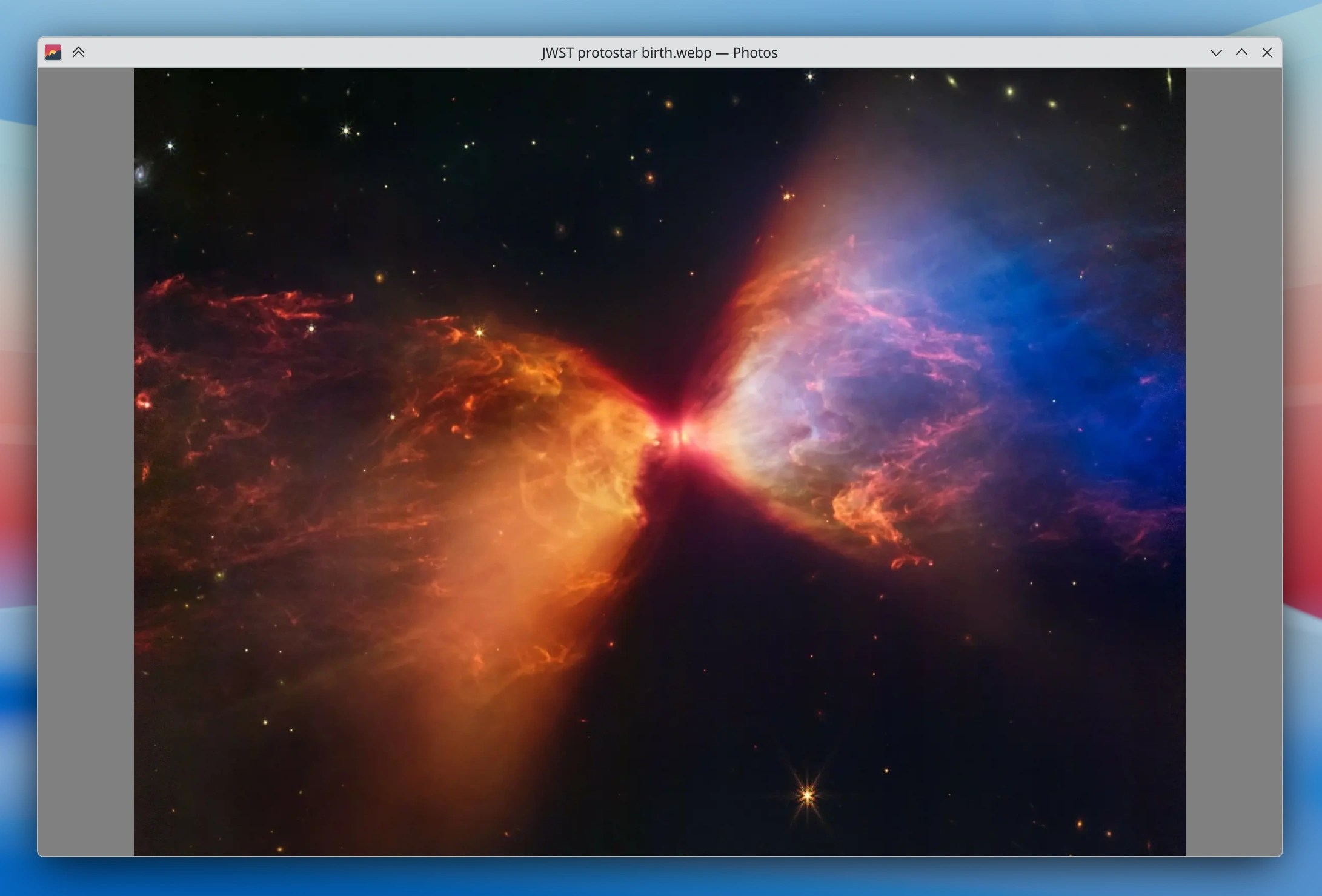
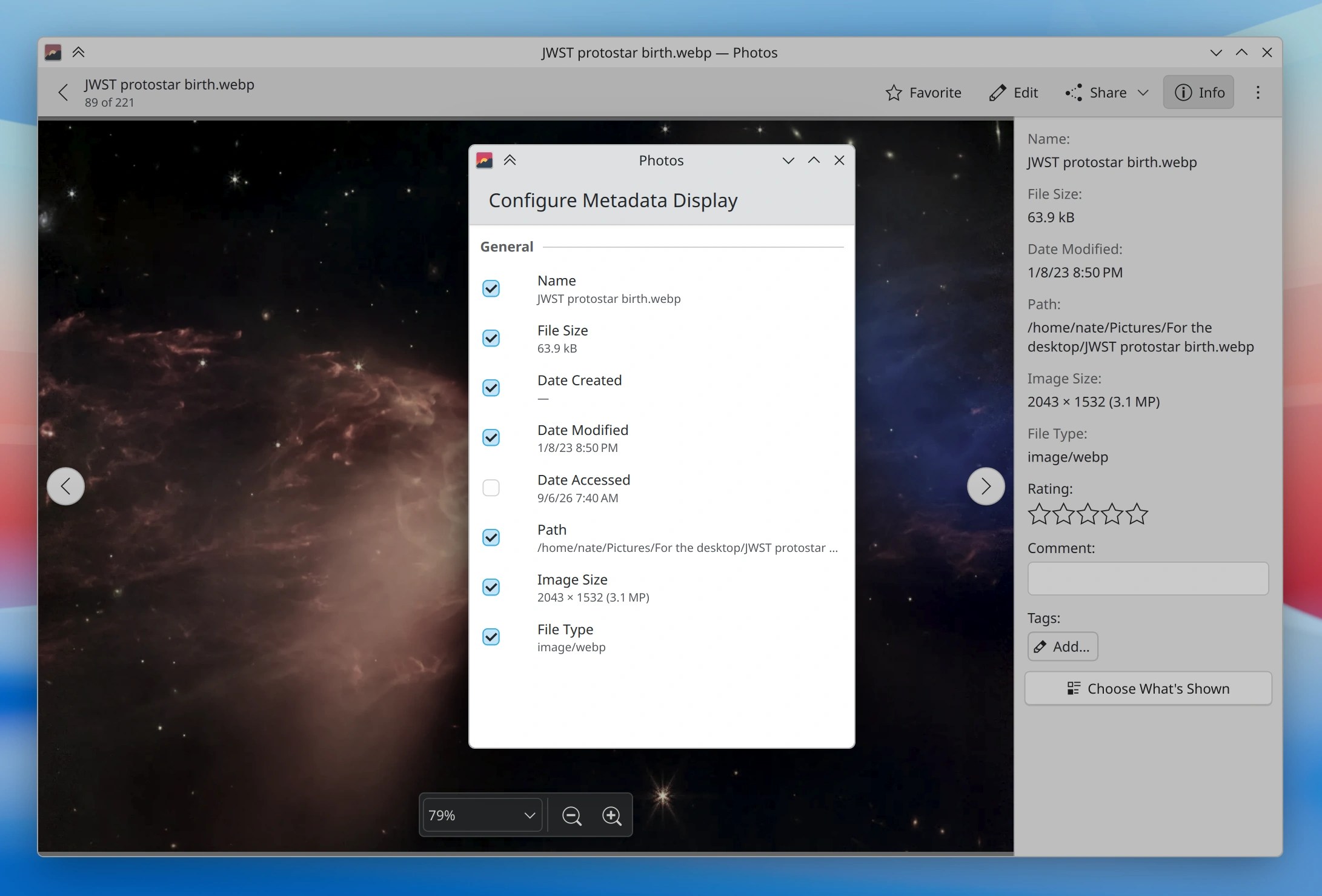
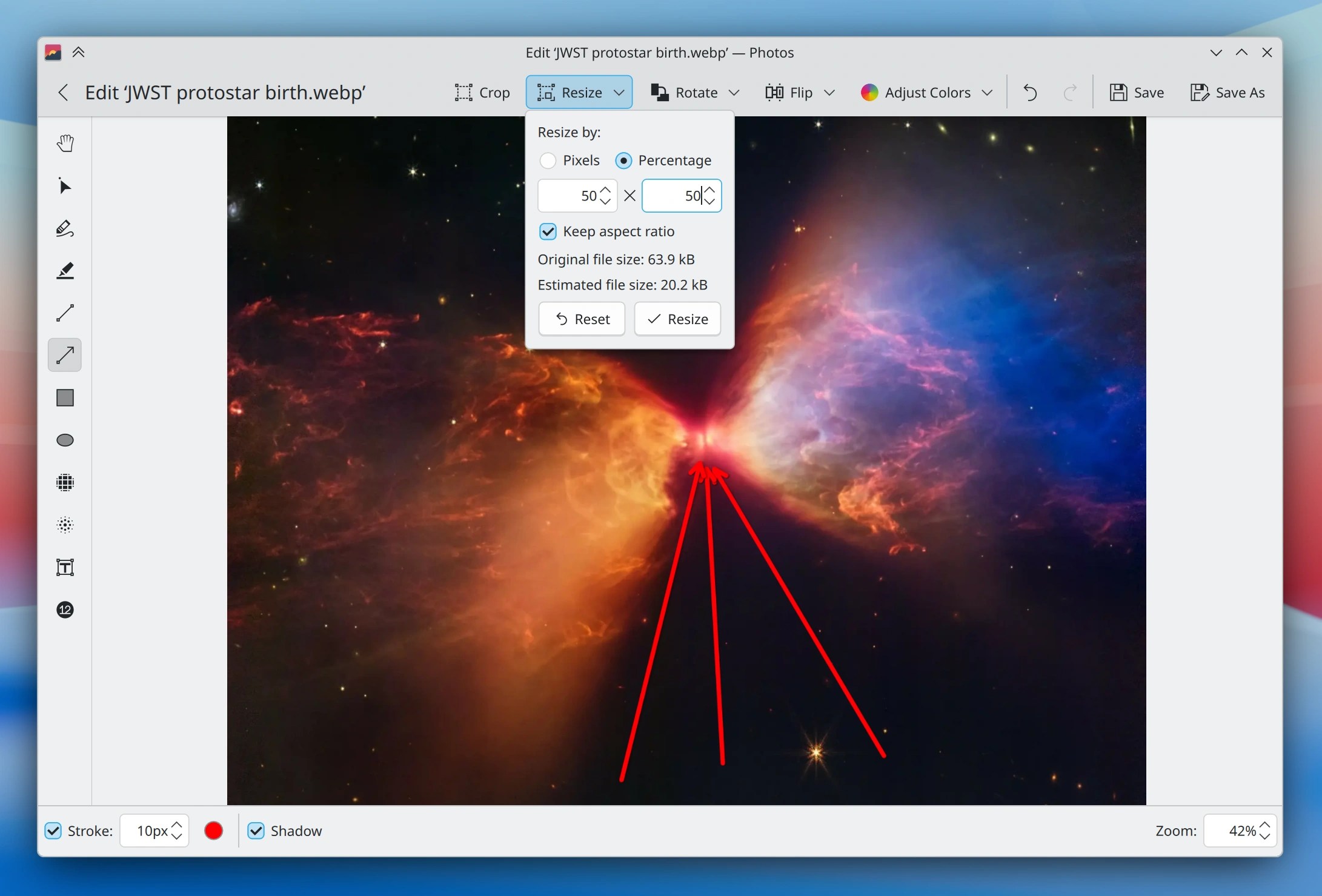
Actually I lied: Photos is not a new app. Its first release was five years ago, after extended development dating at least back to 2017. But it was always somewhat niche, because it began as a mobile app and couldn’t match Gwenview in raw functionality and desktop-friendliness.
So over the past year, Techpaladin Software (full disclosure: I’m the CEO) has sponsored a bunch of development with the explicit goal of bringing Photos to parity with Gwenview as a first-class desktop app. Oliver’s recent blog post contains lots of interesting details about the process.
Techpaladin folks will continue to contribute maintenance for a while, but our hope is that we’ve managed to bootstrap the app to the point where the KDE community can generally take over for further feature and UI development on the desktop side. Therefore…
Give it a try!
I’d like to invite users to try using Photos, and invite distros to consider replacing Gwenview with it — either soon, or in the future.
I’m sure it won’t be perfect. Gwenview has had an extra 15 or so years in the metaphorical oven. But at this point Photos has pretty much all of the relevant features, plus some added goodies:
- Much better performance, especially with large photo libraries and high DPI screens
- Mobile-friendly UI that’s also capable of being used as a very small window
- Shares Spectacle’s amazing annotation system
- You can mark images as favorites
- Timeline, location, and “just show me all my images” views
So give it a try! The current 26.08 release is pretty good, and the upcoming 26.12 release will add a few more improvements.
If you find any bugs, sources of UI awkwardness, or missing features compared to Gwenview that you actually need and care about, feel free to report them on the Bugzilla page. And changes can be contributed via merge request on Photos’ invent.kde.org page.
Let us know what you think! And if you like it, consider helping out with development or bug triaging. It takes a village to raise a child maintain an app. 🙂
 Adventures in Linux and KDE
Looks very promising, unfortunately, it is not available in the Arch repositories.
LikeLike
that’s.. surprising since it’s part of the Gear release. note that the package might be called “koko” instead, which is still the internal name of the application
LikeLiked by 1 person
Great, test-driving this from now on. Could not install it from Fedora repos (terse “transaction” error), installed it as Flatpak instead.
LikeLike
A change that’s annoyed me in Gwenview in recent years is that the minimum window size has become incredibly large. You used to be able to make it smaller, but nowadays it just refuses. It looks like Koko / Photos doesn’t suffer from that issue, so that’s a good start.
LikeLike
That being said, it could definitely be smaller, especially in width, but height too.
LikeLike
Gwenview is a neat tool but I guess everyone has something to complain about (like when it becomes unresponsive when opening a large folder, or the left/right arrow that doesn’t change the current image when it’s slightly zoomed).
Of course, there is that running joke: “it’s bugged? just rewrite from scratch!” that is the recipe of disaster for large and complex software, but it should be fine for simple cases like a picture previewer.
As for the name, “Gwenview” sounds like some Celtic magic incantation, “Photo” is clearly too generic. Now sure, not many people will look for it if it becomes the default on image app on KDE.
LikeLike
In Geeqie you can press ` to hide the panels and then you can make the window about as small as you would want. Same in Irfanview — in fact that one can go silly small, up to mere pixels. Gwenview never could go as small as Geeqie did, to its detriment, but you could make the window reasonably small until fairly recently.
And indeed, the name isn’t the best. Koko seems better.
LikeLike
I see an issue with the name that is absolutely not searchable. It seems to be a trend in names that now you can’t rely on a web search to find information on a specific application and instead will pull a formless mass on weakly related information (want information on photos? Here, we have some)
LikeLiked by 1 person
God please, not Apple/Gnome style names. “Huh, we both use ‘Photos’ but mine looks so different from yours. Is yours newer?” So are we supposed to say Kay Dee Ee Photos all the time to differentiate it from the existing Gnome Photos app?
These names also make no sense because they don’t even say what the apps are. The app isn’t a stack of photos, the app is an image viewer. Just keep the name Koko. It’s unique.
LikeLiked by 1 person
Yeah, also not thrilled about the name, Koko is quite cute. And I doubt it that all of KDE is going to adopt these generic names (or is it?), so it sounds inconsistent :-/.
LikeLiked by 1 person
I’m new to koko and this is as unbiased and naive as can be:
rpm -qi koko gwenview|grep Size
Size : 34238919 (koko-26.08.0-1.fc44.x86_64)
Size : 10122694 (gwenview-26.08.0-1.fc44.x86_64)
→ koko is 3.5 times bigger on disk.
On a raw+jpg folder of 15k images:
koko: 6.4% RAM
gwenview: 2% RAM
dolphin (image thumbnails mode): 1.2% RAM
→ the best “gallery style” viewer (resource, snappiness, ergonomics) might be dolphin after all 🙂
From a usability standpoint
– I hate that koko is missing the usual shortcuts (ctrl+l to edit the address bar, ctrl+i to filter
– scrolling isn’t as responsive and enjoyable in koko (I suspect this is a QtQuick vs QtWidgets thing)
LikeLiked by 2 people
I miss the times when applications had proper menu bars and pop ups which were individual windows and not whatever that Kirigami popup stuff is. That’s already annoying in System Settings and other areas nowadays.
Sorry for the rant, but in my opinion those are clear steps back in terms of UX.
LikeLiked by 1 person
Agreed. This looks like a decent app but a step back from Gwenview when it comes to look, clarity and easy discoverability of functions. Hopefully there will be a way to display a traditional menu bar – I really dislike these “just put a bit of everything in there” hamburger menus.
LikeLike
No you’re hitting a nerve here with multiple people I think. Kirigami may be great in terms of convergience and developer experience, but from a desktop user perspective its a step back in the performance, consistency and flexibility of traditional QWidget UIs. There’s nothing outdated about proper menu bars and its imho also a big misunderstanding that traditional WIMP interfaces (such as Gwenview) are somehow ‘too hard’ for new users. I very much question the necessity of replacing Gwenview, but well, its open source, I digress..
LikeLike
I very urgently recommend to not call it “Photos” at the end. We need clarity in application names, don’t go the confusing Gnome route with this. Koko sounds fun, but maybe there is an even better name out there, a name contest could wash it up.
LikeLiked by 2 people
Hi, I agree with that intention. It is way too late I thing, but it was worth saying it in this thread.
Coming from years of many OS exploration to end in KDE paradise, I love Gwenview’s philosophy, close to what Apple-Preview is.
I still dream about this shortcut of using space in the Dophin file explorer to preview the files.
Honestly, a template of Gwenview, detecting large resolution folders with image file extension would have made more sense to me rather than cutting the apple in two to make another software dedicated to photos.
Less is better IMHO.
LikeLike
Was unable to view some HIF images, very slow, inconvenient navigation, keyboard shortcuts, so PhotoQt is much better replacement for Gwenview with traditional shortcuts which Gwenview refused from for some stupid reason.
LikeLike
I installed to test and… it’s very confusing!!!! I’m lost trying to navigate this thing and most important at all, this new program doesn’t work like the other KDE natives that you can customize the interface? On Gwenview I use a side panel with customized buttons. I can’t find there here, and the buttons I can find sometimes are far fewer than the ones available on Gwenview. Also, you can’t change mouse behavior to navigate instead of zoom?
Maybe good enough for “mobile”, but for desktop?
LikeLiked by 2 people
This is also very important. The ability to configure panels is really awesome and I always create a setup for these that fits my workflow. My main problem with qtquick-based software is that this doesn’t seem to be possible anymore, which is a huge step back.
LikeLike
I’m testing both now side by side, looking at the photos on a SD Card. Koko reedeming quality is that it really loads the thumbnails in a folder faster and that’s it. How is this best in any way? On Gwenview you have the traditional Plasma Places panel from where you can see all mounted drives, on Koko I had to figure out what is the exact Linux path I had to navigate to find the SD Card! How Koko can even be considered for the desktop if it lackes even this!?!
Moving on, I wanted to see the last photos on that SD Card. “Sort by Name, Z-A”… does nothing! Sort by name does not work! And because my camera is not saving the date correctly I had to leave it as by name A-Z and scroll all the way down to see the last photos.
On Gwenview by the way, I added the Sort button to the side panel in five seconds for this comparision, everything worked just as expected.
Then I clicked on a photo.
On Gwenview the photo appears large, occupying all the screen available it can, on Koko… there’s a permanent row of thumbnails in the bottom making the image I clicked to see open in a much smaller size. (discored that you can hide the bottom row doing a single click on the photo, which isn’t intuitve) If I double click on Gwenview I get a mix of full screen and slide how, there’s a auto hide menu with a row of thumbnails.
Another big unbeliavable problem, you can’t scroll that row of thumbails in Koko! And worse, the photos show there aren’t the ones closest to the photo open right now! I openned the last photo and Koko’s row is showing the first photo in the SD Card! That row only moves automatically if you navigate the photos clicking in the arrows at each side of the photo being showcased, what?! WHAT?!
Meanwhile Gwenview works as you expected.
On Koko baside operations are hidden behind the tree dots menu and the edit button. And the options there are limited.
On Gwenview theres a button that shows a side panel with all those save options and more, and I can customize the right panel to have permanent shortcuts to all operations I want.
And much more if I had more time.
And yes, it uses more RAM on average.
This is a clear downgrade in usability, doesn’t fits, bugs, regressions.
LikeLike
If is a replace for Gwenview, maybe it can name “Gwenview2” or “GwenviewR” (“R” is for “Reborn”)
LikeLiked by 1 person
Glad to see it does do annotations as I use those heavily on photo editing. But resource wise:
Photos = 990 MB – 1 GB RAM and 31 threads
Gwenview = 234 MB RAM and 7 threads
For some reason on Arch it does not get found at Photos, but rather on koko.
LikeLike
Question: does “photos” shows exifdata just as qwenview does? If not, it’s useless for me so i won’t give it a second thought.
My whole photography workflow runs on Linux for years and years. DIgikam for downloading photos and managing my collection (many thousand of photos). Darktable or rawtherapee for editing. Exiftool and imagemagick for certain tasks. Gwenview as an advanced photo viewer, nagivating through my data folders and presenting exifdata for any photo: i need no more no less than this.
I think it is obvious that i do not care for what “photos” is bringing on the table. Mobile friendliness? Nope, i want full desktop functionality. Managing my photos or set as favourites? Nope – i have digikam for this.
Finally, do consider to use another name, not “photos”. It’s a joke. Can you tell us please what’s the rationale behind the name?
LikeLike
I get everything you said. But to address one main issue of Gwenview: Hardware acceleration is very important. I can’t move in even a 12 MP photo on a 4K screen in Gwenview without stuttering on a higher-end PC in 2026. Works well in modern web browsers though. But why rewrite the whole program rather than retrofit true GPU rendering into it…? OK, Koko was a mobile app and now it wants to succeed Gwenview. But I think it really clashes with the “Powerful when needed” philosophy.
LikeLike
Yes, the app supports the full set of EXIF, IPTC, and XMPP metadata.
LikeLiked by 1 person
Rename it to the Finnish word for picture, kuva, and we’ll talk.
LikeLiked by 2 people
never liked gwenview but kept it as a backup app. my main is still qimgv, but koko seems like a nice second choice.
LikeLike
Keyboard shortcuts for folder navigation (should be standard across the environment?) and quick edits (crop, rotate, etc.) are completely absent – makes this a non-starter for me.
LikeLike
Huh. Lots of passionate opinions here!
This prompted me to check out Koko/Photos, and had totally forgotten I had installed it before. I really like the snappy GPU acceleration, the animated mode transitions, and that my photos look better on my HiDPI screen. Just because of the quality issue, I am willing to try it as my default. I notice Photos doesn’t do side-by-side image viewing/comparing, which was a killer feature of Gwenview for me. Hope it comes back. Also, pressing F2 to rename an image was handy.
I really tried to be a fan of the name “Gwenview”. I tried for 18 years. When I would install Kubuntu on my friends’ computers and show them around their new environment, I never liked having to explain, “this is ‘Gwenview’. Yeah, that’s the name, it’s the image viewing program. Why is it called that? I don’t know.” It seemed to lack continuity with the rest of the suite’s identity scheme.
I understand that on mobile it’s easier if an app is named simply, but on desktop, it is hard to search for, hard to identify. Maybe hard to emotionally care about?
I liked the KDE trend of naming new system programs after animals. Dolphin. Falkon. Dragon Player. It gave the system a unique personality compared to other DE’s. They are neutral yet memorable names.
Just throwing it out there, not that anyone asked… what could an animal themed name for Photos be? Komodo? Koi? Kestrel? Cobra? Cheetah?
LikeLiked by 1 person
I agree with the other comments about the name. “Photos” is too generic and “Koko”, despite not being the best name either, at least has much more charm.
LikeLiked by 1 person
Alt text needs to follow the file. There should be character recognition to help generate the text
LikeLike
I agree with a bunch of the other posters here that Photos is a way to generic name (making it hard to find info on on the internet), and also a bit of a misnomer for a generic image viewer since not all images are photos! (I know as a furry I have a descent collection of digital art which aren’t photos). With that out of the way looking forward to trying it out (I do have some issues with gwenview having sometimes weird slowdowns so if that can be improved that would be nice!)
LikeLiked by 1 person
kImages Is already taken?
LikeLike
Microsoft named its word processor “Word” so that magazine articles would have to print not only the product name but also the manufacturer’s name. It’s been all downhill from there.
LikeLiked by 1 person
Looks great! With all the recent discussions on sandboxing, will this app support that now or soon? GNOME is using glycin and COSMIC has an initiative to sandbox image viewers and thumbnailers as well. Hopefully KDE will soon benefit from better isolation measures as well. Thanks!
LikeLike
Thanks for the feedback, everyone. There’s a lot of good stuff there, and I’ve started a discussion about it over at https://invent.kde.org/graphics/koko/-/work_items/114. We’ll work on addressing everyone’s concerns, starting with the name! 😀
LikeLiked by 2 people
Also, I am not sure it is true Gwenview does not get updates: https://invent.kde.org/graphics/gwenview/-/merge_requests
What it seems to me more there is a bottleneck on their review maybe. Which seems to be a general problem for KDE, a lot of MRs on KDE Invent. Some are abandoned by people, bad or outdated, but some are truly useful :-).
LikeLike
Eh, so many, including Microsoft (!), have tried the “convergent” design and failed miserably. Yet, some people in the KDE community still push into that direction.
Has any of the proponents of convergence thought that mobile users don’t want desktop apps shoehorned onto their phones, though? Not without a reason the core Android ecosystem (the most popular programs) is mostly made of its own apps – and the “shared” ones tend to have separate GUIs for desktop and mobile.
As for me, I’ll keep using Gwenview – with a classic menu bar, a classic icon bar and its sidebars.
LikeLike