Yesterday’s article about KDE’s target users generated some interesting discussions about the zero-dot users. One of the most insightful comments I read was that nobody can really target zero-dot users because they operate based on memorization and habit, learning a series of cause-effect relationships: “I click/touch this picture/button, then something useful happens”–even with their smartphones! So even if GNOME and ElementaryOS might be simpler, that doesn’t really matter because it’s not much harder to memorize a random-seeming sequence of clicks or taps in a poor user interface than it is in a good one.
I think there’s a lot of truth to this perspective. We have all known zero-dot users who became quite proficient at specific tasks; maybe they learned how to to everything they needed in MS Office, Outlook, or even Photoshop.
The key detail is that these folks rely on the visual appearance and structure of the software remaining the same. When the software’s user interface changes–even for the better–they lose critical visual cues and reference points and they can’t find anything anymore.
On the desktop side, these people are the target audience for Long Term Support (LTS) distros, where the UI never changes for years at a time. This is exactly what they want because they prefer a bad yet unchanging UI to one that incrementally evolves to be better.
So I think if we want to reach these people, it will probably be done less by improving Plasma or KDE apps, but rather by being more attentive to our existing Plasma LTS offering and broadening it to encompass apps and frameworks as well. That way these other KDE products that are used alongside or underneath Plasma can benefit from more bugfixes without the UI changes of non-LTS upgrades. And we should increase the support period to 5 years or more. It’s 10 years for Red Hat Enterprise Linux! This is what’s needed to have a real LTS product and bring the zero-dot users into the fold.
However I’m not sure we have these resources right now. No KDE developer I know uses the Plasma LTS release. Working on old crappy code isn’t any fun. Backporting fixes is a thankless task. I think we would probably have to pay someone to be the full-time LTS developer-and-backporter if we wanted to have an LTS product worth of its name. It will most likely need to be on the back burner for a while. Hence, focusing on the one-or-more-dots users for the time being.
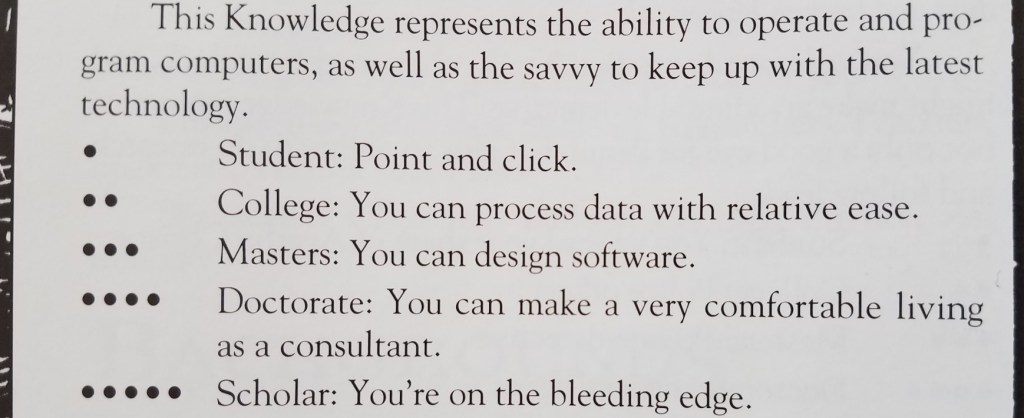
As a teenager, I played a lot of Vampire the Masquerade (VtM)–a tabletop role-playing game. One of the skills in which your character could become experienced was Computers, with ability measured from 0 to 5 dots:
This little table has stayed with me over time. As simple and crude as it is, I think it provides a reasonable measurement scale that can be used to guide software development: you need to decide how many dots in Computers a user must have before they can use your software, which helps you organize the user interface and prioritize features.
My sense is that currently most Linux-based software targets people with three dots in Computers or more, but is often usable for people with two dots. My wife is a solidly two-dot user who is happily using KDE Neon as her distro.
But how many zero and one dot users are out there? What fraction of the market are we abandoning by requiring two dots?
This question was answered a couple of years ago when the Organization for Economic Co-operation and Development commissioned a massive a study of adults’ computer skills, with over 200,000 participants (!!!) across 33 high-income countries. The Nielsen/Normal Group summarized the results, and here I’ll condense them even further:
25% of users cannot use computers at all. AT ALL! These people have zero dots in Computers according to the VtM scale.
14% can can perform easy and obvious button-driven tasks in single simple apps, such as sending or deleting an email. They also have zero dots in Computers, but would be on the higher end of zero. Maybe a little more than half a dot.
29% can use more advanced functionality in individual apps, such as searching for data that is not currently visible, or writing an email reply to multiple people and not just the sender. They have one dot in Computers.
26% can perform multi-step tasks involving more than one app, collate information from external sources, overcome minor errors and obstacles that occur during the process, and do some monitoring of background tasks for activity. They have two dots in Computers.
5% can perform complex tasks involving multiple data sources and apps with lots of navigation, transform imperfect data with tools to make it suitable for the required work, and succeed at ambiguous tasks with more than one correct outcome or possible approach to get it done, overcoming significant roadblocks along the way. These people would probably have three dots in Computers (even if they are not software engineers).
Let that sink in: almost 40% of adults in rich countries have practically no computer skills at all. This isn’t mentioned in the summary, but my personal experience with people in the lowest-skill group (25%) is that they can only use smartphones and tablets, while those in the next skill group (14%) still strongly prefer them over computers.
Another 30% of people have effectively one dot in Computers on the VtM scale. Taken together with the two lowest-skill groups, this means 70% of people’s computer skills are non-existent or very basic. Those with more advanced skills–two dots in Computers and up–are only about 30% of the population.
Maybe the dominance of the smartphone makes a bit more sense now…
KDE is never going to achieve world domination with software that can only be used by at most 30% of the market–those with two or more dots in Computers. To broaden our appeal, we need to make our software usable by at least the people in the next level down (one dot in Computers), which doubles the potential to 60% of the market–going from a minority to a solid majority.
BUT WAIT! Won’t this “dumb down” KDE’s software? Won’t we alienate our current audience of 2-and-3-dots-in-Computers users? After all, smartphone software optimized for zero-dot people is indeed really simple and limiting. So it’s a risk.
But I think good design and high customizability can make software elastic, suitable for users with a range of skills. Software with little or no customizability or poor design can probably only straddle two categories, so decent phone apps would be comfortably usable by people with 0-1 dots in Computers, maybe 0-2 dots with exceptional design. This pretty much matches the experience of myself and many people I know: those with more technical ability find most phone apps to be limiting and prefer using a computer for heavy lifting.
But well-designed software that’s customizable and has good default settings can accommodate a wider range of skill levels: people with 1-3 dots, or even 1-4 dots!
We can deliberately exclude the zero-dot people from our target audience, who are probably never going to be happy with KDE software. Our focus on power will bleed through in even the simplest apps, and just never appeal to them. GNOME and ElementaryOS can have those users. 🙂
This is what I think we should shoot for in KDE: software that is simple by default so it can work for 1-dot users, but powerful when needed via expansive customization, so that it can appeal all the way to the 4-dot users–which includes many KDE developers. This is currently a strength of KDE software, and it won’t be going away!
Essentially we need to fully embrace Plasma’s motto of “Simple by default, powerful when needed” all KDE software, not just Plasma.
I see a lot of this already happening via our simple-by-default Kirigami apps gaining power and customization opportunities, and our powerful-by-default QtWidgets apps gaining better default settings and a streamined appearance. So let’s keep it up!
This was a major bug squashing week, with quite a lot of annoying issues fixed–some recent regressions, and many longstanding issues as well.
On the subject of bugs and recent regressions, I’m starting to think from a higher level about how we can prevent them. KDE has largely conquered our historical issues of excessive resource consumption and visual ugliness, and our next major challenge on the path towards world domination is reliability. One idea I’m toying with is starting an initiative to focus on the “15 minute bugs”–those embarrassing issues that can easily be found within just a few minutes of using the system normally. Here is a preliminary list of these issues in Plasma. I would encourage any experienced developers to try to focus on them! The impact will be very high.
Bugfixes & Performance Improvements
Creating archives using Ark’s main UI once again works (Kai Uwe Broulik, Ark 21.12)
Those little transient messages that sometimes appear at the bottom of the windows of Kirigami-based apps (which are nonsensically called “Toasts” in Android land) now have easier-to-read text (Felipe Kinoshita, Frameworks 5.89)
…And everything else
Keep in mind that this blog only covers the tip of the iceberg! Tons of KDE apps whose development I don’t have time to follow aren’t represented here, and I also don’t mention backend refactoring, improved test coverage, and other changes that are generally not user-facing. If you’re hungry for more, check out https://planet.kde.org/, where you can find blog posts by other KDE contributors detailing the work they’re doing.
How You Can Help
Have a look at https://community.kde.org/Get_Involved to discover ways to be part of a project that really matters. Each contributor makes a huge difference in KDE; you are not a number or a cog in a machine! You don’t have to already be a programmer, either. I wasn’t when I got started. Try it, you’ll like it! We don’t bite!
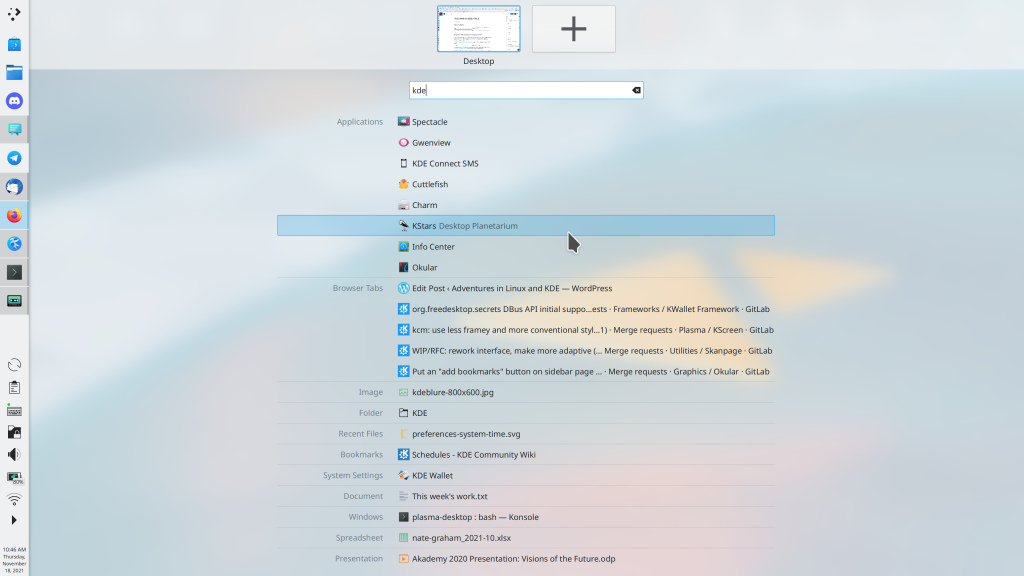
This week the new KWin Overview effect gained the ability to shows results from KRunner when you search! This brings it fairly close to feature parity with GNOME’s central Activities Overview feature!
At this rate, we’re about halfway to implementing all of GNOME shell in the Overview effect
Thanks to Vlad Zahorodnii for this work, which lands in Plasma 5.24!
Other new Features
Gwenview now has “Print Preview” functionality, which as I’m sure you can imagine would be quite useful in an image viewer app (Alexander Volkov, Gwenview 22.04)
When you print an image in Gwenview or Kolourpaint, it now automatically defaults to printing in portrait or landscape mode according to the image’s aspect ratio, rather than making you set this manually (Alexander Volkov, Gwenview 21.12)
Keep in mind that this blog only covers the tip of the iceberg! Tons of KDE apps whose development I don’t have time to follow aren’t represented here, and I also don’t mention backend refactoring, improved test coverage, and other changes that are generally not user-facing. If you’re hungry for more, check out https://planet.kde.org/, where you can find blog posts by other KDE contributors detailing the work they’re doing.
How You Can Help
Have a look at https://community.kde.org/Get_Involved to discover ways to be part of a project that really matters. Each contributor makes a huge difference in KDE; you are not a number or a cog in a machine! You don’t have to already be a programmer, either. I wasn’t when I got started. Try it, you’ll like it! We don’t bite!
My goal of KDE Plasma World Domination is not a secret at this point. But what does it truly take to get there?
Let’s look at the existing market leaders in the OS space: Microsoft’s Windows and Google’s Android. Neither was the first to market, but they were the first to successfully serve the mass market. Neither is picky about what kind of software you run on them or write for them, so they are used on a wide range of devices by lots of different people. Both work with others in adjacent industries, rather than taking a “my way or the highway” approach. They are flexible.
Before KDE, I came from the Apple world, which takes a different approach. Apple identifies distinct use cases and focuses their efforts like a laser on making them as polished as possible. This works very well, but it requires ignoring, abandoning, or explicitly blocking other use cases, and sometimes inventing new things that conflict with what others are doing, in the hope that their new thing takes over. It requires saying “no” a lot and being opinionated.
Apple’s opinionated approach worked well for me with my own personal use cases in my pre-KDE days, as it did for many millions of other people. But evidently it doesn’t work for everyone, as Apple’s products routinely fail to crack 15% market share. And when they do, they often fall back down to that level after competitors emerge. But that’s okay, because Apple isn’t going for the mass market anyway; they’re happy in their profitable and opinionated boutique niche.
But that’s not KDE, and it never has been; we’ve always dreamed of a broad scope and being useful for everyone. This is what’s behind Plasma desktop’s extreme flexibility; Plasma Mobile for phones; Plasma Bigscreen for TVs; and Plasma Nano for embedded devices. It’s why the Steam Deck handheld gaming console, PinePhone smartphone, and JingPad A1 tablet are built on top of KDE technology.
To be the market leader, you must be flexible enough to accommodate everyone’s weird and random use cases. This includes grandmas, gamers, businesspeople, students, teachers, phones, tablets, shared family PCs, kiosks, and everything in between. It means you have to give up a certain amount of that laser-focus on making a particular use case bulletproof, in favor of flexibly accommodating everyone and working with partners to support their needs so that they can build their products on top of your platform. Windows and Android do this, and so does KDE.
This, fundamentally, is why I believe KDE can and will take over the world. We share the market leaders’ winning strategy and culture of flexibility, and we can supplant them by leveraging our advantages of being free and eternal, our resistance to turning evil because of our diverse stakeholders and decentralized leadership model, and our philosophy of keeping the user in control rather than exploiting them for ad or upgrade revenue.
So I think ultimately we will become the Windows or Android of the Free Open-Source Software world, with projects like GNOME and ElementaryOS competing to be the Apple of FOSS. I think there will absolutely be room for projects like theirs; in fact I think it’s highly likely that they’ll offer a better user experience than we do for people who fit within the usage paradigms they focus on–just like Apple does.
None of this means that we actually have to make our stuff look or behave like Windows or Android, of course. But it means we need to retain their philosophy of not shutting anyone out. We need to stay willing to make changes for vendors who want to ship our software and developers who want to write apps for our platform. We need to keep listening to our users and trying our best to make our software work for them. We need to remain flexible.
And I think we’re doing this. Which is why we’re going to win.
It may take a few decades, but I believe it’s going to happen. If you agree, help get there faster! This crazy thing only works because of people like you and me and all of us. There is no “they” in KDE. So c’mon, get involved and let’s take over the world together.
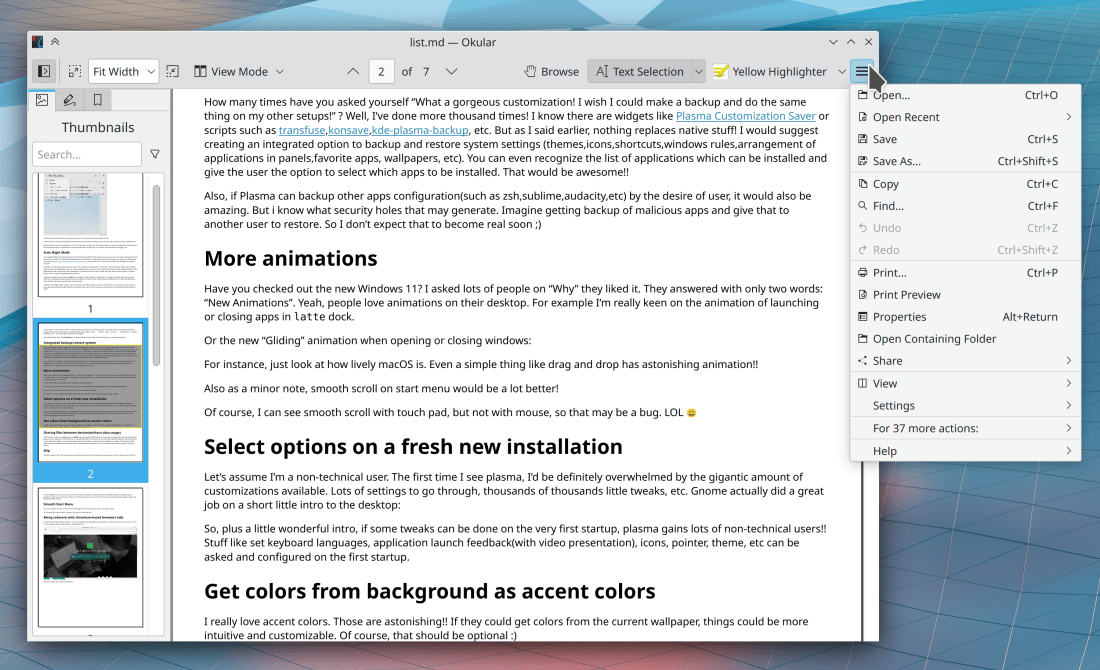
This week brings several exciting and long-awaited changes, including KHamburgerMenu in Okular, Primary Monitor on Wayland, and Centered window placement by default! Read on to find out the details:
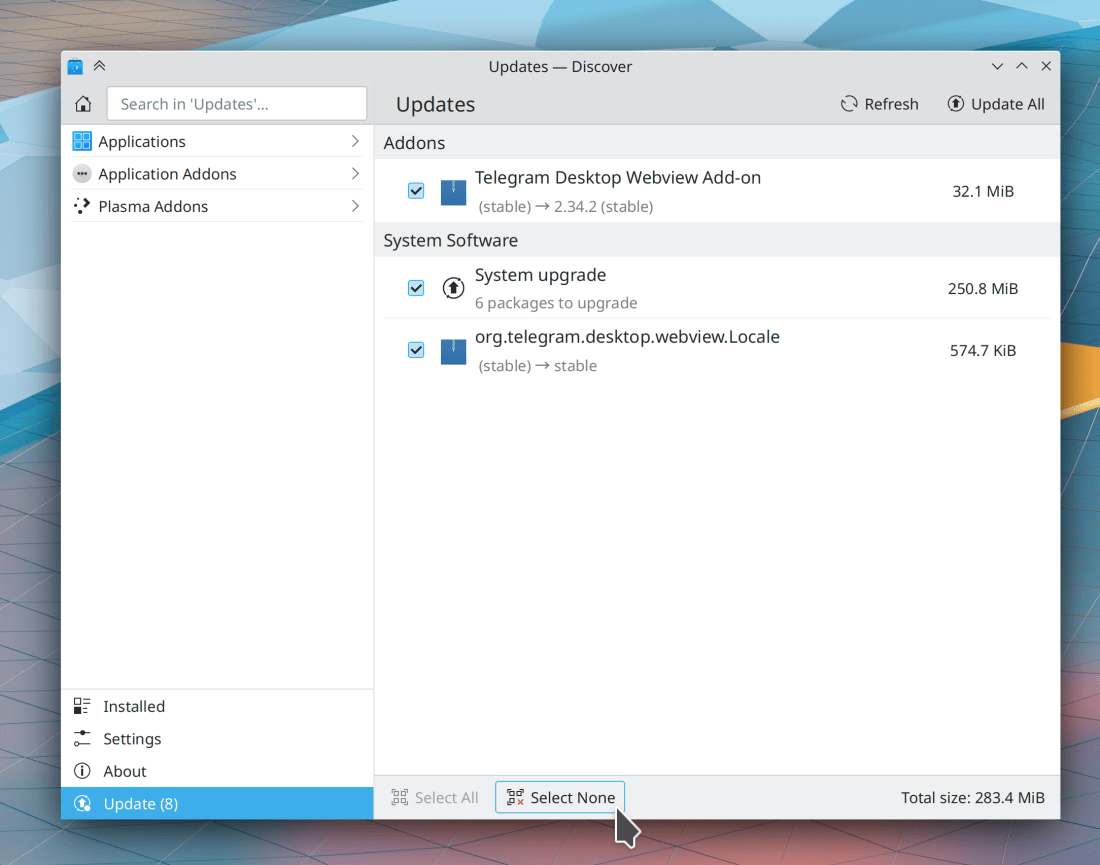
When clicking the “Check for Updates” button in Discover while only the Flatpak backend is active, it now appears to do something (Aleix Pol Gonzalez, Plasma 5.24)
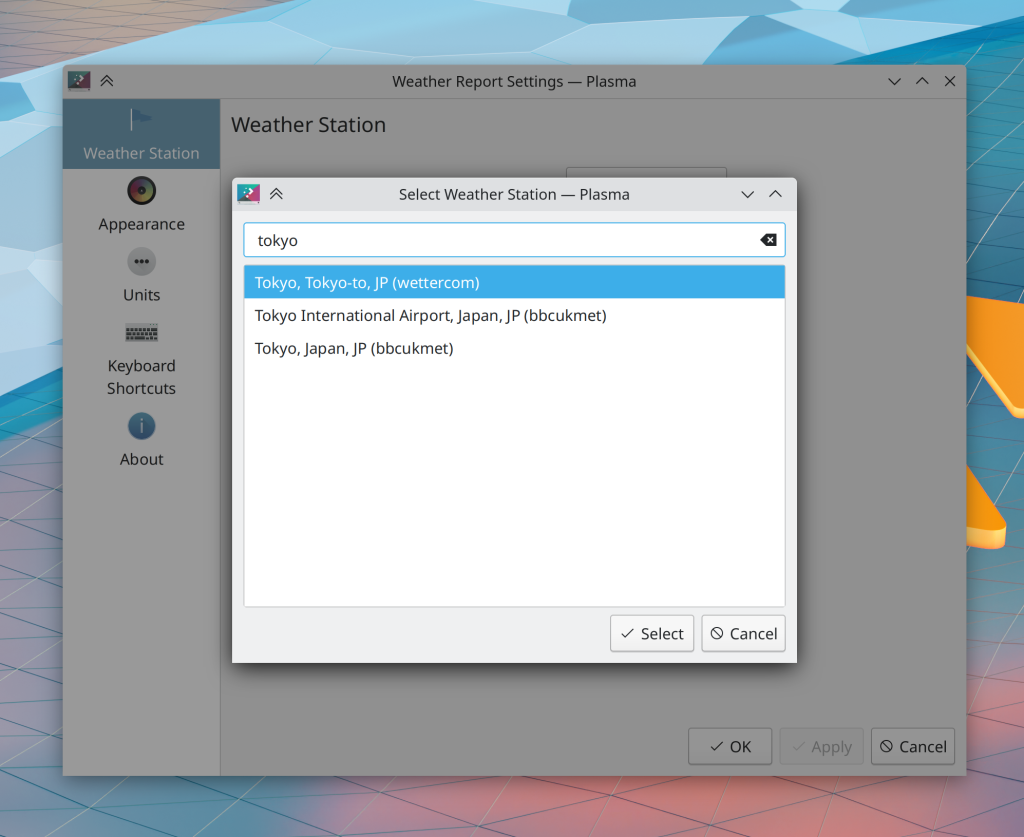
Searching for cities in the Weather applet using the BBC UK Met search provider should now be more reliable (Bharadwaj Raju, Plasma 5.24)
In the Plasma Wayland session, clicking on the hamburger menu button of a QtWidgets app like Dolphin or Gwenview or Okular while its window is unfocused no longer causes the menu to appear as a standalone window (Felix Ernst, Frameworks 5.89)
In System Settings and Info Center, the title rows of QtQuick-based pages no longer oddly fade in as they load (me: Nate Graham, Frameworks 5.89)
Keep in mind that this blog only covers the tip of the iceberg! Tons of KDE apps whose development I don’t have time to follow aren’t represented here, and I also don’t mention backend refactoring, improved test coverage, and other changes that are generally not user-facing. If you’re hungry for more, check out https://planet.kde.org/, where you can find blog posts by other KDE contributors detailing the work they’re doing.
How You Can Help
Have a look at https://community.kde.org/Get_Involved to discover ways to be part of a project that really matters. Each contributor makes a huge difference in KDE; you are not a number or a cog in a machine! You don’t have to already be a programmer, either. I wasn’t when I got started. Try it, you’ll like it! We don’t bite!
KDE’s venerable bug reporting website – https://bugs.kde.org – was given a facelift recently, and it’s now much more attractive and visually pleasant to use! Thanks to Debarpan Debnath for this work!
Spectacle’s notifications about screenshots you took using a global shortcut no longer display duplicate text (Antonio Prcela, Spectacle 21.12)
The “big focus rings” feature in Plasma 5.24 has been backported to Plasma 5.23, as it solves a number of focus-related bugs and issues and has proven stable so far (Noah Davis, Plasma 5.23.3)
The standard Kirigami placeholder icon for an image that is unavailable or still loading no longer looks like the Windows logo (Aleix Pol Gonzalez, Frameworks 5.88)
…And everything else
Keep in mind that this blog only covers the tip of the iceberg! Tons of KDE apps whose development I don’t have time to follow aren’t represented here, and I also don’t mention backend refactoring, improved test coverage, and other changes that are generally not user-facing. If you’re hungry for more, check out https://planet.kde.org/, where you can find blog posts by other KDE contributors detailing the work they’re doing.
How You Can Help
Have a look at https://community.kde.org/Get_Involved to discover ways to be part of a project that really matters. Each contributor makes a huge difference in KDE; you are not a number or a cog in a machine! You don’t have to already be a programmer, either. I wasn’t when I got started. Try it, you’ll like it! We don’t bite!





 Adventures in Linux and KDE