
The change to move Dolphin’s URL Navigator/breadcrumbs bar into the toolbar hasn’t been received as well as we were hoping, and I wanted to let people know that we’re aware and will find a way to address the concerns people brought up. Hang tight!
This week in KDE: Tons of improvements to our core apps
A bunch of KDE apps received many lovely new features, bugfixes, and user interface improvements this week! And Plasma too, of course. 🙂 Let’s get right to it:
New Features
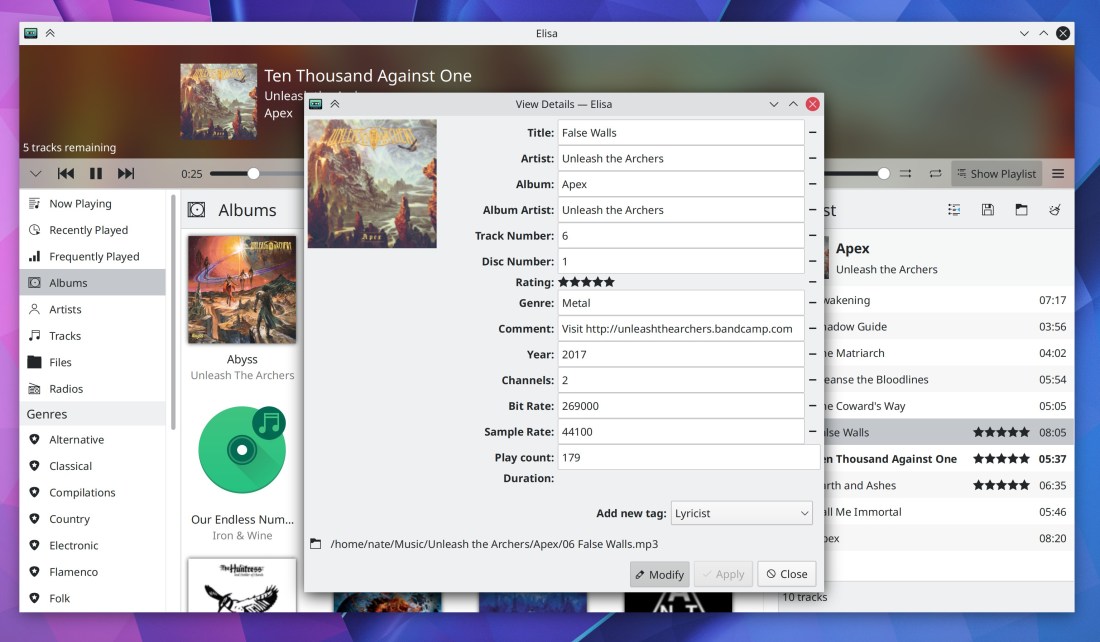
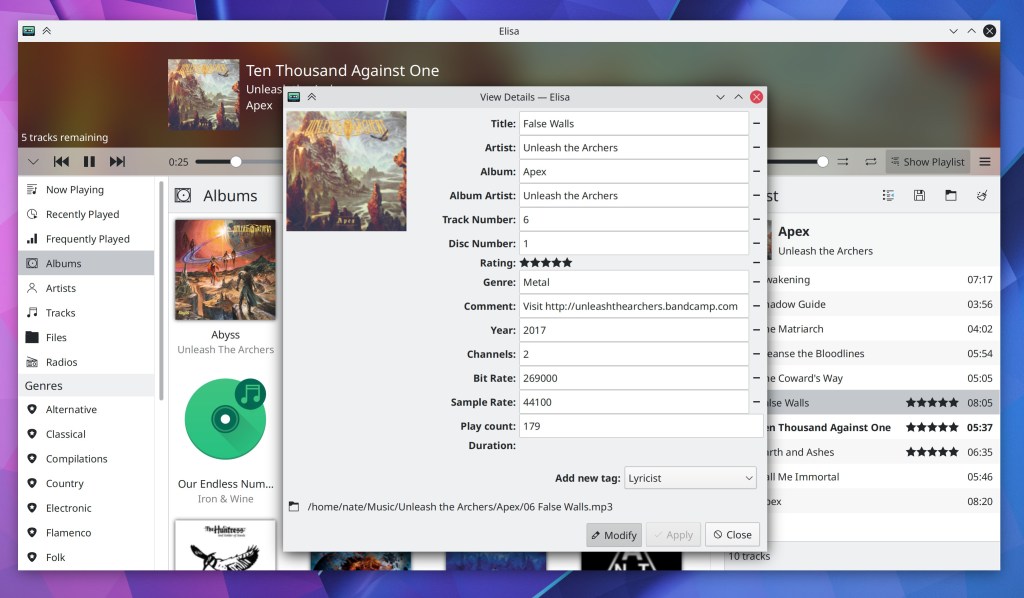
Elisa now lets you edit tracks’ metadata from inside the app! (Matthieu Gallien, Elisa 20.12):
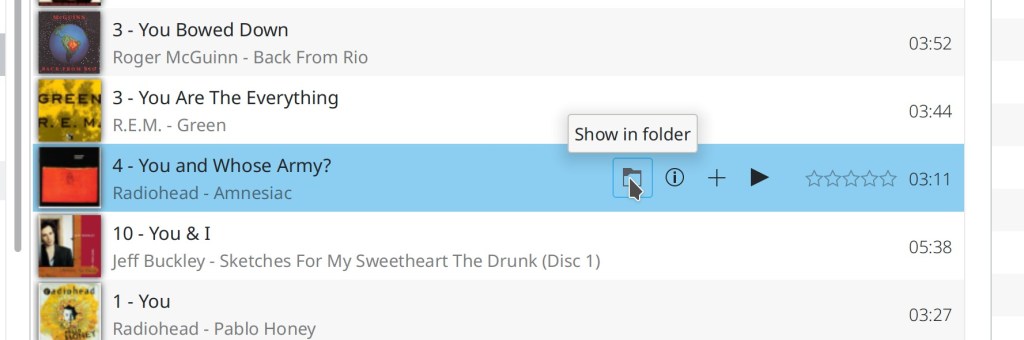
Elisa now lets you easily find the on-disk location of each song (me: Nate graham, Elisa 20.12):


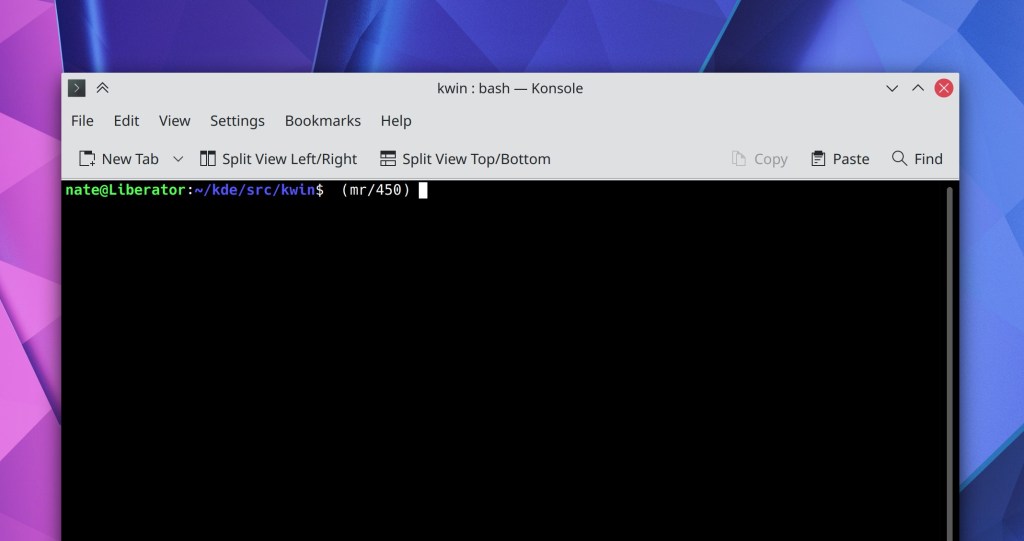
Konsole now has a configurable toolbar (which you can of course hide if you don’t like it) (Tomaz Canabrava, Konsole 21.04):
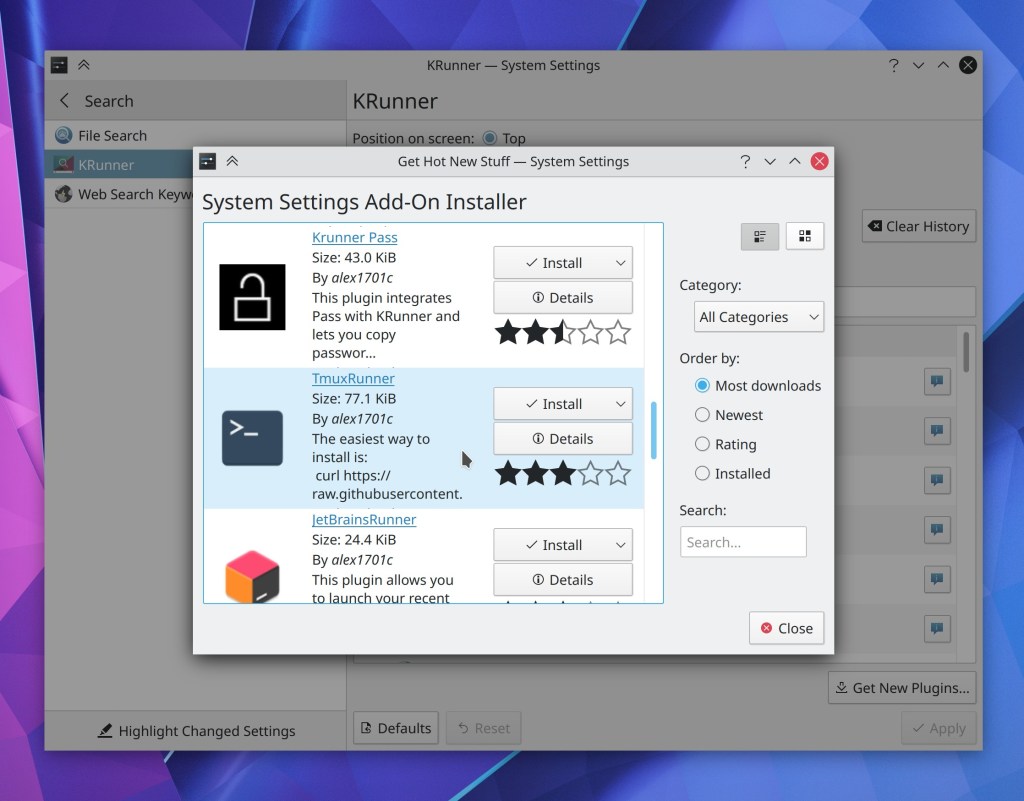
You can now download new KRunner Runners from store.kde.org straight from the System Settings page! (Alexander Lohnau, Plasma 5.21):
Bugfixes & Performance Improvements
Dolphin no longer frequently crashes when typing in the Filter Bar (Ismael Asensio, Dolphin 20.12)
Dolphin once again shows the correct number of files inside symlinked folders (Méven Car, Dolphin 20.12)
Dolphin is now more reliable and less likely to freeze in the face of network flakiness (Méven Car, Dolphin 20.12)
Dolphin’s ISO mounter plugin no longer fails to mount the same ISO twice and now correctly unmounts the underlying loop device too (Kwon-Young Choi, Dolphin 20.12)
Middle-clicking on tabs in Kate once again closes them (Robert-André Mauchin, Kate 20.12)
In Elisa, touch scrolling and fast scrolling by holding down the Shift key while scrolling now work (me: Nate Graham, Elisa 20.12)
Elisa now accepts album art for albums with the art in a file named albumart.[jpg|png] (me: Nate Graham, Elisa 20.12)
When Elisa is loading a view, the progress spinner no longer overlaps some placeholder text (me: Nate Graham, Elisa 20.12)
Plasma Disks no longer sometimes crashes when mounting a USB disk (Harald Sitter, Plasma 5.20.3)
The Lock screen’s “Switch User” action is once again visible for people using distros that ship an up-to-date version of systemd (Wolfgang Bauer, Plasma 5.20.3)
After mounting an external disk, the Disks & Devices popup no longer hilariously/terrifyingly jumps between different screens of a multi-screen setup when each screen has its own panel with a System Tray on it (Konrad Materka, Plasma 5.20.3
Icons in the Alt+Tab task switcher are once again displayed correctly for a wide variety of apps (Aleix Pol Gonzalez, Plasma 5.20.3)
Discover can once again install locally-downloaded distro package files (e.g. .rpm and .deb files) (Alexander Lohnau, Plasma 5.20.4)
Right-clicking on something in the Kicker or Kickoff launcher menus now causes the context menu to appear instantly the first time (Aleix Pol Gonzalez, Plasma 5.20.4)
In the System Settings Cursors page, the menu of available cursor sizes now displays those cursors with their real sizes (David Redondo, Plasma 5.20.4):

In the Plasma Wayland session, Dragging tabs from Firefox over the desktop no longer crashes the whole session (Vlad Zahorodnii, Plasma 5.21)
Context menus for 3rd-party System Tray items no longer sometimes stack up on top of each other when right-clicking on multiple consecutive applets (Konrad Materka, Plasma 5.21)
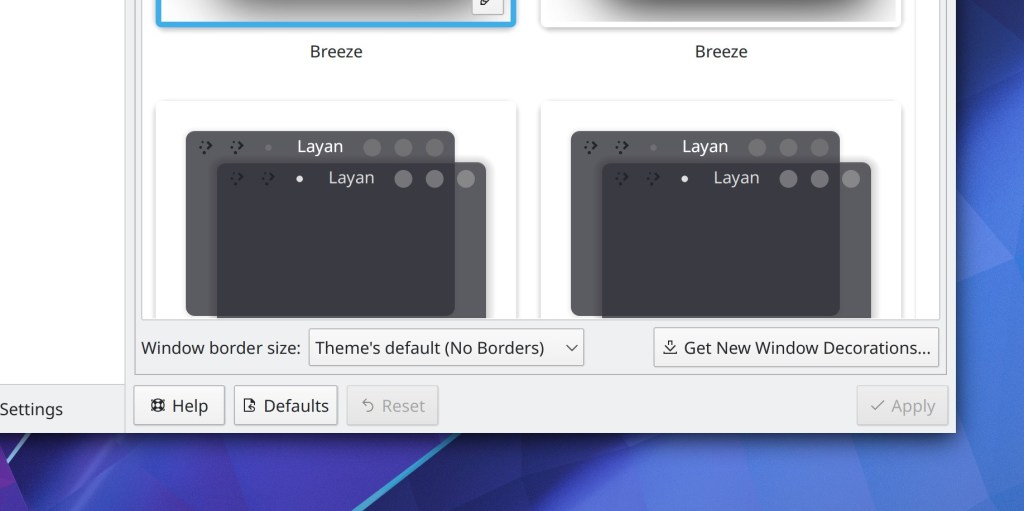
On the System Settings Window Decorations page, the border size text no longer gets cut off when using a scale factor or a language with longer text than English (Ismael Asensio, Plasma 5.21):
The sound check feature on the System Settings Audio Volume page no longer causes your subwoofer to make odd noises (Nicolas Fella, Plasma 5.21)
Circular timeout indicators inside notifications are no longer invisible under certain circumstances (David Redondo, Plasma 5.21)
After updating items from store.kde.org using either Discover or the Get New [Thing] Window, some of those things no longer inaccurately show up as updateable the next time you check for updates (Alexander Lohnau, Frameworks 5.76)
Fixed one of the ways that Discover could crash when performing updates that include any add-ons (Dan Leinir Turthra Jensen, Frameworks 5.77)
In the Plasma Wayland session, you can now re-assign keyboard shortcuts without accidentally triggering their actions in the process (David Redondo, Frameworks 5.77)
Using Meta+Tab as a shortcut in the System Settings Shortcuts page no longer results in the word “tab” being visually duplicated in the shortcut chooser box (David Redondo, Frameworks 5.77)
When using a fractional scale factor, Konsole no longer displays ugly horizontal lines in some places with some font sizes (Someone awesome, Qt 5.15.1)
User Interface Improvements
Dolphin’s URL navigator now lives in its toolbar! (Felix Ernst, Dolphin 20.12):


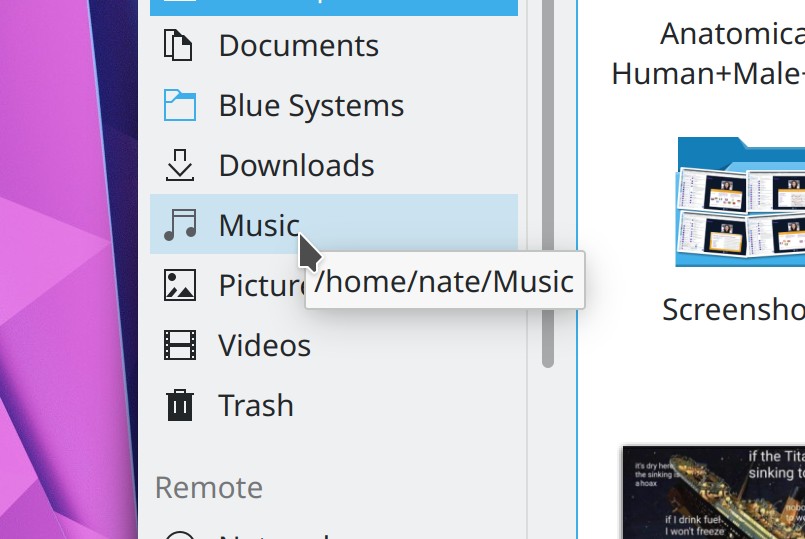
Hovering the cursor over a Places Panel item now displays a little tooltip with the full path to that location (Méven Car, Dolphin 20.12):
All of the appearance-related pages in System Settings have now been re-organized to live inside a top-level “Appearance” list item which takes you to the Global Themes page, to make it more clear that Global Themes can potentially affect all of them (Marco Martin, Plasma 5.21)
You can probably see a lot of minor visual glitches in the above video; we’ll try to have then fixed by the final Plasma 5.21 release.
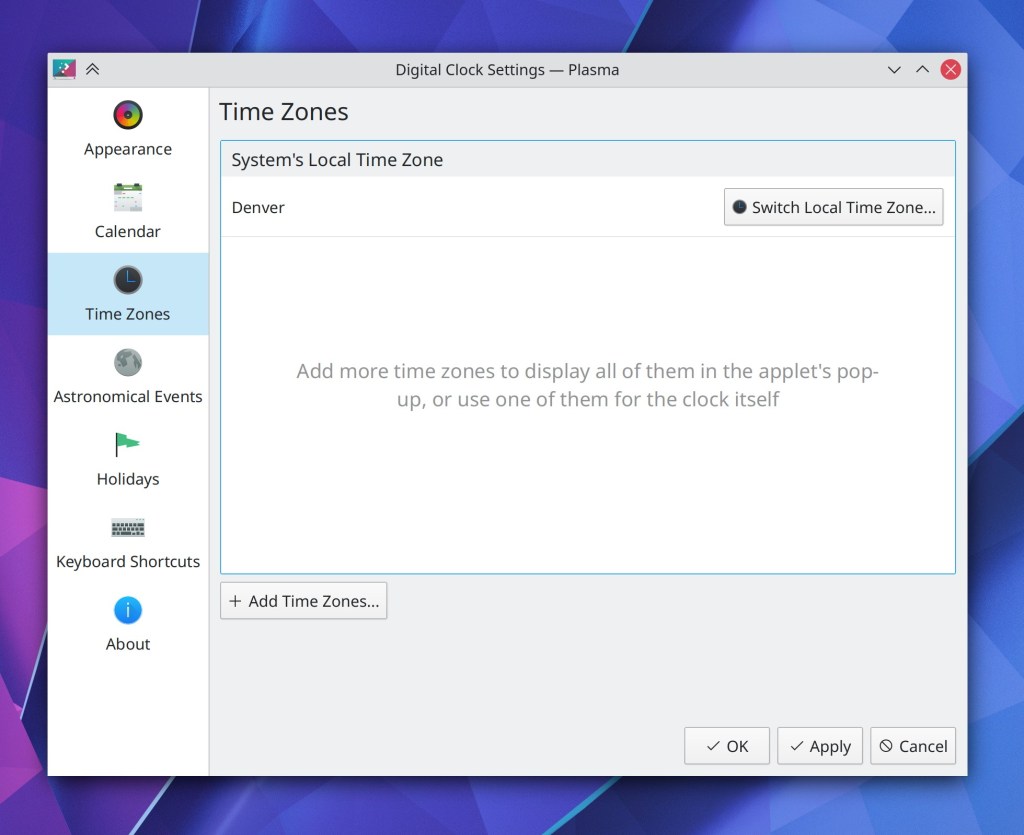
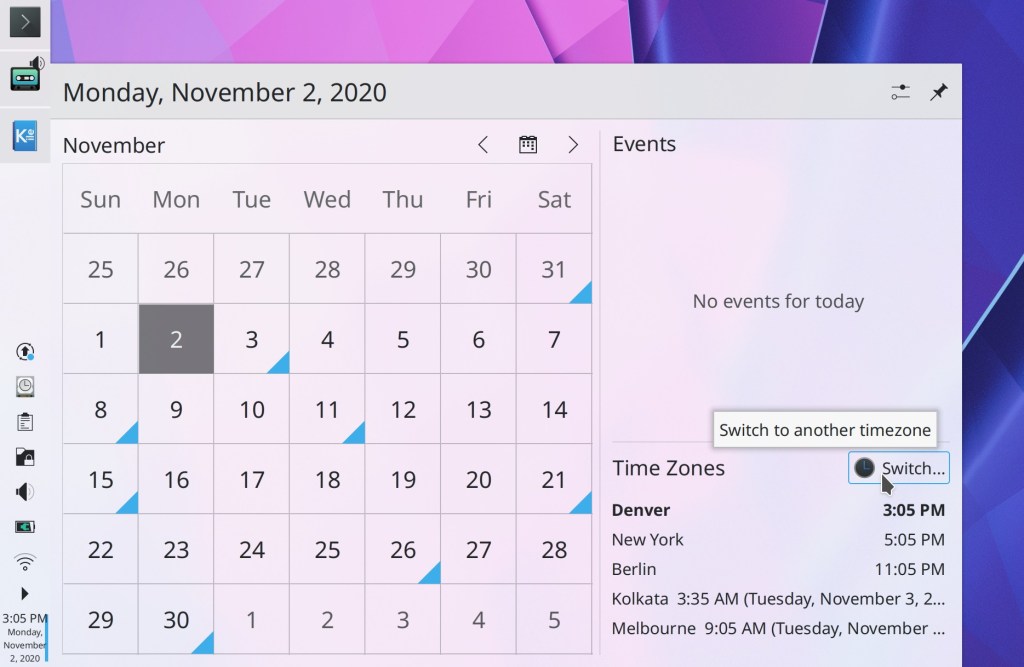
The way you add and switch between timezones in the digital clock applet has been totally overhauled to clarify the difference between changing the systemwide timezone and changing the timezone in the applet, and to make it easier to change the systemwide time zone (me: Nate Graham, Plasma 5.21)

The System Settings KWin Rules page now warns you when you try to set rules for a window not managed by KWin which can’t be affected by window rules (Ismael Asensio, Plasma 5.21)
Further refined the appearance of the Media Player applet (Mikel Johnson, Plasma 5.21):

When you set a custom keyboard shortcut to activate the System Tray’s popup, the shortcut now also closes it if it’s currently open as well, as it does for other applets (Konrad Materka, Plasma 5.21)
The Networks applet now has its search field integrated into the header area and visible by default, rather than hidden behind a button (me: Nate Graham, Plasma 5.21):

Separators between list items in Kirigami-based apps now have a more subtle and less attention-getting appearance (me: Nate Graham, Frameworks 5.77):
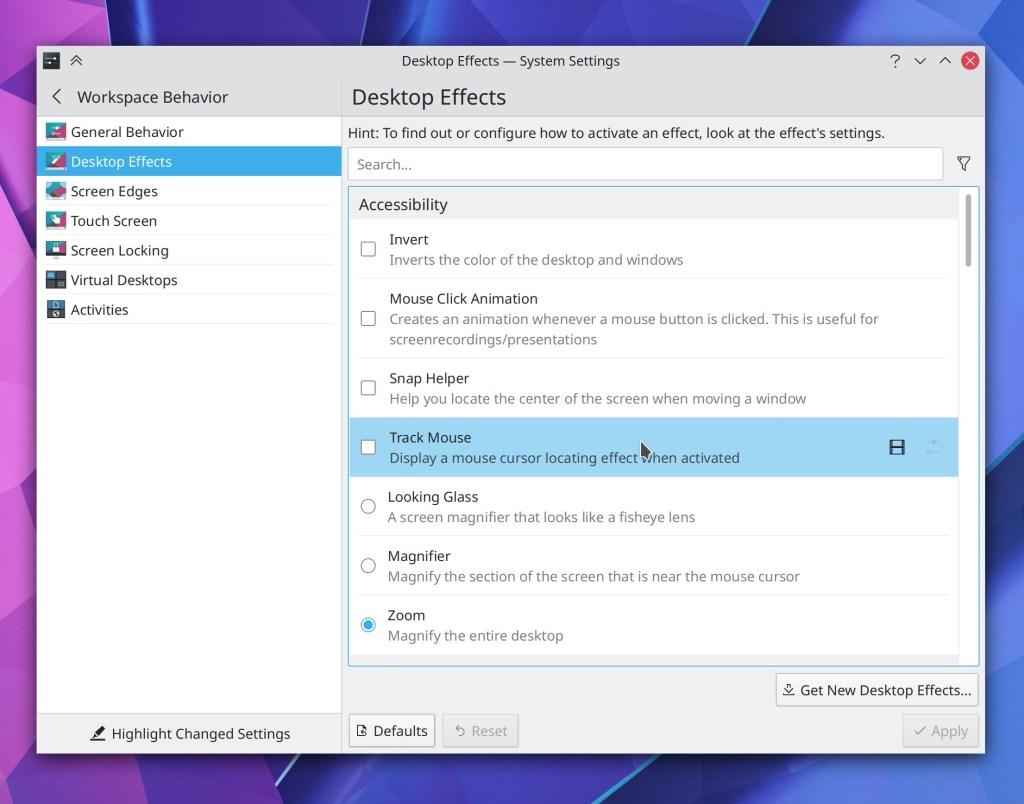
The desktop drag-and-drop menu no longer has an unnecessary extra separator in it (David Redondo, Frameworks 5.77)
Section headers in Kirigami-based apps now word-wrap properly when they are very long or when their window/view is very narrow (Carson Black, Frameworks 5.77)
Phew, that felt more like a month’s worth of work. I am constantly in awe of the KDE community’s productivity!
How You Can Help
Have a look at https://community.kde.org/Get_Involved to discover ways to be part of a project that really matters. Each contributor makes a huge difference in KDE; you are not a number or a cog in a machine! You don’t have to already be a programmer, either. I wasn’t when I got started. Try it, you’ll like it! We don’t bite!
Finally, consider making a tax-deductible donation to the KDE e.V. foundation.
This week in KDE: The user interface improvements you’ve always wanted
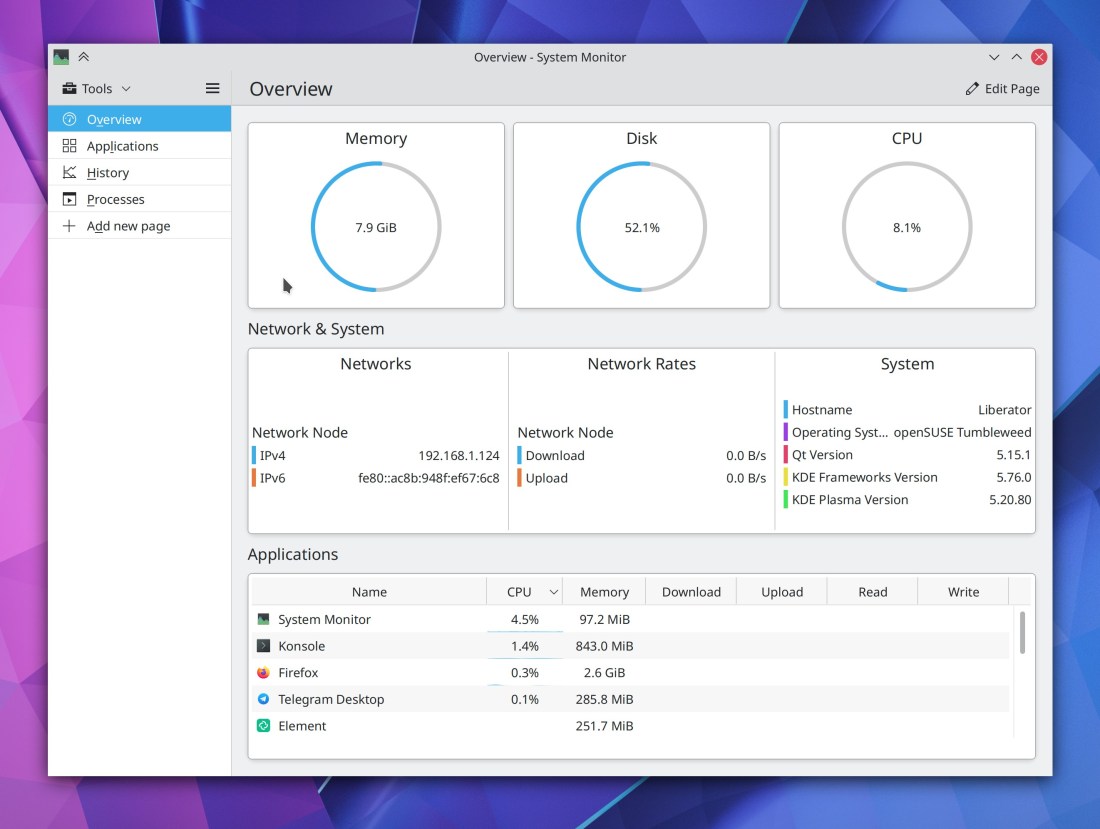
This week the new Plasma System Monitor app had its first independent release! This app is a future replacement for the current KSysGuard monitoring app, and features a radically better user interface, an overview page with “just the facts”, simpler and more powerful customizability, and an easy to understand “Applications” page that shows individual apps rather than processes.

This app has been in development for almost two years and it’s really cool! We’re expecting it to eventually replace KSysGuard once it’s gotten some more use in the wild, but for now it is an independent release. Distros should be packaging it soon. Please install it and give it a try! Bug reports should be filed here.
But we kept plugging away on other stuff too…
New Features
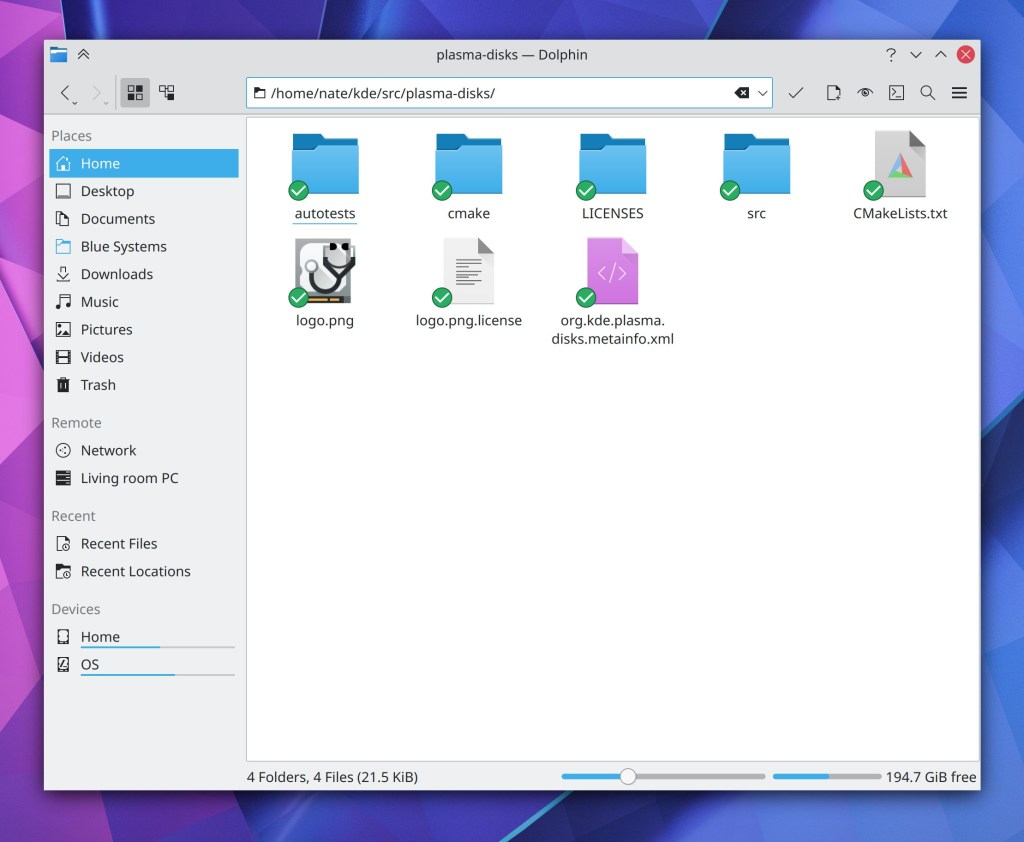
Dolphin’s Places Panel now shows inline free space indicators for mounted disks in the Places Panel (Chris Holland, Dolphin 20.12):

Kate now supports the Zig language server (Matheus C. França, Kate 20.12)
Changing your user password now prompts you to change your KWallet password to match it so that if they previously matched, they don’t accidentally drift out of sync, which is baffling and rage-inducing when it happens (me: Nate Graham, Plasma 5.21):
Plasma Network manager’s OpenVPN module now supports multiple types of compression (Alfred Toth, Plasma 5.21)
Bugfixes & Performance Improvements
Dolphin’s git integration plugin no longer interferes with command-line-based git interactions (Sebastian Englbrecht, Dolphin 20.12)
Dolphin no longer sometimes consumes 100% of CPU resources while the Folders panel is open and showing folders that don’t have any sub-folders (Méven Car, Dolphin 20.12)
Konsole no longer sometimes crashes when re-arranging split views or closing split views (Carlos Alves, Konsole 20.12)
Back and Forward navigation in Okular after using internal links now works again (Kezi Olio, Okular 20.12)
When using Spectacle’s feature to return focus to the app when pressing the screenshot key while it’s already open, now doing so will un-minimize the app if it happens to be minimized (David Redondo, Spectacle 20.12)
When using Kate’s vi mode, the search field no longer disappears if focused again while it’s already open (Jan Paul Batrina, Kate 20.12)
The “switch user” action is once again visible in the Kickoff Application launcher for people using distros with an older systemd–for real this time! (David Edmundson, Plasma 5.20.3)
Switching users now actually works again after you invoke the action (Wolfgang Bauer, Plasma 5.20.3)
All the shutdown options are once again always visible for all people in the Kickoff application launcher (Michail Vourlakos, Plasma 5.20.3)
Fixed an obscure way that the Plasma Wayland session could crash (Lewis Lakerink, Plasma 5.20.3)
Opening the Network applet’s speed graph no longer erroneously causes the graph to show an implausibly high spike in data transfer that messes up the graph scale for all subsequent data (David Redondo, Plasma 5.20.3)
In the Plasma Wayland session, opening a laptop’s lid now immediately wakes it up, instead of this only happening after you press a key (Aleix Pol Gonzalez, Plasma 5.20.3)
The System Settings Window Rules page no longer automatically scrolls itself after creating a new rule and hovering the cursor over the list of rules when there are already a ton of rules in the list (Ismael Asensio, Plasma 5.20.3)
The “number of CPU cores” sensor now displays the right information (David Redondo, Plasma 5.21)
When using the Plasma Wayland session with multiple virtual desktops, the name of the virtual desktop is now correct in Task Manager tooltips (Lewis Lakerink, Plasma 5.20)
Plasma applet headers now use the correct colors when using with Breeze Dark Plasma theme (Dominic Hayes, Frameworks 5.76)
Fixed a common crash in System Settings when opening various QML-based pages (David Edmundson, Frameworks 5.76)
Notifications for file move or copy operations no longer include skipped files in the total number of files printed at the end (David Faure, Frameworks 5.76)
Thumbnails and previews throughout KDE software are now able to render 16-bit PSD files (Gary Wang, Frameworks 5.76)
User Interface Improvements
Inertial scrolling using the mouse now works when the cursor wraps around vertically after reaching the top or bottom of the window (David Hurka, Okular 1.11.3)
When you share an image to Imgur in Gwenview, there’s now a little notification in the UI that tells you it worked, shows the the link, and automatically copies it to the clipboard for you–just like in Spectacle (Nicolas Fella, Gwenview 20.12

The Samba server authentication dialog has been slimmed down and made more flexible so it can accommodate multiple different login types, with a handy help tooltip that helps you understand the various options (Harald Sitter, Dolphin 20.12):
Sheets in Kirigami-based software now close when you hit the Escape key (Ismael Asensio, Frameworks 5.76)
Draggable list items in Kirigami-based software now use the grabby hand cursor when the cursor is hovered over or dragging on the grab handle (Ismael Asensio, Frameworks 5.76)
The System Setting Accessibility page has been rewritten in QML and given a fancy new user interface (Tomaz Canabrava, Plasma 5.21):

System Tray applets now all have a visible Configure button in their header, as well as a hamburger menu showing all additional actions. This makes all System Tray applets full functionality 100% usable on touch and without having to right-click anything (Marco Martin, Plasma 5.21):
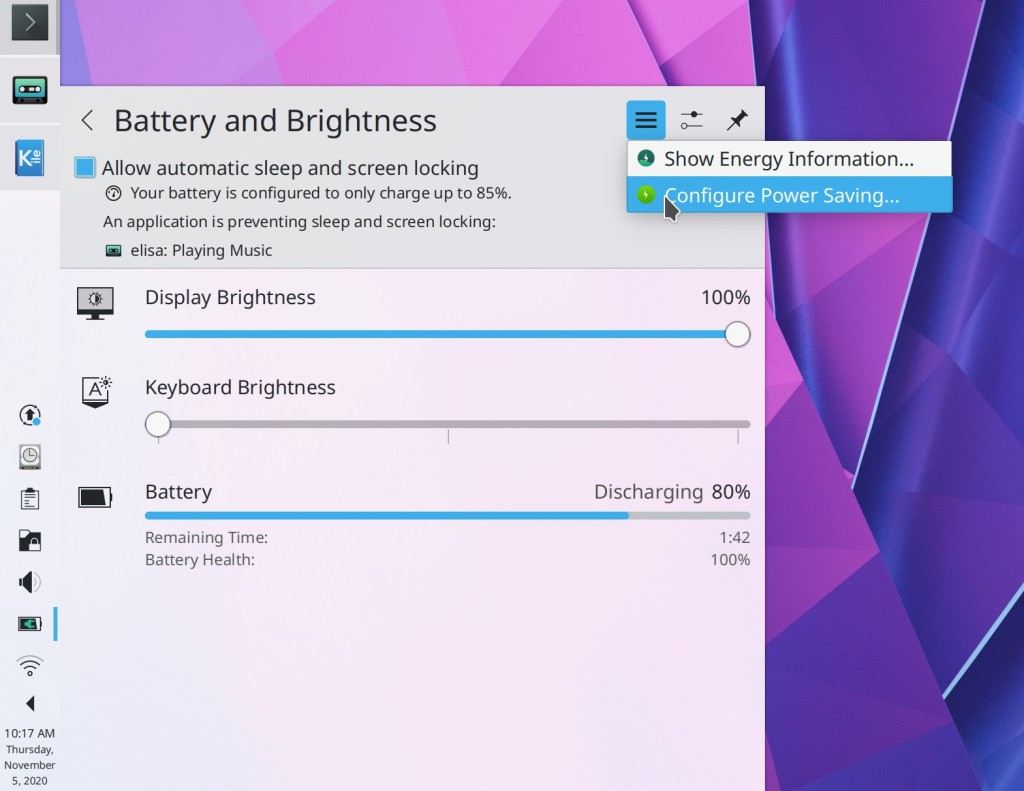

Check it out: SSD headerbars in the Plasma System Tray lol!
Icons in the System Tray expanded view are no longer quite so close to the header (Niccolò Venerandi, Plasma 5.21)

System Settings’ Notifications page now supports the “Highlight Changed Settings” feature (Cyril Rossi, Plasma 5.21)
The little pop-up menu that appears when you hover over a Panel applet while in Edit Mode now looks prettier (Niccolò Venerandi, Plasma 5.21):

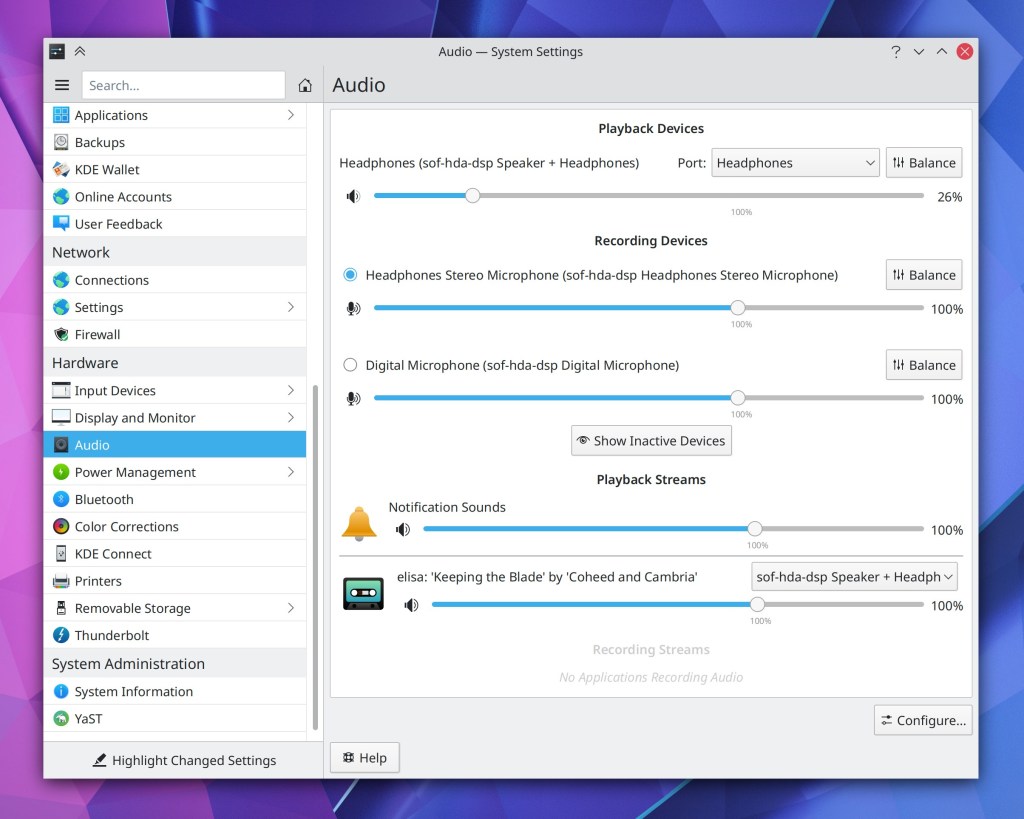
After last week’s mixed feedback about the new UI style for the System Settings Audio page, we made a few changes which should hopefully improve it a bit (with more to come): We now use standard style section headers, and the “Show Inactive Devices” button has now been moved to the footer area (Nicolas Fella, Plasma 5.21):

Changed the menu text for the “turn off do not disturb” feature to be a bit more clear (Thiago Sueto, Plasma 5.20):
Those of you who liked the old Alt+Tab switcher’s behavior of placing minimized windows at the end of the list can now get that old behavior behavior back by adding MoveMinimizedWindowsToEndOfTabBoxFocusChain=true to the [TabBox] group
of your ~/.config/kwinrc file. In the future we may add a GUI to control this, but the the moment it is a hidden feature that requires manually modifying the config file (me: Nate Graham, Plasma 5.21)
Icons in collapsed sidebars in various Kirigami-based apps (e.g. and the Emoji input panel and the new Plasma System Monitor) are now horizontally centered as expected (David Redondo, Frameworks 5.76)
How You Can Help
Have a look at https://community.kde.org/Get_Involved to discover ways to be part of a project that really matters. Each contributor makes a huge difference in KDE; you are not a number or a cog in a machine! You don’t have to already be a programmer, either. I wasn’t when I got started. Try it, you’ll like it! We don’t bite!
Finally, consider making a tax-deductible donation to the KDE e.V. foundation.
This week in KDE: Continuous bug massacre

This week the bug squashing continues at full speed! We’ve made short work of tons of bugs throughout our software stack, including the infamous login sound bug, some very important and longstanding issues with extended attributes, and a ton of quality-of-life improvements for the Plasma Wayland session.
But we also managed to add a few nice new features that I think you’ll like. 🙂 Check it all out:
New Features
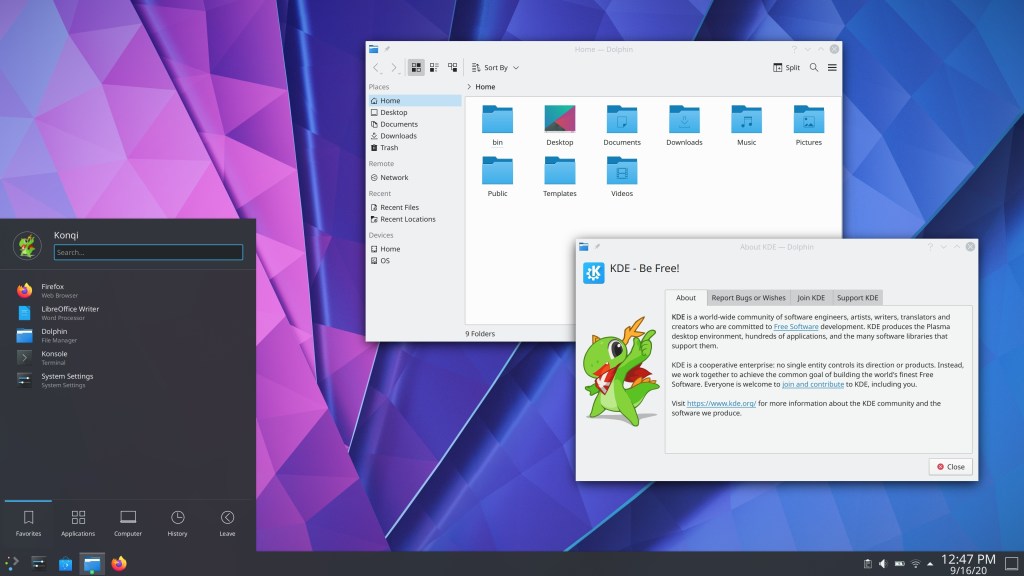
There’s a new “Breeze Twilight” global theme with a dark appearance for Plasma and a light appearance for apps (Dominic Hayes, Plasma 5.21):
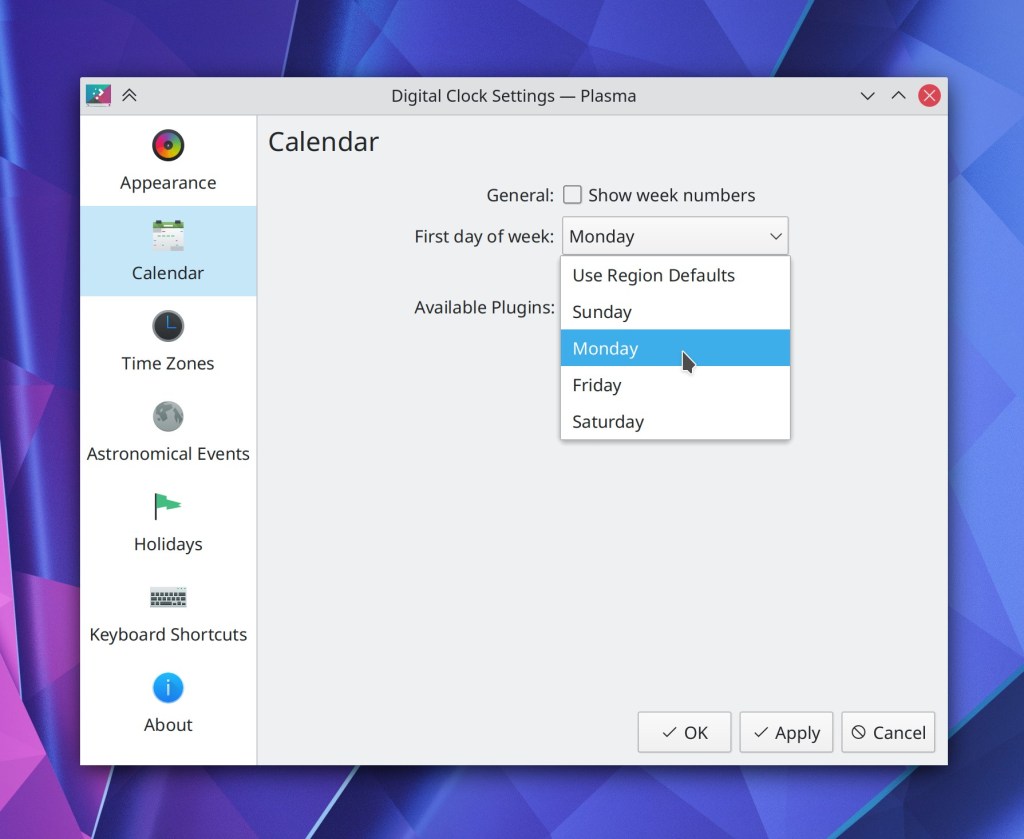
There’s now an option to change the first day of the week in the Digital Clock’s calendar popup (Kai Uwe Broulik, Plasma 5.21)
KWin’s Desktop Grid effect can now be configured to only activate desktops on click, rather than activating both desktops and windows, if you happen to click on a window (Konstantinos Smanis, Plasma 5.21)
Bugfixes & Performance Improvements
Konsole’s “Manage Profiles…” Menu item now takes you to the right place (Carlos Alves, Konsole 20.08.3)
Konsole’s context menu now displays the right number of “Open With…” and “Copy Location” menu items in the right place after right-clicking on various different types of things (Carlos Alves, Konsole 20.08.3
Middle-clicking on any of the tabs in Okular’s sidebar tab bar no longer closes one of the open documents (Albert Astals Cid, Okular 1.11.3)
Dolphin’s background daemon mode no longer triggers session restoration, which should fix an issue with Dolphin always opening at login on Fedora (me: Nate Graham, Dolphin 20.12)
Okular’s command-line --find parameter now works properly if you feed it non-Latin characters (Albert Astals Cid, Okular 1.11.3)
Closing an open tab in Okular no longer causes the Ctrl+Tab shortcut used for tab navigation to stop working (Albert Astals Cid, Okular 20.12)
The Plasma Wayland session no longer requires that you manually set an environment variable to make NVIDIA GPUs using the proprietary driver function properly. If this sounds like a big deal, it is! (Vlad Zahorodnii and Xaver Hugl, Plasma 5.20.2)
The Plasma Wayland session no longer crashes when you hover the cursor over a Task Manager item to display a window preview when PipeWire is not installed (Vlad Zahorodnii, Plasma 5.20.2)
Plasma no longer crashes when certain apps do weird things with their PIDs (David Edmundson, Plasma 5.20.2)
For people who turned on the login sound, it is once again played at login as expected (David Edmundson, Plasma 5.20.2)
Fixed tons and tons of recent visual regressions in the System Tray: the highlight effect for the active System Tray item is once again large enough to completely fit the item’s icon; tray icons in very thick panels are once again centered in the panel; Multi row/column layouts no longer sometime overlap adjacent Panel widgets; Clicks are no longer eaten by the expander arrow in certain multi-row/column layouts (Konrad Materka, Plasma 5.20.2)
In a Wayland session, dragging files and icons no longer shows broken, clipped, or pixelated thumbnails (Vlad Zahorodnii, Plasma 5.20.2)
The System Settings Users page now lets you apply the same change to multiple profile fields if you want to (Alexander Potashev, Plasma 5.20.2)
Volume and brightness OSDs on the lock screen once again show the correct values (David Edmundson, Plasma 5.20.2)
In the wallpaper chooser view, the “Get New Plugins…” button no longer sometimes overlaps the combobox next to it (David Edmundson, Plasma 5.20.2)
Moving the cursor outside of the widget explorer once again makes the selection highlight effect disappear correctly (David Edmundson, Plasma 5.20.2)
KSysGuard no longer leaks lots of memory when left open for a long period of time (David Edmundson, Plasma 5.20.3)
Plasma Icon applets that point to locations rather than applications once again work properly (me: Nate Graham, Plasma 5.20.3)
In a Plasma Wayland session, the “Sliding Popups” effect used for various panel widgets no longer suffers from minor visual glitches (Vlad Zahorodnii, Plasma 5.20.3)
Discover no longer ever automatically opens at login when it was open at logout as this is not useful (me: Nate Graham, Plasma 5.20.3)
System Settings’ “Highlight Changed Settings” feature now remembers whether it was on or off when you close and re-open System Settings (Benjamin Port, Plasma 5.20.3)
Double-clicking on System Settings’ “Highlight Changed Settings” button now toggles it on and then off again as expected, instead of eating the second click and leaving it in an inconsistent state (Benjamin Port, Plasma 5.20.3)
System Tray items for certain Electron apps that don’t properly set their titles will now at least display something sane for the text (Kai Uwe Broulik, Plasma 5.20.3)
The Plasma Wayland session no longer crashes when you drag something from an XWayland app to a Wayland app (David Edmundson, Plasma 5.21)
The Plasma Wayland session no longer crashes when you drag an icon from Kickoff to Konsole (Vlad Zahorodnii, Plasma 5.21)
In a Plasma Wayland session, pasting text that was copied inside an XWayland app once again works (Aleix Pol Gonzalez, Plasma 5.21)
In a Plasma Wayland session, dragging something in Firefox no longer causes the cursor to get stuck displaying a grabby hand forever lol (Vlad Zahorodnii, Plasma 5.20.1)
Reduced the amount of CPU resources that KWin used to draw hardware-accelerated cursors (Vlad Zahorodnii, Plasma 5.21)
KWin no longer tries to use a connected VR headset as another screen (Xaver Hugl, Plasma 5.21)
The window minimize animation is no longer sometimes a bit glitchy when using a multi-monitor setup while an app is playing a video on a rotated monitor (Vlad Zahorodnii, Plasma 5.21)
The KIO library now fully supports preserving extended attributes during common file manipulation operations (Gleb Popov, Frameworks 5.76)
In a Wayland session, KRunner no longer takes up unnecessary CPU resources when visible but it doesn’t look like anything is happening (Fabian Vogt, Frameworks 5.76)
Moving the mouse over different items in the file open/save dialogs while the preview panel is open now causes the preview to always update properly (Méven Car, Frameworks 5.76)
User Interface Improvements
The two ways of maximizing a split view in Konsole now behave identically (Carlos Alves, Konsole 20.08.3)
Screenshots taken with Spectacle now appear in the list of recent documents in the Places Panel that’s visible in Dolphin, the file dialogs, and various other pieces of software (Méven Car, Spectacle 20.08.3)
In the System Settings Online Accounts page, errors when connecting to external accounts are now displayed in the UI rather than silently ignored (Nicolas Fella, kaccounts-integration 20.12)
The “New Tab” button on Konsole’s tab bar now has a tooltip (Carlos Alves, Konsole 20.12)
Window rules are now allowed to position windows with negative X and Y values, if you really want (Ismael Asensio, Plasma 5.20.2)
Files and folders on the desktop can now properly be interacted with using a touchscreen, including press-and-hold to emulate a right-click (Steffen Hartlieb, Plasma 5.21)
KRunner search results no longer display uninstalled apps so prominently (Aleix Pol Gonzalez, Plasma 5.21)
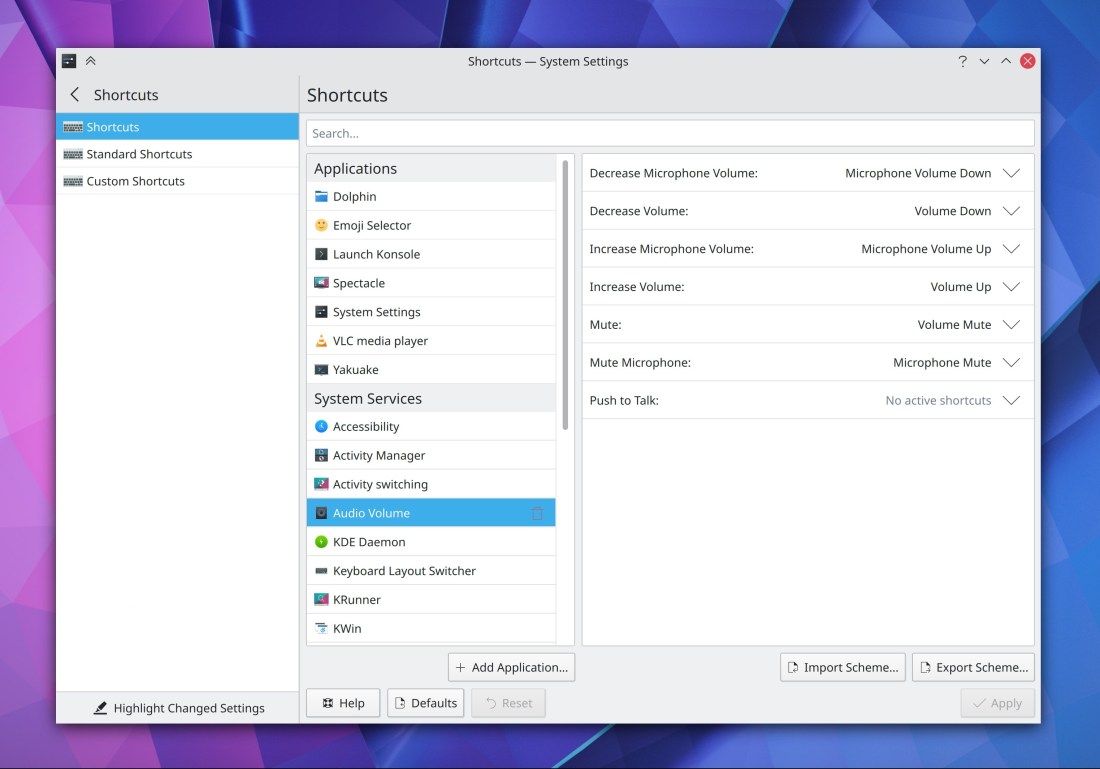
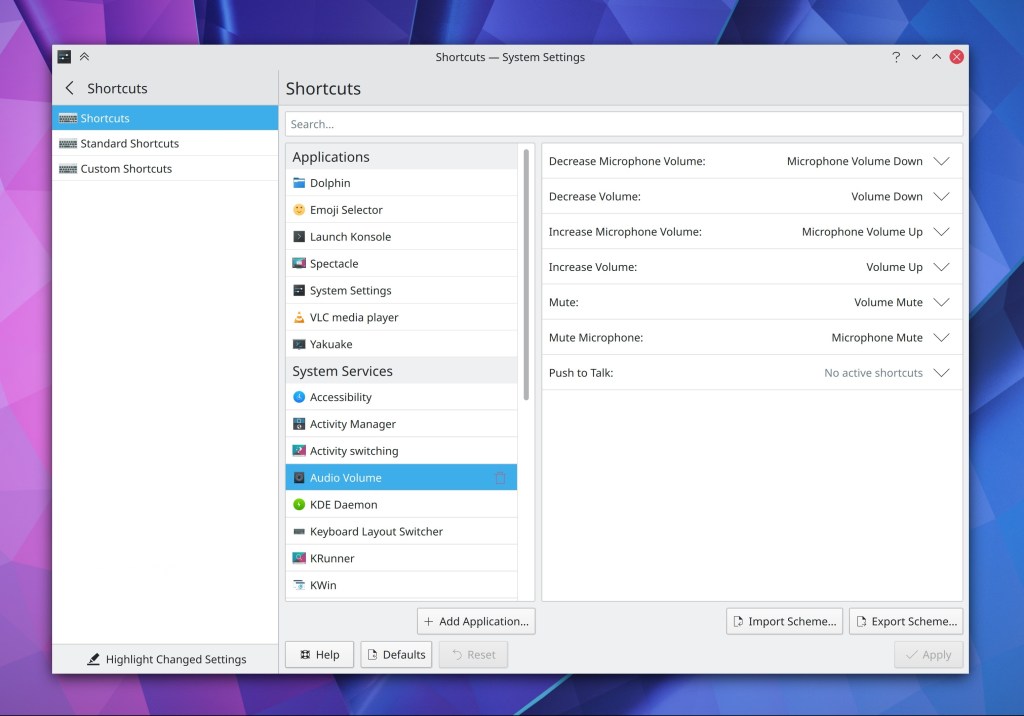
The System Settings Audio Volume now has a fancy new layout that’s much simpler and dispenses with the multi-tab view (Nicolas Fella, Plasma 5.21):
The System Settings Window Rules page now supports the “Highlight Changed Settings” feature (Ismael Asensio, Plasma 5.21)
The System Settings Task Switcher, Window Behavior and General Behavior pages now fully support the “Highlight Changed Settings” feature (Cyril Rossi, Plasma 5.21)
When using the setting to open files and folders with double-click, System Settings’ icon view now opens pages with a single-click, not a double-click (me: Nate Graham, Plasma 5.21)
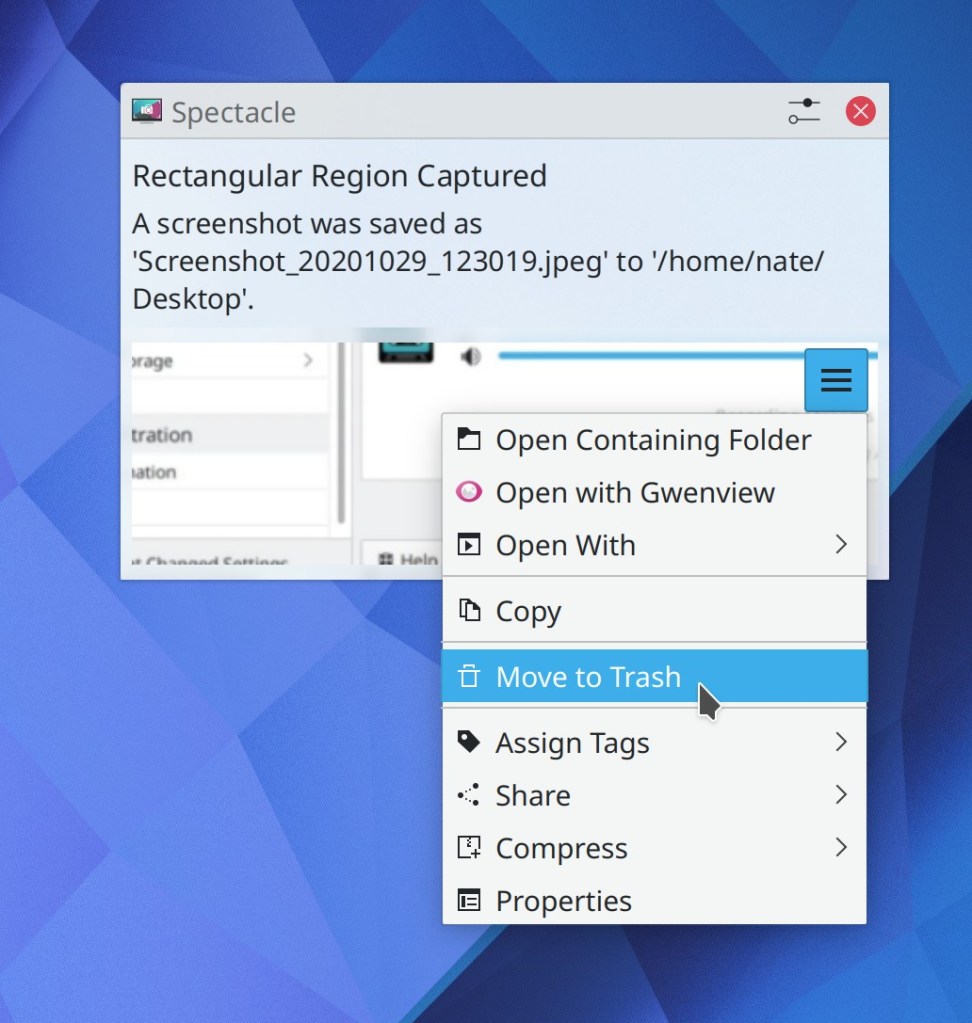
The context menu for file-based notifications now includes a “Move to Trash” item just in case you suddenly realize you don’t need the file after all (Kai Uwe Broulik, Plasma 5.21):
The bracket matching feature in Kate, KDevelop, and other KTextEditor-based apps now matches angle brackets too (Milian Wolff, Frameworks 5.76)
How You Can Help
Have a look at https://community.kde.org/Get_Involved to discover ways to be part of a project that really matters. Each contributor makes a huge difference in KDE; you are not a number or a cog in a machine! You don’t have to already be a programmer, either. I wasn’t when I got started. Try it, you’ll like it! We don’t bite!
Finally, consider making a tax-deductible donation to the KDE e.V. foundation.
Last week’s post: https://pointieststick.com/2020/10/24/this-week-in-kde-title/
This week in KDE: so many bugfixes
Though Plasma 5.20 was overall a very smooth release, we spent a lot of time fixing some of the bugs we missed, as well as some older ones in Frameworks and apps too. It may not be very sexy, but bugs are what drive users crazy, and we want them fixed! So, fix them we did. 🙂 Maybe not all of them, but some of them–as many as we could. And we’ll keep on doing it too!
Bugfixes & Performance Improvements
Connecting to another device using fish:// URLs now works when the target device doesn’t have Perl installed (Alexander Akulich, Dolphin 20.08.3
Right-clicking on the same link in Konsole multiple times no longer results in some of the context menu’s items being duplicated (Carlos Alves, Konsole 20.08.3)
Fast scrolling in Okular by holding down the shift key while scrolling now works again (me: Nate Graham, Okular 1.11.3)
Okular once again correctly changes the cursor back to a grabby hand after clicking on a link inside a document (David Hurka, Okular 1.11.3)
Ark can now extract archives into folders with tabs in their names (Jan Paul Batrina, Ark 20.12)
In a Plasma Wayland session, the ALt+Tab Task Switcher is no longer mis-rendered as a big black box after you switch from one visual style to another (Vlad Zahorodnii, Plasma 5.20.1)
Plasma no longer spikes the CPU when a task inside a grouped Task Manager task changes its title very frequently (Hoang Vu, Plasma 5.20.1)
Fixed multiple crashes and freezes in System Settings relating to using or switching away from the Activities page (David Edmundson, Plasma 5.20.2)
Tilde expansion in KRunner now works again (Alexander Lohnau, Plasma 5.20.2)
The screen chooser OSD no longer has a broken layout with awkward empty space on the right side (Carson Black, Plasma 5.21)
Fixed a common crash when installing or updating themes using Discover or one of the Get New [Thing] windows (Dan Leinir Turthra Jensen, Frameworks 5.76)
The file opensave dialogs once again correctly handle file names which include the “#” character (Ahmad Samir, Frameworks 5.76)
Kirigami-based apps now correctly lay out their sidebars on the right when using reversed/RTL mode (Marco Martin, Frameworks 5.76)
Fixed a memory leak in Kate and other KTextEditor-based apps (Milian Wolff, Frameworks 5.76)
Screenshots taken in a Plasma Wayland session are now correctly copied to the clipboard when desired (David Edmundson, Qt 5.15.2)
User Interface Improvements
When Dolphin is is launched showing any previously-viewed locations that are no longer available, now those views display your home folder instead of an error message (me: Nate Graham, Dolphin 20.12)
When any of Dolphin’s open tabs or views are displaying a location inside a just-removed disk, they immediately switch to displaying your home folder instead of the now-inaccessible location (me: Nate Graham, Dolphin 20.12)
The Kickoff Application Launcher now shows all the same search that KRunner shows, and the list of enabled plugins the KRunner page in System Settings now affects both of them (which means that we should probably change it back to its old name “Plasma Search” as its current name “KRunner” is no longer strictly accurate) (Alexander Lohnau, Plasma 5.21)
On the desktop, the rubberband/selection marquee/”drag a box effect”/whatever you happen to call it now fades out smoothly instead of just disappearing abruptly (Carson Black, Plasma 5.21):
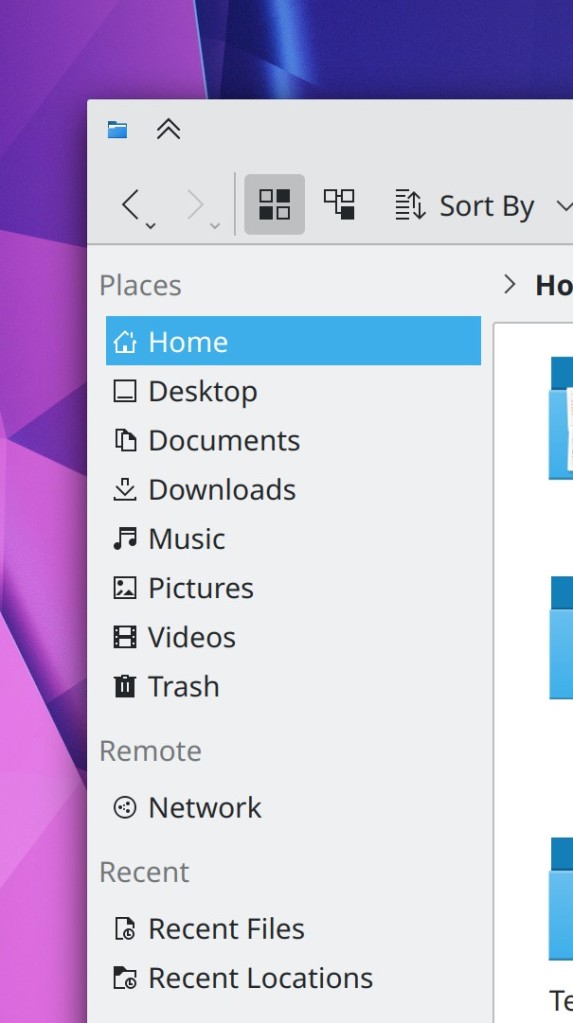
The Places panel in Dolphin, the file dialogs, and various other places now include entries for your Music, Pictures, and Videos folders by default (Claudius Ellsel, Frameworks 5.76)
How You Can Help
Have a look at https://community.kde.org/Get_Involved to discover ways to be part of a project that really matters. Each contributor makes a huge difference in KDE; you are not a number or a cog in a machine! You don’t have to already be a programmer, either. I wasn’t when I got started. Try it, you’ll like it! We don’t bite!
Finally, consider making a tax-deductible donation to the KDE e.V. foundation.
Inside KDE: leadership and long-term planning
Based on my post about KDE’s anarchic organization and the micro-not-macro nature of my This Week in KDE series, you would be forgiven for having the impression that KDE is directionless and has no leadership or long-term planning capabilities. In fact the opposite is true, and I’d like to talk a bit about that today, since this information may not be obvious to users and the wider community.
Now, since KDE is so vast, I can only provide my personal perspective based on the projects I’m most heavily involved in: the VDG, Plasma, and a few apps.
Overall direction
First of all, you might be surprised to hear that the KDE e.V. board of directors does not act as a technical or strategic leadership body. This is in fact by design; their role is to support the individual project teams (which provide their own leadership) with infrastructural, financial, and legal support. Instead, there are two sources of cross-project planning and leadership in KDE:
- We democratize long-term planning by allowing the community itself to vote every two years on three goals to prioritize. Members of the kde-community and various developer mailing lists are eligible to vote, so sign up for the kde-community mailing list if you’re not already a subscriber! The current set of long-term goals are Consistency, Wayland, and Apps, following the last set which were Onboarding, Usability & Productivity, and Privacy. These are cross-project goals. There’s no formal mandate to follow them, but project leaders are expected to take them into account. The idea is basically to understand which things are most important to the KDE community as a whole. We’ve done two rounds of this now and I think it’s been quite successful.
- Additional coordination and strategic planning is provided by members of the KDE Gardening Team, which is essentially our version of upper and middle management. Anyone who cares about the global state of all KDE software and KDE as a community is welcome to join or participate.
On a personal level, I’m a member of the Gardening Team, and my overarching goal is to help KDE get our software shipped by default on hardware all over the world. I have given two Akademy presentations on the subject–one in 2018 and one in 2020–detailing the process I think we can follow to get there. Everything I work on is designed to further this strategic goal.
Small or narrowly scoped projects
Some individual KDE projects use the maintainer model (sometimes known as the “benevolent dictator for life” model). Leadership and planning are easy: the maintainer does it all. This generally works fine for small or focused projects like apps. Many of KDE’s apps follow this model with great success–such as Krita, Kdenlive, Dolphin, Konsole, and so on. A wise maintainer listens to the input of others and changes his or her mind when presented with reasonable alternative perspectives, but ultimately that person makes the call. If you don’t like the call, tough. It’s their project, not yours.
Broadly scoped projects
Projects that touch everything, either from the top (UI side) or the bottom (technical infrastructure side) tend to have a lot of interested parties and stakeholders because of how their activity affects others. Some examples within KDE would be Frameworks, Plasma, KWin, and the VDG.
The maintainer model is often not used for these projects. Instead, an alternative model commonly arises, which I’ll call the “council of elders”: 3-5 of the most active and respected contributors who have strong viewpoints or leadership tendencies will organically emerge to govern the project.
A project’s council of elders is collectively responsible for its long-term priorities and technical direction. Decisions are made on the consensus model, with agreement required from all elders before any kind of potentially controversial action is taken. Sometimes this can take a long time! Discussions are generally public and take the form of status and sync-up meetings, ongoing discussions in the relevant chat channels, Phabricator tasks, and mailing lists. However some of these discussions do take place behind closed doors. For example, when my employer Blue Systems is sponsoring some bit of work and the people working on it are a part of some project’s council of elders, the initial planning for it often takes place inside Blue Systems-specific venues. However it typically moves upstream as soon as practical, once the work is suitable for initial public consumption. And I think the best development and planning happen in the open.
Maintainer vs council of elders
An advantage of the maintainer model is that one person is clearly in charge and has the final say, avoiding endless debate and allowing high speed of decision-making. However even if a project has a humble maintainer with good collaboration skills (such a person is worth their weight in gold), they’re still only one person. People can lose interest, burn out, or die–the notorious “bus factor” of a project. Or the maintainer can simply take the software in a direction that you don’t like. Relying on software steered by a single individual requires trust that none of these things will happen.
The council of elders model solves these problems with its power sharing arrangement. In so doing, it gains the ability to survive the loss of any given elder and provides stability and continuity for 3rd parties who would rely on it. The project does gives up a measure of speed and decisiveness in decision-making as a consequence. However there’s no reason why a council of elders has to fall prey to squabbling. In my experience it only happens if any of the elders in the council disagree with the others but take a “my way or the highway” approach rather than reaching for compromise or admitting that they may simply be wrong.
It’s natural for people–including any of the elders themselves!–to sometimes feel frustrated with the council’s lower speed of decision-making compared to a sole maintainer. But everyone appreciates the immortality that the council provides to the project and its resistance to the problems of a tyrannical or negligent maintainer. For these reasons, there’s but slow but natural drift from the maintainer model to the council of elders model as projects mature over time, especially for software used as a base for other software.
Does it work?
KDE doesn’t lack for strategic long-term goals and direction, so I think that part can be pretty solidly marked as a success. As for tactical leadership and direction within and between individual projects, I also think things are pretty rosy overall. KDE’s maintainer-led projects generally have excellent maintainers. The variety of KDE apps using this model model is a testament to how successful it can be with a high-quality maintainer–especially our professional-class apps like Krita. And in my opinion, KDE’s council of elders projects also have very good leadership today. I think you can see this in the successful roll-out or ongoing progress of various multi-year initiatives:
- Partnership with Slimbook to sell multiple iterations of KDE-branded laptops
- Progress towards the Wayland session becoming increasingly usable and stable
- Engagement with folks from other desktops and compositors to move various Wayland protocols forward in a cross-desktop manner
- Inter-process isolation throughout Plasma so that a crash in one component doesn’t take down everything else, which is especially important on Wayland
- Systemd startup (optional of course) with cgroups and slices for app launching
- VDG’s Breeze Evolution work, which is in the process of being merged for Plasma 5.21
- System Settings UX overhaul, which makes configuration a little bit better in every Plasma release
- Ongoing replacement of Phabricator with GitLab
- And more that I’m sure I’ve forgotten
I could go on; there are tons of long-term projects being worked on behind the scenes. My blog posts may actually be hiding this, because I tend to blog only about the user-visible elements once they’re finally merged. In reality, large projects are often started months or years before the final UI piece of the puzzle is fitted into place. If people are interested, I can try to blog more about the foundational stuff too–or at least encourage others to do so, as this is not my area of expertise. 🙂
Now, has everything been perfectly smooth? No. Are there problems? Yes. Have some things moved too slowly? Certainly. Such is life! And I’ll talk about those things in a future post, because I do think that we can improve upon the way we do things in various ways. But overall, I think KDE’s long-term planning abilities are pretty impressive, especially for a mostly volunteer community!
This week in KDE: Plasma 5.20 released, and looking forwards
We released Plasma 5.20 this week and I think our QA generally paid off–it seems to have been one of the smoothest releases I can remember despite all of the changes! That said, Neon experienced some packaging issues that affected users on the release day, which we’re investigating, and we’ll figure out how to make sure this doesn’t happen again. those issues have all been fixed now, so it should be safe to upgrade, if you haven’t done so yet. And of course we spent a lot of time fixing the few regressions in Plasma 5.20 that did manage to slip through, but also working on the next versions!
New Features
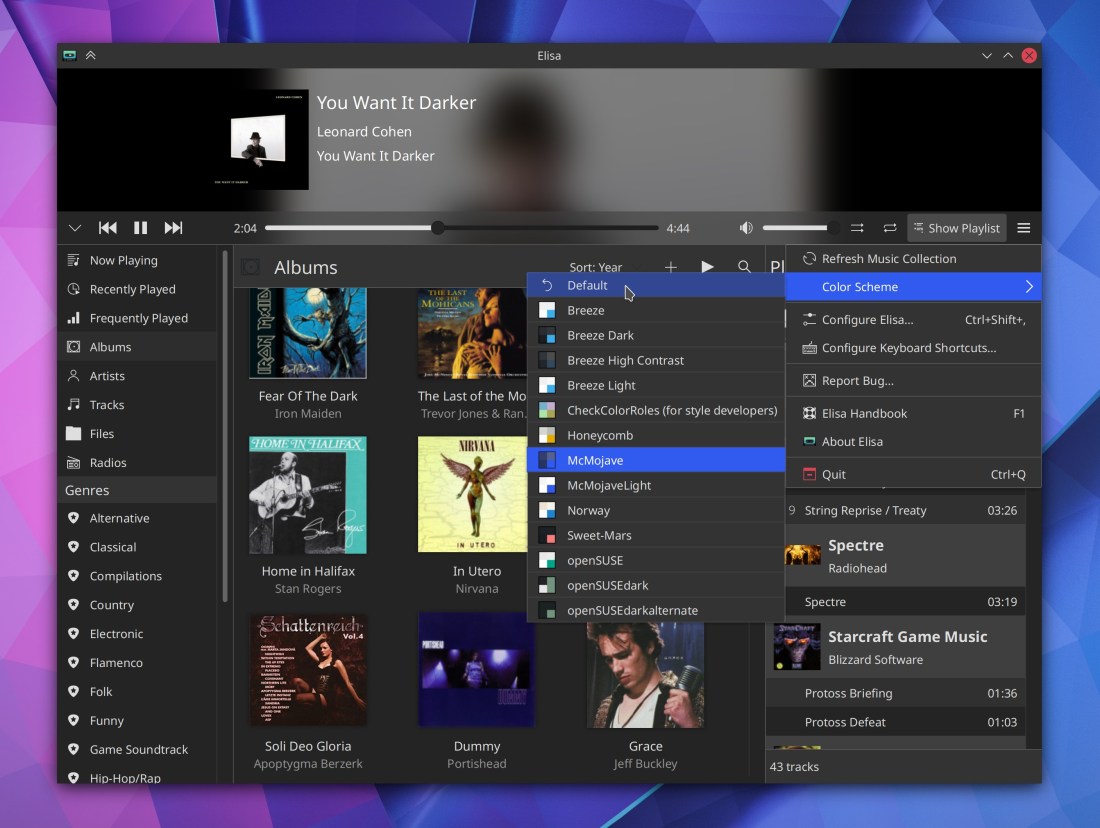
Elisa now lets you change the color scheme of the app independent of the systemwide color scheme (George Florea Bănuș, Elisa 20.12):

Elisa now lets you choose which view to display when the app launches (Matthieu Gallien, Elisa 20.12)
Ark now supports archives with zstd compression (Alexey Ivanov, Ark 20.12)
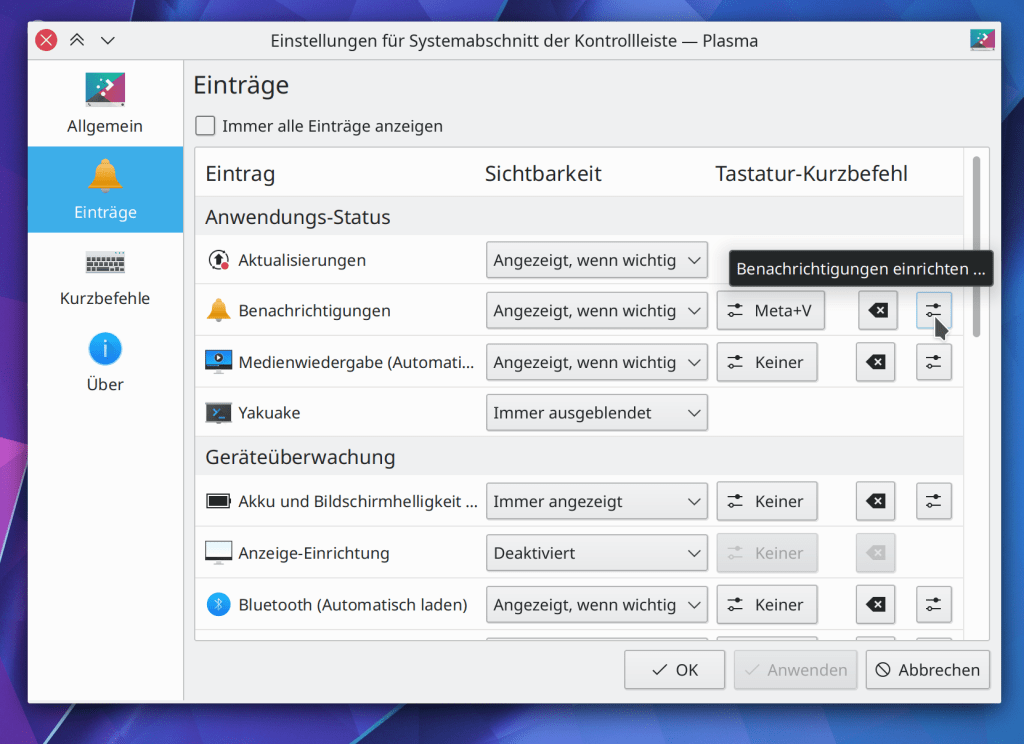
The System Tray config window’s Entries page now displays configure buttons for individual configurable applets, so you can configure them from one place (Kai Uwe Broulik, Plasma 5.21):
KRunner can now use DuckDuckGo-style “bangs” to invoke web shortcuts. For example, instead of typing “wiki: battleship” to search Wikipedia for an article called “Battleship”, you can also now type “battleship !wiki” or “battleship!wiki” (Alexander Lohnau, Plasma 5.21)
System Settings now displays the same set of frequently-used items that are shown on the home screen in the app’s context menu in the Task Manager and Kickoff/Kicker/Application Dashboard/SimpleMenu etc. (Kai Uwe Broulik, Plasma 5.21):

Bugfixes & Performance Improvements
When accessing a large Samba share, Dolphin no longer sometimes displays only part of the contents (Harald Sitter, Dolphin 20.08.3)
Gwenview no longer sometimes displays the thumbnail strip in a second window when using recent versions of of Qt (Yichao Yu, Gwenview 20.08.3)
Clicking in Okular’s scroll track to scroll the view no longer causes the scrollbar to become de-synced when scrolling over the main view itself using a mouse wheel or touchpad or click-and-drag or touchscreen gesture (David Hurka, Okular 1.11.3)
Elisa’s “Now Playing” view no longer displays an erroneous “Nothing is playing” message when there is in fact something playing, but that thing only has a title and no other metadata (Fabian Baumanis, Elisa 20.12)
Fixed a case where the kactivitymanagerd daemon could crash over and over again (Ivan Čukić, Plasma 5.20.1)
Blurred and partially transparent Breeze theme menus are no longer sometimes affected by a weird graphical glitch that causes the background to look ugly (Andreas Haratzis, Plasma 5.20.1)
In a Wayland session, windows that were closed when in a maximized state now re-open in the same maximized state (Vlad Zahorodnii, Plasma 5.20.1)
In a Wayland session, deliberately killing XWayland also no longer crashes the whole session (Vlad Zahorodnii, Plasma 5.20.1)
In a Wayland session, the cursor is no longer sometimes oddly clipped (Vlad Zahorodnii, Plasma 5.20.1)
The hamburger menu for individual applications in the Audio Volume applet now works again, and the relevant System Settings page once again shows the correct output for a multi-output device in the device’s output combobox (David Redondo, Plasma 5.20.1)
Non-removable devices displayed in the Disks & Devices applet no longer let you try to unmount them and instead display a button to open them with the file manager (me: Nate Graham, Plasma 5.20.1)
Tooltips for pinned Icons-Only Task Manager apps all of whose windows are on another virtual desktop are no longer visually corrupted (Arjen Hiemstra, Plasma 5.20.1)
The notification popup’s circular timeout indicator is once again correctly positioned when using a HiDPI scale factor (me: Nate Graham, Plasma 5.20.1)
24px thick panels no longer have the wrong size and spacing for System Tray items (me: Nate Graham, Plasma 5.20.1)
The properties window for the trash now indicates the correct amount of free space when using the trash’s “Unlimited” size option (Ahmad Samir, Frameworks 5.75)
Slider handles in Plasma no longer have blurry outlines (David Redondo, Frameworks 5.76)
Discover’s sidebar header no longer sometimes partially covers up the first few items in the sidebar list (Carson Black, Frameworks 5.76)
User Interface Improvements
When using Dolphin’s “remember previous window state” feature, opening Dolphin with a specific location when it’s closed now causes the resulting window to append the newly-opened location to the set of tabs in the old window, rather than replacing them (me: Nate Graham, Dolphin 20.12)
Hovering the cursor over a tab in Dolphin now displays a tooltip with the full path (Tolu Schr, Dolphin 20.12)
Dolphin’s context menu now shows the “Open With…” menu items even for empty directories, as we found some legitimate use cases for this (me: Nate Graham, Dolphin 20.12)
The Media Player applet now uses a tab bar in the footer to let you quickly choose which of the available audio streams it’s controlling (Ismael Asensio, Plasma 5.21):

KRuner now closes if you hit the return or enter key while the text field has no text in it (Alexander Lohnau, Plasma 5.21)
When you try to create a folder that already exists in the open/save dialogs, now it will just take you right there, instead of showing an error message (Ahmad Samir, Frameworks 5.76)
How You Can Help
Have a look at https://community.kde.org/Get_Involved to discover ways to be part of a project that really matters. Each contributor makes a huge difference in KDE; you are not a number or a cog in a machine! You don’t have to already be a programmer, either. I wasn’t when I got started. Try it, you’ll like it! We don’t bite!
Finally, consider making a tax-deductible donation to the KDE e.V. foundation.
This week in KDE: Plasma 5.20 is nigh
We spent a ton of time this week polishing up Plasma 5.20 and fixing the last few regressions that were reported during the beta period. Hopefully this release should be much smoother and more stable than the last few have been! We’ve really been trying to up our QA game lately. And of course, we’re already looking to the next version, and new features are starting to land…
New Features
Gwenview now has an option to not auto-play videos in browse mode (Madhav Kanbur, Gwenview 20.12)
On Wayland, KWin now supports the “iGPU multi-monitor” feature and therefore allows you to simultaneously drive multiple monitors from both a dedicated and internal Intel GPU! (Xaver Hugl, Plasma 5.21)
KRunner now has an optional “keep open” feature which causes it to stay open when focus is lost, just like how the System Tray and Clock popups can (Alexander Lohnau, Plasma 5.21):

Plasma will now display a notification when your network connection becomes flaky and you’re about to lose internet access (Kai Uwe Broulik, Plasma 5.21):

Text fields in Kirigami and QML-based desktop apps now display appropriate context menus when you right-click on them (Yeah yeah yeah I know, it’s 2020 and we’re only now getting this… but still, now we have it!) (Devin Lin, Frameworks 5.75):

Bugfixes & Performance Improvements
Krfb now saves and remembers user settings such as settings “Enable desktop sharing”, “Enable Unattended Access” and “Password” (Alexey Min, Krfb 20.08.2)
Mounting an ISO image using the ISO mounter Dolphin plugin now results in it actually being mounted if you have automounting globally disabled (Kwon-Young Choi, Dolphin 20.12)
Spectacle’s background mode now auto-saves images as expected when that option is set in the settings window (Antonio Prcela, Spectacle 20.12)
Partition Manager now recognizes devices without a partition table (Andrius Štikonas, Partition Manager 4.2.0)
KWin no longer sometimes crashes when exiting or re-launching (Vlad Zahorodnii, Plasma 5.20)
Plasma no longer sometimes leaks memory and crashes when exiting or re-launching (David Edmundson, Plasma 5.20)
Pinned Icons-Only Task Manager apps no longer randomly jump around when any of the apps come from Flatpak, Snap, Steam, or have a URL scheme beginning with “preferred://", as two of the four default items do (Eike Hein, Plasma 5.20)
Fixed the initialization of dmabuf textures in KWin on Wayland, which in practical terms should ensure that videos played Firefox no longer sometimes display garbage instead of the video (Vlad Zahorodnii, Plasma 5.20)
The functionality in the System Settings Shortcuts page to import an existing shortcut scheme now works again (David Redondo, Plasma 5.20)
The Disks & Devices applet no longer ever shows the “Remove All” button when there are any non-removable devices in the list (me: Nate Graham, Plasma 5.20)
Events in the event list on the Digital Clock pop-up are no longer all scrunched up together (me: Nate Graham, Plasma 5.20)
KRunner is now more responsive to typed text on Wayland (Aleix Pol Gonzalez, Plasma 5.20)
Dragging a webp or tiff image onto the desktop now shows the option to set the image as the current wallpaper, just like it already does for images in other formats (me: Nate Graham, Plasma 5.20)
Plasma’s System Monitor widgets no longer leak memory (Arjen Hiemstra, Frameworks 5.75)
When a Plasma Vault is in an error state, its System Tray icon no longer disappears (Alexander Stippich, Frameworks 5.75)
Discover should no longer sometimes crash when canceling the password dialog (Dan Leinir Turthra Jensen, Frameworks 5.75)
KDE Neon now adds the Flathub repo to Discover by default (Harald Sitter, in the next update)
User Interface Improvements
Dolphin no longer bugs you with an “are you sure you want to close multiple tabs?” dialog when you’re using its (on by default) “remember window state” feature (me: Nate Graham, Dolphin 20.08.2)
Plasma 5.20’s new feature to smoothly animate brightness changes is now only enabled when your screen exposes enough levels of brightness to make it look good (Kai Uwe Broulik, Plasma 5.20)
The System Settings Window Decorations page now supports the “Highlight Changed Settings” feature (Benjamin Port, Plasma 5.21)
The background highlight effect for Task Manager items now extends to the edges of the panel (Niccolò Venerandi, Plasma 5.21):

When selecting new properties in the System Settings Windows Rules page, the property selection sheet now closes immediately after you’ve used it to select a property so you can immediately configure it (Ismael Asensio, Plasma 5.21)
After installing a 3rd-party applet which adds a System Tray item, the item now appears in the System Tray immediately, without having to restart Plasma (Konrad Materka, Plasma 5.21)
System Settings pages now have perfectly consistent margins on all sides (Ismael Asensio and me: Nate Graham, Plasma 5.20 and Frameworks 5.75)
System Settings now has a unified titlebar/header appearance when using a compatible color scheme (i.e. one of the ones used in the Breeze Evolution work, like the new Breeze Light and Breeze Dark color schemes) (Marco Martin, Frameworks 5.75):
ToolButtons in Kirigami and QML-based desktop apps now visually indicate when they have keyboard focus (Arjen Hiemstra, Frameworks 5.76)
Applets which have been given a keyboard shortcut to make them activate will now deactivate when that shortcut is pressed again (…except for the System Tray, which needs extra work that’s coming soon) (Alexander Lohnau, Frameworks 5.76)
Red subtitle text for almost-full devices in the Disks & Devices System Tray applet is now more readable (me: Nate Graham, Frameworks 5.76)
Comboboxes in Kirigami and other QML-based desktop apps which have enough items to be scrollable now draw the scrollbar part using the correct color (George Florea Bănuș, Frameworks 5.76)
Editable comboboxes in Plasma and Plasma applets now close their popups when clicking outside of then (Chris Holland, Frameworks 5.76)
How You Can Help
Have a look at https://community.kde.org/Get_Involved to discover ways to be part of a project that really matters. Each contributor makes a huge difference in KDE; you are not a number or a cog in a machine! You don’t have to already be a programmer, either. I wasn’t when I got started. Try it, you’ll like it! We don’t bite!
Finally, consider making a tax-deductible donation to the KDE e.V. foundation.
This week in KDE: Breeze Evolution work starts landing
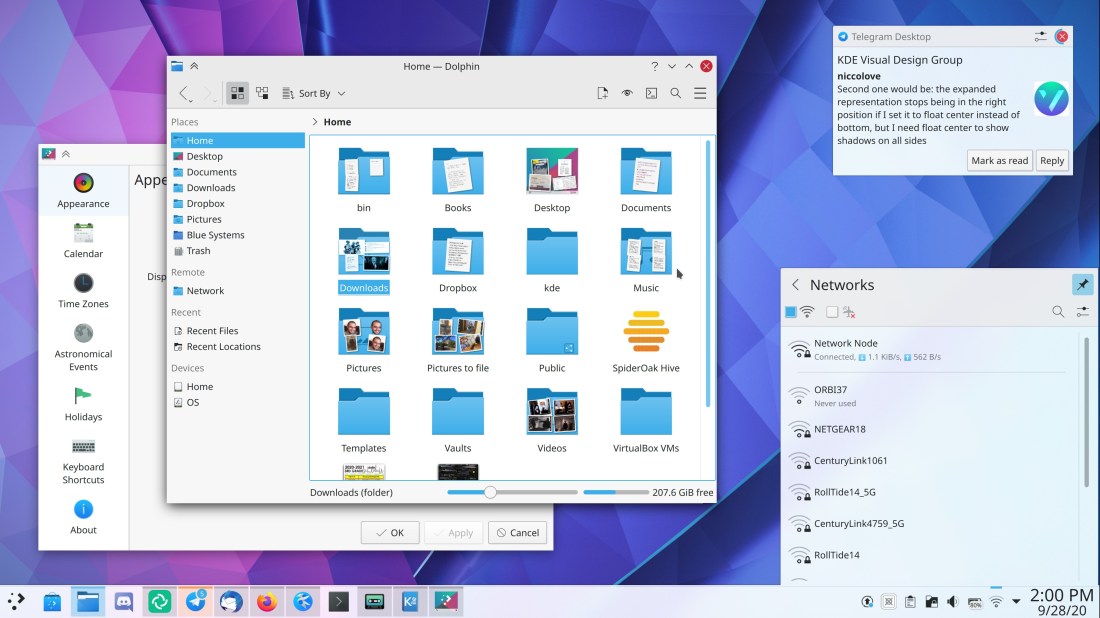
Pieces of our much-awaited Breeze Evolution UI refresh have begun landing this week! Now windows, Plasma pop-ups, and notifications have a distinctly colored visually separated “tools area” at the top, window shadows become smaller for inactive windows, and sidebars in settings windows are using all-colorful icons!

These improvements have been developed by Carson Black, Noah Davis, Niccolò Venerandi, Lindsay Roberts, and me: Nate Graham–aided greatly by the rest of the KDE VDG team! Watch this space for more to come. Plasma 5.21 is going to be the release where all of this stuff gets shipped, and I’m very excited about it! 🙂
Now keep in mind this is pretty early in the Plasma 5.21 dev cycle, so before the release, there may be tweaks and adjustments to the final appearance of anything I post here.
And also, that’s not even the half of it! All sorts of other cool stuff was done as well:
New Features
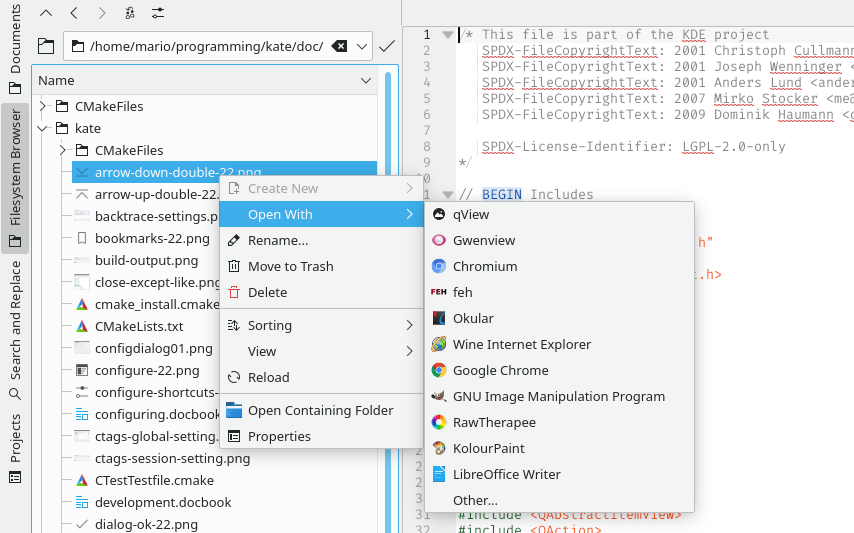
Kate’s file browser now has an “Open with” menu item in its context menu (Mario Aichinger, Kate 20.12):
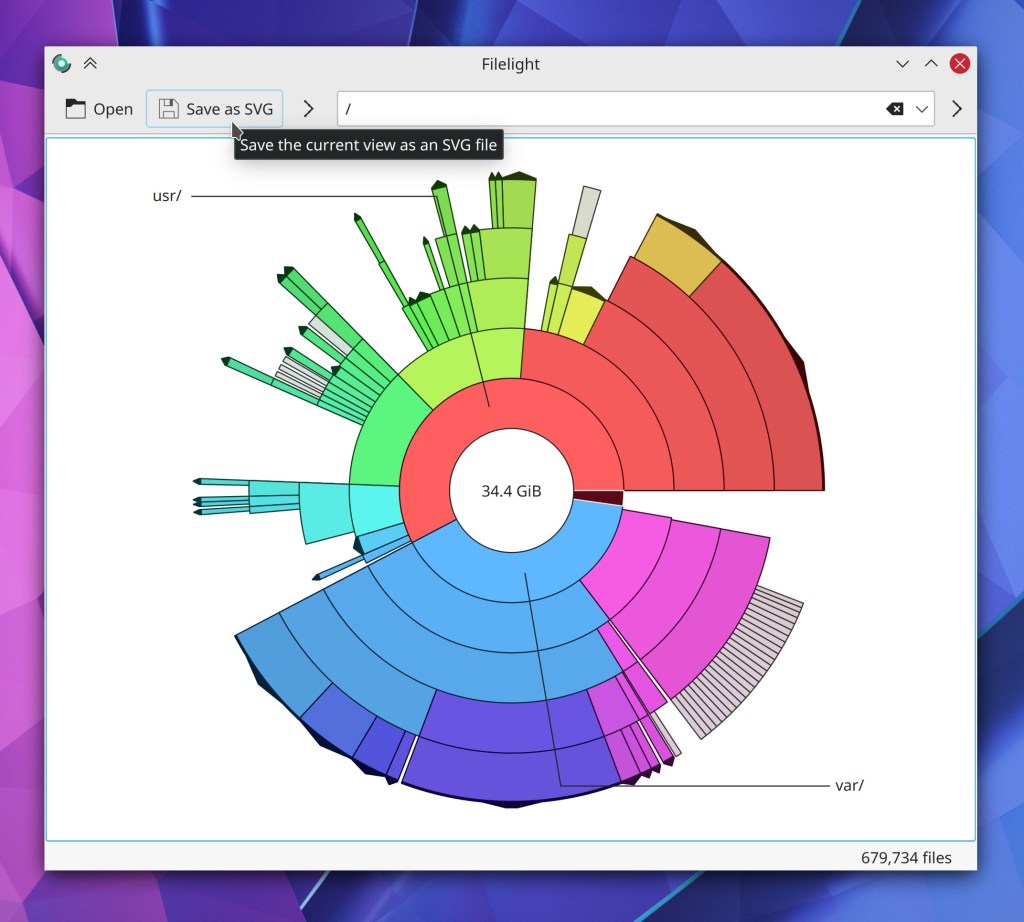
Filelight now has a feature to save the current view as an SVG file (Martin Tobias Holmedahl Sandsmark, Filelight 20.12):
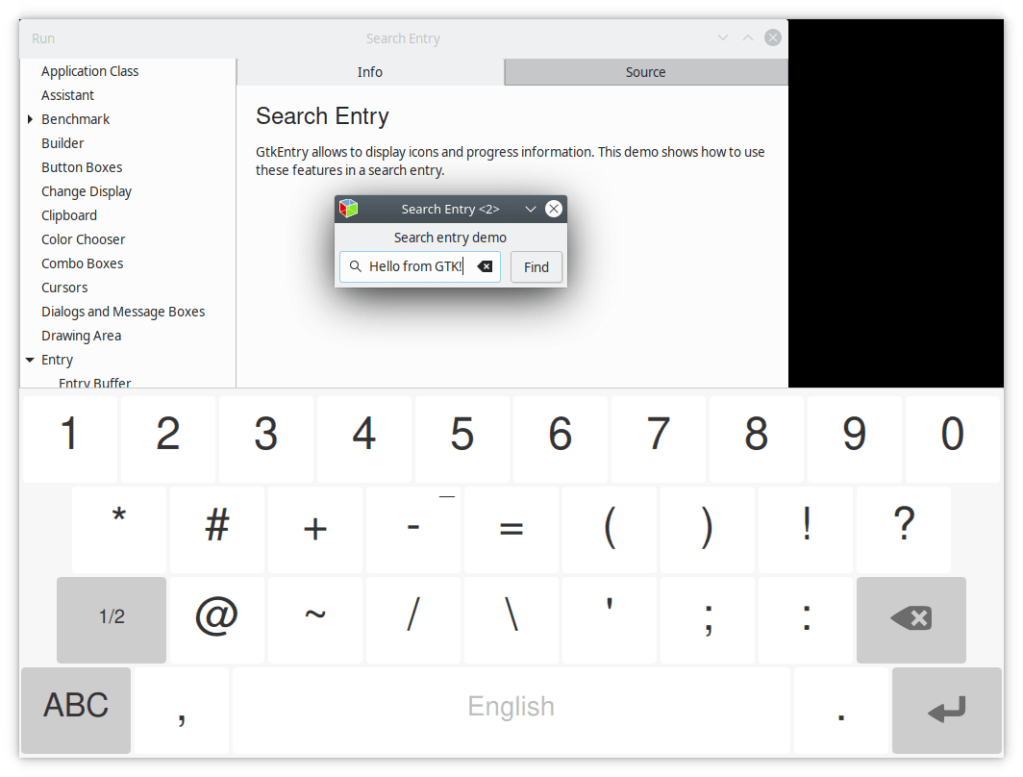
KWin’s Wayland virtual keyboard support now works for GTK apps! (Bhushan Shah, Plasma 5.21)
System Settings’ “Highlight Changed Settings” feature now works for the KWin window management pages too (Cyril Rossi, Plasma 5.21)
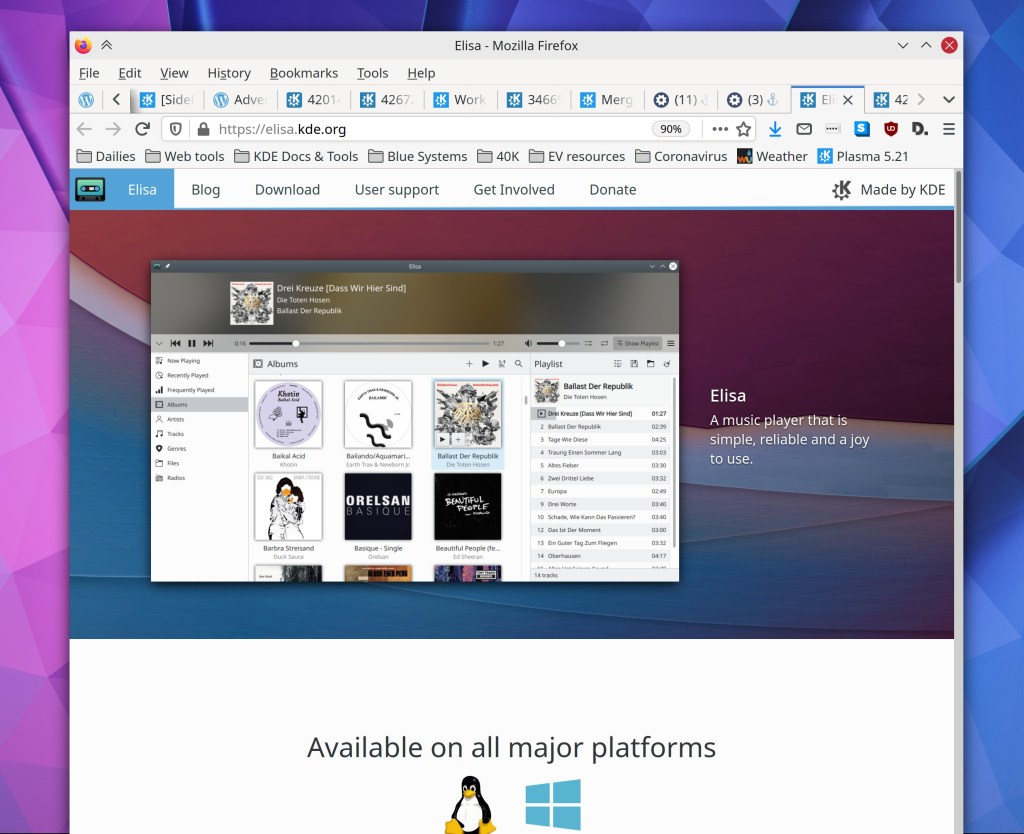
The Elisa music player now has a fancy new website, courtesy of Anubhav Choudhary, Nikunj Goyal, and Carl Schwan!
Bugfixes & Performance Improvements
Gwenview’s photo importer no longer hangs when you try to exit it (Gwenview 20.08.2)
Okular’s “Page Up/Down overlap” setting now works again (Kishore Gopalakrishnan, Okular 1.11.2)
When using an automatic document feeder to scan with Skanlite, it’s no longer possible to select multiple capture areas, since this concept only makes sense when using a flatbed scanner (Kåre Särs, Skanlite 20.12)
Dolphin now be interacted with using a Wacom tablet pen (Steffen Hartlieb, Dolphin 20.12)
Ark’s “Save As…” menu item has been renamed to “Save Copy As…” to reflect what it will actually do (Elvis Angelaccio, Ark 20.12)
KWin no longer crashes when activating a hotcorner with the mouse, and then continuing to push the mouse into the hotcorner after it’s been activated (Vlad Zahorodnii, Plasma 5.18.6)
The “Switch user” action which has been missing from Kickoff and Kicker is now back (David Edmundson, Plasma 5.20)
Fixed a case where Plasma could crash while editing the settings of system monitor widgets (David Redondo, Plasma 5.20)
Fixed a very odd case where Plasma could crash when scrolling on the desktop when due to the number of virtual desktops being incorrectly reported as 1 instead of some number higher than 1 (David Edmundson, Plasma 5.20)
Discover no longer displays an incorrect number of packages to update under certain circumstances (Aleix Pol Gonzalez, Plasma 5.20)
When not using the “Fade Popups” KWin effect, the shadows of context menus no longer briefly remain visible after the context menus are closed (Vlad Zahorodnii, Plasma 5.20)
On Wayland, context menus on the desktop and throughout Plasma now close when they’re supposed to (Vlad Zahorodnii, Plasma 5.20)
On Wayland, Task Manager tooltip window thumbnails are no longer overlapped by the app’s icon (me: Nate Graham, Plasma 5.20)
On Wayland, pressing Ctrl+Alt+Esc twice no longer results in the “Click a window to kill it” message being re-positioned into the top-left corner of the screen (Vlad Zahorodnii, Plasma 5.20)
Toolbar buttons that open menus now always display the correct color for the downward-pointing arrow that indicates this (David Redondo, Plasma 5.20)
The window-specific KWin Rules dialog is now properly translated (Albert Astals Cid, Plasma 5.20)
Discover no longer shows translation errors for updatable packages whose version numbers are missing for some reason (Aleix Pol Gonzalez, Plasma 5.21)
Trashing files on external disks now uses the trash folder for that disk rather than usually first copying the files to the trash folder on the root volume (David Faure, Frameworks 5.75)
When KDE app windows are allowed to restore their prior positions when re-opened, opening new instances of already-open apps no longer causes the existing windows to be completely covered up; instead, the window manager is allowed to position these windows (me: Nate Graham, Frameworks 5.75)
Discover no longer sometimes crashes when trying to update certain add-ons from store.kde.org (Aleix Pol Gonzalez, Frameworks 5.75)
Discover no longer silently fails to update certain addons from store.kde.org (Dan Leinir Turthra Jensen, Frameworks 5.75)
The distinct header area throughout various Plasma applets is once again visible when using the Breeze Dark Plasma theme (not the default Breeze Plasma theme with a dark color scheme; the actual Breeze Dark Plasma theme) (Harald Sitter and me: Nate Graham, Frameworks 5.75)
The setting for making a scrollview jump directly to the clicked position in the scroll track now applies to scrollviews in QML-based desktop software as well (Bharadwaj Raju, Frameworks 5.75)
Lokalize’s main window now displays correctly on Wayland (Albert Astals Cid, Frameworks 5.75)
Tooltips throughout Plasma once again have the correct visual appearance (only people using the Plasma 5.20 beta ever saw the regression, hopefully) (me: Nate Graham, Frameworks 5.75)
Labels for list items in the timezone chooser view (as well as other lists using the CheckDelegate QtQuickControls2 item) now use the correct text color when the checkbox is checked (me: Nate Graham, Frameworks 5.75)
User Interface Improvements
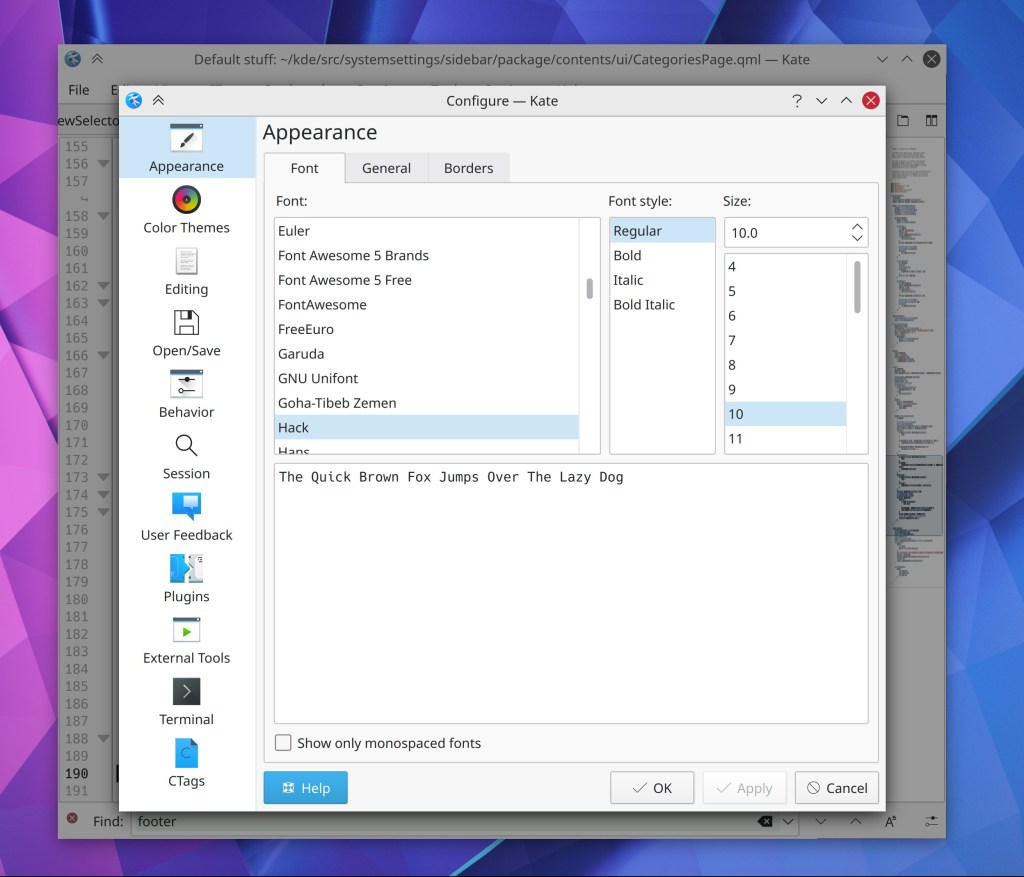
Kate’s config dialog now uses a nice pretty icon-style sidebar like most other KDE apps do (Christoph Cullmann, Kate 20.12):
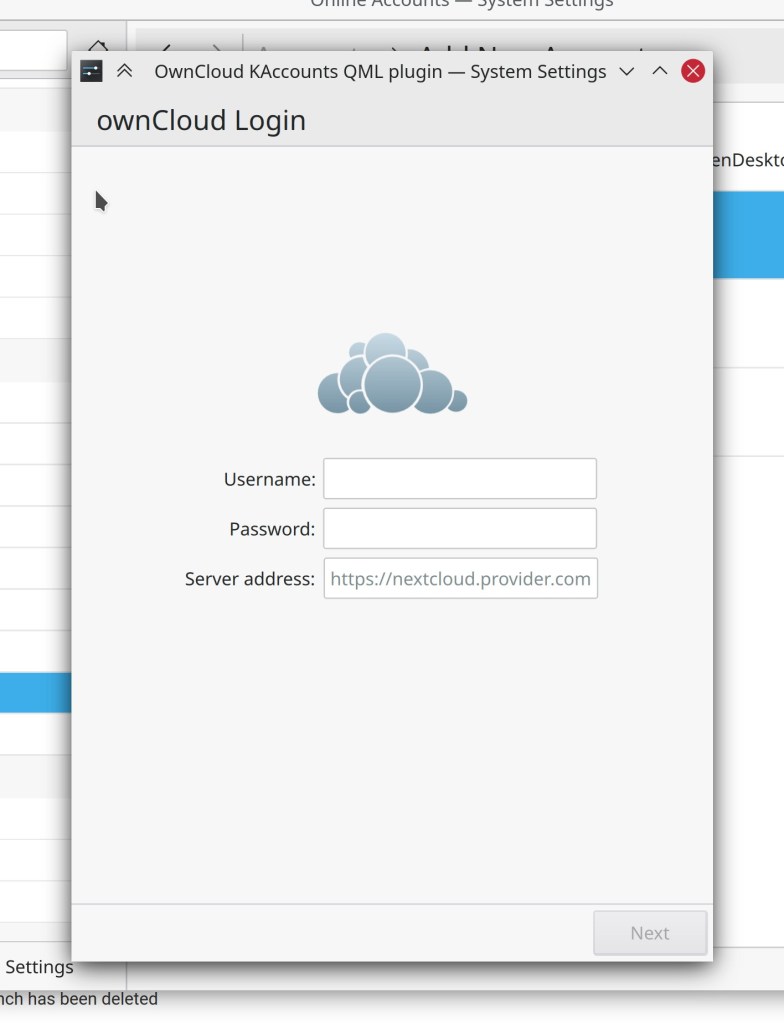
Overhauled the visuals of the Nextcloud and Owncloud wizards in the System Settings Online Accounts page (Nicolas Fella, Kaccounts-integration 20.12)
Elisa’s Configure Shortcuts window no longer shows empty columns for non-existent global shortcuts (me: Nate Graham, Elisa 20.12):

The Info Center Samba Status page has received a fancy visual overhaul (Harald Sitter, Plasma 5.20):

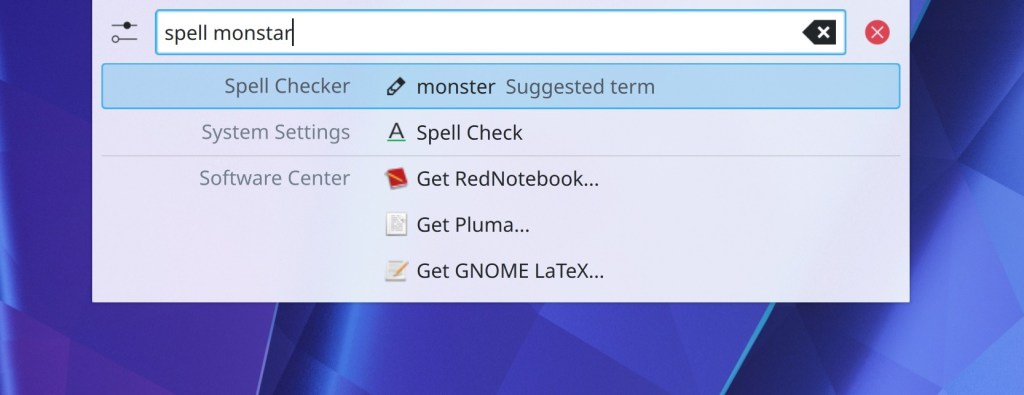
The Spellcheck plugin is now activated by default in KRunner. You can invoke it by typing “spell [misspelled word]” (Alexander Lohnau, Plasma 5.21)
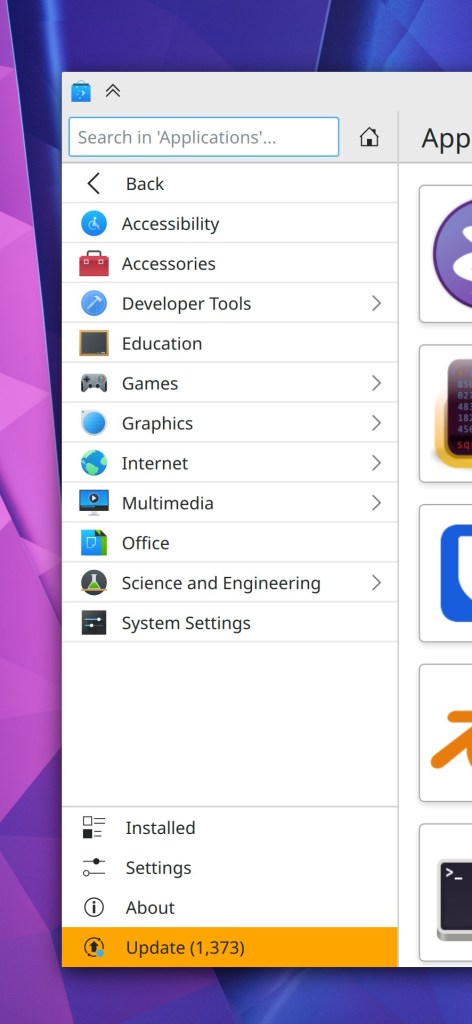
Navigation-style sidebars in Discover and other Kirigami apps now look more like the one in System Settings, bring them into consistency with one another (me: Nalate Graham, Frameworks 5.75)
The animations for the System Tray highlight and Kickoff Application Launcher’s tab switching are now more responsive (Andy Salerno, Frameworks 5.75)
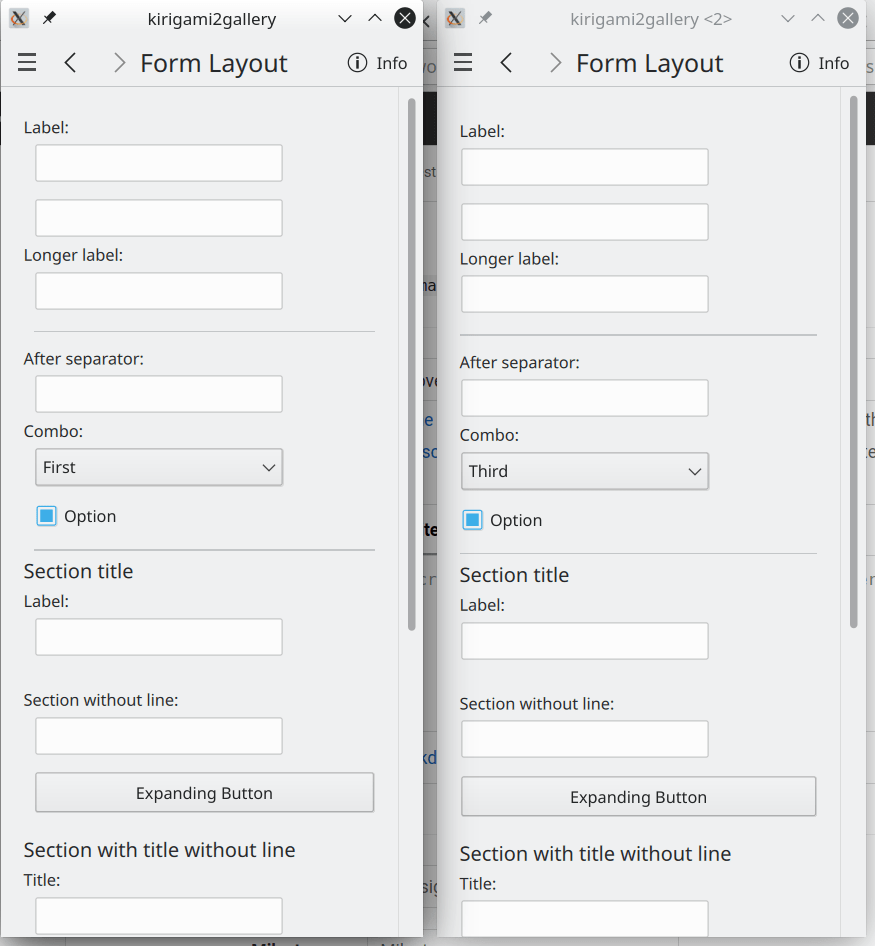
Form layout user interfaces no longer have an awkward left indent when in narrow mode (Devin Lin, Frameworks 5.75):
How You Can Help
Have a look at https://community.kde.org/Get_Involved to discover ways to be part of a project that really matters. Each contributor makes a huge difference in KDE; you are not a number or a cog in a machine! You don’t have to already be a programmer, either. I wasn’t when I got started. Try it, you’ll like it! We don’t bite!
Finally, consider making a tax-deductible donation to the KDE e.V. foundation.
This week in KDE: fixing up Plasma 5.20
We spent a lot of this week polishing up Plasma 5.20 and fixing bugs you’ve all found in the release. Thanks very much too all the people who have been testing it and reporting bugs! It’s very helpful. As a reminder, you can find distros shipping the beta here: https://community.kde.org/Plasma/Live_Images
New Features
Okular’s animated smooth scrolling feature can now be totally disabled in the app itself (me: Nate Graham)
Bugfixes & Performance Improvements
Kate’s File menu no longer ever loses menu items after closing a tab (Christoph Cullmann, Kate 20.08.2)
Okular’s editable forms are no longer mis-rendered when inertially scrolling (Kezi Olio, Okular 1.11.2)
When your scanner can almost but not quite fit a particular page size, Skanlite will now display the option to scan to that page size anyway (e.g. 215mm wide scan beds now give you the option to scan using the US Letter page size) (Kåre Särs, libksane 20.12)
The text of Elisa’s keyboard shortcuts are now translated properly (Nikunj Goyal, Elisa 20.12)
Clearing the clipboard history on Wayland no longer crashes Plasma (David Edmundson, Plasma 5.20)
Improved the Plasma SVG cache heuristics such that various things which might sometimes be invisible after upgrading Plasma now show up like they’re supposed to (Arjen Hiemstra, Plasma 5.20)
On Wayland, clicking on a Task Manager entry while that entry’s tooltip is visible no longer crashes Plasma (Vlad Zahorodnii, Plasma 5.20)
On Wayland, clicking on a Task Manager thumbnail now activates that window, as you would expect (Marco Martin, Plasma 5.20)
On Wayland, the window stacking order is now always correct (Vlad Zahorodnii, Plasma 5.20)
Auto-hidden panels now have an animated show/hide effect again (David Edmundson, Plasma 5.20)
The hover effect for titlebar buttons in GTK headerbar apps once again appears when it should (Mikhail Zolotukhin, Plasma 5.20
The names of the System Settings and Info Center apps are now translated properly (Alexander Potashev, Plasma 5.20)
The Plasma Emoji input window now always shows nice colorful emojis even if the distro’s fontconfig files are kind of messed up (Yunhe Guo, Plasma 5.20)
The little arrow in a System Settings list items for a top-level category will no longer appear if the category’s existence is obfuscated because it has only a single item, in which case System Settings automatically takes you to the child item (David Redondo, Plasma 5.20)
Shortcuts for switching to particular Activities now work again when set from the relevant System Settings page (David Edmundson, Plasma 5.20)
Plasma applet configuration windows now always display the correct sidebar appearance (David Redondo, Plasma 5.20)
On Wayland, context menus now always have shadows, as expected (Vlad Zahorodnii, Plasma 5.20)
Breeze buttons now display the correct colors when using certain non-default color schemes (Carson Black, Plasma 5.20)
Improved how KWin detects fully opaque windows, which will allow it to do less work by not rendering anything that’s entirely covered up by them (Aleix Pol Gonzalez, Plasma 5.21)
You’re no longer annoyingly asked whether you want to execute non-executable script files when you try to open them (Ahmad Samir, Frameworks 5.75)
It’s once again possible to enter shortcuts in the System Settings Shortcuts page that use the Alt Key when the Alt+something shortcut that you’re defining would otherwise trigger an action on the shortcut entry page itself! (David Edmundson, Frameworks 5.75)
Apps which show an “Are you sure you want to close multiple documents?” dialog when you quit while multiple documents are open will no longer do so if the app is quit as a part of the normal shutdown sequence when session saving is in use (Allen Sandfield Jensen, Frameworks 5.75)
User avatars in the Kickoff Application Launcher and the new System Settings Users page are no longer blurry (Carson Black, Frameworks 5.75)
Button icons on the login and lock screens are no longer mis-colored (Noah Davis, Frameworks 5.75)
User Interface Improvements
Pressing the Esc key in Gwenview while in full screen view now leaves full screen view the first time you press it, instead of first going back to browse mode (Michael Augaitis, Gwenview 20.12)
Elisa now has keyboard shortcuts to go back and forward by track while in the app itself (Ctrl+left arrow and Ctrl+right arrow) (Nikunj Goyal, Elisa 20.12)
Newly-generated thumbnail preview images will no longer longer embed mostly-transparent mimetype icons in the bottom-right corner, which were super confusing (Stefan Brüns, Dolphin 20.12)
Scrollbars in GTK apps using the Breeze GTK theme are now the correct width (Carson Black, Plasma 5.20)
After changing the charge limit on your battery, you’re only shown a message saying, “You may need to re-connect your charger” if it’s currently plugged in (Kai Uwe Broulik, Plasma 5.20)
System Settings and Info Center now have a “Report Bug…” menu item in their hamburger menus (David Redondo, Plasma 5.20)
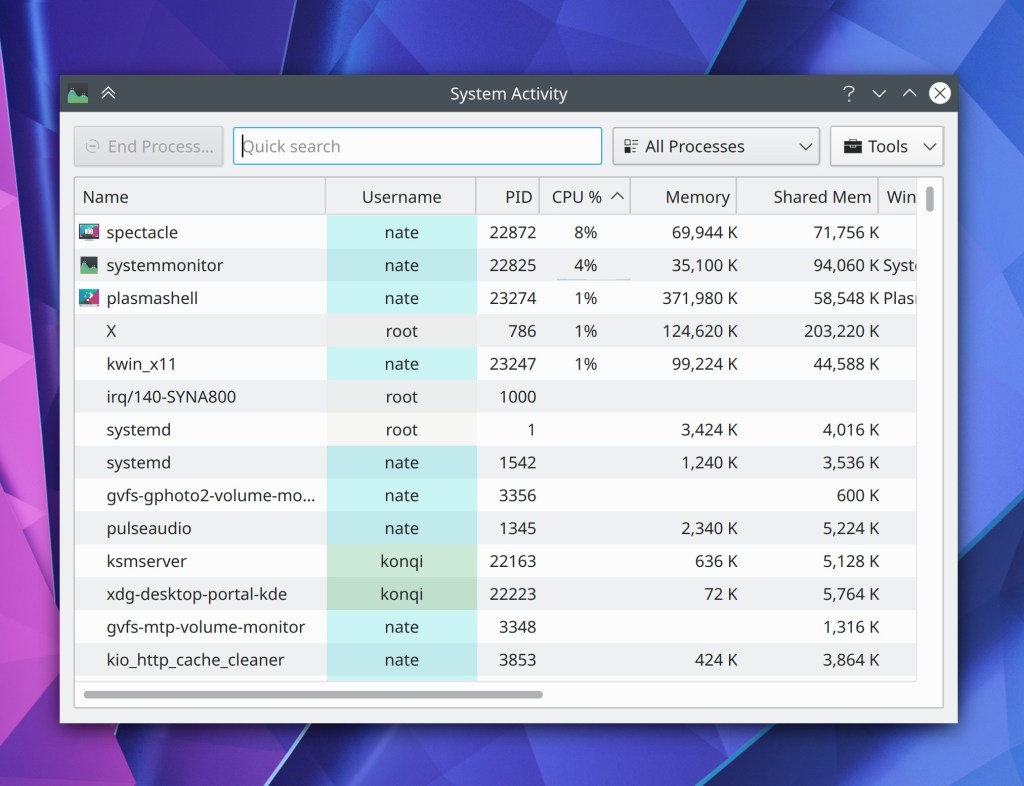
The System Activity window (the thing that appears when you press Ctrl+Esc) now has correct margins (me: Nate Graham, Plasma 5.20)
KRunner’s settings page now uses more accurate text for its new positioning modes feature (me: Ne Graham, Plasma 5.20)
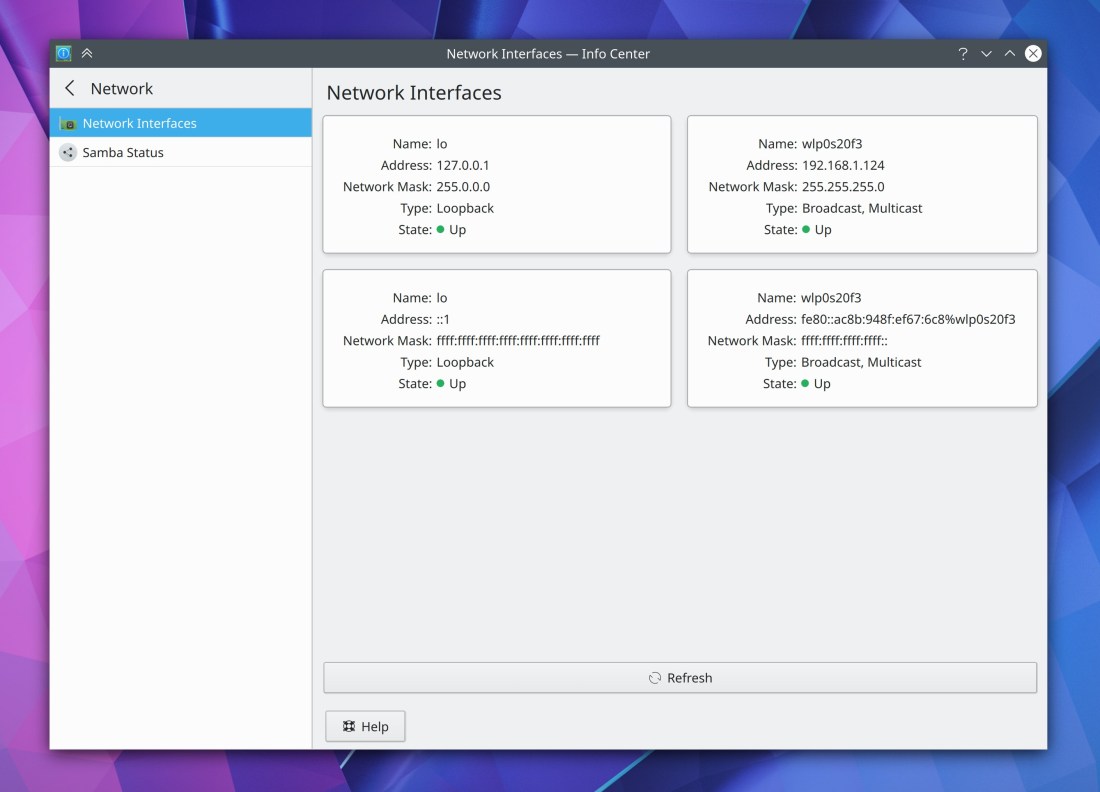
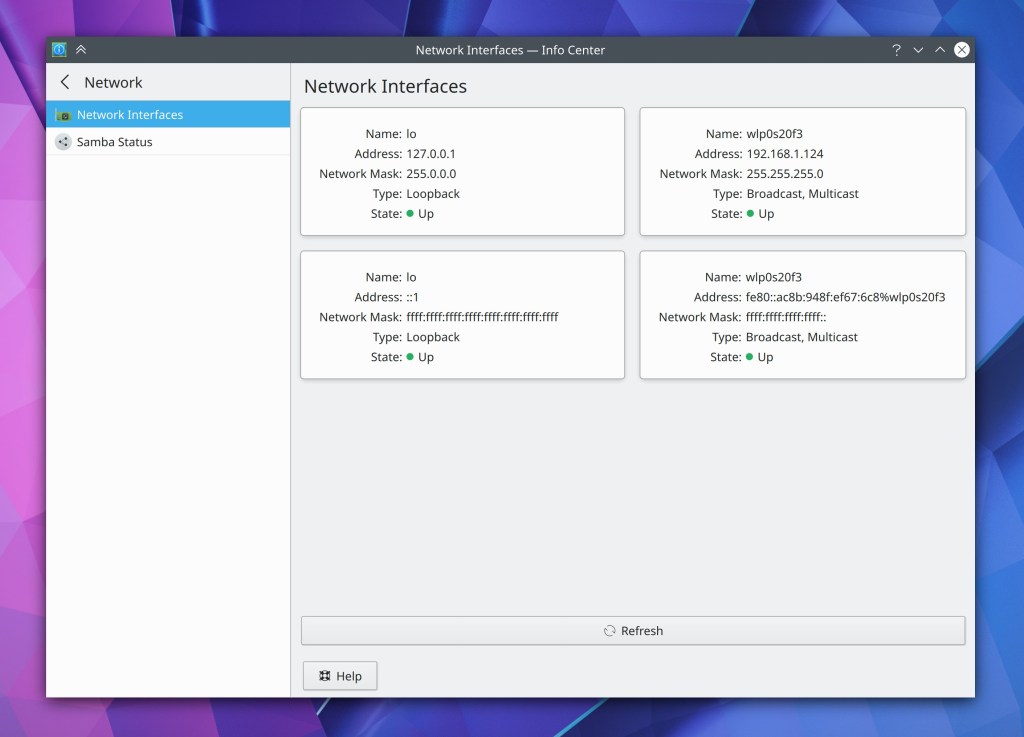
Info Center now has a fancy new Network Interfaces page (Carl Schwan, Plasma 5.21)
How You Can Help
Have a look at https://community.kde.org/Get_Involved to discover ways to be part of a project that really matters. Each contributor makes a huge difference in KDE; you are not a number or a cog in a machine! You don’t have to already be a programmer, either. I wasn’t when I got started. Try it, you’ll like it! We don’t bite!
Finally, consider making a tax-deductible donation to the KDE e.V. foundation.
 Adventures in Linux and KDE