This week in Usability & Productivity, part 5

This week involved a lot of visual polish, and we squashed quite a few bugs causing apps to appear pixellated when they should be crisp and sharp. There was more performance tuning, too, and of course general bugfixing and polish. Take a look!

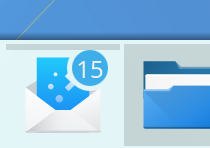
  • Fixed a visual bug causing thumbnails in Folder View (i.e. desktop icons) to be pixellated and glitchy; they are now sharp and pretty (KDE bug 376848, fixed in Plasma 5.12.1):
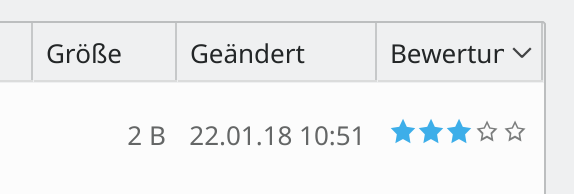
  • Dolphin’s Ratings UI now looks good in HiDPI mode (KDE Phabricator revision D10324, improved in KDE Applications 18.04):
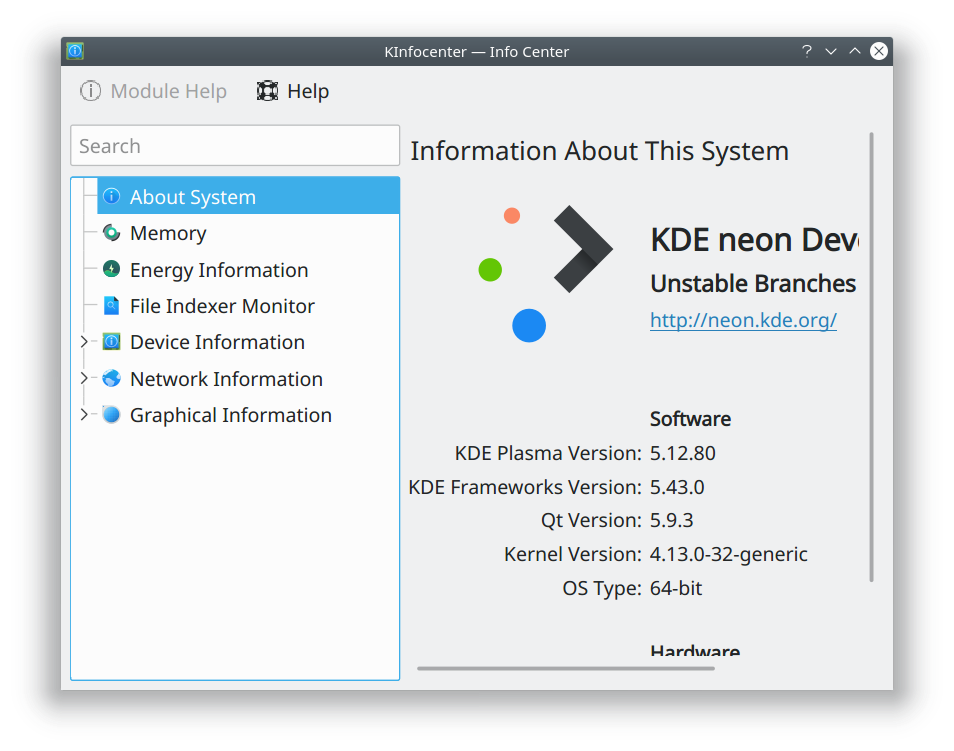
  • Fixed a visual glitch causing high-resolution or vector distro logos and the plasma logo in KInfoCenter to appear pixellated and glitchy in HiDPI mode; they are also now sharp and pretty (KDE bug 388633, fixed in KDE Plasma 5.12.1):
  • Fixed a bug causing Chromium and Chrome to always append “.bin” to the end of downloaded files for users of distros with old versions of Qt and/or the shared-mime-info package (KDE bug 382437, fixed in KDE Frameworks 5.44)
  • Network mounts from /etc/fstab, autoFS, or FUSE now show up under the “Network” category in the Places panel (KDE Phabricator Revision D10319, available in KDE Frameworks 5.43)
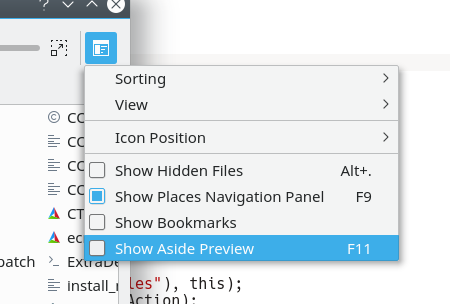
  • You can now use the F11 keyboard shortcut to toggle the aside preview pane in KDE open/save dialogs (KDE bug 389880, available in KDE Frameworks 5.43):
  • Alt+Enter keyboard shortcut now opens the Properties dialog for Folder View (i.e. Desktop icons) just like it does in Dolphin (KDE bug 389862, available in KDE Plasma 5.13)
  • Mouse wheel now scrolls the correct number of lines in Konsole when using the libinput driver (KDE bug 386762, fixes in KDE Applications 18.04)
  • The escape key now cancels out of the ctrl+tab tab switcher menu in Kate and KDevelop (KDE bug 389484, fixed in KDE Applications 18.04)
  • Spreadsheet files located on Google Drive accessed using Dolphin now open in the correct app (KDE bug 388598, fixed in kio-gdrive 1.2.2)
  • The Print Manager received an enormous amount of fixes and improvements (Available in KDE Applications 18.04)
  • Items in Kate’s Sessions applet are now sorted alphabetically (KDE Phabricator revision D10208, fixed in KDE Applications 18.04)
  • Gwenview now respects the window manager’s commands to enter and leave Full Screen mode (KDE Bug 195046, fixed in KDE Applications 18.04)
  • Dolphin’s git plugin (available in the dolphin-plugins package can now perform merge and log actions (KDE Phabricator revisions D10213 and D10267, available in KDE Applications 18.04)
  • Lots of UI polish for Discover, including making it and all other Kirigami apps look good in HiDPI mode (KDE bug 390076, fixed in KDE Frameworks 5.44)
  • Move and copy performance with large files has been dramatically improved (KDE bug 384561, improved in KDE Frameworks 5.43)
  • Even faster move and copy performance with many small files (KDE phabricator revisions D10085 and D10124, improved in KDE Frameworks 5.43 and KDE Applications 18.04)

KDE developers are really picking up momentum, and the improvements are coming very rapidly. It’s a fantastic time to get involved in something big!
This week in Usability & Productivity, part 4

This was a big week for Usability & Productivity. Before I get to the list of improvements we landed, I’d like to make an exciting announcement: we’re scoping out the work to add FUSE support to KIO for remote locations like Samba shares. This should vastly improve the experience of interacting with files on Samba and FTP locations (among others) when using non-KDE software with KDE Plasma. No timelines or promises yet, but it’s now on our radar screens.

Anyway, let’s move onto the list of improvements this week. I think you’re going to like ’em!

  • The panel’s height is now shown in pixels when being changed, and can be minutely adjusted using the scroll wheel (KDE bug 372364)
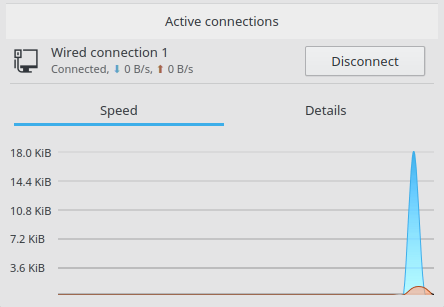
  • Y axis labels for the network widget’s speed graph no longer overlap with the grid lines (KDE Phabricator revision D10183):
  • Spectacle’s Save button now remembers the most recently used save mode by default (KDE Phabricator revision D10153)
  • Spectacle’s Save button now defaults to showing “Save As” instead of “Save & Exit” (KDE bug 389614)
  • Spectacle now uses the correct icon for the “Export Image…” button, and now it also shows up properly when using the Breeze Dark theme (KDE bug 389775):
  • Dolphin no longer scrolls so quickly in icons mode when there are icons with really long/tall filenames (KDE Phabricator revision D10102)
  • A huge amount of work went into improving the speed of move and copy operations, especially for many small files (KDE bug 342056, KDE Phabricator revisions D10155, D10256, D10261, and D10282). More is still in the pipeline, too.
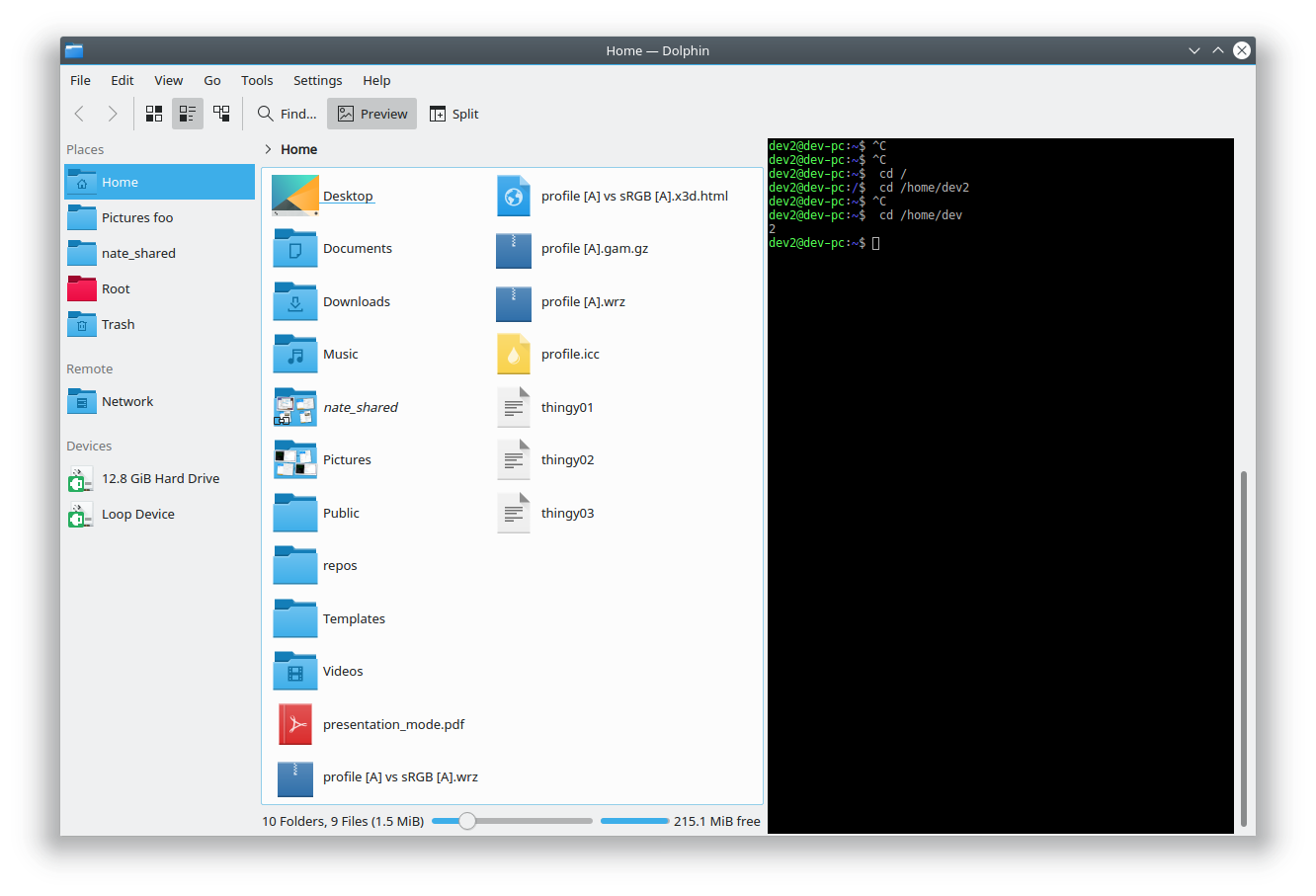
  • You can now put Dolphin’s Terminal pane on any part of the window, not just the top or bottom (KDE bug 362593):
  • Gwenview’s file rename dialog now excludes the filename extension from the initial selection (KDE Phabricator revision D9632)
  • When using Gwenview in Full Screen mode, showing the sidebar no longer moves part of the top toolbar (including the “exit Full Screen” button) out of view (KDE bug 387784)
  • Hitting the Escape key now exits Full Screen mode in Gwenview (KDE bug 305659)
  • When Gwenview is quit while in Full Screen mode, it no longer re-opens maximized (KDE Phabricator revision D10207)
  • Gwenview now lets you choose the ICC color rendering intent, rather than hardcoding “Perceptual” (KDE bug 359909):
  • Konsole gained the ability to blur the background when the window is transparent (KDE bugs 198175):
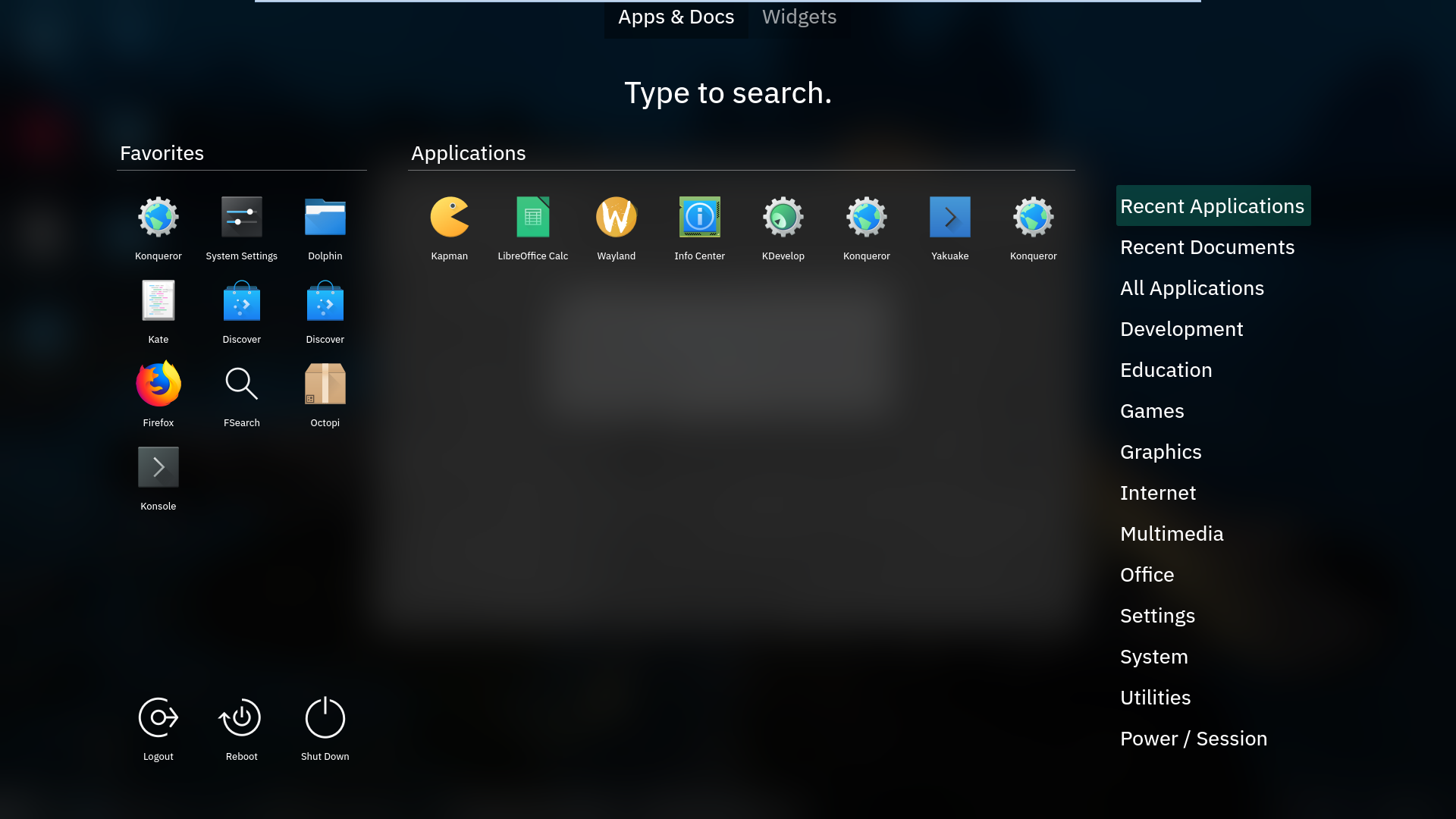
  • The standard KWin blur effect has been made blurrier by default (the blur strength is still user-configurable) to offer better out-of-the-box readability for things that use it, like the Application Dashboard (KDE phabricator revision D10180):
  • Text input in KRunner now always works on Wayland (KDE bug 385693)
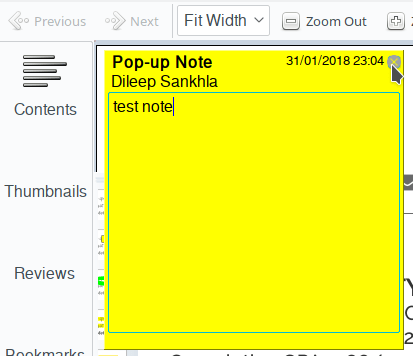
  • The close button on Okular’s pop-up note annotation now uses the correct cursor (KDE bug 384381):
  • New Breeze icon for Emacs and better icon for Virtualbox (KDE Phabricator revision D10211 and KDE bug 384357):
  • Kate/KDevelop syntax highlighting now displays correctly for numeric literals with underscores in Python (KDE big 385422)
  • KSysGuard tabs now correctly show ampersand (&) characters (KDE bug 382512)
  • Many bug fixes for Discover

Yes folks, all of this happened in ONE WEEK! The volume of contributions is starting to accelerate, and we’re really firing on all cylinders these days. It’s the perfect time to get involved. You don’t need to be a programmer. We’ve got design tasks, bug triaging, promotion, the works! We’re aware that our wiki is a bit scattered and sparse, and we’re working on cleaning that up, too. Since it’s a wiki, please feel free to make improvements!

And there’s more coming, too. I wasn’t able to mention in this week’s status update quite a few exciting fixes that are still going through the review process.

This is an exciting time to be a KDE user or contributor. Feel the energy. Be part of something big. Cynicism and inactivity are easy, but ultimately not satisfying; this is the moment to rise above the pervasive malaise of our time. Climb aboard, and help us build something truly magnificent.

Polishing Plasma 5.12

Igor Ljubuncic of Dedoimedo published his review of the Plasma 5.12 beta recently. As always, he’s very thorough, and points out out issues that keep Plasma from being A+ quality. A major part of our Usability and Productivity initiative is honestly acknowledging user feedback and criticism with humility instead of defensiveness or dismissal. That way, rather than engaging in pointless arguments, we can focus on fixing problems!

With our aggressive focus on user satisfaction, we read these kinds of reviews very carefully and take their comments seriously. I wanted to provide a look at all the issues that Igor raised in his review. I went through every issue and made sure that if it was a legitimate bug, it was tracked with a Bugzilla ticket. Many already were, but some weren’t, so I filed tickets for them. Here’s the full list, along with the bugs’ status and our plans for fixing them, where applicable:

  • Can’t easily reset everything to default settings: (KDE bug 389568)
  • Default bottom panel isn’t optimal for using a global menu: this is true, but since the global menu isn’t shown by default, I think it’s fair that if you’re going to use it, you’ll need to change the UI a bit. This is why Plasma is so customizable!
  • Global menu only works in certain programs (e.g. not in LibreOffice or Steamc): it’s unfortunately not something we can fix; this is up to the distros and app developers. Ubuntu’s former Unity global menu feature worked for all apps because Canonical patched the software they packaged to make it work.
  • System Settings window opens too narrow by default: (KDE bug 389617). A trivial change. Will be fixed soon.
  • Sidebar headers are too light: (KDE bug 384638). Not a bad design decision, but rather a a bug caused by the choice of implementation.
  • Slight RGB hinting font anti-aliasing not used by default, even though that’s the best setting: (KDE bug 389598). We may be able to change the defaults here to improve things for the majority of our users.
  • Default font size should be slightly larger with Noto Sans: a controversial proposal, but might be worth it. I plan on doing some side-by-side testing for this.
  • Get Hot New Stuff never seems to works right and is full of outdated content: unfortunately, this is true. It’s a major pain point for a lot of people that we’re aware of and planning to put some work into.
  • Dragging a URL from Firefox to an Icons-Only Task Manager doesn’t work: (KDE bug 389613). Worth mentioning that this mostly works with a regular task manager if you drag it to the region that holds app launchers, not the window list part.
  • Hard to create/differentiate launchers/shortcut icons for multiple versions of an app: (KDE bug 389035)
  • Panel resize UI should have a text box/spinbox to choose the height: (KDE bug 372364). There’s a patch currently undergoing the review process that makes this better!
  • Spectacle should be able to not include window shadows: (KDE bug 372408)
  • Spectacle’s “Save As…” option should be more discoverable: (KDE bug 389614). Trivial fix; will be done soon.
  • Discover app pages look sparse: not our fault, this is entirely on app developers and Ubuntu 16.04 (or KDE Neon, depending on your perspective).
  • Discover doesn’t show app star ratings: (KDE bug 389601)
  • Discover doesn’t show reviews by default: (KDE bug 380514)
  • Discover’s settings page has a scrollbar that overlaps interactive UI elements: (KDE bug 389602). A clear bug; will likely be fixed soon.
  • Discover’s settings/sources page is confusing and exhibits poor usability: Mostly true for distros that have a lot of repos, but a legitimate criticism. We’re discussing this internally.
  • Discover doesn’t offer a way to install NVIDIA drivers or other similar things: Discover is an app store, not a driver manager or a package manager, but we’ll see if there’s any way we can improve this.
  • Dolphin should add Places panel entries for Documents, Download, Pictures, and Music: (KDE bug 389618). A simple enough change, though I think it may take some doing to avoid introducing duplicate entries for existing users.
  • Support for smartphones (especially iPhones) is spotty: A known issue. We’re working on it, slowly.
  • Copying files to samba shared resets their timestamps: (KDE bug 356651). I am actively working on producing a patch for this!
  • KIO doesn’t mount remote filesystems locally like GVFs does: (KDE bug 330192). A major architectural issue. We may need to organize a development sprint for it.

Also, Igor marked as broken a few things that actually do work, or are already fixed in the next versions of the software:

  • You can indeed add folders to Dolphin’s places panel with the context menu!
  • Support for hiding whole sections in Dolphin’s Places panel has already landed in master and should be released with Dolphin 18.04!
  • Konsole tab issues were actually caused by Qt; they changed the behavior of the tab widget and we needed to adapt to that change.
  • Dragging a URL from Firefox’s URL bar to the desktop does create a shortcut to that URL. However, we can improve the usability: (KDE bug 389600)

How you can help

These kinds of issues are major pain points that get brought up over and over again in Plasma reviews and internet discussions. Fixing them has a disproportionate PR impact and generates a stupendous amount of good will. If you’re a developer, please try to hit one of these bugs sometime in the coming days or weeks! it will make a huge difference. This is how we move toward making Plasma a no-brainer choice in the Linux world.

Want to help but don’t know where to start? Read this: https://community.kde.org/Get_Involved

Let all go and polish Plasma to a mirror sheen!

This week in Usability & Productivity, part 3

Howdy folks! Here’s your weekly update on our long-term Usability & productivity goal.  Among many other fixes, KDE contributors landed the following user-visible improvements:

  • If you rename a file in Dolphin and very quickly move the focus to another file, instead of jumping back to the newly-renamed file, the focus now correctly remains on the other file (KDE bug 388555)
  • You can now undo batch rename operations in Dolphin (KDE Phabricator Revision D9836)
  • Dolphin can now show metadata for the date when a photograph was taken (KDE bug 303645)
  • Snap apps no longer show up in Dolphin’s Places panel as mounted devices (KDE bug 379516)
  • Fixed a case where entries in the Places panel were duplicated (KDE bug 389401)
  • Fixed a case where entries in the Places panel weren’t editable (KDE bug 389147)
  • Images in Plasma notifications (e.g. from using Spectacle to take a screenshot) are much less blurry (KDE bug 385097)
  • when the cursor is over a Task Manager entry for a window or app that exposes media playback controls (like a music player), you can now go to the previous and next tracks using your mouse’s back and forward buttons (KDE Phabricator revision D9797)
  • You can now use the Escape key as a shortcut to quit Gwenview (KDE bug 385242)
  • Okular no longer crashes when exporting markdown files to PDF (KDE bug 389216)
  • System Settings’ Cursors page was re-done to offer better usability, with fixes for issues such as KDE bug 375106)
  • When Kate is set to allow scrolling past the end of a document, and you’re currently scrolled past the end of your document, the view no longer jumps up when you type in a visible part of the screen (KDE bug 306745)
  • The Audio Volume widget now indicates with the correct cursor shapes that streams are draggable (KDE Phabricator revision D10098)
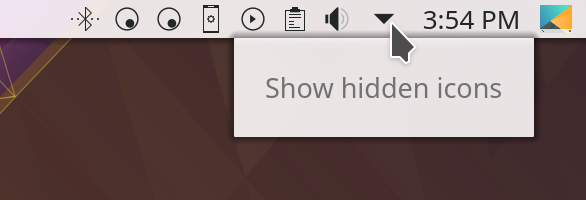
  • Tooltips for panel icons are now all sized and aligned in the same way (KDE bugs 386260 and 389371)
  • The System Settings Look And Feel page now immediately changes all UI elements on the page to reflect theme changes (KDE bug 389351)

This is in addition to the design work we did in Discover over the past few days.

Like what you see? Consider becoming a KDE contributor! There are many ways to offer your skills, even if you’re not a programmer. Donating time isn’t your thing? Money helps, too! All of it helps make this possible.

This week in Usability and Productivity, part 2

This is your weekly status update for the KDE community’s progress in the Usability and Productivity initiative. KDE contributors have been busy, and here’s a sampling of features, improvements, and bugfixes relevant to the initiative that KDE developers landed over the past week-and-a-half (subsequent reports will be weekly, but I wrote the first one in the middle of a week):

  • KIO file copy speed (e.g. in Dolphin) is now 4.5x faster (KDE bug 384561)
  • Fixed a layout glitch in Open & Save file picker dialogs (KDE bug 352776)
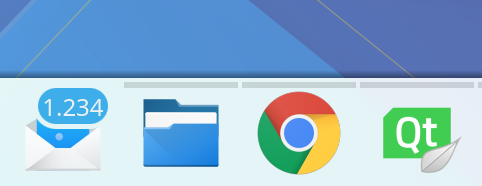
  • KMail gained the ability to badge its Task Manager app icon with the count of unread emails (KDE Phabricator revision D9841)
  • Notification badges on Task Manager app icons now show up in Task Manager tooltips, too (KDE Phabricator revision D9825) and look better for huge numbers (KDE Phabricator revision D9827):
  • The Audio Volume widget now looks good with Dark themes (KDE bug 388766)
  • KSysGuard’s CPU column now has a pretty little CPU use graph in the background for each process (KDE Phabricator revision D9689):
  • Every KDE app’s “Settings > Configure [app]” menu item now has a universally consistent keyboard shortcut: Ctrl+Shift+Comma (KDE Phabricator revision D8296)
  • The PDF thumbnailer is able to generate thumbnails in Dolphin for more types of PDFs (KDE bug 388288)
  • Dates are no longer formatted like numbers (i.e. as “2,018”) in some places in Dolphin (KDE Phabricator revision D9887)
  • The menu you get when right-clicking on KAddressBook’s icon now includes a “New Contact…” item (KDE Phabricator revision D9926)
  • Dolphin’s main view now properly regains focus after you close the inline terminal pane (KDE bug 298467)
  • Window titlebar buttons now show tooltips (KDE bug 383040)
  • Plasma’s notifications no longer leak memory when created (KDE bug 389132)
  • Baloo indexer now actually excludes directories that are marked as excluded from indexing (KDE bug 362226)
  • A whole class of app crashes caused by typing or deleting characters in search fields using Qt QML components (such as in Discover and System Settings) was traced to a Qt bug–and KDE developer Aleix Pol has submitted a patch!

There’s also been a ton of work in Discover, particularly in Snap and Flatpak support. You can read about it here.

If any of this seems cool or useful, consider helping us out by becoming a KDE contributor yourself. If donating time isn’t your cup of tea, we always appreciate donations of money, too. We can’t do this without your support!

This week in Usability and Productivity

I’d like to highlight some fixes and features that landed in the past week for our Usability and Productivity initiative:

  • Dragging a Firefox tab to the desktop now detaches it properly (KDE bug 337711)
  • Right-clicking on Discover’s icon exposes a new action that allows you to go straight to the Updates page (KDE Phabricator revision D9637)
  • You can now hide the “Comment” field in Dolphin’s Information Panel (KDE bug 365620)
  • Dolphin’s Properties window now has a tab that shows the same file metadata that the Information Panel does, for people who would prefer to access the information that way (KDE bug 384194)
  • Okular’s dialog box for when a PDF wants to be opened full screen is now presented more naturally (KDE bug 388511)
  • Okular can now Print .djvu files (KDE bug 388514)
  • Discover now de-duplicates categories from Flatpak (KDE bug 388313)
  • Discover no longer lets you scroll beyond the boundaries with the PageUp/PageDown keys (KDE bug 388745)
  • Discover app lists are now more compact (KDE Phabricator revision D9833)

These improvements were landed by KDE Developers Kai Uwe Broulik, Albert Astals Cid, Aleix Pol, Michael Heidelbach, and myself. And that’s not all; the entire KDE community has been busy landing many more bugfixes and features too–more than I can keep track of!

I want to especially focus on the last Discover change I mentioned above. After my last post about Discover, we got a lot of user feedback that people wanted greater density and to be able to see more apps at once. We’ve executed on a part of that, and this is now what Discover looks like if you make the window narrow:

I bring this up to highlight that we really do listen to users. Your feedback matters and we hear it! If you enjoy the results of our efforts, please consider becoming a contributor yourself or donating to KDE! In particular, we would love more contributors for our Usability and Productivity initiative. If you’re interested, please feel free to work on any of these bugs. Here are some that should be relatively easy. Happy coding!