This week in Plasma: Stabilization for 6.2

This week I and many other major Plasma contributors are at Akademy, planning the future and having many fruitful in-person discussions! As a result, probably next week’s post will be a bit light. This week though, lots of pre-Akademy changes got merged, most of them bug-fixes and performance improvements scheduled for Plasma 6.2. We want 6.2 to be super duper stable, and are putting in the work to ensure this goal is reached!

In addition, we merged a few final late-breaking features that had been under development for months and were deemed stable enough — likely the last ones before the hard feature freeze in a few days. Check it out!

Late-Breaking New Features

You can now rename audio devices! Additionally, you can now choose the technical data source used to generate default names for audio devices that you don’t choose to manually rename, which helps for hardware like mixer tables which show up as like 50 devices such that renaming each one individually would be a big pain in the butt (Harald Sitter, Plasma 6.2.0. Link)

You can now click/double-click on .ovpn VPN profile files to configure a new VPN (Nicolas Fella, Plasma 6.2.0. Link)

You can now place files in ~/Templates and they will appear as templates in the “Create New…” menu that appears in various places, including Plasma’s Desktop and Dolphin (Antti Savolainen, Frameworks 6.7. Link)

Notable UI Improvements

When copying image data to the clipboard, the Clipboard widget now always shows a preview of the image, instead of sometimes, in a random-seeming manner, showing a symbolic icon instead (Noah Davis, Plasma 6.2.0. Link)

In Discover’s rating preview carousel thingy that provides an overview of an app’s rating including top reviews, it will no longer show reviews that have been voted down more than up (Aleix Pol Gonzales, Plasma 6.2.0. Link)

In Plasma’s Networks widget, the button to create a Wi-Fi hotspot now uses the correct icon (Darshan Phaldesai, Plasma 6.2.0. Link)

Notable Bug Fixes

Fixed an issue that could cause pop-ups for widgets on a Plasma panel to be resized to either their original size or else a much smaller size after the screen configuration changed (Xaver Hugl, Plasma 6.1.5. Link)

Searching for locations with umlauts in their names now works as expected in Plasma’s Weather Report widget (Ismael Asensio, Plasma 6.1.5. Link)

When using the “Toggle Touchpad” global shortcut to turn your touchpad on or off, if you restart the machine with the touchpad disabled, then the next time you start it up again, the state will be correctly reported such that you can press the shortcut only once to turn the touchpad on again (Akseli Lahtinen, Plasma 6.1.5. Link)

System Settings no longer crashes every time you close the “Login Screen (SDDM)” page while on its Behavior sub-page (Nicolas Fella, Plasma 6.1.5. Link)

Fixed two somewhat common ways that Plasma could crash with certain multi-screen setups on X11 (Méven Car, Plasma 6.2.0. Link 1 and link 2)

Fixed a case where Plasma could crash when you drag a widget from the Widget Explorer over an Activity Manager widget (David Redondo, Plasma 6.2.0. Link)

Moving the pointer over tasks in Plasma’s Task Manager widget no longer causes their thumbnail previews to immediately disappear some of the time, depending on which direction you moved it in and your panel’s position on the screen (David Redondo, Plasma 6.2.0. Link)

Clearing the search field in Plasma’s Kickoff Application Launcher widget no longer unexpectedly launches the top item shown in the last search (David Edmundson, Plasma 6.2.0. Link)

The “Charging Rate” sensor in the System Monitor app and its widgets of no longer shows a negative number while the battery is in fact charging — only while it’s discharging (Arjen Hiemstra, Plasma 6.2.0. Link)

Fixed a visual glitch in System Settings’ Region and Language page that caused the selected item on the Binary Dialect sub-page to have unreadable text when not using a custom accent color (Méven Car, Plasma 6.2.0. Link)

Fixed a bug that caused animated cursors to only play their animation while the cursor was being moved when the system was falling back to or forced into using software cursors (Vlad Zahorodnii, Plasma 6.2.0. Link)

Implemented a workaround for the issue that causes the Touchpad and other pages in System Settings to sometimes break when being navigated to after first accessing another page. The root cause is still under investigation, since it seems to be very tricky and complicated (Albert Astals Cid, Frameworks 6.6. Link)

Sharing a file to your device via KDE Connect no longer breaks after the first time you do it until the app you shared the file from is restarted (Nicolas Fella, Frameworks 6.6. Link)

Fixed an issue that would make impossible to use the “Restore” functionality for trashed files or folders moved by an app to the trash using absolute file paths (Nicolas Fella, Frameworks 6.6. Link)

When Discover is maximized, it now remembers the window size it was displayed at before, so when you un-maximize it, it returns to that size (Eamonn Rea and Joshua Goins, Plasma 6.2.0 with Frameworks 6.7. Link 1 and link 2)

Other bug information of note:

Notable in Performance & Technical

Fixed an issue in Discover that could, under certain circumstances, cause the app to freeze right after being launched (Harald Sitter, Plasma 6.2.0. Link)

Optimized search performance in Discover so that it does less unnecessary work (Aleix Pol Gonzalez, Plasma 6.2.0. Link)

Did some performance optimization for KFilePlacesItem which should improve startup speed for anything using the Places panel (Kai Uwe Broulik, Frameworks 6.7. Link)

…And Everything Else

This blog only covers the tip of the iceberg! If you’re hungry for more, check out https://planet.kde.org, where you can find more news from other KDE contributors.

How You Can Help

So yeah, like I said, please test Plasma from current git master and open bug reports about issues you find. Another path is to help triage bug reports that the first crowd will be opening. Ask for more information, make them actionable, move them where needed! And of course, help fix triaged and confirmed bug reports.

Otherwise, visit https://community.kde.org/Get_Involved to discover other ways to be part of a project that really matters. Each contributor makes a huge difference in KDE; you are not a number or a cog in a machine! You don’t have to already be a programmer, either. I wasn’t when I got started. Try it, you’ll like it! We don’t bite! Or consider donating instead! That helps too.

This week in Plasma: inhibiting inhibitions and more!

This is a big one, folks. Plasma 6.2’s soft feature freeze is now in effect, which means the last few features have just been merged! Now we’ll have six weeks of heavy bug-fixing before the final release in October. If you’re an industrious sort, the time to live on git master and report bugs is now! Current git master is completely suitable for daily driving.

And we’ve already been focusing on QA for a while, so new bug reports take priority — both triaging them and fixing them. Over the past few months, we’ve succeeded in dropping plasmashell’s total number of bug reports to 1022, the lowest in several years. And the number of unconfirmed bug reports is currently down to 301, the lowest since late 2015! Triaging and fixing bugs is a priority, and we’re promptly triaging all new Plasma new bug reports daily. Our goal is to push the number of unconfirmed bug reports under 200 by the end of September.

So please do submit bug reports for any issues you encounter; it’s not a black hole. If you’ve complained about bugs on social media recently and haven’t reported them on https://bugs.kde.org, fix that today! Do it! Do it now!

…But first check out the final Plasma 6.2 features; I think they’re pretty awesome. It’s gonna be a big release, full of useful stuff!

Notable New Features

It’s now possible to block apps from inhibiting sleep and screen lock, if you don’t like the fact that they do so (Natalie Clarius, Plasma 6.2.0. Link):

Newly installed Plasma widgets are now shown at the top of the grid view and badged with “New!” for one hour, so it’s easy for you to find them right after installing them (Niccolò Venerandi, Plasma 6.2.0. Link):

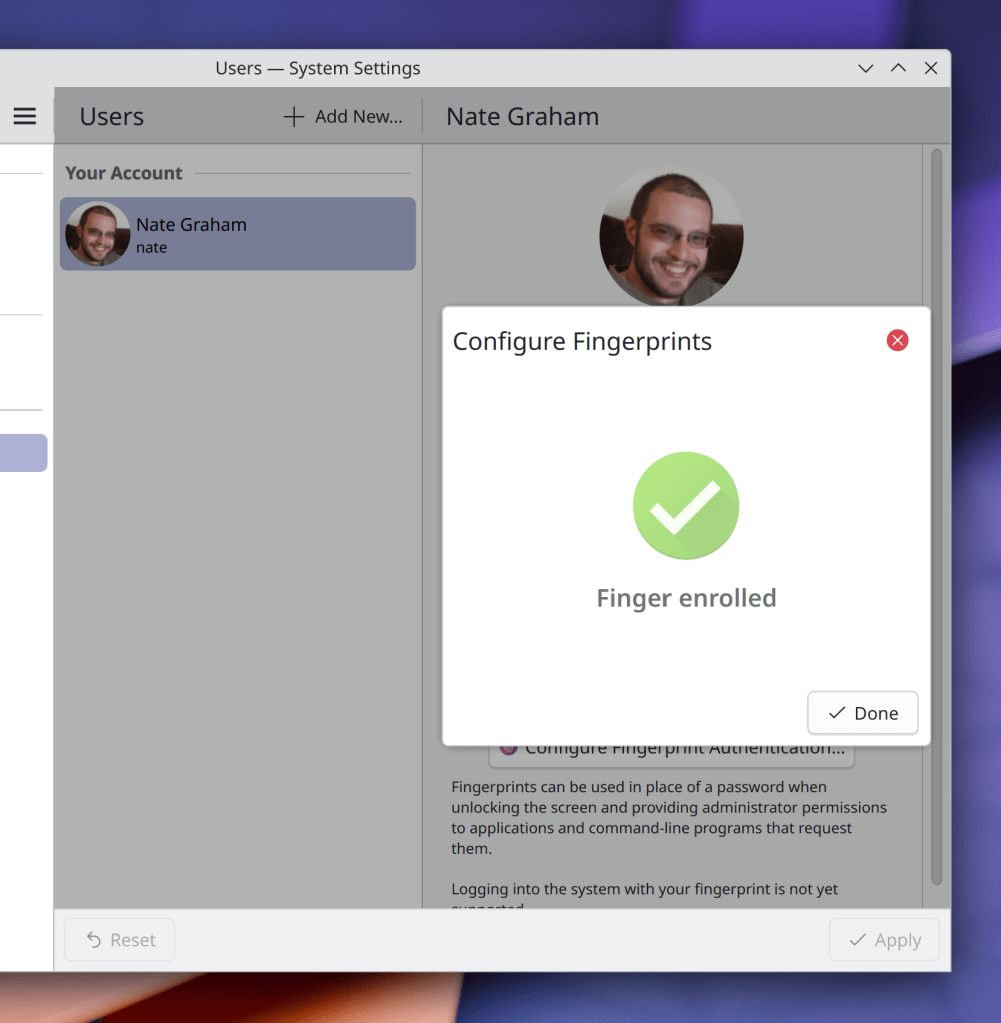
While choosing a custom image for a user avatar on System Settings’ Users page, you can now crop the image if needed (someone going by the Pseudonym “Kuneho Cottonears”, Plasma 6.2.0. Link):

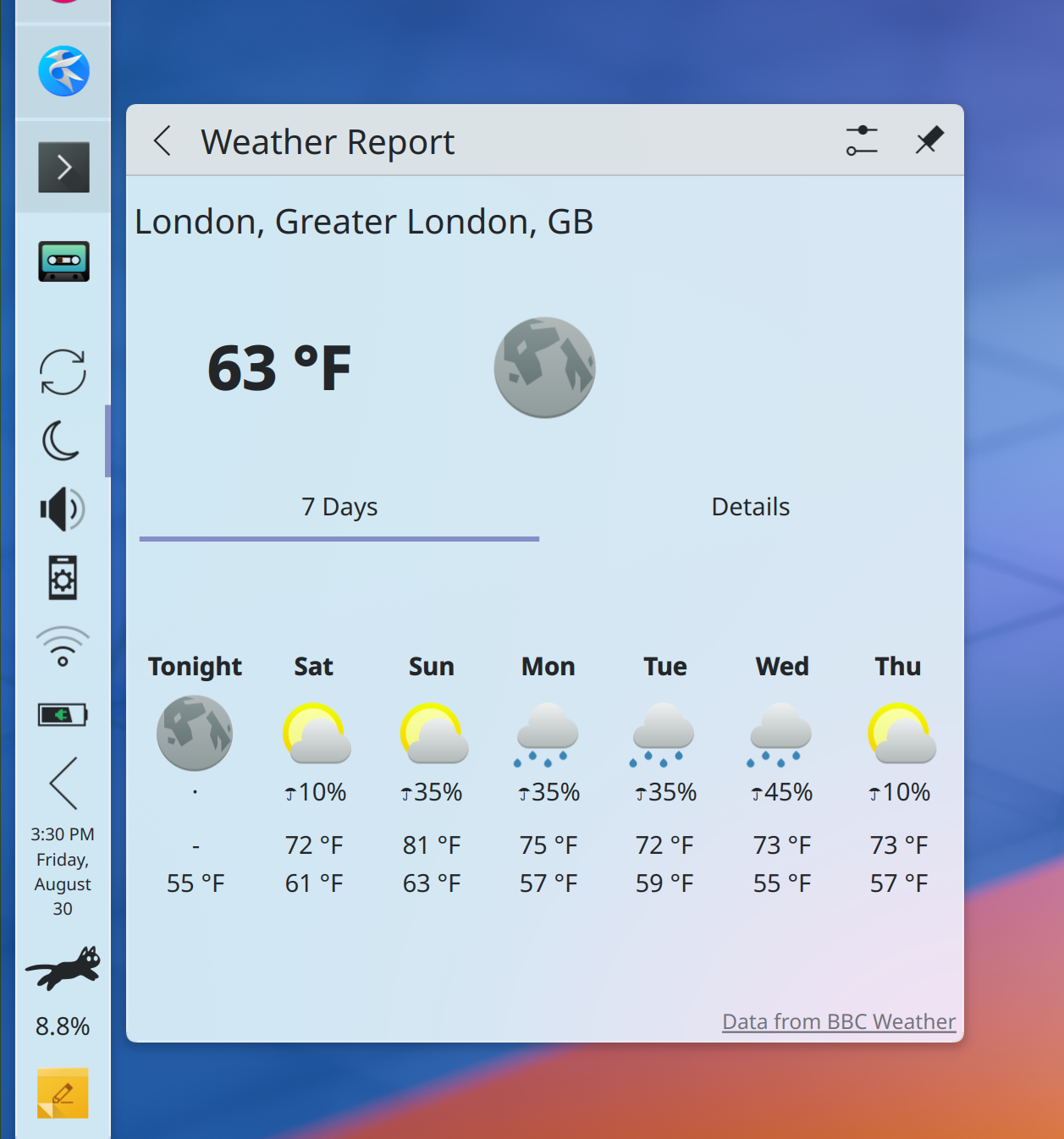
Added support for 7-day weather forecasts and “chance of precipitation” data for BBC UK Met weather stations shown in Plasma’ Weather widget (Ismael Asensio, Plasma 6.2.0. Link):

Discover now gently guides you in the direction of writing better reviews for non-proprietary apps (me: Nate Graham, Plasma 6.2.0. Link):

Added a yearly notification to ask for donations; see this week’s earlier post for more details (TL;DR: optional, once per year, you can permanently disable it) (me: Nate Graham Plasma 6.2.0. Link)

The plasma-apply-wallpaperimage tool now has a --fill-mode option, mirroring the existing GUI option for this, but now in a scriptable form (Heitor Augusto Lopes Nunes, Plasma 6.2.0. Link)

Notable UI Improvements

Due to popular demand, KWin’s Overview effect once again shows a linearized representation of two-dimensional virtual desktop layouts (e.g. 2×2, 3×3, etc) on the primary view, rather than hiding them entirely (Blazer Silving, Plasma 6.2.0. Link)

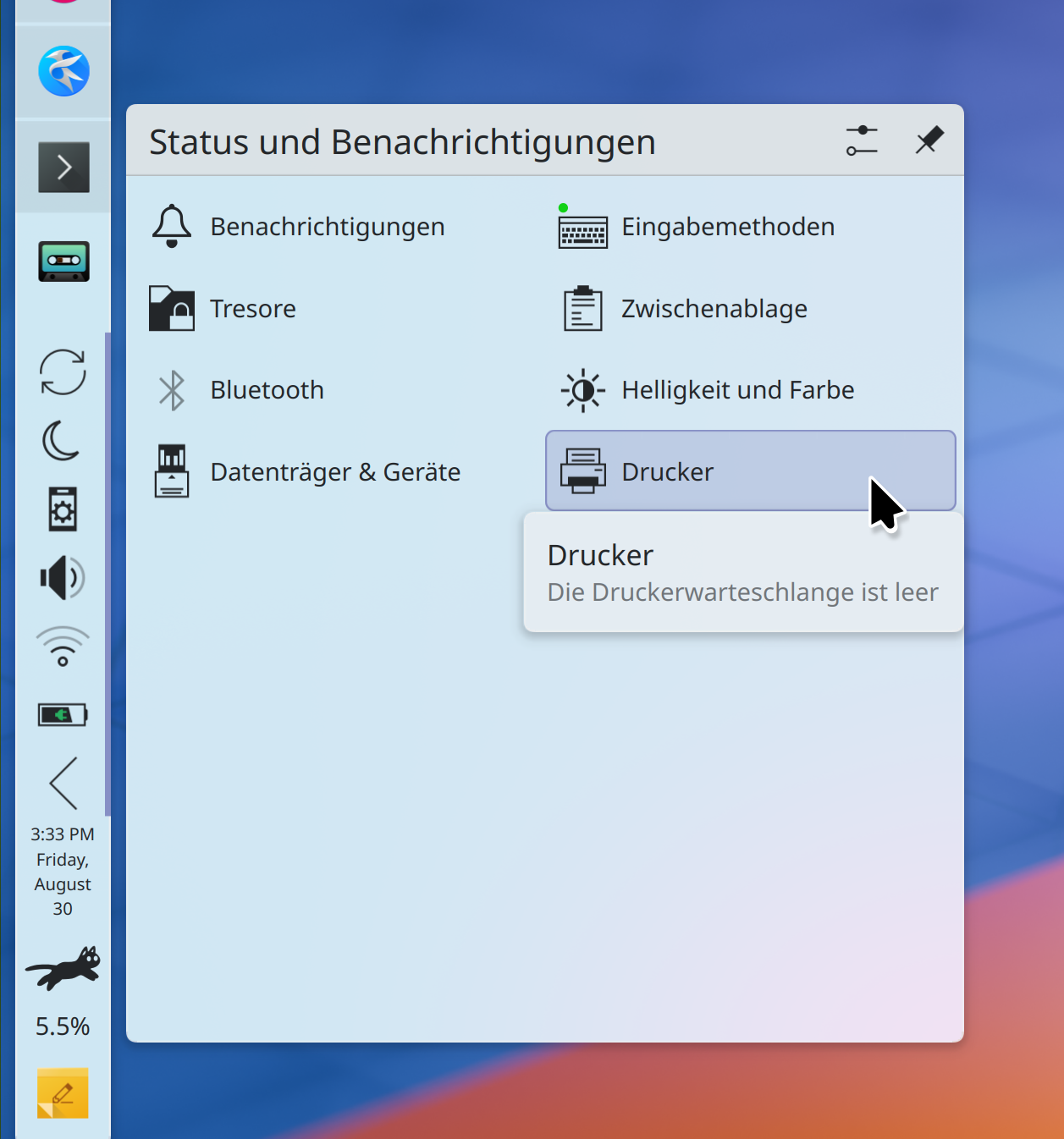
Plasma’s System Tray now uses a better grid layout for the expanded view that leaves more space for text, which is especially important for languages like German and Russian. The new layout saves space, too (me: Nate Graham, Plasma 6.2.0. Link):

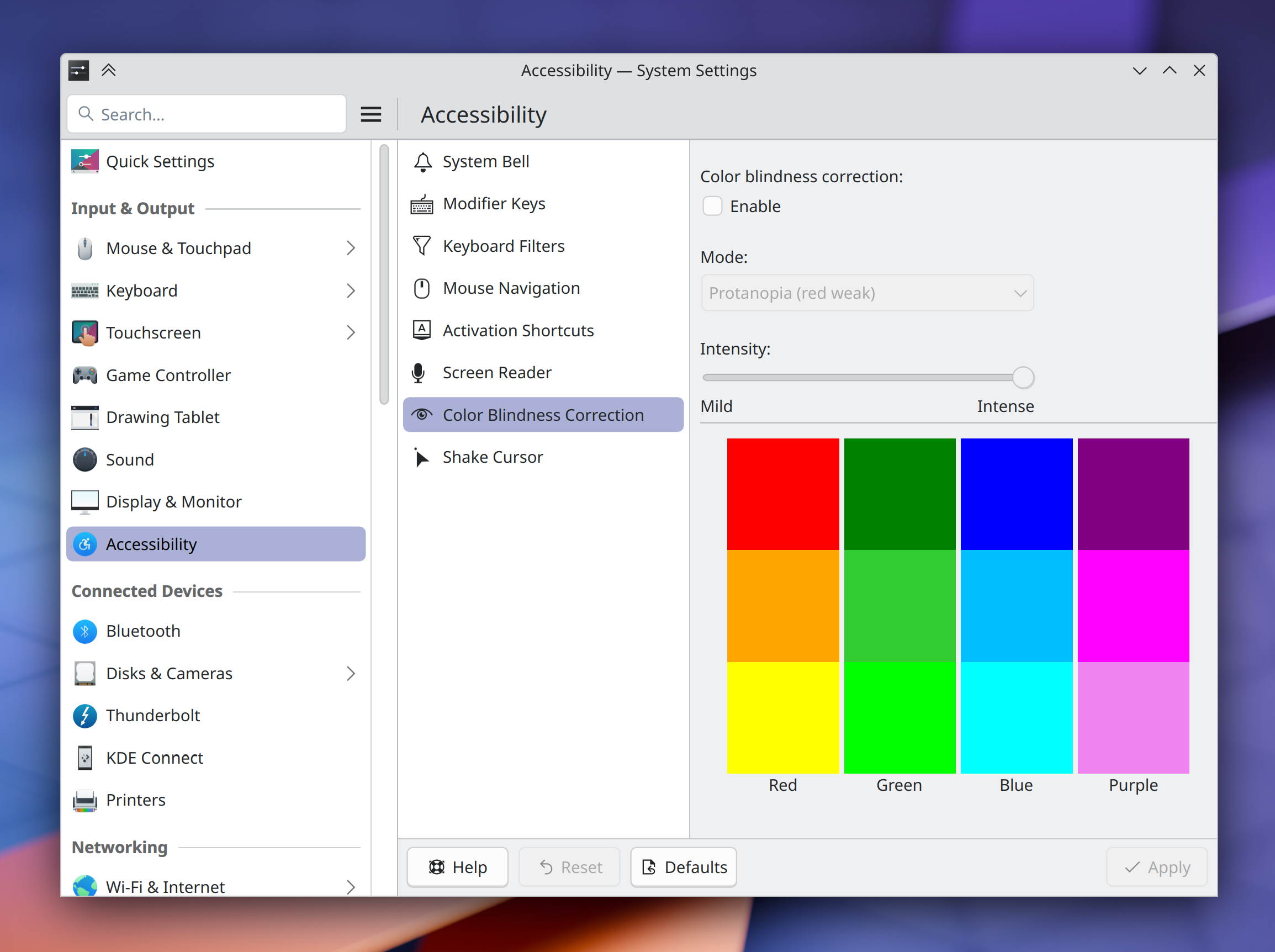
The settings for KWin’s colorblindness correction effect now live in the logical place where you’d expect to find them: on System Settings’ Accessibility page! (Thomas Duckworth, Plasma 6.2.0. Link):

Overhauled the UI of System Settings’ Accessibility page in a lot of little ways to make it actually be more… accessible! (Thiago Sueto, Plasma 6.2.0. Link)

Plasma’s “Minimize All” widget now only minimizes and unminimizes windows on the current virtual desktop and activity, rather than all windows everywhere (Christoph Wolk, Plasma 6.2.0. Link)

If you enter global edit mode, and then from there enter a panel’s own edit mode, closing the panel’s configuration window now simply returns you to the global edit mode, rather than exiting from that too (Niccolò Venerandi, Plasma 6.2.0. Link)

The error message shown when manually installing a Plasma widget fails is now more descriptive, and tells you the actual error so you can troubleshoot it (Nicolas Fella, Plasma 6.2.0. Link)

Made a pass over many areas of Plasma and System Settings to align text and labels with our Human Interface Guidelines’ best practices (Christoph Wolk, Plasma 6.2.0. Too many merge requests to list TBH, so check them all out here!)

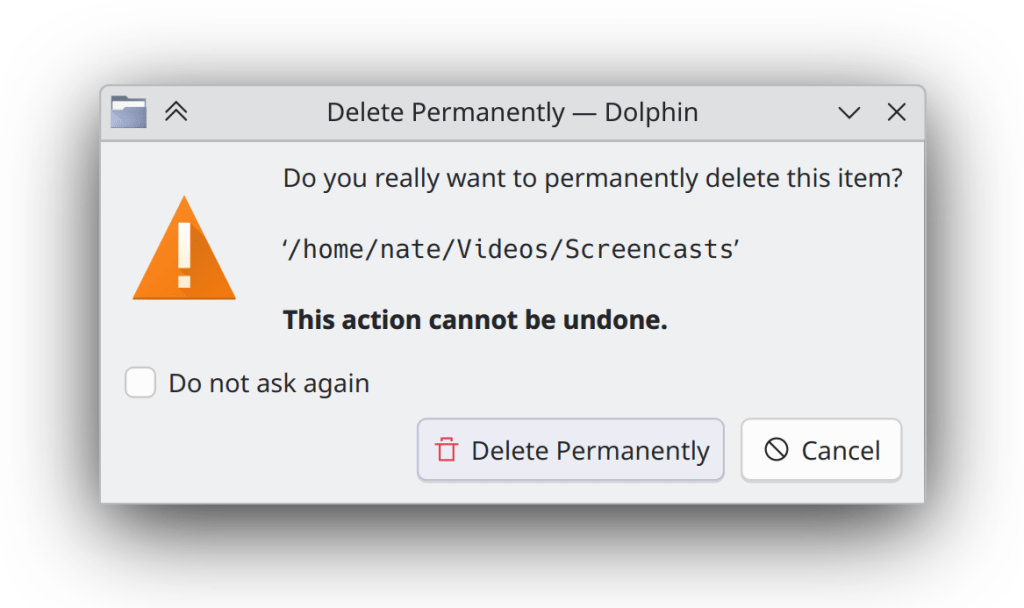
Dialog windows throughout KDE software have new icons again — this time they look nicer and more Breeze-styled (Kai Uwe Broulik, Frameworks 6.6. Link):

Notable Bug Fixes

Fixed a nasty issue that could cause corruption in files on SFTP servers that were edited by opening them from Dolphin in an app and then saving changes (Ser Freeman, kio-extras 24.12.0. Link)

Changing the system’s Global Theme now also changes the colors of any recolorable GTK apps, just like you’d expect (Michael Weghorn, Plasma 6.1.5. Link)

Performing a multi-finger touch swipe/gesture on your touchscreen no longer messes up Plasma and gets it caught in a weird limbo state (Marco Martin, Plasma 6.1.5. Link)

Fixed a recent regression in Plasma’s desktop file/folder view that could cause items to snap back to their previous locations after being dragged somewhere else (David Edmundson, Plasma 6.2.0. Link)

Job progress notifications shown by Plasma no longer let any buttons’ text get cut off in languages where words and phrases are long; now, the popups expand horizontally a bit to make room (Arjen Hiemstra, Plasma 6.2.0. Link)

Fixed two issues in Plasma’s Emoji Selector app seemingly caused during the Plasma 6 port that caused it to lose its prior selection highlight effect, and always copy the first item in the search results view rather than the selected one (Akseli Lahtinen, Plasma 6.2.0. Link 1 and link 2)

Substantially reduced the glitchiness of the tooltips for items in the expanded view of Plasma’s System Tray (me: Nate Graham, Plasma 6.2.0. Link)

Fixed a glitch that could cause the Maliit virtual keyboard to be mis-positioned when using any vertical panels (David Edmundson, Plasma 6.2.0. Link)

When Plasma’s Folder View widget is placed on a panel, its popup can now be resized to smaller than its default size (me: Nate Graham, Plasma 6.2.0. Link)

It’s no longer possible to break System Settings quite terribly by opening a “Get New [thing]” window and then closing System Settings’ own main window (Harald Sitter, Frameworks 6.6. Link)

Other bug information of note:

Notable in Performance & Technical

Substantially improved performance in Discover in multiple ways: launch time, time to load the UI, time to load icons, and smoothness of scrolling through long lists (Harald Sitter, Plasma 6.2.0. Link 1, link 2, link 3, link 4, and link 5)

Discover now behaves more sensibly and only shows one authentication prompt when asked to update multiple Flatpak apps in an environment with hardened security for Flatpaks, as in openSUSE distros (Harald Sitter, Plasma 6.2.0. Link)

Installing a font now places it, by default, in a standardized location (e.g. ~/.local/share/fonts/rather than the legacy location (~/.fonts/), which means that sandboxed apps will be able to find and use them as expected (David Edmundson, Plasma 6.2.0. Link)

…And Everything Else

This blog only covers the tip of the iceberg! If you’re hungry for more, check out https://planet.kde.org, where you can find more news from other KDE contributors.

How You Can Help

So yeah, like I said, please test Plasma from current git master and open bug reports about issues you find. Another path is to help triage bug reports that the first crowd will be opening. Ask for more information, make them actionable, move them where needed! And of course, help fix triaged and confirmed bug reports.

Otherwise, visit https://community.kde.org/Get_Involved to discover other ways to be part of a project that really matters. Each contributor makes a huge difference in KDE; you are not a number or a cog in a machine! You don’t have to already be a programmer, either. I wasn’t when I got started. Try it, you’ll like it! We don’t bite! Or consider donating instead! That helps too.

This week in KDE: per-monitor brightness control and “update then shut down”

This week was all about the quality of life features! As we close in on Plasma 6.2 (the soft feature freeze is in four days, eek!), some great work that’s been in progress for a long time got merged.

Notable New Features

Okular now has a “speak text from current page” feature (Athul Raj Kollareth, Okular 24.12.0. Link)

Plasma’s Brightness widget now shows individual brightness sliders for every connected monitor that supports this, so you can control them separately! If you want to adjust all of them together, you can still do that via global shortcut/keyboard key or by scrolling over the widget (Jakob Petsovits, Plasma 6.2.0. Link):

When there’s a pending offline system update, you’ve already got the option to update and then reboot, or just reboot and skip the update. Now, there’s also an option to complete the update and then shut down the computer! This option is exposed both on the logout screen, and also in Discover (Thomas Duckworth, Plasma 6.2.0. Link 1, link 2, and link 3):

Long-pressing an empty area of a Plasma panel using a touchscreen now enters edit mode for that panel (Niccolò Venerandi, Plasma 6.2.0. Link)

Notable UI Improvements

The “Add Widgets” sidebar has received a UX overhaul with numerous usability focused changes, including:

  • Appearing on the right side of the screen when opened from a right-screen-edge panel
  • Using wider grid cells to permit longer text without elision or unnatural word-wrap behaviors
  • Improved appearance of the filter button, so now it looks like it opens a drop-down menu — because it does
  • Sorting is now locale-aware, taking into account, for example, accented characters
  • You access it from buttons and menu items labeled “Add or Manage Widgets,” since it also acts as the place where you get new widgets or delete unwanted ones
  • Spacer widgets can also be found there, no longer only from the panel settings dialog
  • When installing manually-downloaded widgets, the open dialog now accept all valid file types

And believe it or not, that’s not all that’s planned! But the rest will have to wait until next week… (Niccolò Venerandi, Plasma 6.2.0. Link 1, link 2 3, link 4, link 5, link 6, link 7)

When your system is using a non-default power profile, it’s now shown as a badge on the battery icon, so you can see both the power profile and also the battery status at the same time (Louis Moureaux and me: Nate Graham, Plasma 6.2.0. Link 1 and link 2):

A panel popup opened from a widget on the end of a limited-width panel now tries its best to align its edge with that of the panel (Niccolò Venerandi, Plasma 6.2.0. Link):

Maybe I just really like clocks, ok?

You can now give a custom display name to your custom command shortcuts (Yifan Zhu and Thenujan Sandramohan, Plasma 6.2.0. Link):

Discover is now more accurate about how it presents licenses, and communicates the subtle distinctions between “proprietary” and “non-free”, rather than branding everything that isn’t free software as proprietary (me: Nate Graham, Plasma 6.2.0. Link):

When you change keyboard layouts, the labels of the language codes that appear in the system tray no longer subtly change in size based on the shape of their letters (Sauf Lvc, Plasma 6.2.0. Link)

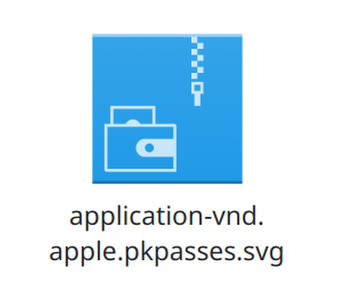
Added a Breeze icon for Applet Wallet bundle files (Kai Uwe Broulik, Frameworks 6.6. Link):

Notable Bug Fixes

When Spectacle is configured to save in a format other than PNG by default, pasting a just-copied screenshot now always works in every target app, with the caveat that some apps that don’t advertise support for non-PNG image pasting (like Firefox and Chromium, annoyingly) will get a PNG version anyway, rather than your preferred file format. This is better than it not working at all, at least! (Noah Davis, Spectacle 24.08.1. Link)

You can once again use the arrow keys to move focus out of Kickoff’s favorites grid view (Arjen Hiemstra, Plasma 6.1.5. Link)

Fixed a complex bug that could cause KWin to crash when X11 or XWayland-using apps monkeyed with the window stacking order in specific ways (Vlad Zahorodnii, Plasma 6.1.5. Link. And thanks to the reporter Peter Strick for being incredibly helpful in making the issue reproducible! All bug reports should be so good.)

Fixed an annoying bug that caused text copied from cells in LibreOffice Calc to never make it onto the clipboard unless you changed the clipboard’s settings to always store images (Fushan Wen, Plasma 6.1.5. Link)

Fixed a bug that caused tooltips to appear at the last location the mouse pointer was located at when interacting with the system using a stylus (David Redondo, Plasma 6.1.5. Link)

Fixed a funny bug that could make Plasma crash when you have a Media Player widget on your panel (not the System Tray, directly on a panel) and play certain specific songs whose titles are exactly the right length to trigger an obscure layout bug (Fushan Wen, Plasma 6.2.0. Link)

Fixed a weird issue that made modifier-only global shortcuts in the X11 session fail to switch keyboard layouts as expected while on the lock screen and other places (Yifan Zhu, Plasma 6.2.0. Link)

Exporting your shortcuts on System Settings’ Shortcuts page now includes any custom script shortcuts you’ve created, so that when you import them elsewhere, they work (Akseli Lahtinen and David Redondo, Plasma 6.2.0. Link)

Other bug information of note:

  • 2 Very high priority Plasma bugs (down from 3 as last week). Current list of bugs
  • 36 15-minute Plasma bugs (up from 30 last week; bug triage activities discovered some more old issues that seemed important to fix soon, which were added to the list). Current list of bugs
  • 156 KDE bugs of all kinds fixed over the last week. Full list of bugs

Notable in Performance & Technical

Improved KWin’s HDR tone mapping, allowing it to do a better job of displaying colors in cases where HDR content specifies a brightness level higher than what the screen is capable of outputting. There’s even more that can be done, but it’s already a big improvement. (Xaver Hugl, Plasma 6.2.0. Link)

Even further optimized the system performance impact in KWin of using an ICC profile to change your screen’s color calibration (Xaver Hugl, Plasma 6.2.0. Link)

Improved KWin’s performance for some multi-GPU systems (Xaver Hugl, Plasma 6.2.0. Link)

Added a bunch of autotests for X11-specific behavior in KWin, since fewer people are exercising that code now that 80+% of Plasma 6 users are using Wayland (Vlad Zahorodnii, Plasma 6.2.0. Link)

…And Everything Else

This blog only covers the tip of the iceberg! If you’re hungry for more, check out https://planet.kde.org, where you can find more news from other KDE contributors.

How You Can Help

Otherwise, visit https://community.kde.org/Get_Involved to discover other ways to be part of a project that really matters. Each contributor makes a huge difference in KDE; you are not a number or a cog in a machine! You don’t have to already be a programmer, either. I wasn’t when I got started. Try it, you’ll like it! We don’t bite! Or consider donating instead! That helps too.
This week in KDE: System Settings modernization and Wayland color management

Many folks are on vacation right now, but KDE’s tireless contributors still worked hard to bring you a number of improvements anyway, among them some nice System Settings modernization work and improvements to Wayland color management. You’ll find them mentioned below, along with various other improvements!

Notably, we’re back to only 30 15-minute Plasma bugs — the lowest level since February of this year right before Plasma 6 was launched! Essentially, having regained the level of stability we had at the end of Plasma 5 in only 6 months, we’re super well positioned to drive this even further in the coming months. With Plasma 6 offering both stability and features, who says you can’t have it all? 😎

Notable New Features

Plasma’s weather widget now shows “feels like” temperatures that take into account the heat index (Ismael Asensio, Plasma 6.2.0. Link 1 and link 2):

And yes, I see that the temperature labels in the forecast view are misaligned! We’ll get that fixed.

Notable UI Improvements

Landed a redesign of System Settings’ Keyboard page to match other similar modern pages and make things easier to find (Evgeniy Chesnokov, Plasma 6.2.0. Link):

Modernized the UI for System Settings’ Thunderbolt page, which also fixed a text readability bug (Ivan Tkachenko, Plasma 6.2.0. Link):

Modernized the UI for multiple pages in System Settings that still use QtWidgets, so that they look a bit more like their more modern QML counterparts (Thomas Duckworth, Plasma 6.2.0 and KDE Gear 24.12.0, link 1, link 2, link 3, link 4, and link 5):

Discover and its System Tray icon now always agree on whether there are any updates available (Harald Sitter, Plasma 6.2.0. Link)

Weather forecasts from the Environment Canada provider now fit in the System Tray popup at its default size, so you don’t have to enlarge it (Ismael Asensio, Plasma 6.2.0. Link)

When you drag an image or other file out of a web browser window and onto the desktop or Dolphin, the drop menu now contains only relevant actions, and with better text and icons (me: Nate Graham, Frameworks 6.6. Link 1 and link 2):

Notable Bug Fixes

We accidentally broke SVG wallpaper support in Plasma 6.1.4 with the fixes to Centered placement mode, so now we’ve fixed it again. Sorry about that, everyone! (Marco Martin, Plasma 6.1.5. Link)

Fixed a tricky KWin bug that caused copied text to sometimes not be paste-able into XWayland-using apps (David Edmundson, Plasma 6.2.0. Link)

Worked around a Qt issue that was causing some windows on disconnected screens to sometimes not get moved over to one of the remaining screens as expected (Xaver Hugl, Plasma 6.2.0. Link)

Addressed a few more edge cases for the bug whereby Plasma’s “Show Alternatives” popup wouldn’t close in certain circumstances, so now it should always close when needed (Niccolò Venerandi, Plasma 6.2.0. Link)

Fixed an issue that caused some symbolic icons in Plasma panels to be colored improperly with mixed light/dark global themes (Nicolas Fella, Frameworks 6.6. Link)

Other bug information of note:

Notable in Performance & Technical

Added support for rendering intents and black point compensation to KWin’s implementation of the Wayland color management protocol, and enabled it by default so apps that also implement support for it can make use of it immediately (Xaver Hugl, Plasma 6.2.0. Link 1, link 2, and link 3)

KWin has gained support for the alpha-modifier Wayland protocol (Xaver Hugl, Plasma 6.2.0. Link)

On Wayland, you can now copy to and paste from the system clipboard while in Overview and other KWin effects (Vlad Zahorodnii, Plasma 6.2.0. Link)

Qt 6.8 changed how screen scaling affects icons, so we adapted to those changes to prevent icon blurriness everywhere for people already using Qt 6.8 (Nicolas Fella and Kai Uwe Broulik, Frameworks 6.6. Link 1, and link 2)

Human Interface Guidelines

Expanded the Text and Labels page to include some more symbols that should use real unicode glyphs rather than handmade approximations (Emir SARI, link)

Fixed a number of small typos, punctuation, and grammar issues throughout the text (John Veness, link 1, link 2, link 3, link 4, link 5)

Tweaked a bunch of text labels in Okular to be HIG-compliant by using real ellipses and unicode symbols (Emir SARI, Okular 24.12.0. Link)

KWin’s “Screen Edge” effect has been renamed to “Highlight Screen Edges and Hot Corners” for HIG-compliance and user-comprehensibility (me: Nate Graham, Plasma 6.2.0. Link)

Tweaked the text of Plasma’s critical battery level notifications and System Settings’ unsaved changes dialog to be HIG-compliant and therefore less redundant and more user-friendly (me: Nate Graham, Plasma 6.2.0. Link 1 and link 2)

…And Everything Else

This blog only covers the tip of the iceberg! If you’re hungry for more, check out https://planet.kde.org, where you can find more news from other KDE contributors.

How You Can Help

Otherwise, visit https://community.kde.org/Get_Involved to discover other ways to be part of a project that really matters. Each contributor makes a huge difference in KDE; you are not a number or a cog in a machine! You don’t have to already be a programmer, either. I wasn’t when I got started. Try it, you’ll like it! We don’t bite! Or consider donating instead! That helps too.
This week in KDE: SVG Breeze cursors and more thumbnails

First up is something cool: support for SVG-based cursor themes! This allows compatible themes to always display beautiful sharp cursors at any size, and has already been rolled out for the Breeze Light and Breeze Dark cursor themes. It does not use the Hyprcursor system, and we have not yet upstreamed it to be a different cross-desktop spec. However, we are considering doing so in the near future. This work was done by Jin Liu and Vlad Zahorodnii, and lands in Plasma 6.2.0.

On the subject of cross-desktop specs, KDE apps now does support the cross-desktop thumbnailer spec, meaning that any of these thumbnailers already on the system will now instantly start working! One of the most notable examples would be the STL file thumbnailer, which will be a boon for anyone working with 3D models or 3D printers. This work was done by Akseli Lahtinen and lands in KDE Frameworks 6.6. You can read about it more in this blog post.

That isn’t all, though…

More Notable New Features

Elisa now shows the total duration of the songs from the playlist in its footer (Karl Hoffman, Elisa 24.12.0. Link):

Plasma now lets you escape from the tyranny of time by hiding the clocks on the login and lock screens entirely (Someone going by the pseudonym “Be Ing”, Plasma 6.2.0. Link)

Plasma’s Pager widget now lets you turn off window outlines if you’d prefer a cleaner display of only the virtual desktops (Christian Muehlhaeuser, Plasma 6.2.0. Link)

The Breeze Light and Breeze Dark Plasma styles (not color schemes, Plasma styles) now respect your systemwide accent color too. In particular, this makes the built-in Breeze Twilight Global Theme fully accent-color-aware (Niccolò Venerandi, Plasma 6.2.0. Link):

Notable UI Improvements

Elisa now remembers window maximization state and prior window geometry across launches as expected (me: Nate Graham, Elisa 24.08.0. Link)

Filelight now remembers its window size (and position, on X11) across launches (me: Nate Graham, Filelight, 24.12.0. Link)

When using background blur e.g. in apps like Konsole, there’s no longer a blurry sharp corner poking out of the rounded titlebar corners (Xaver Hugl, Plasma 6.2.0. Link)

Notable Bug Fixes

Fixed a silly bug that caused System Settings’ Display & Monitor page to be unable to show auto-rotate settings the first time it was opened (Marco Martin, Plasma 6.1.4. Link)

When you click on column headers in System Monitor to sort a table by a different column, they’re now ordered top-to-bottom as expected (Arjen Hiemstra, Plasma 6.1.5. Link)

Worked around a quirk in VLC, with the net result that standard MPRIS-compatible play/pause controls (e.g. via global shortcut, dedicated keyboard keys, or the Media Player widget) work again (Fushan Wen, Plasma 6.1.5. Link)

Worked around a Qt bug that caused widgets in Plasma’s Widget Explorer to overlap after clearing the search field text with animations globally disabled (me: Nate Graham and Noah Davis, Plasma 6.1.5. Link)

Fixed a bug that caused the “copy time/date to clipboard” feature of Plasma’s Digital Clock widget to not work on Wayland. This should also more generally help with clipboard issues where the source window disappears after content is copied (David Redondo, Plasma 6.2.0. Link)

The “Small font” setting on System Settings’ Fonts page now works again, because we fixed a subtle Plasma 6 porting error that broke it (Marco Martin, Frameworks 6.6. Link)

Other bug information of note:

Notable in Performance & Technical

Fixed an issue that caused noticeable frame drop when using certain hybrid Intel+NVIDIA GPU setups (Xaver Hugl, Plasma 6.1.4. Link)

You can now drag-and-drop stuff to an Plasma panel in auto-hide mode on Wayland; it un-hides as needed, just like it does on X11 (Yifan Zhu, Plasma 6.1.5. Link)

Changing the language on System Settings Region & Language page is now more reliable, accounting for cases where distros might not set things up quite right themselves (Han Young, Plasma 6.1.5. Link)

Improved the speed and performance of Discover’s search feature (Aleix Pol Gonzalez, Plasma 6.1.5. Link)

Improved system performance when using ICC color profiles (Xaver Hugl, Plasma 6.2.0. Link)

Video players are now more likely to be to able to trigger KWin’s direct scan-out feature, saving power and system resources (Xaver Hugl, Plasma 6.2.0. Link)

Made Plasma’s Global Menu feature work more reliably on Wayland with exported menus from Electron apps like VSCode (David Redondo, Plasma 6.2.0. Link)

…And Everything Else

This blog only covers the tip of the iceberg! If you’re hungry for more, check out https://planet.kde.org, where you can find more news from other KDE contributors.

How You Can Help

Otherwise, visit https://community.kde.org/Get_Involved to discover other ways to be part of a project that really matters. Each contributor makes a huge difference in KDE; you are not a number or a cog in a machine! You don’t have to already be a programmer, either. I wasn’t when I got started. Try it, you’ll like it! We don’t bite! Or consider donating instead! That helps too.
This week in KDE: Discover and more

It was a big week for Discover, which received multiple UI improvements, performance enhancements, and bug fixes that you’ll find mentioned throughout the text!

There are more features and UI improvements to other components as well, plus a bunch of juicy bug fixes. I’m feeling like we’ve turned the corner on those bugs. No really significant Plasma bugs have been reported in the past week or two, just little ones that are easily squashed. Plasma is really feeling solid these days!

Notable New Features

You can now re-bind the buttons on drawing tablet pens to mouse clicks if you’d like, in addition to the existing feature to bind them to keyboard shortcuts. And the user interface for this is now much better and clearer (Joshua Goins, Plasma 6.2.0. Link):

There’s now an on-by-default sound that plays when you connect or disconnect a screen, to help you figure out whether it was connected successfully — just like we already do for USB devices (Kai Uwe Broulik, Plasma 6.2.0. Link)

Notable UI Improvements

Plasma’s Task Manager textual-list-style group popup now scales properly (Christoph Wolk, Plasma 6.1.4. Link)

Plasma’s Battery Monitor widget once again stays visible while plugged in and charging but not fully charged yet (me: Nate Graham, Plasma 6.2.0. Link)

Landed a minor redesign of Discover’s app page to better conform to the HIG, including the following changes:

  • Better and more consistent margins and padding
  • Better and more compact display of the content rating information
  • Use underlined links rather than buttons for opening web URLs
  • Replace internal separator lines with whitespace
  • Move display of distro-packaged apps’ permissions to the bottom

(me: Nate Graham, Plasma 6.2.0. Link 1, link 2, link 3, link 4):

The menu of clipboard items that appears when you press Meta+V now shares its UI with the Plasma Clipboard widget, offering maintenance benefits, a more consistent UI, and better visualization for long text and images (Fushan Wen, Plasma 6.2.0. Link):

In Welcome Center, the pages introducing Overview and Plasma Vaults now have beautiful, rich graphics depicting the features themselves, and like all the others, they respect your system’s active theme settings, too (Oliver Beard, Plasma 6.2.0. Link 1 and link 2):

The frequency with which Discover’s notifier System Tray icon appears now respects the “Notification frequency” setting that you can choose in System Settings, matching the frequency with which system notifications about updates appear (Thomas Duckworth, Plasma 6.2.0. Link)

When you tile a Breeze-themed window to the left or right screen edge, the window’s top-most pixels no longer allow the window to be resized by dragging, breaking Fitts’ Law for those pixels (Vlad Zahorodnii, Plasma 6.2.0. Link)

Plasma’s Activities widget now scales properly and no longer grows too large with a really thick panel (me: Nate Graham, Plasma 6.2.0. Link 1 and link 2)

System Settings’ Night Light page now prevents you from setting manual timings that cause the start and stop transitions to overlap, and shows this visually, too (Ismael Asensio, Plasma 6.2.0. Link)

Made the menu button on System Settings’ Autostart page conform to the HIG (Christoph Wolk, Plasma 6.2.0. Link)

Made the list-remove Breeze icon look like a red X, same as edit-delete-remove. This helps to standardize on the red X symbolism for “remove this abstract thing” that the HIG recommends (me: Nate Graham, Frameworks 6.5. Link):

Notable Bug Fixes

Fixed a somewhat common way that Powerdevil could crash after the system went to sleep due to inactivity (Jakob Petsovits, Plasma 6.1.4. Link)

When Flatpak/sandboxed/portal-using apps request inhibiting sleep, it now actually works! (Jakob Petsovits, Plasma 6.1.4. Link)

When you move a Plasma panel to another screen edge, its widgets no longer inappropriately become interactive until you leave Edit Mode (Marco Martin, Plasma 6.1.4. Link)

Fixed two issues with Plasma’s “Centered” and “Scaled and cropped” wallpaper positioning modes that caused images of certain sizes to be displayed incorrectly with certain screen scales (Marco Martin, Plasma 6.1.4. Link 1 and link 2)

Fixed three Plasma 6 porting regressions in Folder View that caused the widget representation to lose its custom title feature, caused existing labels to remain visible while renaming, and made it impossible to select other items with the keyboard after renaming something (Marco Martin and me: Nate Graham, Plasma 6.1.4. Link 1, link 2, and link 3)

Discover no longer cuts off the first letter of the name of non-SPDX-compatible licenses when it displays them on the app page (me: Nate Graham, Plasma 6.1.4. Link)

When Alt+Tabbing through windows, tab keystrokes no longer leak into XWayland-using apps when using default XWayland app keyboard snooping setting (David Edmundson, Plasma 6.2.0. Link)

Maximized XWayland-using apps no longer leave pixel gaps on the side of the screen with certain fractional scale factors (Xaver Hugl, Plasma 6.2.0. Link)

Fixed a Qt bug that caused many Plasma crashes while performing a variety of everyday activities with multiple screens are connected (David Edmundson, Qt 6.7.4 and 6.8.0. Link)

Other bug information of note:

Notable in Performance & Technical

Made the icon loading code in Discover non-blocking, which speeds up launch time and improves scrolling smoothness (Harald Sitter, Plasma 6.2.0. Link)

The “Ring system bell when modifier keys are used” and “Ring system bell when locking keys are toggled” Sticky Keys features are now implemented on Wayland. This completes the project to gain full Sticky Keys support! (Nicolas Fella, Plasma 6.2.0. Link 1, link 2, and link 3)

KWin no longer chooses an inappropriate default scale factor for really wacky screens that mis-report their physical dimensions badly enough that they say they’re between zero and three millimeters wide or tall (me: Nate Graham, Plasma 6.2.0. Link)

On Wayland, apps that intentionally suppress cursor launch feedback now have more correct activation behaviors (Nicolas Fella, Frameworks 6.5. Link)

Notable in Automation & Systematization

Added an “All bugs reported by me” link to the homepage on https://bugs.kde.org, so now you can truly see all of your bug reports, not just the open ones (me: Nate Graham, link)

Shortened the messages sent by the bug janitor warning that bugs will be auto-closed soon (Oliver Beard, link)

Adjusted the new bug template to be more accurate about how you fill in version numbers, including recommending using the kinfo command-line tool (me: Nate Graham, link)

…And Everything Else

This blog only covers the tip of the iceberg! If you’re hungry for more, check out https://planet.kde.org, where you can find more news from other KDE contributors.

How You Can Help

If you use have multiple systems or an adventurous personality, you can really help us out by installing beta versions of Plasma using your distro’s available repos and reporting bugs. Arch, Fedora, and openSUSE Tumbleweed are examples of great distros for this purpose. So please please do try out Plasma beta versions. It truly does help us! Heck, if you’re very adventurous, live on the nightly repos. I’ve been doing this full-time for 5 years with my sole computer and it’s surprisingly stable.

Does that sound too scary? Consider donating today instead! That helps too.

Otherwise, visit https://community.kde.org/Get_Involved to discover other ways to be part of a project that really matters. Each contributor makes a huge difference in KDE; you are not a number or a cog in a machine! You don’t have to already be a programmer, either. I wasn’t when I got started. Try it, you’ll like it! We don’t bite!

This week in KDE: features and UI polish

After last week’s bug-squash-a-thon, this week there was more focus on features and user interface improvements — some of them HIG-driven, as I wrote about yesterday. But we kept the bugs down too! Everything is proceeding nicely, I think.

Notable New Features

Konsole has gained a feature to automatically save all output in a terminal view to a file in real-time (Theodore Wang, Konsole 24.12.0. Link):

Distros can now customize the default set of favorite apps shared across Kickoff, Kicker, and Application Dashboard (Harald Sitter, Plasma 6.2.0. Link)

Info Center has a new page showing technical memory information (Thomas Duckworth, Plasma 6.2.0. Link):

Notable UI Improvements

When KWin is asked to open a window whose minimum height is still taller than the screen, it no longer places it with the titlebar cut off on top, which would make it impossible to move without knowing about the Meta+drag feature. Instead, KWin will ensure the titlebar is visible and instead position the window so only content at the bottom is cut off (Xaver Hugl, Plasma 6.1.4. Link)

Refined how KRunner matches text to System Settings pages, so it will be less aggressive about showing them to you for search text with a very weak match (Fabian Vogt, Plasma 6.1.4. Link)

Plasma’s Digital Clock now requests “tabular numerals” just in case the active font has this feature as an optional but off-by-default thing. This ensures that all number characters are fixed-width so that the time display doesn’t jump around throughout the day (Calum Smith, Plasma 6.2.0. Link)

System Settings’ Drawing Tablet page now tells you when your tablet doesn’t support changing its orientation, so you don’t think it’s our fault (Joshua Goins, Plasma 6.2.0. Link)

Did a round of UI polishing for System Settings’ KWin Rules page, which also fixed a bug related to weird scrolling behavior (Ismael Asensio, Plasma 6.2.0. Link)

The animation speed of the Plasma logout screen’s fade-to-black effect now instantly reacts to changes in the global animation speed, and the technical change to make this happen also happened to fix a performance issue with the animation as well (David Edmundson, Plasma 6.2.0. Link 1 and link 2)

Improved the accessibility of the ContextualHelpButton and KeySequenceItem library components, as well as multiple controls on System Settings’ Shortcuts page (Christoph Wolk, Frameworks 6.5 and Plasma 6.2.0. Link 1, link 2, and link 3)

In the the Places panels visible in Dolphin, the open/save dialogs, and many other places, items now show tooltips with relevant information when hovered. This feature is enabled only when built with Qt 6.8, as 6.7 and earlier suffer from a bug that makes it not work properly (Kai Uwe Broulik, Frameworks 6.5. Link)

Notable Bug Fixes

Discover no longer crashes on distros built with asserts turned on (such as Neon) when run using a language where the categories have been mis-translated and overlap one another (Harald Sitter, Plasma 6.1.4. Link)

After changing the current systemwide time zone in System Settings and quitting the app, it now quits properly, no longer staying secretly open in the background as a zombie and preventing you from opening it again (Nicolas Fella, Plasma 6.1.4. Link)

Dragging screenshots and other files from Plasma notifications into Chromium-based apps (Chrome, Discord, etc) now works as expected (David Edmundson, Plasma 6.1.4. Link)

Fixed a bug in the free space notifier that would cause it to flag nearly-full partitions that are read-only, such as on immutable OS style distros like Fedora Kinoite (Timothée Ravier, Plasma 6.1.4. Link)

Found and fixed the source of the issue that made KWin’s new triple buffering feature sometimes cause stuttering instead of the expected butter-smooth animations (Xaver Hugl, Plasma 6.1.4. Link)

Fixed a recent regression that caused multi-row Task Manager widgets to take up too much space on Plasma panels using the “Fit to content” size mode (Ismael Asensio, Plasma 6.1.4. Link)

Fixed an issue in KWin that caused native Wayland apps to receive incorrect information about the order in which modifier keys were pressed (David Edmundson, Plasma 6.2.0. Link)

The “Click in track to scroll by one page at a time” feature — which broke in Frameworks 6.0 due to changes in Qt — now works again (Ivan Tkachenko, Frameworks 6.5. Link)

Other bug information of note:

Notable in Performance & Technical

The “Disable when two keys are held down” sticky keys feature now works on Wayland (Nicolas Fella, Plasma 6.2.0. Link)

Discover now natively supports package installation and updating for PostmarketOS (Alexey Min and Devin Lin, Plasma 6.2.0. Link)

Prompted by a review from the SUSE security team, we implemented some security hardening that allows KAuth to use file descriptors rather than file paths, and implemented support for this on System Settings’ Login Screen page (Athul Raj Kollareth, Frameworks 6.5 and Plasma 6.2.0. Link 1 and link 2)

Fixed the source of the findInCache with a lastModified timestamp of 0 is deprecated log spam, especially on immutable OS style distros like Fedora Kinoite (Timothée Ravier, Frameworks 6.5. Link)

Notable in Automation & Systematization

In Elisa, added a test for restarting the file indexer, fixed a perpetually broken test, and turned on the “tests must pass” feature to ensure that tests don’t break again in the future (Jack Hill, link)

…And Everything Else

This blog only covers the tip of the iceberg! If you’re hungry for more, check out https://planet.kde.org, where you can find more news from other KDE contributors.

How You Can Help

If you use have multiple systems or an adventurous personality, you can really help us out by installing beta versions of Plasma using your distro’s available repos and reporting bugs. Arch, Fedora, and openSUSE Tumbleweed are examples of great distros for this purpose. So please please do try out Plasma beta versions. It truly does help us! Heck, if you’re very adventurous, live on the nightly repos. I’ve been doing this full-time for 5 years with my sole computer and it’s surprisingly stable.

Does that sound too scary? Consider donating today instead! That helps too.

Otherwise, visit https://community.kde.org/Get_Involved to discover other ways to be part of a project that really matters. Each contributor makes a huge difference in KDE; you are not a number or a cog in a machine! You don’t have to already be a programmer, either. I wasn’t when I got started. Try it, you’ll like it! We don’t bite!

These past two weeks in KDE: fixing sticky keys and the worst crashes

These past two weeks were big for Wayland accessibility support, as Nicolas Fella did a lot of work to improve support for sticky keys to equal the state they were in on X11. This work is not complete, but so far it’s taken a big bite out of the open issues! The work lands in a mixture of Plasma 6.1.3 and 6.2.0 (link 1, link 2, link 3, link 4, link 5, link 6).

Beyond this, it’s notable that Plasma developers fixed the five most common Plasma crashes, as well as a bunch of less common ones, which you’ll see mentioned below. These were caused by a mix of Qt regressions and our own code defects. The new automatic crash reporting system has been a huge boon here, allowing us to see which crashes are actually affecting people most. So please do continue to report them!

And of course there’s lots more too. Check it out:

New Features

Elisa now offers a feature to add a track, album, etc. directly to the playlist after current song, playing it next (Jack Hill, Elisa 24.08.0. Link):

System Settings’ Drawing Tablet page now has a calibration tool (Joshua Goins, Plasma 6.2.0. Link)

The default width of Icons-and-Text Task Manager items is now user- configurable, and should also exhibit slightly smarter shrinking behavior as space gets filled up (Kisaragi Hiu, Plasma 6.2.0. Link)

Added support for Plasma’s charging threshold feature to OpenBSD (Rafael Sadowski, Plasma 6.2.0. Link)

UI Improvements

Dolphin now features a lovely super premium user experience for installing Filelight if it’s not already installed (Felix Ernst, Dolphin 24.08.0. Link):

Filelight now has a more illuminating and welcoming homepage (me: Nate Graham, Filelight 24.08.0. Link):

Spectacle has now adopted the “inline messages touch the header” paradigm (me: Nate Graham, Spectacle 24.08.0. Link):

System Settings’ Night Light page now accepts creative custom times, no longer internally clamping them to a set of acceptable times (Vlad Zahorodnii, Plasma 6.1.3. Link)

Improved the smoothness of resizing Plasma widgets (Vlad Zahorodnii, Plasma 6.1.4. Link)

Made it impossible to remove administrator privileges from your current user unless there’s at least one other admin user on the system, to ensure that someone is an admin and can reverse the decision if needed! (Thomas Duckworth, Plasma 6.2.0. Link)

The “launch this app” shortcut for apps on System Settings’ Shortcuts page is now named “Launch”, making its purpose clear (me: Nate Graham, Plasma 6.2.0. Link)

Added some relevant clipboard-related keywords to System Settings’ General Behavior page, so you can find it in a search for things like “paste” and “selection” and stuff like that (Christoph Wolk, Plasma 6.2.0. Link)

Plasma’s Digital Clock widget now uses a typographic space to separate the time from the date when in single-row mode, so that it looks better especially when using a monospace font (Kisaragi Hiu, Plasma 6.2.0. Link)

Removed the filter for different job types from Plasma’s Printers widget, because it never worked (seriously) and apparently no one ever noticed because we didn’t even have any bug reports about it! (Mike Noe, Plasma 6.2.0. Link)

Bug Fixes

Filelight no longer fails to initiate a second scan after leaving the first one and going back to the Overview page (Harald Sitter, Filelight 24.08.0. Link)

Fixed one of the most common ways that Plasma could crash randomly, out of the blue (Akseli Lahtinen, Plasma 6.1.3. Link)

Fixed one of the most common ways that Plasma could crash on Wayland when a screen turns off (Marco Martin, Plasma 6.1.3. Link)

Fixed another one of the apparently many ways that Plasma can crash while handling various types of clipboard data, which appeared to be very common (David Edmundson, Plasma 6.1.3. Link)

Fixed a somewhat common way that Powerdevil could crash when waking the system from sleep with certain types of monitors (Jakob Petsovits, Plasma 6.1.3. Link)

Fixed an issue that caused Spectacle to crash after finishing a screen recording on systems using PipeWire 1.2.0 (Arjen Hiemstra, Plasma 6.1.3. Link)

Fixed an issue that caused Plasma on Wayland to crash when dragging a Task Manager task with no .desktop file associated with it (such as a Steam game) onto the desktop (Akseli Lahtinen, Plasma 6.1.3. Link)

Fixed a recent regression that caused System Tray icons for GTK2 apps to stop responding after the first time they’re clicked. Added an autotest to make sure this doesn’t regress again, too (David Edmundson and Fushan Wen, Plasma 6.1.3. Link)

It’s now possible to set your user avatar image to a file those full path contains “special characters” like spaces, ampersands, etc. (Daniil-Viktor Ratkin, Plasma 6.1.3. Link)

It’s now more reliable to change the date or time using System Settings on a distro not using Systemd (Fabio Bas, Plasma 6.1.3. Link)

Plasma’s RDP server now works properly after again a prior failed connection using a non-H.264-capable client app (Arjen Hiemstra, Plasma 6.1.3. Link)

The Fcitx input method’s “show input method info when switching input focus” setting is now compatible with Plasma’s zoom-out style edit mode, and no longer causes it to exit immediately when the input method popup is shown (Weng Xuetian, Plasma 6.1.3. Link)

Fixed a different somewhat common out-of-the-blue Plasma crash (Méven Car, Plasma 6.1.4. Link)

Fixed a case where KWin could crash on X11 when compositing gets toggled on or off (Vlad Zahorodnii, Plasma 6.1.4. Link)

Fixed a regression in Discover that caused various alerts and information items in certain apps’ description pages to not appear as expected (Aleix Pol Gonzalez, Plasma 6.1.4. Link)

Fixed a regression in Plasma 6.0 that caused the “remove this item” hover icons in KRunner’s history view to be invisible (Ivan Tkachenko, Plasma 6.1.4. Link)

OpenVPN VPNs requiring a challenge-response work again with NetworkManager 1.64 or later (Benjamin Robin, Plasma 6.2.0. Link)

“Text Only” System Monitor sensors on horizontal Plasma panels are once again correctly-sized with centered text (Arjen Hiemstra, Plasma 6.2.0. Link)

“Line Chart” System Monitor sensors now show their legends as expected when placed on a wide vertical Plasma panel (Arjen Hiemstra, Plasma 6.2.0. Link)

When using Plasma’s “Raise maximum volume” setting, it now applies to the per-app volume sliders in the System Tray popup as well as the device volume sliders (Roberto Chamorro, Plasma 6.2.0. Link)

Fixed the source of bizarre view corruption in Dolphin introduced in the recently-released Frameworks 6.4 (Vlad Zahorodnii, Frameworks 6.4.1. Link)

Fixed a case where Plasma could crash when trying to re-assign a shortcut for a widget to one already used by something else (Arjen Hiemstra, Frameworks 6.5. Link)

On the “Get New [thing]” dialogs, downloading one file from an entry that includes many now works from the details page (Akseli Lahtinen, Frameworks 6.5. Link)

Fixed another fairly common way that Plasma could crash on Wayland when a screen turns off (David Edmundson, Qt 6.7.3. Link)

Fixed yet another common way that Plasma could crash on Wayland, this time when showing notifications (David Edmundson, Qt 6.7.3. Link)

Fixed a case where Plasma could crash when you trigger the Meta+V keyboard shortcut to open the clipboard history menu over and over again in rapid succession (Vlad Zahorodnii, Qt 6.7.3. Link)

Fixed a case where trying to save a file in a Flatpak or Snap app using the standard Save dialog could fail and cause the saving app to quit instead! (Nicolas Fella, Qt 6.7.3. Link)

Other bug information of note:

Performance & Technical

Receiving a Plasma notification no longer blocks KWin’s “direct scan-out” feature, e.g. while playing a game, so it should no longer briefly reduce performance (Xaver Hugl, Plasma 6.1.3. Link)

Improved KWin’s detection for whether triple buffering on Wayland will improve things so that it won’t occasionally turn on and off repeatedly, impairing performance (Xaver Hugl, Plasma 6.1.3. Link)

Plasma’s RDP server is now capable of listening for IPv6 connections (Arjen Hiemstra, Plasma 6.1.3. Link)

KWin now disables 10 bits-per-color (BPC) support for monitors plugged into a dock, as these often limit the signal to 8 BPC but don’t tell KWin, causing issues when KWin tries to enable 10 BPC mode because it thinks it should be possible (Xaver Hugl, Plasma 6.1.4. Link)

KWin now operates with “realtime” capabilities on systems using musl instead of glibc (Vlad Zahorodnii, Plasma 6.1.4. Link)

Plasma’s RDP server now also works as expected on systems using the OpenH264 video codec (Fabian Vogt, Plasma 6.2.0. Link)

Relevant only for cutting-edge distro-builders: It’s now possible to compile KWin with support for only the Wayland session, so support for X11 apps would be provided exclusively through XWayland (Neal Gompa, Plasma 6.2.0. Link)

Improved performance for everything in KDE that uses KFileItem::isHidden (Volker Krause, Frameworks 6.5. Link)

Created a new WindowStateSaver QML object you can add to apps’ windows to make them remember their size, maximization state (and position, on X11) (Joshua Goins, Frameworks 6.5. Link)

Apps storing their transient state data separately from their persistent configuration data now do so by putting the state config file in the standard XDG state folder of ~/.local/state/ (Harald Sitter, Frameworks 6.5. Link)

Automation & Systematization

Added an autotest to test clearing the clipboard history (Fushan Wen, link)

…And Everything Else

This blog only covers the tip of the iceberg! If you’re hungry for more, check out https://planet.kde.org, where you can find more news from other KDE contributors.

How You Can Help

If you use have multiple systems or an adventurous personality, you can really help us out by installing beta versions of Plasma using your distro’s available repos and reporting bugs. Arch, Fedora, and openSUSE Tumbleweed are examples of great distros for this purpose. So please please do try out Plasma beta versions. It truly does help us! Heck, if you’re very adventurous, live on the nightly repos. I’ve been doing this full-time for 5 years with my sole computer and it’s surprisingly stable.

Does that sound too scary? Consider donating today instead! That helps too.

Otherwise, visit https://community.kde.org/Get_Involved to discover other ways to be part of a project that really matters. Each contributor makes a huge difference in KDE; you are not a number or a cog in a machine! You don’t have to already be a programmer, either. I wasn’t when I got started. Try it, you’ll like it! We don’t bite!

This week in KDE: autoscrolling

New Features

You can now turn on the “autoscrolling” feature of the Libinput driver, which lets you scroll on any scrollable view by holding down the middle button of your mouse and moving the whole mouse (Evgeniy Chesnokov, Plasma 6.2.0. Link)

UI Improvements

When zooming into or out of a document in Okular using Ctrl+Scroll, it now zooms into or out of the actual cursor position, not the center of the page (Alexis Murzeau, Okular 24.08.0. Link)

Okular now scales radio buttons and checkboxes to the size of the form fields they inhabit, which looks better for forms that have huge or tiny versions of these (Pratham Gandhi, Okular 24.08.0. Link)

Dolphin now supports the systemwide “disable smooth scrolling” setting (Nathan Misner, Dolphin 24.08.0 Link)

Opening and closing Elisa’s playlist panel is no longer somewhat choppy (Jack Hill, Elisa 24.08. Link)

When quick-tiling two adjacent windows and resizing one, the other will resize too. The location of the split between them is now reset to its default position after all adjacent quick-tiled windows are closed or un-tiled (Erwin Saumweber, Plasma 6.1.2. Link)

.Desktop files in sub-folders below your desktop are now shown as they are on the desktop itself (Alexander Wilms, Plasma 6.2.0. Link)

On System Settings’ Accessibility page, the Open dialog for choosing custom bell sounds now accepts .oga files, and also tells you what types of files it supports (me: Nate Graham, Plasma 6.2.0. Link)

On System Settings Desktop Effects page, “internal” effects are no longer listed at all (even in a hidden-by-default state), which makes it more difficult for people to break their systems by accident, and also fixes an odd interaction whereby clicking the “Defaults” button would reset the default settings of internal effects changed elsewhere. You can still see the internal effects in KWin’s debug console window if needed (Vlad Zahorodnii, Plasma 6.2.0. Link)

Made a bunch of small changes to System Settings pages to align them better with the new human interface guidelines (me: Nate Graham, Plasma 6.2.0. Link 1, link 2, link 3, and link 4)

Improved the legibility of the text in Kirigami.NavigationTabBar buttons, especially on low or medium DPI screens (me: Nate Graham, Frameworks 6.4. Link)

Bug Fixes

Fixed a recent regression that caused the Powerdevil power management daemon to sometimes crash randomly when the system has any monitors connected that support DDC-based brightness control (Jakob Petsovits, Plasma 6.1.2. Link)

On the System Settings’ recently re-done Keyboard page, table columns in the layout table are once again resizable, and also have more sensible default widths now (Wind He, Plasma 6.1.2. Link)

Fixed one source of the recent issue with certain System Settings pages being sometimes broken when opened — this one being the issue where opening the Touchpad or Networks pages would break other ones opened afterwards. We’re still investigating the other issues, which frankly make no sense and shouldn’t be happening. Some of them may be Qt regressions. Investigation is ongoing (Marco Martin, Plasma 6.1.3. Link)

Icons in the new Edit Mode’s toolbar buttons are no longer slightly blurry (Akseli Lahtinen, Plasma 6.1.3. Link)

KWin’s “open new windows under pointer” feature now actually does, and ignores the active screen when that screen differs from the screen with the pointer on it (Xaver Hugl, Plasma 6.1.3. Link)

Fixed multiple recent regressions and longstanding issues with System Monitor widgets displayed on panels (Arjen Hiemstra, Plasma 6.2.0):

  • Text in small pie charts overflowing onto the next line awkwardly (link)
  • Adjacent pie charts overlapping at certain panel thicknesses (link)
  • Graphs not taking enough space on a thick panel (link)

With wide color gamut turned on or an ICC color profile in use, transparent windows are no longer too transparent (Xaver Hugl, Plasma 6.2.0. Link)

Showing and hiding titlebars and frames on a scaled display no longer causes XWayland windows to move diagonally by about 1px every time (Vlad Zahorodnii, Plasma 6.2.0. Link)

Fixed multiple issues and glitches affecting floating panels via a significant code refactor (Marco Martin, Plasma 6.2.0. Link 1, link 2, and link 3)

Fixed a recent Qt regression that caused Plasma to sometimes crash when screens were disconnected (David Edmundson, Qt 6.7.3. Link 1 and link 2)

Fixed a Qt regression that caused web pages rendered by QtWebEngine (most notably in KMail’s HTML message viewer window) to display have blocky, blurry, or pixelated text and graphics (David Edmundson, Qt 6.8.0. Link)

Other bug information of note:

Performance & Technical

Made the pam_kwallet library able to build with libgcrypt 1.11, restoring its ability to let the system wallet unlock automatically on login again (Daniel Exner, Plasma 6.1.2. Link)

Automation & Systematization

Added some UI tests to KCalc, ensuring that the recent prominent regression in functionality can’t happen again (Gabriel Barrantes, link)

…And Everything Else

This blog only covers the tip of the iceberg! If you’re hungry for more, check out https://planet.kde.org, where you can find more news from other KDE contributors.

How You Can Help

As I mentioned last week, if you use have multiple systems or an adventurous personality, you can really help us out by installing beta versions of Plasma using your distro’s available repos and reporting bugs. Arch, Fedora, and openSUSE Tumbleweed are examples of great distros for this purpose. So please please do try out Plasma beta versions. It truly does help us! Heck, if you’re very adventurous, live on the nightly repos. I’ve been doing this full-time for 5 years with my sole computer and it’s surprisingly stable.

Does that sound too scary? Consider donating today instead! That helps too.

Otherwise, visit https://community.kde.org/Get_Involved to discover other ways to be part of a project that really matters. Each contributor makes a huge difference in KDE; you are not a number or a cog in a machine! You don’t have to already be a programmer, either. I wasn’t when I got started. Try it, you’ll like it! We don’t bite!

This week in KDE: everything, I think

We spent an enormous amount of time working on bug-fixing and polishing tasks for Plasma 6.1 this week. It was a big release, and there were some rough edges around the new edit mode. So we put quite a bit of time into making it integrate more seamlessly with the other existing modes, and generally polishing it up. Other areas of focus included panels and the system tray, especially when using non-default settings. We made a lot of big changes under the hood for Plasma 6.1 that had some negative consequences, so we’re working to fix things as quickly as we can.

As part of this initiative, we’ve driven the number of high priority Plasma bugs to a new record low: 29! This is the first time it’s ever dipped below 30, which I find very exciting! We’re really getting there.

After bug-fixing, we started working on user interface polish for Plasma 6.2. At this point new features are mostly still cooking, but a lot of subtle improvements have already started to land — complete with screenshots below!

New Features

Plasma now supports Enhanced Open (OWE) Wi-Fi security (Fabian Vogt, Plasma 6.2.0. Link)

In KWin’s new (off-by-default) “Hide Cursor” effect, you can now turn off hiding it after inactivity, and only hide it while typing (Vlad Zahorodnii, Plasma 6.2.0. Link)

UI Improvements

Okular now provides you more information about the validity of a document’s cryptographic signatures (Sune Vuorela, Okular 24.08.0. Link)

When shaking the cursor to expand it, it’s now nice and crisp when using one of the default Breeze cursor themes. Note that It’ll still be pixelated when using a 3rd-party cursor theme until we can implement general support for SVG cursor theming and encourage 3rd-party theme artists to use it (Vlad Zahorodnii, Plasma 6.1.1. Link):

In KWin’s Overview effect, the labels showing windows’ titles are now more legible (Akseli Lahtinen, Plasma 6.1.2. Link):

The Ocean and Oxygen sound themes now include bell sounds, so our automatic “make the system bell not not make you want to commit homicide” transformer can get its sound from those themes, and not just the fallback FreeDesktop sound theme (me: Nate Graham and Guilherme Marçal Silva, Plasma 6.1.2. Link 1 and link 2)

We’ve given another go at the idea of using the same “Open With” UI everywhere — this time including the terminal and script options that were missing last time and caused us to revert it (Harald Sitter, Plasma 6.2.0. Link 1 and link 2):

Discover now shows you a clear error message when the PackageKit daemon is broken or crashy instead of an ambiguous-to-misleading message, and also gives you a handy button you can use to submit a bug report for your distro to gently nudge them to actually care about PackageKit support (Harald Sitter, Plasma 6.2.0. Link)

Plasma’s Lock/Logout widget now has a “Show logout screen” option, bringing back the capability to see a screen with all the options. And now it replaces the previous “shut down” action, restoring the default user experience it had in Plasma 6.0 and earlier: a lock button and a button to show all the session-ending options, with “Shut Down” pre-selected. You can still customize the widget to show whatever you want, of course (Thomas Carmichael, and me: Nate Graham, Plasma 6.2.0. Link 1 and link 2)

Clarified the UI option to confirm shutdown, reboot, and logout, and also changed the old ambiguous “Leave…” text to “Show Logout Screen”, which is clearer (me: Nate Graham, Plasma 6.2.0. Link 1 and link 2):

You can now set the key repeat rate to 200 characters per second, up from the old maximum value of 100 (Vladimir Brik, Plasma 6.2.0. Link)

On System Settings’ Search page, indexing status is now shown in a footer, so it doesn’t cause UI elements to jump around while indexing (me: Nate Graham Plasma 6.2.0. Link):

On System Settings’ Touchpad page, the “Disable while typing” effect now warns you that it might break video games while in use (me: Nate Graham, Plasma 6.2.0. Link)

Plasma’s Power and Battery widget now tells you when power profiles aren’t available because power saving is being handled by the alternative TLP utility (Bohdan Onofriichuk, Plasma 6.2.0. Link)

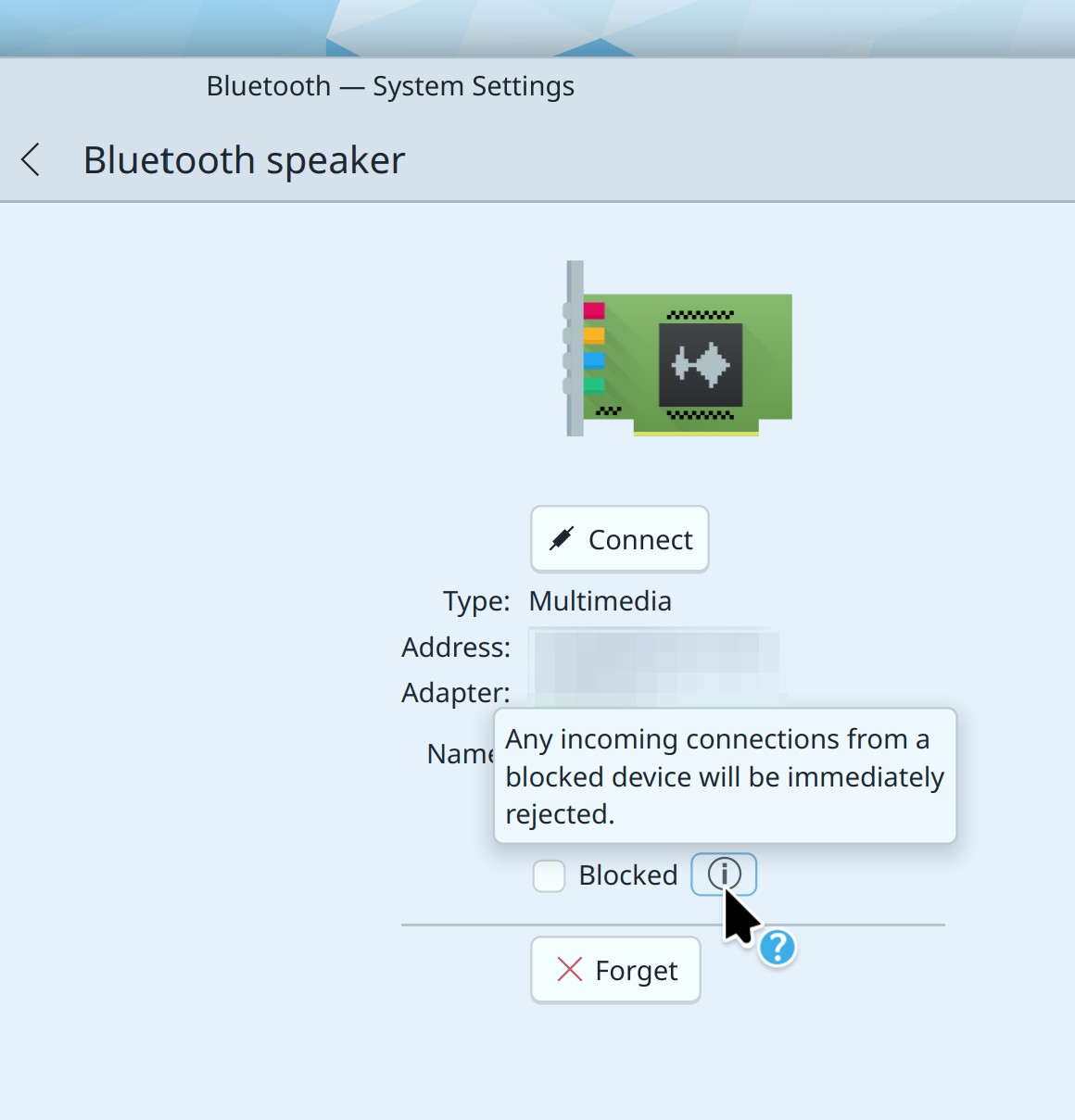
On System Settings’ Bluetooth page, blocked devices are now listed in their own section, and we also show a contextual help button to help you understand what “blocked” means in this context (Ivan Tkachenko, Plasma 6.2.0. Link 1 and link 2):

The crash reporter dialog now has a “Finish” button in the corner that activates once it’s all done, so it’s more obvious when and how you can get rid of it (Engin Karakurt, Plasma 6.2.0. Link)

When using a custom accent color, Breeze folder icons no longer turn all white or all black when selected in various contexts; instead their background colors will just be tinted a little bit (Marco Martin and Carl Schwan, Frameworks 6.4. Link):

Bug Fixes

Fixed two regression in KCalc that would cause it to crash when hitting the backspace key and broke input chaining (Gabriel Barrantes, KCalc 24.05.2. Link 1 and link 2)

Fixed a regression that caused Plasma’s Icons-and-Text Task Manager widgets to not actually show text anymore on a thick vertical panel (Marco Martin, Plasma 6.1.1. Link)

Fixed a regression that could cause Plasma’s System Tray to temporarily disappear when you quit an app playing media while the System Tray’s Media Player widget was active (Marco Martin, Plasma 6.1.1. Link)

Fixed a visual regression in Plasma’s icons-and-text task manager’s multi-row mode (Ismael Asensio, Plasma 6.1.1. Link)

Fixed a regression that caused Plasma panels’ Adaptive opacity mode to not work properly with certain types of window resizing actions, panel orientations, and visibility states (Fushan Wen, Plasma 6.1.1. Link)

Fixed a KWin regression that broke multi-monitor support in the popular Polonium tiling script (Alik Aslanyan, Plasma 6.1.1. Link)

Fixed a regression that caused newly-created blank System Monitor widgets to be broken until Plasma was restarted once (Arjen Hiemstra, Plasma 6.1.1. Link)

Fixed an odd interaction in Plasma’s new edit mode that could cause it to undesirably exit when the widget explorer was closed (Niccolò Venerandi, Plasma 6.1.1. Link)

Fixed an issue that could sometimes cause the displayed brightness percentage to drift out of sync between the System tray widget and the OSD, and also make the slider kinda laggy (Jakob Petsovits, Plasma 6.1.1. Link 1 and link 2)

In case you’d noticed a tiny, barely detectable horizontal line in the top-left corner of Plasma widgets, it’s gone now (Niccolò Venerandi, Plasma 6.1.1. Link)

Fixed a case where KWin would crash when run on a system with very old (like, 15 years old) graphics hardware (Xaver Hugl, Plasma 6.1.2. Link)

Fixed a regression that broke the layout of Discover’s “Share” dialog (Aleix Pol Gonzalez, Plasma 6.1.2. Link)

Fixed a regression that could cause individual widgets’ hover popups in edit mode to get covered up by the panel settings dialog under certain circumstances (Niccolò Venerandi, Plasma 6.1.2. Link)

Fixed a regression that could, under certain circumstances, cause Plasma’s “Show Alternatives” popup get stuck in the open state open and not close (Niccolò Venerandi, Plasma 6.1.2. Link)

Fixed a regression that caused the “Add Widgets…” button that appears on empty panels is to be aligned incorrectly and located in the wrong place (Niccolò Venerandi, Plasma 6.1.2. Link)

Fixed a regression that caused undoing the deletion of a panel outside of global edit mode to make it get stuck in its own panel edit mode (Marco Martin, Plasma 6.1.2. Link)

Fixed an issue that could cause Plasma to freeze when a thick panel contained certain combinations of widgets with very specific popup sizes (Marco Martin, Plasma 6.1.2. Link)

When System Settings is already showing a page that lives in a sub-category, using another app to open open a different page that doesn’t live in a sub-category now correctly hides the sub-category column (Matthias Tillman, Plasma 6.1.2. Link)

On System Settings’ Accessibility page, the sidebar listing sub-pages now has correct hover and highlight effects (me: Nate Graham, Plasma 6.1.2. Link)

When using Qt 6.8, Plasma no longer quits when you drag an app from Kickoff to the desktop (Vlad Zahorodnii, Plasma 6.2.0. Link)

Discover no longer crashes when you try to update a Flatpak app that has been declared end-of-life without any replacement provided. Instead you’ll be asked if you’d like to uninstall it (Harald Sitter, Plasma 6.2.0. Link)

Dragging a widget from one Plasma panel to another one or the desktop while in edit mode no longer causes it to get lost in a limbo state (Niccolò Venerandi, Plasma 6.2.0. Link)

If you set a global shortcut to activate a System Tray widget, it now always works, rather than only working after the first time the System Tray was opened (Marco Martin, Plasma 6.2.0. Link)

The “Choose a device to send to:” text in share dialogs for KDE Connect is now always readable in every language (Ivan Tkachenko, Frameworks 6.4. Link)

Other bug information of note:

Performance & Technical

Fixed a case where KWin’s new triple buffering feature could actually make things worse with certain hardware (Xaver Hugl, Plasma 6.1.1. Link)

KWin now falls back to software rendering automatically when used on systems with very old (like, 15 years old) graphics hardware that supports only a limited number of OpenGL operations (Xaver Hugl, Plasma 6.1.1. Link)

Fixed a memory leak in Plasma caused by receiving notifications (Arjen Hiemstra, Plasma 6.1.2. Link)

Improved KWin’s robustness when using a very high refresh rate input device (like one of those blingy 127 billion hertz gamer mice), reducing the chance of apps freezing or quitting after the mouse is moved very very quickly (Vlad Zahorodnii, Plasma 6.2.0. Link)

In Plasma’s clipboard, the “Keep the selection and clipboard the same” setting now works independently of the “Text selection: Always save in history” setting (Fushan Wen, Plasma 6.2.0. Link)

Using a stylus on Wayland now allows you to drag windows around from empty areas, when so configured (Nicolas Fella, Qt 6.7.3. Link)

Automation & Systematization

Added a test for adaptive panel opacity working properly (Fushan Wen, link)

…And Everything Else

This blog only covers the tip of the iceberg! If you’re hungry for more, check out https://planet.kde.org, where you can find more news from other KDE contributors.

How You Can Help

You probably noticed a lot of regressions got fixed! How did they sneak through? Frankly, because not enough people beta-tested Plasma 6.1. Plasma is enormous and can be used in wildly diverse ways, and there are only so many use cases that developers can notice. Automatic testing helps, and we’re getting better at this, but many features are difficult or impossible to test in an automatic fashion. Our faithful beta testers also find many regressions, but by far the majority go unnoticed until the final release. This is a problem!

If you use have multiple systems or an adventurous personality, you can really help us out by installing beta versions of Plasma using your distro’s available repos and reporting bugs. Arch, Fedora, and openSUSE Tumbleweed are examples of great distros for this purpose. So please please do try out Plasma beta versions. It really helps us! Heck, if you’re very adventurous, live on the nightly repos. I’ve been doing this full-time for 5 years with my sole computer and it’s surprisingly stable.

Does that sound too scary? Consider donating today instead! That helps too.

Otherwise, visit https://community.kde.org/Get_Involved to discover other ways to be part of a project that really matters. Each contributor makes a huge difference in KDE; you are not a number or a cog in a machine! You don’t have to already be a programmer, either. I wasn’t when I got started. Try it, you’ll like it! We don’t bite!