Bug triaging is a largely invisible and often thankless task. But it’s the foundation of quality in our software offerings. Every day, our users file between 30 and 50 bug reports on https://bugs.kde.org, and often up to 100 right after a big release! Many will be duplicates of pre-existing issues and need to be marked as such. Quite a few will be caused by issues outside of KDE’s control and this also needs to be marked as such. Many will be crash reports with missing or useless backtraces, and their reporters need to be asked to add the missing information to make the bug report actionable. And the rest need to be prioritized, moved to the right component, tagged appropriately, and eventually fixed.
All of this sounds pretty boring. And, to be honest, sometimes it is (I’m really selling this, right?). But it’s critically important to everything we do. Because when it’s not done properly:
Users don’t feel listened to, and start trashing us and our software on social media.
Critical regressions in new releases get missed and are still visible when reviewers check out the new version, so they also trash it in high-profile tech articles and videos.
Un-actionable bug reports pile up and obscure real issues, so developers are less likely to notice them and fix them.
Bugs that occur over and over again don’t accumulate dozens of duplicates, don’t look important enough to prioritize, and therefore don’t get fixed.
Easy-to-fix bugs don’t get fixed by anyone and it’s pretty embarrassing.
Do you see a pattern? Most of these results end up with KDE software being buggier and KDE’s reputation being damaged. It’s not an accident that KDE’s software is less buggy than ever before that that we enjoy a good reputation today. These positive developments are driven by everyone involved, but they rest upon an invisible foundation of good bug triage. And as KDE software becomes more popular, users file more bug reports. So the need for bug triage constantly grows. Currently it is done by just a few people, and we need help. Your help! And it will truly be helpful! If you are a meticulous, detail-oriented person with some technical inclination but no programming ability, triaging bug reports may just be the best way to help KDE. If this sounds like something you’d like to get involved with, go over to https://community.kde.org/Guidelines_and_HOWTOs/Bug_triaging and give it a read! I would be happy to offer personal bug triaging mentorship, too. Just click the “Contact me” link here or at the top of the page and I’ll help you get started.
This week Plasma 5.22 was released! Overall our focus on stability has paid off, and so far there are no major regressions reported; only a few medium-severity ones which have all already been fixed in Plasma 5.22.1 :). You can read the release announcement, or check out KDE developer Niccolò Venerandi’s lovely video about it:
The work was implemented by Jan Blackquill in accordance with mockups made by Manuel Jesus de la Fuente and other members of the KDE VDG. It will make its debut in Plasma 5.23. There is a lot of time left to tweak the final appearance as needed, but overall I think it’s really nice and I hope you’re as excited about it as I am!
Konsole now supports the DECSET 1003 standard, which means that the features in terminal software such as vim which rely on mouse tracking now work (Luis Javier Merino Morán, Konsole 21.08)
Keep in mind that this blog only covers the tip of the iceberg! Tons of KDE apps whose development I don’t have time to follow aren’t represented here, and I also don’t mention backend refactoring, improved test coverage, and other changes that are generally not user-facing. If you’re hungry for more, check out https://planet.kde.org/, where you can find blog posts by other KDE contributors detailing the work they’re doing.
How You Can Help
Have a look at https://community.kde.org/Get_Involved to discover ways to be part of a project that really matters. Each contributor makes a huge difference in KDE; you are not a number or a cog in a machine! You don’t have to already be a programmer, either. I wasn’t when I got started. Try it, you’ll like it! We don’t bite!
In just four days, Plasma 5.22 will be released, with all the features, bugfixes, and improved Wayland compatibility that we’ve been working on over the past few months! So it’s time to start working on 5.23 features. We also got a lot of work done for our apps too!
When you click on a panel applet or System Tray item, the highlight effect now touches the panel edge and spans the full width/height of the applet’s click area, and there is a subtle and pleasing line separating the panel from the popup that just opened (Niccolò Venerandi, Plasma 5.23):
Clicking on category names in the “Open With…” dialog now expands the categories; no need to click on the tiny arrows (Ahmad Samir, Frameworks 5.83)
The error message displayed when you try to add an autostart script for a file that does not exist or is not executable is now clearer (Nicolas Fella, Frameworks 5.83)
Keep in mind that this blog only covers the tip of the iceberg! Tons of KDE apps whose development I don’t have time to follow aren’t represented here, and I also don’t mention backend refactoring, improved test coverage, and other changes that are generally not user-facing. If you’re hungry for more, check out https://planet.kde.org/, where you can find blog posts by other KDE contributors detailing the work they’re doing.
How You Can Help
Have a look at https://community.kde.org/Get_Involved to discover ways to be part of a project that really matters. Each contributor makes a huge difference in KDE; you are not a number or a cog in a machine! You don’t have to already be a programmer, either. I wasn’t when I got started. Try it, you’ll like it! We don’t bite!
In part due to it being an official KDE goal, a truly enormous, herculean amount of work has gone into making the Plasma Wayland session usable, to the point where the Fedora KDE spin has decided to enable it by default in Fedora 34, which ships Plasma 5.21. This is quite a vote of confidence! I fully expect that by Plasma 5.23, it will be broadly usable for day-to-day use. I find that it’s almost there for me.
Fingerprint support throughout the stack: AT RISK
No new work done. May not happen this year. We are kind of blocked by the necessary SDDM pieces not being done yet. Assistance needed.
Finish up Breeze Evolution: ON TRACK
Work is proceeding and the new widget style will land in Plasma 5.23. After that, most of the remaining work requires changes to apps themselves, particularly to make them less framey. Adopting KHamburgerMenu in more of our apps will help too, and it’s already been done for Dolphin and Gwenview, with more on the way.
Kickoff replacement: DONE
We landed the new Kickoff in Plasma 5.21, to mostly positive feedback. A few of you loved the old Kickoff and have decided to keep using it, which is fine. But overall, the new one has been a hit!
Reflowing text in Konsole: DONE
This work was completed early in the year to universal acclaim. A much needed improvement!
Overall we’re in a good state. If you’d like to see this work happen faster, please help out! Review merge requests, file bug reports, submit code–the sky’s the limit.
This week a number of performance improvements landed for for areas as diverse as taking screenshots with Spectacle in the Plasma Wayland session, using the Plasma Wayland session in general with an Nvidia GPU, and entering or exiting Elisa’s “Party mode” and resizing the main window.
But that’s not all; we also added a bunch of nice new features and UI improvements:
KCommandBar has been added to all KXMLGui-using KDE apps, so you can start using it by hitting Ctrl+Alt+I in Dolphin, Gwenview, Okular, Konsole, Krita, Kdenlive, and so on! (Waqar Ahmed, Frameworks 5.83)
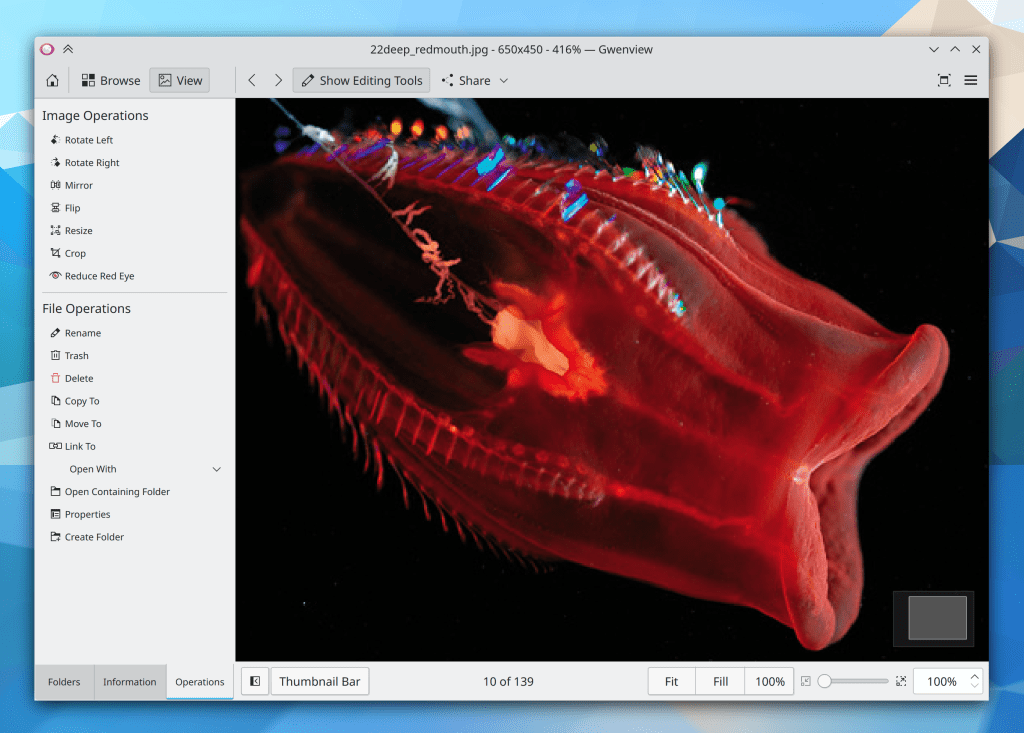
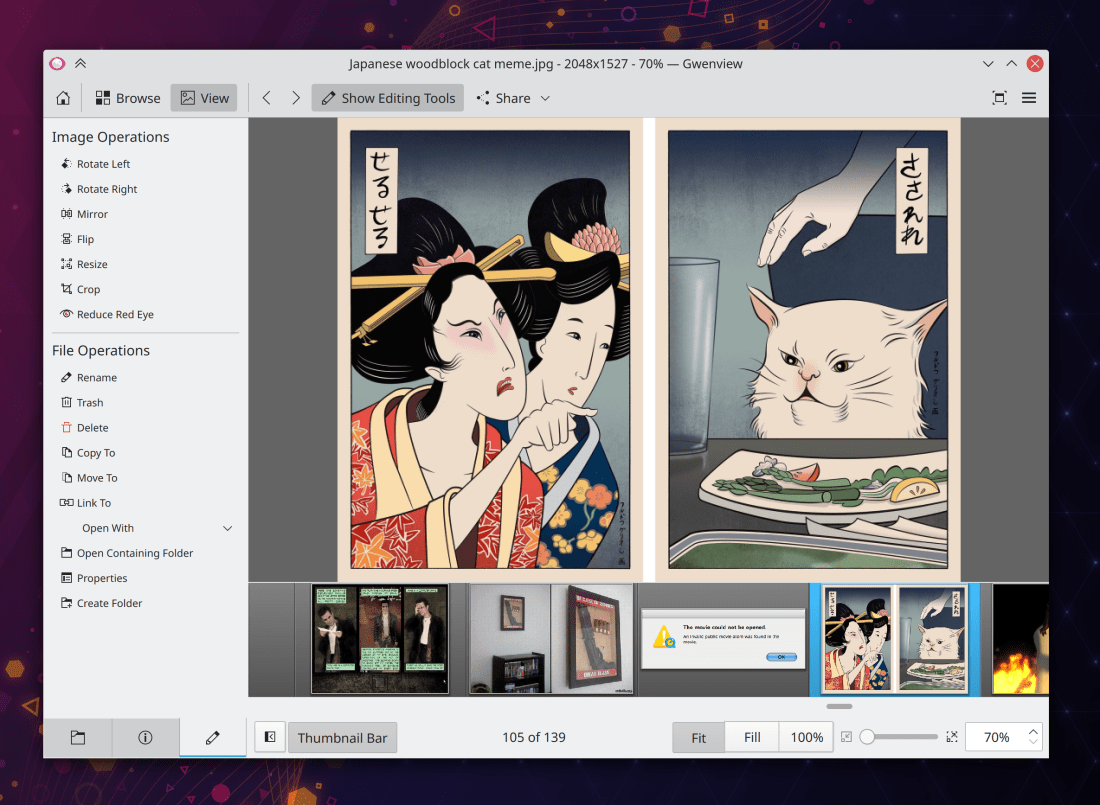
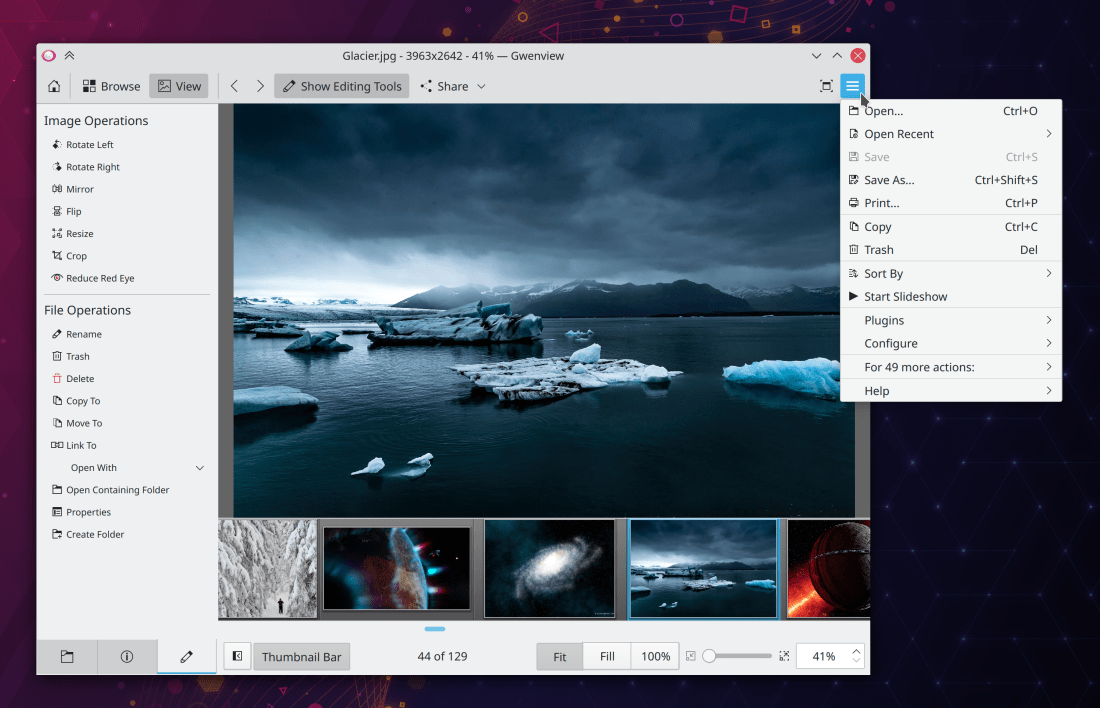
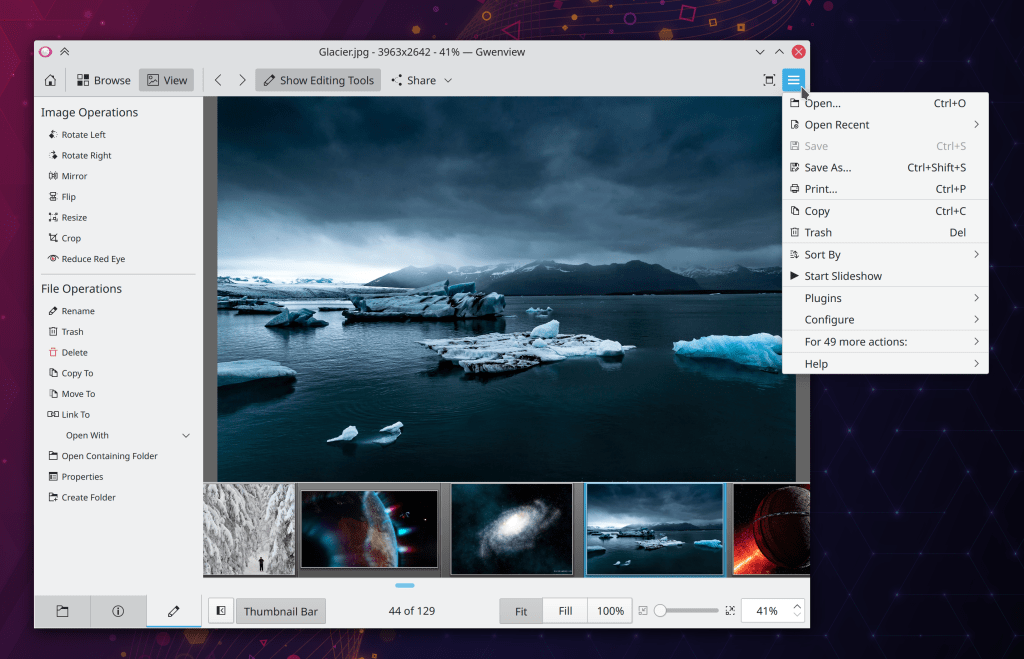
Gwenview has now adopted KHamburgerMenu, giving it a cleaner look and a more approachable set of actions when the menubar is hidden (Noah Davis, Gwenview 21.08):
As a reminder, if you hate this, you can simply show the menu bar and the hamburger menu will disappear
Keep in mind that this blog only covers the tip of the iceberg! Tons of KDE apps whose development I don’t have time to follow aren’t represented here, and I also don’t mention backend refactoring, improved test coverage, and other changes that are generally not user-facing. If you’re hungry for more, check out https://planet.kde.org/, where you can find blog posts by other KDE contributors detailing the work they’re doing.
How You Can Help
Have a look at https://community.kde.org/Get_Involved to discover ways to be part of a project that really matters. Each contributor makes a huge difference in KDE; you are not a number or a cog in a machine! You don’t have to already be a programmer, either. I wasn’t when I got started. Try it, you’ll like it! We don’t bite!
This week I have another exciting new UI element to present: KCommandBar! You might have gotten the impression by my fawning over KHamburgerMenu that we care more about casual or novice users today… not so! KCommandBar is an expert-focused UI element implementing a HUD-style popup that aggregates all of the actions in a KDE app’s full menu structure, so that you can quickly activate features at the speed of thought! It’s like a KRunner inside your apps. You can also use it as a search, if you think a feature may exist somewhere but you don’t know where.
Hmm, does kate have a Block Selection mode? How do I activate it?
Oh, like that!k
Notice how it shows you the action’s keyboard shortcut too, so you can learn how to activate it even faster next time!
This UI element has been merged into the code but not yet rolled out for all KDE apps. Once this merge request is merged, all QWidgets-based KDE apps that use our KXMLGui framework (which is to say, most of them) will automatically get this feature for free! Big thanks to Waqar Ahmed for creating it!
Keep in mind that this blog only covers the tip of the iceberg! Tons of KDE apps whose development I don’t have time to follow aren’t represented here, and I also don’t mention backend refactoring, improved test coverage, and other changes that are generally not user-facing. If you’re hungry for more, check out https://planet.kde.org/, where you can find blog posts by other KDE contributors detailing the work they’re doing.
How You Can Help
Have a look at https://community.kde.org/Get_Involved to discover ways to be part of a project that really matters. Each contributor makes a huge difference in KDE; you are not a number or a cog in a machine! You don’t have to already be a programmer, either. I wasn’t when I got started. Try it, you’ll like it! We don’t bite!
Last year I replaced my old laptop with a Lenovo ThinkPad X1 Yoga, and I wrote a preliminary review of it. This laptop is my only computer, used for both work and play. I’ve had it for a year, gotten used to some of my initial annoyances, and discovered a few new ones. So I thought I’d provide an update with some more long-term impressions.
What’s still annoying
Location of PrintScreen key
I have not been able to get used to having the PrintScreen key between the right Alt and Ctrl keys. I hit it by accident and open Spectacle all the time. So I have re-bound it in the Keyboard KCM to be a second Meta key, which is much more useful. Now I can do window tiling with one hand! However this means I lose my PrintScreen key. I initially re-bound the stupid useless Insert key to be a new PrintScreen key using xmodmap, but that only works on X11, and I have not yet found a Wayland-compatible solution that I am capable of making work over the long haul. I did succeed in performing the re-mapping using config files and submitted a merge request upstream to offer “Insert key is Printscreen” as a keyboard option, but it was rejected. Since applying the patch locally relied on modifying system files, my changes gets blown away on every system upgrade. Our keyboard KCM is in need of a generic and user-friendly way to let people re-bind keyboard keys without having to mess around with config files.
Battery life
Battery life remains lower than I would prefer, even after a number of kernel upgrades. I usually limit charging to 90% to preserve battery longevity, but when I let it charge to 100%, I’m still getting 5 hours max, even when I baby it and don’t use power-hungry apps. This is quite disappointing. The laptop I replaced easily got 8 hours, even with a smaller battery. So I know it isn’t my software being an energy pig. I haven’t done any international travel over the past year due to the pandemic, but once I do, this will become a real pain real fast.
Screen resolution and aspect ratio
While I love the sharpness of the laptop’s 3840×2160 4K display, this resolution is overkill for its 14″ screen size. At 200% scaling, things are too small. Currently I am using 200% scale with 11pt Noto Sans font, which takes advantage of a bug in Noto Sans in that 11pt is 22% bigger than 10pt, not 10% bigger like you would expect. The super high resolution also results in excessive power consumption, contributing to poor battery life. And the 16:9 aspect ratio is not ideal.
Later models of this laptop have a 16:10 screen, but with the same excessive 4K resolution. Boo.
A 14″ laptop screen ideally needs a resolution of 3200×2000 so that when you scale it to 200%, you get an effective resolution of 1600×1000. This is still perfectly sufficient to make the individual pixels invisible, but would draw less power and yield un-problematic 200% scaling for perfectly crisp and pixel-aligned visuals.
Lousy Intel CPU
This laptop has an Intel Comet Lake 10th gen Core i7-10510U CPU manufactured with a 14nm process. While it is faster than what I had before, performance is disappointing compared to AMD’s Ryzen CPUs, which also generate less heat and consume less power due to their more advanced 7nm manufacturing process. Graphics performance is also quite bad, though the 11th gen version is apparently much better. But overall a monster Ryzen 4800 or 5800 series CPU would be a much better fit, providing superior performance, lower heat, and better battery life. Sadly Lenovo does not offer those CPUs in this laptop. They should, because AMD’s offerings are clearly better in almost every way. You’d lose Thunderbolt support, but I haven’t plugged in one Thunderbolt device in ten years of owning laptops with Thunderbolt ports. I don’t even know if any of then work.
Can only charge it from the left side
It’s a minor thing, but after a year of use from many locations, it’s annoying to have to wrap the cord around the back of the laptop when I happen to be somewhere where the nearest power outlet is on my right side rather than my left side. This might be less of an issue if the machine got better battery life so I didn’t have to keep it plugged in all the time–but it doesn’t, so I do, and it is.
Wobbly USB-C ports
This is a common problem in many laptops, but I expect better for an expensive one. There is really no excuse for USB-C cord to be super wobbly after plugging it into the laptop. It makes the whole thing seem flimsy and weak. More firmness would be much appreciated.
What’s still great
Everything else! The touchpad, rest of the keyboard, speakers, display quality, build quality, durability, portability, port selection, and design are all wonderful. The software issues I ran into before have largely been fixed (at least in the Plasma Wayland session, which is almost usable day-to-day for me). With the above-mentioned problems fixed, it would be a perfect computer.
Alas, they persist, and I have not found one that meets all of my requirements. The hunt continues…
Today let’s talk a bit about the importance of using the right tool for the job. There’s a bit about this in my post about KHamburgerMenu, about how it was not designed to be a universal thing for every app but rather the ones where it can makes sense. No need to shoe-horn everything into an identical paradigm.
So I want to use that context to talk a bit more about window decorations, and specifically client-side decorations–everyone’s favorite topic for getting the blood pumping! 🙂 But first, some terminology to make sure we’re all on the same page:
“Client-side” refers to content is drawn by the app or window itself (the “client”)
“Server-side” refers to content drawn for the app or window by something else (typically the window manager, or the “server”).
Now, KDE apps typically do not use client-side-decorated headerbars for their header areas like GNOME apps do. Instead, we generally hew to the traditional arrangement of a titlebar, menubar, and toolbar. The titlebar is “server-side” because it’s drawn by KWin, our window manager. Everything below the titlebar–such as the window’s menubar, toolbar, and content view–are drawn by the window itself; the window being a “client” of the window manager. Hence, “client-side”.
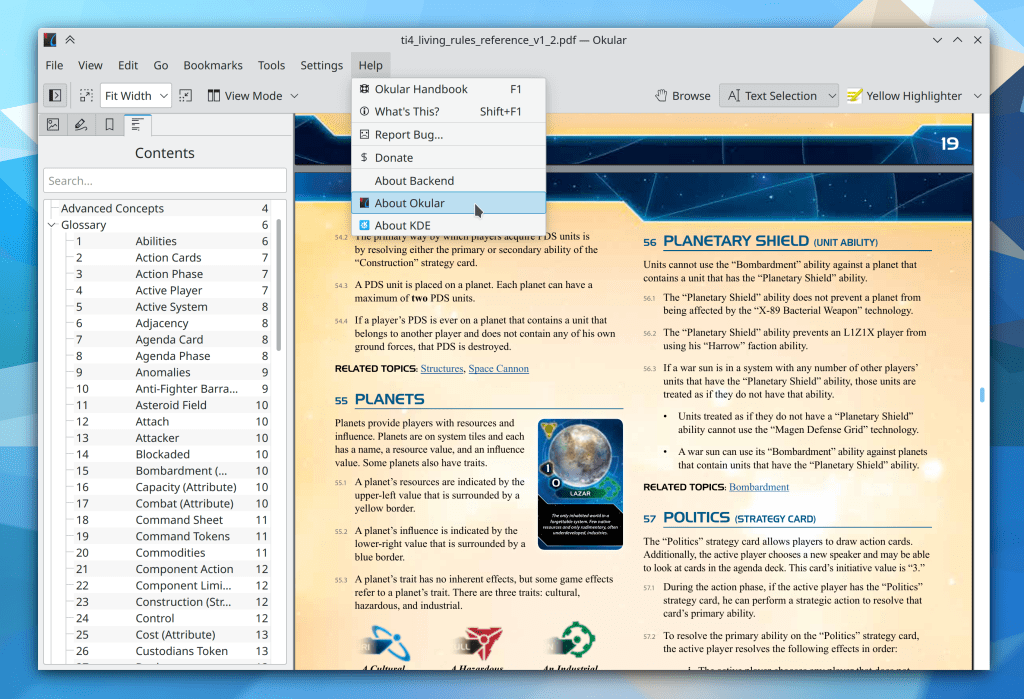
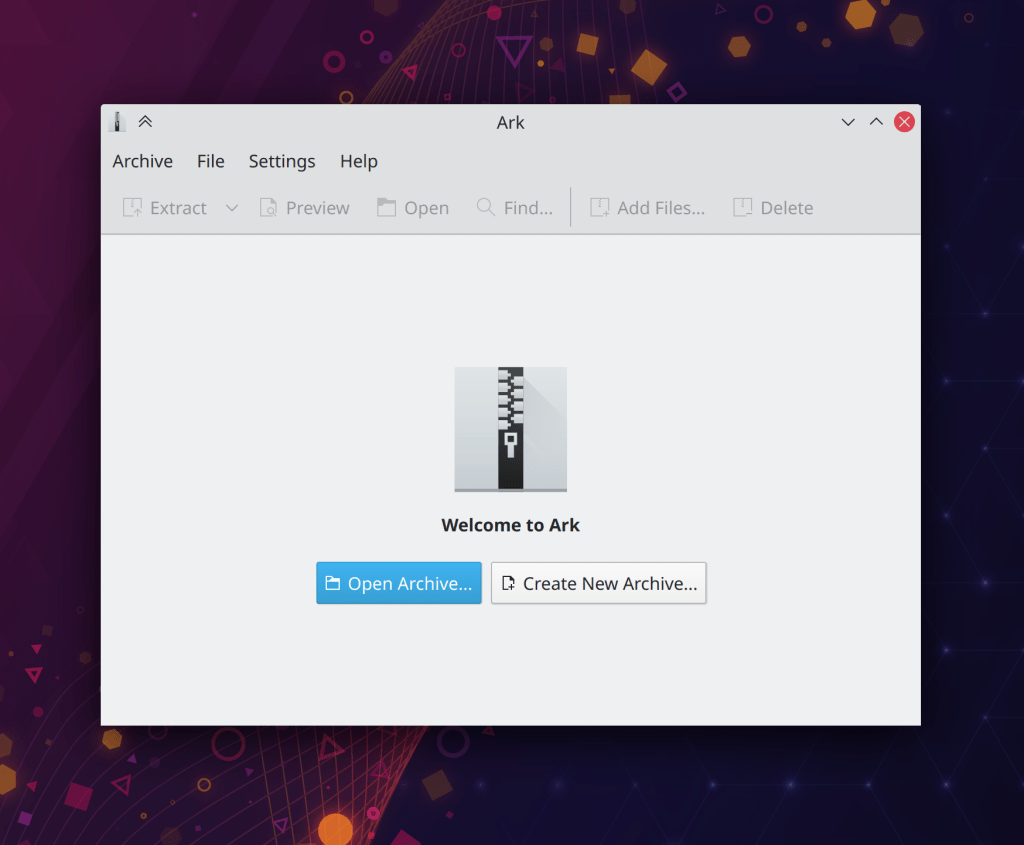
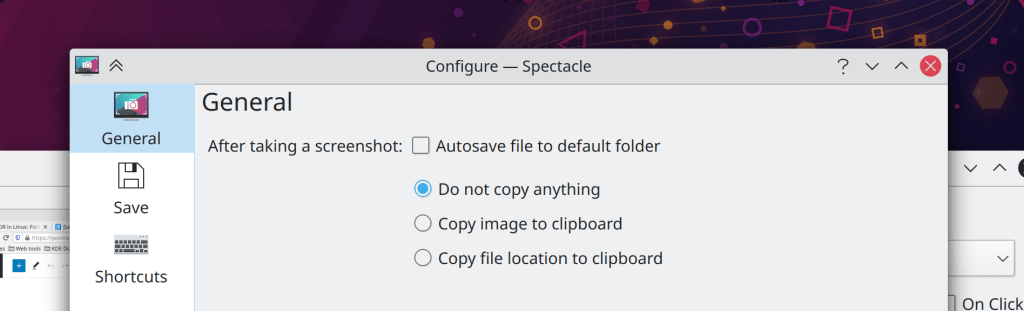
In the interest of aesthetics, our Breeze theme has recently been updated to visually merge these components, even though they’re still drawn by different parts of the stack and still serve different functions (though you can still drag the window from any empty area of the header, not just the titlebar). Here’s how it looks in Okular, a fairly traditional app with a titlebar, menubar, and toolbar:
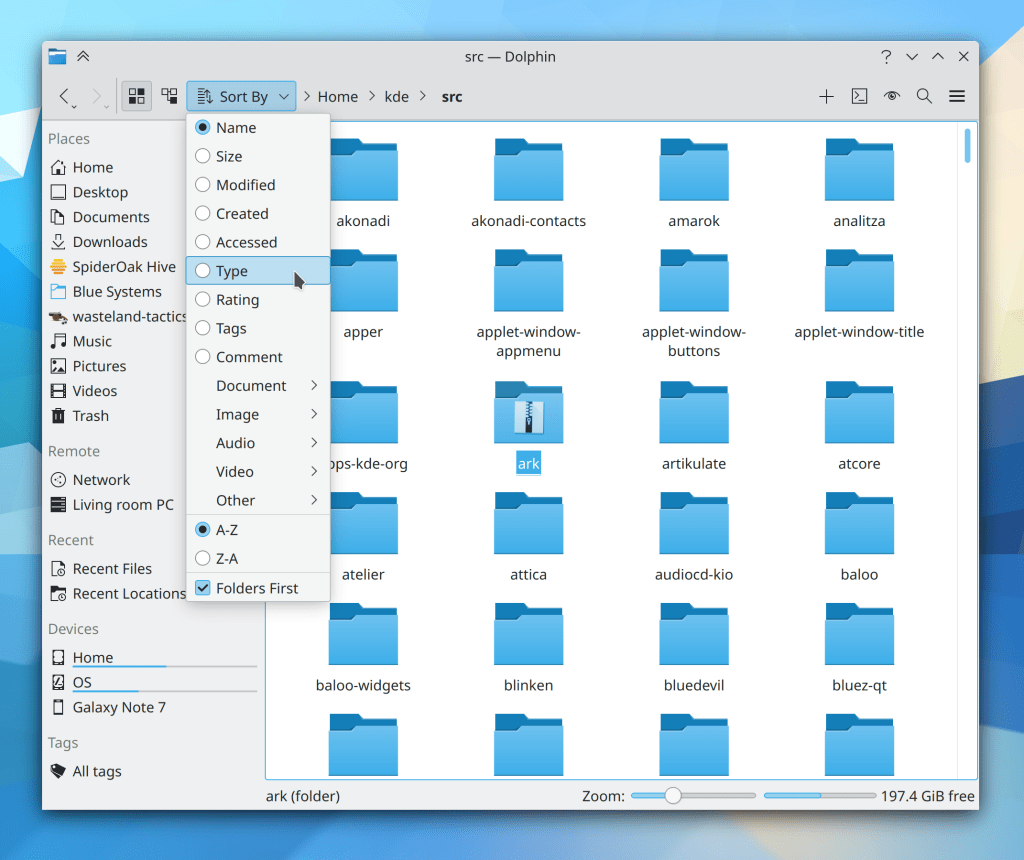
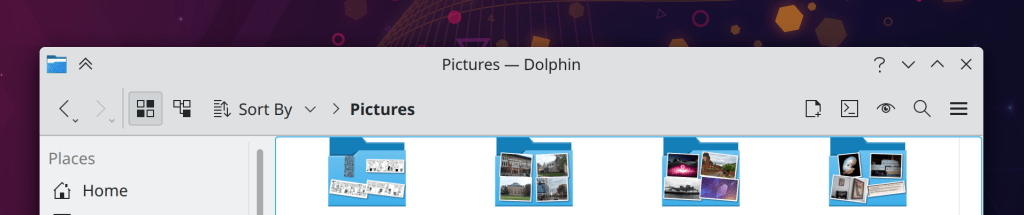
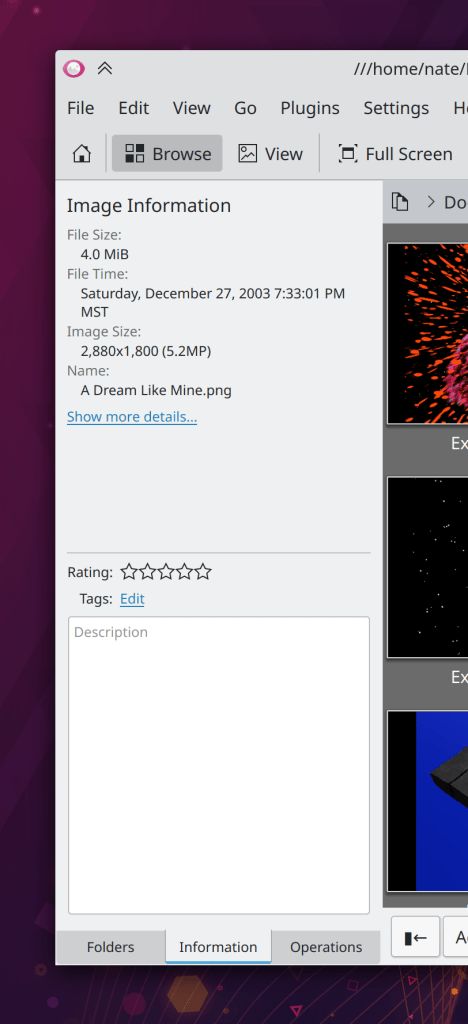
…And for Dolphin, which has a hamburger menu in its toolbar by default rather than a menubar:
Not too bad, eh? Yet we have often been asked why we don’t use GNOME-style client-side decoration headerbars, which would provide the same merged look and save some vertical space too. I wrote a series ofblog posts about this a few years ago which are still largely accurate, so I will paraphrase:
Why our apps don’t use CSD headerbars
If we did, they be worsened in the following ways:
They would either lose a lot of space used for dragging the window, or else lose the ability to click-and-drag-and-release to activate headerbar items in menus, comboboxes, pop-up menus, etc. You can’t have both with CSD headerbars.
There would be no place to display the name of the app, window, or open document–unless the app left a big empty space in the middle of the header for it. Even then it would be up to every app to implement this title itself, rather than it being an automatic thing provided by the window manager.
We would probably have to remove or severely restrict how customizable the toolbar can be given the above restrictions on space.
Also given the above restrictions, the CSD headerbar would probably have to omit some of the window decoration buttons currently present on the SSD titlebar, since they would be taking up a lot of space that apps would need. Customization flexibility would also be reduced.
Windows would all have to have hamburger menus with no provision for a traditional in-window menubar, since there is nowhere to put one in a CSD headerbar without it looking really weird.
When a window is not responding, the close button would not work to force-quit it, since it would be drawn by the thing that is not responding (the window) rather than a thing that is still working (the window manager)… unless the window manager itself implemented a hack for this. So it would not work in other window managers.
It would suck for people using our apps on other platforms without window manager level support for CSDs.
So there’s your answer. 🙂
But wait, what about DWDs?
“DWD” refers to “Dynamic Window Decorations“, an old KDE proposal to marry visual appeal of CSDs with some of the functionality of SSDs by allowing the app to pass various actions to the window manager, which would then put them in the titlebar for the app. The proposal looked pretty like CSD apps do, and would have solved problem #6 and #7 from the above list, and improved on problem #4–but the other problems would have remained. So the idea was ultimately shelved and we did not apply it to our app windows. Too much cost, not enough benefit. That’s how it goes, sometimes.
Actually I lied, we totally use DWDs already… sort of
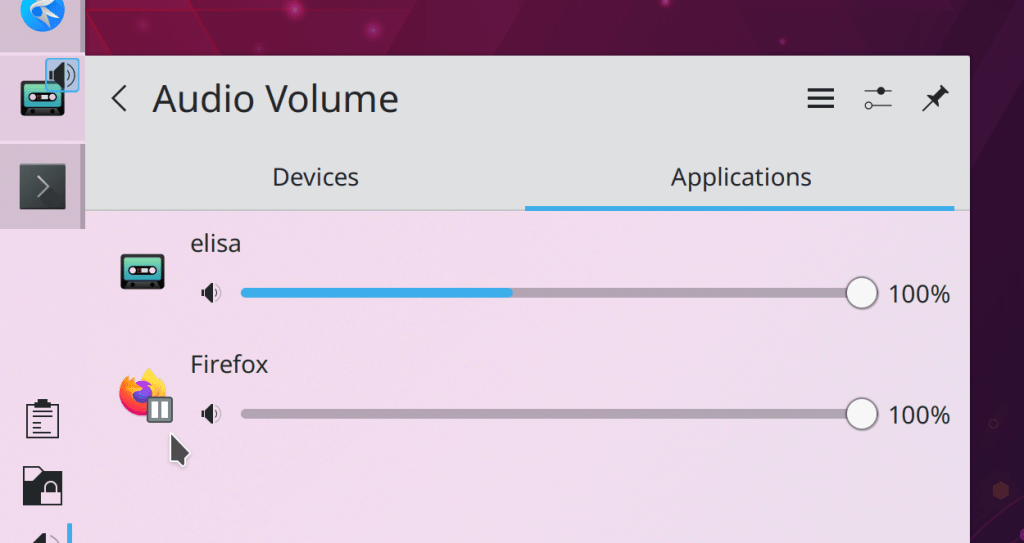
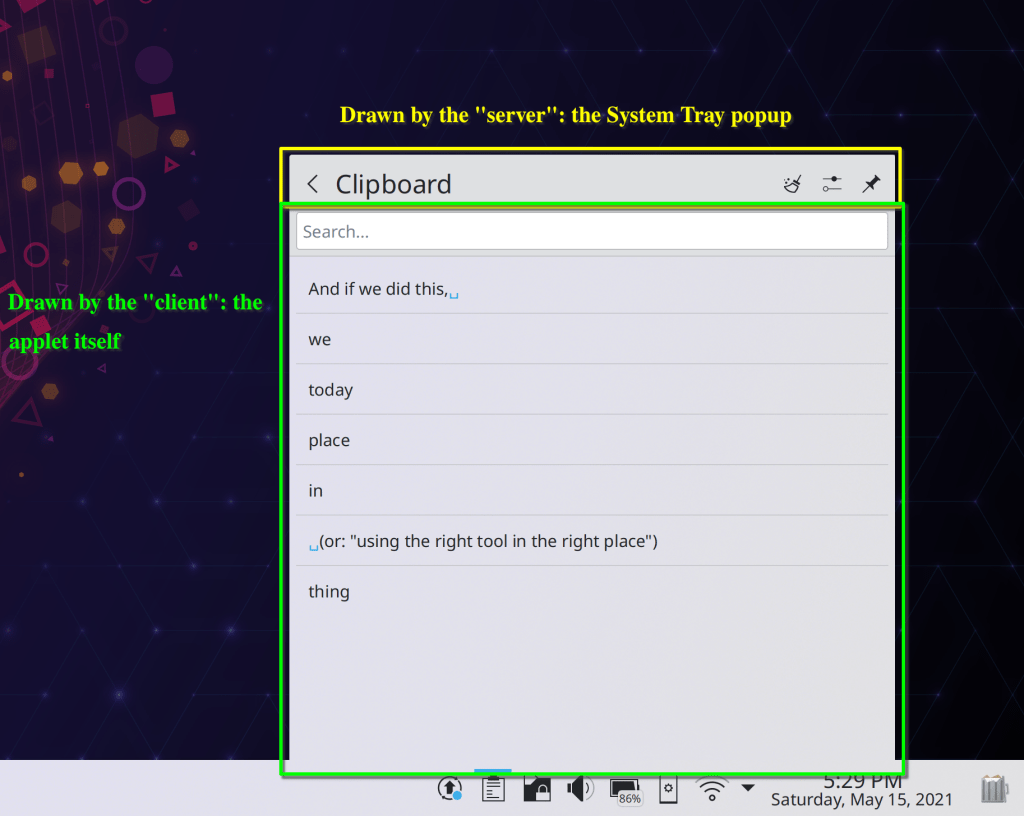
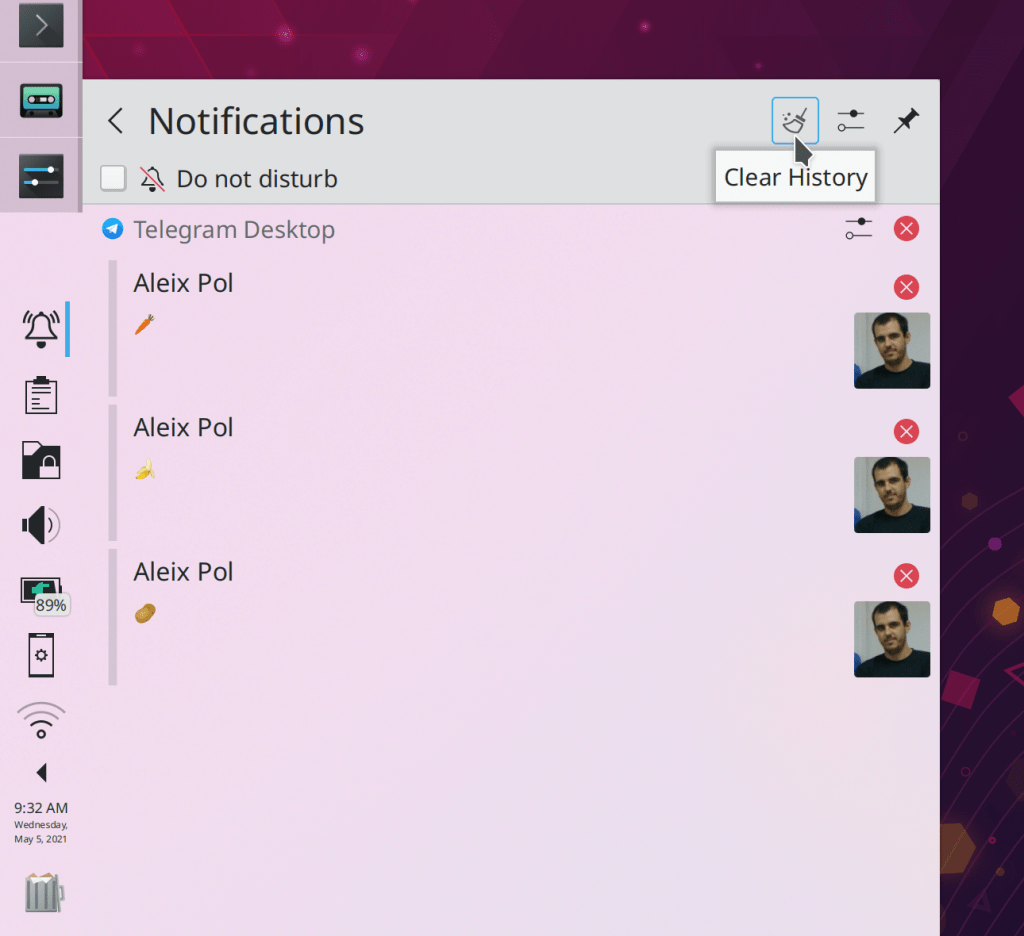
You might not have realized it, but Plasma’s System Tray uses the rough concept of the DWD paradigm and has for a few Plasma releases! Here, take a look at the Clipboard applet:
That “clear” action with the broomstick is drawn by the “server” (in this case, the System Tray popup) but the action came from the applet (which is acting as the client)! the Clipboard applet told the System Tray, “Hey, here’s a “Clear history” action for you to display with this icon, that tooltip text, and so on”. And the System Tray itself took care of turning that action into a clickable button. The Configure icon next to it is the same.
This arrangement was actually not deliberate; we kind of re-discovered the DWD concept by accident. But it turned out to work really well in the System Tray. This is because the System Tray popups don’t suffer from any of the remaining problems plaguing CSDs:
The System Tray popup is not movable by dragging, so you can fill the top bar with lots of stuff without impairing that or losing the click-drag-release method of getting at menu items.
The name of the applet isn’t robbing anything of space because because these are every small applets with a limited set of features; the number of actions is super limited.
The header actions don’t need to be customizable because the full set of actions can be presented by default.
Not being a movable window, there are no relevant window decoration buttons to customize, except for the single “Pin” button that keeps the popup open, which we can always show because there’s always space for it.
These applets never had full menubars anyway, so nothing has been lost.
To be clear, there are still no DWDs for app windows, and there probably never will be–because they would basically just be slightly-less-bad CSD headerbars. However the DWD concept really shines for small platform-specific widgets!
It’s all good
So like KHamburgerMenu, we now have another tool in our toolkit. We can apply it to the parts of our software where it makes sense, without feeling the pressure to force it everywhere. Because the best craftsmanship really does come from using the right tool for the job.
This week we finished up the last of our feature work for Plasma 5.22, so go test out the beta! We also started on 5.23 feature work, fixed a bunch of Wayland issues, and polished up our apps a bit more. Check it out:
In the Plasma Wayland session, dragging-and-dropping Task Manager Tasks to the Pager applet to move them to different virtual desktops now works (David Redondo, Plasma 5.22)
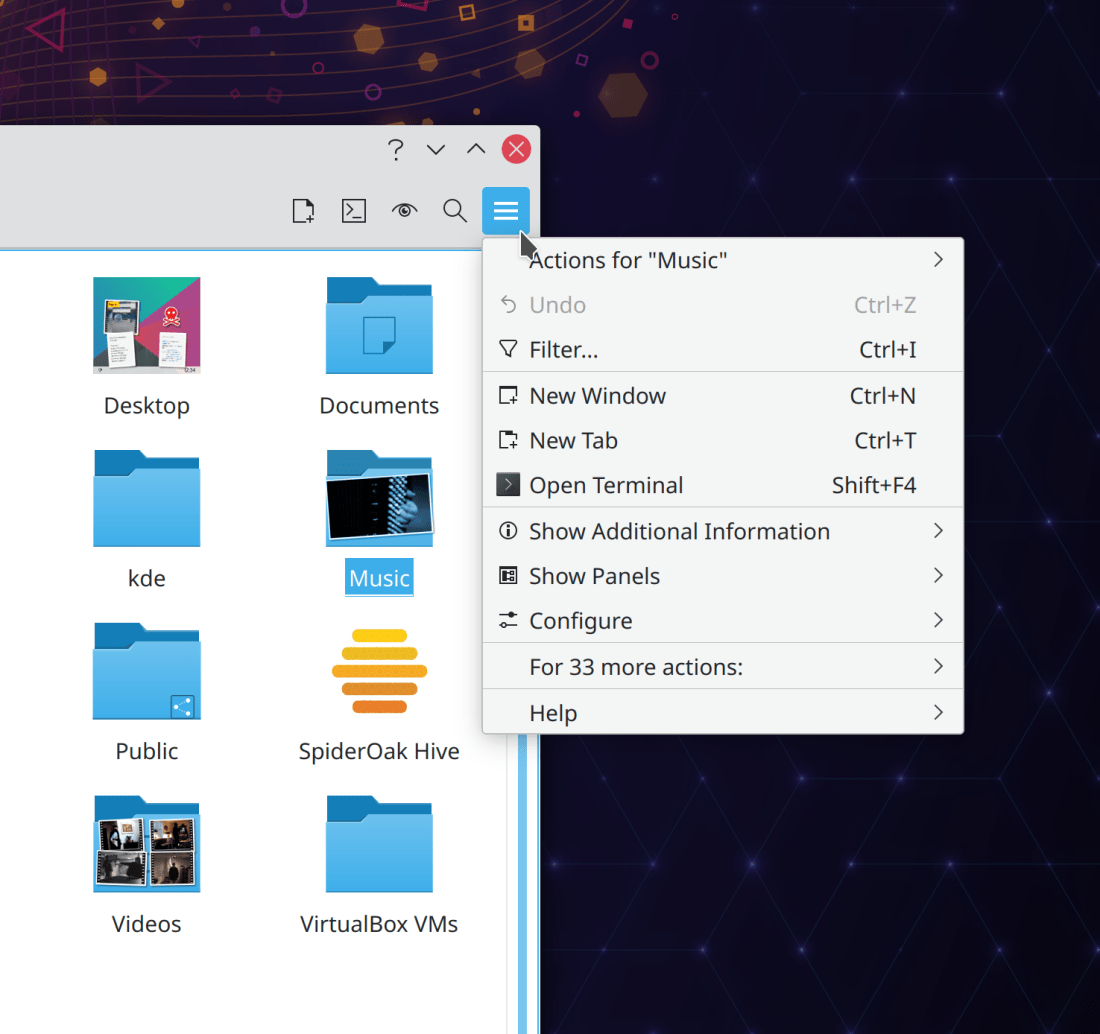
What’s really cool is that it responds to your customizations. For example, because I’ve added the “Add New…” action to my toolbar, it isn’t in the hamburger menu. But I’ve removed the “Filter…” action, so it goes into the hamburger menu.
Made various UX improvements to Okular’s quick annotation tools such as making them toggle-able, remembering the last-used one, and keeping the quick annotation tools distinct from the complex full toolbar view (Simone Giarin, Okular 21.08)
Keep in mind that this blog only covers the tip of the iceberg! Tons of KDE apps whose development I don’t have time to follow aren’t represented here, and I also don’t mention backend refactoring, improved test coverage, and other changes that are generally not user-facing. If you’re hungry for more, check out https://planet.kde.org/, where you can find blog posts by other KDE contributors detailing the work they’re doing.
How You Can Help
Have a look at https://community.kde.org/Get_Involved to discover ways to be part of a project that really matters. Each contributor makes a huge difference in KDE; you are not a number or a cog in a machine! You don’t have to already be a programmer, either. I wasn’t when I got started. Try it, you’ll like it! We don’t bite!
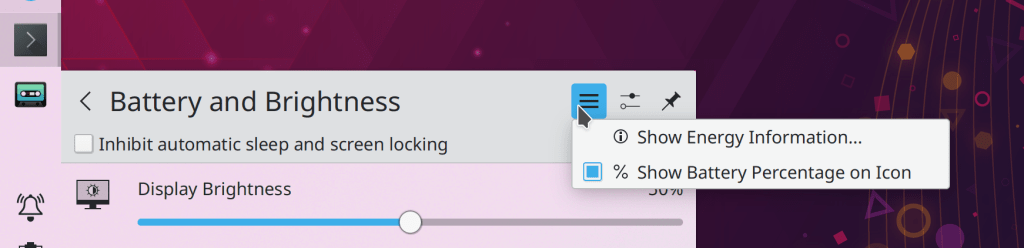
The System Tray Battery & Brightness System applet’s header has received an overhaul: the “Configure” button now opens the relevant System Settings page rather than a mostly-empty applet config window, and that window’s only option has been made into a checkable item in the Hamburger menu (me: Nate Graham, Plasma 5.22):
And yes, we know that the “Configure Energy Saving…” item in the hamburger menu is redundant. This is a known bug that will hopefully be fixed soon.
System Settings’ own settings window is no longer too small (me: Nate Graham, Plasma 5.22)
Keep in mind that this blog only covers the tip of the iceberg! Tons of KDE apps whose development I don’t have time to follow aren’t represented here, and I also don’t mention backend refactoring, improved test coverage, and other changes that are generally not user-facing. If you’re hungry for more, check out https://planet.kde.org/, where you can find blog posts by other KDE contributors detailing the work they’re doing.
How You Can Help
Have a look at https://community.kde.org/Get_Involved to discover ways to be part of a project that really matters. Each contributor makes a huge difference in KDE; you are not a number or a cog in a machine! You don’t have to already be a programmer, either. I wasn’t when I got started. Try it, you’ll like it! We don’t bite!











 Adventures in Linux and KDE