A common user complaint about Discover has been that the design could use some improvement. We set out to remedy this in the soon-approaching release of Plasma 5.12, with the aid of KDE’s Visual Design Group. VDG members came up with endless ideas and mockups, and we spent weeks discussing things and iterating on the design. I wanted to share the evolution of a single view in Discover: the application page.
In Plasma 5.11, here’s what we started with:

Not bad! But there were some rough edges we wanted to address. The header was full of technical information that wasn’t always what you wanted to see first. The screenshots needed polishing. And that toolbar on the bottom used a nonstandard UI convention.
First, we turned the bottom bar into a real toolbar like the kind that appears on the top of a window:

That fixed that problem, but it made the app display on top a bit disjointed, and exacerbated the problem with having the app metadata on top. And having the app name and icon only in the toolbar made it easy to mistake the caption for the name!
We resolved that by moving the entire metadata section below the description to reduce its prominence, and returning the app name and icon to the page itself in a simplified form:

This revision got high marks internally, but we wanted to go further and ensure that users of Discover in 5.12 received a really polished experience. So we further tweaked the header, increasing the size of each element to increase its visual prominence, and adding a bit more padding. Then we made the screenshot thumbnails reflect the aspect ratio of their full-sized images and gave them a drop shadow to make them pop:

Next, we decided to improve the whitespace and padding even more. We moved over the app name and caption a bit, increased the margins on the sides of the page, and made the description text left-justified:

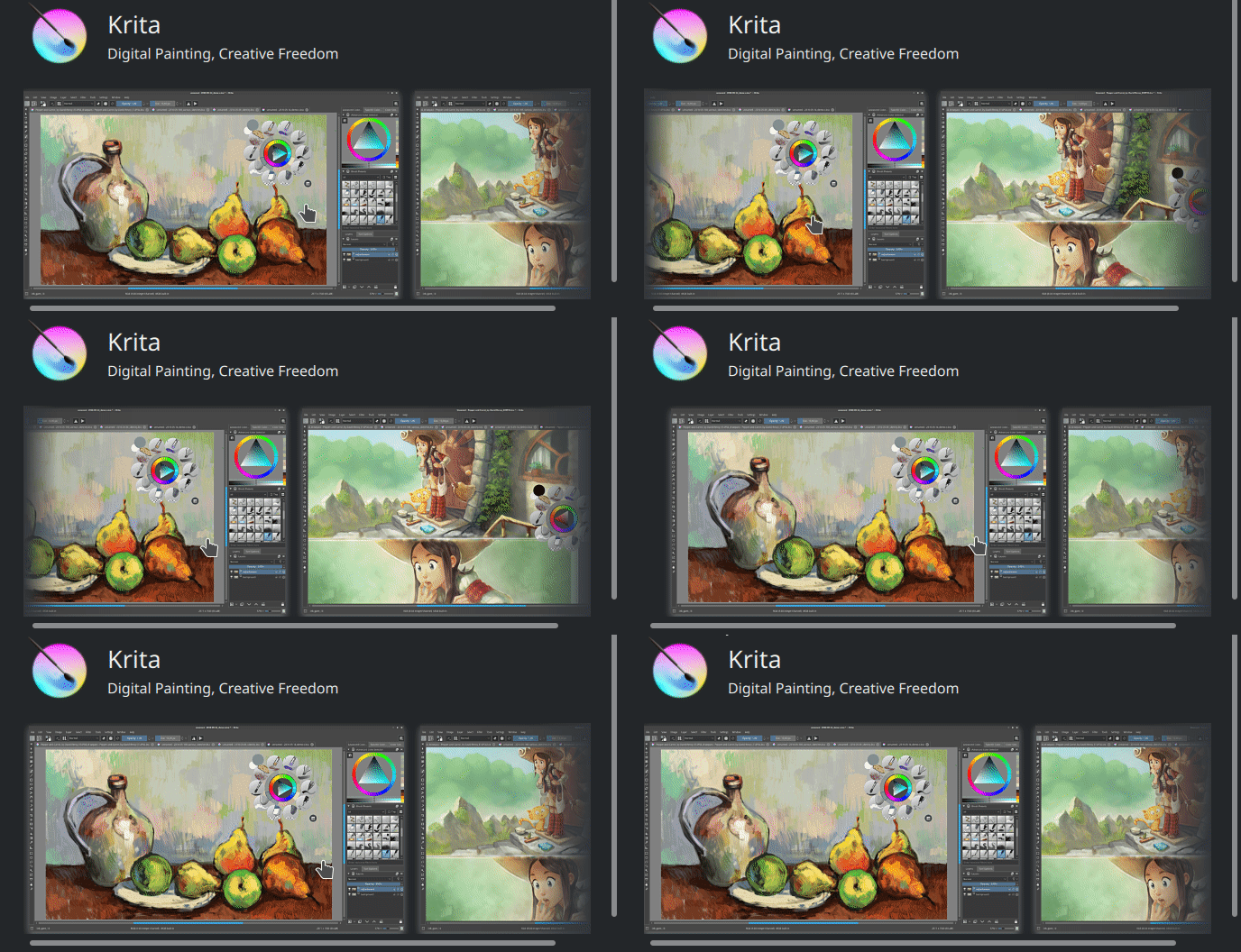
That screen looks really good because Krita provides an even number of screenshots that all have the same aspect ratio, and they fit perfectly in the window size that I’ve chosen here. But for apps and window sizes that deviated from this, it didn’t look as good. We also felt that the shadows provided a bit too much depth, and competed with their content. Finally with more than four screenshots, the text was pushed down so far you needed to scroll just to see it. So we decided to reduce the shadow strength and put the screenshots in a horizontal scrollview:

This helped! We decided to implement a fade effect when a thumbnail is cut off, and we made the them bigger and taller because with the design, there will only ever be one row:

Whaddaya think? I’ll tell you what I think: it’s fantastic, and you guys are going to really love this app view. I’d like to thank KDE contributors Andres Betts, Andreas Kainz, and Thomas Pfeiffer for their help with the design work, and Aleix Pol for technical work–and for letting me work on his baby Discover in the first place!
Here are some more screenshots showing how it looks with other apps, and in the smaller Plasma Mobile view:


There’s always room for incremental improvement, and there are a few more tweaks we’ll probably make before Plasma 5.12 is released. But we don’t currently have plans to make any radical changes here. We think you’re all going to love this design in Plasma 5.12!
If you like this kind of work, consider jumping on board and helping to push KDE software to even higher heights! Donating helps, too, and allows KDE to sponsor more work and help students travel to KDE events.
Another important task is to get your favorite software to improve its AppStream metadata! Version numbers, screenshots, better text… the better the data we get from apps, the better we can make the app look in Discover.


I guess I’m becoming a Discover developer, since it’s where I seem to spend most of my time these days. It’s just so darn fun since the lead Developer Aleix Pol is super easy to work with, there’s a lot of low-hanging fruit, and with