My goal of KDE Plasma World Domination is not a secret at this point. But what does it truly take to get there?
Let’s look at the existing market leaders in the OS space: Microsoft’s Windows and Google’s Android. Neither was the first to market, but they were the first to successfully serve the mass market. Neither is picky about what kind of software you run on them or write for them, so they are used on a wide range of devices by lots of different people. Both work with others in adjacent industries, rather than taking a “my way or the highway” approach. They are flexible.
Before KDE, I came from the Apple world, which takes a different approach. Apple identifies distinct use cases and focuses their efforts like a laser on making them as polished as possible. This works very well, but it requires ignoring, abandoning, or explicitly blocking other use cases, and sometimes inventing new things that conflict with what others are doing, in the hope that their new thing takes over. It requires saying “no” a lot and being opinionated.
Apple’s opinionated approach worked well for me with my own personal use cases in my pre-KDE days, as it did for many millions of other people. But evidently it doesn’t work for everyone, as Apple’s products routinely fail to crack 15% market share. And when they do, they often fall back down to that level after competitors emerge. But that’s okay, because Apple isn’t going for the mass market anyway; they’re happy in their profitable and opinionated boutique niche.
But that’s not KDE, and it never has been; we’ve always dreamed of a broad scope and being useful for everyone. This is what’s behind Plasma desktop’s extreme flexibility; Plasma Mobile for phones; Plasma Bigscreen for TVs; and Plasma Nano for embedded devices. It’s why the Steam Deck handheld gaming console, PinePhone smartphone, and JingPad A1 tablet are built on top of KDE technology.
To be the market leader, you must be flexible enough to accommodate everyone’s weird and random use cases. This includes grandmas, gamers, businesspeople, students, teachers, phones, tablets, shared family PCs, kiosks, and everything in between. It means you have to give up a certain amount of that laser-focus on making a particular use case bulletproof, in favor of flexibly accommodating everyone and working with partners to support their needs so that they can build their products on top of your platform. Windows and Android do this, and so does KDE.
This, fundamentally, is why I believe KDE can and will take over the world. We share the market leaders’ winning strategy and culture of flexibility, and we can supplant them by leveraging our advantages of being free and eternal, our resistance to turning evil because of our diverse stakeholders and decentralized leadership model, and our philosophy of keeping the user in control rather than exploiting them for ad or upgrade revenue.
So I think ultimately we will become the Windows or Android of the Free Open-Source Software world, with projects like GNOME and ElementaryOS competing to be the Apple of FOSS. I think there will absolutely be room for projects like theirs; in fact I think it’s highly likely that they’ll offer a better user experience than we do for people who fit within the usage paradigms they focus on–just like Apple does.
None of this means that we actually have to make our stuff look or behave like Windows or Android, of course. But it means we need to retain their philosophy of not shutting anyone out. We need to stay willing to make changes for vendors who want to ship our software and developers who want to write apps for our platform. We need to keep listening to our users and trying our best to make our software work for them. We need to remain flexible.
And I think we’re doing this. Which is why we’re going to win.
It may take a few decades, but I believe it’s going to happen. If you agree, help get there faster! This crazy thing only works because of people like you and me and all of us. There is no “they” in KDE. So c’mon, get involved and let’s take over the world together.
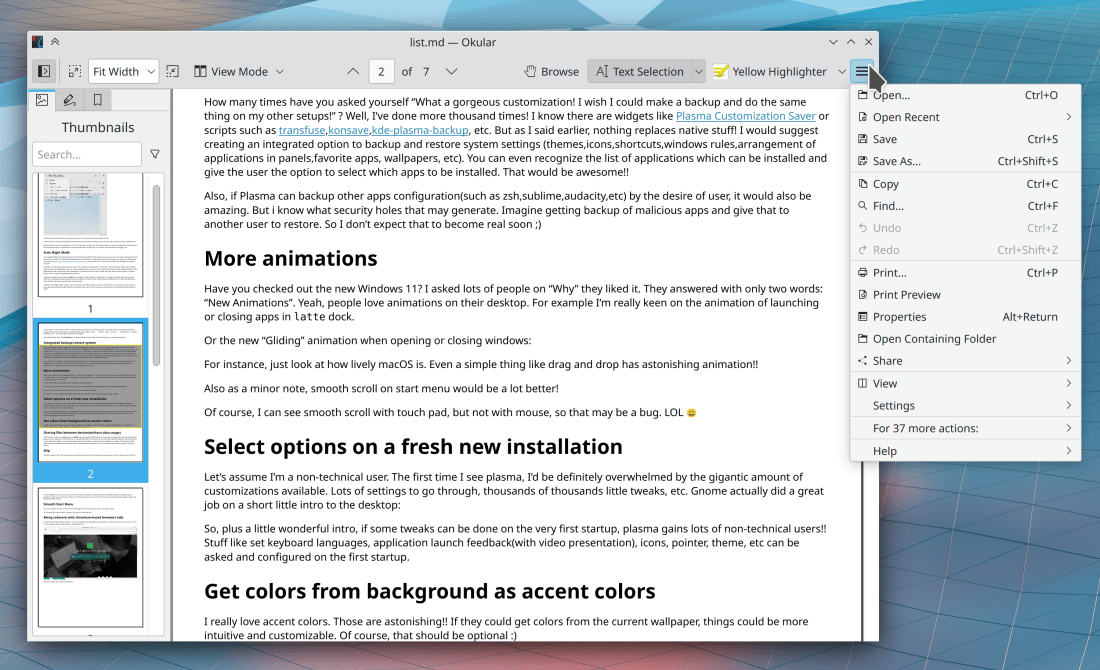
This week brings several exciting and long-awaited changes, including KHamburgerMenu in Okular, Primary Monitor on Wayland, and Centered window placement by default! Read on to find out the details:
When clicking the “Check for Updates” button in Discover while only the Flatpak backend is active, it now appears to do something (Aleix Pol Gonzalez, Plasma 5.24)
Searching for cities in the Weather applet using the BBC UK Met search provider should now be more reliable (Bharadwaj Raju, Plasma 5.24)
In the Plasma Wayland session, clicking on the hamburger menu button of a QtWidgets app like Dolphin or Gwenview or Okular while its window is unfocused no longer causes the menu to appear as a standalone window (Felix Ernst, Frameworks 5.89)
In System Settings and Info Center, the title rows of QtQuick-based pages no longer oddly fade in as they load (me: Nate Graham, Frameworks 5.89)
Keep in mind that this blog only covers the tip of the iceberg! Tons of KDE apps whose development I don’t have time to follow aren’t represented here, and I also don’t mention backend refactoring, improved test coverage, and other changes that are generally not user-facing. If you’re hungry for more, check out https://planet.kde.org/, where you can find blog posts by other KDE contributors detailing the work they’re doing.
How You Can Help
Have a look at https://community.kde.org/Get_Involved to discover ways to be part of a project that really matters. Each contributor makes a huge difference in KDE; you are not a number or a cog in a machine! You don’t have to already be a programmer, either. I wasn’t when I got started. Try it, you’ll like it! We don’t bite!
KDE’s venerable bug reporting website – https://bugs.kde.org – was given a facelift recently, and it’s now much more attractive and visually pleasant to use! Thanks to Debarpan Debnath for this work!
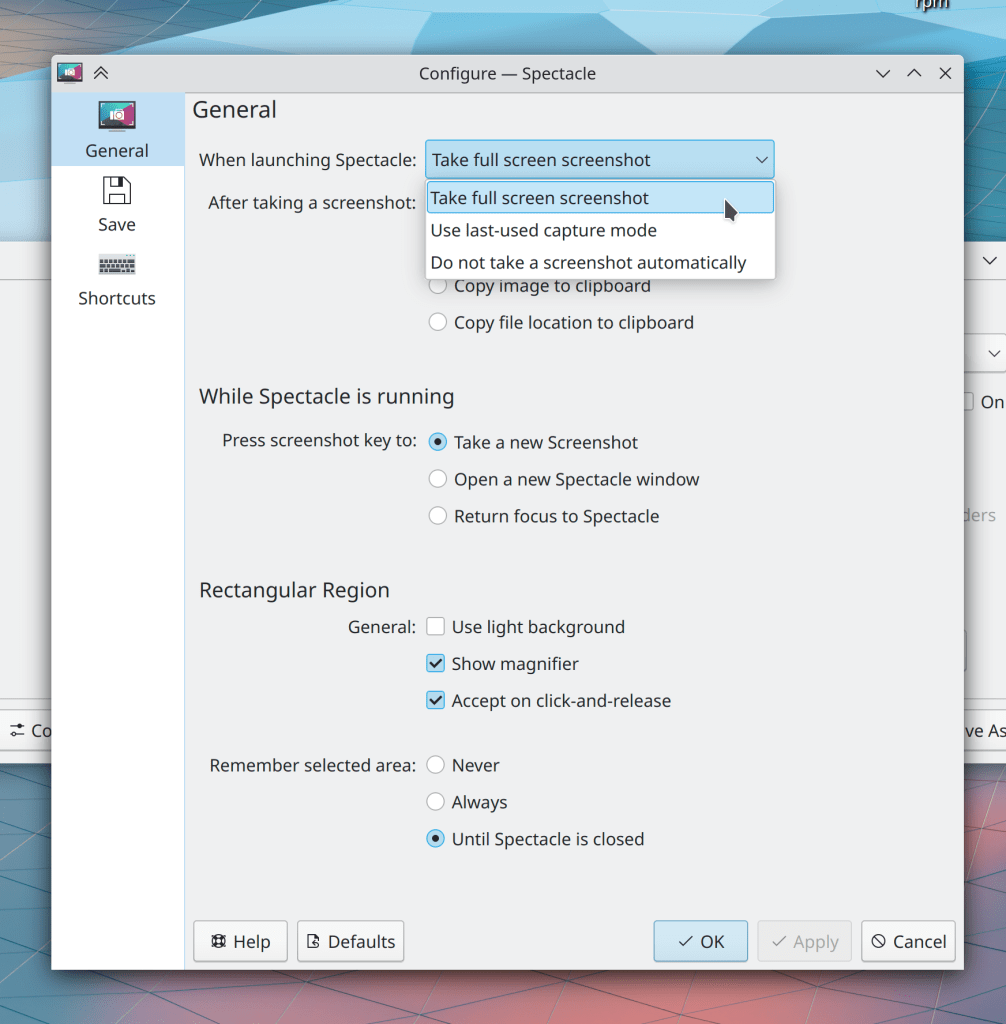
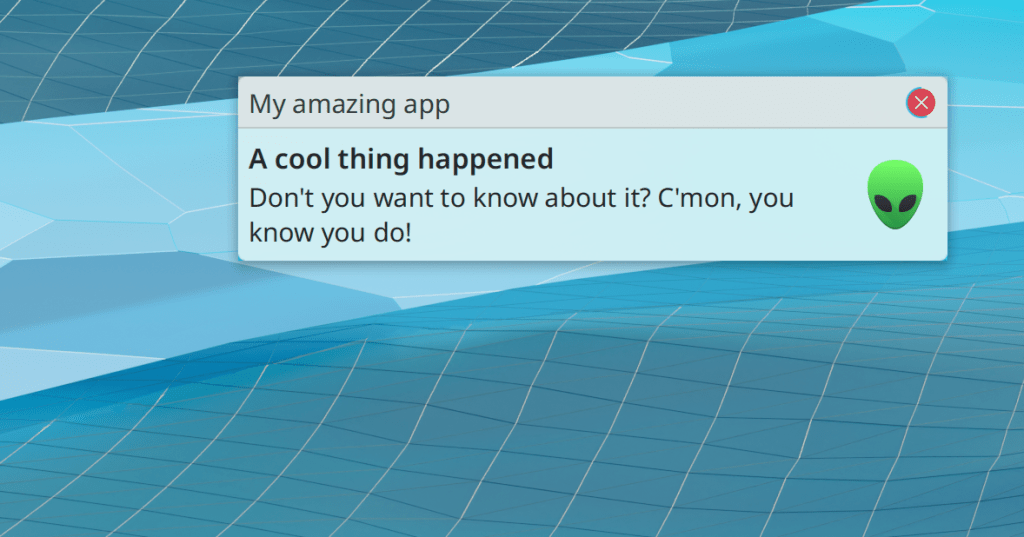
Spectacle’s notifications about screenshots you took using a global shortcut no longer display duplicate text (Antonio Prcela, Spectacle 21.12)
The “big focus rings” feature in Plasma 5.24 has been backported to Plasma 5.23, as it solves a number of focus-related bugs and issues and has proven stable so far (Noah Davis, Plasma 5.23.3)
The standard Kirigami placeholder icon for an image that is unavailable or still loading no longer looks like the Windows logo (Aleix Pol Gonzalez, Frameworks 5.88)
…And everything else
Keep in mind that this blog only covers the tip of the iceberg! Tons of KDE apps whose development I don’t have time to follow aren’t represented here, and I also don’t mention backend refactoring, improved test coverage, and other changes that are generally not user-facing. If you’re hungry for more, check out https://planet.kde.org/, where you can find blog posts by other KDE contributors detailing the work they’re doing.
How You Can Help
Have a look at https://community.kde.org/Get_Involved to discover ways to be part of a project that really matters. Each contributor makes a huge difference in KDE; you are not a number or a cog in a machine! You don’t have to already be a programmer, either. I wasn’t when I got started. Try it, you’ll like it! We don’t bite!
Keep in mind that this blog only covers the tip of the iceberg! Tons of KDE apps whose development I don’t have time to follow aren’t represented here, and I also don’t mention backend refactoring, improved test coverage, and other changes that are generally not user-facing. If you’re hungry for more, check out https://planet.kde.org/, where you can find blog posts by other KDE contributors detailing the work they’re doing.
How You Can Help
Have a look at https://community.kde.org/Get_Involved to discover ways to be part of a project that really matters. Each contributor makes a huge difference in KDE; you are not a number or a cog in a machine! You don’t have to already be a programmer, either. I wasn’t when I got started. Try it, you’ll like it! We don’t bite!
Two big features landed this week: support for fingerprint readers and the NVIDIA driver’s GBM backend!
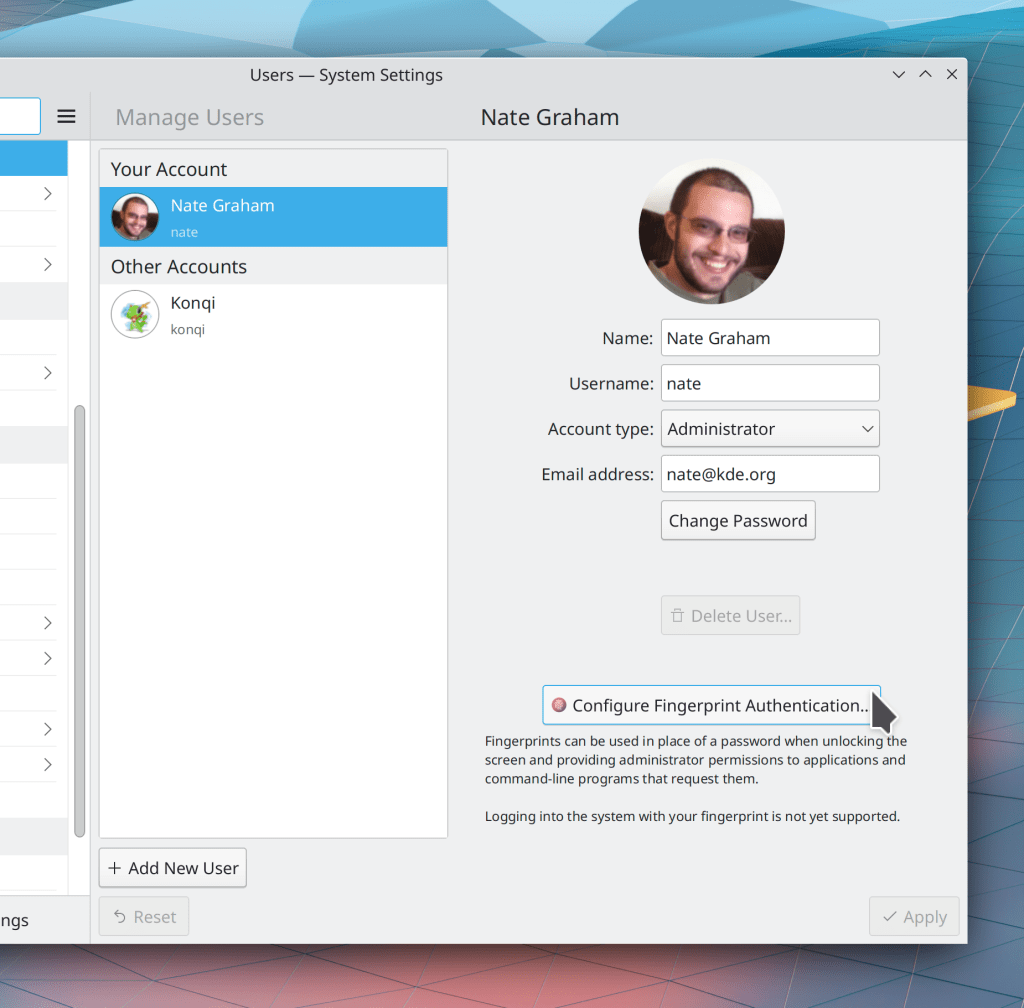
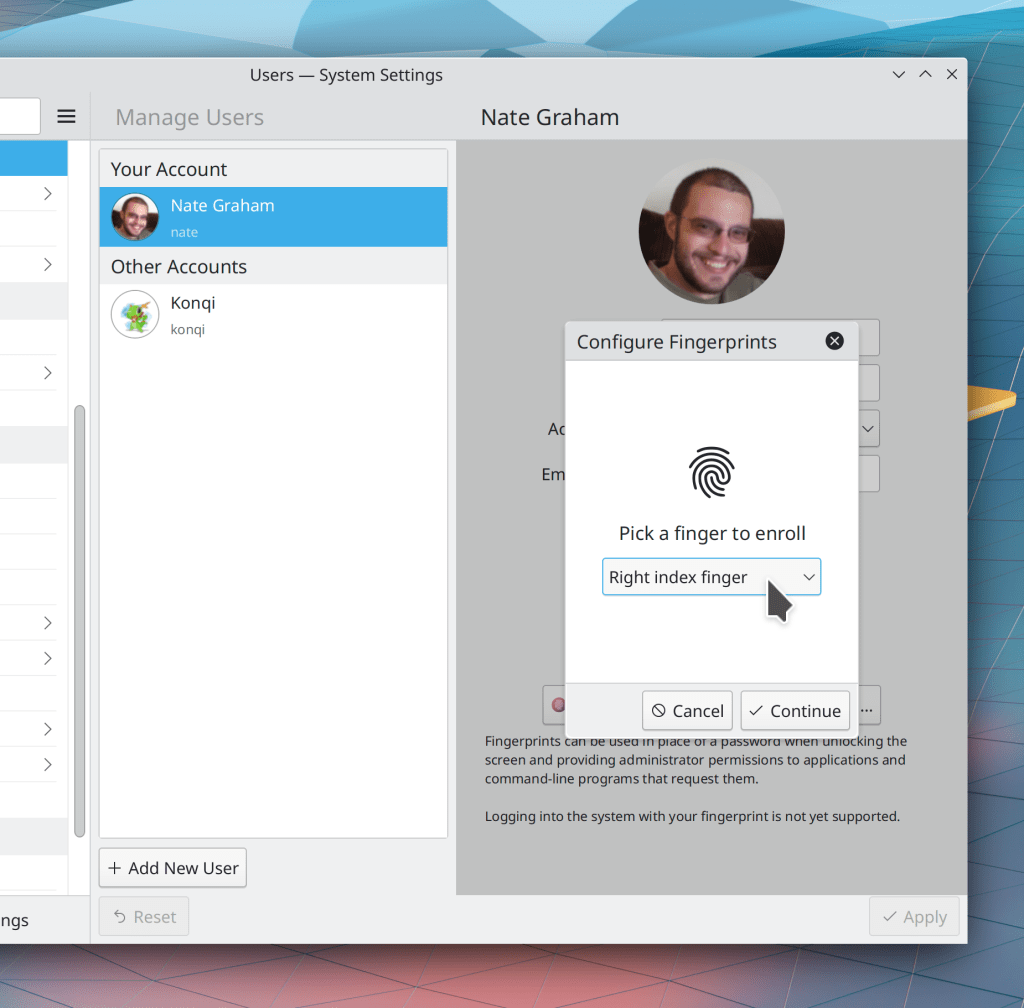
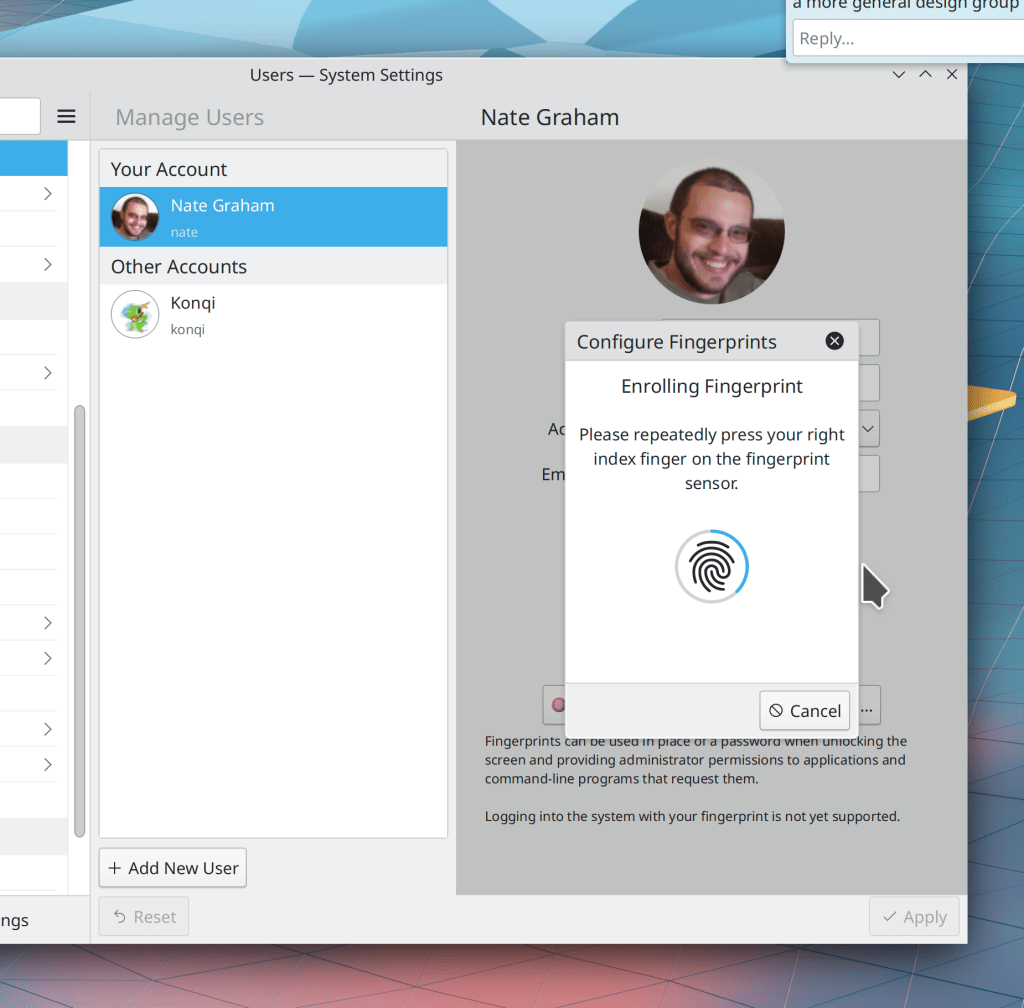
Fingerprint support has been in progress for quite some time thanks to Devin Lin, and this week, it was merged for Plasma 5.24! So far we let you enroll and de-enroll fingers, and any of those fingers can be used to to unlock the screen, provide authentication when an app asks for your password, and also authenticate sudo on the command line! It’s really cool stuff.
In addition, a truly titanic number of bugfixes were made this week. We have now addressed most of the issues people have found with Plasma 5.23! Here are the remaining ones which are confirmed and don’t have active work to fix them. Working on these would be a great way for any developers reading along to make a big difference quickly!
When the Desktop context menu is showing both the “Delete” and “Add to Trash” actions (because both are enabled in Dolphin, as it context menu gets synced with the desktop context menu), both once again work (Fabio Bas, Plasma 5.23.2)
The Shift+Delete shortcut to permanently delete items on the desktop once again works (Alexander Lohnau, Plasma 5.23.2)
In the Plasma Wayland session, idle time detection (e.g for determining when to lock the screen to put the computer to sleep) now works more properly (Vlad Zahorodnii, Plasma 5.24)
Keep in mind that this blog only covers the tip of the iceberg! This week it was quite a big tip, but the whole iceberg is still much bigger. Tons of KDE apps whose development I don’t have time to follow aren’t represented here, and I also don’t mention backend refactoring, improved test coverage, and other changes that are generally not user-facing. If you’re hungry for more, check out https://planet.kde.org/, where you can find blog posts by other KDE contributors detailing the work they’re doing.
How You Can Help
Have a look at https://community.kde.org/Get_Involved to discover ways to be part of a project that really matters. Each contributor makes a huge difference in KDE; you are not a number or a cog in a machine! You don’t have to already be a programmer, either. I wasn’t when I got started. Try it, you’ll like it! We don’t bite!
…But after you read this post, I bet you’ll want to jump straight to Plasma 5.24 already! A lot of good keyboard navigation and Discover-related work was done this week, as well as loads of bugfixes.
New Features
Skanlite now supports scanning to PDF! (single page only at this point; Skanpage supports multi-page PDF scan, though) (Alexander Stippich, Skanlite 21.12)
Logging in using the login screen’s “Other…” page where you can enter a username and password once again works (me: Nate Graham, Plasma 5.23.1, and distros should be backporting it immediately)
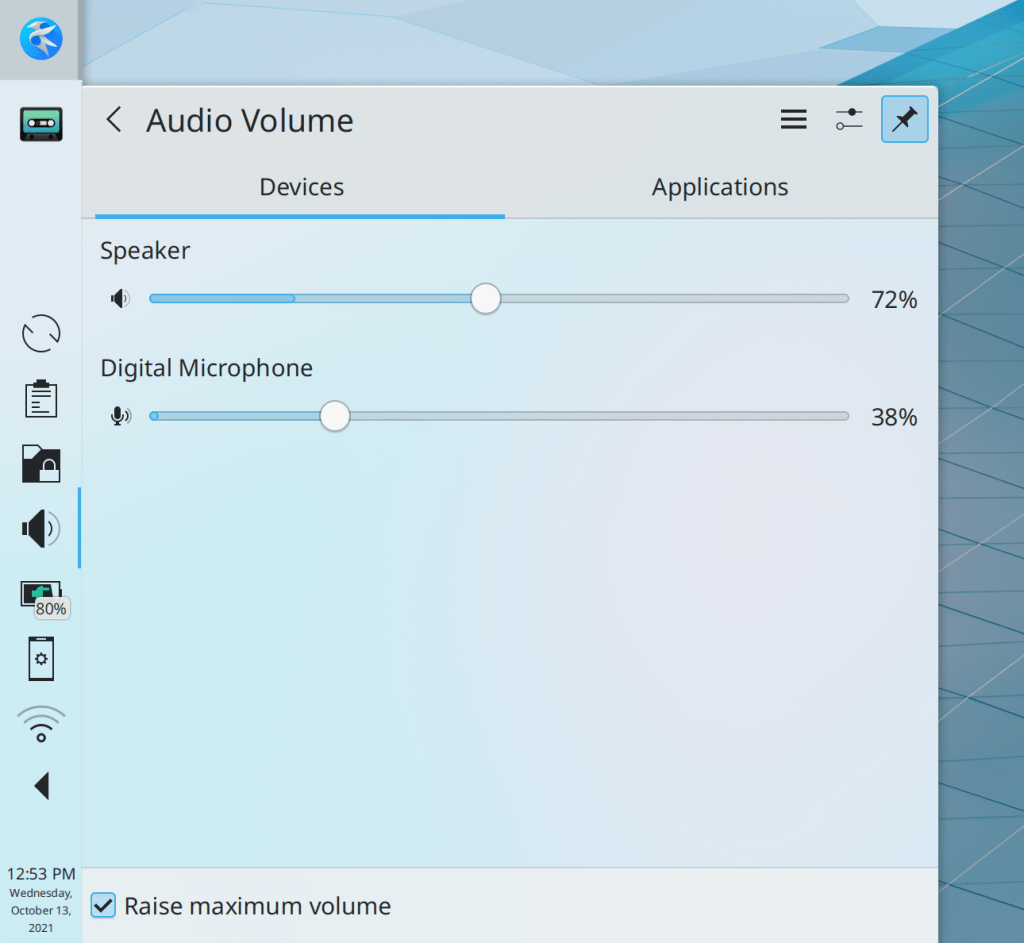
Volume sliders in the Audio Volume applet once again have a background; two different colors are used to distinguish the maximum volume level from the volume of the currently-playing or recording audio (Tanbir Jishan, Plasma 5.24):
Keep in mind that this blog only covers the tip of the iceberg! Tons of KDE apps whose development I don’t have time to follow aren’t represented here, and I also don’t mention backend refactoring, improved test coverage, and other changes that are generally not user-facing. If you’re hungry for more, check out https://planet.kde.org/, where you can find blog posts by other KDE contributors detailing the work they’re doing.
How You Can Help
Have a look at https://community.kde.org/Get_Involved to discover ways to be part of a project that really matters. Each contributor makes a huge difference in KDE; you are not a number or a cog in a machine! You don’t have to already be a programmer, either. I wasn’t when I got started. Try it, you’ll like it! We don’t bite!
If you’re here for just the KDE-specific stuff, feel free to skip this post.
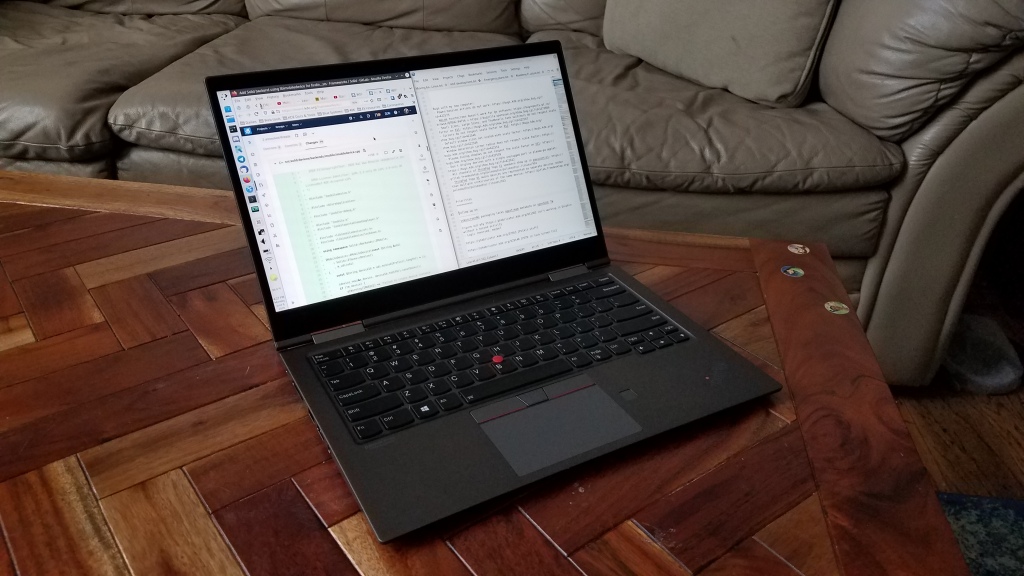
I used to have a desktop and a laptop. But in the end I found that having only a single machine greatly simplified everything and increased my productivity. This is it:
The biggest problem was always keeping files in sync.
Assuming you’re more than just a consumer of online content, you probably have local files for things that are important to you: school work; in-progress projects; creative pursuits; family photos; a personal music collection; source code repos; saved memes–you name it. With more than one computer, you need to figure out a way to keep these files in sync, and good solutions are elusive.
Cloud services are expensive and may compromise your privacy. Free non-cloud local sync services only work when both machines are on the same network. Any FOSS versions of these are unfortunately buggy and a chore to set up and maintain. Even if your chosen sync solution works perfectly (which it never does), you have to deal with the headaches of:
Inevitable sync conflicts
The set of files on one computer exceeding the storage capacity of another one
A necessary delay before you can work on files which the sync service is still updating after you turn on a computer that was turned off while changes were made on another computer
Resisting the temptation to pause syncing when something goes wrong, because you will forget to turn it back on, causing each computer’s files to drift out of sync and making reconciliation that much harder later
If you opt to forgo sync services and instead store common or shared files on a server (say, music or movies), this worsens the problem because now you have an additional location of files to manage, and you acquire the challenge of how to either safely access the files when not on the server’s local network, or automatically keep cached local copies in sync.
Giving up and keeping differing sets of files on each computers defeats one of the advantages of having multiple computers, and makes file management a real nightmare because you will somehow never have the file you want on the computer you happen to be using at any given time.
There’s just no good way out here, at least not that I’ve found.
In the end I settled on using a single computer–a powerful, top-of-the-line laptop. This can do everything a desktop can do–albeit more slowly–but it has the portability I need for travel and working from multiple locations. Interestingly, one really nice laptop that doesn’t need an external screen, mouse, or speakers turns out to be generally cheaper than two decent computers with all their associated peripherals. The only problem is finding one, because the range of high-end PC laptops kind of stinks, unfortunately. More on that tomorrow.
In honor of KDE’s impending 25th birthday tomorrow, here are 25 ways you can get involved to help make KDE software the best in the world!
Be kind. Most KDE people are either volunteers, or paid employees who work on KDE stuff far beyond their working hours. These folks put their heart and soul into KDE, and often the most impactful thing you can do is to express appreciation to someone you see going above and beyond the call of duty. Be positive, not negative. KDE is made by people with feelings, like you!
File a bug report for every problem you encounter! You might be surprised by how many people don’t do this, and assume that KDE’s developers are already aware of your issue. We become aware through bug reports!
Subtly advocate for FOSS in general and KDE software specifically to the people in your social circle who depend on you for technical advice and support. Don’t be pushy, but make it clear you’re willing to help them migrate once they get sick of Windows, macOS, software that’s riddled with ads or tied to a paid subscription, and proprietary file formats that lock you into one app. Admit it, you’re the nerd who your friends and and family rely on! Your words have power! Use it wisely. 🙂
Help a local school or small business install a Plasma distro on aging hardware so they don’t need to buy new stuff at high cost!
Start contributing in your distro of choice to help them integrate KDE software better, ship a more appropriate set of default applications, update old themes which have drifted out of sync with what they were forked from, and so on!
Answer KDE users’ user questions on social media and help people get the most out of KDE software!
Review merge requests in projects you’re familiar with. This is an under-appreciated but very important way to contribute, even if you don’t consider yourself a technical expert. But you can test the changes to see if they work as described, and I bet you can also spot misspellings, obvious code errors, and weird user interfaces that could stand to be improved!
Improve documentation–especially if you used the documentation and found something wanting. The best candidate to fix bad documentation is someone who just read it and found problems with it or didn’t find it as helpful as it would have been!
Help manage stuff. KDE is desperately in need of “big picture people” capable of seeing things from a 10,000 foot view and helping strategically important work move towards completion!
Be nice to other FOSS projects. We may be here for KDE, but GNOME is a good project too. There’s room for more than just one, and in fact healthy competition between projects is a good thing! Do don’t hate on GNOME if you’re a KDE person. They do a lot of things right and they produce quality software. Be a good ambassador!
Start a local KDE user group. You might make some new friends and discover more local users of KDE software than you thought!
Volunteer at your local school or university to teach students about programming or the importance of software freedom–with a KDE tilt, of course! 😉
Attend Akademy, KDE’s yearly conference. Eventually it will be an in-person event again, and let me tell you, it’s a lot of fun to spend several days around members of your digital tribe!
Install Plasma on as many of your home devices as possible! Experience more freedom, as well as testing more esoteric use cases. This is valuable because there is only so much hardware the core developers can test again, we rely on our users to provide reports about problems with the full diversity of what’s available out there!
Don’t sweat it if things aren’t perfect–like this list of 25 things that basically ends at 24. 🙂
Linus Sebastian of Linus Tech Tips recently did a long-form chat about the Steam Deck and Linux in general. A major complaint was that Linux is too hard to install, and this gets to the heart of why I believe pre-installing our software on devices like the Steam Deck is so important.
The truth is that Linus is right; a Linux-based OS is too hard to install. Only huge nerds can manage it or even have the courage to try in the first place, and it’s easy to be overwhelmed in the process. But let’s face it: this would be the case for Windows or macOS as well. Imagine if every computer was bought as an empty shell and the user needed to choose an operating system, research compatibility, flash a USB drive with the selected OS or buy a DVD or something, and then install it. You think grandma is gonna do that? I don’t think so. How about a busy professional? Forget it.
The only way this works is if the OS comes pre-installed on the physical hardware that people can buy. Then the overwhelming selection process and the technical fiddliness are gone, and people can just start using what they bought. …Like they can when they get a Steam Deck, which comes with Plasma. Or one of the other devices with Plasma pre-installed.
Pre-installation is the only way to grow Plasma out of the clubhouse of the uber-nerds like us. Which means we need to focus on the kinds of issues that are barriers to vendors wanting to ship their hardware with Plasma, or to regular people using the system normally.






 Adventures in Linux and KDE