
One of the many benefits of going to in-person sprints is you get to see how other people use their computers, and you can learn some workflow tricks from them. Or, you might notice areas of inefficiency and share tips of your own.
This post will be about the latter, on the subject of email.
Because during the sprint, I observed multiple people using email on their laptops in ways that are slow or ineffective:
- Logging into webmail in a web browser
- Switching between multiple webmail sites to manage multiple email accounts
- Clicking on buttons in the webmail UI to delete or reply to messages
If you recognize yourself here, there’s a better way, I promise. 🙂 And I’d like to help you achieve it!
Back in 2024, I wrote about my email workflow and offered some general tips for managing email overload in KDE. I’m going to write more in depth about this topic, today starting with…
Use an email client app.
KDE has one: KMail. If it works well for you, use it! If it doesn’t, use Thunderbird instead, it’s fine. Don’t feel guilty for not using a piece of KDE software. Nobody’s gonna excommunicate you from KDE! I’m officially giving you permission.
Maybe you use an email client on your desktop but haven’t set one up on your travel laptop yet? Well, it’s time!
Because the important part is to consistently use an email client app of some sort. Why?
Way better for multiple accounts
Most of us have 2 or more email accounts. With webmail, this becomes a pain that scales linearly with the number of accounts.
With an email client app, you can manage multiple accounts’ worth of emails in one UI. When all your accounts are managed from one app, your brain doesn’t need to learn and remember multiple UIs, and and opening new email accounts doesn’t scale the mental burden at all.
Faster to use
An email client app lets you interact with emails using learnable and consistent keyboard shortcuts. Processing emails this way is super fast, so you can get done quickly and go back to something useful. Email sucks; life’s too short to waste time on it.
Easier to access
You can access the email client app easily using the Task Switcher, Overview, or Alt+Tab, rather than letting those webmail tabs get buried among your 75 normal browser tabs and 10 pinned tabs.
Easier to leave email mode
Quit the email client app when you want to stop receiving emails.
For webmail, you’re tempted to leave it open in a tab forever, which means to avoid being constantly tortured with email notification, you’ll have to turn them off entirely, so you stop noticing emails when they arrive. This is problematic for the “keep my email open all day” approach where the whole point is being able to action new emails immediately so they don’t pile up.
Using an app that can be turned off also facilitates being a “check email once a day” kind of person, if that’s your jam. Open the app, check your email, action the important ones, delete or archive all of them, then close the app. You can carve out 5-20 minutes for email, be free of email for the rest of the day, and still keep on top of everything!
Using good tools is enjoyable
Imagine trying to manage versions or debug code without git or gdb. It would take ages and the results wouldn’t be as good. Proficiency with these tools makes you feel like a bird soaring above the clouds or a wizard effortlessly wielding powerful magic, not some clod stumbling around in the mud.
Email clients are the same way. Learn powerful tools to bolster your professional skills and feel better about the process of participating in KDE, not just the outcomes.
The Thunderbird email client is the foundation of my email system. In conjunction with other techniques — which I briefly described in the earlier post and will flesh out in more detail over the coming weeks — this is currently my email situation:
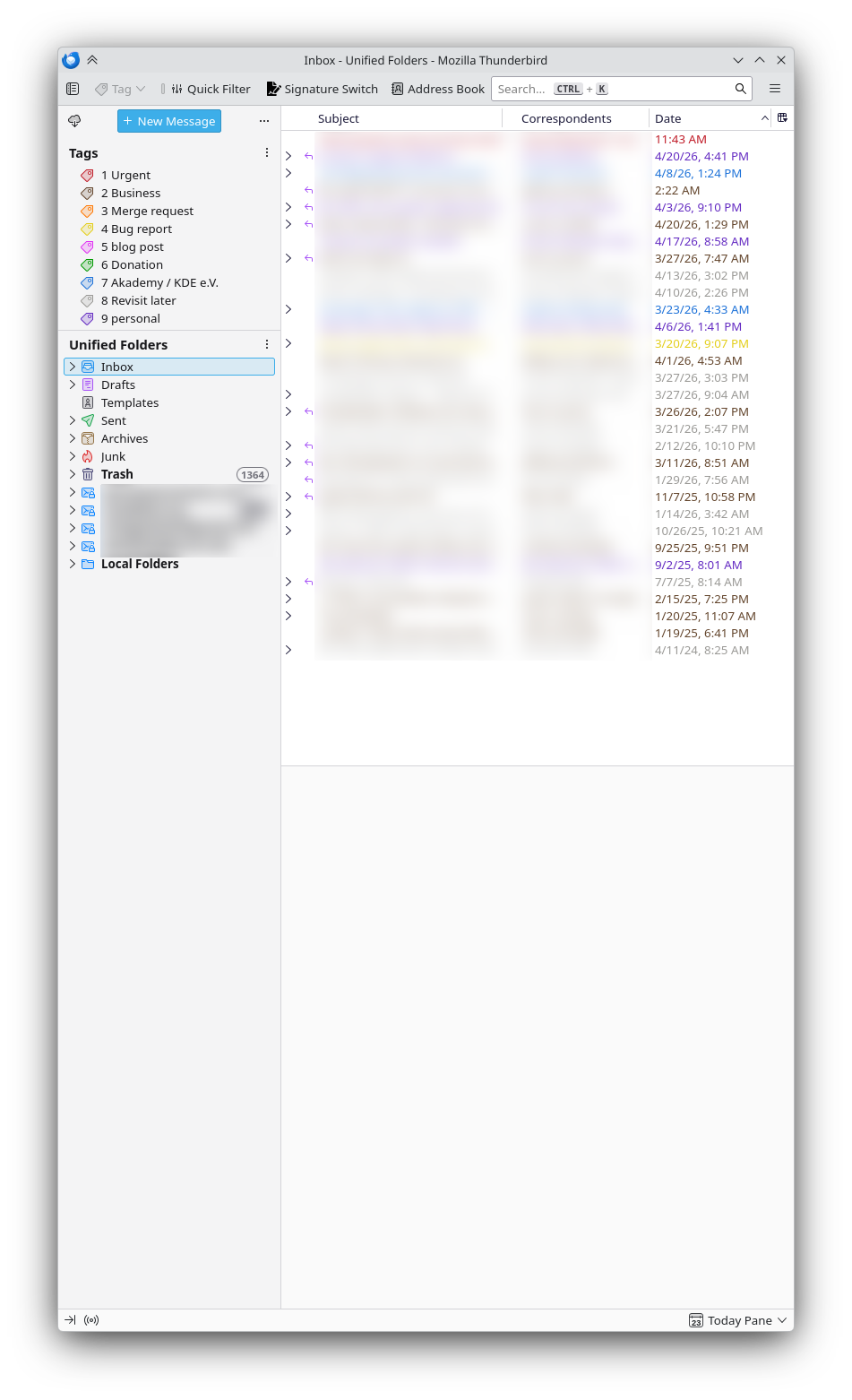
Those are all of my emails across 5 accounts. Here are just my KDE emails:
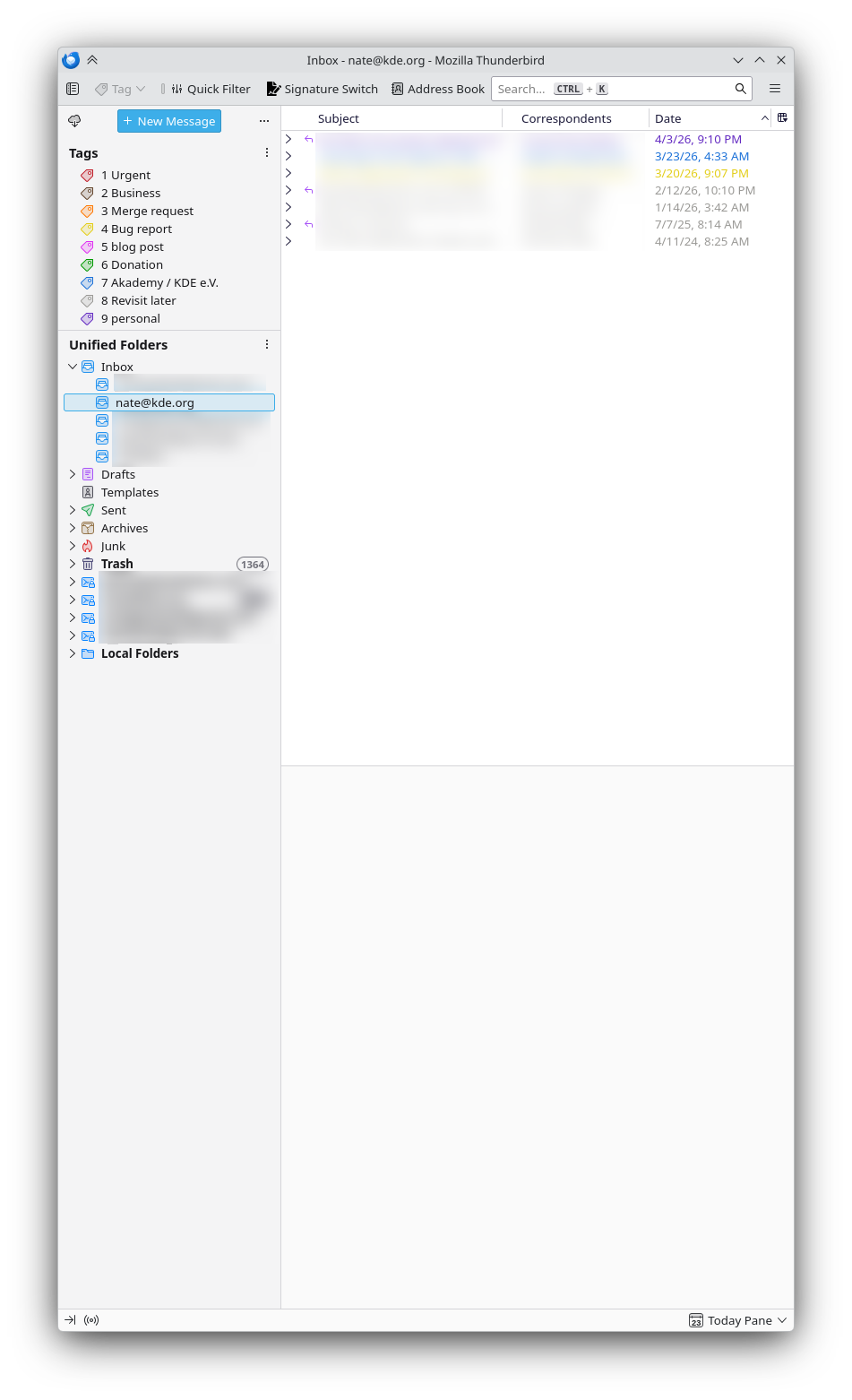
As you can see, this is completely manageable. It takes practically no effort to keep it this way, and there’s no feeling of dread when checking emails in the morning. If you’re drowning in email, you can get here too, I promise.
It starts with using an email client. If you aren’t regularly using one yet, it will take some up-front work, and some re-training, but it’s worth it: you’ll spend less time and mental resources on email and more of it on what actually matters — without taking the easy path of neglecting email and being perceived as a person who’s hard to contact or unreliable.
So get started today with KMail or Thunderbird!
 Adventures in Linux and KDE
I am also using Thunderbird, endet using Kmail when the KDE4-version came out. Many bugs. Since then, I know, things have improved and once a year I check, if it is usable again. But every time, it is not ready for me yet. The main issued I remember: I have quite a few folders with many, many mails and when switching between folders, I can not instantly work in that folder. It does not take ages, but it is not good for a workflow. Otherwise I think Kmail is better. Many things are there out of the box, where I need plugins in Thunderbird which break from time to time with updates. And the integration in KDE is not good.
I really hope that Kmail becomes better, so that I can leave Thunderbird again.
LikeLiked by 1 person
Major problem in KDE Plasma after switching to Wayland has been how get Thunderbird or any email notifications.
At least a few months ago https://github.com/gyunaev/birdtray did not work and the native 5 seconds pop-up is just nonsense.
In KDE Plasma, in addition of getting email notifications I personally had trouble having reliable calendar notifications from Kalendar (I don’t know if Mercuro is working reliably these days).
KMail… althought I have a MSc degree in engineering – I have never managed to get it working. It seems to require a professional programmer skills….
After 15 years of using Plasma is switched to Gnome for these reasons.
Wayland, oh Wayland…. and KDE Plasma
Your greatest fan from Finland for 15 years,
Sami Saarinen
P.S.
I studied at Helsinki University at the same time as Linus Torvalds created Linux 1.0 at the same uni.
I add here:
Birth words of Linux
https://groups.google.com/g/comp.os.minix/c/dlNtH7RRrGA/m/SwRavCzVE7gJ
and birth words of KDE Plasma
https://groups.google.com/g/de.comp.os.linux.misc/c/SDbiV3Iat_s/m/zv_D_2ctS8sJ?pli=1
LikeLike
I get system notifications from Thunderbird about unread messages just fine? It’s always worked out of the box for me on Plasma.
LikeLike
as an addition:
On Monday, August 26, 1991 6:12:08 PM UTC+12, Linus Benedict Torvalds wrote:
> Hello everybody out there using minix –
>
> I’m doing a (free) operating system (just a hobby, won’t be big and
> professional like gnu) for 386(486) AT clones. This has been brewing
> since april, and is starting to get ready. I’d like any feedback on
> things people like/dislike in minix, as my OS resembles it somewhat
> (same physical layout of the file-system (due to practical reasons)
> among other things).
>
> I’ve currently ported bash(1.08) and gcc(1.40), and things seem to work.
> This implies that I’ll get something practical within a few months, and
> I’d like to know what features most people would want. Any suggestions
> are welcome, but I won’t promise I’ll implement them 🙂
>
> Linus (torv…@kruuna.helsinki.fi)
>
> PS. Yes – it’s free of any minix code, and it has a multi-threaded fs.
> It is NOT protable (uses 386 task switching etc), and it probably never
> will support anything other than AT-harddisks, as that’s all I have :-(.
LikeLike
Nothing big,
just a hobby
LikeLike
Hey, just a heads up, there is a bug at the end of this post:
The hyperlink you have for Thunderbird leads to a “Page not found”.
LikeLike
Looks like WordPress doesn’t like `appstream://` links.
Changed them to link to Thunderbird’s page on Flathub.
LikeLike
https://www.thunderbird.net/en-US/thunderbird/all/
LikeLike
I love using Thunderbird to handle email too!
You mentioned the idea that someone might have such a setup on a desktop, but not on a travel laptop – do you have a particular way that you like to set up Thunderbird for such a situation, like some fancy tool or script to keep the devices in sync? Or, do you just manually setup all accounts on each device, and let them each sync back to the servers?
LikeLike
I actually don’t have a travel laptop; I only use one computer and it’s a laptop. When I’m at home, I dock it to a large external monitor and a bunch of devices.
But I know many KDE developers prefer having a powerful desktop computer as their primary machine, and only use laptops when traveling. So those laptops can end up a bit neglected from the workflow efficiency setup standpoint.
If your email accounts use IMAP (most do these days) the email state across the email clients of multiple machines will remain in sync.
LikeLiked by 1 person
Hi Nate, I was thinking of implementing your system, thanks for the reminder. BTW, did you ever revisit KMail? It’s super powerful.
LikeLike
I never managed to. I ran into enough bugs during the setup process that it spooked me and didn’t continue, and no developers ever reacted to the issue I opened about my experiences.
I’m not comfortable using software at that level of polish without any engagement from the developers so that I can at least get a sense of forward momentum on the topic. So I stuck with Thunderbird.
LikeLiked by 2 people
I just did and I was blown away how far its come from when I last tested (see my comment below). Going to switch to it going forward.
LikeLiked by 1 person
After spending quite a bit of time with KMail and resolving almost every other issue, I’ve just hit a show stopping problem I can’t seem to find a solution for. There seems to be no way to sync mail tags between clients over IMAP like Evolution and Thunderbird have?
LikeLike
Sorry, wish I could help with tags, I am not a user of them.
LikeLike
Like Nate I’m a big advocate of using a proper email client instead of webmail. Unfortunately its something thats got harder and harder over the years as webmail has gained in popularity and email clients have dwindled in popularity.
After much testing (and I know this sounds crazy) but even though I’m a Neon user and a big KDE/Plasma fan, I ended up using Gnome Evolution for mail. It appears to be basically the most complete and functional offering …or at least it was at the time of testing.
I’ve tried KMail multiple times in the past but it always seemed to be lacking key features I needed and appeared rather incomplete. However I’m well overdue so thanks to Nates prompt I’m going to give it another go.
Before I switched to Evolution I used Thunderbird for many many years, even going back to my Windows days in the early 2000’s! However one day I just got so fed up with bugs/crashing and user interface changes which seemed to only make the user experience worse I went looking for something else. However like KMail its been many years since I tried Thunderbird so I will give it another go.
LikeLiked by 1 person
The one gripe I have with Evolution is its insistence on adding two dashes and a newline before the signature. This renders it unusable for business email. There is supposed to be dconf setting not exposed in the UI, but I had no success toggling it in the sandboxed Flatpak app.
LikeLike
Yeah its not without issue.
Up until recently its been locking up plasmashell for extended periods as it hangs the copy paste buffer (plasmashell now has a workaround for this) and for some reason it also manages to make Chrome lock up during right click which I’ve never managed to figure out but I’m guessing its related to the same copy paste buffer issue.
One of the reasons I need to check out KMail and Thunderbird again is Evo on KDE is a niche combo which causes issues.
LikeLike
Massive respect to the KMail developers!!!I’ve just retried it after a few years and its come on hugely, this is now a fantastic application!
OK the defaults of not using HTML emails are a bit weird in 2026 but I kinda get where thats come from historically. But in the true KDE style this is all completely configurable and its turned into what is a great flexible application, even working with my gmail account.
I will changing over to this going forwards….
LikeLiked by 2 people
My personal experience is quite different: While I use all sorts of mail clients depending on the situation (Aqua on my phone, Nextcloud mail in the browser), KMail is my central mail app that I use on my workhorse laptop.
No other mail application allows me to delete and move mails with just a few keystrokes. KMail’s feature to press “m” to move a mail and then type a few letters to find the desired folder and press Enter is really unique. There is an add-on for Thunderbird that comes close to this functionality, though. I depend on being able to sort mails into folders quickly.
I just wish KMail would receive some love from some developer who has the knowledge and time to work on the app. For example, HTML mail is a reality nowadays, but KMail is really bad at handling HTML mails: formatting gets distorted whenever I forward or respond to an HTML mail. For this reason, I frequently find myself switching to Vivaldi browser’s built-in mail app every now and then (because the browser is pretty much running all the time anyways).
Unfortunately, I am do not have the skills to improve KMail myself…
LikeLiked by 1 person
P.S. Prompted by Nate’s post, I am currently giving Thunderbird another try. It works quite well, although it takes much more time than KMail to display a given e-mail (for whatever reason), and it is not as integrated into the Plasma ecosystem as KMail. Anyways, as I wrote, I am used to using multiple e-mail clients on different types of devices, now I am even using two clients on my laptop 🙂 and yes, there’s absolutely no point in debating which client is the best. Nonetheless, I always find it interesting to hear about other power users’ experiences.
LikeLike
My intention here was not to stir up a debate over which email client is the best one. They all have pros and cons; you should use whichever one works for you! As long as you use one at all, that’s the important part.
LikeLiked by 1 person
Yeah for sure but I have to say its nice to see peoples experiences as email client discussions are rare these days.
LikeLike
what I would REALLY LIKE, was to be able to use Kontact (with Kmail, then) over the whole business!!!
But for that Kontact would need to work not only on Linux but also on windows (because we need and use both)!!!
(….Kontact is so much fun and complete than thunderbird!!!!)
Sadly that’s in some development hell for many many years!!!
Way before Thunderbird was given a new life…
It seems we really have to keep using thunderbird instead….🙁
LikeLike
Sad to see that not even a KDE developer can make KMail work correctly. To be honest I don’t like Thunderbird so much and I would be happy to switch to KMail, but KMail is so hard… Reading comments on this post, I’m not the only one having problems with kmail 🙂
I think this should be food for thought for the developers. I will never criticize anyone that create a software for free and I can only say Thank You to them, but I hope they can make KMail more user friendly in the future.
LikeLike
I’ve had periods of time where KMail wasn’t working for me, and those have been sad times where I’ve all but given up on keeping up on my email! While I’ve evangelized Thunderbird successfully at work for the Windows users, I experience too much friction with it to be able to use it consistently myself—I always find myself shying away.
Luckily for me, it seems to be fine these days, but I’ve yet to make the leap to KDE 6 [laughs nervously]
LikeLike