
This is a big one, folks. Plasma 6.2’s soft feature freeze is now in effect, which means the last few features have just been merged! Now we’ll have six weeks of heavy bug-fixing before the final release in October. If you’re an industrious sort, the time to live on git master and report bugs is now! Current git master is completely suitable for daily driving.
And we’ve already been focusing on QA for a while, so new bug reports take priority — both triaging them and fixing them. Over the past few months, we’ve succeeded in dropping plasmashell’s total number of bug reports to 1022, the lowest in several years. And the number of unconfirmed bug reports is currently down to 301, the lowest since late 2015! Triaging and fixing bugs is a priority, and we’re promptly triaging all new Plasma new bug reports daily. Our goal is to push the number of unconfirmed bug reports under 200 by the end of September.
So please do submit bug reports for any issues you encounter; it’s not a black hole. If you’ve complained about bugs on social media recently and haven’t reported them on https://bugs.kde.org, fix that today! Do it! Do it now!
…But first check out the final Plasma 6.2 features; I think they’re pretty awesome. It’s gonna be a big release, full of useful stuff!
Notable New Features
It’s now possible to block apps from inhibiting sleep and screen lock, if you don’t like the fact that they do so (Natalie Clarius, Plasma 6.2.0. Link):

Newly installed Plasma widgets are now shown at the top of the grid view and badged with “New!” for one hour, so it’s easy for you to find them right after installing them (Niccolò Venerandi, Plasma 6.2.0. Link):

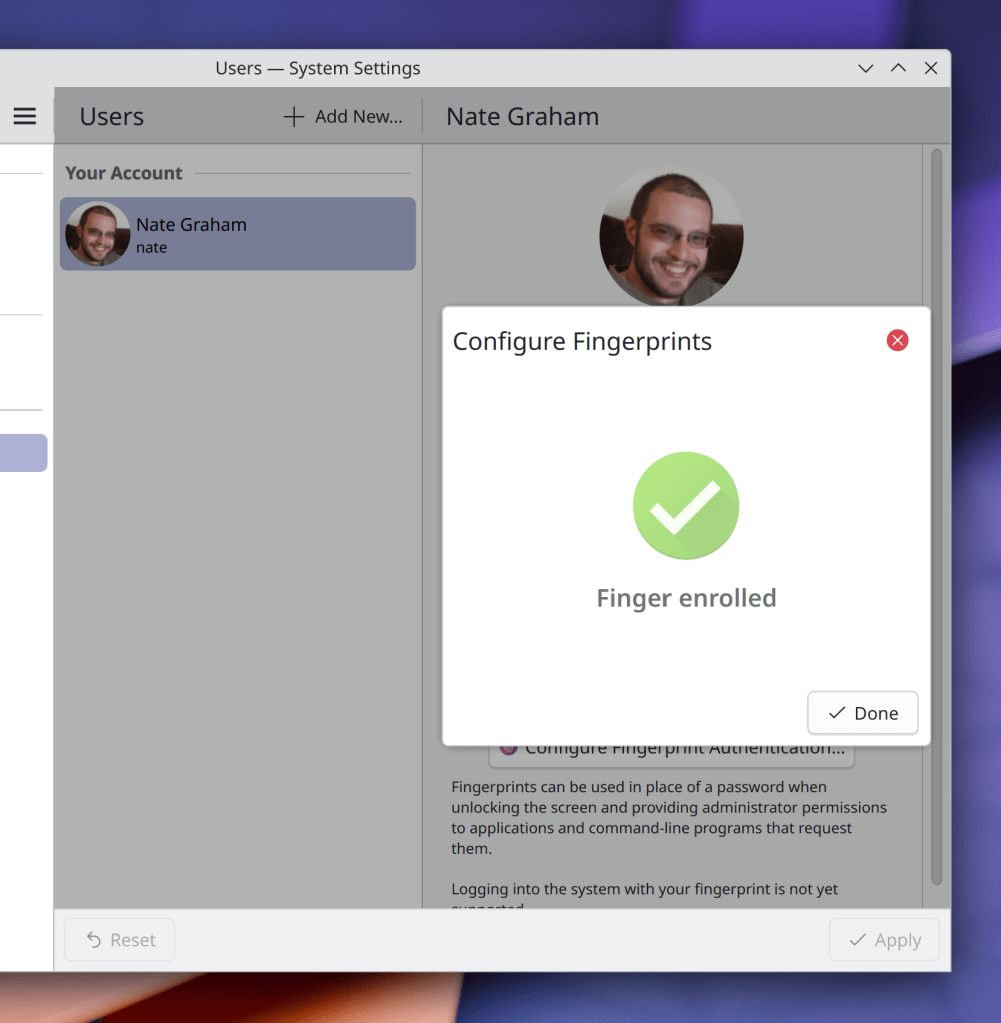
While choosing a custom image for a user avatar on System Settings’ Users page, you can now crop the image if needed (someone going by the Pseudonym “Kuneho Cottonears”, Plasma 6.2.0. Link):

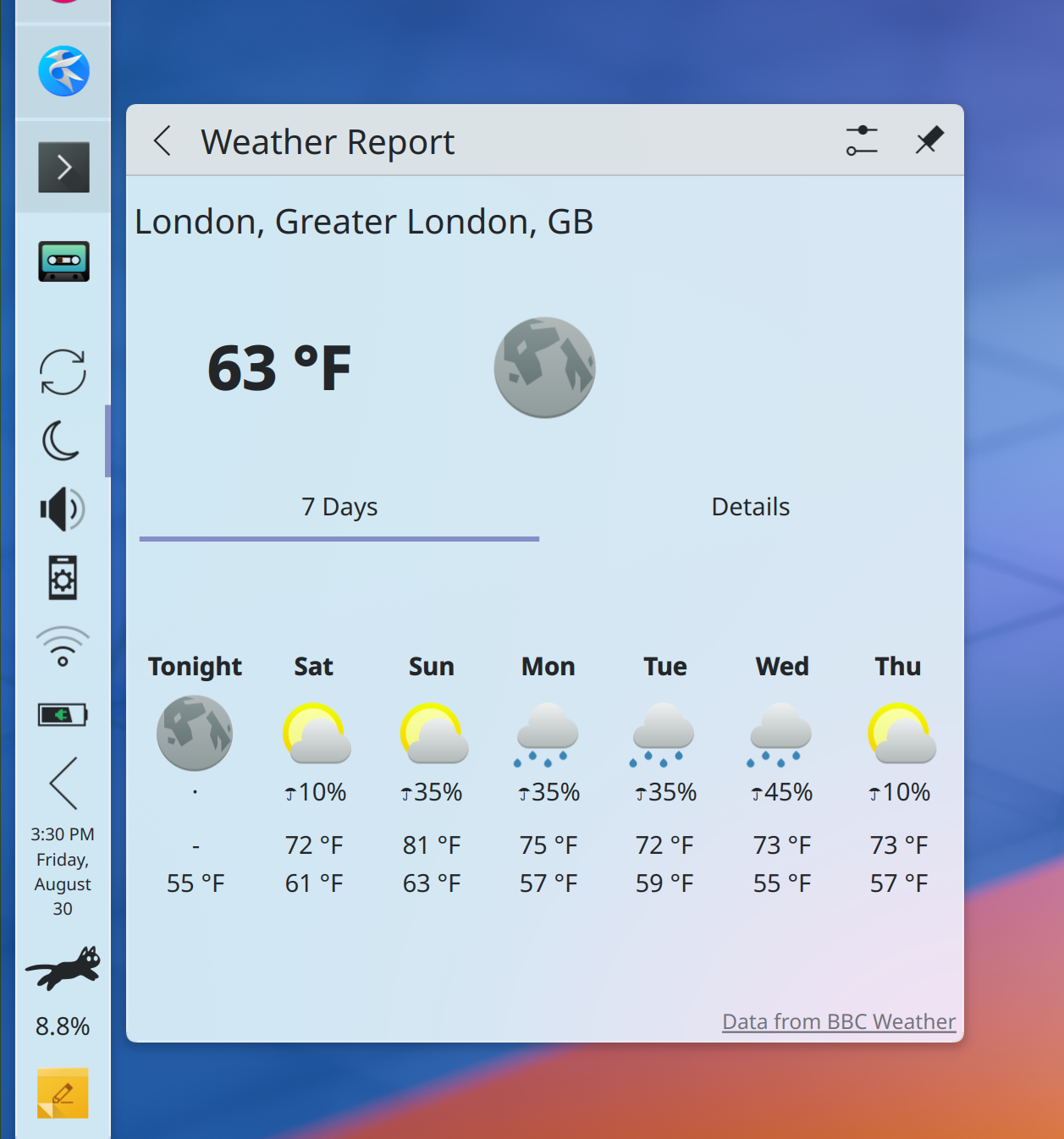
Added support for 7-day weather forecasts and “chance of precipitation” data for BBC UK Met weather stations shown in Plasma’ Weather widget (Ismael Asensio, Plasma 6.2.0. Link):
Discover now gently guides you in the direction of writing better reviews for non-proprietary apps (me: Nate Graham, Plasma 6.2.0. Link):
Added a yearly notification to ask for donations; see this week’s earlier post for more details (TL;DR: optional, once per year, you can permanently disable it) (me: Nate Graham Plasma 6.2.0. Link)
The plasma-apply-wallpaperimage tool now has a --fill-mode option, mirroring the existing GUI option for this, but now in a scriptable form (Heitor Augusto Lopes Nunes, Plasma 6.2.0. Link)
Notable UI Improvements
Due to popular demand, KWin’s Overview effect once again shows a linearized representation of two-dimensional virtual desktop layouts (e.g. 2×2, 3×3, etc) on the primary view, rather than hiding them entirely (Blazer Silving, Plasma 6.2.0. Link)
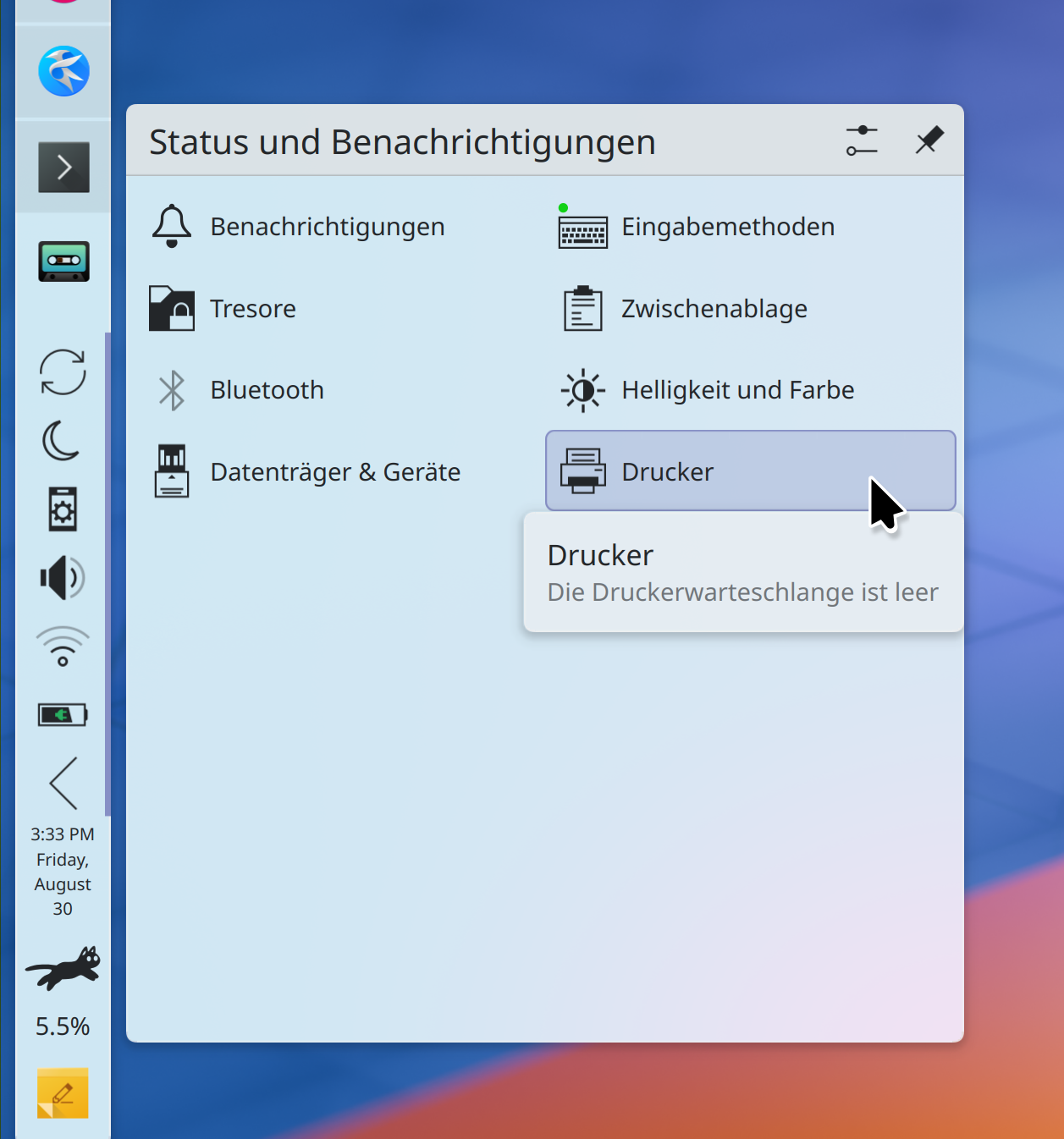
Plasma’s System Tray now uses a better grid layout for the expanded view that leaves more space for text, which is especially important for languages like German and Russian. The new layout saves space, too (me: Nate Graham, Plasma 6.2.0. Link):
The settings for KWin’s colorblindness correction effect now live in the logical place where you’d expect to find them: on System Settings’ Accessibility page! (Thomas Duckworth, Plasma 6.2.0. Link):
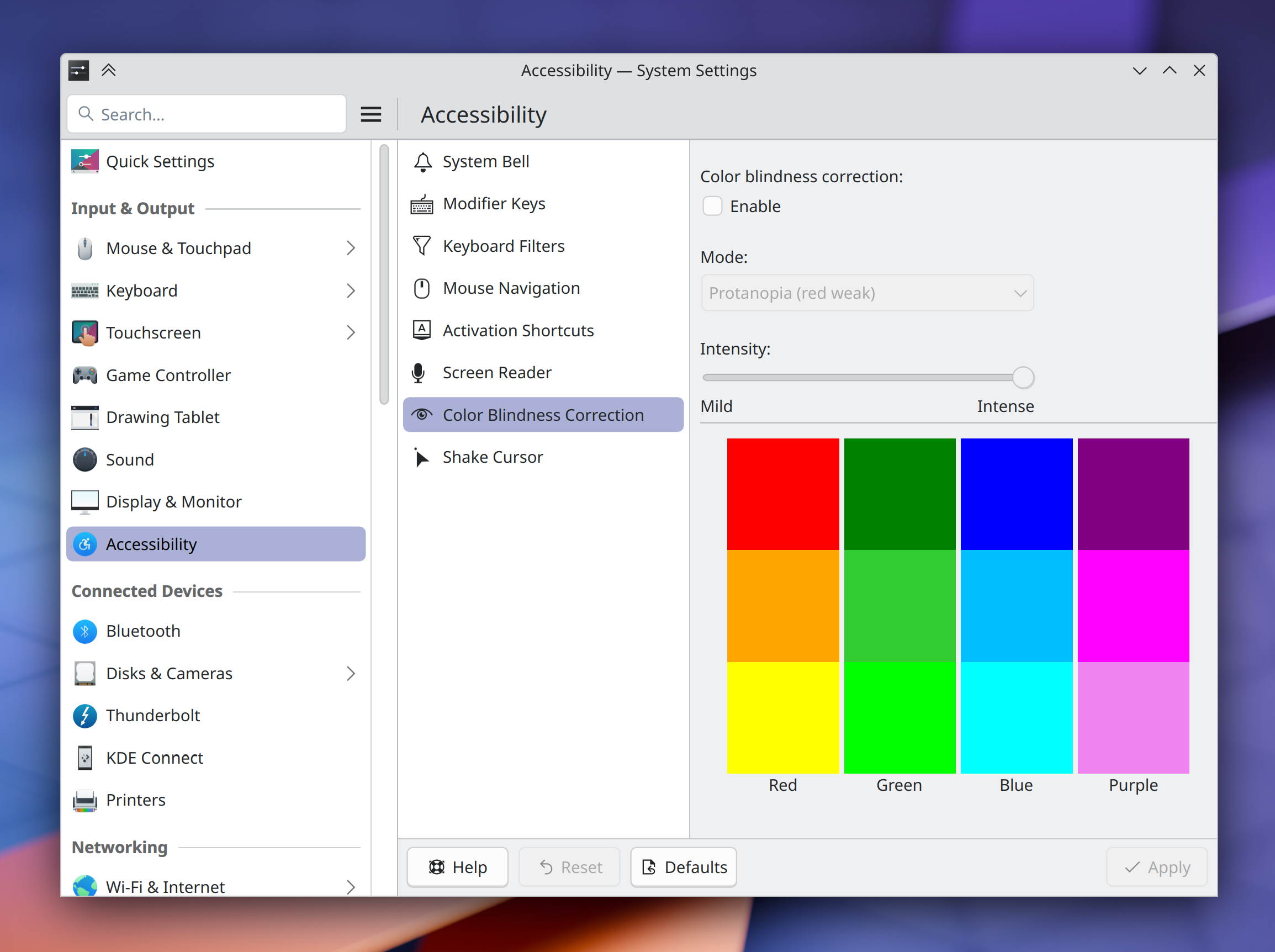
Overhauled the UI of System Settings’ Accessibility page in a lot of little ways to make it actually be more… accessible! (Thiago Sueto, Plasma 6.2.0. Link)
Plasma’s “Minimize All” widget now only minimizes and unminimizes windows on the current virtual desktop and activity, rather than all windows everywhere (Christoph Wolk, Plasma 6.2.0. Link)
If you enter global edit mode, and then from there enter a panel’s own edit mode, closing the panel’s configuration window now simply returns you to the global edit mode, rather than exiting from that too (Niccolò Venerandi, Plasma 6.2.0. Link)
The error message shown when manually installing a Plasma widget fails is now more descriptive, and tells you the actual error so you can troubleshoot it (Nicolas Fella, Plasma 6.2.0. Link)
Made a pass over many areas of Plasma and System Settings to align text and labels with our Human Interface Guidelines’ best practices (Christoph Wolk, Plasma 6.2.0. Too many merge requests to list TBH, so check them all out here!)
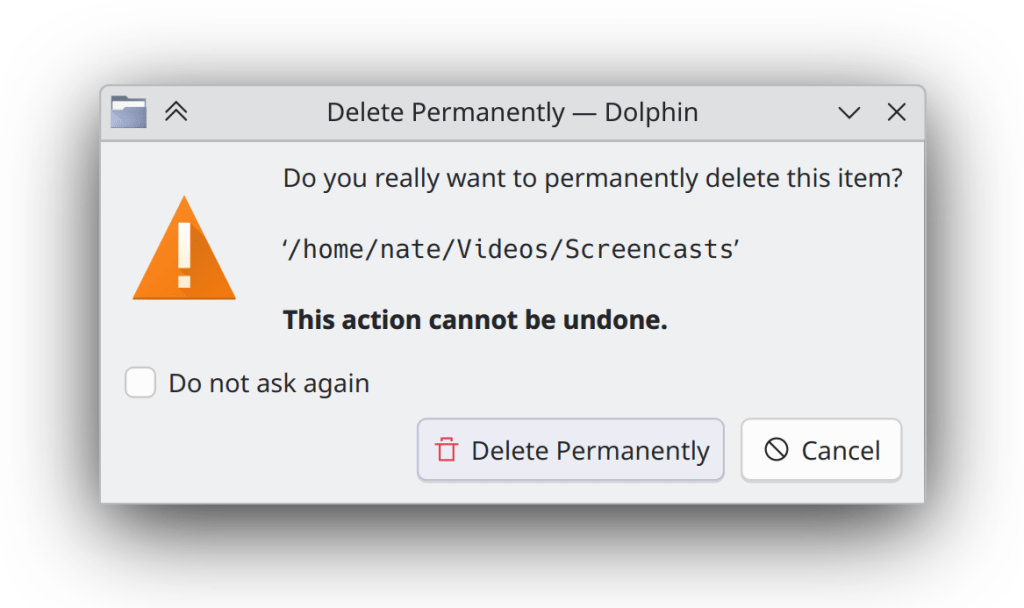
Dialog windows throughout KDE software have new icons again — this time they look nicer and more Breeze-styled (Kai Uwe Broulik, Frameworks 6.6. Link):
Notable Bug Fixes
Fixed a nasty issue that could cause corruption in files on SFTP servers that were edited by opening them from Dolphin in an app and then saving changes (Ser Freeman, kio-extras 24.12.0. Link)
Changing the system’s Global Theme now also changes the colors of any recolorable GTK apps, just like you’d expect (Michael Weghorn, Plasma 6.1.5. Link)
Performing a multi-finger touch swipe/gesture on your touchscreen no longer messes up Plasma and gets it caught in a weird limbo state (Marco Martin, Plasma 6.1.5. Link)
Fixed a recent regression in Plasma’s desktop file/folder view that could cause items to snap back to their previous locations after being dragged somewhere else (David Edmundson, Plasma 6.2.0. Link)
Job progress notifications shown by Plasma no longer let any buttons’ text get cut off in languages where words and phrases are long; now, the popups expand horizontally a bit to make room (Arjen Hiemstra, Plasma 6.2.0. Link)
Fixed two issues in Plasma’s Emoji Selector app seemingly caused during the Plasma 6 port that caused it to lose its prior selection highlight effect, and always copy the first item in the search results view rather than the selected one (Akseli Lahtinen, Plasma 6.2.0. Link 1 and link 2)
Substantially reduced the glitchiness of the tooltips for items in the expanded view of Plasma’s System Tray (me: Nate Graham, Plasma 6.2.0. Link)
Fixed a glitch that could cause the Maliit virtual keyboard to be mis-positioned when using any vertical panels (David Edmundson, Plasma 6.2.0. Link)
When Plasma’s Folder View widget is placed on a panel, its popup can now be resized to smaller than its default size (me: Nate Graham, Plasma 6.2.0. Link)
It’s no longer possible to break System Settings quite terribly by opening a “Get New [thing]” window and then closing System Settings’ own main window (Harald Sitter, Frameworks 6.6. Link)
Other bug information of note:
- 2 Very high priority Plasma bugs (down from 3 as last week). Current list of bugs
- 33 15-minute Plasma bugs (down from 36 last week). Current list of bugs
- 149 KDE bugs of all kinds fixed over the last week. Full list of bugs
Notable in Performance & Technical
Substantially improved performance in Discover in multiple ways: launch time, time to load the UI, time to load icons, and smoothness of scrolling through long lists (Harald Sitter, Plasma 6.2.0. Link 1, link 2, link 3, link 4, and link 5)
Discover now behaves more sensibly and only shows one authentication prompt when asked to update multiple Flatpak apps in an environment with hardened security for Flatpaks, as in openSUSE distros (Harald Sitter, Plasma 6.2.0. Link)
Installing a font now places it, by default, in a standardized location (e.g. ~/.local/share/fonts/rather than the legacy location (~/.fonts/), which means that sandboxed apps will be able to find and use them as expected (David Edmundson, Plasma 6.2.0. Link)
…And Everything Else
This blog only covers the tip of the iceberg! If you’re hungry for more, check out https://planet.kde.org, where you can find more news from other KDE contributors.
How You Can Help
So yeah, like I said, please test Plasma from current git master and open bug reports about issues you find. Another path is to help triage bug reports that the first crowd will be opening. Ask for more information, make them actionable, move them where needed! And of course, help fix triaged and confirmed bug reports.
Otherwise, visit https://community.kde.org/Get_Involved to discover other ways to be part of a project that really matters. Each contributor makes a huge difference in KDE; you are not a number or a cog in a machine! You don’t have to already be a programmer, either. I wasn’t when I got started. Try it, you’ll like it! We don’t bite! Or consider donating instead! That helps too.
 Adventures in Linux and KDE
Wooh! A lack of inhibition inhibition inhibits my slumber no more!
LikeLike
Wow, so many great new features and fixes, you’re all hitting it out of the park!
LikeLiked by 1 person
Incredible work from all contributors.
LikeLiked by 1 person
In my experience, reporting RTL bugs is a worthwhile endeavor. Although it may take some time, the issues are eventually resolved.
LikeLike
I’m curious about the cat widget on the panel—what is it?
LikeLike
It is the CatWalk widget, it shows the system’s CPU usage.
LikeLiked by 1 person
CatWalk, a CPU activity indicator. Nate has already been talking about it few months ago, and since then, this same cat hasn’t quit my dock (and has been sleeping most of the time).
LikeLike
What happened to the manual block option, it’s not visible in the screenshot?
Also I have to admit, I’ve liked the slider checkbox more. The buttons look a bit too much out of place to me and are inconsistent with the Notification’s “DND” and Brightness’ “Night light’s suspend” options.
LikeLike
The manual block option is still there, just hidden under the popup menu in my screenshot.
I’m not also 100% satisfied with these buttons, but the UI is quite complex now, definitely more than just what a simple switch can manage. There’s also a chance for change in the future if someone can come up with something that’s better than what we have now.
LikeLike
The manual block button is still there! In the screenshot, it’s hidden behind Nate’s popup menu 🙂
LikeLike
Whoops, didn’t reload the page for an hour and promptly Nate has replied already. Anyway.
One thing I could see happening is perhaps to relegate the per-inhibition blocks into a contextual action menu, i.e. shorten the button into a single triple-dot icon button and always put the “Unblock” actions into its popup menu. The manual block can still remain prominent as it is right now, perhaps with a return to switch controls we could even make it possible to lock sleep and screen locking independently?
I might take another stab at it when looking at representing sleep and screen locking inhibitions independently from each other. To users, sorry about the extra visual complexity – this here is the most consistent-yet-useful way we were able to get done while still bringing the feature into 6.2.
LikeLike
is 6.2 here already?!?!
Such great stuff!!!
(I think you may have missed this, however: https://bugs.kde.org/show_bug.cgi?id=484057 or maybe you reported earlier and I don’t remember…)
Nate, sorry for bringing this up (but it’s something I believe could solve some problems…): how is that “Reset Plasma” feature? You have any news about it that you can share?
it was once “almost there” but that was a long time ago…
LikeLike
I did miss that one. Looks like it’s still broken from Discover though. I opened a new bug report about that: https://bugs.kde.org/show_bug.cgi?id=492455
LikeLike
It probably doesn’t get said enough, but thank you, to you and all the Plasma/KDE team. You matter and you make such a difference, across the globe. As a desktop, and a platform, Plasma is incredible, and it’s thanks to the dedication and drive to keep making it the best. Thanks for being so responsive to feedback and requests. Keep up the great work!
LikeLiked by 1 person
Thanks so much for the kind words! We try hard to make our little corner of the world a better place.
LikeLike
I liked the addition of the New label in the Widget panel, but in my opinion, the green was not good, it harmed the contrast with the text, I think yellow (F7BE31) would look visually better, it would solve the contrast problem with the text, the label would have a better highlight and would maintain a coherence in the design, since changes in system settings are signaled with a circle of similar color. Maybe replace the pill shape with a rectangle with rounded corners, it also matters the design harmony of Plasma.
LikeLike
Yellow isn’t generally a color we use. We do have an orange color, but that’s used for warnings. Green or blue (positive or highlight colors) are the correct ones to use here. I agree that the text contrast isn’t ideal, though. That’s fixable.
LikeLike
looking forward to get Discover with he performance fixes onto my computer. When starting Discover the old screen content remained in the window for a couple of seconds. Quite unusual for KDE and hopefully fixed in 6.2. Thanks Harald!
LikeLike
> someone going by the Pseudonym “Kuneho Cottonears”
How do you know that’s a pseudonym? There was a Nigerian president whose name is “Goodluck Jonathan” for example.
LikeLike