
This week a lot of work that has been in progress for weeks got merged! So check out the free goodies! And isn’t that amazing? Free stuff day after day, week after week. No price tag, no ads, no spying, no activation, no subscription, no nonsense. Just good work donated to the public. And not only from KDE, but the software stack we rely on, the distributions that make our software available, and on and on! We really live in an amazing time, folks.
New Features
By default, Dolphin now selects everything in a folder when you double-click on its view background, and also lets you configure it to do other things instead–up to and including running custom terminal commands! (George Florea Bănuș, Dolphin 24.08. Link)

Elisa now lets you shuffle the playlist contents by album, not just by track (Bart De Vries, Elisa 24.08. Link)
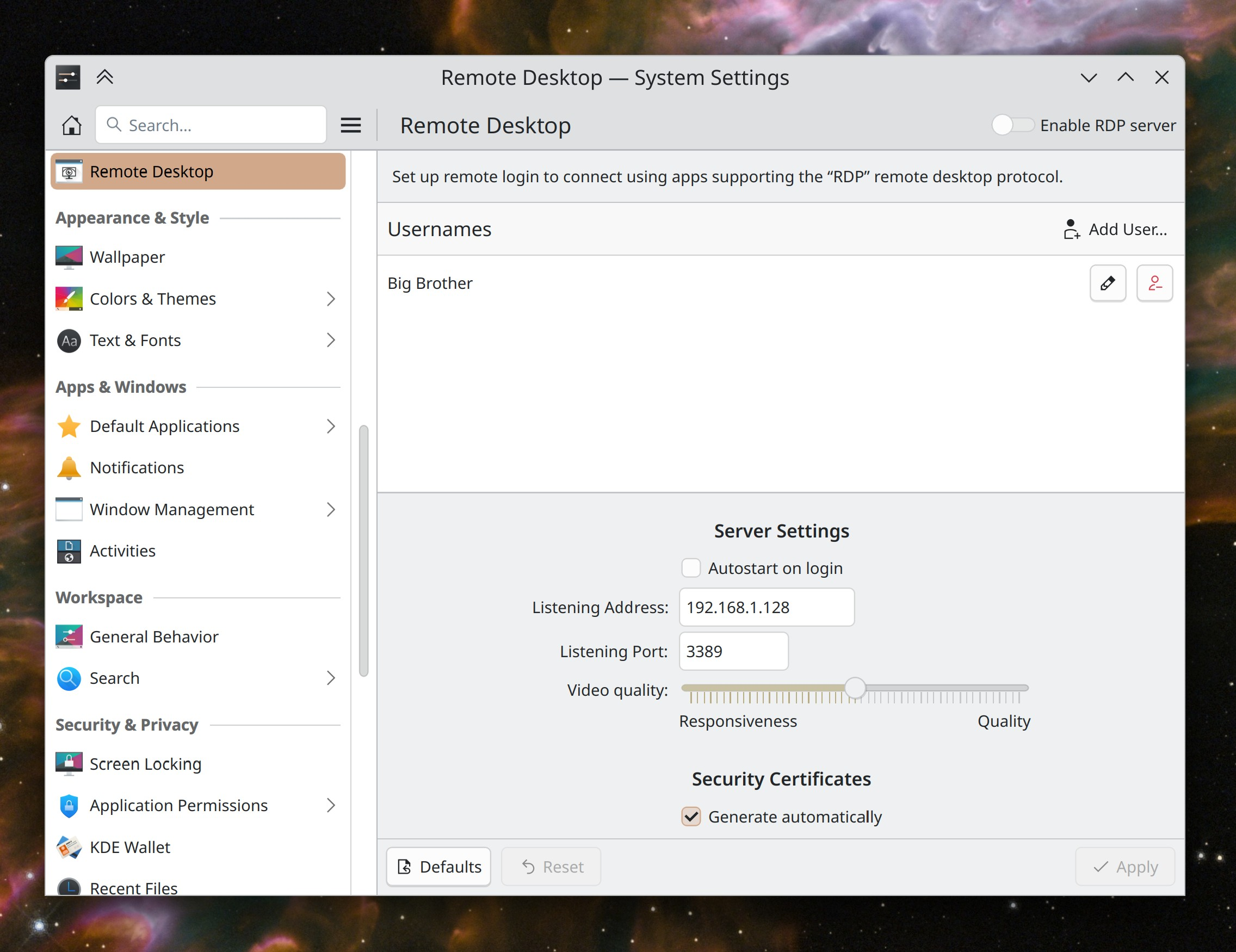
System Settings now features a page where you can turn on and configure remote login based on the Remote Desktop Protocol (Akseli Lahtinen and me: Nate Graham, Plasma 6.1. Link 1 and link 2)
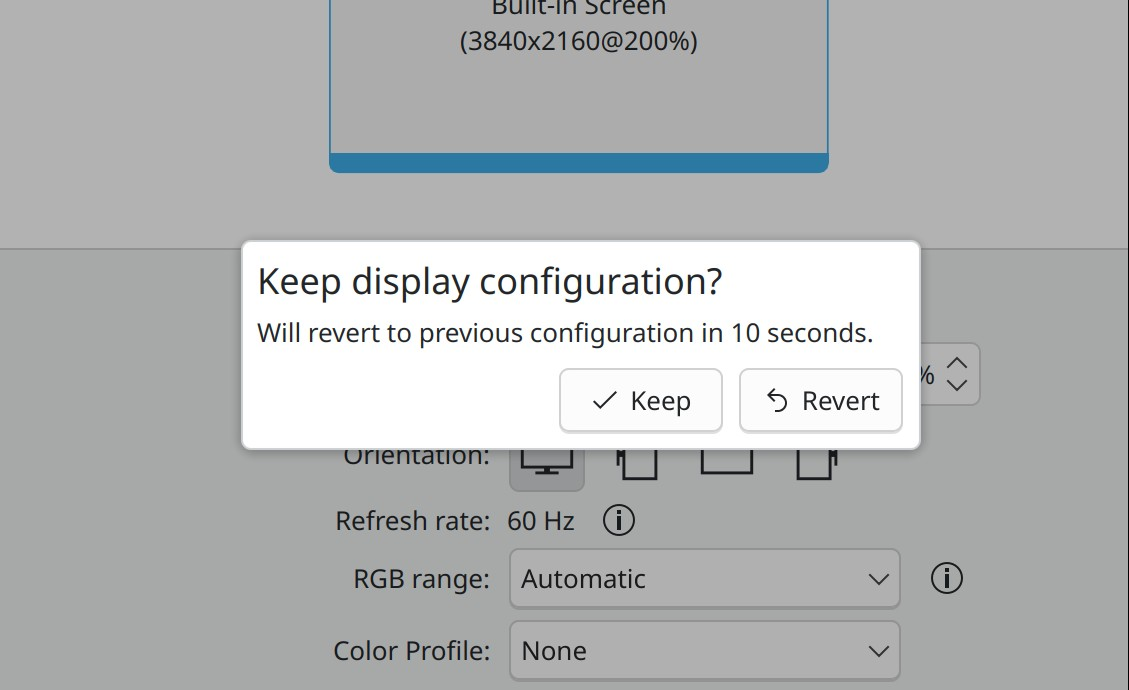
On Wayland, KWin can now be configured to pull color profile information from the monitor’s EDID metadata where present. Note that color profile information in EDID metadata is often wrong, so use this setting with caution. The feature includes inline help text to make you aware of this, too. (Xaver Hugl, Plasma 6.2. Link 1, link 2, link 3, and link 4)
UI Improvements
It’s now more obvious how you end a screen recording in Spectacle: the “currently recording” icon it shows in the System Tray now animates to get your attention a bit more, and Spectacle also sends a system notification to tell you about it (Noah Davis, Spectacle 24.08. Link)
When the clock disappears on Plasma’s lock screen, the cursor does too, which makes it possible to use the screen locker as a true screensaver if you give it a wallpaper plugin that has some kind of animated effect (Someone amazing, Plasma 6.0.4. Link)
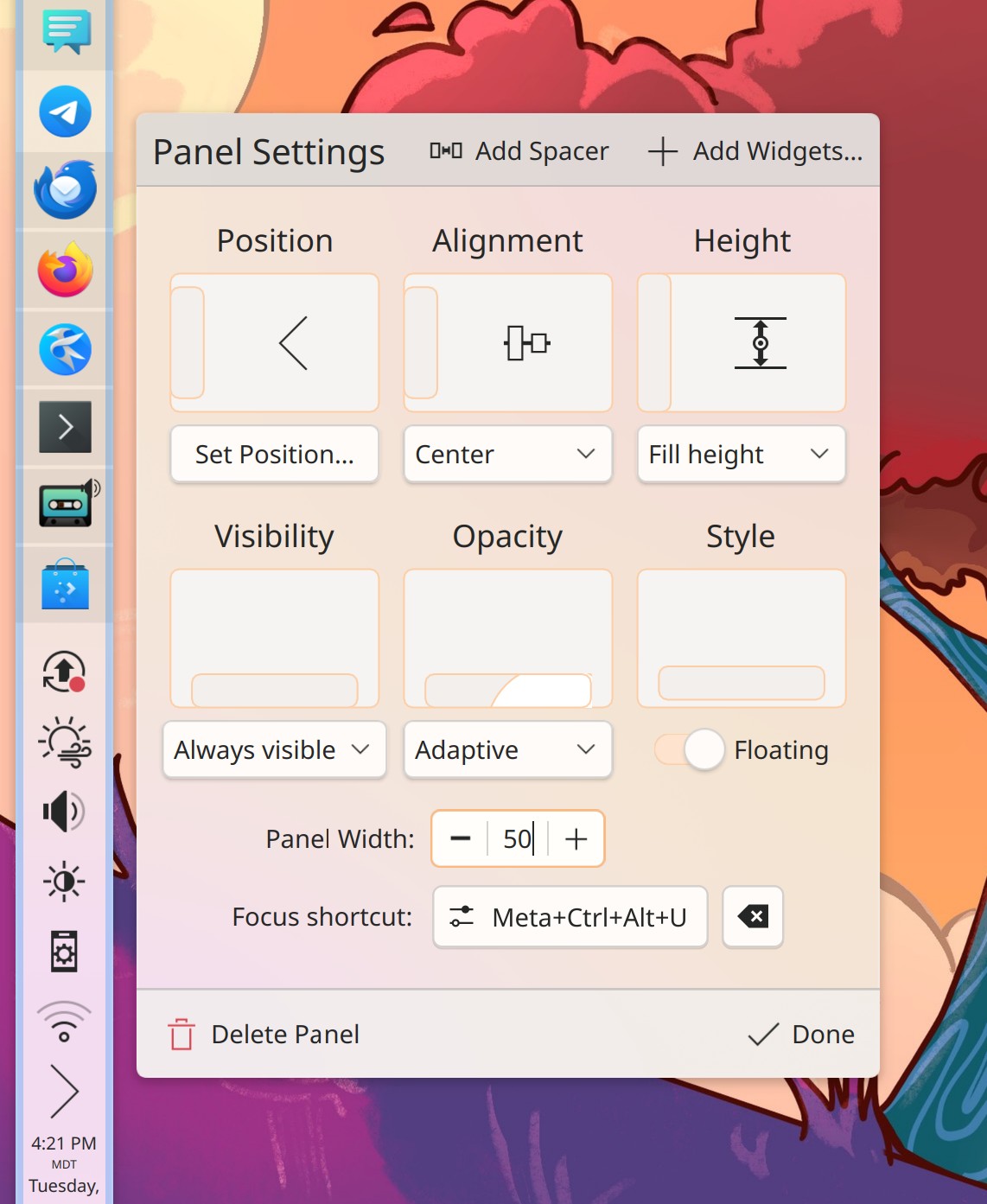
It’s now obvious how you close Plasma 6’s fancy new panel configuration dialog: it has a “Done” button in the corner! (Taro Tanaka and Me: Nate Graham, Plasma 6.1. Link):
When you disconnect from a network while it’s showing the speed graph view, it now automatically switches over to the info view (Eugene Popov, Plasma 6.1. Link)
Smooth scrolling in KDE’s QML-based apps is now optional (though still on by default). It’s also possible that 3rd-party apps will eventually read and respect this setting, as I recently noticed Firefox does for our global animation speed setting (Nathan Misner, Plasma 6.2. Link 1 and link 2)
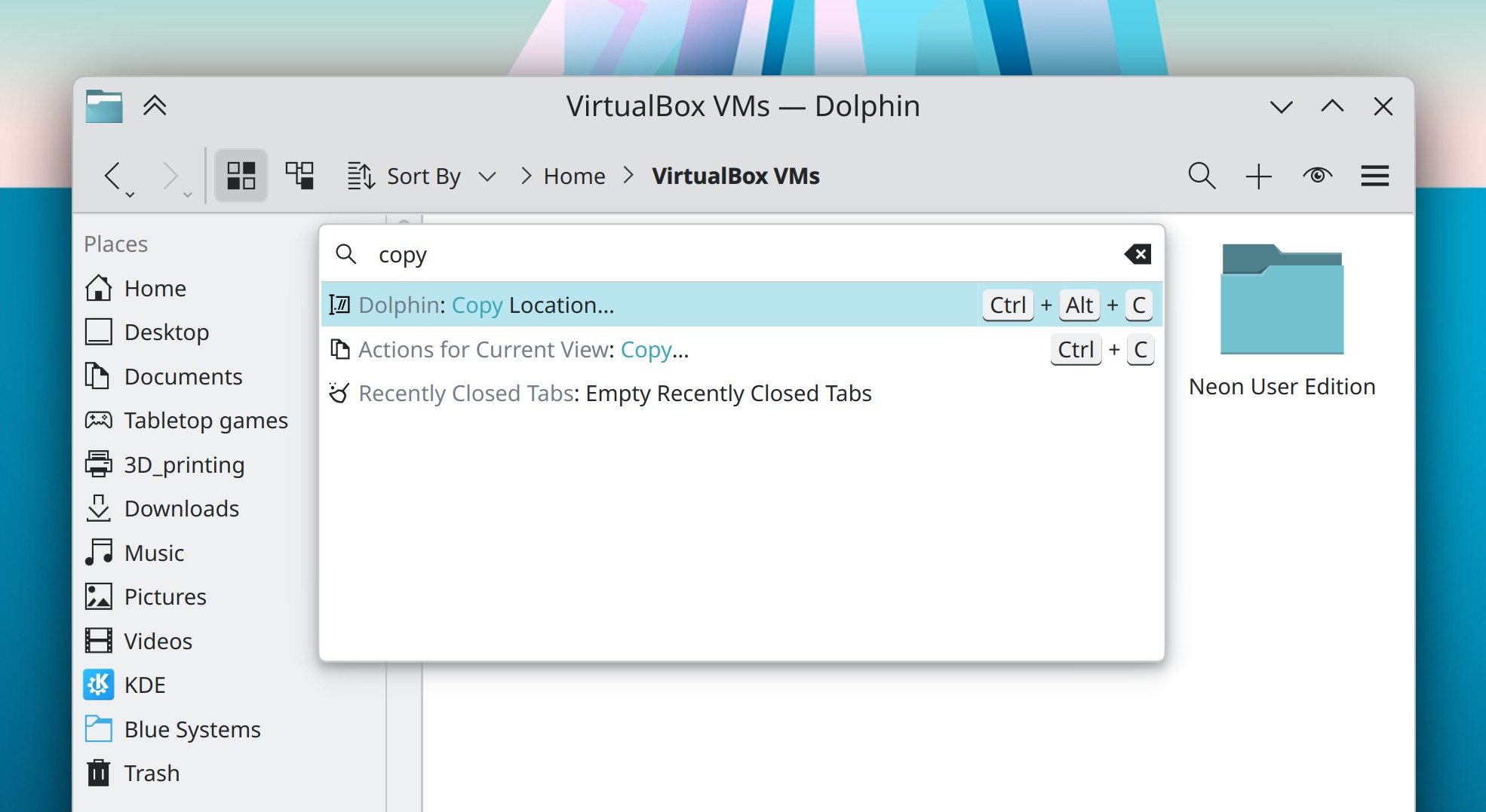
Small in-window dialogs in QtQuick-based software have gotten a visual overhaul to remove everything not visually necessary, which gives the text and buttons more focus (Carl Schwan, Frameworks 6.3. Link 1 and link 2)
Command bars in QtWidgets-based apps have also gotten a visual overhaul to match this more minimalistic style (Eugene Popov, Frameworks 6.3. Link):
Bug Fixes
Elisa no longer freezes when you open Party Mode while music is playing and the headerbar is collapsed or sized in certain ways (Pedro Nishiyama, Elisa 24.05. Link)
Fixed two longstanding issues that could cause Plasma to crash when it didn’t find all the screens it expected to find when waking up or booting the system (Marco Martin, Plasma 6.0.4 and 6.0.5. Link 1 and link 2)
Discover no longer misleadingly and incorrectly claims that apps with no licenses listed are proprietary (Harald Sitter, Plasma 6.0.5. Link)
Fixed a Plasma 6 regression that caused Discover to show annoying and ignorable error messages when viewing pages for content from store.kde.org (Harald Sitter, Plasma 6.0.5. Link)
The search/filter field in Plasma’s Printers widget now works (Mike Noe, Plasma 6.0.5. Link)
Fixed a Plasma 6 regression that caused panel widgets to overlap when you have an Activity Pager widget somewhere on a horizontal panel (Edo Friedman, Plasma 6.0.5. Link)
KWin is now more reliable about turning off screens in response to hardware and driver quirks that previously made this less than reliable with certain setups (Arsen Arsenović, Plasma 6.0.5. Link)
Config windows for Plasma’s System Monitor and System Tray widgets and the power profiles OSD no longer have mismatched colors for some UI controls and icons when using a mixed light/dark global theme such as Breeze Twilight (Akseli Lahtinen, Evgeniy Harchenko, and Nicolas Fella, Plasma 6.0.5. Link 1, link 2, and link 3)
Searching for something in Plasma’s Clipboard widget now returns a message with the correct text (“No matches”) when your search didn’t match anything (Thomas Duckworth, Plasma 6.0.5. Link)
Plasma’s Task Manager widget was internally refactored to simplify some old crusty code, which fixes two prominent layout glitches, including a Plasma 6 regression where tasks would overlap with adjacent widgets when in multi-row mode (Marco Martin, Plasma 6.1. Link 1 and link 2)
Other bug information of note:
- 3 Very high priority Plasma bugs (same as last week). Current list of bugs
- 38 15-minute Plasma bugs (up from 35 last week). Current list of bugs
- 133 KDE bugs of all kinds fixed over the last week Full list of bugs
Automation & Systematization
The plasma-workspace git repo has adopted a merge request template to guide people towards writing good commit messages, testing their changes, and including before-and-after screenshots. If this works out well, we’ll expend it elsewhere too (me: Nate Graham, link)
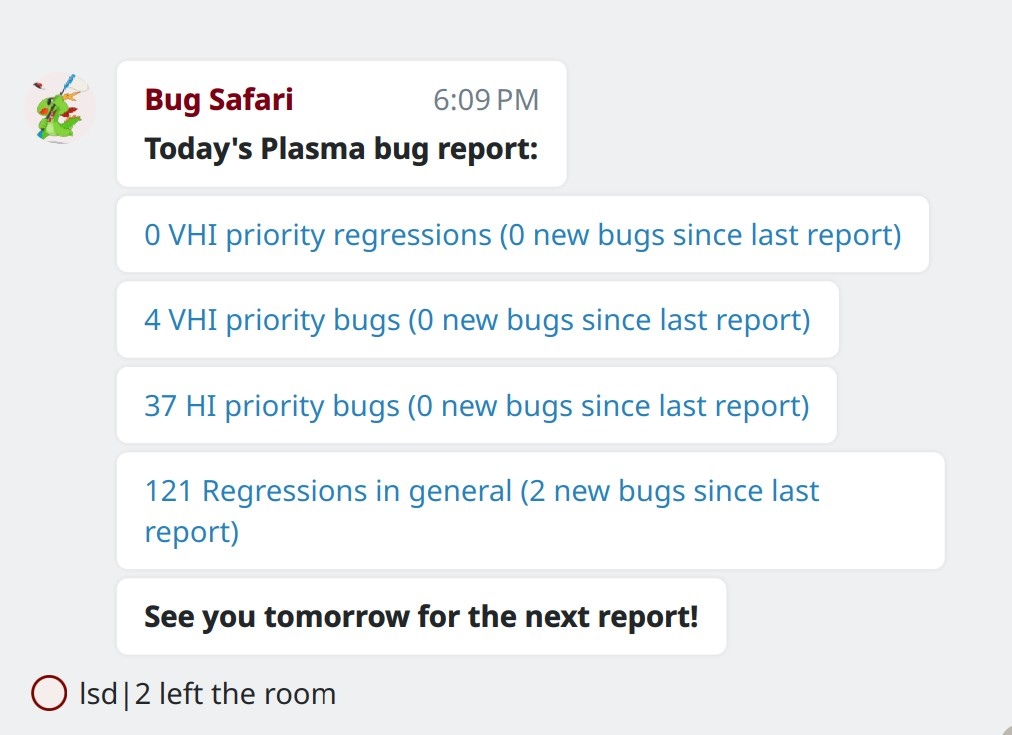
We now have a bug announcement bot that yells at us about the number of high and very high priority Plasma bugs, as well as the number of current known regressions (Ben Bonacci, link):
…And Everything Else
This blog only covers the tip of the iceberg! If you’re hungry for more, check out https://planet.kde.org, where you can find more news from other KDE contributors.
How You Can Help
The KDE organization has become important in the world, and your time and labor have helped to bring it there! But as we grow, it’s going to be equally important that this stream of labor be made sustainable, which primarily means paying for it. Right now the vast majority of KDE runs on labor not paid for by KDE e.V. (the nonprofit foundation behind KDE, of which I am a board member), and that’s a problem. We’ve taken steps to change this with paid technical contractors—but those steps are small due to growing but still limited financial resources. If you’d like to help change that, consider donating today!
Otherwise, visit https://community.kde.org/Get_Involved to discover other ways to be part of a project that really matters. Each contributor makes a huge difference in KDE; you are not a number or a cog in a machine! You don’t have to already be a programmer, either. I wasn’t when I got started. Try it, you’ll like it! We don’t bite!
 Adventures in Linux and KDE
Nice work!!
LikeLiked by 1 person
including running custom terminal commands
Something like `rm -fr *`? 😀
LikeLike
Oh God, I can imagine teenagers pulling a “prank” like that… Setting up a landmine. Won’t get caught either since all evidence is destroyed.
LikeLike
With great power comes great responsibility.
LikeLike
@Nate:
ehh YESSS *bg*
by the way, update … 😉
best 🙂
LikeLike
ohh nice….
letz rocken rollllhhhh 😉
knows anyone if there a actually comes something of CrystalSVG like before 20 Years or is there something coming from KDE.org ?
Because the Black/White Icons soooo boring.. there really nothing for the Eyes Retina structure rgb structure of the eye cones .. baheee… and looks so “gray” i hope there is comes something from KDE.org.. Because anything else would be a sign of poverty :
I hope there comes still something for the Peoples/community/Geeks from KDE.org :
best
Blacky
LikeLike
Do you mean a theme like this https://github.com/dangvd/crystal-remix-icon-theme?
LikeLike
yea, in this direction, but more fullfilled.. so at standart’s for today… and more placed Icons in the icontheme.. because, the Icontheme of mandrake themes was easy genial and should exist today also in KDE but more fit for Plasma6 with all icons… this withdraw was the biggest fail from Everaldo.. : therewith have he take away his svg-files and the possibility to make the theme further.. *sniff* ..hmmppffhhh….
LikeLike
I have a port of CrystalSVG here: https://github.com/poudink/Plastik
You can also use Oxygen icons.
LikeLike
your Icontheme looks nice and have catch the right way if i look basket.svg(z) and some,
but is not fullfilled and a couples icons works not so correctly how it should, the preview fail in konqueror(dolphin) and let see the mimetype-icon,
could you mail me at my domain ?
best regards
blackcrack
.
blackysgate.de
btw, the restoration icon looks funny ! *vbg*
LikeLike
Totally agree… I find the default minimalist icons hard on the eyes, and less elegant than brutalist. I like the Ollie Icon set for a beautiful classic look, and the sets by other commenters herebelow look really nice too. I use Plastik as my window look so that’s a nice match.
LikeLike
Great work nate! Does the RDP option support headless systems? I mean does it work if no physical user has logged in? Or it needs the user to be logged in beforehand?
LikeLike
One important bug fixed worth more than 100 useless new options or “UI Improvements”.
LikeLike
Important bugs keep getting fixed and reported. A project with no reported bugs is not flawless, it’s just abandoned. KDE gets loads of bugs fixed and even more reported back, and that makes it a healthy project.
Want to work on some bug in particular? Do it, or help someone who is already, or sponsor someone. KDE is not a centrally governed entity. Most contributions come from just people making changes they are interested in making. It’s mostly not a question of choosing between fixing a bug or adding a feature, but accepting or rejecting a contribution.
LikeLiked by 1 person
Thanks for the reality check with a positive spin and all the great work of course.
Sometimes our TODO lists getting bigger and bigger make us grumpy… So it is always a refreshing idea to reflect on the things that have been accomplished so far.
LikeLiked by 1 person
Amazing work! The opening statement is important to reflect upon, and I often feel grateful FOSS exists and enables so many parts of my life and work. Sometimes I give back both with donations and help. It feels nice to be part of something awesome!
Also, that configurable double click feature in Dolphin sounds great!
LikeLiked by 2 people
good)
LikeLike
is there any information about this bug? https://bugs.kde.org/show_bug.cgi?id=484309
LikeLike
I love the album shuffle addition to Elisa. That was actually one of the features that kept me from using it. Until now I’ve used mpd with ashuffle to achieve the same thing. But I think this will make me switch to Elisa as soon as that version is rolled out on Fedora 🙂
Some things that are still missing, but no deal breakers for me, are recognition of the AlbumArtist tag, and ReplayGain. Also, additional sort tags like AlbumSort and AlbumArtistSort would be nice for albums that don’t primarily use latin script…
LikeLiked by 1 person
I like the new more minimalistic dialog design!!
If you introduce form card like settings style everywhere it would complete the picture imo. 🙂
LikeLiked by 1 person
Stay tuned on that… 🙂
LikeLike
our kup overfloweth with kool stuff for you*
There fixed it for you =P
(Congrats this is all amazing)
LikeLiked by 1 person
It would be great to make these small in-window dialogs in QtQuick-based software keyboard friendly.
LikeLike
Indeed, this is in progress too.
LikeLike
That double-click feature in Dolphin makes me very excited for some reason even though I don’t even know what I would use it for.
LikeLiked by 1 person
It took me a bit of research to find out how to trigger the KCommandBar – I didn’t even know Dolphin had it!
Ctrl+Alt+I is the answer.
LikeLiked by 2 people
hi Nate,
Great work as always! Year long KDE user and use it also at my new workplace.
Any news on this long open bug? https://bugs.kde.org/show_bug.cgi?id=107302
this would improve my workflow at work about 20% or so
would be willing to throw money to this.
thanks
m
LikeLike
That’s a pretty big project. 🙂 If you’re willing to sponsor it, I’d recommend looking at https://discuss.kde.org/c/development/sponsored-work/31 for options.
LikeLike
Glad to see that this spirit of customizability and giving user tools that they could find useful – as per “Simple by default, Powerful when needed” – is still alive even after the cleaning up in Plasma 6.0 and 6.1.
This for client devices logging in to the remote device running KDE? Or for KDE to act as a thin-client to a remote device?
Regardless, great work as usual, thanks for the update!
LikeLike
@Nate: I have a multi-screen environment and some change during the last week broke my panel placement and the option to fix it has disappeared from KCM-settings. More specific. I allways keep my panel on the laptop screen. When I plug an external screen into the laptop, the panel now jumps onto the external screen and there is no way to move it back. In the past (some weeks ago) in KCM there was an option where I could set the primary (I do not know if my english words fits this correct) screen, where the panel would be. This option has now disappeared. I remember a few weeks ago, there was something on your blog mentioning the active screen is now automatically determined. I assume, this may be related. Can you point me to this, so that I can report this as a bug?
LikeLike
Screens using fractional scale factors no longer get a weird row of pixels on the bottom edge that are held to the color of previously opened windows (Xaver Hugl, Plasma 6.0.5. Link)
This one looks very familiar to me. I have a similar issue but with a vertical line at the right edge of the screen (there are two bug reports about 1 pixel vertical lines, one for XWayland apps, one for Wayland).
I just tried playing around with fractional scaling once again, and depending on the factor I chose, I could see the line appearing either on the right or bottom side of the screen.
I’m looking forward to this release in a few days, maybe this fix will kill more bugs than expected. Fingers crossed!
LikeLike