
Aaaaaand it’s a big one! I challenge anyone to read this week’s (well, these past two weeks’) report and not find something they’ve been wanting for a long time. 🙂
Plasma 6
(Includes all software to be released on the February 28th mega-release: Plasma, Gear-aligned apps, and Frameworks)
General info – Open issues: 109
Per-screen color management is now supported in the Plasma Wayland session for up to sRGB screens! You can assign ICC color profiles to each screen and apps will do the right thing. And colors picked using the Color Picker applet are now color-managed appropriately as well (Xaver Hugl, link 1, link 2, link 3, link 4, link 5, and link 6)
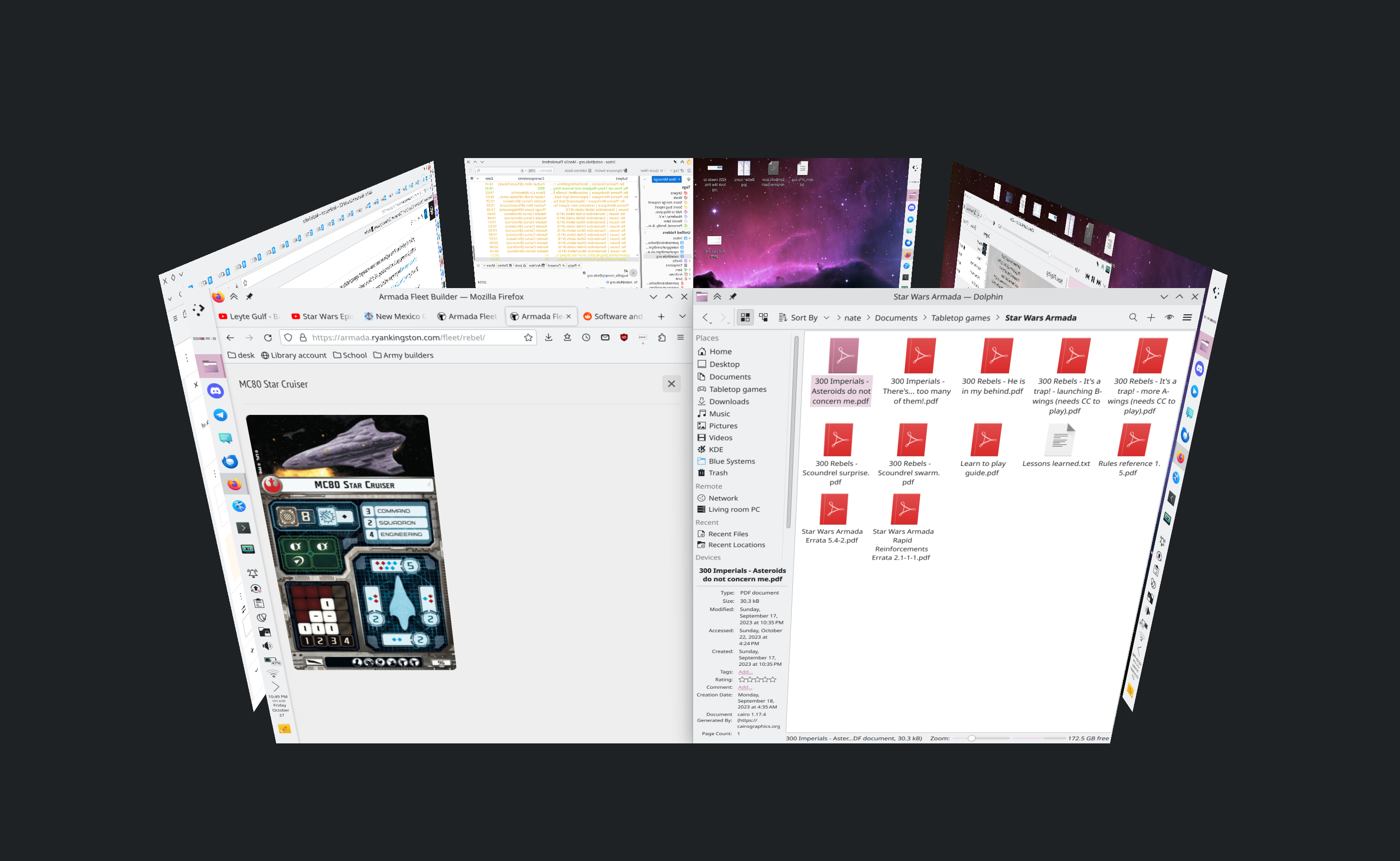
The Desktop Cube effect returns! It now lives in the kdeplasma-addons repo and you can trigger it with the Meta+C shortcut (Vlad Zahorodnii, link):
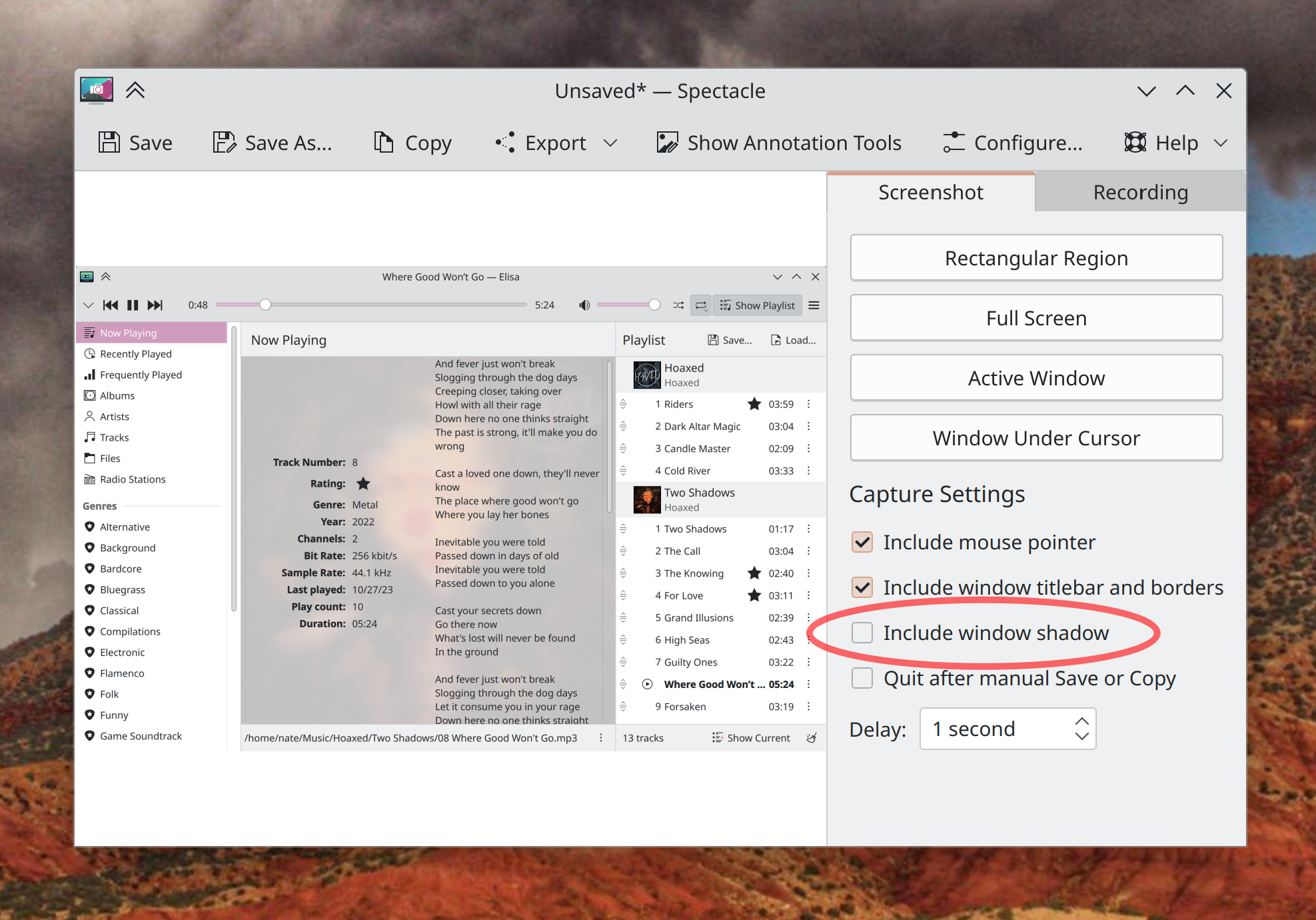
When Spectacle is run on Plasma 6, you can now take “Active Window” and “Window Under Cursor” screenshots that optionally omit window shadows! (Kristen McWilliam, link):
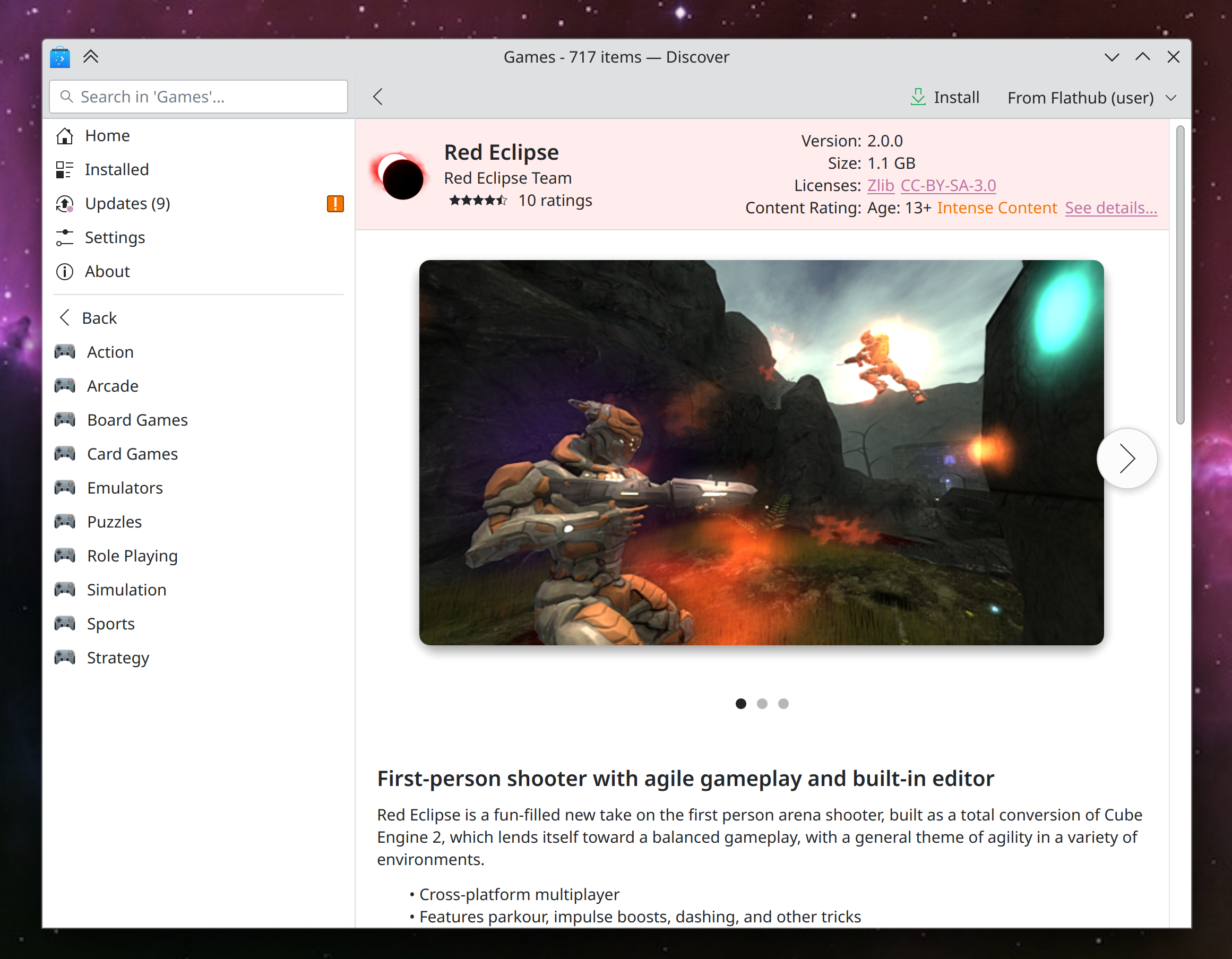
Discover has started to undergo many small UI improvements: a nicer background color for cards views; better visual alignment for cards on search and browse pages; smarter behavior in the sidebar while searching; more robust display of screenshots for apps and backends without thumbnails correctly specified; Flatpak apps with low-level PipeWire access are now correctly marked as having access to the audio system; and app sizes for Flatpak apps are now more concise and readable (Marco Martin, Arjen Hiemstra, Jonah Brüchert, and me: Nate Graham, link 1, link 2, link 3, link 4, link 5, and link 6)
On the subject of Discover, its Application Details page has gotten a new rewritten screenshot viewer, which is vastly better than the old one in every way and fixes multiple bugs (Ivan Tkachenko, link):
The Overview effect now has an option to only perform a KRunner-powered search when searching, rather than also filtering windows based on the search text (Dashon Wells, link)
When you have fingerprint or smartcard authentication set up, you can now use that method on the lock screen, OR your password, rather than only being able to use your password after failing at the other auth method several times. This is only for the lock screen right now and not also the Polkit authentication dialog, but that’s being explored as well (Janet Blackquill, link 1 and link 2)
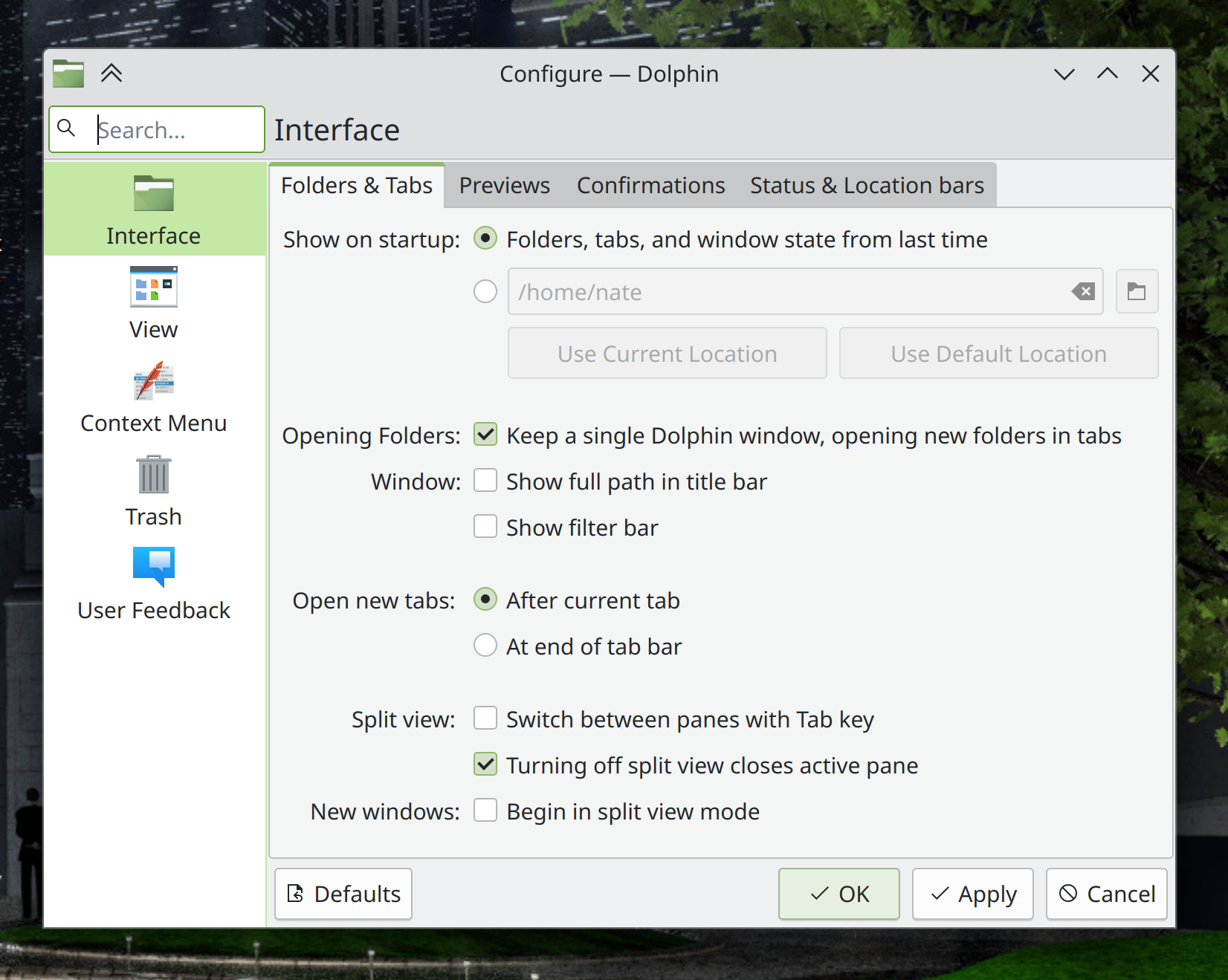
The headers of settings dialogs in QtWidgets-based apps are now styled to look the same as System Settings and other Kirigami-based apps (Waqar Ahmed, link):
KFontView now works as expected on Wayland (Kai Use Broulik, link)
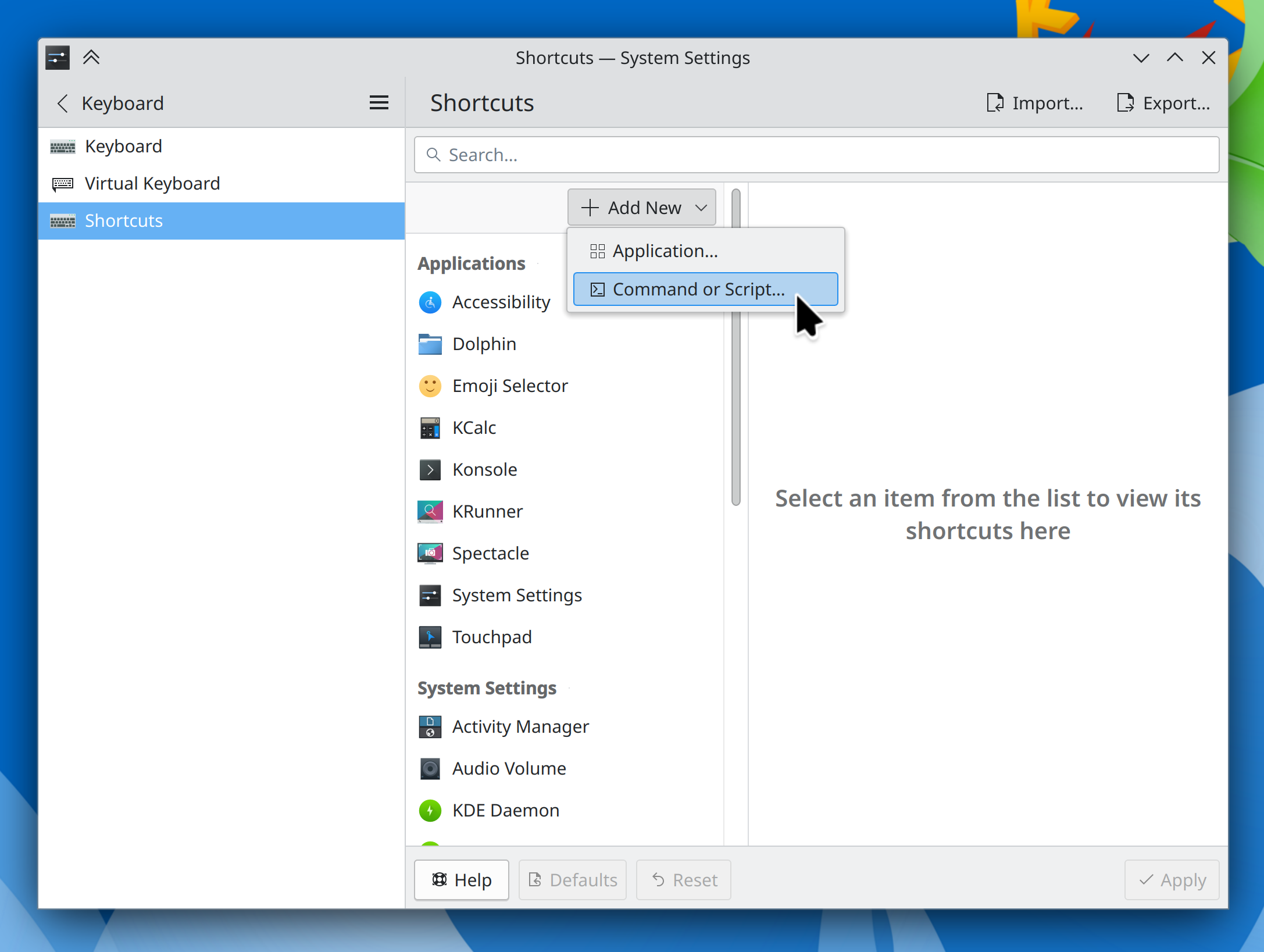
System Settings’ Shortcuts page has been modernized a bit to avoid the “chunky footer” style used in Plasma 5 (Mike Noe, link):
More than doubled the speed of KRunner’s Recent Documents runner, among other various improvements (Alexander Lohnau, link)
The infinite scrollable calendar in the Digital Clock widget is now vastly more responsive (Fushan Wen, link)
Type-ahead find in Dolphin now causes the matching file to be centered in the window when using Details view (Amol Godbole, link)
In Elisa, playlist items now play on a single-click rather than a double-click, and when you try to play a song that has since been deleted or renamed, you’re warned of this appropriately (me: Nate Graham, link 1 and link 2)
The “Get New [thing]” dialog now has an appropriate minimum size (Oliver Beard, link)
Other Significant Bugfixes
(This is a curated list of e.g. HI and VHI priority bugs, Wayland showstoppers, major regressions, etc.)
Fixed a case in the Plasma Wayland session where logging in would cause KWin to immediately crash and throw you back to the login screen (Xaver Hugl, Plasma 5.27.9. Link)
Fixed the most common crash in Plasma that could manifest when closing notifications, by backporting a Qt patch that fixes it, since it’s already fixed in Plasma 6 (Marco Martin and David Edmundson, the latest release of the KDE Qt 5 Patch Collection, link)
Fixed a semi-common crash in Discover when installing Flatpak apps (David Edmundson, Plasma 5.27.9. Link)
Various KWin-provided global shortcuts that were always intended to be on by default–such as for switching virtual desktops–now are (Joshua Goins, Plasma 5.27.9. Link)
Fixed a race condition that caused the “Show in Activities” menu item in the window menu to only sometimes be visible (David Edmundson, Plasma 5.27.9. Link)
Fixed an irritating screen flicker that would show up when using touchpad gestures to switch virtual desktops with animations globally disabled (Quinten Kock, Plasma 5.27.9. Link)
Fixed the most common crash in System Monitor that could sometimes cause it to blow up when quitting or switching pages (Arjen Hiemstra, Plasma 6.0. Link)
Fixed a case where file associations could be inherited in the wrong order, causing certain document types to open in the wrong apps under certain circumstances (David Redondo, Plasma 6.0. Link)
Fixed an issue that could cause complex display arrangements involving daisy-chained DisplayPort screens to be arranged randomly after wakeup, reboot, or hotplug (Xaver Hugl, Plasma 6.0. Link)
In the Plasma Wayland session, using a stylus to interact with System Settings’ Tablet page no longer makes the rest of System Settings unresponsive to stylus input (Aki Sakurai, Plasma 6.0. Link)
Other bug-related information of interest:
- 2 Very high priority Plasma bugs (down from 4 two weeks ago). Current list of bugs
- 55 15-minute Plasma bugs (same as two weeks ago). Current list of bugs
- 220 KDE bugs of all kinds fixed over the past two weeks. Full list of bugs
For Developers
You can now easily build a whole Plasma desktop session plus associated apps like System Settings and Discover by running kdesrc-build workspace (Nicolas Fella, link)
When setting up kdesrc-build, it now defaults to building everything against Qt6 (Thiago Sueto and Mariua Pa, link 1 and link 2)
Automation & Systematization
Added some autotests for the Kirigami NavigationTabBar and NavigationTabButton components (Ivan Tkachenko, link)
…And Everything Else
This blog only covers the tip of the iceberg! If you’re hungry for more, check out https://planet.kde.org, where you can find more news from other KDE contributors.
How You Can Help
We’re hosting our Plasma 6 fundraiser right now and need your help! If you like the work we’re doing, spreading the wealth is a great way to share the love. 🙂
If you’re a developer, work on Qt6/KF6/Plasma 6 issues! Plasma 6 is usable for daily driving now, but still in need of bug-fixing and polishing to get it into a releasable state by February.
Otherwise, visit https://community.kde.org/Get_Involved to discover other ways to be part of a project that really matters. Each contributor makes a huge difference in KDE; you are not a number or a cog in a machine! You don’t have to already be a programmer, either. I wasn’t when I got started. Try it, you’ll like it! We don’t bite!


 Adventures in Linux and KDE