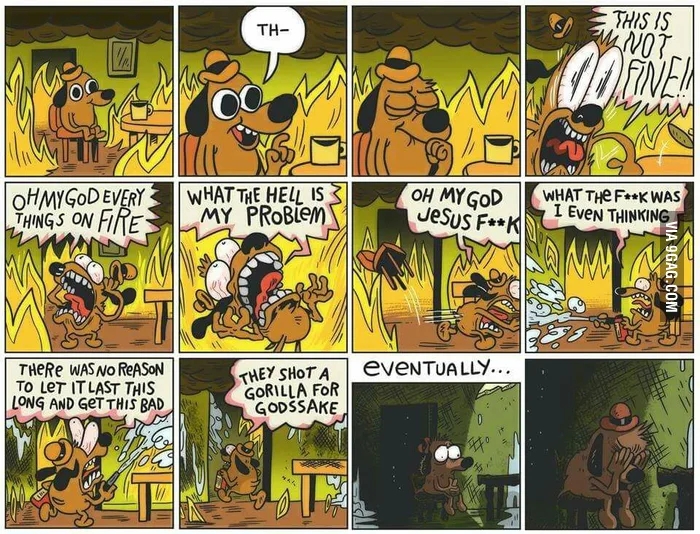
X11 is in the news again, so I thought it would make sense to be clear about the Plasma team’s plans for X11 support going forward.
Current status: Plasma’s X11 session continues to be maintained.
Specifically, that means:
We’ll make sure Plasma continues to compile and deploy on X11.
Bug reports about the Plasma X11 session being horribly broken (for example, you can’t log in) will be fixed.
Very bad X11-specific regressions will probably be fixed eventually.
Less-bad X11-specific bugs will probably not be fixed unless someone pays for it.
X11-specific features will definitely not be implemented unless someone pays for it.
This is actually not too bad; there are relatively few open and fixable X11-specific bugs (0.76% of all open bug reports as of the time of writing), and when I went looking today, there were only two Bugzilla tickets requesting new X11-specific features that needed closing. Most bugs and features are platform-agnostic, so X11 users will benefit from all of these that get fixed and implemented.
Eventually it’s lights out for X11 though, right? When will that happen?
Yes, the writing is on the wall. X11’s upstream development has dropped off significantly in recent years, and X11 isn’t able to perform up to the standards of what people expect today with respect to HDR, 10 bits-per-color monitors, other fancy monitor features, multi-monitor setups (especially with mixed DPIs or refresh rates), multi-GPU setups, screen tearing, security, crash robustness, input handling, and more.
As for when Plasma will drop support for X11? There’s currently no firm timeline for this, and I certainly don’t expect it to happen in the next year, or even the next two years. But that’s just a guess; it depends on how quickly we implement everything on https://community.kde.org/Plasma/Wayland_Known_Significant_Issues. Our plan is to handle everything on that page such that even the most hardcore X11 user doesn’t notice anything missing when they move to Wayland.
Why are you guys doing this? Why don’t you like X11 anymore?
The Plasma team isn’t emotional about display servers; it’s just obvious that X11 is in the process of outliving its usefulness. Someday Wayland will be in this boat too; such is the eventual fate of all technologies.
In addition to the fact that Wayland is better for modern hardware, maintaining code to interact with two display servers and session types is exactly as unpleasant as it sounds. Our resources are always limited, so we’re looking forward to the day when we can once again focus on programming for a single display server paradigm. It will mean that everything else can improve just a little bit faster.
Regardless of when you pull the trigger, isn’t it premature?
Most major distros have already moved their Plasma sessions to Wayland by default, including Arch, Fedora, KDE neon, Kubuntu, and generally their downstream forks. Several others whose roadmaps I’m familiar with plan to do so in the near future.
At this point in time, our telemetry says that a majority of Plasma users are already using the Wayland session. Currently 73% of Plasma 6 users who have turned on telemetry are using the Wayland session, and a little over 60% of all telemetry-activating users (including Plasma 5 users) are on Wayland.
Interestingly, the percentage of Plasma 6 users on Wayland was 82% a month ago, and now it’s down to 73%. What changed? SteamOS 3.7 was released with Plasma 6 and the X11 session still used by default! Interestingly, since then the Wayland trendline has continued to tick up; a month ago the percentage of Wayland users dropped from 82% to 70%, and now today it’s up to 73%.
So you can see that to a large extent, this is up to distros, not us. It wouldn’t make sense for us to get rid of Plasma’s X11 support while there are still major distros shipping it by default, and likewise, it won’t make sense for us to keep it around long after those distros have moved away from it.
Regardless, Wayland’s numbers are increasing steadily, and I expect upward bumps when the next Debian and Kubuntu LTS releases come out, as both are currently planned to be Wayland by default.
Now, is Plasma’s Wayland session perfect? No. (what is?)
Is it better than the X11 session in literally every way? Also no.
Is it better in most ways that matter to most people? The numbers say yes!
Well I’m not a most people! I’m me, I’m an individual! I’m not a number, I’m a free man!
That’s fine, and you’re the reason why we’re still maintaining the X11 session! We’re going to try very hard not to to get rid of it until you’re happy too.
Ultimately that’s the goal here: make everyone happy! This includes people who have mixed-DPI/refresh rate multi-monitor setups or laptop touchpads, as well as people using AutoKey or graphics tablets with dials on them. Long transitions like this are tough, but ultimately worth it so that we all get something better in the end.
A few days ago I returned home from a wonderful Plasma sprint in Graz, Austria. Between COVID-19 and there being no Plasma sprint last year in favor of the Goals mega-sprint, this was actually only my my third in-person Plasma sprint! So I was very excited to attend. There’s much to talk about!
This was actually not the location, appropriate name notwithstanding!
Sprints are often said to come in two flavors: “talking” sprints, which are mostly about discussing big topics; and “working” sprints, where folks write lots of code. This one was a bit of both — a good mix, I think.
For my part, I wanted to talk about some big topics and see if we could get them unblocked. And talk about them we did! There were many more discussions besides these, but here’s a summary of the ones I led:
Plasma LTS
It’s no secret that our Plasma LTS (“Long-Term Support”) product isn’t great. It really only means we backport bug-fixes for longer than usual — usually without even testing them, since no Plasma developers enjoy living on or testing old branches. And there’s no corresponding LTS product for Frameworks or Gear apps, leaving a lot of holes in the LTS umbrella. Then there’s the fact that “LTS” means different things to different people; many have an expansive definition of the term that gives them expectations of stability that are impossible to meet.
Our conclusion was that the fairly limited nature of the product isn’t meeting anyone’s expectations, so we decided to not continue it. Instead, we’ll lengthen the effective support period of normal Plasma releases a bit by adding on an extra bug-fix release, taking us from five to six.
We also revisited the topic of reducing from three to two Plasma feature releases per year, with a much longer bug-fix release schedule. It would effectively make every Plasma version a sort of mini-LTS, and we’d also try to align them with the twice-yearly release schedules of Kubuntu and Fedora.
For some background, last Akademy we decided to postpone making this schedule change until all the KDE items on the “Wayland known significant issues” wiki page are addressed. During the sprint, we took another look and found the list much shorter than it was last year, with most remaining items in progress or nearing completion! So we agreed to revisit the topic again around this year’s Akademy in about 4 months (reminder to submit a talk!).
I hope that by then we’ve either got everything done, or can consider it close enough that we can pull the trigger on the new schedule anyway — the latter outcome being what we did for the Wayland-by-default rollout.
However, the concept of “Long-Term Support” doesn’t go away just because we’re not giving that label to any of our software releases anymore. Really, it was always a label applied by distros anyway — the distros doing the hard work of building an LTS final product out of myriad software components that were never themselves declared LTS by their own developers. It’s a lot of work.
So we decided to strengthen our messaging that users of KDE software on LTS distros should be reporting issues to their distro, and not to KDE. An LTS software stack is complex and requires a lot of engineering effort to stabilize; the most appropriate people to triage issues on LTS distros are the engineers putting them together. This will free up time among KDE’s bug triagers and developers to focus on current issues they can reproduce and fix, rather than wasting time on issues that can’t be reproduced due to a hugely different software stack, or that were fixed months or years ago yet reported to us anyway due to many users’ unfamiliarity with software release schedules and bug reporting.
3rd-party content and theming
We’ve had some difficulty with the UX for how users get 3rd-party content, and what it does to their system once they’ve gotten it. Many folks will remember the issue last year when a defective 3rd-party Global Theme caused user data loss. It was Very Bad™.
The issue here is that QML-based theming is just inherently dangerous because QML is code; there’s not really a way to make QML theming safe, so we’re working on moving away from it. David Edmundson wrote about this recently, too.
So far we’ve already removed QML-themability from the lock screen (a component that’s very sensitive to stability and security needs!), and during this sprint, we hit the OSDs too. We also made plans to remove QML-themability from splash screens and login screen themes, and instead you’ll simply be able to choose custom images.
However, some things will always have to contain QML code, like 3rd-party widgets and wallpaper plugins. For these, we devised a plan to sandbox them so they can’t blow up the world if they misbehave. This will also make Global Themes safe, since Global Themes can include them. I wasn’t able to follow all the details of the proposed sandboxing system, so others will have to fill in the blanks with their own blog posts!
Finally, we talked about the distribution channel of https://store.kde.org, exposed via the “Get new [thing]” dialogs sprinkled throughout System Settings and KDE apps. What some might not know is that this distribution channel is not actually owned by KDE; it’s simply a themed front-end to https://pling.com. And that’s one of the issues: people think this is owned by KDE, and it’s not! Some other concerns included the lack of approval-required moderation for new content with stability or security implications; lack of automatic linting for content to make sure it’s valid; inability to specify a minimum Plasma version for QML-based content; and the place being sadly flooded with low-effort AI-created junk. We also talked about some UX issues in these dialogs and in Discover, and how we can address them.
We brainstormed what our ideal 3rd-party content distribution mechanism would look like if we were creating one from scratch, and the degree to which our current UX does and doesn’t approach it. I’ll be reaching out to the folks behind Pling to see if we can work on any improvements there so we can make reality converge more with our desires!
Activities
Activities has been in a weird place for a long time now. It’s a feature that’s somewhat difficult to explain in an elevator pitch, and with a more limited scope than you might expect. We all pretty much agreed that it’s not ideal, and not as useful as it could be.
So we brainstormed many alternatives, taking into account feedback and experiences from people at the sprint who currently do use Activities, or would like to if it met their needs.
Something that came up over and over again was the desire to use certain apps differently in different Activities. For example in your “Home” Activity, you could have your email client set up to only show your home email accounts, whereas in your “Work” activity, you could have the same app set up with only the work email accounts, or with both. But it would be the same email client app in each Activity, just configured differently!
This functionality right now needs to be provided by each app implementing its own “profiles” or “sessions” feature — and of course, most don’t. So an idea that stuck was for us to make this into a system service that can basically bolt the functionality of multiple profiles/sessions onto any app! This would be easiest for containerized apps that already have their own separate location for configuration data, so this is where we’ll start. But it’s possible we’ll also be able to open it up to un-containerized traditionally-packaged apps too, using Firejail or another similar technology.
We thought this feature would be useful even outside of Activities, so our conclusion thus far has been to build it first! After it’s in production and the kinks have been worked out, it would then become the basis for the Activities system’s new scope: “configure and use your apps and virtual desktops differently in each Activity.”
There are no timelines for any of this yet; it’s still in the “turn a discussion into a plan” phase.
Telemetry
There was broad agreement that the status quo is not ideal: we collect very little data from people who have opted in (because it’s off by default), and we don’t have a path towards changing what data we collect in response to newly-discovered questions we’d like answered.
For example, let’s say we want to remove a very niche KWin effect that we think probably nobody’s using. Right now, we have no way of knowing how many people have it turned on, and of them, how many people are actually using it — let alone reaching out to ask them why! So we have to just go by gut feelings when we make that decision, or get spooked and not do it at all.
So we decided to change the way we collect telemetry to be more like the common and successful Steam Hardware Survey. Our telemetry UX will be the same: people will see a dialog window asking them to participate in the survey, and in there, they’ll see what data will be collected. They’ll have the opportunity to say yes, say no, or turn it off forever. And for each survey, we can tailor the data collected to what we actually want to know! So we could have it collect information about that KWin effect, and it could even prompt the people using it to write a little bit of text explaining why.
We also discussed how the current place to view collected data is not ideal. Right now there’s a GUI app which is slightly broken, and a web page you have to type raw SQL queries into to see anything besides the default visualizations. Not ideal! We brainstormed a better web UX so we can make better use of the data we do currently collect. We also agreed that we want to make the aggregated data public, just like Valve does with the results of the Steam Hardware Survey.
In addition, I got in a lot of hacking time between discussion sessions, which felt useful. Being able to sit down with other people unblocked some work, both mine and theirs, as a result of some productive face-to-face conversations! And I got to see a lot of old friends again, and meet a few in person for the first time. The city of Graz was lovely too — such a sensible and humane-feeling place.
Thank you to TU Graz for hosting us for this sprint, to Techpaladin Software for sponsoring my travel and lodging costs, and to Harald Sitter for organizing everything!
It’s been several years since I announced Plasma’s 15-minute bug initiative, and you can see the weekly numbers in every week’s “This Week in Plasma” post. Today I thought I’d share a high-level recap of where we’re at as of the first quarter of 2025.
In short: really good. We dipped below 20 bugs for the first time today, with the number currently standing at 19! This is good progress; it was at 32 during last year’s update.
But wait a minute… 13 bugs in a year? That actually sounds pretty pathetic.
Well here’s the thing: we’re adding more bugs to the list all the time. So it’s basically a “oh wow, we’d better fix this soon before people notice it” list, and newly-discovered significant issues in git master are commonly marked as HI priority and fixed before they reach users — otherwise known as “QA”. 🙂
Last year, the total number of lifetime fixed 15-minute bugs was 231. Today, it’s 413. So actually, we fixed 182 15-minute bugs in the past year or so, and reduced the total number of outstanding 15-minute bugs by 13. With only 19 left, that means we’ve fixed over 95% of all 15-minute bugs ever!
If you look at the remaining bugs, some patterns emerge:
Hardware-specific issues (e.g. only certain ASUS laptops, or only certain screens)
Use of common though non-default settings (e.g. changing the scroll speed, hiding tray icons of Electron-based apps)
Intensive use of the system (e.g. filling the entire panel up with icons-only Task Manager icons, docking and un-docking a laptop to an external screen with carefully-curated window arrangements)
Random and unreproducible crashes (if they were reproducible, they’d have been fixed ages ago!)
And some egregious bugs that just need to be fixed! (we’re working on them)
How you can help
As always, help work on the existing 15-minute bugs if you can! If not, it’s always useful to work on bug triaging, so that more of those issues that will eventually become 15-minute bugs can get discovered earlier. Another impactful way is to donate to KDE e.V., the nonprofit that supports KDE on a ridiculously small budget. Prior donations have allowed KDE e.V. to recently start the process of hiring a Plasma developer, so it’s not a black hole!
This will be a boring one, sorry. 🙂 Basically a “JFYI” for people interested in Plasma’s release administration.
A while back, there was a discussion about moving Plasma to a twice-yearly release model, to better align with discrete release distros that also have two yearly releases — mostly Fedora KDE and Kubuntu.
We discussed this at last year’s Akademy and decided not to do it yet, based on the reason that a faster release schedule would help get important Wayland improvements to users more quickly, given that we’re trying to polish up our Wayland session at high speed. We agreed that once the Wayland Known Significant Issues wiki page is empty, we can re-evaluate.
Until that re-evaluation happens, we decided to instead lengthen our beta release periods from four weeks to six weeks, with new beta releases every two.
Plasma 6.3 will be released very soon, yay! For this release, we remembered to push out the extra new beta releases, but forgot about adding on an extra two weeks to its duration. Oops.
Interestingly, we haven’t gotten many bug reports from users of the Plasma 6.3 beta, which is historically unusual. I’m not totally sure what to make of this. The optimistic assessment is that the release was already great even by the time we shipped the beta! The pessimistic one is that few people showed up to QA it, so lots of bugs got missed (I’m less sure it’s this, but anything’s possible). Either way, it seems like an extra two weeks of beta time wouldn’t have made much difference, so we’re not considering a great loss.
As a result, we’ve decided to try this same approach for 6.4: a four-week beta period, with new releases every two weeks. We’ll see how it goes! If it’s fine, we can keep it, and if it’s not, we can return to the original plan of six-week beta periods. Until then, enjoy Plasma 6.3!
For the past 8 days I’ve been in Berlin for what is technically four sprints: first a two-day KDE e.V. Board of Directors sprint, and then right afterwards, the KDE Goals mega-sprint for the Eco, Accessibility, and Automation/Systematization Goals! Both were hosted in the offices of KDE Patron MBition, a great partner to KDE which uses our software both internally and in some Mercedes cars. Thanks a lot, MBition! It’s been quite a week, but a productive one. So I thought I’d share what we did.
If you’re a KDE e.V. member, you’ve already received an email recap about the Board sprint’s discussion topics and decisions. Overall the organization is healthy and in great shape. Something substantive I can share publicly is that we posed for this wicked sick picture:
Moving onto the combined Goals sprint: this was in fact the first sprint for any of the KDE Goals, and having all three represented in one room attracted a unique cross-section of people from the KDE Eco crowd, usability-interested folks, and deeply technical core KDE developers.
Officially I’m the Goal Champion of the Automation & Systematization Goal, and a number of folks attended to work on those topics, ranging from adding and fixing tests to creating a code quality dashboards. Expect more blog posts from other participants regarding what they worked on!
Speaking personally, I changed the bug janitor bot to direct Debian users on old Plasma versions to Debian’s own Bug tracker—as in fact the Debian folks advise their own users to do. I added an autotest to validate the change, but regrettably it caused a regression anyway, which I corrected quickly. Further investigation into the reason why this went uncaught revealed that all the autotests for the version-based bug janitor actions are faulty. I worked on fixing them but unfortunately have not met with success yet. Further efforts are needed.
In the process of doing this work, I also found that the bug janitor operates on a hardcoded list of Plasma components, which has of course drifted out of sync with reality since it was originally authored. This causes the bot to miss many bugs at the moment.
Fellow sprint participant Tracey volunteered to address this, so I helped get her set up with a development environment for the bug janitor bot so she can auto-generate the list from GitLab and sysadmin repo metadata. This is in progress and proceeding nicely.
I also proposed a merge request template for the plasma-workspace git repo, modeled on the one we currently use in Elisa. The idea is to encourage people to write better merge request descriptions, and also nudge people in the direction of adding autotests for their merge requests, or at least mentioning reviewers can test the changes. If this ends up successful, I have high hopes about rolling it out more broadly.
But I was also there for the other goals too! Joseph delivered a wonderful presentation about KDE Eco topics, which introduced my new favorite cartoon, and it got me thinking about efficiency and performance. For a while I’d been experiencing high CPU usage in KDE’s NeoChat app, and with all the NeoChat developers there in the room, I took the opportunity to prod them with my pointy stick. This isn’t the first time I’d mentioned the performance issue to them, but in the past no one could reproduce it and we had to drop the investigation. Well, this time I think everyone else was also thinking eco thoughts, and they really moved heaven and earth to try to reproduce it. Eventually James was able to, and it wasn’t long before the issue was put six feet under. The result: NeoChat’s background CPU usage is now 0% for people using Intel GPUs, down from 30%. A big win for eco and laptop battery life, which I’m already appreciating as I write this blog post in an airport disconnected from AC power.
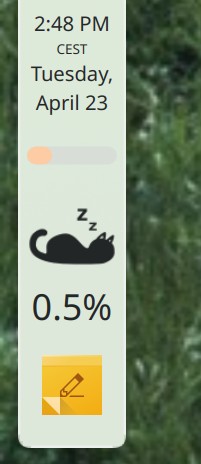
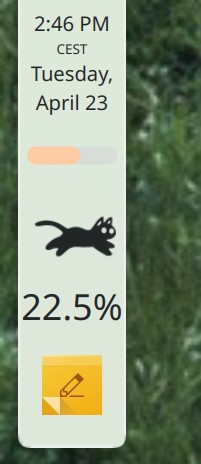
To verify the CPU usage, just for laughs I added the Catwalk widget to my panel. It’s so adorable that I haven’t had the heart to remove it, and now I notice things using CPU time when they should be idle much more than I did before. More visibility for performance issues should over time add up to more fixes for them!
Good cat!
Bad cat!
Another interesting thing happens when you get a bunch of talented KDE contributors in a room: people can’t help but initiate discussions about pressing topics. The result was many conversations about release schedules, dependency policy, visual design vision, and product branding. One discussion very relevant to the sprint was the lack of systematicity in how we use units for spacing in the QtQuick-based UIs we build. This resulted in a proposal that’s already generating some spirited feedback.
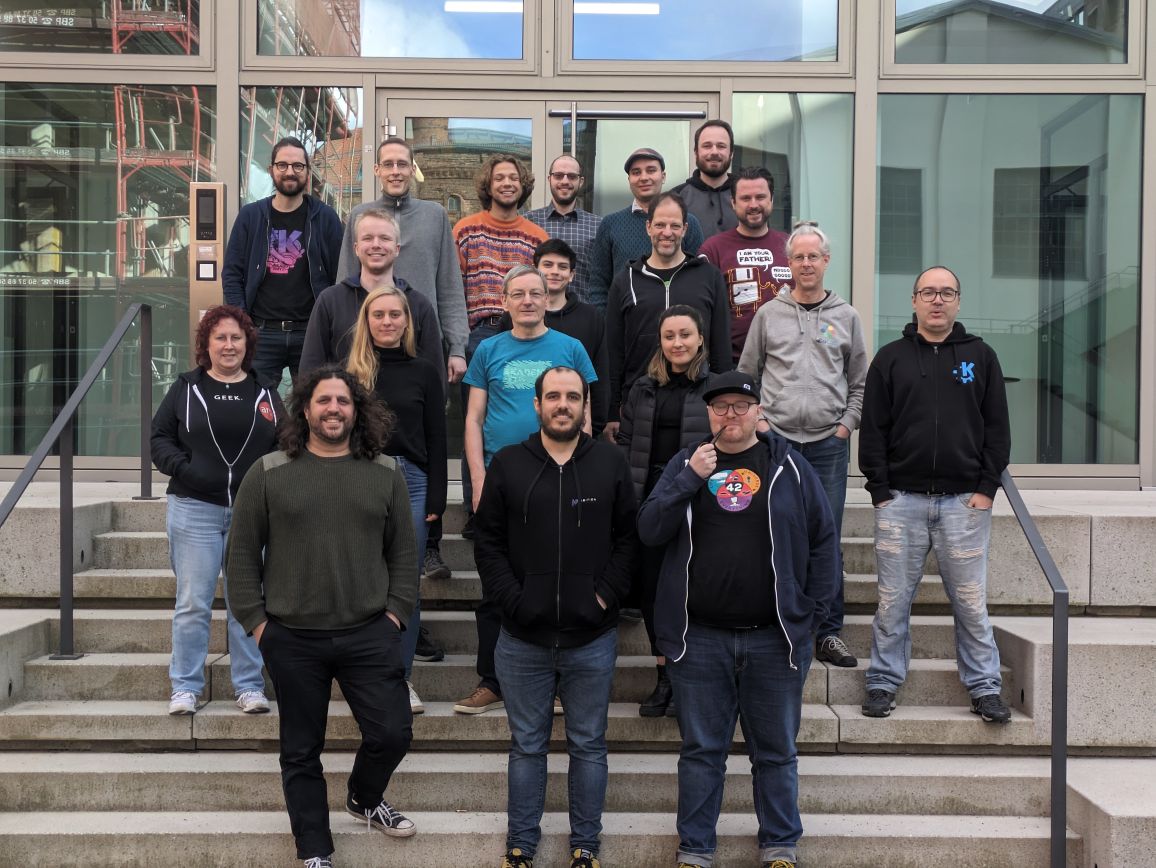
All in all it was a happy and productive week, and after doing one of these I always feel super privileged to be able to work with as impressively talented and friendly a group of colleagues as this is:
Full disclosure: KDE e.V. paid for my travel and lodging expenses, but not my döner kebab expenses!
A tad over two years ago, I revealed the 15-Minute Bug Initiative–an attempt to improve the out-of-the box user experience for Plasma by focusing on fixing obvious papercut issues. The idea was to crush the meme of “KDE is buggy” the same way we systematically addressed similar complaints like “KDE is ugly” and “KDE is bloated” in years past.
Well, it’s been two years, so how did it go? Let’s talk about it! First some numbers, because we like numbers:
Total number of bugs fixed (because more were added over time): 231
Percent of all total 15-minute bugs that have been fixed: 87.8%
(note if you’re from the future: if you visit those links, some numbers may be different–hopefully lower for the second one and higher for the third one!)
Wow! That’s quite a few. So this initiative looks like it’s been a real success so far! Nevertheless, 32 bug reports remain open, so we can’t declare victory yet. These are some of the stubbornest, hardest-to-fix bugs that require major re-architecting, working upstream, or similarly challenging efforts. Hopefully the pace of improvement seen over these years has managed to convince you that they’ll eventually be resolved as well.
“Wait a minute, Plasma is still buggy AF you n00b”
Keep in mind these aren’t all the bug reports in the world we can fix (there are over 5000 of them for Plasma and Plasma-aligned software alone), just the ones I and some others have deemed to be most obvious to the average user! If you’re not an average user because you have three monitors arranged in a weird shape, each plugged into a different GPU from a different vendor and its own different DPI, scale factors, and custom Plasma panels, plus 4 activities and 9 virtual desktops and 6 internal disks, only half of which automount, and 12 apps set to autostart, and each of them is installed onto different disks, 15 window rules, and finally a custom theming setup including Kvantum themes and Aurorae window decorations… then yeah, you’re probably going to experience some more bugs compared to a more typical user who doesn’t have such a complex setup!
That’s okay. We care about you too, and we do work on those kinds of more esoteric bugs because many of us also have complex setups! But progress here will be necessarily slower, because the complex setups are more varied, more unusual, and harder to debug. And let’s be honest here: those of us with setups like these are experts capable of working around most bugs we find, who really should be helping to investigate and fix them. Admit it, you know it’s true!
But in a way, this is good: it represents Plasma moving from “It’s generally buggy” to “it’s specifically buggy–buggy with only certain less common combinations of settings, rather than buggy in a way that anyone can find within 15 minutes of using a system with its default settings. Improving on that was the point of this initiative.
Next steps
Up until now we’ve been ignoring Wayland-only bugs here, because the Wayland session was not the default one. Well, with Plasma 6 that changes, so all of those Wayland-only issues that meet the loose criteria to be a 15-minute bug will be promoted. Similarly, current 15-minute bugs that are X11-only will be demoted. So sometime in the next few weeks, expect the list to shift around a bit.
Once the number gets down to 0, it will of course go up again periodically as new bugs are found or introduced. But this is great! It means we can whack them as they appear, rather than letting them pile up over time. In this way the list becomes a “rapid response needed” task list rather than a backlog we’re always behind on.
What happens with those development resources once the 15-minute Plasma bugs are under control? I have a plan, first articulated in the original announcement 2 years ago: extend the program to Frameworks bugs! There are quite a few candidates there too. And because frameworks bugs can affect Plasma and our vast app library, quality will go up overall.
Speaking of those apps, once the 15-minute Frameworks bugs are also down to zero or close to it, we can include app bugs. This will finally give us complete coverage! I have a dream that one day, we’ll have a stable and mostly bug-free UI layer and our limited development resources can be focused more on performance work, sustainably-crafted new features, usability, more standardized styling, etc. I think it’s doubtful we can get there while we’re still battling routine bugs all the time.
How you can help
As always, help work on the existing 15-minute bugs if you can! If not, it’s always useful to work on bug triaging, so that more of those issues that will eventually become 15-minute bugs can get discovered. Another impactful way is to donate to KDE e.V., the nonprofit that support KDE on a ridiculously small budget. We’re still running the Plasma 6 fundraiser which represents a great way to donate!
Nothing! That’s the end of the blog post! Go back to what you were doing!
Well, sort of. 🙂 Some of you may be aware that a year or so ago, there was a lot of chatter about what to do with the Activities feature in Plasma 6: change how it works, remove the feature, or leave it be.
There’s broad consensus within the KDE developer community that the Activities feature doesn’t work the way we want it to. Its scope is conceptually unclear, it’s a frequent source of bugs, and it isn’t really maintained. As a result adoption in even our own apps has been low. It was for these reasons that over time we removed many of the entry points for Activities in the UI, and why I eventually proposed removing it entirely.
However the best way to to find out how many people are using something is to remove it! And the second best may be to propose removing it. 🙂 Many people showed up to offer their passionate pleas to keep the feature, explaining what they were using it for. Interestingly, many admitted that the feature didn’t really work very well out of the box and that they had done custom work to bend it to their use cases.
For this reason, several people stepped up to propose an overhaul of how Activities works, taking into account how the feature’s users actually use it. A lot of discussion ensued, and a few changes were merged. One was that Activities migrated from Frameworks to Plasma, which stripped it of its API guarantee and opens the door to us making major changes within the Plasma 6 lifecycle. Another change was to remove the per-Activity power management setting.
Unfortunately not much happened beyond that. As a result the status quo remains largely in effect for Plasma 6: the Activities feature has not been removed, overhauled, or even substantially bug-fixed. It remains a quirky and somewhat buggy DIY feature for adventurous users to build custom workflows around, and today it’s more hidden-away than ever if you don’t want to use it.
However, I don’t expect this to continue in the long term. Once Plasma 6 stabilizes and development resources are pulled off constant bug-fixing, attention will inevitably turn to Activities once again. So consider this blog post notice that the feature is at risk of being eventually removed if people don’t step up to contribute technical work to either fix existing bugs, or else overhauling the feature to work differently.
Personally, I’d like to see Activities morph into a feature whereby each activity has a separate set of settings and config data, but access to all the same user files. On top of that, you would be able to configure individual apps you use in multiple activities (like music players) to use shared settings and config data.This way it would basically be the “profiles” feature that many web browsers have now, but applied automatically to any and all apps you want.
But, like all desires and ideas, that personal idea of mine means nothing without work to transform it into an implementation! So if you use and enjoy Activities, or think you’d like to if they worked differently, please get involved. We’ll need your help if this feature is to remain!
I’ve written some other posts on Wayland recently, and it’s time for another one! Feel free to skip it it you aren’t interested in a discussion of Wayland and platforms.
Many may be familiar with the now semi-famous “Wayland breaks everything!” document written by Probonopd–one of the core AppImage developers–panning Wayland because it isn’t a drop-in replacement for X11. And he’s in the news again for a new Github repo with the aspiration of creating protocols for functionality not currently available to Wayland-native apps that are intentionally missing in Wayland’s standardized protocols–which won’t work because lacking standardization means they won’t become a part of the platform that app developers can reliably target.
There’s a bit of chuckling and jeering over this in developer circles, but to regular people, the whole “Wayland breaks everything” charge might ring true, or at least seem like it contains a kernel of truth. Because from a certain perspective, he’s right: Wayland really does break everything that directly uses X11 functionality!
It’s just that this is the wrong perspective.
Look, if I said, “Linux breaks Photoshop; you should keep using Windows!” I know how you’d respond, right? You’d say “Wait a minute, the problem is that Photoshop doesn’t support Linux!” And you’d be right. It’s a subtle but important difference that puts the responsibility in the right place. Because there’s nothing Linux can do to ‘un-break’ Photoshop; Adobe needs to port their software, and they simply haven’t done so yet.
And it’s much the same with X11 and Wayland. Wayland wasn’t designed to be a drop-in replacement for X11 any more than Linux was designed to replace Windows. Expectations need to be adjusted to reflect the fact that some changes might be required when transitioning from one to the other.
Now, even though Wayland wasn’t designed to be a drop-in replacement for X11, it was certainly intended to eventually replace it. But this implies that it was intended from the start to do less than X11, and and that would be correct.
X11 was a bad platform
In ye olden days, X11 was a whole development platform. Your app that targeted X11 could use X11 to draw its UI with a built-in widget toolkit; print documents with an included print server; record the screen; set global keyboard shortcuts; and so on. This is all way before my time, but I get the sense that X11 was either originally envisioned to be a development platform for app developers, or else quickly morphed into one during its early days.
It didn’t work out. The built-in UI toolkit looked horrendous, even for the standards of the time. Apps that requested the same resources could stomp on one another and break each others’ functionality in ways that were impossible to fix short of uninstalling one of the apps. Features like printing withered because a window manager was really the wrong place to put that functionality and its later maintainers lacked the needed expertise or interest to maintain it. And so on.
UI toolkits like Qt and GTK quickly rose up to take over most of this sort of app platform middleware in a way that worked much better for users and was easier to target for app developers. We’re talking about the mid 90s here; it was a long time ago.
(Of course this is slightly unfair; lacking a print server isn’t what people complain about being missing from Wayland. It’s more like things like apps able to set custom window icons and move their own windows. These are the really hard cases; they aren’t present on Wayland because they were commonly abused by apps on X11 to cause unsolvable problems. It’s not an easy thing and there are trade-offs involved in bringing them to Wayland.)
Linux isn’t a platform
Anyway, the rise of UI toolkits necessarily fragmented the app landscape. Instead of developing for one target (X11), a FOSS app developer now developed for Qt, or GTK, or whatever, so we ended up with a lot of “KDE apps” and “GNOME apps.” Yes, these apps still probably worked elsewhere, but it was obvious what platform and toolkit they been developed to work best in. They might look and feel weird when run elsewhere, or certain features might not work well or at all.
And that’s where we remain today. Absolutely nobody writes an “X11 app”; their app may use functionality in X11 for something that there’s no better way to do, but the app will use Qt, GTK, KDE Frameworks, or whatever for 99.9% of its functionality.
It brings us to a potentially thorny topic: Linux isn’t really a platform either, any more than X11 succeeded at being one. Almost nobody writes a “Linux app”; making raw Linux kernel system calls is generally unnecessary because whatever UI toolkit you’re using wraps this functionality and abstracts it to all the different platforms that the toolkit supports. The toolkit ensures that it just happens to work on Linux too.
The real platform
So is all hope lost for cross-desktop interoperability? No. In fact prospects are better than they have been in a long time! Because today there is in fact an emerging platform; something that abstracts away even the app toolkits if you want to roll that way. I’m talking about Portals, PipeWire, and Wayland protocols.
Probonopd pans these as bolt-ons that you shouldn’t have to have running on your system, but I think this isn’t realistic. The model of the monolithic window server that offers all functionality failed decades ago. In its place, we have libraries and APIs that every FOSS developers can reasonably expect a modern system to be running.
The portal system offers a standardized way to present platform-native open or save dialogs, send notifications, open documents in other apps, print documents, take screenshots, record the screen, handle drag-and-drop, see if the user’s active theme is light or dark, and much more. The portal system uses PipeWire under the hood for a lot of this stuff, so you can expect that to be installed as well. And you can also expect most Wayland compositors–most notably the two most important ones KWin and Mutter–to support pretty much all publicly standardized Wayland protocols.
I think this is the platform: Portals-and-Wayland-and-PipeWire. Clearly we need to come up with a better name. 🙂 Maybe PW2. But if your app targets these, it will run on pretty much every modern Linux system. And the big two FOSS toolkits of Qt and GTK both have cutting-edge support for all of it. So use whatever UI toolkit you like.
Why now?
We’re hearing more about this recently because the transition is picking up steam. X11’s maintainers have announced an end to its maintenance. Plasma is going Wayland by default, following GNOME. Fedora is dropping X11 support entirely. We’re in the part of the transition where people who haven’t thought about it at all are starting to do so and realizing that 100% of the pieces needed for their specific use cases aren’t in place yet. This is good! Them being heard is how stuff happens. I wish it had happened sooner, but we are where we are, and there are a lot of recent proposals and work around things like remote control, color management, drawing tablet support, and window positioning. There will probably be an awkward period before all of these pieces are in place for all of the people. And for the those who really do suffer from showstopping omissions, I say keep using X11 until it’s resolved. No one’s stopping you (well, except for Fedora, so if this is you, don’t use Fedora. 🙂 The cutting edge should be fun! If it isn’t, try something else).
Wrapping up
In this context, “breaking everything” is another perhaps less accurate way of saying “not everything is fully ported yet”. This porting is necessary because Wayland is designed to target a future that doesn’t include 100% drop-in compatibility with everything we did in the past, because it turns out that a lot of those things don’t make sense anymore. For the ones that do, a compatibility layer (XWayland) is already provided, and anything needing deeper system integration generally has a path forward (Portals and Wayland protocols and PipeWire) or is being actively worked on. It’s all happening!
Probably the big news is that we released the Plasma 6 Alpha today! What does that mean? Well, go read this blog post by David Edmundson to find out! In a nutshell, you should try out the Plasma 6 Alpha out using one of these distros (or by building it yourself using kdesrc-build) if you’re an adventurous person who has a backup and wants to help make the final release better by reporting bugs or even fixing them. It really does help!
So what else happened over the past two months? Tons and tons:
The end of the big porting tasks
Yep, we finally finished* the porting and maintenance work.
This included the extremely large task of porting everything (Plasma, frameworks, and apps) away from Kirigami.AbstractListItem and Kirigami.BasicListItem. The former has been replaced with plain old upstream QtQuick.ItemDelegate, and the latter has been replaced with either one of the new Kirigami delegates or or a custom content item that uses one of them (or just totally custom content). It’s a bit of a loss in the consistency department since now we have more custom content items, but the loss isn’t that big since we did before as well, and the consistency promise of BasicListItem was never realized anyway. The work was done by Marco Martin, Arjen Hiemstra, me: Nate Graham, Carl Schwan, Ivan Tkachenko, Nicolas Fella, and others.
Speaking of Nicolas Fella, he also ported, like, everything in sight to better newer versions. Seriously, he did so much I can barely believe it. Plasma 6 and Frameworks 6 will have much nicer, more modern, more maintainable code.
*Okay, I lied. We still have one outstanding task to port widget config pages to use more standard components. But hopefully that won’t be too hard.
A huge number of user facing changes
There are almost too many to list, but here are a few:
Wayland session is now the default (Neal Gompa)
Color management on Wayland (Xaver Hugl)
Removed the nested frames from KDE’s QtWidgets apps and adopted the more modern Kirigami style (Carl Schwan)
Rectangular region screen recording in Spectacle (Noah Davis)
The return of the Desktop Cube effect (Vlad Zahorodnii)
Overhauled and modernized Plasma Panel configuration UI (Niccolò Venerandi)
Overview effect now incorporates the Desktop Grid and can smoothly switch to it and back, all with better and more natural touchpad gestures (Niccolò Venerandi)
Overhauled QML Printers page in System Settings with a better UI and lots of previously-hidden features migrated from the obscure QtWidgets apps (Mike Noe)
Overhauled QML Energy Saving page in System Settings with a better, more comprehensible UI (Jakob Petsovits)
A completely new QML Game Controllers page in System Settings to replace the old obsolete Joysticks page (Joshua Goins and Jeremy Whiting)
A huge amount of UI polish for Discover, including better search results and status reporting, more relevant reviews, a new screenshot carousel, and more (Marco Martin, Alessandro Astone, and Ivan Tkachenko)
Re-organized sidebar in System Settings (me: Nate Graham)
Colorblindness correction filters (Fushan Wen)
Simultaneous password-or-fingerprint/smartcard authentication on the lock screen (Janet Blackquill)
A camera usage monitor on Wayland (Fushan Wen)
Support for HDR in compatible games (Xaver Hugl)
Floating panel by default (Niccolò Venerandi)
The first page in Welcome Center can be customized by distros (me: Nate Graham)
It’s, like, kind of a lot of stuff! And those are only the headliner features; there are loads more UI improvements and bugfixes. Plasma 6 is gonna be big!
What’s next
We have two weeks before the “soft feature freeze” and three weeks before the hard one. Expect people to madly race to finish their work-in-progress features before them. There are still quite a few, and you can see some of them mentioned on the Plasma 6 wiki page. During this time, I expect the perceived level of bugginess and number of open bug reports to rise.
After that, we’ll have a solid 3 months of bug fixing, with regular beta and RC releases. This is a lot longer than we typically do for normal Plasma releases–3 times as long! So despite the large number of changes so far, expect the number of bug reports to fall very significantly during those 3 months, and I predict that Plasma 6.0 ends up being pretty darn stable, all things considered.
This is where I once again urge people to test out Plasma 6 and report bugs. The more good quality bug reports we get, the better the final release will be! Seriously.
But does that sound kinda scary? Another good way to contribute is to donate to KDE e.V. by becoming a supporting member via our fundraiser. We set a very ambitious goal of 500 supporting members (starting from 52–yes, really) and believe it or not, we’re more than halfway there! So it looks like we might actually be able to attain this goal. And you can help! If you haven’t already sign up to become a member today!
Wayland. It comes up a lot: “Bug X fixed in the Plasma Wayland session.” “The Plasma Wayland session has now gained support for feature Y.” And it’s in the news quite a bit lately with the announcement that Fedora KDE is proposing to drop the Plasma X11 session for version 40 and only ship the Plasma Wayland session. I’ve read a lot of nervousness and fear about it lately.
So today, let’s talk about it!
What is Wayland?
Wayland is a set of protocols that govern how a compositor draws stuff on the screen, and how apps interact with the compositor’s drawing-stuff-on-the-screen infrastructure. It’s similar to the HTTP and SMTP protocols that govern how web browsers and email clients send and receive web pages and data.
Wayland also includes an implementation of those protocols in a set of extremely lightweight libraries called libwayland-client and libwayland-server that offer stable and versioned APIs. Apps and compositors such as KDE’s KWin and GNOME’s Mutter use those APIs to do stuff.
Why does Wayland exist?
In a nutshell, because X11–the thing it’s replacing–is dead.
X11 has been in maintenance mode for years, and recently has gotten no real development at all other than changes to the XWayland compatibility system that allows X11 apps to use a Wayland compositor. Having something as central as the window server being unmaintained is a major issue, as it means no bug fixes, no security patches, and no new features to let it keep up with a changing world.
Why did X die?
The fundamental X11 development model was to have a heavyweight window server–called Xorg–which would handle everything, and everyone would use it. Well, in theory there could be others, and at various points in time there were, but in practice writing a new one that isn’t a fork of an old one is nearly impossible. Everyone strongly preferred to standardize on a single X server and migrated in unison from one to another when a better fork became available, because it was convenient. And it was convenient because because it centralized limited development resources, and when a feature was added to the X server, everyone gained access to it automatically.
But there was a drawback: because everyone was using Xorg, any feature added to support any use case could break everything else that everyone else used, and this happened frequently. Bug fixes frequently regressed obscure functionality that others were using.
In essence, Xorg became too large, too complicated, and too fragile to touch without risking breaking the entire Linux ecosystem. It’s stable today because it’s been essentially frozen for years. But that stability has come hand-in-hand with stagnation. As we all know in the tech world, projects that can’t adapt die. Projects that depend on them then die as well.
How is Wayland any better?
Wayland was conceived of by X developers who wanted to avoid repeating their own mistakes. In addition to a lot of technical differences, by being a minimal set of protocols and two extremely thin client and server libraries, all the heavy lifting was delegated to individual compositors, which became the window servers of their environments. A new feature added to one would not destabilize any other compositors. Compositors were also free to implement new features via private protocols outside of the standard ones that apps only targeting that compositor could use.
Wait, that sounds like it sucks
Wayland has not been without its problems, it’s true. Because it was invented by shell-shocked X developers, in my opinion it went too far in the other direction. Wayland’s minimal core protocols are lacking most of the features that non-trivial apps and desktops actually need to work–such as screen locking, screen sharing, cross-app window activation, non-integer scaling, and so on. Compositors all needed to come up with ways to do these things themselves. And that need for each compositor to implement everything itself fragments development efforts and disadvantages small teams without the expertise of heavy-hitting graphics developers. These are real problems and we shouldn’t sweep them under the rug.
Yes, but there are solutions
Over time the minimal core protocols have been extended to cover what’s needed for a Linux desktop and sophisticated apps to work. Much of this work is very recent, driven by KDE, and funded by Blue Systems and Valve Software. So most complaints you read about Wayland missing this or that (such as fractional scaling, or screen sharing, or global shortcuts) from over a year or two ago are likely to be wrong today.
In addition, the problem of fragmentation of effort is being solved by wlroots, a library of Wayland implementations that you can use to build a Wayland compositor. We don’t use it in KDE’s KWin compositor because we already did most of that work ourselves before wlroots existed, but it’s a big benefit to anyone writing a new compositor from scratch today.
Another thing to consider is that this fragmentation brings some benefits: Wayland protocols having multiple distinct implementations in different compositors ensures that they remain properly compositor-agnostic, and not just publicly-facing implementation details of one compositor (like how Google treats the web these days).
Why is the adoption taking so long?
The fact that Wayland’s minimal core protocol made it unable to fully replace the thing it aimed to replace was a bad architectural design decision on the part of its authors that crippled the prospect of its rapid adoption when it was released in 2008. We didn’t see the same problem with other newer projects like Systemd and PipeWire which were adopted much faster.
And unfortunately, shepherding new protocols through the approval process to fix this problem is a grueling political exercise. It demands empathy and compromise with people from other projects who approach the problem you’re trying to solve from a fundamentally different perspective. Someone may disagree that the problem is even worth solving. Bikeshedding derails the discussion and everyone gets demoralized and stops working on it. For a long time, the urgency of pushing through it was low because X wasn’t dead yet.
So it took over a 15 years and resulted in Wayland’s dirty laundry being aired in public for that whole time. And that sucks. But… we’re there now. Standard protocols now exist for just about everything anyone needs. The few remaining obvious omissions (like screen color calibration) are being actively worked on as a matter of priority.
“Are we there yet?”
Plasma and KDE apps work great on Wayland, especially in the upcoming Plasma 6 release. Like I said, there are still a few omissions, but those holes are being plugged very quickly these days.
Most 3rd-party apps that aren’t Wayland-native also work fine via the XWayland compatibility layer. But there are some that don’t, because they integrate very deeply into some part of the system in a way that requires X11 support. These need to be ported to use new Wayland APIs.
A lot of app developers became accustomed to tuning out Wayland news while it was still a toy, and didn’t do the porting work. Well, it’s not a toy anymore, and now many are now feeling blindsided by the sudden urgency to port their apps to use Wayland. That’s understandable. But this time it’s for real, and the time to port is now. For any protocols that still aren’t good enough and need revision, app developers’ input is needed to revise them or even propose new ones. This process takes a long time, so better to start sooner rather than later. But it’s not just gonna go away.
Which brings us to Fedora KDE
Fedora has always been a “leading edge” distro that pushes forward the technical state of the art on Linux by adopting new technology once it’s mostly ready, thus causing it rapidly improve in a way that it otherwise would not have. Fedora was the first distro to adopt Systemd, PulseAudio, and PipeWire. It was the first to use the Plasma Wayland session by default. And now Fedora KDE wants to be the first to drop the Plasma X11 session entirely and make everyone use the Plasma Wayland session.
It should be clear that Fedora’s target audience consists of people who are excited about change. If this is you, all of these projects should seem exciting and cool! If not… then Fedora isn’t for you. And that’s fine. The Linux world has approximately five hundred bajillion distros. What’s that you say? Only about 20 of them are any good? Well, fair enough, but even if that pulled-out-of-someone’s-butt number is accurate, there are still 19 distros that aren’t Fedora! Reinstalling your OS is unpleasant, but it’s important to choose the right one that suits your needs and preferences. Choice comes with the responsibility of choosing wisely.
Maybe you’re afraid that Fedora is a “canary in the coalmine” that shows the way everything is going to go. And you wouldn’t be wrong about that, but transitions still take time. Distros that intentionally ship old software like Ubuntu LTS or Debian Stable will let you keep using X11 for years and years. Arch will probably keep shipping X11 for a while too. You have options. By the time Ubuntu LTS removes X11 too, everything will be fully ready.
Putting it all together
Wayland is a replacement for X11, which is dead. Despite a rocky development process, it’s ready enough for Plasma and KDE apps that Fedora KDE is pushing it pretty hard. Many 3rd-party apps are already Wayland-native, but many are not, and they need to put in the work to port to Wayland. If anything they need is still missing, they need to step up to be part of the process of adding it. This process is happening, and isn’t going to stop happening. We need to work together to make it happen faster and more smoothly.


 Adventures in Linux and KDE