At Akademy 2025 this year, I had the privilege of giving a talk about a big picture topic close to my heart, and you can watch it here:
For those who prefer reading over watching and listening, I’ll give a quick summary:
I believe that the challenges facing the world today present an opportunity for KDE to grow in importance and reach due to a variety of favorable trends embedded in the chaos and conflict, including:
Increasing skepticism of traditional proprietary American big tech
Increasing EU public funding opportunities
Windows 11 sucking and losing its edge for gaming
*Postscript: MacOS Tahoe stumbling and being publicly mocked as well
But this is a window of opportunity that I think will close. So I encouraged everyone to think about how we can make KDE software ready for adoption from the following perspectives:
Being known about in the first place
Looking good enough to be taken seriously
Being easy to download or otherwise acquire
Working properly and having enough features
Having enough support resources and an articulable “lower total cost of ownership” story
Because if we’ve got all five, our offerings will start to look irresistible, and I think we’ll gain market share very quickly!
By now, many have probably read Jonathan Riddell’s blog post yesterday about his departure from KDE and the events that led up to it. And today, an article has been published in ItsFoss about the topic that unfortunately seems to have misunderstood some of the details of Jonathan’s post. I didn’t want to have to write this post, but since I’m named personally in both places, and there are inaccuracies spreading out there, I thought it would make sense to correct the record before this becomes too much of a game of telephone.
Overall it’s a very sad situation, and I want to make it clear that I bear no malice or ill will towards Jonathan. As for the internal details of the transition of many of Blue Systems’ personnel to Techpaladin Software, Jonathan is entitled to his interpretation of events, and that’s fair. But it was a delicate transition, and people also have a right to personal and professional privacy. As such, it wouldn’t be appropriate for me to get into anything non-public about individual people’s personal and work situations, motivations, or decisions.
So there are some parts of the story that are going to have to go un-told in public, at least by me. But I can correct the record about misunderstandings and errors, and offer my own perspective!
I’ll start with the ItsFoss article:
First of all, Jonathan never wrote in his post that he saw KDE itself “moving away from the cooperative and transparent model he valued”, or that decision-making was increasingly concentrated under me. Jonathan’s blog post wrote about his relationship with me in the context of the Blue Systems to Techpaladin transition, not about KDE itself. KDE itself is fine — better than fine, really. KDE is thriving, with competitive board elections this year and an increased base of donations it can use to assert a measure of independence from commercial entities.
It’s also not true that Techpaladin was “meant to continue supporting KDE neon after Blue Systems scaled back.” Jonathan didn’t write this, and it was never the case. Techpaladin was and is a vehicle to take over the contract work that Blue Systems had been engaging in, after its manager made the decision to discontinue that work. KDE neon was never a part of this.
There are also a few topics from Jonathan’s original post that need addressing. First of all, Blue Systems is not shutting down. I was just talking to a happy Blue Systems person at Akademy last week. As I mentioned, what actually happened is that Blue Systems divested itself of the consultancy element that it had picked up a few years prior. Blue Systems is still around as a company, and is still employing people who want to work there. Several people opted to stay there rather than moving over to Techpaladin. And at no point was I or Techpaladin ever Jonathan’s employer.
I also want to make it 100% clear that I never made any effort to shut Jonathan out of anything in KDE, never encouraged anyone else to cut off contact with Jonathan or shut him out of anything in KDE, and never pulled strings behind the scenes to make it happen without looking like it was happening. Nothing of the sort! If Jonathan came back to KDE, I would be happy to rebuild a collegial relationship over topics of shared interest.
Finally, regarding company structure and employment details, I went into this a few months ago in https://pointieststick.com/2025/03/10/personal-and-professional-updates-announcing-techpaladin-software/#comment-40233. Techpaladin’s current company structure actually allows people interested in making it more “co-op-like” to buy their way into partnership, which is how Igalia — the “cooperative socialist paradise” that Jonathan mentioned — does this as well. I’m confident that no laws are being broken here; I exhaustively researched the employment laws of 7 countries and then confirmed my conclusions with a lawyer before moving forward with anything. In addition, we practice financial transparency and cooperative decision-making on the topics of hiring, new contracts, etc. So internally it’s quite “co-op like” already.
But this is my first time co-running a company of this size and complexity, so I’m sure I’m making mistakes and can do better. Now that the company has survived the initial setup and been around for 7 months, there’s some breathing room to explore that. But from the start, the whole point has been to put money into the hands of people doing extraordinary KDE work that makes the world a better place, and to provide all of us with more agency over our KDE careers.
Hopefully all of this makes sense. If anyone has any further questions, I’d encourage them to ask publicly or privately, and I’ll do my best to answer what I can that doesn’t compromise anyone’s personal or professional privacy.
I’m back from Akademy 2025 in Berlin, and what an experience it was.
At this point, I’ve gotten a reputation as a “big picture guy”, so that’s what I’ll focus on here, rather than the details of my experiences in specific events. Lots of other folks are starting to write blog posts you can find on https://planet.kde.org about their Akademy experiences that I’m sure will be full of juicy details!
But basically, to me this year’s Akademy felt like it had a theme: “KDE is on the cusp of something big.”
Here’s one example: at the very cool C-base hackerspace, I was talking with someone who mused that 15 years ago, Akademy was full of KDE hackers talking about the government one day using our software… and then fast-forward 15 years and our two keynote speakers are from the German government talking about using KDE’s software!
Then we had a talk from the “End of 10” crowd about KDE’s campaign encouraging people to upgrade to Linux rather than buying new hardware capable of running Windows 11. And then as if to reflect on the success of this initiative, Patrick Fitzgerald gave a talk about how to do massive migrations from Windows to Linux, with examples provided of cases where literally thousands of machines were migrated to KDE software at a small fraction of the cost of moving to Windows 11.
In the “hallway track”, I had a fascinating discussion about how KDE’s efforts to improve accessibility have the potential to be an industry-wide force multiplier.
And then I gave a talk myself about the big picture of all of these trends — that as the world falls apart around us, everything being on fire includes tremendous opportunities for change that KDE is well-positioned to benefit from.
Basically, at age 29, KDE is all grown up now. Our software solves real problems for real people, at scale. It works for governments and big businesses. It saves or earns money for a lot of people. Our competitors are beginning to falter and look weak. But through it all, KDE remains healthy and strong, and grows in stature.
So I found Akademy 2025 to be an unexpectedly serious conference, full of heavy topics and sharing of priceless wisdom from hard-earned experience. There was of course also a lot of fun hacking and group gatherings and renewing of social bonds, but throughout everything was that underpinning that KDE isn’t just a fun little online community anymore, but rather a player with a growing significance on the world stage.
Pretty cool stuff, I think! Personally, I get energized by working on things that matter, and boy did Akademy 2025 leave me with the impression that KDE matters.
For everyone else, let me briefly explain: KDE Linux is a new operating system intended for daily driving that showcases Plasma and KDE software in the best light, and makes use of modern technologies.
KDE Linux uses Arch packages as a base, but it’s definitely not an “Arch-based distro!” There’s no package manager, and everything except for the base OS is either compiled from source using KDE’s kde-builder tool, or Flatpak. Sounds weird, huh?! We’ll get to that later.
Harald has been leading the charge to build KDE Linux, assisted by myself, Hadi Chokr, Lasath Fernando, Justin Zobel, and others. We’ve built it up to an Alpha release that’s officially ready for use by QA testers, KDE developers, and very enthusiastic KDE fans.
What’s in the Alpha release?
Today we’re releasing KDE Linux’s Testing Edition. This edition provides unreleased KDE software built from source code; a preview of what will become the next stable release.
In practice, we’re being quite conservative, and it’s already pretty darn stable for daily use. In fact, I’ve had KDE Linux on my home theater PC for about six months, and it’s been on my daily driver laptop for one month. Since then, I’ve done all my KDE development on it, as well as everything else I use a laptop for. It really does work. It’s not a toy or a science experiment.
KDE Linux running on an HTPC, a 2 year-old laptop, and a 10-year old laptop — all pretty much flawlessly
Since KDE Linux offers unreleased, in-progress software, you’ll probably notice some bugs if you use it. Good, that’s the point of the testing edition! Report those bugs so we can fix them before they end up shipping to people using released software.
But where to?
If the bug appears to be caused by KDE Linux’s design or integration, use invent.kde.org. Ignore the scary red banner at the top of the page.
If the bug appears to be in a piece of KDE software itself, like Plasma or Dolphin (such that it would eventually manifest on other operating systems as well), use bugs.kde.org.
So if this is an Alpha release, what’s known to be broken?
User experience papercuts in Flatpak KDE apps and updating the system using Discover
We’d love your help getting these and other topics straightened out!
Just what the world needs, another Linux distro…
A sentiment I have in the past expressed myself.
However, there’s a method to our madness. KDE is a huge producer of software. It’s awkward for us to not have our own method of distributing it. Yes, KDE produces source code that others distribute, but we self-distribute our apps on app stores like Flathub and the Snap and Microsoft stores, so I think it’s natural thing for us to have our own platform for doing that distribution too, and that’s an operating system. I think all the major producers of free software desktop environments should have their own OS, and many already do: Linux Mint and ElementaryOS spring to mind, and GNOME is working on one too.
Besides, this matter was settled 10 years ago with the creation of KDE neon, our first bite at the “in-house OS” apple. The sky did not fall; everything was beautiful and nothing hurt.
Speaking of KDE neon, what’s going on with it? Is it canceled? If not, doesn’t this amount to unnecessary duplication?
KDE neon is not canceled. However it has shed most of its developers over the years, which is problematic, and it’s currently being held together by a heroic volunteer. KDE e.V. has been reaching out to stakeholders to see if we can help put in place a continuity or transition plan. No decision has yet been made about its future.
While neon continues to exist, KDE Linux therefore does represent duplication. As for unnecessary? That I’m less sure about that. Harald, myself, and others feel that KDE neon has somewhat reached its limit in terms of what we can do with it. It was a great first product for KDE to distribute our own software and prepare the world for the idea of KDE in that role, and it served admirably for a decade. But technological and conceptual issues limit how far we can continue to develop it.
We wanted KDE Linux to be super safe by default, providing guardrails and tools for rolling back when there are issues.
For example, KDE Linux preserves the last few OS images on disk, automatically. Get a bad build? Simply roll back to the prior one! It’s as easy as pie too; they show up right there on the boot menu:
It’s like being able to roll back to an older kernel, but for the whole OS.
To make this possible, KDE Linux has an “immutable base OS”, shipped as a single read-only image. Btrfs is the base file system, Wayland is the display server, PipeWire is the sound server, Flatpak gets you apps, and Systemd is the glue to hold everything together.
We also wanted to settle on a specific KDE software development story, with the OS built in the same way we compile our software locally — using kde-builder and flatpak-builder. This should minimize differences between dev setups and user packages that cause un-reproducible bugs (yes, this means we would love for you to use the Flatpak versions of KDE software!). There are genuine benefits for KDE developers here.
If these technologies aren’t your cup of tea, that’s fine. Feel free to ignore KDE Linux and continue using the operating system of your choice. There are plenty of them!
Why an immutable base OS? Isn’t that really limiting?
In some ways, yes. But in other ways, it’s quite freeing.
In my opinion, the traditional model of package management in the FOSS world has been one of our strongest features as well as our most bitter curse. A system made of mutable packages you can swap out at runtime is amazing for flexibility and customization, but terrible for long-term stability. I guarantee that every single person reading these words who’s used a terminal-based package manager has used it to blow up their system at least once. C’mon, admit it, you know it’s true! 😀 And in some distros, even using the GUI tools can get you into an unbootable state after an upgrade. If this has never happened to you on a traditional mutable Linux distro… I don’t believe you!
The pitfalls for non-experts are nearly infinite, their consequences can be showstopping, and the recovery procedures usually involve asking an expert for help. No expert around? Back to Windows.
Over the past 30 years, many package-based operating systems have made improvements to their own system-level package management tools to smooth out some of these sharp edges, but the essence of danger remains. It’s inherent in the system.
So in KDE Linux, we take on that risk and do the system-level package management for you, delivering a complete OS all in one piece. If it’s broken, it’s our fault, not yours. And then you’ll roll back to the previous build, yell at us, and we’ll fix it.
By delivering the OS in a complete image-based package, we can perform safe updates by simply swapping out the old OS image for the new one. There’s no risk of a “half-applied update” or “local package conflicts”, or anything like that. It’s also super-fast (once the new OS image is downloaded, that is), unlike the “offline update” system used by PackageKit, where you have to wait minutes on boot following an update. Those issues don’t exist on KDE Linux.
Wait… if the whole system is one piece and you can’t change it, how do you install new software?
Well, only the base OS in /usr is immutable; /etc is writable for making system-level config changes, and your entire home folder is of course yours to do what you want with, including installing software into it. So that’s what you do: use Discover to get software, mostly from Flathub at this point in time, but Snap is also technically supported and you can use snap in a terminal window (support in Discover may arrive later).
That’s fine for apps in Flathub and the Snap Store, but what about software not available there? What about CLI tools and development libraries?
Containers offer a modern approach: essentially you download a tiny tiny Linux-based OS into a container, and then you can install whatever that OS’s own package management system provides into the container. KDE Linux ships with support for Distrobox and Toolbx.
That’s right, after trashing package management, now I’m endorsing package management! The difference? This is user-level packaging and not system-level packaging. System-level packaging is what’s dangerous. Take away the danger by doing it in your home folder, and you regain almost all of the benefits, with almost none of the risks.
AppImage apps work too.
Homebrew also works; it’s an add-on system-level package manager that allows you to download tons of stuff you might want for power user and development purposes. Note that Homebrew packages are not segregated, so they can override system libraries and present problems. This should be considered an experts’ tool.
Compiling anything you want from source code is also possible — provided the dependencies are available, and Homebrew or containers can be used for this.
Finally, there’s nothing stopping folks from making command-line tools available via Flathub or another 3rd-party Flatpak repository. Some are already there. So this could be a potential avenue of improvement too.
But as you can see, the story here is fragmented, with a menu of imperfect options rather than a single unified approach. That’s a valid critique, and it’s something that needs more work if we want an obvious default choice here.
That’s not enough power! I want to change the base OS!
Actually I lied. There’s another option for developers and super power users, one that does allow intermingling stuff: you can use systemd-sysext to overlay files of your choice on top of the base OS.
It’s a really cool tool you might not be aware of. I’ve started using it in KDE Linux to overlay my built-from-source KDE software on top of the base system for development and testing purposes, and it’s just been a super great experience. Way better than compiling stuff to a prefix in $HOME. No more weird random DBus and Polkit failures or stale file conflicts.
Now, this is quite a bit riskier as you can destabilize the OS itself by overlaying broken parts on top of working parts. But undoing any such changes is super simple, since, again, it’s all self-contained. That’s gonna be a common theme here.
However, I think the better answer for “I want to change the base OS” is “please get involved with developing KDE Linux!” That way if your changes are amazing, the whole world can benefit from them, and the burden of maintaining them over time can be shared with others.
Still not enough power! I need to be able to swap out kernel modules and base packages at runtime!
Wow, you really are sounding like an OS developer. Maybe you want to help us develop KDE Linux? The OS could benefit tremendously from your skills and experience!
That said, there’s some truth to the idea that an immutable OS like KDE Linux isn’t the best choice for doing this kind of really low-level development or system optimization. That’s fine; there are hundreds of other traditional Linux-based operating systems out there that can serve this purpose.
If your goal really is to build your own OS for your own personal or commercial purposes, it’s hard to go wrong with Arch Linux; it’s one of the tools we used to build KDE Linux, in fact. In a lot of ways it’s more of an OS building toolkit than it is an OS itself.
If it’s all Flatpak and containers and stuff, does it really showcase Plasma and KDE software in the best light? Really?
Well, we’re kind of cheating a bit here. A couple KDE apps are shipped as Flatpaks, and the rest you download using Discover will be Flatpack’d as well, but we do ship Dolphin, Konsole, Ark, Spectacle, Discover, Info Center, System Settings, and some other System-level apps on the base image, rather than as Flatpaks.
The truth is, Flatpak is currently a pretty poor technology for system-level apps that want deep integration with the base system. We tried Dolphin and Konsole as Flatpaks for a while, but the user experience was just terrible.
So for the Alpha release, these apps are on the base OS where they can properly integrate with the rest of the system. There’s no reason to torture people with issues that we know won’t be fixed anytime soon!
Other apps not needing as as deep a level of system integration are fine as Flatpaks right now, and we’re engaging with Flatpak folks to see how we can push the technology forward to work better for the deep integration use cases.
This is because one of KDE Linux’s other goals is to be a test-bed for bringing new technologies to KDE. Our software that behaves awkwardly when sandboxed or run on a filesystem other than Ext4 represents something for us to fix, because those technologies aren’t going away. We need to be embracing that future, not ignoring it. KDE Linux both helps and forces us to do it.
This should be exciting. New technology is fun! You get to help guide the future. Let’s not get caught up yelling at clouds here!
I’m a KDE developer. Why should I migrate to KDE Linux, and how does KDE development work?
Forget the haters, this project is cool! How can I help?
Great! For starters, install it on your computers. 🙂 We’re looking to get more feedback from daily drivers. The Matrix room is a great place to get in touch with us.
And finally, help spread the news! If you couldn’t tell, I’m really excited about this project, and I think a lot of other folks will be as well… once they hear about it!
I’m sure some of you are chucking over my realization of something so obvious! Yeah, fair enough. Perhaps this will at least burnish my KDE Eco credentials a bit.
Last October, the loud fan noise, poor multi-core CPU performance, and at best 4-hour battery life of my daily driver Lenovo ThinkPad X1 Yoga laptop were starting to become significant hindrances. It’s still a good laptop, but it just wasn’t good for me and my use cases anymore. It now belongs to my daughter.
I’ve gotten pickier over the years as I’ve discovered what I really want in a laptop, and looked for a cheap “good-enough” stop-gap that could be recycled to another family member after I located the perfect final replacement.
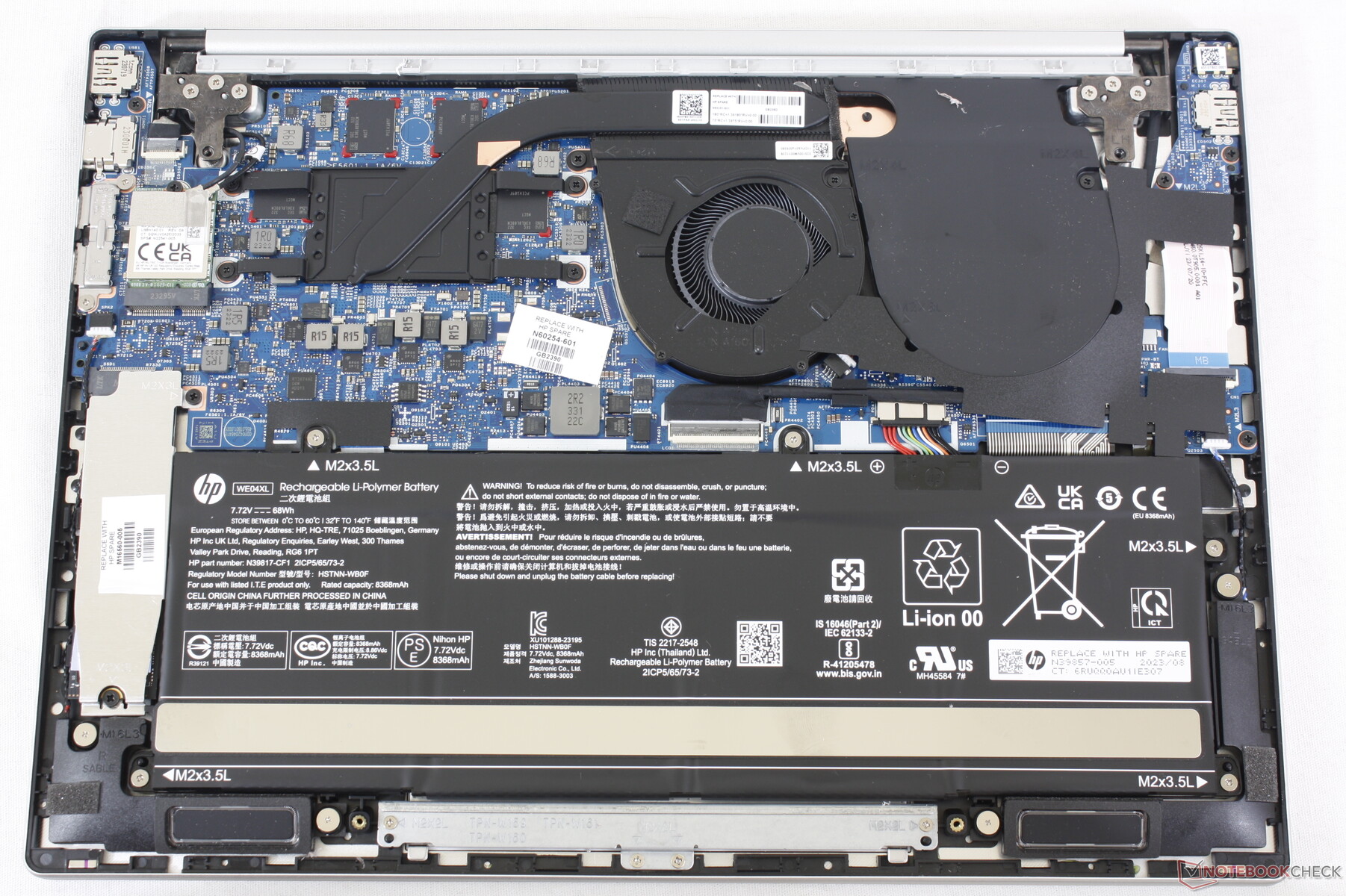
I found an amazing deal on a refurbished 2023 HP Pavilion Plus 14 and pulled the trigger! Here it is driving my workstation:
This basic little Pavilion is the best laptop I’ve ever used.
With a large 68 Watt-hour battery, its energy-efficient AMD 7840U CPU delivers a true 9-hour battery life with normal usage. For real! It also ramps up to do a clean build of KWin in less than 10 minutes! The laptop’s 2.8K 120Hz OLED screen is magnificent. Its keyboard and touchpad are truly the best I’ve ever used on a PC laptop. Linux compatibility is excellent too. Everything works out of the box. It’s just… great.
The problem is, it isn’t perfect. The speakers are awful, the aluminum casing is fairly thin and prone to denting while traveling, and there’s no touchscreen or fingerprint reader. USB 4 ports would also be nice, as would putting one on each side, rather than both on the right.
So I kept looking for the perfect replacement!
I still haven’t found one.
Everything out there sucks. Something important is always bad: usually the battery life, screen, or speakers. Often the keyboard layout is either bad, or just not to my liking. Other times the touchpad is laggy. Or it’s not physically rugged. Or there’s no headphone jack (what the heck). Or the palmrest is coated in some kind of gummy sticky material that will be disgusting with caked-on sweat and skin in a matter of weeks. Or Linux compatibility is poor. Or it’s absurdly expensive.
So for now, I’ll stick with the little Pavilion that could.
If only HP made this exact laptop with a thicker case and better speakers! A fingerprint reader and a touchscreen would be nice-to-haves as well. Replaceable RAM would easily be possible with a small redesign, as there’s empty space in the case. A USB 4 port on each side would be the cherry on top.


 Adventures in Linux and KDE